1
What is it all about?
Z Just like aux- and
master-sums the play
channels 9-17 are audible
on the output of the
TRACE 8, only when
assigned in the Output
Control!
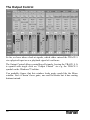
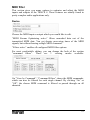
This window shows the analog outputs as well
as the four TDM outputs of the TRACE 8 as
stereo channel strips with the name “Analog
OUT”, and “TDM OUT”.
Z Aux 1 and aux 2, aux 3
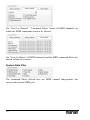
This Example shows how to do it: you wish to
monitor the sum “AUX 1-2” at the analog output
1-2 of the TRACE 8. Thus, push the “AUX 1-2”
knob in the output channel with the title “Analog
OUT 1-2”. That’s easy - isn’t it?
and aux 4 and so on are
grouped
to
stereocouples.
Z The routing of input
signals of the TRACE 8
takes
place
directly
within the hardware of
the soundcard and is
thereby latency-free.
In the Output Control the signals of the TRACE
8 can be routed completely free to an available
output or a TDM Bus channel. This applies to
any analog input signal, any TDM input signal,
any play signal and all stereo aux-sums.
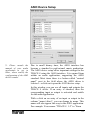
The same works for input signals. Example: you
wish to route the signal of the input 3-4 of the
TRACE 8 to the output 7-8? – No problem. Just
push the “Input”-knob on the channel strip
“Analog OUT 7-8”. In the drop-down menu
below “Input” choose “Analog IN 3-4”. DONE!
For a playback signal of an audio application
push “Play” in the appropriate output channel
strip. After that, choose the desired channel in
the drop-down menu.
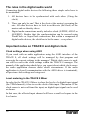
If you choose a signal for an output channel
under “SOURCE” you may adjust its volume
with the fader at the bottom of that channel strip.
The “Mute”-, “PRE”- and link-buttons as well as
the level meter and clipping indicator work just
the same way as you learned from the Mixer.
19