1
Delay
- Delay -
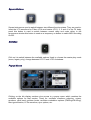
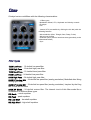
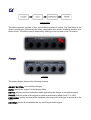
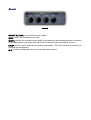
The stereo delay features an internal filter to shape the delayed effect (note: to avoid the
delayed signal to be affected by the filter set the cutoff knob fully clockwise and the
resonance knob to zero, like in the above picture). Stereo delay controls:
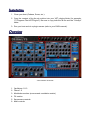
ON/OFF BUTTON: turn on/off the delay effect.
SYNC L/R: specify the time divisor for the left and right channels.
NORMAL/CROSS: switch between "normal delay" and "cross delay" ("ping-pong"). When
the square button is pressed the delay works in "cross" mode.
CUT: set the cut off level of the delayed signal.
RES: set the resonance level of the delayed signal.
FEED: specify the level of the feedback.
MIX: set the level between the dry and the processed signal.
Compressor
- Compressor -
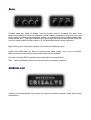
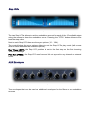
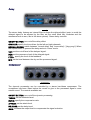
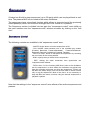
The dynamic processing can be controlled by a stereo hard-knee compressor. The
compressor has been insert before the reverb to give to the processed signal a more
natural sound. The controls available are:
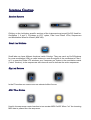
ON/OFF BUTTON: turn on/off the dynamic processing.
THRES: set the threshold level.
RATIO: specify the compression ratio.
ATTACK: set the attack level.
RELEASE: set the delay level.
GAIN: increase the output level to compensate the signal reduction.