1
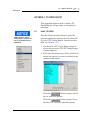
MON2000
Software for Gas Chromatographs
User Manual
Applies to Both:
Daniel Danalyzer On-Line Gas Chromatographs
Rosemount Analytical Process Gas Chromatographs
Part Number 3-9000-522
Revision M
AUGUST 2005
MON2000 Software for Gas
Chromatographs User Manual
NOTICE
DANIEL MEASUREMENT AND CONTROL, INC.
AND ROSEMOUNT ANALYTICAL, INC.
(COLLECTIVELY, “SELLER”) SHALL NOT BE LIABLE FOR TECHNICAL OR EDITORIAL ERRORS IN THIS
MANUAL OR OMISSIONS FROM THIS MANUAL. SELLER MAKES NO WARRANTIES, EXPRESSED OR
IMPLIED, INCLUDING THE IMPLIED WARRANTIES OF MERCHANTABILITY AND FITNESS FOR A
PARTICULAR PURPOSE WITH RESPECT TO THIS MANUAL AND, IN NO EVENT, SHALL SELLER BE
LIABLE FOR ANY SPECIAL OR CONSEQUENTIAL DAMAGES INCLUDING, BUT NOT LIMITED TO, LOSS
OF PRODUCTION, LOSS OF PROFITS, ETC.
PRODUCT NAMES USED HEREIN ARE FOR MANUFACTURER OR SUPPLIER IDENTIFICATION ONLY
AND MAY BE TRADEMARKS/REGISTERED TRADEMARKS OF THESE COMPANIES.
THE CONTENTS OF THIS PUBLICATION ARE PRESENTED FOR INFORMATIONAL PURPOSES ONLY,
AND WHILE EVERY EFFORT HAS BEEN MADE TO ENSURE THEIR ACCURACY, THEY ARE NOT TO BE
CONSTRUED AS WARRANTIES OR GUARANTEES, EXPRESSED OR IMPLIED, REGARDING THE
PRODUCTS OR SERVICES DESCRIBED HEREIN OR THEIR USE OR APPLICABILITY. WE RESERVE THE
RIGHT TO MODIFY OR IMPROVE THE DESIGNS OR SPECIFICATIONS OF SUCH PRODUCTS AT ANY
TIME.
SELLER DOES NOT ASSUME RESPONSIBILITY FOR THE SELECTION, USE OR MAINTENANCE OF ANY
PRODUCT. RESPONSIBILITY FOR PROPER SELECTION, USE AND MAINTENANCE OF ANY SELLER
PRODUCT REMAINS SOLELY WITH THE PURCHASER AND END-USER.
DANIEL AND THE DANIEL LOGO ARE REGISTERED TRADEMARKS OF DANIEL INDUSTRIES, INC. THE
ROSEMOUNT AND ROSEMOUNT ANALYTICAL LOGO THE ARE REGISTERED TRADEMARKS OF
ROSEMOUNT ANALYTICAL, INC. THE EMERSON LOGO IS A TRADEMARK AND SERVICE MARK OF
EMERSON ELECTRIC CO.
COPYRIGHT © 2005 BY DANIEL MEASUREMENT AND CONTROL, INC., HOUSTON, TEXAS,
U.S.A.
All rights reserved. No part of this work may be reproduced or copied in any form or by any
means - graphic, electronic, or mechanical — without first receiving the written permission of
Daniel Measurement and Control, Inc. Houston, Texas, U.S.A.
WARRANTY
1. LIMITED WARRANTY: Subject to the limitations contained in Section 2 herein and except as
otherwise expressly provided herein, Daniel Measurement and Control, Inc. and Rosemount Analytical,
Inc., (collectively“Seller”) warrants that the firmware will execute the programming instructions
provided by Seller, and that the Goods manufactured or Services provided by Seller will be free from
defects in materials or workmanship under normal use and care until the expiration of the applicable
warranty period. Goods are warranted for twelve (12) months from the date of initial installation or
eighteen (18) months from the date of shipment by Seller, whichever period expires first. Consumables
and Services are warranted for a period of 90 days from the date of shipment or completion of the
Services. Products purchased by Seller from a third party for resale to Buyer ("Resale Products") shall
carry only the warranty extended by the original manufacturer. Buyer agrees that Seller has no liability
for Resale Products beyond making a reasonable commercial effort to arrange for procurement and
shipping of the Resale Products. If Buyer discovers any warranty defects and notifies Seller thereof in
writing during the applicable warranty period, Seller shall, at its option, promptly correct any errors that
are found by Seller in the firmware or Services, or repair or replace F.O.B. point of manufacture that
portion of the Goods or firmware found by Seller to be defective, or refund the purchase price of the
defective portion of the Goods/Services. All replacements or repairs necessitated by inadequate
maintenance, normal wear and usage, unsuitable power sources, unsuitable environmental conditions,
accident, misuse, improper installation, modification, repair, storage or handling, or any other cause not
the fault of Seller are not covered by this limited warranty, and shall be at Buyer's expense. Seller shall
not be obligated to pay any costs or charges incurred by Buyer or any other party except as may be
agreed upon in writing in advance by an authorized Seller representative. All costs of dismantling,
reinstallation and freight and the time and expenses of Seller's personnel for site travel and diagnosis
under this warranty clause shall be borne by Buyer unless accepted in writing by Seller. Goods repaired
and parts replaced during the warranty period shall be in warranty for the remainder of the original
warranty period or ninety (90) days, whichever is longer. This limited warranty is the only warranty
made by Seller and can be amended only in a writing signed by an authorized representative of Seller.
Except as otherwise expressly provided in the Agreement, THERE ARE NO REPRESENTATIONS OR
WARRANTIES OF ANY KIND, EXPRESSED OR IMPLIED, AS TO MERCHANTABILITY, FITNESS FOR
PARTICULAR PURPOSE, OR ANY OTHER MATTER WITH RESPECT TO ANY OF THE GOODS OR
SERVICES. It is understood that corrosion or erosion of materials is not covered by our guarantee.
2. LIMITATION OF REMEDY AND LIABILITY: SELLER SHALL NOT BE LIABLE FOR DAMAGES CAUSED
BY DELAY IN PERFORMANCE. THE SOLE AND EXCLUSIVE REMEDY FOR BREACH OF WARRANTY
HEREUNDER SHALL BE LIMITED TO REPAIR, CORRECTION, REPLACEMENT OR REFUND OF
PURCHASE PRICE UNDER THE LIMITED WARRANTY CLAUSE IN SECTION 1 HEREIN. IN NO EVENT,
REGARDLESS OF THE FORM OF THE CLAIM OR CAUSE OF ACTION (WHETHER BASED IN
CONTRACT, INFRINGEMENT, NEGLIGENCE, STRICT LIABILITY, OTHER TORT OR OTHERWISE),
SHALL SELLER'S LIABILITY TO BUYER AND/OR ITS CUSTOMERS EXCEED THE PRICE TO BUYER OF
THE SPECIFIC GOODS MANUFACTURED OR SERVICES PROVIDED BY SELLER GIVING RISE TO THE
CLAIM OR CAUSE OF ACTION. BUYER AGREES THAT IN NO EVENT SHALL SELLER'S LIABILITY TO
BUYER AND/OR ITS CUSTOMERS EXTEND TO INCLUDE INCIDENTAL, CONSEQUENTIAL OR PUNITIVE
DAMAGES. THE TERM "CONSEQUENTIAL DAMAGES" SHALL INCLUDE, BUT NOT BE LIMITED TO,
LOSS OF ANTICIPATED PROFITS, LOSS OF USE, LOSS OF REVENUE AND COST OF CAPITAL.
TABLE OF CONTENTS
MON2000
i
TABLE OF CONTENTS
INTRODUCTION
INSTALLATION AND
SETUP
AUG 2005
1.1
Description of Manual ....................................1-1
Section 1 – Introduction ................................1-1
Section 2 – Installation and Startup .................1-2
Section 3 – Getting Started ............................1-2
Section 4 – Control Functions.........................1-2
Section 5 – Application Functions ...................1-3
Section 6 – Chromatogram Viewer ..................1-3
Section 7 – Reports.......................................1-3
Section 8 – Logs...........................................1-3
Section 9 – Data Collection ............................1-4
Section 10 – Modbus Test .............................1-4
Appendix A, PC Config Report ........................1-5
Appendix B, Component Data Table ................1-5
Appendix C, Data Computations .....................1-5
Appendix D, Analog Output
Cal. 2350A GC .............................................1-5
Appendix E, Upgrade 2350A GC
S/W and 2350 EPROMS.................................1-5
Appendix F, Modbus Reg. List for 2350A GC ...1-5
1.2
Description of Online Help ..............................1-6
1.3
Description of MON2000 ...............................1-6
2.1
System Requirements ....................................2-1
2.2
Installing MON2000 Software.........................2-3
2.3
Copying MON2000 to Disks ...........................2-3
2.4
Uninstalling MON2000...................................2-5
2.5
Starting MON2000........................................2-7
2.6
Performing Your First Logon ...........................2-8
2.6.1
The Initial Logon ...........................................2-8
2.6.2
Registering MON2000 ...................................2-9
2.6.3
Update MON2000 ....................................... 2-11
Introduction
ii
TABLE OF CONTENTS
MON2000
2.7
Checklist for Setting Up MON2000 ............... 2-12
2.8
Communications ......................................... 2-12
2.8.1
Connect to the GC Unit ............................... 2-12
2.8.2
Disconnect from GC Unit ............................. 2-13
2.9
Customizing MON2000................................ 2-14
2.9.1
Configure Users .......................................... 2-14
2.9.2
Set Up GC Directory.................................... 2-17
2.9.3
Dial-up Connection ...................................... 2-20
2.9.4
Modem Initialization Strings/Setup................. 2-25
Black Box - Modem 325............................... 2-26
U.S. Robotics Sportster ............................... 2-27
GVC/MaxTech 28.8 Kbps Modem ................. 2-29
2.10
2350 to 2350A Retrofit Instructions ............. 2-30
2.11
Conversion Process ..................................... 2-32
2.12
BASIC 2350A CONFIGURATION ................... 2-38
2.13
2350A Options ........................................... 2-40
2.13.1 The COM4A Board ...................................... 2-40
2.13.2 2350A Modem Installation ........................... 2-43
2.13.3 2350A Ethernet Installation .......................... 2-46
2.13.4 Ethernet TCP/IP Settings .............................. 2-50
2.13.5 MON2000 TCP/IP Settings ........................... 2-53
2.14
CONNECT VIA GC EXTERNAL MODEM ......... 2-55
2.14.1 Hardware Setup .......................................... 2-55
2.14.2 Select Program Settings............................... 2-57
2.14.3 Generate PC Config Report........................... 2-59
Installation and Setup
2.15
Downloading an Application ......................... 2-61
2.16
Upgrading Flash .......................................... 2-64
AUG 2005
TABLE OF CONTENTS
MON2000
2.17
iii
Offline Edit of GC Application ....................... 2-65
2.17.1 File Selection .............................................. 2-66
2.17.2 Upload Application ...................................... 2-67
2.17.3 Upload BOS................................................ 2-70
GETTING STARTED
CONTROL FUNCTIONS
AUG 2005
3.1
Logging On...................................................3-1
3.2
Logging Off ..................................................3-3
3.3
MON2000 User Interface ...............................3-3
3.3.1
Main Window ...............................................3-4
3.3.2
GC Status Bar...............................................3-5
3.3.3
View Menu...................................................3-8
3.3.4
ToolTips.......................................................3-8
3.3.5
Data Entry and Function Features....................3-8
3.3.6
Shortcut to Save or Print Data ........................3-9
3.4
Keyboard Shortcuts .......................................3-9
3.5
Procedures Guide ........................................ 3-11
3.6
Keylock Switch Control................................ 3-15
3.7
Configuring Your Printer ............................... 3-16
3.8
Using Online Help........................................ 3-18
3.9
Operating Modes for Model 700.................... 3-19
3.10
About MON2000 ........................................ 3-19
4.1
Auto Sequence .............................................4-1
4.2
Single Stream ...............................................4-2
4.3
Halt .............................................................4-3
4.4
Calibration....................................................4-4
4.5
Baseline Run.................................................4-5
Getting Started
iv
TABLE OF CONTENTS
APPLICATION
FUNCTIONS
Application Functions
MON2000
4.6
Valve Timing ................................................ 4-7
4.7
GC Time ...................................................... 4-9
4.7.1
View GC Time .............................................. 4-9
4.7.2
Set GC Time............................................... 4-10
4.8
Stop Now .................................................. 4-11
5.1
System ........................................................ 5-1
5.2
Component Data ........................................... 5-6
5.2.1
Select Standard Component(s)...................... 5-10
5.2.2
Select Standard Values ................................ 5-11
5.2.3
Update Standard Component(s) .................... 5-11
5.2.4
View Raw Data........................................... 5-12
5.2.5
Sort Retention Time .................................... 5-14
5.3
Timed Events ............................................. 5-14
Timed Events Description ............................. 5-14
Valve Events .............................................. 5-15
Integration Events ....................................... 5-15
Spectrum Gain Events ................................. 5-16
5.4
User Defined .............................................. 5-19
5.4.1
Numeric ..................................................... 5-19
5.4.2
Selection.................................................... 5-20
5.4.3
Text Strings ............................................... 5-20
5.5
Calculations ............................................... 5-21
5.5.1
Control ...................................................... 5-21
5.5.2
Averages ................................................... 5-23
5.5.3
User Defined .............................................. 5-25
5.6
Limit Alarms ............................................... 5-27
Limit Alarms Description .............................. 5-30
5.7
Discrete Alarms .......................................... 5-31
AUG 2005
TABLE OF CONTENTS
MON2000
v
5.8
Streams ..................................................... 5-33
5.9
Analog Inputs ............................................. 5-39
5.10
Analog Outputs........................................... 5-43
5.10.1 Analog Output Dialog Description.................. 5-43
5.10.2 Changing a Variable..................................... 5-46
5.10.3 Changing the Bargraph................................. 5-46
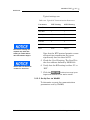
5.10.4 Performing a Manual Calibration .................... 5-47
5.10.5 Performing an Automated Calibration............. 5-48
5.11
Discrete Inputs ........................................... 5-50
5.12
Discrete Outputs ......................................... 5-51
5.13
Valves ....................................................... 5-52
5.14
Temperature Control.................................... 5-55
5.15
Serial Ports................................................. 5-57
5.15.1 Serial Ports Configuration ............................. 5-60
5.16
GC Serial Port and Cable Configurations......... 5-62
5.16.1 GC DB-9 Serial to Ext. Modem DB-25 ............ 5-64
5.16.2 GC Phoenix Plug to Ext. Modem DB-25.......... 5-65
5.16.3 Com ID ...................................................... 5-66
5.16.4 Registers.................................................... 5-68
5.16.5 Setting Optional Base Pressures .................... 5-74
5.16.6 Setting Optional Base Results ....................... 5-78
CHROMATOGRAM
VIEWER
AUG 2005
5.17
TCP/IP, Subnet, and Gateway Menu .............. 5-82
6.1
Chromatogram Viewer Function ......................6-1
6.2
Viewing a Live Chromatogram ........................6-2
6.2.1
From Online GC ............................................6-2
6.2.2
From GC Archive ..........................................6-3
6.2.3
From File on Disk ..........................................6-4
Chromatogram Viewer
vi
TABLE OF CONTENTS
REPORTS
Reports
MON2000
6.3
Removing a Chromatogram from View............. 6-8
6.4
Saving a Chromatogram to Disk ...................... 6-8
6.5
Graph Functions............................................ 6-9
6.5.1
Editing the Chromatogram Graph .................... 6-9
6.5.2
Changing Cursor Size .................................. 6-10
6.5.3
Printing the Chromatogram........................... 6-11
6.6
Chromatogram Functions ............................. 6-11
6.6.1
Editing the Chromatogram ............................ 6-12
6.6.2
Editing TEVs from CGM Viewer .................... 6-13
6.6.3
Editing Retention Times from CGM Viewer ..... 6-15
6.6.4
Editing TEVs from Cursor ............................. 6-15
6.6.5
Viewing the Chromatogram Results ............... 6-16
6.6.6
Entering a Description.................................. 6-18
6.6.7
Forcing a Calibration.................................... 6-19
6.6.8
Toggling TEVs and CGM Components ........... 6-19
6.7
Viewing Baseline Data ................................. 6-20
6.8
Viewing RAW Data ..................................... 6-21
6.9
Display Options .......................................... 6-21
7.1
Report Display .............................................. 7-1
7.1.1
View Report from Live Data ........................... 7-1
7.1.2
View Report from File .................................... 7-4
7.1.3
Print Report .................................................. 7-6
7.1.4
Save Report to Disk....................................... 7-6
7.1.5
Report Contents............................................ 7-8
Analysis Report............................................. 7-9
Raw Data Report......................................... 7-11
Calibration Report ....................................... 7-12
Final Calibration Report ................................ 7-13
Average Reports ......................................... 7-14
Sample 24-Hour Average Report ................... 7-14
AUG 2005
TABLE OF CONTENTS
MON2000
vii
7.2
GC Report Request...................................... 7-15
7.3
GC Printer Control ....................................... 7-16
7.4
MON2000 Printer Control............................. 7-18
7.5
Archive Data .............................................. 7-20
7.5.1
View Data Model 500/Model 700.................. 7-21
7.5.2
Archive Export Data .................................... 7-24
7.5.3
Reset......................................................... 7-27
7.6
Trend Data ................................................. 7-28
7.6.1
Trend Data Model 700/2350A GCs .............. 7-28
7.6.2
View Live Trend Online Model 700/2350A ..... 7-29
7.6.3
View Trend from File on Disk........................ 7-32
7.6.4
Edit Graph Display....................................... 7-34
7.6.5
Changing Cursor Size................................... 7-34
7.6.6
Describe Trend ........................................... 7-35
7.6.7
Print Trend ................................................. 7-35
7.6.8
Save Trend................................................. 7-36
7.6.9
Read Trend Archive ..................................... 7-36
7.6.10 Display Options........................................... 7-37
LOGS
AUG 2005
8.1
Maintenance Log...........................................8-1
8.2
Parameter List ..............................................8-3
8.3
Alarm Log ....................................................8-6
8.4
Clear or Acknowledge Active Alarms ...............8-9
8.5
Event Log.....................................................8-9
Logs
viii
TABLE OF CONTENTS
MON2000 PLUS DATA
COLLECTION/AUTOPOLLING
MODBUS TEST
MON2000
9.1
Overview ..................................................... 9-1
GC Controller Model Support .......................... 9-2
9.2
Data Collection Configuration ......................... 9-3
Polling Control Files ....................................... 9-3
Polling Control Commands ............................. 9-3
Create a New Polling Control File .................... 9-5
Edit An Existing Polling Control File ................. 9-6
Connect Command........................................ 9-8
Alarms Command.......................................... 9-9
Averages Command .................................... 9-12
Calibration Command .................................. 9-15
Event Log Command ................................... 9-20
Registers Command .................................... 9-23
Reports Command....................................... 9-27
Maintenance Log Command ......................... 9-30
Disconnect Command.................................. 9-32
Await Command ......................................... 9-33
Delay Command ......................................... 9-36
Repeat Command........................................ 9-37
Run Command ............................................ 9-38
End Command ............................................ 9-39
9.3
Data Collection ........................................... 9-40
Auto-Sequencing Status .............................. 9-42
Stop Auto-Sequencing ................................. 9-45
Transaction Log .......................................... 9-45
10.1
Starting WinMB .......................................... 10-1
10.2
Establishing Communications........................ 10-2
10.2.1 Comparison of Modbus Protocols .................. 10-3
10.2.2 Set GC Com Parameters via MON2000.......... 10-4
10.2.3 Set Up Port via WinMB ................................ 10-5
10.3
Getting Modbus Data................................... 10-7
10.3.1 Use Single Data Type .................................. 10-9
10.3.2 Use Template (Mixed Data Types) ............... 10-10
MON2000 Plus Data Collection/Auto-Polling
AUG 2005
TABLE OF CONTENTS
MON2000
10.4
ix
Using Modbus Data ................................... 10-13
10.4.1 Set Log Parameters ................................... 10-14
10.4.2 Save Modbus Data .................................... 10-16
10.4.3 Assign Scale Ranges for User_Modbus......... 10-17
10.4.4 Print Modbus Data .................................... 10-17
10.5
Troubleshooting Communication Errors ........ 10-18
10.6
Using Modbus Test Online Help .................. 10-19
10.6.1 How to Access ......................................... 10-19
10.6.2 How to Navigate ....................................... 10-20
A.1
How to Print................................................ A-1
A.2
Example Report............................................ A-2
APPENDIX B,
COMPONENT DATA
TABLE
B.1
Component Data Table ..................................B-1
APPENDIX C, DATA
COMPUTATIONS
C.1
Data Acquisition ...........................................C-1
C.2
Peak Detection .............................................C-2
C.3
Analysis Computations ..................................C-4
C.3.1
Conc. Analysis with Response Factor ..............C-5
Calibration....................................................C-5
Calc. in Mole Percent w/o Normalization ..........C-7
C.4
Post Analysis Computations ...........................C-9
C.4.1
Liquid Equivalent Computations.......................C-9
C.4.2
Heating Value Calculations .............................C-9
C.4.3
Multi-Level Calibration .................................C-16
C.4.4
Indirect Calibration .....................................C-17
D.1
Calibrating by Volts ...................................... D-1
D.2
Calibrating by Percentages ............................ D-5
APPENDIX A, PC CONFIG
REPORT
APPENDIX D, ANALOG
OUTPUT CAL. FOR 2350A
AUG 2005
Appendix A, PC Config Report
x
TABLE OF CONTENTS
APPENDIX E, UPGRADE
2350A GC S/W AND
2350 EPROMS
MON2000
E.1
Connect to GC and Halt Analysis .................... E-1
E.2
OFFLINE EDIT TO UPLOAD APP. & RENAME .... E-1
E.3
Upgrade User-Defined Applications.................. E-3
E.4
Upgrade from Disk ........................................ E-3
E.4.1
Upgrade from GC Controller ........................... E-6
E.4.2
Configure GC Connection............................... E-9
E.5
Disconnect Power and Disassemble............... E-10
E.6
Replace EPROMS/Reset CPU ........................ E-12
E.7
Reassembly Procedures ............................... E-13
E.8
Set-Up and Programming ............................. E-14
E.8.1
Procedure .................................................. E-14
E.8.2
Reprogramming the DiskOnChip .................... E-16
E.8.3
GC Reassembly........................................... E-17
E.9
Connect to GC for Upgraded App.................. E-18
E.10
Guide to Standard Application Files ............... E-19
E.10.1 Importance of Standard Application Files........ E-19
E.10.2 Standard Applications v1.50 and Later .......... E-20
E.10.3 Standard Applications Prior to v1.50 ............. E-22
APPENDIX F, MODBUS
REG. LIST FOR 2350A GC
F.1
Introduction – SIM_2251 & User_Modbus ........ F-1
F.1.1
Notes on User_Modbus .................................. F-1
F.1.2
Notes on SIM_2251 Modbus .......................... F-2
F.2
User_Modbus Register List ............................. F-3
F.2.1
SIM_2251 Modbus Register List ..................... F-6
Appendix E, Upgrade 2350A GC S/W and 2350 EPROMS
AUG 2005
INTRODUCTION
MON2000
1-1
INTRODUCTION
Welcome to the MON2000 User Manual
(P/N 3-9000-522), a user guide that
accompanies the MON2000 software produced
by Daniel Measurement and Control, Inc., a
Division of Emerson Process Management.
Use this manual for installing the MON2000
and Modbus Test (WinMB) software programs,
getting started, checking various gas
chromatograph (GC) application settings, and
configuring and monitoring your GC system.
1.1
DESCRIPTION OF MANUAL
See the following section summaries or the
Table of Contents for more information.
Section 1 – Introduction
This section includes:
• summary listing of the manual sections
• description of the MON2000 User Guide
online help file
• description of the MON2000 software
program
_________________________________________________________________________________________
AUG 2005
Description of Manual
1-2
INTRODUCTION
MON2000
Section 2 – Installation and Startup
This section includes:
• short description of the MON2000 software
• minimum system requirements for
installing MON2000 on a 32-bit Microsoft®
Windows® platform
• installation and Startup instructions
• establishing communications and Logon
procedures
• instructions for customizing MON2000 and
setting up security
• instructions for downloading an application
and using the Offline Edit function to
change an application’s configuration
Section 3 – Getting Started
This section includes:
• instructions on how to log on and log off
• navigation instructions for MON2000
• listing of available procedures and keyboard
shortcuts
• access and navigation instructions for the
MON2000 User Guide online help file
Section 4 – Control Functions
This section includes:
• description of available Control functions
and detailed step procedures
Description of Manual
AUG 2005
INTRODUCTION
MON2000
1-3
Section 5 – Application Functions
This section includes:
• description of available GC Application
functions and detailed step procedures
Section 6 – Chromatogram Viewer
This section includes:
• description of available Chromatogram
Viewer functions and detailed step
procedures to view, save, and print
chromatograms
Section 7 – Reports
This section includes:
• descriptions of available reports and sample
outputs
• instructions on how to generate and print a
given report
Section 8 – Logs
This section includes:
• description of Maintenance, Alarm, and
Event logs
• description of the Parameter List
• step procedures for viewing, editing, and
clearing logs
_________________________________________________________________________________________
AUG 2005
Description of Manual
1-4
INTRODUCTION
MON2000
Section 9 – Data Collection
This section includes:
• descriptions of Data Collection and AutoSequencing
• instructions on how to configure, generate
and run the Data Collection and AutoSequencing function using MON2000 PLUS
Section 10 – Modbus Test
This section includes:
• short description of the WinMB software
• minimum system requirements for
installing WinMB on a 32-bit Microsoft®
Windows® platform
• installation and start up instructions
• description of available Modbus Test
functions and detailed step procedures
• description of the WinMB online help file
and navigation instructions
Description of Manual
AUG 2005
MON2000
INTRODUCTION
1-5
Appendix A, PC Config Report
This appendix provides a sample PC Config
Report for reference only.
Appendix B, Component Data Table
This appendix provides two sample Component
Data Tables for reference only.
Appendix C, Data Computations
This appendix discusses the various equations
and computations involved with acquisition
and analysis tasks.
Appendix D, Analog Output
Cal. 2350A GC
This appendix demonstrates how to calibrate
an analog output for a 2350A GC Controller,
using the MON2000 software.
Appendix E, Upgrade 2350A GC
S/W and 2350 EPROMS
This appendix describes how to upgrade the GC
software and the 2350 GC Controller EPROMS,
the 2350A WinSystems CPU,
P/C104 Bus, and DiskOnChip.
Appendix F, Modbus Reg. List for 2350A GC
This appendix explains the differences between
SIM_2251 and User_Modbus protocols, and
lists the corresponding Modbus registers used
by the 2350A GC Controller.
_________________________________________________________________________________________
AUG 2005
Description of Manual
1-6
1.2
INTRODUCTION
MON2000
DESCRIPTION OF ONLINE HELP
Use the User Guide online help file to quickly
access information regarding any MON2000
function. See Section 3.8 for more detailed
information.
1.3
DESCRIPTION OF MON2000
MON2000 is a menu-driven, Windows-based
software program designed to operate the gas
chromatograph (GCs). MON2000 runs on an
IBM-compatible personal computer (PC) and
serves as an interface between you and the GC
unit. MON2000 can run on a Windows® 95,
Windows® 98, Windows® 2000, Windows® XP
or Windows® NT operating system.
MON2000, combined with the GC application(s), offers a complete software package for
operating and monitoring one or more GC
systems from a single PC. MON2000 includes
security features to help prevent unauthorized
access to GC data or control. MON2000 also
includes, for trouble-shooting purposes, an
auxiliary program (WinMB) to selectively poll
the GC Modbus registers (see Section 10 for
more information).
GC functions that can be initiated or controlled
by MON2000 include:
•
•
•
•
•
•
•
•
alarm parameters
alarm and event processing
analog scale adjustments
analyses
baseline runs
calculation assignments and configurations
calibrations
component assignments and configurations
Description of Online Help
When configured for RS-485
multi-drop networking,
MON2000 can interface with
up to 32 GC units, either in a
stand-alone configuration or via
a network.
When configured for
Ethernet networking MON2000
can interface with a number of
GC Units limited only by the
number of available TCP/IP
addresses.
AUG 2005
INTRODUCTION
MON2000
•
•
•
•
•
•
1-7
diagnostics
event sequences
halt operations
stream assignments and sequences
valve activations
timing adjustments
Reports that can be generated by MON2000
per the GC application:
•
•
•
•
•
•
•
•
•
•
24-Hour Averages
Analysis
Calibration
Final Calibration
Hourly Averages
Monthly Averages
PC Configuration
Raw Data
Variable Averages
Weekly Averages
Logs that are maintained by MON2000:
•
•
•
•
Alarm Log
Event Log
Parameter List
Maintenance Log
_________________________________________________________________________________________
AUG 2005
Description of MON2000
1-8
INTRODUCTION
MON2000
This page is intentionally left blank.
Description of MON2000
AUG 2005
INSTALLATION AND SETUP
MON2000
2-1
INSTALLATION AND SETUP
This section lists the system requirements to
run MON2000 and provides installation
procedures as well as initial logon instructions,
communications setup, and software
configuration.
2.1
SYSTEM REQUIREMENTS
To achieve maximum performance when
running the MON2000 software, ensure your
PC system contains the following hardware.
• PC with a 486/90MHz or higher processor
(Pentium/100MHz or higher recommended)
running either
Windows® 95 (service pack 1 or better) or later
equipment and Microsoft® Windows® operating
system.
Microsoft Internet Explorer 5.0 (or later) is required to view
spreadsheets or reports saved in HTML format.
If running Windows® 95 with the 2350A optional Ethernet
card, the user must download Socket 2 from
www.microsoft.com/windows95/downloads to utilize
MON2000’s ethernet feature.
AUG 2005
System Requirements
2-2
INSTALLATION AND SETUP
-
Windows® 98 version 1 or later
-
Windows® 2000 version 1 or later
-
Windows® XP version 1 or later (see note
for system requirements)
Windows® NT Server version 4 (service
pack 3 or later)
-
MON2000
Use the Settings>Control Panel>System/>General Page menu to check the system version
number.
For Windows® 95, the version number should be 4.00.950A/B or later.
For Windows® 98 or Windows® 2000, the version number should be 1 or later.
To use Windows® XP you need:
• Computer/Processor PC with 300 MHz or higher processor clock speed recommended;
• 233 MHz minimum required (single or dual processor system)
• *Intel® Pentium®/CeleronTM family, or AMD-K6®/AMD AthlonTM/AMD DuronTM family,
or compatible processor recommended.
• Memory: 128 MB of RAM or higher recommended (64 MB minimum supported; may limit
performance and some features).
• Hard Disk Minimum: 1.5 GB of available hard disk space.
For Windows® NT4, the version number should be 4.00.1381 or later.
• 16 megabytes (MB) of RAM (32 MB or
higher recommended)
• 5 MB of free hard disk space
• Super VGA monitor with 800x600
resolution
• free serial port for remote/local connection
to gas chromatograph (for online operations)
• free parallel port for connection to printer
• Windows® -compatible modem (for remote
connection only)
• Ethernet connection (when using Ethernet
networking)
System Requirements
AUG 2005
INSTALLATION AND SETUP
MON2000
2.2
2-3
INSTALLING MON2000 SOFTWARE
To install MON2000,
If you are upgrading MON2000, you must install the new
software with same directory as the current version.
1. Either place the MON2000 CD in your
CD-ROM drive or insert Installation Disk 1
into your floppy drive.
2. Launch Windows® Explorer® by either:
• Clicking the
button (see the
taskbar) to access the Programs menu
option.
• Double-clicking the Windows® Explorer®
icon on your desktop.
3. Access either your CD-ROM drive or floppy
drive.
4. Double-click the file “setup.exe”.
5. The Installation Wizard begins. Follow the
instructions provided on each screen.
Upon successful installation, Windows®
automatically creates a MON2000 icon on
your desktop.
2.3
COPYING MON2000 TO DISKS
Use this procedure to copy the MON2000
installation files to 3 floppy disks for future
installation.
1. Label 3 blank formatted 3.5-inch floppy
disks “MON2000 Install Disk 1”, “MON2000
Install Disk 2”, and “MON2000 Install Disk
3”.
AUG 2005
Installing MON2000 Software
2-4
INSTALLATION AND SETUP
MON2000
2. Place the MON2000 CD in your CD-ROM
drive.
3. Launch Windows® Explorer®.
4. Ensure that the Show all files option in
Windows® Explorer® is selected.
(a) Use the View > Folder Options menu to
access the Folder Options dialog.
(b) Click the View tab.
(c) In the Advanced Settings pane, find the
gray folder icon labeled Hidden Files.
(d) Click the Show all files radio button.
(e) Click the
button.
5. Use the Windows® Explorer® directory tree
to open the MON2000 Installation Files
folder on your CD.
6. Place the “MON2000 Install Disk 1” in your
floppy drive.
7. Open the Disk1 folder on your CD.
Copying MON2000 to Disks
AUG 2005
INSTALLATION AND SETUP
MON2000
2-5
8. Copy all files from the Disk1 folder to the
“MON2000 Install Disk 1” floppy.
9. Remove the “MON2000 Install Disk 1” from
your floppy drive.
10. Repeat Steps 5 through 8 to copy the Disk2
and Disk3 folders to your “MON2000 Install
Disk 2” and “MON2000 Install Disk 3”
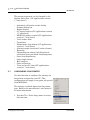
floppy disks.
11. Remove the MON2000 CD from your
CD-ROM drive.
2.4
UNINSTALLING MON2000
To uninstall MON2000 using Windows® 95,
Windows® 98, Windows® 2000 or Windows®
NT,
1. Click the
button (see the taskbar).
2. Click Settings and then Control Panel. The
Control Panel dialog appears.
3. Double-click the Add/Remove Programs
icon.
If using Windows XP, click the Start button, then
Add/Remove Programs.
AUG 2005
Uninstalling MON2000
2-6
INSTALLATION AND SETUP
MON2000
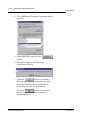
4. The Add/Remove Program Properties dialog
appears.
5. Select MON2000 and click the
button.
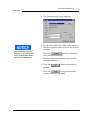
6. Windows® displays the following
confirmation dialog.
7. Click the
button to continue.
Windows® deletes the program files only.
Any files shared by other programs or
created by the user are not deleted.
Click the
button to abort and
return to the Add/Remove Program
Properties dialog.
Uninstalling MON2000
AUG 2005
INSTALLATION AND SETUP
MON2000
2.5
2-7
STARTING MON2000
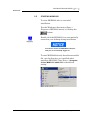
To start MON2000 after a successful
installation,
Use the Windows® Start menu (Start >
Programs >MON2000 menu) by clicking the
button.
Double-click the MON2000 icon automatically
created on your desktop during installation.
You cannot access the MON2000 functions
until you are successfully logged on.
To start MON2000 directly from the executable
file, use the directory you specified when
installing MON2000. Note that c:\Program
Files\MON2000\MON2000 is the default
setting.
AUG 2005
Starting MON2000
2-8
INSTALLATION AND SETUP
2.6
PERFORMING YOUR FIRST LOGON
2.6.1
The Initial Logon
MON2000
Each new GC unit is shipped with one super
user named “Emerson”. After logon, ensure
that this user name appears in the Users list as
a super user (see Section 2.9.1).
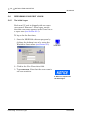
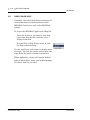
To log on for the first time,
1. Start the MON2000 software program by
clicking the desktop icon or by using the
Windows® Start menu (see Section 2.5).
2. Click in the User Name data field.
3. Type emerson. Note that the user name is
not case-sensitive.
A PIN is not required for
the initial logon.
Performing Your First Logon
AUG 2005
INSTALLATION AND SETUP
MON2000
2-9
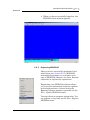
4. When you have successfully logged on, the
MON2000 main window appears.
2.6.2
Registering MON2000
After your have successfully performed your
initial logon (see Section 2.6.1), MON2000
automatically prompts you to register your
copy of MON2000 software. An active Internet
connection is required for registration.
Registering your MON2000 software allows
you to receive information about free updates
and related products. A direct link to the
Emerson Internet website is provided via the
File > Update MON2000 menu.
You may choose to postpone registration. You
can register at any time via the File > Register
MON2000 menu.
AUG 2005
Performing Your First Logon
2-10
INSTALLATION AND SETUP
MON2000
1. Use the File>Register MON2000 menu.
Follow the prompts in the Register
MON2000 dialog to input your name,
MON2000 serial number (located inside the
CD jewel case), and other relevant
information.
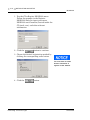
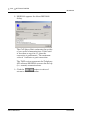
2. Click the
button to continue.
3. Choose the desired registration method by
clicking the corresponding radio button.
You must have an active
internet connection to
register via the website.
4. Click the
Performing Your First Logon
button.
AUG 2005
INSTALLATION AND SETUP
MON2000
2.6.3
2-11
Update MON2000
Provided there is an active internet connection
to the computer on which MON2000 is
installed, clicking the File>Update MON2000
submenu sends the user to the Emerson®
Chromatograph Controllers website
(www.emersonprocess.com/daniel/products/GC/
Controllers/Productdetail.htm).
Updating the software
requires a previously installed,
registered copy of MON2000.
Use the File>Update MON2000 menu to
download the latest versions of MON2000 and
the BOS software programs.
To download the latest versions of the software,
1. Use the computer on which MON2000 is
installed and connect to the Internet.
Minimize the Internet window.
2. From MON2000, select the File>Update
MON2000 menu. This opens the Emerson
Chromatograph Controllers website
(www.emersonprocess.com/daniel/products/
GC/Controllers/Productdetail.htm).
3. From the Emerson Chromatograph
Controller website, you can download the
latest MON2000 and BOS updates, view
and/or download catalogs, brochures,
equipment specification sheets, product
manuals, drawings, application notes, and
white papers. Other links to products and
services are also available.
AUG 2005
Performing Your First Logon
2-12
2.7
INSTALLATION AND SETUP
MON2000
CHECKLIST FOR SETTING UP MON2000
To ensure optimum performance,
• Configure your system security (see
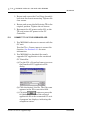
Section 2.9.1).
Verify that you have assigned a password to
the super user, and/or created a secure
system Admin account.
• Configure how MON2000 will save your
analytic and diagnostic information (see
Section 2.14.2).
• Establish communications between
MON2000 and the GC unit (see Section 2.8
and Section 5.15).
2.8
COMMUNICATIONS
MON2000 can communicate to the GC unit
locally via a serial port cable, Ethernet
connection, or remotely via a modem. If
performing a remote connection, ensure that
you have configured the PC modem first.
To configure the communication and serial port
settings for the GC unit, see Section 5.15.
2.8.1
Connect to the GC Unit
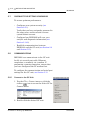
1. Use the File > Connect menu or click the
toolbar
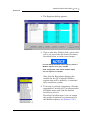
icon to access the Select GC for
Connect menu.
2. Double-click the desired GC unit.
Checklist for Setting Up MON2000
AUG 2005
INSTALLATION AND SETUP
MON2000
2-13
3. MON2000 appears the connection status
dialog while dialing the selected unit.
If another user is already
connected to the GC, the unit
will “lock out” the second user.
When a PC connection is
active, the GC Controller front
panel will indicate a “System
Lockout”. This status times out
after 10 minutes.
The messages “Reading dictionary”,
“Reading GC Application data”’ and “Logon”
appears in the status bar and an
information screen appears.
Once connected, the name of the GC unit
displays in the lower left hand corner of the
MON2000 main window.
2.8.2
Disconnect from GC Unit
Use this process to terminate an active PC
connection to a GC unit.
The menu-driven procedure for disconnecting
is completely optional. MON2000 intelligently
and automatically disconnects when you exit
MON2000 or connect to a second GC
Controller.
1. Use the File > Disconnect menu or click the
toolbar
icon to access this function.
2. MON2000 automatically terminates all
open connections.
AUG 2005
Communications
2-14
INSTALLATION AND SETUP
MON2000
A Terminating communications message
appears in the status bar.
If MON2000 does not detect an active
connection to terminate, an “Invalid
selection or not downloaded” message
appears.
2.9
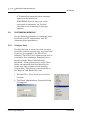
CUSTOMIZING MON2000
Use the following functions to customize users,
the directory of GC applications, and PC
communications parameters.
2.9.1
Configure Users
Use this function to create new user accounts
or edit the existing account data. An extra level
of security is assigned to the File>Users
submenu. The File>Users submenu can only be
accessed by first entering a Password into a
dialog box titled 'Enter Administrator
Password'. After gaining access to the Users
dialog, the operator then has the ability to
create new user accounts or edit existing
account data. This feature is not available to
the 'Regular' and 'Read Only' user.
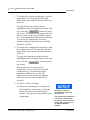
1. Use the File > Users menu to access this
function.
2. The Enter Administrator Password dialog
box appears.
Customizing MON2000
AUG 2005
MON2000
INSTALLATION AND SETUP
2-15
Note that the default password admin is
not case sensitive. This password is used as
a security measure to deny unauthorized
users access to the MON2000 Users
submenu, which allows Super users to add,
edit, or change security levels.
Click the
dialog appears.
button. Then the Users
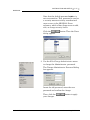
3. Use the File>Change Administrator menu
to change the Administrator password.
The Change Administrator Password dialog
box appears.
Insert the old password, enter the new
password and confirm the change.
Then, click the
your changes.
AUG 2005
button to apply
Customizing MON2000
2-16
INSTALLATION AND SETUP
MON2000
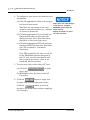
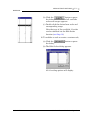
4. To configure a new user or edit existing user
parameters,
(a) Click the appropriate Name cell and type
Super users can write changes
the desired user name.
to the GC unit, configure
Note that the user name is not caseMON2000, and access the
sensitive but punctuation (e.g., commas Users function.
or spaces) is preserved.
Regular and Read only users
(b) Click the appropriate Type cell and use
the provided combo box to select the
desired security level. Note that there
should be at least one Super user.
(c) Click the appropriate PIN cell and type
the desired PIN for this user. Note that
the PIN is limited to 12 numeric
characters.
can only view data.
If no PIN is entered, the user can log on
to the MON2000 software program or
the GC unit (via the front panel) with
the assigned user name – that is, no
password will be required.
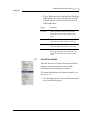
5. To write user data to the online GC unit,
(a) Click the
or press
the F2 key.
(b) MON2000 writes the data to the GC
Controller.
6. Click the
button to apply your
changes and return to the main screen.
Click the
button to exit and
return to the main screen without applying
your changes.
Customizing MON2000
AUG 2005
INSTALLATION AND SETUP
MON2000
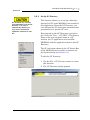
2.9.2
Do not delete any currently
used applications from the GC
Directory. If an entry is
inadvertently deleted, you
may need to reinstall the
application software for that
GC.
2-17
Set Up GC Directory
This function allows you to set up a directory
listing of all GC units MON2000 can control for
this application. From the GC Directory, you
can configure the PC serial port communication
parameters for a specific GC unit.
Data entered in the GC Directory is stored in
the “Gcdir.dat” file (...\GC\BIN\). The Station
Name is the user assigned name to a GC
location. As GC applications are installed,
MON2000 adds the application name to the GC
Directory.
The GC unit name shown in the GC Status Bar
of the MON2000 main window is entered via
the System dialog (see Section 5.1).
To edit the GC directory,
1. Use the File > GC Directory menu to access
this function.
2. The GC Directory dialog appears.
AUG 2005
Customizing MON2000
2-18
INSTALLATION AND SETUP
MON2000
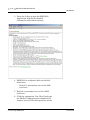
3. Press the F1 key to open the MON2000
Application help file for detailed
information about these settings.
4. MON2000 is configured with two default
directories:
• Default 1: parameters are set for 9600
baud rate
5. Default 2: parameters are set for 19200
baud rate.
6. Click the appropriate Com ID cell and type
the Modbus communication identification
number (set by DIP switch positions on the
Customizing MON2000
AUG 2005
MON2000
INSTALLATION AND SETUP
2-19
GC Controller system interface board) for
the GC unit.
To successfully connect to the GC unit, the
COM IDs specified via the File>GC
Directory and the Application>Serial Ports
dialogs must match. See Section 5.15.1 for
more information.
7. Click the Comments cell to enter any helpful
information regarding a particular GC unit,
such as location or purpose.
8. Use the dynamic pull-down menus to select
the desired PC Port, Baud Rate, Data Bits,
Stop Bits, Parity, and Handshaking
settings.
The following parameters support an auto-detect
setting: Baud Rate, Data Bits, Stop Bits, Parity,
Protocol.
Set any of these parameters to “?” (autodetect) and
MON2000 will conform to the settings used by the GC
unit.
9. Use the provided cells to input RTS On
Delay, RTS Off Delay, and Extra Delay
values.
The Extra Delay field accepts numerical
values (0 to 9000 milliseconds) for
additional time to be added to the current
communication timeout delay.
10. Use the Protocol pull-down menu to select
the desired Modbus communications
protocol.
11. If you plan to connect remotely to the GC
unit via a modem or Ethernet connection,
use the Connection Type (Direct/Remote)
pull-down menu for a “Direct Connect”
option or a previously configured modem.
AUG 2005
Customizing MON2000
2-20
2.9.3
INSTALLATION AND SETUP
MON2000
Dial-up Connection
Use this command to run the Dial-up dialog to
configure the GC Controller modem. The
default properties from Windows® Control
Panel are used so you must ensure that the
modem connects at the GC Controller’s
configured baud rate. It may be necessary to
enter a modem initialization string.
The Direct Connect option allows you to connect from the PC
to the GC Controller via a serial port, per its default settings.
If you select a modem, the modem property dialog appears,
allowing you to change its attributes.
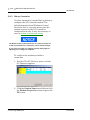
To configure the modem and make a
connection,
1. Use the File>GC Directory menu, and the
GC Directory appears.
2. Click the Station Name data field and click
the Modem Properties button or press the
F2 button.
Customizing MON2000
AUG 2005
MON2000
INSTALLATION AND SETUP
2-21
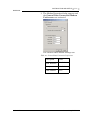
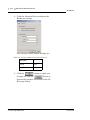
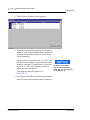
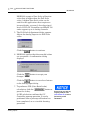
3. The Modem Properties dialog appears and
the General Data Connection Modem
Preferences are activated.
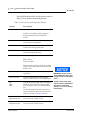
The General Data default settings are:
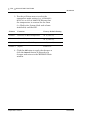
Table 2-1 General Data Connection Preferences
AUG 2005
Port Speed
19200
Data Protocol
Disabled
Compression
Disabled
Flow Control
None
Customizing MON2000
2-22
INSTALLATION AND SETUP
MON2000
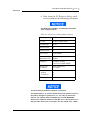
4. Click the Advanced tab to configure the
Hardware settings.
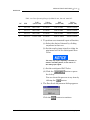
The Advanced Data default settings are:
Table 2-2 Advanced Data Connection Preferences
Data Bits
8
Parity
None
Stop Bits
1
5. Click the
button to apply your
changes, or click the
button to
discard the changes and return to the GC
Directory dialog.
Customizing MON2000
AUG 2005
INSTALLATION AND SETUP
MON2000
2-23
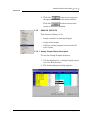
6. Next, from the GC Directory dialog, scroll
over to configure the following parameters:
The Baud Rate, Data Bits, and Stop Bits parameters
were configured above.
Table 2-3 GC Directory Dialog Default Settings
Heading
Pull-down Menu Selection
PC Port
COM1, COM2,COM3
Handshaking
None
RTS On Delay
0
RTS On Delay
0
Extra Delay
0 (See note)
Connection Type
(Direct/Remote)
Direct Connection
Modem
Telephone
Complete number
(Area Code) (XXX-XXXX)
Server Type IP Address
XXX.XX.XX.XXX
(10 digits)
Retries
• Modem
• IP Address
5
3
IC Multiplier
10
The Extra Delay is enabled for Ethernet connections.
The default value is “0” and the default 30 seconds timeout is used. If
the value is changed to greater than “0”, the value is used as the
timeout. The entered value is multiplied by 10 inside MON2000,
therefore the maximum timeout is 100,000 ms or 100 seconds (ex: If
timeout value needs to be 15 seconds, the user should enter 1,500).
AUG 2005
Customizing MON2000
2-24
INSTALLATION AND SETUP
MON2000
7. Click the
button to accept the
changes. While connecting, MON2000 dials
the number, attempts to connect via the
selected modem and displays progress
messages. A message box appears when a
connection has been made or if the attempt
to connect fails.
Once a connection has been established and
while MON2000 remains connected via the
modem, the Connect button is disabled and
the Disconnect button is enabled.
If the connection fails at any time,
MON2000 displays a message in the GC
Status bar that it has been disconnected.
You can end the connection from the
File>Disconnect menu, by clicking the
disconnect icon on the MON2000 toolbar, or
by exiting MON2000.
If you are using the Modbus RTU protocol, the values for baud
rate, data bits, stop bits, and parity must match the settings
you configured in the Modem Properties dialog.
These values are required to correctly calculate character
timing.
When you start MON2000 after the
parameters are established, you can connect
to the GC via the File>Connect menu or by
clicking the Connection icon on the
MON2000 toolbar.
Customizing MON2000
AUG 2005
INSTALLATION AND SETUP
MON2000
2.9.4
2-25
Modem Initialization Strings/Setup
This section provides “examples” of modem
initialization strings and setups that have been
tested and proven operable. This string of text
characters, known as 'AT commands', has
special meaning to the PC modem and is used
by the modem for every telephone connection
made to a selected GC unit.
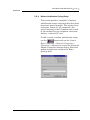
To edit or enter a modem initialization string,
use the
button and use the Control
Panel > Modems > General > Properties >
Connection > Advanced to access the Advanced
Modem Connection Settings dialog. Enter the
modem initialization string in the Extra
Settings field.
AUG 2005
Customizing MON2000
2-26
INSTALLATION AND SETUP
MON2000
By default, MON2000 provides a modem
initialization string that serves the purpose for
most Hayes-compatible modems. Therefore, in
most cases, you need not enter a different
string.
However, for some modems, you may want to
consult the following pages which document
initialization strings and modem setups that
have been field-tested.
The default initialization string that MON2000 provides is
sent to the PC modem first. Then the custom initialization
string you provide is sent. In this manner, MON2000 sets the
modem parameters that it requires, while you can customize
the modem's operation to respond to special conditions.
Once the optimum modem initialization string has been
determined, it should need no further revision unless a
different brand or model of modem is installed.
Black Box - Modem 325
During development of the GC Controller, a
Black Box Modem 325 was used to test modem
communications with the GC unit. For that test
and that modem, the modem initialization was
set as follows:
\N0\C0\Q0
Customizing MON2000
(where 0 = zero)
AUG 2005
MON2000
INSTALLATION AND SETUP
2-27
Interpretation of the AT commands for that
particular modem was as follows:
• \N0 = normal mode; no error control; data
is buffered (versus ‘direct mode,’ ‘reliable
mode, ’or ‘auto reliable mode’)
• \C0 = disable auto reliable buffer (versus
‘buffer data for 4 seconds or 200 characters’)
• \Q0 = disable flow control (versus ‘enable
XON/XOFF flow control,’ ‘enable unilateral
CTS flow control,’ or ‘enable bilateral CTS/
RTS flow control’)
U.S. Robotics Sportster
The following setup for U.S. Robotics Sportster
28.8 Kbps external FAX-modems was verified
at the GC assembly and checkout lab:
• At the GC Controller, the modem DIP
switches were set to 5 and 8 UP, the rest
DOWN.
• At the PC, the modem DIP switches were
set to 2, 4, 6, and 7 UP, the rest DOWN.
AUG 2005
Customizing MON2000
2-28
INSTALLATION AND SETUP
MON2000
With these switch settings, initialization string
&F was required. See Table 2-4 for further
explanation of these switch settings and the
parameters they control.
Table 2-4 DIP Switch Settings for U.S. Robotics Sportster Modem
Switch
Function
1
UP (off) – Normal DTR; computer must provide
DTR signal for modem to accept commands.
At GC
At PC
DOWN (on) – Modem ignores DTR.
2
UP (off) – Verbal (word) results.
DOWN (on) – Numeric results.
3
UP (off) – Suppress result codes.
DOWN (on) – Enable result codes.
4
UP (off) – Display keyboard commands.
DOWN (on) – Suppress echo.
5
UP (off) – Modem answers on first ring or higher.
DOWN (on) – Disable auto answer.
6
UP (off) – Modem sends carrier detect (CD) signal
on connect, and drops CD on disconnect.
DOWN (on) – CD always on.
7
UP (off) – For power-on and ATZ reset, the Y or Y1
configuration is used from user-defined nonvolatile
memory (NVRAM).
DOWN (on) – For power-on and ATZ reset, the
generic template, &F0, is used from read only
memory (ROM).
8
UP (off) – Disable AT command set recognition.
DOWN (on) – Enable AT command set recognition.
Customizing MON2000
AUG 2005
INSTALLATION AND SETUP
MON2000
2-29
GVC/MaxTech 28.8 Kbps Modem
The following setup for GVC 28.8 Kbps
external Voice/Data/FAX modems was verified
at Daniel Canada. At the GC Controller:
To make these settings for the modem at the GC Controller,
you will need to use a terminal program (such as ProComm o
other commercial modem software) to input the “AT”
commands to the modem before connecting it to the GC
Controller.
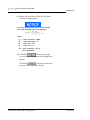
AT&F5
Factory default with v.42bis flow control
disabled (must be first).
ATB8
9600 baud
Or
ATB11
19200 baud
AT&D0
Modem ignores DTR (not necessary if using a
cable that incorporates the DTR signal from
the Controller).
ATM0
Turn OFF speaker.
ATS0=n
n is number of rings for auto answer (e.g.,
ATS0=1, ATS0=2, etc.).
AT&C0
Force carrier detect high
AT%C0
Turn OFF compression.
If compression is turned ON with AT%C1,
or OFF with AT%C0, then the modem at
other end should match.
AUG 2005
AT&W0
Write to stored profile “0” (zero).
AT&Y0
Use stored profile “0” (zero) when turned on.
Customizing MON2000
2-30
INSTALLATION AND SETUP
MON2000
At the PC, use &F5%C1M0 which indicates
a factory default with v.42bis flow control
disabled / compression ON / speaker OFF.
2.10
2350 TO 2350A RETROFIT INSTRUCTIONS
The 2350A GC Controller CPU assembly has
been designed to include all digital I/O and
COM3 and COM4 serial ports. This eliminates
the requirement (and additional cost) for an I/O
assembly or DSPI/O assembly.
In addition, BOS is now resident in the
DiskOnChip, instead of an EPROM set. The
DiskOnChip provides additional expanded
memory for archiving data, instead of having to
purchase a memory expansion board assembly.
The BOS file in the DiskOnChip may be
upgraded in the field through the MON2000
Software.
Optional boards may be plugged directly into
the PC/104 Bus (connectors J19 and J20) on the
CPU Board assembly. The COM4A Board
provides four additional serial ports (COM5
through COM8). A Modem Board and/or
Ethernet Board may be also be plugged directly
into the PC/104 Bus for additional
communications requirements.
2350 to 2350A Retrofit Instructions
AUG 2005
MON2000
INSTALLATION AND SETUP
2-31
The PC/104 Bus is designed to allow any
combination of option boards to be installed in
any order, with the exception of the CSA
approved Radicom modem board which must be
the top board in the assembly. (see Figure 2-1).
Figure 2-1 2350A Controller Card Cage Assembly
If you are using the CSA approved Radicom modem;
ensure that it is the top card in the card cage assembly.
The connection configuration of the Radicom modem
requires installation at the top of the assembly.
AUG 2005
2350 to 2350A Retrofit Instructions
2-32
2.11
INSTALLATION AND SETUP
MON2000
CONVERSION PROCESS
Use the following process to retrofit a 2350 GC
Controller to a 2350A GC Controller.
1. At the GC Controller site, remove the
Controller enclosure's front panel.
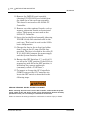
SERIOUS PERSONAL INJURY OR DEATH POSSIBLE
Before removing the unit cover from the GC Controller, make certain the power supply
switch is OFF and the AC power cord is disconnected. Observe all safety precautions
when you are working in a hazardous environment.
Failure to observe all safety precautions could result in serious injury or death.
(a) For the explosion-proof Controller, the
front panel is secured by 16 screws.
Remove those screws first.
(b) Then carefully lower the front panel on
its bottom hinges. The front panel is
heavy, so make sure it does not drop and
cause damage.
(c) For the rack mount Controller, the rear
of the enclosure is open; it allows access
for most field wiring procedures without
removing the enclosure.
2. Locate the GC Controller's Terminal Board
for Field Wiring (TB). The TB is attached to
the GC Controller's card cage assembly,
facing the enclosure's front panel. (In the
rack mount Controller, the TB faces
outward toward the rear of the enclosure.)
3. Loosen the six screws that secure the TB.
Then unplug the TB from its connections at
the back, top of the board.
Conversion Process
AUG 2005
MON2000
INSTALLATION AND SETUP
2-33
4. Lower the TB down and out of the way, held
in place by its ground straps at the bottom
of the board. This exposes the Card Cage
Assembly.
5. Loosen the four screws that secure the Card
Cage Assembly to the chassis. Then remove
the Card Cage Assembly away from its
chassis mount so that it is easy to work on.
6. Locate the System Interface and Driver
board. It is mounted to the top of the Card
Cage Assembly.
7. Remove all cables connected to the System
Interface Board (P/N 3-2350-005,
P/N 3-2350-022, or P/N 3-2350-023).
8. Remove the I/O48 Board assembly (drawing
P/N BE-12973) and cables from the top slot
of the Cage Card Assembly. This board is
not used on the 2350A GC Controller.
9. Remove the CPU Board assembly (P/N CE19281) and cables from the second slot of
the card cage assembly. This board is not
used on the 2350A GC Controller.
AUG 2005
Conversion Process
2-34
INSTALLATION AND SETUP
MON2000
10. Remove the DSPI/O board assembly
(drawing P/N CE-12976) and cables from
the third slot of the card cage assembly.
This board is not used on the 2350A GC
Controller.
11. Remove any other optional boards, such as
memory expansion boards and associated
cables. These parts are not used on the
2350A GC Controller.
12. Leave the Analog Board assembly (drawing
P/N BE-18044) with attached cable in the
card cage. This board is used on the 2350A
basic configuration.
13. Change the fuse in the in-line fuse holder
from 1 amp to the 2.5 amp, Slo-Blo fuse
provided. The fuse is located in the cable (P/
N 2-3-2350-069) between the power supply
and the System Interface Board.
14. Ensure that DIP Switches 6, 7, and 8 of S1
are all in the "OFF" position. If the 2350A is
powered up with S8 in the OFF position, it
will delete the current application
(commonly called a "Cold Start").
15. To inspect or change the GC Controller's
COM ID setup at the GC Controller site,
locate the DIP switch as described in the
following steps.
SERIOUS PERSONAL INJURY OR DEATH POSSIBLE
Before removing the unit cover from the GC Controller, make certain the power
supply switch is OFF and the AC power cord is disconnected. Observe all safety
precautions when you are working in a hazardous environment.
Failure to observe all safety precautions could result in serious injury or death.
Conversion Process
AUG 2005
MON2000
INSTALLATION AND SETUP
2-35
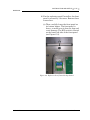
16. For the explosion-proof Controller, the front
panel is secured by 16 screws. Remove those
screws first.
(a) Then carefully lower the front panel on
its bottom hinges. The front panel is
heavy, so make sure it does not drop and
cause damage. The DIP switch is located
on the lower left side of the front panel
(see Figure G-2).
Figure 2-2 Explosion-Proof Controller Dip Switch
AUG 2005
Conversion Process
2-36
INSTALLATION AND SETUP
MON2000
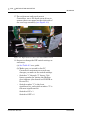
17. For rack mount and panel mount
Controllers, use a flat head screw driver to
remove the access panel on the right side of
the card cage assembly (see Figure 2-3).
Figure 2-3 Right Side View Rack and Panel Mount Units
18. Inspect or change the DIP switch settings as
necessary.
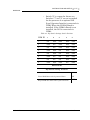
(a) See Table 2-5 as a guide.
(b) Make sure you record in the GC
Controller's maintenance records any
changes you make to the switch settings.
• Switches "1" through "5" form a 5-bit
binary number for setting the Modbus
slave address (also known as COM ID or
Device ID.)
• Switch number "1" is the least
significant bit, and switch number "5" is
the most significant bit.
Switch to ON = 1
Switch to OFF = 0
Conversion Process
AUG 2005
INSTALLATION AND SETUP
MON2000
2-37
• Switch "6" is a spare for future use.
Switches "7" and "8" are set as needed
for the presence of an optional LOI
(Local Operator Interface) connected via
COM8 When the COM4A Board is
installed. If the COM4A Board is not
installed, the LOI is connected via
COM4.
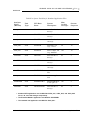
Table 2-5 Dip Switch Settings Switch Positions
COM ID
1
2
3
4
5
1
ON
OFF
OFF
OFF
OFF
2
OFF
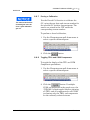
ON
OFF
OFF
OFF
3
ON
ON
OFF
OFF
OFF
4
OFF
OFF
ON
OFF
OFF
5
ON
OFF
ON
OFF
OFF
6
OFF
ON
ON
OFF
OFF
7
ON
ON
ON
OFF
OFF
8
OFF
OFF
OFF
ON
OFF
RAM CLEAR
Dip Switch Setting Positions
8
AUG 2005
Clears RAM when unit is powered down
ON
Keeps RAM data when unit is powered down
OFF
Conversion Process
2-38
2.12
INSTALLATION AND SETUP
MON2000
BASIC 2350A CONFIGURATION
At this point, install, if any, all mounting
hardware and optional PC/104 boards onto the
2350A CPU Board.
1. Install the 2350A CPU (P/N 3-2350-090)
into slot 3 of the card cage assembly.
2. Install cables on the CPU Board in the
following sequence:
(a) Digital I/O cable (P/N 3-2350-081) from
CPU J7 to the System Interface Board
J2.
(b) Digital I/O cable (P/N 3-2350-080) from
CPU J4 to the System Interface Board
J3.
(c) COM1, COM2, and the printer cable (P/
N 3-2350-083) from CPU J1 to the
System Interface Board J4, J9, and J11.
(d) COM3 and COM4 can be configured two
different ways. To configure a system
WITHOUT a keyboard and display,
connect cable (P/N 3-2350-084) from
CPU J6 to the System Interface Board
J8 and J10. This provides access to
COM3 on J10 and COM4 on J11 of the
Field Termination board. The serial port
setup in the MON2000 Software for
COM4 must be selected as a PC port.
(e) For a system WITH a keyboard and
display, connect cable (P/N 3-2350-087)
from CPU J6 to the System Interface J8
and J12. This provides access to COM3
on J10 and COM4 is dedicated for use as
a serial interface to the keyboard and
display. COM4 will not be available at
J11 of the Field Termination board.
BASIC 2350A CONFIGURATION
AUG 2005
MON2000
INSTALLATION AND SETUP
2-39
The serial port setup in the MON2000
Software for COM4 must be selected as
Front Panel (see Figure 2-4). If all four
serial ports are required for
communications on a system with
keyboard and display, an optional
COM4A Board must be installed and a
COM7 and COM8 cable (P/N 3-2350-086)
connected (see Figure 2-5). The serial
port setup in the MON2000 Software for
COM8 must be configured as Front
Panel. See Figure G-4b.
(f) Reinstall the Analog cable to J6 on the
System Interface Board.
(g) Place the "Unit Updated to 2350A" label,
included with the upgrade kit, on the
instruction decal located on the inside,
right wall of the explosion-proof units or
on the card cage of the rack or panel
mount units.
Figure 2-4 Serial Port 4 with COM4A Board
Figure 2-5 Serial Port 8 with COM4A Board
AUG 2005
BASIC 2350A CONFIGURATION
2-40
2.13
INSTALLATION AND SETUP
MON2000
2350A OPTIONS
The following board configurations are optional
for the Model 500 GC with 2350A Controller.
2.13.1 The COM4A Board
1. To add four additional communications
ports at the GC Controller site, remove the
Controller enclosure's front panel.
SERIOUS PERSONAL INJURY OR DEATH POSSIBLE
Before removing the unit cover from the GC Controller, make certain the power
supply switch is OFF and the AC power cord is disconnected. Observe all safety
precautions when you are working in a hazardous environment.
Failure to observe all safety precautions could result in serious injury or death.
(a) For the explosion-proof Controller, the
front panel is secured by 16 screws.
Remove those screws first.
(b) Then carefully lower the front panel on
its bottom hinges. The front panel is
heavy, so make sure it does not drop and
cause damage.
(c) For the rack mount Controller, the rear
of the enclosure is open; it allows access
for most field wiring procedures without
removing the enclosure.
2. Locate the GC Controller's Terminal Board
for Field Wiring (TB). The TB is attached to
the GC Controller's Card Cage Assembly,
facing the enclosure's front panel. (In the
rack mount Controller, the TB faces
outward toward the rear of the enclosure.)
3. Loosen the six screws that secure the TB.
Then unplug the TB from its connections at
the back, top of the board.
2350A Options
AUG 2005
MON2000
INSTALLATION AND SETUP
2-41
4. Lower the TB down and out of the way, held
in place by its ground straps at the bottom
of the board. This exposes the Card Cage
Assembly.
5. Loosen the four screws that secure the Card
Cage Assembly to the chassis. Then remove
the Card Cage Assembly away from its
chassis mount so that it is easy to work on.
6. Locate the System Interface and Driver
board. It is mounted to the top of the Card
Cage Assembly.
(a) Disconnect the Analog cable from J6 on
the System Interface Board, then
disconnect all CPU cables from the
System Interface Board.
(b) Remove the CPU assembly and install
the COM4A Board, with associated
mounting hardware to J19 and J20 PC/
104 Bus connector on the CPU assembly.
(c) Connect COM5 (P22) and COM6 (P23)
on the Field Termination board via cable
(P/N 3-2350-085) to J6 on COM4A.
(d) Connect COM7 (P24) on the Field
Termination board and COM8 via cable
(P/N 3-2350-086) to J3 on COM4A.
(e) Install the CPU assembly into the third
slot of card cage. Connect the CPU cables
as detailed in Section 6.3 Basic 2350A
Configuration.
(f) Install the DB9 connector from COM5 to
P22 on the Field Termination board with
jackpost assemblies.
(g) Install the DB9 connector from COM6 to
P23 on the Field Termination board with
jackpost assemblies.
(h) Install the DB9 connector from COM7 to
P24 on the Field Termination board with
jackpost assemblies.
AUG 2005
2350A Options
2-42
INSTALLATION AND SETUP
MON2000
(i) Install the ten position connector from
COM8 to J12 on the System Interface
Board.
(j) Connect the Analog cable to J6 on the
System Interface Board.
With COM4A Boards installed, Serial Port 8 is
usually assigned via MON2000 Application>Serial Ports menu. Select Front Panel
from the Usage pull-down menu (see Figure 2-6
and Figure 2-7).
Figure 2-6 Serial Port 4 with COM4A Board
Figure 2-7 Serial Port 8 with COM4A Board
2350A Options
AUG 2005
MON2000
INSTALLATION AND SETUP
2-43
2.13.2 2350A Modem Installation
To install the Internal Modem for the 2350A
GC Controller, follow these steps:
Refer to P/N 3-9000-537 2350A GC Hardware manual
for COM settings and pinouts.
1. To add a modem, at the GC Controller site,
remove the Controller enclosure's front
panel.
(a) For the explosion-proof Controller, the
front panel is secured by 16 screws.
Remove those screws first.
(b) Then carefully lower the front panel on
its bottom hinges. The front panel is
heavy, so make sure it does not drop and
cause damage.
(c) For the rack mount Controller, the rear
of the enclosure is open; it allows access
for most field wiring procedures without
removing the enclosure.
2. Locate the GC Controller's Terminal Board
for Field Wiring (TB). The TB is attached to
the GC Controller's Card Cage Assembly,
facing the enclosure's front panel. (In the
rack mount Controller, the TB faces
outward toward the rear of the enclosure.)
3. Loosen the six screws that secure the TB.
Then unplug the TB from its connections at
the back, top of the board.
4. Lower the TB down and out of the way, held
in place by its ground straps at the bottom
of the board. This exposes the Card Cage
Assembly.
AUG 2005
2350A Options
2-44
INSTALLATION AND SETUP
MON2000
5. Loosen the four screws that secure the Card
Cage Assembly to the chassis. Then remove
the Card Cage Assembly away from its
chassis mount so that it is easy to work on.
6. Locate the System Interface and Driver
board. It is mounted to the top of the Card
Cage Assembly.
(a) Disconnect the Analog cable from J6 on
the System Interface Board, then
disconnect all CPU cables from the
System Interface Board.
(b) Remove the CPU assembly and install
the COM4A Board, with associated
mounting hardware to J19 and J20 PC/
104 Bus connector on the CPU assembly.
If an option board is already plugged into the PC/104 bus
on the CPU, the modem and mounting hardware will be
installed into the PC/104 connector on the option board.
Figure 2-8 Modem Piggy-backed on CPU Board
2350A Options
AUG 2005
INSTALLATION AND SETUP
MON2000
2-45
(c) Plug one end of the modem extension
cable (P/N 3-2350-075) into J1 of the
modem assembly. The in-line jack on the
remaining end of the modem extension
cable attaches to the lower left inside
wall of the card cage shield (after the
CPU assembly is reinstalled and all
cables reconnected to the System
Interface board). No software setup is
required for this board.
7. To use an existing Modem (1414):
(a) For operation with the 2350A CPU, set
the Standard 1414 Modem jumpers per
the following table:
Table 2-6 1414 (Standard) Modem Jumper Settings
Jumper
Pin
J4/J5
Open
J6
3-5, 4-6
J7
7-8
J9
Open
(b) On the 2350A WinSystems CPU, set J21,
pin 13-14.
AUG 2005
2350A Options
2-46
INSTALLATION AND SETUP
MON2000
2.13.3 2350A Ethernet Installation
To add an Ethernet assembly:
1. To add a modem, at the GC Controller site,
remove the Controller enclosure's front
panel.
(a) For the explosion-proof Controller, the
front panel is secured by 16 screws.
Remove those screws first.
(b) Then carefully lower the front panel on
its bottom hinges. The front panel is
heavy, so make sure it does not drop and
cause damage.
(c) For the rack mount Controller, the rear
of the enclosure is open; it allows access
for most field wiring procedures without
removing the enclosure.
(d) Locate the GC Controller's Terminal
Board for Field Wiring (TB). The TB is
attached to the GC Controller's Card
Cage Assembly, facing the enclosure's
front panel. (In the rack mount
Controller, the TB faces outward toward
the rear of the enclosure.)
2. Loosen the six screws that secure the TB.
Then unplug the TB from its connections at
the back, top of the board.
3. Lower the TB down and out of the way, held
in place by its ground straps at the bottom
of the board. This exposes the Card Cage
Assembly.
4. Loosen the four screws that secure the Card
Cage Assembly to the chassis. Then remove
the Card Cage Assembly away from its
chassis mount so that it is easy to work on.
2350A Options
AUG 2005
MON2000
INSTALLATION AND SETUP
2-47
5. Locate the System Interface and Driver
board. It is mounted to the top of the Card
Cage Assembly.
(a) Disconnect the Analog cable from J6 on
the System Interface Board, then
disconnect all CPU cables from the
System Interface Board.
(b) Remove the CPU assembly and install
the COM4A Board, with associated
mounting hardware to J19 and J20 PC/
104 Bus connector on the CPU assembly.
If an option board is already plugged into the PC/104 bus
on the CPU, the modem and mounting hardware will be
installed into the PC/104 connector on the option board.
(c) Plug one end of the Ethernet extension
cable (P/N 3-2350-088) into J5 of the
Ethernet assembly.
6. The in-line jack on the remaining end of the
Ethernet extension cable attaches to the
lower left inside wall of the card cage shield,
after the CPU assembly is reinstalled and
all cables reconnected to the System
Interface board (see Table 2-7 and Table 2-8
below).
AUG 2005
2350A Options
2-48
INSTALLATION AND SETUP
MON2000
No software setup is required for this board.
Table 2-7 System Interface Board Cable Connections
Connection
Ribbon Cable
J5 and J6
Analog I/O
J8
Com3
J10
Com4
J4
Printer
J11
Com2
J2 and J3
Digital I/O
J12
Front Panel and Keyboard
(if installed)
Table 2-8 CPU Board Cable Connections
Connection
Ribbon Cable
J1
Com1, Com2, and Printer
J4 and J7
Digital I/O
J6
Com3 and Com4
(a) If the 2350A BOS version is v1.84 or
later, ensure that J6 Jumper on pins 1314 of J1 has been removed.
(see Figure 2-9 and Figure 2-10).
If you are using the CSA approved Radicom modem;
ensure that it is the top card in the card cage assembly.
The connection configuration of the Radicom modem
requires installation at the top of the assembly.
2350A Options
AUG 2005
MON2000
INSTALLATION AND SETUP
2-49
7. If a modem is installed, remove the phone
cord.
8. Install the Ethernet card and set the
jumpers as shown below.
Figure 2-9 Ethernet Jumper Configuration BOS v1.82 and Earlier
Figure 2-10 Ethernet Jumper Configuration BOS v1.84 and Later
AUG 2005
2350A Options
2-50
INSTALLATION AND SETUP
MON2000
2.13.4 Ethernet TCP/IP Settings
If you plan to connect via an Ethernet
connection, use the following instructions.
To configure the Ethernet TCP/IP settings for
the 2350A GC Controller:
1. Obtain the IP Address, Subnet Mask, and
Gateway addresses (numbers) for the
Target 2350A GC Controller from your
supervisor or Information Technology
Department.
If the controller has never been configured for Ethernet
communications, logon to the Model 500 GC using either the
Direct Connect option, or connect remotely via a Modem.
2. Use the Application > TCP/IP menu to
access this function.
3. The TCP/IP dialog appears.
2350A Options
AUG 2005
MON2000
INSTALLATION AND SETUP
2-51
4. Go to the Use DHCP/Specify an IP Address
field and select Specify an IP Address.
5. In the IP Address field, enter the IP Address
(number) obtained from your Supervisor or
the Information Technology Department.
AUG 2005
2350A Options
2-52
INSTALLATION AND SETUP
MON2000
6. In the Subnet Mask field, enter the subnet
mask address (number) obtained from your
Supervisor or the Information Technology
Department.
7. In the Gateway Address field, enter the
Gateway Address (number) obtained from
your Supervisor or the Information
Technology Department.
8. Click the
changes.
button to apply all
9. Disconnect from the controller, using the
toolbar icon or by using the File>Disconnect
menu.
2350A Options
AUG 2005
MON2000
INSTALLATION AND SETUP
2-53
2.13.5 MON2000 TCP/IP Settings
To configure the Ethernet TCP/IP settings for
the MON2000,
1. From the File menu, select GC Directory.
2. Ensure that an Ethernet location has been
created or an existing location modified and
that an Ethernet card installed in the PC
has been selected in the field labeled
Connection Type (Direct/Remote).
AUG 2005
2350A Options
2-54
INSTALLATION AND SETUP
MON2000
3. Enter the same 'IP Address' into the Server
Name/IP Address field of the GC Directory
that was previously entered in the GC
Controller (see Section 2.9.2).
4. Set the number of retries to three.
Click the
changes.
2350A Options
button to apply your
AUG 2005
INSTALLATION AND SETUP
MON2000
2.14
2-55
CONNECT VIA GC EXTERNAL MODEM
Ensure you have a pre-existing PC connection to the GC
unit before installing the external modem. If the GC unit is
already on location, do this via another remote operator
connection, or, onsite, via use of a portable PC and serial
cable. Ideally, configure the GC unit and install the
external modem prior to placement at the remote location.
Note: You cannot set the Serial Ports parameters from the
GC unit front panel.)
2.14.1 HARDWARE SETUP
1. Halt any ongoing analysis runs.
Use the Control > Halt menu to access this
function.
2. Disconnect AC power from the GC
Controller.
SERIOUS PERSONAL INJURY OR DEATH POSSIBLE
Before removing the unit cover from the GC Controller, make certain the
power supply switch is OFF and the AC power cord is disconnected. Observe
all safety precautions when you are working in a hazardous environment.
Failure to observe all safety precautions could result in serious injury or death.
3. For the explosion-proof Controller, remove
the cover from the GC Controller housing to
expose the GC Controller Terminal Board
for field wiring.
For the rack mount Controller, the rear of
the enclosure is open; it allows access for
most field wiring procedures without
removing the enclosure.
AUG 2005
CONNECT VIA GC EXTERNAL MODEM
2-56
INSTALLATION AND SETUP
MON2000
4. Connect a custom-made serial line cable (for
RS-232 serial transmission) from the serial
port of the external modem to an available
serial port on the GC Controller Terminal
Board for field wiring.
Special hardware modifications may be needed when
operating an external GC modem from the GC serial ports 3 or
4 (COM3 or COM4), as follows:
• DE-20782 (see drawing addendum of Model 500 Gas
Chromatograph System Hardware Reference Manual,
P/N 3-9000-537).
• Transient protection modules M7 and/or M4, located on the
back side of the GC Controller Terminal Board for field
wiring, may need replacement with the transient protection
modules for RS-232 signals (P/N 3-2350-027). Note that
M4 serves COM3 and M7 serves COM4.
• Make note of the serial port number you
choose for connection. You will need this
information later to make appropriate
software settings.
• Use an RS-232 serial cable no longer
than 50 feet. Longer distances may
result in spurious loss or corruption of
transmitted data.
• See Section 5.15, for details of GC
Controller serial port connectivity (i.e.,
port locations, pinouts, connector types,
gender, cabling, etc.).
5. Connect a telephone line (from wall phone
jack, if available) to the phone jack for the
external modem.
6. Set external modem for Auto Answer (see
external modem user manual).
CONNECT VIA GC EXTERNAL MODEM
AUG 2005
INSTALLATION AND SETUP
MON2000
2-57
2.14.2 Select Program Settings
This function allows you to configure where
database, GC applications, and Modbus Test
program files are stored.
1. Use the File > Program Settings menu to
access this function.
2. The Program Settings dialog appears.
3. To use a Chromatogram file extension other
than the default (e.g. .CGM) or to select the
location of saved data, GC database, and GC
application files,
• click in the Chromatogram file extension
data field and type the desired file
extension
• click in the appropriate data field and
type the desired directory,
Or
• click the
button and use the
directory tree to select the desired
location
AUG 2005
CONNECT VIA GC EXTERNAL MODEM
2-58
INSTALLATION AND SETUP
MON2000
4. Use the provided check boxes to turn the
following settings on/off. Note that the
default settings are ON.
Table 2-9 Optional Program Settings
Setting
Function
Editing replaces existing text
in tables
If enabled, replaces selected table cell
entry with user input.
If disabled, appends user input to end of
the selected table cell entry.
Prompt to confirm discard
changes
Display confirmation dialog before
exiting a dialog that contains changed
data.
Prompt to confirm save
changes
Display confirmation dialog before saving
changed data.
Synchronize GC Controller’s
time to PC on download, etc.
Program the GC Controller clock to
match the PC clock upon download.
Tab from spreadsheet to next
control
Move from field to field and button to
button (rather than from cell to cell
within a spreadsheet or tabular display).
Enable display in PPM
If enabled, percentages less than 0.99%
are displayed in PPM (parts per million)
rather than as a percentage.
5. Click the
button to apply your
changes and return to the main screen.
Click the
button to exit and
return to the main screen without applying
your changes.
CONNECT VIA GC EXTERNAL MODEM
AUG 2005
MON2000
INSTALLATION AND SETUP
2-59
2.14.3 Generate PC Config Report
Output data for the PC Config
Report depends on the GC
Controller and its application.
This function allows you to generate or print
out a report of the currently active GC
application control settings. See Appendix A for
a sample print-out of a PC Config Report.
To view a PC Config Report already saved to
disk, see Section 7.1.2.
1. Use the File > PC Config Report menu to
access this function. The PC Config Report
dialog appears.
2. Click the check boxes (see Select column) to
choose the data you want included in the
configuration report.
Click the
button or press the F2
key to select all options.
Click the
button or press F3 to
deselect (i.e., clear) all checked options.
AUG 2005
CONNECT VIA GC EXTERNAL MODEM
2-60
INSTALLATION AND SETUP
3. Use the Output radio buttons to either save
the report to disk, print the report with or
without form feeds, or display the report via
the report viewer (see Section 7.1).
The File option will open the Save As dialog,
with CONFIG.TXT as the default file name.
The Printer (with form feeds) option will
print the report, with form feeds, to your
configured printer (see Section 3.7).
MON2000
If you want to use the
standard Windows®
Print dialog to select a
printer, deselect the Use
default printer option.
The Printer (without form feeds) option will
print the report, without form feeds, to your
configured printer (see Section 3.7).
The Screen option will launch the report
viewer (see Section 7.1).
4. Click
the button or press the F4
key to generate your customized PC Config
Report.
If you are online with the GC Controller, a PC Config
Report that includes all options can require up to 20
minutes to generate and save. Printing a full report can
take longer.
If you press the ESC key, MON2000 will stop after the
current option is completed.
A progress bar appears, indicating the
completion status.
CONNECT VIA GC EXTERNAL MODEM
AUG 2005
INSTALLATION AND SETUP
MON2000
2.15
2-61
DOWNLOADING AN APPLICATION
This function allows the MON2000 operator to
download applications to GC Controllers. GC
applications with the .APP extension can only
be down loaded to 2350A GC Controllers and
Model 700 units. The Download feature is NOT
available if the keylock switch is closed.
At the end of the download process, MON2000
displays the Set GC Time dialog, which allows
you to accept or change the GC Controller's
date and time.
Only download an application when performing
an initial startup, downloading a new GC
application, or after the GC unit has been out of
service. You must first connect to the GC to use
the Download function.
1. Use the File > Download menu to access the
Select GC Application File To Download
dialog.
AUG 2005
Downloading an Application
2-62
INSTALLATION AND SETUP
MON2000
2. Click the desired .app file. The file name
appears in the File name data field.
GC application files contain all control settings and
application program functions (see Section 5) specific
to a particular GC Controller.
For 2350A GC Controllers and the Model 700
controller, application files (.app files) are normally
stored in the \GC\APP directory.
3. Click the
button to download the
selected application file to the connected GC
unit.
Click the
button to exit and
return to the main window.
4. MON2000 reads the time at the GC
Controller and the Set Time dialog appears
appears for you to edit or accept (see
Section 4.7.2 for more information).
5. A progress bar appears, indicating the
completion status. See Table 2-10 for a
listing of the automatically enabled function
keys.
Downloading an Application
AUG 2005
INSTALLATION AND SETUP
MON2000
2-63
Table 2-10 Main Menu Function Keys Enabled by Download
AUG 2005
Key
Function
Description
F1
Help
Access context-sensitive online help.
F2
Start Auto Sequence
Initialize the Auto-Sequencing function.
This function is also available via the
Control > Auto Sequence menu.
F3
Halt
Stop a function at the end of the current
cycle. This function is also available via the
Control > Halt menu.
F5
Edit TEVs
Display the Timed Event Tables. This
function is also available via the Application
> Timed Events menu.
F6
Edit CDTs
Display the Component Data Tables. This
function is also available via the Application
> Component Data menu.
F7
View Current CGM
Display chromatogram of the stream
currently being analyzed. This function is
also available via the Chromatogram menu.
F8
View Last CGM
Display chromatogram stored in the GC
unit. This function is also available via the
Chromatogram menu.
Downloading an Application
2-64
2.16
INSTALLATION AND SETUP
MON2000
UPGRADING FLASH
Use this function to download a BOS file to a
connected GC Controller.
Only download a BOS file when upgrading the
GC firmware or after the GC unit has been out
of service. You must first connect to the GC to
use the Upgrade Flash function.
1. Use the File > Upgrade Flash menu to
access the Select BOS File To Download
dialog.
2. Click the desired BOS file. The file name
appears in the File name data field.
3. Click the
button to download the
selected BOS file to the connected GC unit.
Click the
button to exit and
return to the main window.
Upgrading Flash
AUG 2005
INSTALLATION AND SETUP
MON2000
2.17
2-65
OFFLINE EDIT OF GC APPLICATION
Use this function to edit a GC application file
that is saved on disk or has been downloaded
(and is currently on, or being used by, the GC
unit).
When selecting Offline Edit, you can choose
either:
• File Selection – Allows you to edit a GC
application file stored on disk.
• Upload Application – Allows you to upload
the current GC application data from the
GC Controller and save to file for future
editing.
• Upload BOS - Allows you to upload the
current BOS (i.e., firmware) file from the
GC Controller to save for future download.
See the following sections for detailed
instructions.
AUG 2005
Offline Edit of GC Application
2-66
INSTALLATION AND SETUP
MON2000
2.17.1 File Selection
This function allows you to edit a GC
application file stored on disk.
1. Use the File > Offline Edit > File Selection
menu to access this function.
The Open GC Application File dialog
appears.
Using the directory tree, select the desired
application file.
2. Click the
button.
3. Edit this file by using the MON2000
Application functions (see Section 5 for
more information).
Offline Edit of GC Application
The GC application files
(.APP) are normally stored
in the \GC\App directory.
AUG 2005
MON2000
INSTALLATION AND SETUP
2-67
Note that the application file name is
displayed in the GC status dialog and the
File Edit mode (i.e., Offline Edit) is
displayed in main screen titlebar.
When you have finished editing this file,
you can download it to the GC Controller
(see Section 2.15) or save for future use.
2.17.2 Upload Application
This function allows you to upload the
application from an online GC Controller to a
disk file and edit that file.
When connected to the GC, this function allows
you to upload the current GC application data
from the GC Controller and save to file for
future editing. When the application upload is
complete the connection will be terminated
(i.e., disconnected).
1. Establish a connection to the GC.
2. Use the File > Offline Edit > Upload
Application menu to access this function.
AUG 2005
Offline Edit of GC Application
2-68
INSTALLATION AND SETUP
MON2000
3. The Save Uploaded GC Application File
menu appears.
Use this dialog to choose the directory and
file name or create a special file name for
this particular application upload. Click the
button.
4. MON2000 displays the message “Uploading
C:\GC\APP\2350A.app” in the progress
status bar.
MON2000 continues with the upload
process and displays the message,
“Uploading Segment 1 (through segment
15)” in the status bar and a progress bar
appears.
Once all of the segments are uploaded and
the application file (.app) has been saved,
Offline Edit of GC Application
AUG 2005
MON2000
INSTALLATION AND SETUP
2-69
MON2000 prompts you to save the
parameters file.
5. The Save Parameter File dialog appears.
Use this dialog to choose the directory
location and file name or create your own
parameter file name. Click the
button to continue.
6. MON2000 saves the parameter data to the
selected directory. When the upload is
complete, your connection to the GC unit is
automatically terminated.
7. You are now viewing the uploaded
application file off-line.
You can edit this application by using the
MON2000 Application functions (see
Section 5 for more information).
Note that the application file name is
displayed in the GC status dialog and the
File Edit mode is displayed in the main
screen titlebar.
When you have finished editing this file,
you can download it to the GC Controller
(see Section 2.15) or save for future use.
AUG 2005
Offline Edit of GC Application
2-70
INSTALLATION AND SETUP
MON2000
2.17.3 Upload BOS
When connected to the GC, this function allows
you to upload the current BOS (i.e., firmware)
file from the GC Controller to save for future
download (see Section 2.16).
1. Use the File > Offline Edit > Upload BOS
menu to access this function.
2. The Save Uploaded GC BOS File dialog
appears.
By default, GC BOS files are
stored in C:\GC\APP folder.
Offline Edit of GC Application
AUG 2005
MON2000
MON2000 will not perform
a BOS upload during an
analysis run. You must halt
the analysis first (see
Section 4.3) or wait until
the GC is idle.
A BOS upload usually takes
10 minutes to complete.
AUG 2005
INSTALLATION AND SETUP
2-71
3. Use this dialog to choose the directory
location and file name or create a file name
for this particular upload. Click the
button to continue.
The message:
“Uploading C:\GC\APP\2350A.bos”
appears in the status bar and a progress bar
appears.
4. MON2000 begins to upload the BOS to the
selected file. When the upload is complete,
normal MON2000 operations resume.
Offline Edit of GC Application
2-72
INSTALLATION AND SETUP
MON2000
This page is intentionally left blank.
Offline Edit of GC Application
AUG 2005
GETTING STARTED
MON2000
3-1
GETTING STARTED
3
This section shows you how to get started with
the MON2000 software, covering such
functions as logging on, navigation, and
configuring your PC printer for MON2000.
3.1
LOGGING ON
To log on,
1. Start the MON2000 software program by
clicking the desktop icon or using the
Windows® Start menu (see Section 2.5).
2. Click the User Name data field and type
your assigned user name (up to 12
characters). Note that the user name is not
case-sensitive and can include characters
such as “*”, “-”, “.”, etc.
AUG 2005
Logging On
3-2
GETTING STARTED
MON2000
3. If required, click the User PIN data field
and type your assigned PIN.
If you enter an incorrect user name or user PIN,
a error message appears:
Click the
to the Logon dialog.
button to exit and return
4. When you have successfully logged on, the
MON2000 main window appears.
Logging On
AUG 2005
GETTING STARTED
MON2000
3.2
3-3
LOGGING OFF
To log off,
Ensure that you exit the
MON2000 program and
shut down Windows before
powering off the PC.
1. Disconnect from the GC unit (see
Section 2.8.2).
2. Exit the MON2000 program by
• using the File > Exit menu
• pressing the ESC key
• clicking the
3.3
button
MON2000 USER INTERFACE
Use the following sections to familiarize
yourself with the MON2000 user interface.
AUG 2005
Logging Off
3-4
3.3.1
GETTING STARTED
MON2000
Main Window
The MON2000 main window typically looks
like this:
titlebar, with connection data
GC Status bar
view area
toolbar
menu bar
MON2000 Status bar
Use the available menus, icons (see toolbar
area and Section 3.3.4), and function keys (see
Section 3.4) to access the desired functions.
MON2000 User Interface
AUG 2005
GETTING STARTED
MON2000
3.3.2
3-5
GC Status Bar
The status bar appears across the bottom of the
application window. To display or hide the
status bar, click the Status Bar command using
the View menu (ALT + V, G).
Access this menu command from the View
menu (ALT+ V, S) to display and hide the GC
Status Bar, which displays the following:
•
•
•
•
•
•
•
•
•
•
GC - name of the GC currently online
Alarm status (Unacknowledged)
Detector number
Mode (e.g., analysis; Calibration mode or
Analysis mode)
Streams - number current streams
Next - next stream number to run)
Anly - analysis cycle
Run - run time
Date - current date is displayed
Time - current time is displayed
The left area of the status bar describes actions
of menu items as you use the mouse pointer
over the menu selection. This area similarly
shows messages that describe the actions of
toolbar buttons as you press and hold them.
After viewing the description of the toolbar
button command and you do not wish execute
the command, move the mouse pointer away
from the toolbar command, then release the
mouse button.
AUG 2005
MON2000 User Interface
3-6
GETTING STARTED
MON2000
The right areas of the status bar indicate which
of the following keys are activated:
Indicator
Description
CAP
the Caps Lock
key is ON.
NUM
the Num Lock
key is ON
SCRL
the Scroll Lock
key is ON
Your connection status is also displayed in the titlebar.
If “Online Edit” appears, then MON2000 is connected to
the GC and is recognizing the existing application.
If “Connected” appears, then MON2000 is connected to
the GC but does not recognize the existing application.
If no connection data is displayed, there is no connection.
MON2000 User Interface
AUG 2005
GETTING STARTED
MON2000
3-7
The GC Status bar consists of:
Item
Description
GC
GC unit to which MON2000 is currently
connected
A status flag indicates an active alarm, an
unacknowledged alarm, or the File Edit mode
(offline editing).
Det #
detector monitoring the alarm status of the
currently connected GC
A GC unit can have up to 2 detectors.
Mode
mode of the Detector
Typical modes are:
• Idle
• Auto Cal
• Auto Base
• Auto Anly
• FCal
AUG 2005
Stream
current stream being analyzed
Next
next sample stream to be analyzed
Anly
analysis time
Cycle
total cycle time (seconds), selected before
starting another analysis
Run
time (seconds) elapsed since current cycle
began
Date/Time
date and time, per PC clock
MON2000 User Interface
3-8
3.3.3
GETTING STARTED
MON2000
View Menu
Use the View menu to toggle (i.e., switch ON or
OFF) which main window component you wish
to view. See Section 3.3.1 for an identification
and definition of each component.
3.3.4
ToolTips
To view a ToolTip, move the mouse cursor to
the Toolbar icon you want identified. MON2000
displays the ToolTip for five seconds.
3.3.5
Data Entry and Function Features
Use the data boxes, buttons, check boxes, and
toggles to input data or to choose options and
activate features.
click check box to
turn setting ON or OFF
use dynamic pull-down type input
menus to select option in data fields
click radio button
to select option
scroll to access additional settings
click push-buttons
to activate features
MON2000 User Interface
AUG 2005
GETTING STARTED
MON2000
3.3.6
3-9
Shortcut to Save or Print Data
From any active dialog, right-click the
displayed data to access this menu.
Microsoft Internet Explorer
5.0 (or later) is required to
view a spreadsheet file
saved in HTML format.
Choose the Save Sheet option to save data to
disk or the Print Sheet option to queue data to
your PC printer. MON2000 prints the report to
your configured printer (see Section 3.7).
3.4
KEYBOARD SHORTCUTS
MON2000 supports keystrokes as well as a
standard PC mouse interface. Use a mouse to
perform point-and-click operations.
Refer to the following table for common
keyboard shortcuts. See Table 3-2 for function
keys that can be used after an application has
been downloaded to the GC Controller.
Table 3-1 Frequently Used Keystrokes
Keystroke
Action
ARROW
keys
Move cursor:
• left or right in a data field
• up or down in a menu or combo box
• up or down (column), left or right (row) through displayed data entries
DELETE
• Delete the character after cursor.
• Delete selected rows from a table or return row values to the default settings.
ENTER
• Add a blank item or row to selected table.
• Activate the default control element (e.g., the OK button) in current window.
ESC
Exit application or active window without saving data.
F1
Access context-sensitive help topic.
INSERT
• Toggle between insert and type-over mode in selected cell.
• Insert a new row above the highlighted row.
SHIFT+TAB
Move to previous control element (e.g., button) or data field in window; see TAB
description.
AUG 2005
Keyboard Shortcuts
3-10
GETTING STARTED
MON2000
Table 3-1 Frequently Used Keystrokes (Continued)
Keystroke
Action
SPACE
Toggle settings (via radio buttons or check boxes).
TAB
Move to next control element (e.g., button) in window; use File > Program
Settings (see Section 2.14.2) to use TAB key to move to next data field.
Table 3-2 Application-Specific Function Keys
Function
Key
Action
F2
Start Auto Sequence
These keystrokes are available from the
main menu only. Function key definitions
will change per the active dialog/function.
Starts the Auto-Sequencing function (see Section 4.1).
F3
Halt
Halts the GC program (e.g., an analysis run) at the end of the current cycle (see
Section 4.3).
F5
Edit TEVs
Displays the Timed Event Table (TEV) per specified stream (see Section 5.3).
F6
Edit CDTs
Displays the Component Data Table (CDT) per specified stream (see
Section 5.2).
F7
View Current CGM
Displays the chromatogram for the sample stream being analyzed (see
Section 6.1).
F8
View Last GC CGM
Displays any chromatogram stored in the GC Controller (see Section 6.1).
Keyboard Shortcuts
AUG 2005
GETTING STARTED
MON2000
3.5
3-11
PROCEDURES GUIDE
Use the following table to look up the related
manual section and menu (and keystroke) for a
given procedure.
Table 3-3 Menu and Manual Section per MON2000 Procedure
Task or Data Item
Section(s)
Menu [Keystroke]
24-Hour Average, component(s)
measured
5.5.2
Application > Calculations > Averages
alarms, related components
5.2
5.6
5.7
5.12
Application > Component Data
[F6]
Application > Limit Alarms
Application > Discrete Alarms
Application > Discrete Outputs
alarms, stream number(s) programmed
5.6
Application > Limit Alarms
Analysis Report (on/off)
7.3
7.4
Reports > GC Printer Control
Reports > MON2000 Printer Control
analysis time
5.3
Application > Timed Events [F5]
auto-calibration (on/off)
5.8
Application > Streams
Auto-Calibration Interval
5.8
Application > Streams
Auto-Calibration Start Time
5.8
Application > Streams
autocal time
5.8
Application > Streams
Baseline
5.8
Application > Streams, Baseline Values [F2]
base pressure used for calculations
5.8
Application > Streams
BTU-dry (on/off)
5.5.1
Application > Calculations > Control
calibration concentration
5.2
Application > Component Data [F6]
calibration cycle time
5.3
Application > Timed Events [F5]
calibration runs, number averaged
5.8
Application > Streams
calibration runs, number of
5.8
Application > Streams
calibration stream number
5.8
Application > Streams
communications baud rate, at GC
5.15
Application > Serial Ports
AUG 2005
Procedures Guide
3-12
GETTING STARTED
MON2000
Table 3-3 Menu and Manual Section per MON2000 Procedure (Continued)
Task or Data Item
Section(s)
Menu [Keystroke]
communications baud rate, at PC
2.9.3
File > (COM ID)
component code and name
5.2
Application > Component Data [F6]
component full scale (for output)
5.1
5.10
Application > System
(CGM Analog Output Config and Baseline
Offset)
Application > Analog Outputs
component(s) programmed for input
5.9
5.11
Application > Analog Inputs
Application > Discrete Inputs
component(s) programmed for output
5.6
5.7
5.10
5.12
Application > Limit Alarms
Application > Discrete Alarms
Application > Analog Outputs
Application > Discrete Outputs
component, retention time
5.2
Application > Component Data [F6]
component zero (for output)
5.10
Application > Analog Outputs
Compressibility (on/off)
5.5.1
Application > Calculations > Control
current date
4.7
Control > GC Time
current time
4.7
Control > GC Time
cycle time
5.3
Application > Timed Events [F5]
delete alarms
5.6
8.3
Application > Limit Alarms
Log > Alarm Log
delete component from component list
5.2
Application > Component Data
[F6], [DELETE]
delete inhibit, integration, peak width
5.3
Application > Timed Events [F5]
delete output(s)
5.6
5.7
5.10
5.12
Application > Limit Alarms
Application > Discrete Alarms
Application > Analog Outputs
Application > Discrete Outputs
edit numeric value
5.4.1
Application > User Defined > Numeric
edit select values
5.4.2
Application > User Defined > Selection
edit text strings
5.4.3
Application > User Defined > Text Strings
Procedures Guide
AUG 2005
GETTING STARTED
MON2000
3-13
Table 3-3 Menu and Manual Section per MON2000 Procedure (Continued)
Task or Data Item
Section(s)
Menu [Keystroke]
existing alarm(s)
8.3
Log > Alarm Log
full-scale value (for input)
5.9
Application > Analog Inputs
GPM liquid equivalent (on/off)
5.5.1
Application > Calculations > Control
height or area measurement method
5.2
Application > Component Data [F6]
High Alarm
5.6
Application > Limit Alarms
(Analyzer) I.D.
2.9.2
5.1
File > GC Directory
Application > System
inhibit on-off times
5.3
Application > Timed Events [F5]
input(s) being used
5.9
5.11
Application > Analog Inputs
Application > Discrete Inputs
integration on-off times
5.3
Application > Timed Events [F5]
Low Alarm
5.6
Application > Limit Alarms
Mole percent (on/off)
5.5.1
Application > Calculations > Control
Normalization (on/off)
5.5.1
Application > Calculations > Control
outputs being used
5.6
5.7
5.10
5.12
Application > Limit Alarms
Application > Discrete Alarms
Application > Analog Outputs
Application > Discrete Outputs
Peak Width, on time
5.3
Application > Timed Events [F5]
Ratio (on/off)
5.5.3
Application > Calculations > User Defined
Ratio Denominator
5.5.3
Application > Calculations > User Defined
Ratio, stream number(s)
5.5.3
Application > Calculations > User Defined
Relative Density (on/off)
5.5.1
Application > Calculations > Control
Response Factor
5.2
Application > Component Data [F6]
Response Factor, percent deviation
5.2
Application > Component Data [F6]
Retention Time, percent deviation
5.2
Application > Component Data [F6]
Rolling Average (on/off)
5.5.2
Application > Calculations > Averages
AUG 2005
Procedures Guide
3-14
GETTING STARTED
MON2000
Table 3-3 Menu and Manual Section per MON2000 Procedure (Continued)
Task or Data Item
Section(s)
Menu [Keystroke]
Rolling Average, component for
5.5.2
Application > Calculations > Averages
Rolling Average, number of analyses
5.5.2
Application > Calculations > Averages
Rolling Average, stream number(s)
5.5.2
Application > Calculations > Averages
Spectrum Gain
5.3
Application > Timed Events [F5]
stream number(s) (for output)
5.6
5.7
5.10
5.12
Application > Limit Alarms
Application > Discrete Alarms
Application > Analog Outputs
Application > Discrete Outputs
stream sequences skipped, number
5.1
5.8
Application > System
Application > Streams
streams analyzed, number
5.1
5.8
Application > System
Application > Streams
streams analyzed, sequence
5.1
5.8
Application > System
Application > Streams
Valve on/off times
5.3
Application > Timed Events
[F5]
Weight Percent (on/off)
5.5.1
Application > Calculations > Control
Wobbe value (on/off)
5.5.1
Application > Calculations > Control
Zero value (for input)
5.9
Application > Analog Inputs
Procedures Guide
AUG 2005
GETTING STARTED
MON2000
3.6
3-15
KEYLOCK SWITCH CONTROL
If your GC unit has the keylock control
enabled, you will not be able to write changes
or new data to the GC Controller. The following
error dialog will display.
To see which Modbus registers are affected by
the keylock control, view the Communications
section of the PC Config Report via the Report
Viewer (see Appendix A for instructions and an
example).
When closed ('on'), the GC keylock switch
protects many of the GC Controller's
parameters from being changed using
MON2000.
The keylock switch affects
only online operations, i.e.
those that are performed while
connected to a GC Controller.
The keylock switch feature is
only available on controllers
with BOS version 1.6 and
later. The GC Controller
parameters protected by the
keylock switch may vary
slightly from version to
version.
AUG 2005
Most of the dialog boxes in the Application’s
menu allows you to view data but does not
allow you to save changes when the keylock
switch is closed. Several items in the Reports
and Control menus are unavailable when the
keylock switch is closed. The Users dialog
cannot be downloaded to the GC Controller
when the keylock switch is closed. A GC
application cannot be downloaded to the GC
Controller when the keylock switch is closed.
Since most of the GC Controller's parameters
are protected by the keylock switch, it is easiest
to list the operations that are available when
the keylock switch is closed. The following
operations are available when the keylock
switch is closed:
Keylock Switch Control
3-16
GETTING STARTED
MON2000
The stream sequences can be changed in the
System dialog box. (GC applications version
1.7 and above.)
• Automatic calibration in the Analog
Outputs dialog box
• Report display
• GC report request (GC applications version
1.7 and above)
• MON2000 printer control (GC applications
version 1.7 and above)
• View archive data
• Trend data
• Maintenance Log editing (GC applications
version 1.7 and above)
• Alarms (except clear/ack all active alarms)
• Event log
• Chromatogram viewer (including forced
calibration using archived chromatograms)
• Start Auto-Sequencing
• Start single stream
• Halt analysis
• Start calibration
• View and set GC time (GC applications
version 1.7 and above)
3.7
CONFIGURING YOUR PRINTER
Use this function to configure the settings for
the printer connected to your PC. This
configuration will apply to any print job queued
from MON2000.
The settings available depend on the printer
type. Refer to the manufacture’s user manual
for more information.
1. Use the File > Print Setup menu to access
this function.
Configuring Your Printer
AUG 2005
GETTING STARTED
MON2000
3-17
2. The Printer Setup dialog appears.
3. Use the provided data fields, radio buttons,
check and combo boxes to select the desired
settings.
Your configuration will be
cleared (i.e., the settings will
return to the default values)
when you exit MON2000.
Click the
button to configure
more advanced settings.
Refer to the printer operator manual for
more information.
4. Click the
printer.
button to queue the
Click the
button to abort and
return to the main window.
AUG 2005
Configuring Your Printer
3-18
3.8
GETTING STARTED
MON2000
USING ONLINE HELP
Currently, the online help feature contains all
user information and instructions for each
MON2000 function as well as the MON2000
system.
To access the MON2000 Application Help file,
• Press the F1 key at any time to view help
topics that discuss the currently active
dialog or function.
• Use the Help > Help Topics menu to view
the help contents dialog.
Use the scroll bars and arrows to display more
of a topic. You can also resize and/or move the
topic dialog for better viewing convenience.
When applicable, a topic will contain links to
other related topics, notes, and helpful popups.
Use these links as you need.
Using Online Help
AUG 2005
GETTING STARTED
MON2000
3.9
3-19
OPERATING MODES FOR MODEL 700
The Model 700 GC supports four different
operating modes. Each mode allows the GC to
analyze data from a given number of detectors,
streams, and methods. See Table 3-4 for more
information.
Table 3-4 Operating Modes for Model 700
Mode ID
Number
Detectors
Supported
Streams
Supported
Methods
Supported
0
1
1
1
1
2
1
1
2
2
2
2
3
2
1
2
3.10
ABOUT MON2000
To verify information such as the software
version number, copyright date, and the call/
query ratio.
1. Use the Help > About MON2000 menu to
access this dialog.
AUG 2005
Operating Modes for Model 700
3-20
GETTING STARTED
MON2000
2. MON2000 appears the About MON2000
dialog.
The Call/Query Ratio estimates the quality
of your serial communications. If this ratio
is less than or equal to 0.5, then the
connection is problematic. The maximum
value of 1 indicates a good connection.
The TAPI version represents the Telephony
API software MON2000 accesses for dial-up
(i.e., remote) communications.
3. Click the
button to exit and
return to the main window.
About MON2000
AUG 2005
CONTROL FUNCTIONS
MON2000
4-1
CONTROL FUNCTIONS
4
The options in the Control pull-down menu
allow you to initiate various operating modes of
the gas chromatograph (GC) unit.
4.1
AUTO SEQUENCE
Use this function to start continuous GC
analysis runs that follow a predefined stream
sequence. At the initial startup, the current
stream (in the stream sequence) is the first
stream analyzed. See Section 5.8 for detailed
instructions on configuring the predefined
sequence.
1. Use the Control > Auto Sequence menu or
press the F2 key to access this function.
2. The Start Auto Sequence dialog appears.
3. Click the Purge check box to set the purging
option. Note that the default setting is ON.
Purging allows sample gas to flow through
the sample loop for 60 seconds prior to
beginning the first analysis.
4. Click the
button to continue.
Click the
button to abort and
return to the main window.
Use the Report Display
option in the Reports menu
to view the results of the
Auto Sequence function.
AUG 2005
5. The Auto Sequence GC Analysis begins (if
you selected the Purge Stream option,
MON2000 performs this 60-second task
first).
Auto Sequence
4-2
CONTROL FUNCTIONS
MON2000
Use the status bar to monitor the progress
of this function.
To change the operating parameters, such
as the Timed Event Tables (TEVs) and
Component Data Tables (CDTs), see
Section 4 for information about Application
functions.
4.2
SINGLE STREAM
Use this function to start continuous GC
analysis run(s) on a single stream.
1. Use the Control > Single Stream menu to
access this function.
2. The Start Single Stream Analysis dialog
appears.
3. Select the desired stream from the Stream
menu.
4. Click the Purge check box to set the purging
option. Note that the default setting is ON.
Purging allows sample gas to flow through
the sample loop for 60 seconds prior to
beginning the first analysis.
5. Click the Continuous operation check box to
perform repetitive analysis runs. Note that
the default setting is ON.
Deselect this option if you want to perform
only one analysis run.
Single Stream
AUG 2005
CONTROL FUNCTIONS
MON2000
4-3
6. Click the
button to accept your
selections and continue.
Click the
button to abort and
return to the main window.
7. The Single Stream GC Analysis begins (if
you selected the Purge Stream option,
MON2000 performs this 60-second task
first).
Use the Report Display
option in the Reports menu
to view the results of the
Single Stream function.
Use the status bar to monitor the progress
of this function.
4.3
HALT
Use this function to stop the current operation
mode at the end of the run in progress.
1. Use the Control > Halt menu or press the F3
key to access this function.
2. MON2000 prompts you to confirm your
selection.
Click the
button to proceed.
Click the
button to abort and return
to the main window.
3. After the current run finishes, the function
stops and “Idle” appears in the status bar.
AUG 2005
Halt
4-4
4.4
CONTROL FUNCTIONS
MON2000
CALIBRATION
Use this function to calibrate the GC unit.
Calibration runs are determined by the CDT
and Streams settings. See Section 5.2 and
Section 5.8 for detailed instructions on how to
edit these settings.
1. Use the Control > Calibration menu to
access this function.
If the GC unit is in Auto Sequence mode,
calibration will not start until 2 or more
analysis runs have been completed. This delay
is required to complete the current analysis
and the analysis of the stream currently
purging through the valve.
2. The Start Calibration dialog appears.
MON2000 displays the stream to be used
for the calibration.
To select which stream is used for
calibration, see Section 5.8.
3. Click the Purge check box to set the purging See Section 7.1 to select
report parameters.
option. Note that the default setting is ON.
Calibration
AUG 2005
CONTROL FUNCTIONS
MON2000
4-5
Purging allows sample gas to flow through
the sample loop for 60 seconds prior to
beginning the first analysis.
4. Select the desired calibration type.
(a) Click the Manual radio button to
perform a manual calibration.
The CDT for the selected stream(s) will
not be updated with raw data that are
outside the acceptable deviations (as
listed on the CDT). For more
information, see Section 5.2.
For either choice, only VAR
(variable) components on
the CDT are updated. See
Section 5.2 for details.
(b) Click the Forced radio button to perform
a manual calibration.
The CDT for the selected stream(s) will
be updated with raw data that are
outside the acceptable deviations (as
listed on the CDT). For more
information, see Section 5.2.
5. Click the
button to accept your
selections and continue.
Use the Report Display option
in the Reports menu to view
the results of the Calibration
function.
Click the
button to abort and
return to the main window.
6. The Calibration begins.
Use the status bar to monitor the progress
of this function.
4.5
BASELINE RUN
Use this function to initiate a single GC
baseline run, to assess chromatogram peaks
caused by the GC valve action alone. A baseline
run is a calibration-like run during which no
calibration or sample gas is injected (i.e., the
valve is not fired).
AUG 2005
Baseline Run
4-6
CONTROL FUNCTIONS
MON2000
1. Use the Control > Baseline Run menu to
access this function.
If the GC unit is in Auto Sequence mode, MON2000
prompts that the continuous analysis must be stopped.
Halt the analysis (see Section 4.3) and wait for an Idle
status. Then continue initiating the baseline run.
2. The Start Baseline Run dialog appears.
MON2000 displays the stream to be used
for the baseline run.
To select which stream is used for the
baseline calibration, see Section 5.8.
3. Click the
button to continue.
Click the
button to abort and
return to the main window.
Use the status bar to monitor the progress
of this function. Use the Report Display
option in the Reports menu to view the
results of the Baseline Run function?
Baseline Run
AUG 2005
CONTROL FUNCTIONS
MON2000
4.6
4-7
VALVE TIMING
After each run is complete, the area of the
selected component is compared to the area of
the previous three runs. If the change is less
than 1 percent, the valve OFF time and the
INHIBIT ON time is updated to the current
time minus one second.
Use this function to initiate a valve timing run
to determine the optimal valve OFF times.
An analysis for a stream is rerun up to 10
times. During each of these runs, the OFF time
for the selected valve(s) is adjusted so that the
associated component “area” can be compared
to the “areas” of the previous three (3) runs. If
the delta is less than 1 percent, the OFF time
for the valve is updated to the current time
minus 1 second.
1. Use the Control > Valve Timing menu to
access this function.
If the GC unit is in Auto Sequence mode, MON2000
prompts that the continuous analysis must be stopped.
Halt the analysis (see Section 4.3) and wait for an Idle
status. Then continue initiating the valve timing.
AUG 2005
Valve Timing
4-8
CONTROL FUNCTIONS
MON2000
2. The Start Valve Timing Run dialog appears.
MON2000 displays the stream to be used
for the baseline run.
To select which stream is used for
calibration, see Section 5.8.
3. Click the Purge check box to set the purging
option. Note that the default setting is ON.
Purging allows sample gas to flow through
the sample loop for 60 seconds prior to
beginning the first analysis.
4. MON2000 displays the Select Valves menu.
5. Use the provided data fields and combo
boxes to enter the valve number and
corresponding CDT component (see
Section 5.2 for more information on CDTs).
6. Click the
button to accept your
selections and continue.
Click the
button to abort and
return to the main window.
7. The Valve Timing function begins.
Valve Timing
Use the Report Display
option in the Reports menu
to view the results of the
Valve Timing function?
AUG 2005
CONTROL FUNCTIONS
MON2000
4-9
Use the status bar to monitor the progress
of this function.
If no change was made to the valve timing,
the following message will be posted in the
Alarm Log: “valve timing failure”. See
Section 8.3 for detailed instructions on
reading Alarm Logs. No message is recorded
for a successfully optimized valve.
4.7
GC TIME
Use the GC Time function to view and, if
necessary, set the system date and time used
by the GC Controller.
4.7.1
View GC Time
To view the system date and time used by the
GC,
1. Use the Control > GC Time > View menu to
select the View option.
2. The following MON2000 dialog appears.
3. Click the
button to exit this dialog
and return to the main window.
AUG 2005
GC Time
4-10
4.7.2
CONTROL FUNCTIONS
MON2000
Set GC Time
To set the system date and time used by the
GC,
1. Use the Control > GC Time > Set menu to
select the Set option.
2. The Set GC Time dialog appears MON2000
indicates whether the GC Controller is on
daylight saving or standard time, which
depends on the configured system
parameters.
3. Use the provided pull-down arrow to access
an interactive calendar.
Click the left/right arrows to view the
previous or future months.
Click the desired day for the date. Note that
a blue oval appears on the selected day.
4. Select which part of the time (hour, minute,
or seconds) you wish to change. Use the
provided scroll arrows to increase or
decrease the highlighted value.
5. Click the
button or press the
enter key to write the selected date/time to
the GC Controller.
Click the
button to abort and
return to the main window.
GC Time
AUG 2005
CONTROL FUNCTIONS
MON2000
4.8
4-11
STOP NOW
Use this function to immediately stop all
analysis runs.
1. Use the Control > Stop Now menu to access
this function.
2. MON2000 prompts you to confirm your
selection.
Click the
button to proceed.
Click the
button to abort and return
to the main window.
This function forces the system to the Idle mode. If
Stop Now is performed while an analysis is in
progress, the components will continue to elute from
the columns per the Idle mode. All resultant data will
be lost.
Do not perform a Stop Now unless absolutely
necessary. Whenever possible, use the Halt function.
3. Any GC function in progress is stopped. The
Mode field in the status bar displays ‘Idle’.
AUG 2005
Stop Now
4-12
CONTROL FUNCTIONS
MON2000
This page is intentionally left blank.
Stop Now
AUG 2005
APPLICATION FUNCTIONS
MON2000
5-1
APPLICATION FUNCTIONS
5
The options in the Application pull-down menu
allow you to manipulate or edit the control
settings that exist for particular gas
chromatograph (GC) application functions. You
can edit an application while online with the
GC Controller or when using the Offline Edit
function (see Section 2.17 for information on
Offline Edit; see Section 2.15 to download an
application first).
5.1
SYSTEM
Use this function to define or edit the GC
stream sequence, unit name, and system
description. You can also use this function to
activate Metric Base Condition for calculations
based on metric units.
The System dialog also includes a series of noneditable fields for reference or trouble shooting.
See Table 5-1 for a summary of the items
provided by the System dialog, along with the
related functions and editing status.
1. Use the Application > System menu to
access this function.
AUG 2005
System
5-2
APPLICATION FUNCTIONS
MON2000
2. The System dialog appears.
Click and edit any value presented in the
white cells.
Note that the Daylight Savings Time option,
when set to “Override,” will make the GC
Controller ignore the time change from
Standard to Daylight Savings (i.e.,
Standard Time will remain).
3. Click the
button to accept your
changes and return to the main window.
Click the
button to abort and
return to the main window.
System
AUG 2005
APPLICATION FUNCTIONS
MON2000
5-3
Table 5-1 Description of Items in System Dialog
Item
Function
Stream Sequence
Defines the order of stream analysis for Detector 1.
Stream Sequence 2
Defines the order of stream analysis for Detector 2;
only available with selected hardware.
Edit
Note that this item is not available in all GC applications.
Aux. Stream Sequence
Defines the auxiliary order of stream analysis for
Detector 1. Can be used to run an alternative stream
sequence when a Discrete Input is set (see Section 5.11
for detailed instructions).
Note that this item is not available in all GC applications.
Aux. Stream Sequence 2
Additional alternative stream sequence provided for
second detector in dual detector applications.
Auxiliary order of stream analysis for Detector 2. Can
be used to run an alternative stream sequence when a
Discrete Input is set (see Section 5.11 for detailed
instructions).
Note that this item is not available in all GC applications.
Analyzer Name
Defines the GC unit name that appears in the status
bar of the main window when connected to the GC Controller. Can contain up to 12 characters.
Unit Type
Identifies GC unit type (i.e., model number).
System Description
A field to record miscellaneous reference
information to further identify the system. Can contain
up to 28 characters.
Chromatogram Buffer Size
Provides number of bytes used to store a
chromatogram.
Max Peaks
Provides maximum number of peaks (application-specific).
AUG 2005
System
5-4
APPLICATION FUNCTIONS
MON2000
Table 5-1 Description of Items in System Dialog (Continued)
Item
Function
Number of Valves
Identifies number of chromatographic valves
(application-specific).
Daylight Savings Time
Allows the GC Controller to adjust automatically for
DST. “Normal” enables automatic DST adjustment
(United States). “Override” disables automatic DST
adjustment.
CGM Analog Output
Displays chromatogram trace signals for strip chart
generation from Detectors 1 and/or 2, trace 1 only.
Identifies the analog output number.
Edit
If this field is set to 0, then no analog output will
produce the CGM signal.
When assigning a CGM Analog Output, also check the
Analog Outputs dialog (see Section 5.10). A CGM
Analog Output setting that uses a previously assigned
analog output number will produce erratic CGM trace
output, possibly with incorrect scaling.
Do not assign this item analog output number 1 if the
connected GC unit supports bargraph output
(see Section 5.10.3 for details).
CGM Baseline Offset
A fixed offset (percent of full scale) added to the CGM
analog output to allow the user to conveniently position
the chromatogram on a strip chart recorder. Displays
chromatogram trace signals for strip chart generation
from Detectors 1 and/or 2. Identifies the baseline offset.
CFG Baseline Number
Identifies the Standard GC Application software from
which this GC application or configuration was
developed (i.e., the number of the standard configuration file that was used to generate the current application).
Metric Base Condition
Enables (metric) or disables (off) whether MON2000
displays the GC Control Calculation in metric units.
See Section 5.5.1 for details.
System
AUG 2005
APPLICATION FUNCTIONS
MON2000
5-5
Table 5-1 Description of Items in System Dialog (Continued)
Item
Function
Max Archive Averages
maximum number of averages (1-254)
Max Archive Avg. Records
maximum number of archive records per average
without an extended memory card (1-128)
Application Revision
(non-edit) - revision level of the current application
Application Base Name
(non-edit) - base name of the application
Archive Days
(non-edit) – maximum number of days that archive
records are kept (1-400)
BOS Revision
(non-edit) – revision level of the BOS
AUG 2005
Edit
System
5-6
5.2
APPLICATION FUNCTIONS
MON2000
COMPONENT DATA
Use this function to view and/or edit the
Component Data Tables (CDTs) for a given GC
application.
1. Use the Application > Component Data
menu or press the F6 key to access this
function.
2. The Component Data Tables menu appears,
listing the CDTs available per associated
stream(s).
Choose the desired CDT.
The number of available CDTs depends on the GC unit
configuration.
The standard GC application contains 4 CDTs. MON2000
can operate GC applications with up to 5 CDTs.
To assign a CDT to a stream, see Section 5.8.
3. Click the
button to accept your
selection. The Component Data Table dialog
appears.
Click the
button to abort and
return to the main window.
Component Data
AUG 2005
MON2000
APPLICATION FUNCTIONS
5-7
4. View or edit data. Double-click a given table
cell or use one of the edit function buttons to
make your changes.
To add a new component,
move the cursor to the last
table cell (last row, last
column) and press ENTER.
Some table cells will change into pull-down
menus when selected. Choose your data
from the pull-down menu provided.
Note that a red component name indicates a
standard component. A black component
name indicates that this component has
been edited or defined by the user.
For more information on the editing
functions available, see Section 5.2.1
through Section 5.2.4.
For descriptions of the standard data
presented in a CDT, see Table 5-2.
5. Click the
button to accept your
changes and return to the main window.
Click the
button to abort and
return to the main window.
AUG 2005
Component Data
5-8
APPLICATION FUNCTIONS
MON2000
Table 5-2 Description of Standard Parameters in a CDT
Item
Function
Number (#)
component number
Edit
An index number that acts as an identification
label when used in other menus/dialogs (e.g., Limit
Alarms, Analog Outputs). Up to 20 components
can be defined per data table.
Component
names assigned to the various components
displayed
Components can be selected from the standard
list, by pressing the F2 key (see Section 5.2.1), or
entered by the user. Up to 15 characters can be
used for the component name.
USR/STD
whether the component data is standard or userdefined
If the component was added by the Select
Standard Component function (see Section 5.2.1)
and no changes were made to the component data,
STD displays. If the component was added
manually by the user or modified, USR displays.
Detector ID
component detector number
Retention Time
time in seconds that apex of the component peak
will appear
Range = 0 to 6000 seconds
Ensure that the component retention times do
not exceed the analysis time, as defined by the
TEV Table (see Section 5.3). MON2000 does not
automatically prevent the user from defining
excessive component retention times.
Response Factor
equal to the raw data of component peak divided
by component concentration
The maximum value is 1.0E+38.
Component Data
AUG 2005
APPLICATION FUNCTIONS
MON2000
5-9
Table 5-2 Description of Standard Parameters in a CDT (Continued)
Item
Function
Edit
Fixed/Variable
whether a component response factor is fixed or
variable
A fixed response factor will not be updated during
calibration.
Calibration Concentration
component concentration in calibration gas
To enter a PPM, type “Xp”; e.g., “4.0p” will appear
as “4.0 ppm”. Values above 90 PPM are converted
to percentages.
Analysis Method
used to determine component raw data value
Use the pull-down menu to select either area,
height, fixed, or the appropriate analog input
(used with auxiliary analyzer).
RT Percent Dev.
maximum acceptable percentage of deviation of
the new retention time from the current retention
time
RT Secs. Dev.
maximum acceptable deviation time, in seconds, of
the new retention time from the current retention
time
RT Update Method
determines when component retention time will be
updated
Select Analysis to update after each run.
Select Calib to update only during final calibration
run.
Resp. Factor % Dev.
maximum acceptable percent deviation between
the new response factor and the current response
factor
Total Concentration
total concentration of all components
AUG 2005
Component Data
5-10
APPLICATION FUNCTIONS
MON2000
See Table 5-2 an asterisk (*) in the column heading indicates a column that contains
standard component values. If any of these values is modified, the corresponding
component becomes non-standard (i.e., user-defined). It is not recommended that you
edit a standard component value.
5.2.1
Select Standard Component(s)
To select standard component(s) to be used by
the displayed CDT,
1. Select the Component cell where you want
the new component.
2. Click the
button or press the
F2 key to access the Standard Components
menu.
To add a new row to the
CDT, click the last cell in the
last row and press the
ENTER key.
3. The Standard Components menu appears.
4. Double-click the selected component to add
it to the CDT. The component is
automatically inserted into the selected
table cell.
Click the
button or press the ESC key to
abort and return to the Component Data
Table dialog.
Component Data
AUG 2005
APPLICATION FUNCTIONS
MON2000
5.2.2
5-11
Select Standard Values
To read the values for the standard
components, click the
button or
press the F3 key to access the Standard
Components dialog.
Click the
CDT.
5.2.3
Typically, this function
should only be performed
when the MON2000
software is upgraded.
User-defined components
are not affected by this
update.
AUG 2005
button to return to the
Update Standard Component(s)
Click the
or press the F5 key to
upgrade the Standard Components list of this
CDT to match the MON2000 Standard
Component menu.
Note that this function updates the standard
component list for the current CDT. MON2000
displays a confirmation dialog when a standard
component is changed.
Component Data
5-12
5.2.4
APPLICATION FUNCTIONS
MON2000
View Raw Data
To view the raw data for the displayed CDT,
1. Select the desired row from the currently
displayed CDT.
2. Click the
button or press the
F4 key to access the Raw Data dialog.
3. The Stream Selection dialog appears.
Double-click the desired stream or click the
button to exit. Only the streams
associated with this CDT will display in the
list menu.
4. The Raw Data dialog appears, listing the
peak raw data from the last run of the
stream represented by the CDT.
When first displayed during a
session, the Select Stream
dialog highlights the stream
that has the most recent raw
data. Thereafter, the
previously selected stream is
highlighted.
5. The MON2000 operator can now copy the
Retention Time from the Raw Data screen
to the CDT as follows:
(a) Before pulling up the Raw Data screen,
click Component #1 of the CDT.
(b) Click the Raw Data button or press the
(F4) key to access the Raw Data screen.
(c) Press the ENTER key to copy the
Retention Time (the next component's
Component Data
AUG 2005
APPLICATION FUNCTIONS
MON2000
5-13
RT is automatically targeted by
MON2000). Then, press the DOWN
ARROW key to advance to the next 'Raw
Data' value.
(d) Repeat Step (c) until all Retention Times
have been copied to the CDT.
6. Click the
Data screen.
button to clear the Raw
Following is an example of a Raw Data
Table.
Table 5-3 Raw Data Table
Some methods are a
combination of the above
types, e.g. 103 is LAST OF
FUSED GROUP (3) and
INHIBIT ON (100).
AUG 2005
Description
Method
Baseline Resolved
1
Fused
2
Last of Fused Group
3
Tangent Skimmed
4
Resolved Rider Peak
5
Fused Rider
6
Last of Fused Rider
7
Tailing Peak
8
Forward Horizontal
20
Backward Horizontal
40
Baseline Forced at Valley
60
Inhibit On
100
Forced Integrate On
200
Forced Integrate End
300
Plateau Detect
400
Summation
500
Component Data
5-14
5.2.5
APPLICATION FUNCTIONS
MON2000
Sort Retention Time
To sort the components listed in the displayed
CDT by their retention times,
1. Click the
button or press the
F6 key to access this function.
MON2000 sorts
components by the
corresponding detector
number first, then by the
Retention Time.
2. MON2000 automatically sorts the
components.
Sorting the CDT components by retention time
may affect one or more of the following:
•
•
•
•
•
5.3
Analog Outputs
Averages
Bargraphs
Limit Alarms
User Defined Calculations
TIMED EVENTS
Use this function to view and/or edit the GC
Timed Events Tables (TEVs) assigned to and
used by particular gas streams.
Timed Events Description•
See Section 6.6.2 for details about editing
from the Chromatogram > Chromatogram
Viewer menu.
• Analysis Time - Input total analysis time.
LIMITS: 0.0 to 6000.0 seconds
• Cycle Time - Input total cycle time. LIMITS:
0.0 to 6000.0 seconds
• Off During Baseline (per sample valve) toggle check boxes to select which valve(s)
remain off during a baseline run
Timed Events
The Cycle Time must be at
least 10 seconds greater
than the Analysis Time.
AUG 2005
APPLICATION FUNCTIONS
MON2000
5-15
Valve Events
• Type - use the pull-down menu to select
between valve number (Valve #), discrete
output channel number (DO #), and stream
switch (Strm Sw); additional selections
SSO1, SSO2, Bleed1, Bleed2, Block1 and
Block2 are available for the Model 700 GC
applications
• Valve/DO # (for valves and discrete outputs
only) - input the valve number or discrete
output channel number. Use the provided
combo box to select valve number by name
• State (for all types except for stream switch)
- use the pull-down menu to toggle ON\OFF
• Time - input the time that the event is to
occur. LIMITS: 0.0 to 6000.0 seconds
Integration Events
• Type - use the pull-down menu to select
between Inhibit, Integrate, Auto Zero, Slope
Sensitivity, Peak Width, Single Baseline,
FID Gain, Summation, or Fused Override
• Value - For peak width or slope sensitivity,
input the number of points to be used.
LIMITS: Peak Width and Slope Sensitivity,
1 to 99
• For FID gain, use the pull-down menu to
toggle Low\High.
• For Single Baseline, use the pull-down
menu to toggle OFF\BGN (Beginning)\END.
• Except for AutoZero, for all others use the
pull-down menu to toggle ON\OFF. Auto
Zero does not have 'Value' field.
• Det - enter the appropriate detector number
that the event will effect. Valid range is '1'
or '2'
• Time - input the time that the event is to
occur. LIMITS: 0.0 to 6000.0 seconds
AUG 2005
Timed Events
5-16
APPLICATION FUNCTIONS
MON2000
Spectrum Gain Events
• Detector # - use the pull-down menu to
select between detectors #1 and #2
See Section 6.6 for editing
• Gain - input the gain value for that detector. TEVs from CGM Viewer.
LIMITS: 0 to 24
• Time - input the time that the event is to
occur. LIMITS: 0.0 to 6000.0 seconds
To access the Timed events feature,
1. Use the Application > Timed Events menu
or press the F5 key to access this function.
2. The Timed Event Tables menu displays,
listing the TEVs available per associated
stream(s).
Choose the desired TEV.
The number of available TEVs depends on the GC
unit configuration.
The standard GC application contains four TEVs.
MON2000 can operate GC Applications with up
to five TEVs.
To assign a TEV to a stream, use the Streams
function (see Section 5.8).
Timed Events
AUG 2005
MON2000
APPLICATION FUNCTIONS
5-17
3. Click the
button to accept your
selection. The Timed Events Table dialog
appears.
Click the
button to abort and
MON2000 returns you to the main window.
4. View or edit data.
To add a new timed event, move the cursor
to the last table cell (last row, last column)
and press the ENTER key.
Use the check boxes to toggle the listed
sample valves ON or OFF.
Double-click a given table cell or use one of
the edit function buttons to make your
changes. Some table cells will change into
pull-down menus when selected. Choose
your data from the pull-down menu
provided.
AUG 2005
Timed Events
5-18
APPLICATION FUNCTIONS
MON2000
5. To sort data based on time, click the
button for the corresponding table.
6. Click the
button to accept your
changes and return to the main window.
If you configure duplicate TEVs (i.e., 2 or more
TEVs contain the same parameter settings), an
error dialog will display but your data will be saved.
Click the
button to abort and
return to the main window.
Timed Events
AUG 2005
APPLICATION FUNCTIONS
MON2000
5.4
5-19
USER DEFINED
The user-defined functions allow you to edit a
user-defined operator entry for an applicationspecific variable. These variables may be used
in reports, calculations, and/or for controlling
the GC operations; however, user-defined
variables are not used by all applications.
5.4.1
Numeric
Use this function to edit values for defined
initialized variables. The User Defined
Numerics dialog defines the names, types, and
values for all application-specific numeric
variables.
1. Use the Application > User Defined >
Numerics menu to access this function.
2. The User-Defined Numerics dialog appears.
Double-click the desired Value cell and type
the new number.
3. Click the
button to accept your
changes and return to the main window.
Click the
button to abort and
return to the main window.
AUG 2005
User Defined
5-20
5.4.2
APPLICATION FUNCTIONS
MON2000
Selection
Use this function to edit values for defined
selection variables. The User Defined
Selections dialog defines the names and values
for all application-specific selection variables.
1. Use the Application > User Defined >
Selection menu to access this function.
2. The User-Defined Selections dialog appears.
Double-click the desired Option cell and use
the provided pull-down menu to select the
new setting.
3. Click the
button to accept your
changes and return to the main window.
Click the
button to abort and
return to the main window.
5.4.3
Text Strings
Use this function to edit text strings for defined
string variables that may be used in reports.
The User Defined Text Strings dialog defines
the symbol name, size, and assigned text string
for all application-specific text variables.
1. Use the Application > User Defined > Text
Strings menu to access this function.
User Defined
AUG 2005
APPLICATION FUNCTIONS
MON2000
5-21
2. The User-Defined Text Strings dialog
appears.
Double-click the desired String cell and type
the new text.
3. Click the
button to accept your
changes and return to the main window.
String length (i.e., how many
characters you can enter) is
limited to the number cited in
the Size cell.
Click the
button to abort and
return to the main window.
5.5
CALCULATIONS
These options allow you to activate and define
how the output of standard or user-defined
chromatograph analysis data is used in various
calculations.
5.5.1
Control
Use this function to designate, by streams, the
standard calculations (e.g., mole percent, liquid
volume, gas density, Wobbe index, etc.) that
should be performed from the GC analysis
data. Calculations are enabled or disabled for
each sample stream.
1. Use the Application > Calculations >
Control menu to access this function.
AUG 2005
Calculations
5-22
APPLICATION FUNCTIONS
MON2000
2. The Control Calculations dialog appears.
Click the check boxes to toggle a calculation
ON or OFF for a given stream.
Scroll towards the end of the list to set
metric calculations.
You can use the arrow
keys to move from one
Stream cell to another, and
press the space bar to
toggle the calculation.
Before enabling a metric calculation, ensure
that you also enable the Metric Base
Conditions setting in the Systems dialog
(see Section 5.1).
3. Click the
button to accept your
selections and return to the main window.
Click the
button to abort and
return to the main window.
Calculations
AUG 2005
APPLICATION FUNCTIONS
MON2000
5.5.2
5-23
Averages
Use this function to designate, by streams and
components, averages of standard calculations
MON2000 should perform.
1. Use the Application > Calculations >
Averages menu to access this function.
2. The Averages Calculations dialog appears.
Double-click the desired cell and either type
the new data or use the provided pull-down
menu to select the new setting.
When changing the reset time, note the
following:
AUG 2005
Average
Setting Used
Hourly
Reset Time
24-Hour
Day, Reset Time
Weekly
Weekday
Monthly
Day, Reset Time
Calculations
5-24
APPLICATION FUNCTIONS
MON2000
To set a custom time interval per
calculation, set the Type to Variable and
enter the desired interval length in the
Hours cell. A setting of “0” means an
average calculation will be performed for
each analysis run of that stream.
Any GC analysis variable with defined
alarm limits cannot be averaged or archived
while in an active alarm state (see
Section 5.6 for more information on Limit
Alarms).
To disable this feature, use the Control
Calculations function to set Avg Limit
Alarm Test to OFF (see Section 5.5.1).
Note that this custom Hours setting
overrides the Reset Time setting.
3. Use the provided pull-down menu to add a
new variable to the list.
4. To view an archive of averages for a given
variable, select the desired variable and
click the
key.
button or press the F5
The Archive Data dialog for that variable
appears.
Calculations
AUG 2005
APPLICATION FUNCTIONS
MON2000
5-25
To save this archive to disk, right-click the
archive table and select the Save Sheet
option from the pop-up menu.
An error message displays
when the last available stream
or component is reached.
5. To copy the stream settings from a
highlighted row and apply them to the next
row, click the
button or press
the F7 key. This feature also increments the
Stream value to the next available stream
(e.g., incrementing from Stream 2 to
Stream 8), per the GC application.
6. To copy the component settings from a
highlighted row and apply them to the next
row, click the
button or press
the F8 key. This feature also increments the
Component value to the next available
component (e.g., incrementing from
“Ammonia” to “Benzene”), per the GC
application.
7. To copy the Restart setting from a
highlighted row and apply it to the next
row, click the
the F9 key.
button or press
8. Click the
button to accept your
selections and return to the main window.
Click the
button to abort and
return to the main window.
5.5.3
User Defined
Use this function to create and edit customized
calculations on GC analysis data. MON2000
will allow up to 20 user-defined calculations.
1. Use the Application > Calculations > User
Defined menu to access this function.
AUG 2005
Calculations
5-26
APPLICATION FUNCTIONS
MON2000
2. The User-Defined Calculations dialog
appears.
3. Click the calculation name you wish to edit,
or click in the next available blank Label
cell. The Label field accepts 15 characters.
4. Click the
button to edit or
create the calculation function. The Edit
User-Defined Calculation dialog appears.
Your user-defined calculation
becomes a variable that can be
used when:
•
•
•
•
calculating averages
assigning alarm limits
calculating analog outputs
generating bargraphs and
reports
• creating other user-defined
calculations
Calculations
AUG 2005
APPLICATION FUNCTIONS
MON2000
5-27
(a) To change the calculation function, click
the appropriate cell and use the pulldown menu to choose the desired
operator.
The calculation completes
each step from top to
bottom.
To change or add a variable name, use
the Variables pull-down menu.
To select a stream or component, click
the appropriate cell and use the pulldown menu to choose the desired stream/
component.
Enter any constant values in the Value 1
and Value 2 cells.
(b) Click the
button to accept
your changes and return to the UserDefined Calculation dialog.
Click the
button to abort and
return to the User-Defined Calculation
dialog.
5. Click the
button to accept your
new or edited calculation and return to the
main window.
Click the
button to abort and
return to the main window.
5.6
LIMIT ALARMS
Use this function to set threshold limits for GC
analysis data. When a limit is exceeded, an
alarm is activated and logged. See Section 8.3
for information on Alarm Logs.
Note that Modbus Registers assigned to alarms
are application-specific.
AUG 2005
Limit Alarms
5-28
APPLICATION FUNCTIONS
MON2000
1. Use the Application > Limit Alarms menu
to access this function.
2. The Limit Alarms dialog appears.
3. To change the assigned variable, stream or
component, click the appropriate cell and
use the provided pull-down menu.
Note that you must first select a variable
before entering the related data.
4. To assign the discrete hardware output that
will be set when the alarm is active, click in
the appropriate cell and use the provided
pull-down menu.
You can add a new variable
only if an available row is
blank. The number of
allowed limit alarms is fixed
by the GC application.
Output values range from “1” to “N”, per the
discrete hardware output identification
number and the GC application. A discrete
Limit Alarms
AUG 2005
APPLICATION FUNCTIONS
MON2000
5-29
output of “0 - Not used” indicates that no
output is set.
A discrete output can be used to monitor one or
more inputs.
If you are using discrete outputs to reflect the status
of discrete inputs, ensure that the output
assignments set here coordinate with those set in
the Discrete Alarms dialog (see Section 5.7).
To set discrete outputs, see Section 5.12.
5. To change the alarm type, click the
appropriate cell and use the provided pulldown menu.
Type
Purpose
All
use all 4 limits (both Low and both High)
High
use only High and High-High limits
Low
use only Low and Low-Low limits
6. Input the desired high/low limits in the
appropriate cells.
7. To copy the stream settings from a
highlighted row and apply them to the next
An error message displays
when the last available
stream or component is
reached.
AUG 2005
row, click the
button or press
the F5 key. This feature increments the
Stream value to the next available stream
(e.g., incrementing from “Stream 2” to
“Stream 8”), per the GC application.
Limit Alarms
5-30
APPLICATION FUNCTIONS
MON2000
8. To copy the component settings from a
highlighted row and apply them to the next
row, click the
button or press
the F6 key. This feature increments the
Component value to the next available
component (e.g., incrementing from
“Ammonia” to “Benzene”), per the GC
application.
9. Click the
button to accept your
changes and return to the main window.
Click the
button to abort and
return to the main window.
Limit Alarms Description
• Variable - selected variable assigned to the
limit alarm
• Stream - stream number assigned to the
variable or the channel number if an analog
input or analog output
• Component - component name and number
assigned to the variable
• Discrete Output - number of the discrete
hardware output that will be set when the
alarm is active; zero indicates no discrete
output will be set
Limit Alarms
AUG 2005
APPLICATION FUNCTIONS
MON2000
5-31
• Type - High uses only the high and the highhigh limits, Low uses only the low and the
low-low limits, and All uses both low and
both high limits
5.7
Type
Purpose
Low-Low
If the variable value falls below this
limit, the low-low limit alarm is activated. This alarm is for extreme situations
Low
If the variable value falls below this
limit, the low limit alarm is activated.
High
If the variable value rises above this
limit, the high limit alarm is activated.
High-High
If the variable value rises above this
limit, the high-high limit alarm is activated. This alarm is for extreme situations.
DISCRETE ALARMS
Use this function to assign discrete hardware
inputs, used to set alarms, to one of the
available discrete hardware outputs.
For more information on discrete outputs, see
Section 5.12.
1. Use the Application > Discrete Alarms menu
to access this function.
AUG 2005
Discrete Alarms
5-32
APPLICATION FUNCTIONS
MON2000
2. The Discrete Alarms dialog appears.
3. Use the provided Discrete Input pull-down
menu to select the identification number of
the discrete hardware input to be used for
alarm purposes.
Input values can range from “1” to “N”, per
the discrete hardware output identification
number and the GC application. A discrete
All alarms from digital
input of “0 - Not used” indicates that no
inputs with assignments
input has been assigned.
other than “0” are recorded
To configure discrete inputs, see
Section 5.11.
in the Alarm Log.
4. Use the provided Discrete Output pull-down
menu to select the identification number of
Discrete Alarms
AUG 2005
APPLICATION FUNCTIONS
MON2000
5-33
the discrete hardware output to be used for
alarm purposes.
A discrete output can be used to monitor one or
more inputs.
If you are using discrete outputs to reflect the
status of GC analysis data alarms, ensure that the
output assignments set here coordinate with those
set in the Limit Alarms dialog (see Section 5.6).
Output values can range from “1” to “N”, per
the discrete hardware output identification
number and the GC application. A discrete
output of “0 - Not used” indicates that no
output has been assigned. To configure
discrete outputs, see Section 5.12.
5.8
STREAMS
This function allows you to:
• assign CDTs and TEVs to a particular
stream
• designate a stream for analysis or
calibration (or none)
• control automatic calibration parameters,
such as the total number of runs, runs to be
averaged, starting times, and time between
automatic calibrations and baseline runs
• define baseline pressure and temperature
conditions that are applicable to calculated
GC analysis data, such as compressibility
AUG 2005
Streams
5-34
APPLICATION FUNCTIONS
MON2000
To use the Streams function,
1. Use the Application > Streams menu to
access this function.
2. The Streams dialog appears.
3. To edit the settings displayed, click the
appropriate cell, use the provided pull-down
menus, or to choose the check boxes to
enable or disable the automatic calibration
and baseline calibration.
See the following tables for details.
Streams
AUG 2005
APPLICATION FUNCTIONS
MON2000
5-35
The standard settings include:
Table 5-4 Description of Standard Stream Settings
Std Setting
Description
<Number>
number label assigned by MON2000
This number correlates with the stream
switch. A maximum of 12 streams can be controlled by MON2000 and a standard GC application.
Name
text string label to identify a stream (12
character maximum)
Use
how stream is used
Settings include: calibration (CAL); analysis
(ANL); not used (NOT)
Det
detector used by this stream
Control of the detector is application-specific.
For example,
• for Model 700/2350A, Modes 0 and 1, the
Det col is “DET1” and read-only
• for Model 700/2350A, Mode 2, the Det col is
editable
• for Model 700/2350A, Mode 3, the Det col is
“DUAL” and read-only
AUG 2005
CD
CDT associated with this stream (see
Section 5.2)
CD2
CDT 2 For the Model 700/2350A Modes 2 and
3, an additional CD column displays.
TE
TEV associated with this stream (see
Section 5.3)
TE2
TEV 2 For the Model 700/2350A Modes 2 and
3, an additional TE column displays.
Streams
5-36
APPLICATION FUNCTIONS
MON2000
For calibration (CAL) streams, you can
edit the following control parameters:
Table 5-5 Description of Calibration Stream Settings
Cal Setting
Description
Tot
number of runs made for each calibration
Range: 1 to 10
Avg
number of last calibration runs to
average
E.g., if 5 calibration runs are performed
and Avg is set to “3”, then the last 3 runs
are used to average the calibration
results.
Start
time the first automatic calibration is to
be performed
Int
number of hours between automatic
calibrations
Streams
AUG 2005
APPLICATION FUNCTIONS
MON2000
5-37
Table 5-5 Description of Calibration Stream Settings (Continued)
Cal Setting
Description
Auto Cal
Auto Base
enable/disable the automatic calibration
and baseline run (first check box sets the
automatic calibration; second check box
sets the baseline run)
For the automatic calibration to work,
at least one stream switch (valve
event Strm Sw) must be included in
the corresponding TEV
(see Section 5.3).
If the automatic baseline run is enabled,
the GC performs an additional calibration run (before the calibration runs to be
averaged) without the calibration gas.
This run evaluates peaks caused by the
GC valve action alone; any peak areas
found are subtracted from the subsequent analyses. To view or print the
baseline run results, see Step 4.
Disabling the Auto Base setting will
delete existing CDT baseline data for
the associated stream.
You can edit the following parameters for a
defined stream used in GC calculations.
These parameters are also used for postanalysis calculations that use streamspecific base pressure and temperature
values. Note that these parameters are not
applicable for every application.
AUG 2005
Streams
5-38
APPLICATION FUNCTIONS
MON2000
.
Table 5-6 Description of GC Calculation Parameters
Par Setting
Description
PSIA
BAR
base temperature in PSIA or bar units
To change the displayed system
units, see Section 5.1 for details.
deg F
deg C
base temperature in degrees Fahrenheit
or Celsius
Opt Pres 1
Opt Pres 2
Opt Pres 3
If compressibility is activated for a particular stream (Calculation Control
function, (see Section 5.5.1), up to 3
optional pressures can be defined to
calculate additional post-analysis data.
Only the base pressure can be edited. The
base temperature is a constant 6 oF (15 oC)
for all calculations.
4. To view or print the baseline run results,
click the
button or press
the F2 key. The Baseline Values dialog
appears.
5. Click the
main window.
Streams
If a stream is not used,
you cannot access
baseline data for that
stream.
button to return to the
AUG 2005
APPLICATION FUNCTIONS
MON2000
5.9
5-39
ANALOG INPUTS
This function allows you to:
• assign identifying labels
• assign scale ranges
• calibrate analog inputs for zero and full
scale values
Electrical current signals ranging from 4 to
20mA ( ±10 %) are accepted as analog inputs.
To use the Analog Inputs function,
1. Use the Application > Analog Inputs menu
to access this function.
2. The Analog Inputs dialog appears.
To edit the settings displayed, click the
appropriate cell or click and use the
provided pull-down menus.
The 2350A GC Controller and
the Model 700 unit supports
up to four AI channels.
AUG 2005
Analog Inputs
5-40
APPLICATION FUNCTIONS
MON2000
See the following table for details or refer to
Step 3 for a more automated process.
Table 5-7 Description of Analog Input Settings
Setting
Description
Channel
channel number assigned
Number of available analog inputs is
dependent upon the GC Controller
model.
Label
name used to identify the analog input
(12 characters maximum)
Zero Scale
value used as the zero scale when converting the analog input value
Full Scale
value used as the full scale when converting the analog input value
Fixed/Variable
analog input operation mode
FXD = fixed
VAR = variable
If the operation mode is fixed, the analog
input is set to the number entered for the
Fixed Value.
Fixed Value
analog input value used during fixed
operation
Current Value
current readout values of the analog
inputs (values reflect scale assignments)
GC
GRI
PAZ
Gain Ratio Index (GRI) and Preamp Zero
(PAZ) readouts from the GC preamplifier’s 4 stages; use as a troubleshooting
aid
Normal preamp stage (gain) operating
ranges for Models 500, 700 and 1000 GC
units are shown in Table 5-8 below.
Zero Scale Calib
Adjustment mA
calibrated analog inputs for known zero
scale electrical current levels
Full Scale Calib
Adjustment mA
calibrated analog inputs for known full
scale electrical current levels
Analog Inputs
MON2000 accepts a Zero
Scale calibration value that
is higher than the Full Scale
value.
A higher Zero Scale value
can be useful in applications
that require an inverse
display, or record of analog
signal levels.
AUG 2005
APPLICATION FUNCTIONS
MON2000
5-41
Table 5-8 Gain Operating Ranges for Models 500, 700 and 1000 GCs
GC
GRI
PAZ
(12-bit AD)
Value
(12-bit AD)
PAZ
(16-bit AD)
Value
(16-bit AD)
1
0.0 to 0.0
600 to 800
0 to 4095
4800 to 6400
-32767 to 32767
2
0.8 to 1.1
600 to 800
0 to 4095
4800 to 6400
-32767 to 32767
3
0.8 to 1.1
600 to 800
0 to 4095
4800 to 6400
-32767 to 32767
4
0.8 to 1.1
1150 to 1500
0 to 4095
9200 to 12000
-32767 to 32767
3. To perform an automated input calibration,
(a) Select the desired channel by clicking
anywhere in that row.
(b) Set the analog input signal to either its
minimum level or the anticipated Zero
Value.
This step may require adjusting a rheostat, or
another controlling device, at the source of
the analog input signal.
(c) Set the anticipated Full Value.
(d) Click the
the F3 key.
button or press
You can abort this process at any time by
clicking the
button.
4. The Zero Scale Adjustment dialog appears.
Click the
AUG 2005
button to continue.
Analog Inputs
5-42
APPLICATION FUNCTIONS
MON2000
MON2000 accepts a Zero Scale calibration
value that is higher than the Full Scale
value. A higher Zero Scale value can be
useful in the applications that require an
inverse display, or record, of analog signal
levels. 2350A GC Controllers and Model 700
units support up to 4 Analog channels.
5. The Full Scale Adjustment dialog appears.
Adjust the Analog Input to its Full Scale
value.
Click the
button to continue.
6. MON2000 verifies that the recorded values
are acceptable. A confirmation dialog
displays.
Click the
changes.
button to accept your
Click the
button to cancel and return
to the Analog Input dialog.
7. To perform a GRI (Gain Ratio Index)
calculation, click the
press the F4 key.
button or
A GRI calculation confirms the GC
Controller preamp operation. It can be
performed after a preamp calibration has
been completed, or as a trouble shooting
procedure.
Analog Inputs
Ensure that you halt any
ongoing analysis runs
(see Section 4.3) before
performing a GRI
calculation.
AUG 2005
APPLICATION FUNCTIONS
MON2000
5-43
8. Click the
button to accept your
changes and return to the main window.
Click the
button to abort and
return to the main window.
5.10
ANALOG OUTPUTS
This function allows you to:
• assign variables to Analog Outputs
• assign scale ranges
• calibrate analog outputs for zero and full
scale values
5.10.1 Analog Output Dialog Description
To use the Analog Outputs function,
1. Use the Application > Analog Outputs menu
to access this function.
2. The Analog Outputs dialog appears.
AUG 2005
Analog Outputs
5-44
APPLICATION FUNCTIONS
MON2000
To edit the settings displayed, double-click
the appropriate cell or click and use the
provided pull-down menus.
When assigning analog outputs, first check the
CGM Analog Output Config field in the System
dialog (see Section 5.1).
An analog output assignment that uses the
same analog output number as the CGM
setting will produce erratic CGM trace output,
possibly with incorrect scaling.
See the following table for details.
Table 5-9 Description of Analog Output Settings
Setting
Description
<Number>
number assigned to Analog Output
Number of available analog outputs is
dependent upon the GC Controller model.
If the GC unit includes a Daniel Analog
Expansion Module (AEM), P/N 1-0500001, reserve analog output number 1
(first row) for the variable Bargraph.
Variable
type of GC analysis data on which to base
signal level of analog output
Stream
stream number assigned to the variable or
the channel number if referencing an
analog output
Component
name of component monitored by this
output
Current Value
current readout values of the analog output
(values reflect scale assignments)
Analog Outputs
AUG 2005
APPLICATION FUNCTIONS
MON2000
5-45
Table 5-9 Description of Analog Output Settings (Continued)
Setting
Description
Zero Scale
value used to represent the minimum value
(4mA) when scaling the analog output
value
Full Scale
value used to represent the maximum
value (20mA) when scaling the analog
output value
Fixed/Var
analog output operation mode
Fixed = fixed
Var = variable
If the operation mode is fixed, the analog
output is set to the number entered for the
Fixed Value.
When defining a new analog
output, perform a calibration
first to obtain accurate Zero
and Full Adjustment values
(see Section 5.10.4 or
Section 5.10.5).
AUG 2005
Fixed Value
analog output value used during fixed
operation
Zero Adjustment
value used to correct Zero Scale
Full Adjustment
value used to correct Full Scale
3. Click the
button to accept your
changes and return to the main window.
Click the
button to abort and
return to the main window.
Analog Outputs
5-46
APPLICATION FUNCTIONS
MON2000
5.10.2 Changing a Variable
To change a variable assignment, click the
appropriate Variable cell. Use the provided
pull-down menu and click the desired variable
to select it.
5.10.3 Changing the Bargraph
Use this function to designate which AEM
output analog signals can be used to drive the
bargaph device inputs. Each of the 16 available
AEM output signals can be assigned to
represent various GC analysis data variables.
To edit the variables and corresponding
settings displayed by the bargraph,
1. Click the
F5 key.
button or press the
2. The Bargraph dialog appears.
To edit the settings displayed, double-click
the appropriate cell or click and use the
provided pull-down menus. See Section
5.10.1 for more details.
Analog Outputs
Multiple streams can be
entered by separating the
stream numbers with
commas (e.g., 2,3).
Bargraph results will be
produced for each stream.
AUG 2005
APPLICATION FUNCTIONS
MON2000
5-47
3. To change a variable assignment, click the
appropriate Variable cell. Use the provided
pull-down menu and click the desired
variable to select it.
4. Click the
button to accept your
changes and return to the Analog Outputs
dialog.
Click the
button to abort and
return to the Analog Outputs dialog.
5.10.4 Performing a Manual Calibration
To manually calibrate an analog output,
1. Select the desired analog output by clicking
anywhere in the corresponding row.
2. Set the Zero Scale and Full Scale values as
desired.
3. Set the Fixed/Var parameter to “Fixed”.
4. Set Fixed Value equal to the Zero Scale
value.
5. Set Zero Adjustment and Full Adjustment to
“0.0”.
Setting both adjustment values
to “0.0” disables the scale
adjustment.
6. Click the
button to accept your
changes and exit from the Analog Outputs
dialog.
See Appendix D for an
alternative calibration method
for analog outputs.
Appendix D includes an
example of calibrating an
output scale of 0 to 1200.
7. Return to the Analog Outputs dialog. Wait
until the Current Value of the analog output
is equal to the Zero Scale value (see Step 2).
8. Record the value, in engineering units, read
by the receiving device (e.g., a voltmeter).
9. Set Fixed Value equal to the Full Scale
value (see Step 2).
AUG 2005
Analog Outputs
5-48
APPLICATION FUNCTIONS
MON2000
10. Click the
button to accept your
changes and exit from the Analog Outputs
dialog.
11. Return to the Analog Outputs dialog. Wait
until the Current Value of the analog output
is equal to the Full Scale value (see Step 2).
12. Record the value, in engineering units, read
by the receiving device (e.g., a voltmeter).
13. Set Zero Adjustment to the value recorded
in Step 8.
14. Set Full Adjustment to the value recorded in
Step 12.
15. Set the Fixed/Var parameter to “Var”.
16. Click the
button to complete the
calibration and return to the main window.
5.10.5 Performing an Automated Calibration
To perform an automated analog output
calibration,
1. Select the desired analog output by clicking
anywhere in the corresponding row.
2. Click the
F8 key.
To determine the
uncalibrated Zero Scale and
Full Scale analog output
levels, see Section 5.10.1.
button or press the
You can abort this process at any time by
clicking the
button.
3. The Zero Scale Adjustment dialog appears.
To prevent scale adjustment,
set both adjustment values to
zero (0.0).
See Appendix D for additional
instructions on calibrating
analog outputs. Appendix D also
includes a calibration example
for an output scale of 0 to
1200.
Analog Outputs
AUG 2005
MON2000
APPLICATION FUNCTIONS
5-49
Input the appropriate value and click the
button.
4. The Full Scale Adjustment dialog appears.
Input the appropriate value and click the
button.
5. If the values entered are within tolerance,
data in the zero and full adjustment
columns is updated. Otherwise, MON2000
displays an error message.
AUG 2005
Analog Outputs
5-50
5.11
APPLICATION FUNCTIONS
MON2000
DISCRETE INPUTS
Use this function to assign labels to the GC
discrete inputs and control their operational
modes. The number of discrete inputs available
depends on the GC application.
1. Use the Application > Discrete Inputs menu
to access this function.
2. The Discrete Inputs dialog appears.
To edit the settings displayed, double-click
the appropriate cell or click and use the
provided pull-down menus.
See the following table for details.
Table 5-10 Description of Discrete Input Settings
Setting
Description
Channel
channel number assigned
Label
name used to identify the discrete input
(12 characters maximum)
Switch
sets operational mode for this discrete
input
Auto = value is determined by application
Off = value is set to OFF
On = value is set to ON
Current Value
Discrete Inputs
current state of the discrete input
AUG 2005
APPLICATION FUNCTIONS
MON2000
5-51
3. Click the
button to accept your
changes and return to the main window.
Click the
button to abort and
return to the main window.
5.12
DISCRETE OUTPUTS
Use this function to assign labels to the GC
discrete outputs and control their operational
modes. The number of discrete outputs
available depends on the GC application.
1. Use the Application > Discrete Outputs
menu to access this function.
2. The Discrete Outputs dialog appears.
To edit the settings displayed, double-click
the appropriate cell or click and use the
provided pull-down menus.
Signals routed to discrete
outputs are assigned via the
Limit Alarm and Discrete
Alarm functions (see
Section 5.6 and Section
5.7).
AUG 2005
Discrete Outputs
5-52
APPLICATION FUNCTIONS
MON2000
See the following table for details.
Table 5-11 Description of Discrete Output Settings
Setting
Description
Channel
channel number assigned
Label
name used to identify the discrete output (12 characters maximum)
Switch
sets operational mode for this discrete output
Auto = value is determined by application
Off = value is set to OFF
On = value is set to ON
Current Value
current state of the discrete output
On Time
Off Time
time the digital output will be turned ON/OFF (MON2000 clock
based on user PC system clock)
If the ON/OFF times are the same, the timing feature has no effect.
3. Click the
button to accept your
changes and return to the main window.
Click the
button to abort and
return to the main window.
5.13
VALVES
This function allows you to:
• assign identifying labels
• monitor valve operation
• control the operation modes
The number of discrete outputs available
depends on the GC application.
To use the Valve function,
Valves
2350A GC Controllers support
up to 12 Stream valves and 5
Analyzer valves, for a total of
17 valves.
Model 700 controllers support
up to Analytical Valves (AV-1 to
AV-5 and S-1 to S-8 Stream
valves
AUG 2005
APPLICATION FUNCTIONS
MON2000
5-53
1. Use the Application > Valves menu to access
this function.
2. The Valves dialog appears, per GC type.
Valves dialog for Model 700 GC
Valves dialog for 2350A GCs
To edit the settings displayed, double-click
the appropriate cell or click and use the
provided pull-down menus.
AUG 2005
Valves
5-54
APPLICATION FUNCTIONS
MON2000
See the following table for details.
Table 5-12 Description of Valve Settings
Setting
Description
Channel
channel number assigned
Label
name used to identify the valve (12 characters maximum)
By default, the 2350A GC stream valves are shown first and are
labeled S1 - S12 followed by the analytical valves (AV1 - AV5). Model
700 GCs analytical valves are shown first and are labeled AV1 - AV5
followed by the stream valves (S1 - S8).
Switch
sets operational mode for this valve
Auto = valve operation is determined by the GC application
Off = valve is set to OFF
On = valve is set to ON
Usage
(Model 700 and
Model 500 GCs with
2350A Controllers)
sets which digital output from the Timed Events function
(see Section 5.3) is assigned to this valve
Each Usage option is created per the following example:
1-AV1 - where the digit “1” is taken from the valve number set by the
Valve/DO# option (see Timed Events, see Section 5.3), and the name
“AV1” is taken from Label set in this Valve dialog.
The same Usage assignment cannot be used for multiple valves,
unless these valves are set to “Unused”.
Current Value
current state of the valve
3. Click the
button to accept your
changes and return to the main window.
Click the
button to abort and
return to the main window.
Valves
AUG 2005
APPLICATION FUNCTIONS
MON2000
5.14
5-55
TEMPERATURE CONTROL
Use the Temperature Control function for
monitoring the Temperature of the Oven
(Detector/s and Columns) and the Stream
Switching block to determine when the
Model 700 is thermally stable. The bottom row
labeled Temperature (C) displays the current
temperatures.
The settings and values are shown in the
following figure and table. The settings and
values are preset at the factory and are based
on the specific customer application. These
values should not be changed unless
recommended by Daniel Customer Service
Personnel, or it is a factory application
requirement.
1. Use the Application>Temperature Control
menu to access this function.
2. The Temperature Control dialog displays.
AUG 2005
Temperature Control
5-56
APPLICATION FUNCTIONS
MON2000
3. Use the pull down menu to select the
appropriate mode setting (e.g. AUTOMATIC,
MANUAL, or OUT OF SERVICE). Ensure that
the temperature is constant for the Oven
(i.e. Multivalve System block and column
module kit) and the SSS.
Column
Function
Factory Default Setting
Column 1
Detector/s or Block Temperature
80o C (176.0o F)
Column 2
Column Temperature
80o C (176.0o F)
Column 3
Sample Stream Block Temperature
40o C (104.0o F)
Column 4
(Spare)
Future Use
4. Click the OK button to apply the changes or
click the Cancel button to discard your
changes and return to the MON2000 Main
window.
Temperature Control
AUG 2005
APPLICATION FUNCTIONS
MON2000
5.15
5-57
SERIAL PORTS
Use this function to configure and manipulate
the serial port communication parameters the
GC Controller uses to connect with MON2000.
1. Use the Application > Serial Ports menu to
access this function.
2. The Serial Ports dialog appears.
To edit the settings displayed, double-click
the appropriate cell or click and use the
provided pull-down menus.
For correct communications, these parameters
which are downloaded to the GC Controller,
must be identical to the parameters set in the
MON2000 File>GC Directory (see
Section 2.9.2).
See the following table and individual
sections for details.
AUG 2005
Serial Ports
5-58
APPLICATION FUNCTIONS
MON2000
Table 5-13 Description of Serial Port Settings
Setting
Description
Port
serial port number for GC Controller
The Model 700 and Model 500 with 2350A
Controller (with the PC/104 COM 4A board installed) the controller supports 8
ports
(9 ports with the modem).
With the Multifunction board installed, COM3 is the assigned port.
Usage
defines port usage – such as a slave config-uration (i.e.,User_Modbus,
SIM_2251), PC
communication port, a Report, Front Panel, or Serial Port – as well as the
general type of serial communications protocol
To accommodate installations that use Modbus registers and the SIM_2251
protocol along with a data acquisition system, MON2000 enables you to arrange
data values for a more effective polling.
Note that the contents of all SIM_2251 Modbus registers are predefined, and
the values for component variables are predetermined. However, a cross-index
to these predefined assignments can be developed.
With the Multifunction board installed, COM3 is the assigned port.
Baud Rate
baud rate setting
Range: 1200, 2400, 4800, 9600, 19200, 38400
For high performing PCs, set the baud rate to 19200. If you experience a communications failure at this rate, set the baud rate to 9600. Baud rate settings
less than 9600 may result in real-time delivery that is unacceptably slow.
Data Bits
number of data bits
Range: 7, 8
Default: 8
Stop Bits
number of stop bits
Range: 1, 2
Default: 1
Serial Ports
AUG 2005
APPLICATION FUNCTIONS
MON2000
5-59
Table 5-13 Description of Serial Port Settings (Continued)
Setting
Description
Parity
parity check method
Range: None, Even, Odd
Default: None
Handshake
handshaking method
Range: None, RTS-CTS, XON-XOFF
Default: None
RTS On
delay in milliseconds between RTS activation and the start of data transmission
Note: If used, it may be necessary to set an extra delay in the GC Directory, accessed via the File>GC Directory menu.
Range: 0 to 5000
RTS Off
delay in milliseconds between RTS termination and the end of data transmission
Range: 0 to 5000
Protocol
transmission protocol
Range: ASCII, RTU
Default: ASCII
Com ID
Modbus slave address
To use the address defined by the GC Controller DIP switches, set to 0.
RW
read/write setting
R = read only
W = write only
RW = read and write
This parameter only functions with slave ports.
Click the
button to accept your
changes and return to the main window.
Click the
button to abort and
return to the main window.
AUG 2005
Serial Ports
5-60
APPLICATION FUNCTIONS
MON2000
5.15.1 Serial Ports Configuration
Each GC Controller port number is listed in the
Port column of the Serial Ports dialog. The
number of available ports is hardware-specific.
These ports can be configured with the Usage
settings to accommodate any one of the
following end-connection devices:
The optional internal modem installed on a Model 700
or Model 500 uses COM9 only.
With a keyboard and display, the optional internal
modem installed on a Model 700 or Model 500 uses
COM8 only.
For proper communications, these parameters, which
are continuously downloaded to the GC, must be
identical to the parameters set in the MON2000 GC
Directory.
• PC – direct serial line connection to the PC,
a serial line connection to an external or
internal modem or an ethernet connection
• Report – direct serial line connection to a
printer
• User_Modbus or SIM_2251 – connection to
a Data Collection System (DCS) or a multidrop serial data highway network
Serial Ports
AUG 2005
MON2000
APPLICATION FUNCTIONS
5-61
Specific configurations of these ports may also
include settings for serial interface protocols
(i.e., RS-232, RS-485, or RS-422).
These protocols are accomplished through
jumper settings (see the GC hardware manuals
for instructions, drawings, and other
descriptions).
Communications between the GC and a DCS or multi-drop
serial data highway can be established with Modbus
protocol. For this, the Usage setting should be either
User_Modbus or SIM_2251.
In any Modbus host-slave configuration, there must be
one Host to which any one of the GCs can respond as a
Slave. Thus, the controller could be connected to a
maximum of 4 different serial data networks.
The serial interface protocol RS-232 will service
most end-connection devices (i.e., PC and
Report). DCS connections use either RS-485 or
RS-422 protocols although, in some cases, the
RS-232 protocol can be used.
AUG 2005
Serial Ports
5-62
APPLICATION FUNCTIONS
MON2000
To access this function,
1. From the Application>Serial Ports menu,
select the Usage column and use the pulldown menu to select the appropriate
configuration.
5.16
GC SERIAL PORT AND CABLE
CONFIGURATIONS
This section provides more detailed
information about the serial port connections of
the 2350A GC Controller. It identifies serial
port pin assignments and diagrams for
designing RS-232 serial cables necessary for
your application.
GC serial ports are found on the GC Controller
Terminal Board for field wiring, and the
connection points for external devices are as
follows:
Table 5-14 Serial Ports on GC Terminal Board
Port
DB-9 Plug
Phoenix Plug
1 (COM1)
P2
J5
2 (COM2)
P3
J6
3 (COM3)
n/a
J10
4 (COM4)
n/a
J11
GC Serial Port and Cable Configurations
AUG 2005
MON2000
APPLICATION FUNCTIONS
5-63
External modem connections can be made to
any of the four serial ports. However, a possible
exception exists for Serial Port 4: the internal
modem for the Model 500 with the 2350A
Controller, if installed, uses Serial Port 4.
Phoenix plug (bare-wire) connections are
available to all four serial ports. Pin-outs are
identical for all four serial port Phoenix plugs
and jacks. Each Phoenix plug / jack (male)
combination allows bare-wire connection and
uses 9 pins as illustrated:
Figure 5-1 Phoenix Connector Pinout for J5, J6, J10, J11
DB-9 plug connections available for serial ports
1 and 2 only. Two of the serial ports, as noted in
Table 5-14, permit connection to an external
modem via a DB-9 plug.
AUG 2005
GC Serial Port and Cable Configurations
5-64
APPLICATION FUNCTIONS
MON2000
Both of the GC Controller DB-9 jacks are
female and have identical pin assignments.
A DB-9 male pin numbering
scheme is also illustrated,
but for reference purposes
only.
Figure 5-2 DB-9 Connector and Pinout, P2 and P3
5.16.1 GC DB-9 Serial to Ext. Modem DB-25
To make an RS-232 serial connection between
one of the DB-9 serial ports of the GC, and an
external modem with DB-25 serial port, you
will need to manufacture a cable. The cable will
need DB-9, male, and DB-25, male, plug cable
ends as illustrated in Figure 5-3.
GC serial ports were wired to appear as DCE so that a
straight-through serial cable could be used, instead of a
null-modem cable, for direct serial connection between
the GC Controller and the PC, which is Data Terminal
Equipment (DTE).
The DB-9 jack on the GC serial port is wired to
appear like a Data Communications
Equipment (DCE). Therefore, you use a custom
“null-modem” type cable, as shown below, to
make the connection between the GC and an
external modem.
GC Serial Port and Cable Configurations
AUG 2005
MON2000
APPLICATION FUNCTIONS
5-65
Figure 5-3 GC DB-9 Port to External Modem DB-25 Port
5.16.2 GC Phoenix Plug to Ext. Modem DB-25
To make an RS-232 serial connection between
one of the Phoenix Plug serial ports of the GC,
and an external modem with DB-25 serial port,
you will need to manufacture the cable and its
DB-25, male plug cable end as illustrated in
Figure 5-4.
AUG 2005
GC Serial Port and Cable Configurations
5-66
APPLICATION FUNCTIONS
MON2000
Figure 5-4 Phoenix Plug Port to External Modem DB-25 Port
5.16.3 Com ID
The GC Controller Com ID is usually preset at
the factory and defined by the DIP switch
settings on the controller system interface
board. Five switches are reserved for defining
the Com ID; therefore, Com ID values range
from 1 to 31.
Normally it is not necessary to change the Com
ID value to anything other than 0. Setting the
Com ID to zero allows the MON2000 software
to automatically recognize the Com ID defined
by the controller DIP switches. When
connected, MON2000 displays the controller
DIP setting as the Com ID in the main window
titlebar. See Table 5-15 for more information.
GC Serial Port and Cable Configurations
AUG 2005
APPLICATION FUNCTIONS
MON2000
5-67
Table 5-15 Description of Com ID Settings
Connection
Usage
Read/Write
Protocol
PC or modem
(direct serial connection)
PC
User_Modbus
SIM_2251
R
RW
ASCII
RTU
DCS
User_Modbus
SIM_2251
R
RW
ASCII
RTU
Printer
(direct serial connection)
Report
W
ASCII
1. User_Modbus and SIM_2251 are slave port
protocols (the GC Controller can operate only as a
slave).
2. User_Modbus, a PLC emulation Modbus protocol,
can use scaling to convert floating point numbers to
integers.
3. SIM_2251 emulates Daniel 2500 communication
protocol and is a simulation of the 2251 GC
Controller.
4. See Appendix I for instructions on how to connect
a modem to the GC Controller.
AUG 2005
GC Serial Port and Cable Configurations
5-68
APPLICATION FUNCTIONS
MON2000
5.16.4 Registers
To accommodate installations that use Modbus
registers and the User_Modbus protocol,
MON2000 enables you to assign GC analysis
variables to registers.
This function is not required for normal GC operation.
Only use this function if you are designing a special
installation to directly access the GC Controller Modbus
registers.
See Appendix F for more information regarding
GC Modbus registers.
For a list of variable assignments made to all
registers, print the communication section of
the PC Config Report.
To assign GC analysis variables and scale
ranges,
1. Use the Application>Serial Ports menu to
access this function.
2. The Serial Ports dialog displays.
3. From the Serial Ports dialog, click the
button or press the F3 key.
GC Serial Port and Cable Configurations
AUG 2005
MON2000
APPLICATION FUNCTIONS
5-69
4. The Registers dialog appears.
5. View or edit data. Double-click a given table
cell or use one of the edit function buttons,
described below, to make your changes.
For each default 0 FloatPt scale assigned, reserve 2
Modbus registers for a given variable.
Scale assignments other than 0 FloatPT require
only one register per variable.
Note that the Reg column displays the
number for the GC Controller Modbus
register that will be polled by a connected
data acquisition system.
6. To change a variable assignment, click the
appropriate Variable cell. Use the provided
pull-down menu and click the desired
variable to select it.
From the Variables menu, you can assign
the results of optional base pressure(s) to
the Modbus register. See Section 5.16.5.
AUG 2005
GC Serial Port and Cable Configurations
5-70
APPLICATION FUNCTIONS
MON2000
7. To change the stream assignment, click the
appropriate cell. Use the provided pulldown menu and click the desired stream to
select it.
To copy the stream settings from a
highlighted row and apply them to the next
row, click the
button or press
the F7 key. This feature also increments the
Stream value to the next available stream
(e.g., incrementing from Stream 2 to Stream
8), per the GC application. An error
message displays when the last available
stream is reached.
8. To change the component assignment, click
the appropriate cell. Use the provided pulldown menu and click the desired option to
select it.
To copy the component settings from a
highlighted row and apply them to the next
row, click the
the F8 key.
button or press
This feature also increments the
Component value to the next available
component (e.g., incrementing from
Ammonia to Benzene), per the GC
application. An error message displays
when the last available component is
reached.
9. To select a scale and range,
(a) Select the scale/range to be replaced.
By assigning a scale range, a floating
point value can be converted to an
integer value per the user-defined scale
assignment.
GC Serial Port and Cable Configurations
Assigning a scale and
corresponding range is an
optional step.
The default scale assignment
is 0 FloatPt, which means
the value is not converted to
integer and is stored in two
(2) adjacent Modbus
registers.
AUG 2005
MON2000
APPLICATION FUNCTIONS
5-71
(b) Click the
button or press
the F5 key. A menu list of all available
scales and ranges appears.
(c) Double-click the desired new scale and
corresponding range.
Note that any of the available 33 scales
can be redefined via the Edit Scales
function (see Step 10).
10. To redefine a scale or create a custom scale,
(a) Click the
button or press
the F2 key.
(b) The Edit Scales dialog appears.
All 33 scaling options will display.
AUG 2005
GC Serial Port and Cable Configurations
5-72
APPLICATION FUNCTIONS
MON2000
(c) Input the new Zero Scale or Full Scale
values as appropriate.
To convert floating point data to a whole integer,
each scale definition follows this algorithm:
RF – R Z
integer = ⎛ -------------------⎞ D fp = 3977
⎝ SF – S Z ⎠
where
RF = range, Full Scale =4095
Rz = range, Zero Scale =0
SF = scale, Full =100
Sz = scale, Zero =0
Dfp = data, floating pt =97.13
(% from Methane)
(d) Click the
button to accept
your changes and return to the Registers
dialog.
Click the
button to abort and
return to the Registers dialog.
GC Serial Port and Cable Configurations
AUG 2005
MON2000
APPLICATION FUNCTIONS
5-73
11. To check for conflicting Modbus register
assignments,
(a) Click the
button or press the
F6 key.
(b) MON2000 displays the first encountered
error.
For this example, you would change the
register number for Row 2. You would
then verify all subsequent register
numbers as well.
(c) Click the
button to accept
your changes and return to the Serial
Ports dialog. MON2000 automatically
checks for conflicting Modbus register
assignments.
Click the
button to abort and
return to the Serial Ports dialog.
AUG 2005
GC Serial Port and Cable Configurations
5-74
APPLICATION FUNCTIONS
MON2000
5.16.5 Setting Optional Base Pressures
As discussed in Section 5.16.4, you can assign
GC analysis variables to various Modbus
registers. Follow the procedure below to add
the “Optional Base Pressure” variable to the
Registers List.
Up to three (3) optional base pressures can be
used for GC analysis calculations. These
optional base pressure values are entered via
the Streams function (see Section 5.8).
• “Results - Opt. Base Press” – A group of 12
GC analysis calculations can be used to
reflect the use of different base pressures.
See Section C.3 for more information.
To assign the “Optional Base Pressure”
variable,
1. Verify the values for optional base pressures
that have already been entered.
(a) Use the Application > Streams menu to
access this function.
(b) The Streams dialog box displays.
GC Serial Port and Cable Configurations
AUG 2005
APPLICATION FUNCTIONS
MON2000
5-75
(c) Scroll to the Opt Press columns and note
these values along with the
corresponding optional pressure and
stream number(s).
(d) If you wish to enter different pressure
values, do so now and then click the
button to accept your
changes.
Otherwise, click the
return to the main window.
button to
2. Use the Application > Serial Ports menu to
access the Register function.
AUG 2005
GC Serial Port and Cable Configurations
5-76
APPLICATION FUNCTIONS
MON2000
3. From the Serial Ports dialog, click the
button or press the F3 key.
The Registers dialog appears.
4. From the Registers dialog, use the Variable
pull-down menu to select the Optional Base
Pressures option.
5. Use the corresponding component pulldown menu to select the desired optional
base pressure option.
GC Serial Port and Cable Configurations
AUG 2005
APPLICATION FUNCTIONS
MON2000
5-77
6. To assign a scale, ensure that the correct
row is selected and click the
button or press the F5 key. Double-click the
desired scale option to apply.
For instructions on creating or editing a
scale, see Section 5.16.4.
7. The “Optional Base Pressure” variable
should be listed with the settings specified.
8. Click the
changes.
AUG 2005
button to accept your
GC Serial Port and Cable Configurations
5-78
APPLICATION FUNCTIONS
MON2000
5.16.6 Setting Optional Base Results
As discussed in Section 5.16.4, you can assign
GC analysis variables to various Modbus
registers. Follow the procedure below to add
the “Results - Opt. Base Press” variable to the
Registers List.
A group of 12 GC analysis calculations can be
used to reflect the use of different base
pressures. See Section C.3 for more
information.
To assign the “Results - Opt. Base Press”
variable,
1. Verify the values for optional base pressures
that have already been entered.
(a) Use the Application > Streams menu to
access this function.
(b) The Streams dialog displays.
(c) Scroll to the Opt Press columns and note
these values along with the
corresponding optional pressure and
stream number(s).
GC Serial Port and Cable Configurations
AUG 2005
APPLICATION FUNCTIONS
MON2000
5-79
(d) If you wish to enter different pressure
values, do so now and then click the
button to accept your
changes.
Otherwise, click the
return to the main window.
button to
2. Use the Application > Serial Ports menu to
access this function.
3. From the Serial Ports dialog, click the
button or press the F3 key.
The Registers dialog appears.
AUG 2005
GC Serial Port and Cable Configurations
5-80
APPLICATION FUNCTIONS
MON2000
4. From the Registers dialog, use the Variable
pull-down menu to select the Results - Opt.
Base Press option.
5. Use the corresponding component pulldown menu to select the desired optional
base pressure option.
Metric GC analysis
variables are available only
if the Metric Base
Conditions option has been
enabled (see Section 5.1).
See Table 5-16 to determine which number
you should enter.
6. To assign a scale, ensure that the correct
row is selected and click the
button or press the F5 key. Double-click the
desired scale option to apply.
For instructions on creating or editing a
scale, see Section 5.16.4.
7. The “Results - Opt. Base Press” variable
should be listed with the settings specified.
8. Click the
changes.
button to accept your
GC Serial Port and Cable Configurations
AUG 2005
APPLICATION FUNCTIONS
MON2000
5-81
.
Table 5-16 GC Analysis Variable Number per Optional Pressure
GC Analysis Variable
Optional Pressure
U.S.
Metric
1
2
3
Gross Heating Value or
Btu (Dry)
Heating Value,
Superior, MJ/m3 (Dry)
1
13
25
Gross Heating Value or
Btu (Sat.)
Heating Value,
Superior, MJ/m3 (Sat.)
2
14
26
Gross Heating Value or
Btu (Act.)
Heating Value,
Superior, MJ/m3 (Act.)
3
15
27
Net Btu (Dry)
Heating Value, Inferior,
MJ/m3 (Dry)
4
16
28
Net Btu (Sat.)
Heating Value, Inferior,
MJ/m3 (Sat.)
5
17
29
Net Btu (Act.)
Heating Value, Inferior,
MJ/m3 (Act.)
6
18
30
Real Relative Density
Gas
Heating Value,
Superior, kcal/m3 (Dry)
7
19
31
Gallons/1000 SCF C2 +
Heating Value,
Superior, kcal/m3 (Sat.)
8
20
32
Gallons/1000 SCF C3 +
Heating Value,
Superior, kcal/m3 (Act.)
9
21
33
Gallons/1000 SCF C4 +
Heating Value, Inferior,
kcal/m3 (Dry)
10
22
34
Gallons/1000 SCF C5 +
Heating Value, Inferior,
kcal/m3 (Sat.)
11
23
35
Gallons/1000 SCF C6 +
Heating Value, Inferior,
kcal/m3 (Act.)
12
24
36
Use the above index numbers to assign “Results - Opt. Base Press” to
User_Modbus registers.
AUG 2005
GC Serial Port and Cable Configurations
5-82
5.17
APPLICATION FUNCTIONS
MON2000
TCP/IP, SUBNET, AND GATEWAY MENU
Use this function to configure the TCP/IP,
Subnet, and Gateway communication
parameters for the 2350A GC Controller.
1. Use the Application > TCP/IP menu to
access this function.
2. The TCP/IP dialog displays.
See Appendix F for detailed instructions for
the Ethernet card installation, TCP/IP,
Subnet, and Gateway settings.
TCP/IP, Subnet, and Gateway Menu
AUG 2005
CHROMATOGRAM VIEWER
MON2000
6-1
CHROMATOGRAM VIEWER
6
Use the Chromatogram Viewer to display and
print live, archived, or saved chromatograms
(from a .cgm file on disk). The 2350A GC
Controller saves the most recent
chromatograms for each stream running in the
Stream Sequence, as well as the chromatogram
from the most recent calibration run for each
CDT. See the following sections for further
instructions.
6.1
CHROMATOGRAM VIEWER FUNCTION
To access the Chromatogram Viewer,
1. Connect to the GC.
2. Use the Chromatogram > Chromatogram
Viewer menu to access this function.
3. The Chromatogram Viewer dialog appears.
AUG 2005
Chromatogram Viewer Function
6-2
CHROMATOGRAM VIEWER
MON2000
4. Click the
button to exit this dialog.
Any display changes or open data will be
lost. See Section 6.4 to save a chromatogram
to disk.
6.2
VIEWING A LIVE CHROMATOGRAM
6.2.1
From Online GC
To view a live chromatogram trace from the
online GC,
1. Check the View current CGM option.
If a chromatogram contains data for more
than one detector, a Select Detector menu
dialog displays. Double-click either
“Detector 1”, “Detector 2”, or “Both”.
2. MON2000 plots the current, live
chromatogram.
The corresponding data is dynamically
displayed in the provided legends.
Use the Graph and Chromatogram
functions to manipulate the display. To
zoom in on a particular point, click and drag
your mouse over that area; repeat as
necessary. Use the Restore State or Zoom
Out options from the right-click menu (see
Section 6.9) to return to the original display.
You can display up to 8 chromatograms at
one time. Each chromatogram is color-
Viewing a Live Chromatogram
AUG 2005
CHROMATOGRAM VIEWER
MON2000
6-3
coded; use the Chromatogram pull-down
menu to select a specific chromatogram.
6.2.2
From GC Archive
To view the most recent chromatogram trace
from the online GC archive,
1. Click the
button. The Available
Chromatograms dialog appears.
2. Double-click the desired entry.
If a chromatogram contains data for more
than one detector, a Select Detector menu
dialog displays. Double-click either
“Detector 1”, “Detector 2”, or “Both”.
3. MON2000 plots the archived
chromatogram.
The corresponding data is dynamically
displayed in the provided legends.
Use the Graph and Chromatogram
functions to manipulate the display. To
AUG 2005
Viewing a Live Chromatogram
6-4
CHROMATOGRAM VIEWER
MON2000
zoom in on a particular point, click and drag
your mouse over that area; repeat as
necessary. Use the Restore State or Zoom
Out options from the right-click menu (see
Section 6.9) to return to the original display.
You can display up to 8 chromatograms at
one time. Each chromatogram is colorcoded; use the Chromatogram pull-down
menu to select a specific chromatogram.
6.2.3
From File on Disk
To view a chromatogram trace from a file
previously saved to disk,
1. Click the
button. The Open
Chromatogram File dialog appears.
2. Use the provided directory tree to locate the
desired CGM file or CGM Comparison file
and click the
button to open.
Viewing a Live Chromatogram
AUG 2005
MON2000
CHROMATOGRAM VIEWER
6-5
3. The Chromatogram window displays.
If a chromatogram contains data for more
than one detector, a Select Detector menu
dialog displays. Double-click either
“Detector 1”, “Detector 2”, or “Both”.
AUG 2005
Viewing a Live Chromatogram
6-6
CHROMATOGRAM VIEWER
MON2000
4. MON2000 displays the chromatogram file.
The corresponding data is dynamically
displayed in the provided legends.
Use the Graph and Chromatogram
functions to manipulate the display. To
zoom in on a particular point, click and drag
your mouse over that area; repeat as
necessary. Use the Save State, Restore
State, or Zoom In or Out options from the
right-click menu (see Section 6.9) to return
to the original display for both Live and
Archived CGM views. Press the keyboard
HOME key to force the CMG view to the
default state. Also, pressing the keyboard
HOME key sets the CGM view to the default
state if the current application analysis
time is different from the previous
application analysis time.
The Save State function is
available when viewing a
live or archived CGM.
The MON2000 software looks
for and finds the application’s
analysis time. Pressing the
”Home” key returns the user
to the default CGM state.
Right Click Menu
Viewing a Live Chromatogram
AUG 2005
CHROMATOGRAM VIEWER
MON2000
6-7
You can display up to 8 chromatograms at
one time. Each chromatogram is colorcoded; use the Chromatogram pull-down
menu to select a specific chromatogram
5. Click the
button to save the
selected comparison file to disk.
The Save Chromatogram Comparison File
dialog appears.
6. Enter the file name to be saved and click the
button to save the file to disk.
Or,
Click the
dialog.
AUG 2005
button to exit this
Viewing a Live Chromatogram
6-8
6.3
CHROMATOGRAM VIEWER
MON2000
REMOVING A CHROMATOGRAM FROM VIEW
To remove a chromatogram trace from the
Viewer display (and close the cgm file, if
reading from disk),
1. Use the Chromatogram pull-down menu to
select a specific chromatogram.
2. Click the
button. MON2000
removes the chromatogram from view and,
if applicable, closes the .cgm file.
6.4
SAVING A CHROMATOGRAM TO DISK
To save a currently displayed chromatogram to
disk,
1. Use the Chromatogram pull-down menu to
select a specific chromatogram.
2. Click the
This function will save a
live chromatogram at the
current point, thus
overwriting the “last.cgm”
file.
button.
Removing a Chromatogram from View
AUG 2005
CHROMATOGRAM VIEWER
MON2000
6-9
MON2000 displays the Save Chromatogram
File window.
Use the provided directory tree to select the
desired file location and name, then click
the
button.
3. MON2000 saves the specified
chromatogram along with its corresponding
graph settings.
6.5
GRAPH FUNCTIONS
Use the Graph buttons to access any of the
following graph-related functions.
6.5.1
Editing the Chromatogram Graph
Use the Edit Graph function to change the span
and interval for the x/y axis, as well as other
display parameters.
1. Use the Chromatogram pull-down menu to
select a specific chromatogram.
AUG 2005
Graph Functions
6-10
CHROMATOGRAM VIEWER
2. Click the
dialog appears.
MON2000
button. The Edit Graph
3. Use the provided attributes and options to
change the chromatogram display and
printer speed as desired.
4. Click the
button to accept your
changes and return to the Chromatogram
Viewer dialog.
Click the
button to abort and
return to the Chromatogram Viewer dialog.
5. The chromatogram display changes as
specified.
Additional display options are available by
right-clicking the display area. See Section
6.9 for more information.
6.5.2
Changing Cursor Size
To toggle the cursor size from coarse movement
(less accurate) to fine movement (more
accurate), click the
button.
Graph Functions
AUG 2005
CHROMATOGRAM VIEWER
MON2000
6.5.3
6-11
Printing the Chromatogram
To print a currently displayed area of the
chromatogram,
1. Use the Chromatogram pull-down menu to
select a specific chromatogram.
2. Click the
6.6
button.
CHROMATOGRAM FUNCTIONS
Use the Chromatogram buttons to access any of
the following chromatogram-related functions.
To save the displayed
chromatogram to disk,
see Section 6.4.
To remove a
chromatogram from
view, see Section 6.3.
To toggle the TEV and
CGM Component
spreadsheet display,
see Section 6.6.8.
AUG 2005
•
•
•
•
•
•
•
•
Edit - edit the Chromatogram
Results - view the CGM calculation results
Desc - save a description of the CGM
Save - save the displayed chromatogram to
disk
Remove - removes a chromatogram from
view
Forced Cal - perform a forced calibration
Cur/All - toggle the TEV and CGM
Component spreadsheet display
Save CMP - save multiple CGMs
Chromatogram Functions
6-12
6.6.1
CHROMATOGRAM VIEWER
MON2000
Editing the Chromatogram
Use the Edit Chromatogram function to change
the x/y offset values and other display
parameters such as color.
1. Use the Chromatogram pull-down menu to
select a specific chromatogram.
2. Click the
button. The Edit
Chromatogram dialog appears.
3. Use the X Offset and Y Offset values to
change the chromatogram display as
desired.
4. Use the Color pull-down menu to assign a
different color to this chromatogram.
5. Click the
button to accept your
changes and return to the Chromatogram
Viewer dialog.
Click the
button to abort and
return to the Chromatogram Viewer dialog.
Chromatogram Functions
AUG 2005
CHROMATOGRAM VIEWER
MON2000
6.6.2
In the edit mode, initial focus is
applied to the currently selected
event in the table, or to the
event with the closest time.
If more than one CGM is
displayed, only the selected
CGM timed events will be
available to edit.
AUG 2005
6-13
Editing TEVs from CGM Viewer
To edit the Timed Events Table (TEV) from the
Chromatogram Viewer window,
1. Double-click the left mouse button, while
hovering over the TEV legend, to edit the
timed events from the CGM viewer (see the
following figures).
Or,
Right-click and use the drop-down menu to
modify, add, insert, and delete TEV’s via the
normal editing procedures.
Chromatogram Functions
6-14
CHROMATOGRAM VIEWER
MON2000
MON2000 displays the Timed Events Table
dialog.
Chromatogram Functions
AUG 2005
CHROMATOGRAM VIEWER
MON2000
6-15
2. Click the
button to save your
changes, or press the F8 key.
Save changes and discard
changes options are
available from the rightclick menu.
3. Press the ESC key to discard changes.
6.6.3
Editing Retention Times from CGM Viewer
To edit component retention from the
Chromatogram Viewer window,
1. Double-click the left mouse button to edit
the retention times from the CGM viewer
You must access the
Component Data Table to
add, insert, and delete
retention times. Use the
Application> Component
Data menu or press the F6
key.
Or,
Right-click and use the drop-down menu to
modify retention times via the normal
editing procedures.
6.6.4
Editing TEVs from Cursor
To update Timed Events from the
Chromatogram Viewer using the cursor,
1. Right-click the mouse button, with the
mouse pointer hovered over the Event Time
legend.
From the pull-down menu, select Update
Time from Cursor.
AUG 2005
Chromatogram Functions
6-16
CHROMATOGRAM VIEWER
MON2000
Or,
Press the F9 key. MON2000 displays the
message, “Reading GC Data” in the status
bar, then actives the TEV Table.
2. Click the
button to save your
changes, or press the F8 key.
Press the ESC key to discard changes.
6.6.5
Viewing the Chromatogram Results
Save changes and discard
changes options are
available from the rightclick menu.
To read a table of calculation results for a
selected chromatogram,
1. Use the Chromatogram pull-down menu to
select a specific chromatogram.
2. Click the
button. A dialog appears
asking if the results should be displayed
using the calculation control flags.
3. Click the
button to display the
report using the calculations selected in the
Application>Control menu.
Chromatogram Functions
AUG 2005
MON2000
CHROMATOGRAM VIEWER
6-17
Click the
button to display the report
using ALL calculations.
Click the
button to return to the
Chromatogram Viewer dialog.
AUG 2005
Chromatogram Functions
6-18
6.6.6
CHROMATOGRAM VIEWER
MON2000
Entering a Description
To enter a description for the selected
chromatogram,
1. Use the Chromatogram pull-down menu to
select a specific chromatogram.
2. Click the
button. The Edit
Description dialog appears.
3. Type the desired statement(s).
4. Press the ENTER key to accept this
description.
Use the
button or press the ESC key to
exit this dialog without accepting your
entry.
5. Click the
button to save this
description with the chromatogram file.
Chromatogram Functions
AUG 2005
CHROMATOGRAM VIEWER
MON2000
6.6.7
6-19
Forcing a Calibration
Use the Forced Cal function to calibrate the
GC, using the raw data and stream number for
the selected GC Archive chromatogram. The
results are stored in the CDT under the
corresponding stream number.
The selected GC Archive
chromatogram must be
from a good calibration
gas run.
To perform a forced calibration,
1. Use the Chromatogram pull-down menu to
select a specific chromatogram.
2. Click the
6.6.8
button.
Toggling TEVs and CGM Components
To toggle the display of the TEV and CGM
Component speadsheets,
1. Use the Chromatogram pull-down menu to
select a specific chromatogram.
2. Click the
button. If multiple
CGMs are displayed in the graph area, the
'CUR/ALL' button toggles between showing
all TEVs and all components for all CGMS
to showing only the TEVs and components
for the currently selected stream.
AUG 2005
Chromatogram Functions
6-20
CHROMATOGRAM VIEWER
MON2000
3. MON2000 toggles the display of the TEVs
and Components spreadsheets and the
CGM view.
Cur/All View 1
6.7
Cur/All View 2
VIEWING BASELINE DATA
Use the Baseline function to display the
retention times and baselines for the selected
chromatogram.
1. Use the Chromatogram pull-down menu to
select a specific chromatogram.
2. Click the
button. This removes the
integration lines from a displayed Archive
CGM.
3. MON2000 displays a plot of the baseline
values, and lists the corresponding
retention times in the legend table.
Viewing Baseline Data
AUG 2005
CHROMATOGRAM VIEWER
MON2000
6.8
6-21
VIEWING RAW DATA
Use the Raw Data function to display the Raw
Data Table for the selected chromatogram.
1. Use the Chromatogram pull-down menu to
select a specific chromatogram.
2. Click the
button. The Raw Data
dialog displays and shows the raw data for
all CGMs in the graph area.
3. Click the
button to return to the
Chromatogram Viewer dialog.
6.9
DISPLAY OPTIONS
Right-click the graph area to access these
options, or use the corresponding keystroke(s).
Options are listed in alphabetical order.
See Table 6-1 for a complete listing of option
names, descriptions, and keystroke sequences.
AUG 2005
Viewing RAW Data
6-22
CHROMATOGRAM VIEWER
MON2000
Table 6-1 Display Options for Chromatogram Viewer
Keystroke
Right-Click Option
Description
CTRL C
Copy to clipboard
allows you to copy this graph to another
application such as MSWord or Excel
F8
Cursor to nearest point
snap cursor to nearest point in both the X and Y
directions
CTRL V
Paste from clipboard
allows you to plot a range of points from another
application such as MSWord or Excel
CTRL P
Print Graph Area
print currently displayed chromatograph area
CTRL S
Print Series All
print all displayed chromatograms
HOME
Restore State
restore last saved display settings for Live or
Archived for the selected chromatogram
CTRL HOME
Save State
save current or archived display settings for the
selected chromatogram
F4
Toggle Coarse/Fine
toggle cursor from coarse (less accurate) to fine
(more accurate)
F9
Toggle Lines/Dots
toggle graph from line(s) to dots
CTRL F4
Toggle Mouse Position Tip
graph cursor follows movement of mouse while
tooltip displays exact coordinates of the current
point
CTRL F9
Toggle Nearest Point Tip
graph cursor follows movement of mouse cursor
NUM +
Zoom In
zoom in on entire graph
NUM –
Zoom Out
zoom out from entire graph
NUM →
Zoom X In
zoom in on X axis
NUM ←
Zoom X Out
zoom out from X axis
NUM ↑
Zoom Y In
zoom in on Y axis
NUM ↓
Zoom Y Out
zoom out from Y axis
Display Options
AUG 2005
REPORTS
MON2000
7-1
REPORTS
7
The options listed in the Reports menu enable
you to display, print, or store various preconfigured GC reports.
You must be currently online
with the desired GC unit to
generate a report from the
controller.
See the following sections for more information
on specific reports and related functions.
7.1
REPORT DISPLAY
This function allows you to immediately
display, print, or store preconfigured reports on
GC analysis data. Data is reported either realtime from the GC unit or from previously
stored files.
7.1.1
View Report from Live Data
To display a report with live data from the GC
unit,
1. Use the Reports > Report Display menu to
access this function.
2. The Report Display dialog appears, per GC
type.
Report Display dialog for
Report Display dialog for Model 700 GC
2350A GC Controllers
AUG 2005
Report Display
7-2
REPORTS
MON2000
3. Select the report type, stream, and update
setting from the lists provided.
Table 7-1 Description of Report Display Settings
Setting
Description
Reports
list of pre-defined reports; Shows report
type (Analysis, Raw Data, Calibration,
etc...)
Select Stream
list of available streams
The contents of the GC analysis
reports are defined by:
• the GC application
• functions such as
Calculations, User Defined,
Limit Alarms, and Streams
For a single detector GC:
0–Current = last stream analyzed
For a dual detector GC:
0–Current Det1 = last stream analyzed,
Detector 1
0–Current Det2 = last stream analyzed,
Detector 2
Update Method
list of update options that determine
when the report display is refreshed
Anly = after each analysis
Cal = after each calibration
Fcal = after each final calibration
None = not updated
4. Click the
button or press the F2
key to generate and display the selected
report.
To close this dialog without generating a
report, click the
to the main window.
Report Display
button to return
AUG 2005
MON2000
REPORTS
7-3
5. MON2000 generates the report, per your
specifications, and displays the results in
the File Viewer dialog.
MON2000 creates a temporary HTML file to
display the generated report. If you want to
save this report to disk, see Section 7.1.4.
The display refreshes per the update setting configured in the
Printer Control dialog (see Section 7.4).
For example, in the Report Display dialog, if Stream is set to “0–
Current” and Update is set to “Anly”, the report display will refres
after the GC analyzes the stream selected via the Printer Control
dialog.
The refresh function displays the newly generated report and
deletes the previous report (unless already saved to disk).
Check the GC status bar for the run time and current stream.
Use the scroll bars to see other areas of the
report. Use the
button to
increase or decrease the font size displayed.
AUG 2005
Report Display
7-4
REPORTS
MON2000
See the following sections for instructions
printing the displayed file or opening other
report files from disk.
6. Click the
button or press the ESC
key to exit this function and return to the
Report Display dialog.
7.1.2
View Report from File
MicroSoft Internet Explorer 5.0 (or later) is
required to view a report file in HTML format.
To open a report file for viewing,
1. Use the Reports > Report Display menu to
access this function.
2. The Report Display dialog appears.
If you are working in off-line mode, the
Report Display dialog will appear blank.
Report Display
AUG 2005
REPORTS
MON2000
7-5
3. Click the
button or press the
F3 key to access the File Viewer dialog.
4. Click the
dialog appears.
button. The Open
5. Use the provided directory tree to select the
By default, the Open
dialog displays the
c:\GC\Save directory.
desired report file. Click the
button.
6. MON2000 opens the file and displays it in
the File Viewer dialog.
Use the scroll bars to see other areas of the
report. Use the
button to
increase or decrease the font size displayed.
AUG 2005
Report Display
7-6
REPORTS
MON2000
Use the
and
buttons
to browse through multiple report files.
7. Click the
button or press the ESC
key to return to the Report Display dialog.
7.1.3
Print Report
To print a report,
The refresh function displays a newly
generated report and deletes the currently
displayed report (see Section 7.1.1 for
details).
You should print or save the current report
immediately after it is displayed.
1. Display a live report or open a report file
from disk. See Section 7.1.1 or Section 7.1.2
for details.
2. Click the
button.
3. MON2000 prints the report to your
configured printer (see Section 3.7).
7.1.4
Save Report to Disk
To save a report to disk,
1. Display a live report or open a report file
from disk. See Section 7.1.1 or Section 7.1.2
for details.
Report Display
AUG 2005
REPORTS
MON2000
7-7
2. Click the
button. The Save
HTML Document dialog appears.
MicroSoft Internet Explorer 5.0 (or later) is
required to view a report file in HTML format.
3. Select the directory in which you want to
save this report and type the desired name.
You can save the report in any of these formats:
•
•
•
•
•
.txt, ASCII Tab-delimited
.cvs, Comma-deliminted
.xls, Excel
.htm, HTML
.xml, EXtensible Markup Language
Note that the default location is
c:\GC\Save.
4. Click the
AUG 2005
button.
Report Display
7-8
7.1.5
REPORTS
MON2000
Report Contents
This section includes examples of the following
reports: Analysis, Raw Data, Calibration,
24-Hour Average, Weekly Average, Hourly
Average, and Variable Average. After each
sample report, a table describes the contents
and identifies which functions affect the data.
Each report contains the header information,
including:
Table 7-2 Contents Guide for Report Headers
Content
Related Function(s)
Menu
Section
Date-Time
standard GC application
n/a
n/a
Analysis Time
Timed Events Table (TEV)
Application > Timed Events
[F5]
5.3
Cycle Time
TEV
Application > Timed Events
[F5]
5.3
Stream
Report Display, Select Stream
Reports > Report Display
7.1
Stream Name
Application > Streams
5.8
Mode
standard GC application
n/a
n/a
Cycle Start Time
standard GC application
n/a
n/a
Analyzer
System, Analyzer Name
Application > System
5.1
Strm Seq
System, Stream Sequence
Application > System
5.1
Report Header
(optional)
User Defined, Text Strings
Application > User Defined
> Text Strings
5.4.3
Report Display
AUG 2005
REPORTS
MON2000
7-9
Analysis Report
AUG 2005
Report Display
7-10
REPORTS
MON2000
Table 7-3 Contents Guide for Analysis Report
Content
Related Function(s)
Menu
Section
Component Name
Component Data Table (CDT)
Application > Component
Data [F6]
5.2
GC Analysis Data
variables (std)
Calculations, Control
Application > Calculations
> Control
5.5.1
GC Analysis Data
variables (user)
Calculations, User Defined
Application > Calculations
> User Defined
5.5.3
Alarms
Limit Alarms
Application > Limit Alarms
5.6
Additional Base
Pressures
Compress(ibility) enabled
Application > Calculations
> Control
5.5.1
Streams, Optional Pressure
Application > Streams
5.8
Report Display
AUG 2005
REPORTS
MON2000
7-11
Raw Data Report
Table 7-4 Contents Guide for Raw Data Report
Content
Related Function(s)
Menu
Section
Retention Time
Peak Area
Peak Height
Det(ector)
Integration Start/End
Peak Width 1/2 Height
standard GC application
n/a
n/a
Mthd (method)
standard GC application, peak
derivation method (non-edit)
Chromatogram
Viewer
6.2.1
AUG 2005
Report Display
7-12
REPORTS
MON2000
Calibration Report
Table 7-5 Contents Guide for Calibration Report
Content
Related Function(s)
Menu
Section
Component Name
Cal. Conc.
CDT
Application > Component
Data [F6]
5.2
Raw Data
New RF
RF % Dev.
New RT
RT % Dev.
CDT (additional columns)
Application > Component
Data [F6]
5.2
Alarms
Limit Alarms
Application > Limit Alarms
5.6
Streams used for analysis display “0”s in the calibration raw data
columns (see Section 5.8)
Report Display
AUG 2005
REPORTS
MON2000
7-13
Final Calibration Report
Table 7-6 Contents Guide for Final Calibration Report
Content
Related Function(s)
Menu
Section
Component Name
Cal. Conc.
CDT
Application > Component
Data [F6]
5.2
Old RF
New RF
RF % Dev.
Old RT
New RT
RT % Dev.
standard GC application
Application > Component
Data [F6]
5.2
Application > Limit Alarms
5.6
results of final calibration,
adjustments to response
factors (RFs) and retention
times (RTs)
CDT (additional columns)
Alarms
Limit Alarms
Report items marked with an asterisk (*) were updated during
calibration.
AUG 2005
Report Display
7-14
REPORTS
MON2000
Average Reports
There are five types of Average Reports:
•
•
•
•
•
Hourly Average Report
24-Hour Average Report
Weekly Average Report
Monthly Average Report
Variable Average Report
Sample 24-Hour Average Report
Report Display
AUG 2005
REPORTS
MON2000
7-15
Table 7-7 Contents Guide for Average Reports
Content
Related Function(s)
Menu
Section
Item Number
Analysis data/calculation
Stream
Component
Calculations, Averages
Application > Calculations
> Averages
5.5.2
Old RF
New RF
RF % Dev.
Old RT
New RT
RT % Dev.
standard GC application
n/a
n/a
results of ongoing or
completed averages
7.2
GC REPORT REQUEST
This function allows you to send a report to a
printer connected to the GC Controller.
1. Use the Reports > GC Report Request menu
to access this function.
2. The GC Report Request dialog appears.
AUG 2005
GC Report Request
7-16
REPORTS
MON2000
3. Select the report you wish to print.
The GC Config Report is a snapshot of the PC Config
Report. Contents include:
•
•
•
•
•
•
•
current alarms
streams
control calculations
CDTs
TEVs
GC serial port settings
analog outputs
See Appendix A for a sample PC Config Report.
For reports other than the GC Config, a
Streams list displays.
Double-click the appropriate stream and the
controller sends the report to the printer.
Click the
button. Double-click
the appropriate stream and the print
process begins.
Click the
button to abort and
return to the main window.
7.3
GC PRINTER CONTROL
This function allows you to define schedules for
automatic printing of standard GC reports to a
printer connected to the GC Controller.
1. Use the Reports > GC Printer Control menu
to access this function.
GC Printer Control
AUG 2005
REPORTS
MON2000
7-17
2. The GC Printer Control dialog displays.
3. Use the provided data fields, check and
combo boxes to select the desired settings.
See Table 7-8 for detailed descriptions.
You can, for example, set a
report to print after each
analysis and every 12 hours.
4. Click the
button to accept your
selections and return to the main window.
Click the
button to abort and
return to the main window.
Table 7-8 Description of Settings for GC Printer Control
Setting
Description
Anly
enable/disable report printing after each analysis run regardless of report type
selected
Cal
enable/disable report printing after each calibration run regardless of report type
selected
FCal
enable/disable report printing after every final calibration run regardless of report
type selected
Time
time at which report should print (every 24 hours)
00:00 = disables 24-hour setting
12:00 AM = disables 12-hour setting
Note that the Time setting will override the Hours setting.
This setting only applies to streams enabled (i.e., checked ON) for report printing.
AUG 2005
GC Printer Control
7-18
REPORTS
MON2000
Table 7-8 Description of Settings for GC Printer Control (Continued)
Setting
Description
Hours
hour interval at report should print
Use this setting for intervals less than 24 hours. For example, use this setting if you
wish to print a report every 8 hours. Ensure that the Time value is “00:00” to disable
the 24-hour setting or “12:00 AM” to disable the 12-hour setting.
This setting only applies to streams enabled (i.e., checked ON) for report printing.
Avg
average type to be used in the report calculations; calculations are dependent on
settings in the Averages Calculations dialog (see Section 5.5.2)
No = disabled
Hr = hourly avg
24 = 24-hour avg
Wk = weekly avg
Mn = monthly avg
Var = variable avg
<numbe
red
column
s>
streams to be used for data collection when the report is generated
Form
Feed
enable/disable manual paper feed feature of printer
Alarm
Logging
enable/disable real-time printing of alarms as they occur
Event
Logging
enable/disable real-time printing of events as they occur
7.4
MON2000 PRINTER CONTROL
This function allows you to define schedules for
automatic printing of standard GC reports to a
printer connected to your PC. See Section 3.7 to
configure the printer settings. The user must
be on-line (connected to the controller) using
either a serial port direct connection, modem or
Ethernet card in order to print from the
MON2000 printer.
MON2000 Printer Control
AUG 2005
REPORTS
MON2000
7-19
1. Use the Reports > MON2000 Printer Control
menu to access this function.
2. The Printer Control dialog displays.
Use the provided data fields, check and
combo boxes to select the desired settings.
See Table 7-9 for detailed descriptions.
You can, for example, set a
report to print after each
analysis and every 12 hours.
3. Click the
button to accept your
selections and return to the main window.
Each report generation
interrupts all current functions.
Click the
button to abort and
return to the main window.
Table 7-9 Description of Settings for MON2000 Printer Control
Setting
Description
Anly
enable/disable report printing after each analysis run regardless of
report type selected
Cal
enable/disable report printing after each calibration run regardless
of report type selected
FCal
enable/disable report printing after every final calibration run
regardless of report type selected
Time
time at which report should print (every 24 hours)
00:00 = disables 24-hour setting
12:00 AM = disables 12-hour setting
Note that the Time setting will override the Hours setting.
AUG 2005
MON2000 Printer Control
7-20
REPORTS
MON2000
Table 7-9 Description of Settings for MON2000 Printer Control (Continued)
Setting
Description
Hours
hour interval at report should print
Use this setting for intervals less than 24 hours. For example, use
this setting if you wish to print a report every 8 hours. Ensure that
the Time value is “00:00” to disable the 24-hour setting or “12:00
AM” to disable the 12-hour setting.
Avg
average type to be used in the report calculations; calculations are
dependent on settings in the Averages Calculations dialog (see
Section 5.5.2)
No = disabled
Hr = hourly avg
24 = 24-hour avg
Wk = weekly avg
Mn = monthly avg
Var = variable avg
<numbe
red
columns
>
streams to be used for data collection when the report is generated
Form
Feed
enable/disable manual paper feed feature of printer
7.5
ARCHIVE DATA
This function enables you to view, print, or
save various reports and records stored in the
GC memory for the Model 500 and Model 700
analyzers. You can also reset (i.e., delete) the
stored records from the GC memory.
Archive Data
AUG 2005
REPORTS
MON2000
7-21
The standard GC application can store up to
ninety-nine days of analysis runs and
calibration records.
7.5.1
View Data Model 500/Model 700
To view, print, copy or save archived data,
1. Use the Reports > Archive Data > View Data
menu to access this function.
2. MON2000 displays the Date Range
Selection pop-up dialog.
Select All Dates radio button or choose
Selected Dates. Select the Start date and
End Date (date range) for the report to be
archived.
AUG 2005
Archive Data
7-22
REPORTS
3. Click the
selection.
MON2000
button to apply your
Or,
Click the
button to return to the
View Data window.
MON2000 displays the message “Reading
GC Data” in the status bar.
4. The Select Archive Record dialog appears.
Double-click the desired archived report or
record. (If no records are found, an
information dialog displays.) Select a range
(multiple) of records to archive by leftclicking the mouse at the beginning record
and dragging the pointer to the last record
to be archived. Then, press the ENTER key.
Or,
Left-click the mouse pointer on the
beginning record, then move the mouse
pointer to another location (either further
up or down the list) and while holding down
the Shift key, click the ending record. All
highlighted records will be automatically
selected. Press the Enter key to display all
of the selected records.
Archive Data
MON2000 limits the
number of viewable
Archived Records to 100.
AUG 2005
MON2000
REPORTS
7-23
5. The Calculation Results from Ext. Modbus
window appears.
Use the
button or press the ESC key to
exit this function and return to the main
window.
As applicable, use the scroll bars to see
other areas of the record.
AUG 2005
Archive Data
7-24
REPORTS
MON2000
6. To print, copy to the clipboard, or save the
report to disk, right-click the Archive Data
sheet and select the desired option from the
popup menu.
Or, use the
,
or
buttons for these functions.
Use the Save File dialog to choose the
directory location and file name.
You can save the report in any of these
formats:
•
•
•
•
•
.txt, ASCII Tab-delimited
.cvs, Comma-deliminted
.xls, Excel
.htm, HTML
.xml, EXtensible Markup Language
7. Click the
main window.
7.5.2
button to return to the
Archive Export Data
Use this function to export data files for review
at a later time.
From the Reports>Archive Data>Export Data
menu,
Archive Data
AUG 2005
REPORTS
MON2000
7-25
1. Click Export Data and the Export Archive
window displays.
2. The exported data file is saved in the
default (GC>Directory). Use the pull-down
menu to save the data file to a different
directory.
3. Click an existing file (to write over an
existing file) or enter a 'new' file name in the
'Data Field'.
4. Save the file as either:
• .csv (spreadsheet application format)
• .txt (Word Pad or Note Pad application
format)
AUG 2005
Archive Data
7-26
REPORTS
MON2000
If the GC you are using is a Model 2350A, the
Data Selection Range' dialog appears. Choose
the date range as:
•
•
•
•
All dates (radio button) or,
Selected Dates (radio button)
Start date
End date
Default Settings
Also note that the Date Range dialog only
displays when files are archived for more than
one day.
Date Range Selection
5. Click the
button to apply your
selection. Click the
button to
abort and return to the Trend Data window.
6. The Select Archive Records dialog appears.
Select Archive
Record Default
Select Archive
Record Selection
To Select all records, the operator may drag
the slide bar down to the end of the list,
then while holding down the 'Shift' key click
the last report and MON2000 will
automatically select all records in between.
This also works for any number of records
within the list.
Archive Data
AUG 2005
REPORTS
MON2000
7-27
The operator may select several records
individually by holding down the 'Ctrl' key
and clicking the mouse pointer on random
selected reports. Reports that are several
hours apart may be viewed in this manner.
Or, as the example .BMP above shows, the
operator may click a report and drag the
mouse pointer down, highlighting several
reports in sequential order.
7.5.3
Reset
To delete archived data and reset the GC
Controller memory,
1. Use the Reports > Archive Data > Reset
menu to access this function.
2. MON2000 displays a confirmation dialog.
Click the
button to continue.
3. MON2000 clears the GC Controller
memory. New archived records will begin
accumulating again as analysis and
calibration runs occur.
AUG 2005
Archive Data
7-28
7.6
REPORTS
MON2000
TREND DATA
This function allows you to view, print, or save
graphical representations, or trend lines, of
accumulated analysis data for the 2350A and
the Model 700 GC Controllers.
7.6.1
Trend Data Model 700/2350A GCs
1. Use the Reports > Trend Data menu, then
click the
function.
button to access this
2. The Trend Data dialog appears.
Use the enabled Graph and Trend pushbuttons to access the Trend Data features.
See the following sections for detailed
information.
3. Click the
main window.
Trend Data
button to return to the
AUG 2005
REPORTS
MON2000
7.6.2
7-29
View Live Trend Online Model 700/2350A
To view a live trend from the online Model 700/
2350A GC,
You cannot view a live trend if the corresponding
analysis record does not exist in the GC memory.
An error message will display:
1. Click the
button.
2. The Select menu for variable displays.
Double-click the desired variable. If the
selected variable applies to a single
component (e.g., Gallons/1000 SCF, Liquid
Volume Percent, or Mole Percent), then the
Standard Components menu appears.
AUG 2005
Trend Data
7-30
REPORTS
MON2000
3. The Select menu for streams appears.
Double-click the left mouse button on the
desired stream to make your selection.
4. MON2000 displays the Date Range
Selection pop-up dialog.
Select All Dates radio button or choose
Selected Dates. From the pull-down
menu, select the date range for the Trend
report.
Click the
selection.
to apply your
Or,
Click the
trend window.
button to return to the
5. MON2000 reads data from the online GC
unit and plots the current, live trend for the
selected component and stream.
Plotting a trend line interrupts the normal storage
of ongoing Auto Sequence analysis results.
A trend line graph generated from the maximum
1200 archived analysis records can require up to
8 minutes to plot. Any Auto Sequence analysis
that occurs during the plotting will not be
retained for future retrieval nor will be included in
ongoing calculations.
Trend Data
AUG 2005
MON2000
REPORTS
7-31
The Trend Data window appears.
AUG 2005
Trend Data
7-32
REPORTS
MON2000
The corresponding data is dynamically
displayed in the provided legend.
Use the Graph and Trend Options functions
to manipulate the display. To zoom in on a
particular point, click and drag your mouse
over that area; repeat as necessary. Use the
Restore State or Zoom Out options from the
right-click menu (see Section 7.6.10) to
return to the original display.
7.6.3
View Trend from File on Disk
To view a trend from a file previously saved to
disk, use the Reports > Trend Data menu, then
click the
button to access this function.
1. Click the
button.
2. Use the provided directory tree to locate the
desired TRD file and click the
button to open.
Trend Data
AUG 2005
MON2000
REPORTS
7-33
3. MON2000 displays the trend file.
The corresponding data is dynamically
displayed in the provided legend.
Use the Graph and Trend Options functions
to manipulate the display. To zoom in on a
particular point, click and drag your mouse
over that area; repeat as necessary. Use the
Restore State or Zoom Out options from the
right-click menu (see Section 7.6.10) to
return to the original display.
AUG 2005
Trend Data
7-34
7.6.4
REPORTS
MON2000
Edit Graph Display
1. Click the
dialog appears.
button. The Edit Graph
2. Use the provided attributes and options to
change the trend display as desired.
3. Click the
button to accept your
changes and return to the Trend Data
dialog.
Click the
button to abort and
return to the Trend Data dialog.
4. The trend display changes as specified.
Additional display options are available by
right-clicking the display area. See Section
7.6.10 for more information.
7.6.5
Changing Cursor Size
To toggle the cursor size from course movement
(less accurate) to fine movement (more
accurate), click the
button.
Trend Data
AUG 2005
REPORTS
MON2000
7.6.6
7-35
Describe Trend
1. Click the
button. The Edit
Description dialog appears.
2. Type the desired statement(s).
3. Press the ENTER key to save this
description.
Use the
button or press the ESC key to
exit this dialog without saving your entry.
7.6.7
Print Trend
To print the displayed trend graph, click the
button.
MON2000 prints the report to your configured
printer (see Section 3.7).
AUG 2005
Trend Data
7-36
7.6.8
REPORTS
MON2000
Save Trend
To save a currently displayed trend to disk,
1. Click the
button.
The table is saved as a
tab-deliminated ASCII
file with a .txt extension.
2. Use the provided directory tree to select the
desired file location and name, then click
the
button.
3. MON2000 saves the trend along with its
graph settings.
7.6.9
Read Trend Archive
This feature is not available if the
corresponding analysis record does not exist in
the GC memory or if you are viewing this trend
data offline from a file.
To read the Trend Archive,
1. Click the
button.
If you are operating a Model 700 or 2350A
GC, then an Archive Range Selection dialog
displays.
(a) Toggle the appropriate radio button to
select either All Dates or Selected Dates.
To specify a date range, use the Start
Date and End Date pull-down menus.
(b) Click the
Trend Data
button to continue.
AUG 2005
REPORTS
MON2000
7-37
2. The Archive dialog appears.
3. Click the
button to return to the
Trend Data dialog.
7.6.10 Display Options
Right-click the graph area to access these
options, or use the corresponding keystroke(s).
Options are listed in alphabetical order.
AUG 2005
Trend Data
7-38
REPORTS
MON2000
Table 7-10 Display Options for Trend Data
Keystroke
Right-Click Option
Description
CTRL C
Copy to clipboard
allows you to copy this graph to another
application such as MS Word or Excel
F8
Cursor to nearest point
snap cursor to nearest point in both the X and Y
directions
CTRL V
Paste from clipboard
allows you to plot a range of points from another
application such as Meshwork or Excel
CTRL P
Print Plot Area
print currently displayed chromatograph area
CTRL S
Print Series All
print all displayed chromatograms
HOME
Restore State
restore last saved display settings for the
selected chromatogram
CTRL HOME
Save State
save current display settings for the selected
chromatogram
F4
Toggle Coarse/Fine
toggle cursor from coarse (less accurate) to fine
(more accurate)
F9
Toggle Lines/Dots
toggle graph from line(s) to dots
CTRL F4
Toggle Mouse Position Tip
graph cursor follows movement of mouse while
tooltip displays exact coordinates of the current
point
CTRL F9
Toggle Nearest Point Tip
graph cursor follows movement of mouse cursor
NUM +
Zoom In
zoom in on entire graph
NUM –
Zoom Out
zoom out from entire graph
NUM →
Zoom X In
zoom in on X axis
NUM ←
Zoom X Out
zoom out from X axis
NUM ↑
Zoom Y In
zoom in on Y axis
NUM ↓
Zoom Y Out
zoom out from Y axis
Trend Data
AUG 2005
LOGS
MON2000
8-1
LOGS
8Y
The options in the Logs pull-down menu allows
you to keep a maintenance record, keep a
parameter record, and view the Alarm and
Event Logs.
8.1
MAINTENANCE LOG
Use this function to track maintenance
activities performed on a given GC unit.
To read and edit the Maintenance Log,
1. Use the Logs > Maintenance Log menu to
access this function. MON2000 retrieves the
data from the GC unit.
2. The Maintenance Log dialog appears.
AUG 2005
Maintenance Log
8-2
LOGS
MON2000
3. To add the log entry text,
(a) Click the “Add Message F4” button or
click the last ‘Log Message’ cell and
press the RETURN key. The Maintenance
Log message dialog displays.
(b) Add text in the appropriate Log Message
cell, then click the
button to
apply the changes. Click the
button to discard your changes and
return to the Main window.
4. To change the log entry text,
(a) Click the appropriate Log Message cell.
A Log Message can contain up
to 1000 characters.
However, the entire
Maintenance Log can contain
no more than 1100 characters.
(b) Click the
button. The
Edit Log Message dialog appears.
(c) Type your edits.
Maintenance Log
AUG 2005
LOGS
MON2000
8-3
(d) To accept your edits, press the RETURN
key. To cancel your edits, click the
button or press the ESC key.
5. To delete a log entry, click the desired log
entry and press the DELETE key.
6. Click the
button to write this
data to the GC unit.
Click the
button to abort and
return to the main window.
8.2
PARAMETER LIST
Use this function to keep a record of the
hardware components and associated
parameters for a given GC unit.
To read and edit the Parameter List,
1. Use the Logs > Parameter List menu to
access this function. MON2000 retrieves the
data from the GC unit.
AUG 2005
Parameter List
8-4
LOGS
MON2000
2. The Parameter List dialog appears.
Table 8-1 Items in Parameter List
Type
Parameter
Operational
SO #
PN #
Purchaser
Location
Order #
Date
Model #
Control Serial #
Analyzer Serial #
Approved by
Date
Customer Approved by
Date
Drawings
Analyzer Flow
Sample Conditioning System
Interconnect Wiring
Outline and Dimensional
System Wiring
Other
Parameter List
AUG 2005
LOGS
MON2000
8-5
Table 8-1 Items in Parameter List (Continued)
Type
Parameter
Analysis
Settings
Flows in cc/min
Sample Loop 1
Sample Loop 2
Detector
Valve Part Numbers
Sample System
Sample Valve 1 Flow Rate (cc/min)
Sample 1 Pressure (PSIG)
Sample Valve 2 Flow Rate (cc/min)
Sample 2 Pressure (PSIG)
SCS Oven Temperature (°C)
Solenoid Purge Flow (cc/min/stream)
Column
OD (in.)
ID (in.)
Length
Support
Mesh
Phase
Connected
Function
3. To save this data to disk, click the
button or press the F3 key.
The Save Parameter File dialog appears.
AUG 2005
Parameter List
8-6
LOGS
MON2000
This feature only saves the files in .par
format. Use the Save Parameter File dialog
to choose the directory location and file
name.
4. To open an existing parameter file from
disk, click the
press the F4 key.
button or
Use the Open Parameter File dialog to
choose the desired file.
5. Click the
button to write your
changes to the GC unit.
Click the
button to abort and
return to the main window.
8.3
ALARM LOG
Use this function to read and/or clear the
various entries in the Alarm Log. The Alarm
Log is a circular buffer that contains 50 entries.
To clear or acknowledge all active alarms, see
Section 8.4.
Alarm Log
AUG 2005
LOGS
MON2000
8-7
To view the Alarm Log,
1. Use the Logs > Alarm Log menu to access
this function. MON2000 retrieves the last
50 alarms from the GC unit.
2. The Alarm Log dialog appears.
Table 8-2 Alarm Log Attributes
Attribute
Description
<acknowledgement>
indicates whether the alarm has been
acknowledge
U = unacknowledged
? = status unknown
State
indicates whether the alarm is
currently active
SET = currently active
CLEAR = inactive
Date/Time
AUG 2005
date and time the alarm condition
began
Alarm Log
8-8
LOGS
MON2000
Table 8-2 Alarm Log Attributes (Continued)
Attribute
Description
Alarm Message 1
describes the alarm condition
If an alarm message is changed (see Section 5.6 and
Section 5.7) all affected alarm entries, including those
previously recorded, will include that change.
Alarm Message 2
displays the alarm limit and current
condition values, as applicable
3. By default, MON2000 displays all recorded
alarms.
To view only the unacknowledged alarms,
click the Unacknowledged alarms only radio
button.
To view only the active alarms, click the
Active alarms radio button.
4. To acknowledge a single alarm,
An alarm triggered by a user-defined value will continue
to display as an active alarm until that value is no longer
in the alarm state.
(a) Ensure you have selected the correct
display option (see Step 3).
(b) Select the alarm you want to
acknowledge.
(c) Click the
the F2 key.
Alarm Log
button or press
AUG 2005
LOGS
MON2000
8-9
5. To acknowledge all unacknowledged
alarms,
(a) Ensure you have selected the correct
display option (see Step 3).
(b) Click the
the F3 key.
button or press
In the Active Alarm view, click the
button or press the F4 key.
If an alarm is cleared before the
condition has been resolved, MON2000
redisplays the alarm entry as an active
alarm.
6. Click the
button to exit and
return to the main window.
8.4
CLEAR OR ACKNOWLEDGE ACTIVE ALARMS
To clear or acknowledge all alarms, click the
Logs pull-down menu and select the Clear/Ack
All Active Alarms option.
8.5
EVENT LOG
Use this function to track the system and
operator events that have occurred with a
given GC unit.
To view the Event Log,
1. Use the Logs > Event Log menu to access
this function. MON2000 retrieves the last
50 events from the GC unit.
AUG 2005
Clear or Acknowledge Active Alarms
8-10
LOGS
MON2000
2. The Event Log dialog appears, displaying
each system or operator event and the
corresponding data.
Table 8-3 Event Log Attributes
Attribute
Description
User Id
user name
Date
date event occurred
Time
time event occurred
Event Message
indicates event type (i.e., describes event)
Old Value
if applicable, the value before the event
New Value
if applicable, the value after the event
3. Click the
button to exit and
return to the main window.
Event Log
AUG 2005
MON2000 PLUS DATA COLLECTION/AUTO-POLLING
MON2000
9-1
MON2000 PLUS DATA COLLECTION/AUTO-POLLING
9
The Data Collection feature
is only available with the
MON2000 PLUS program.
9.1
OVERVIEW
The MON2000 PLUS program provides
configurable automatic collection and storage
of analysis and calibration data from the gas
chromatograph controller.
Configuration of the specific chromatographs to
be polled, timing of polling, and specific data to
be collected from each is defined by the user
through the setup of polling control files.
An Auto-Sequencing module interprets the
commands in a polling control file and performs
the collection and storage of data
Data collected is stored in text files (.txt) or
comma delimited files (.csv). The emphasis is
on the data being in a form suitable for import
by standard spreadsheet and/or database
programs.
The MON2000 PLUS program is not designed to
provide database capability for the data collected.
Reports collected are stored in text files (.txt)
formatted as ready-to-print or in commadelimited files (.csv) that reduce white space
and the output file size.
AUG 2005
Overview
9-2
MON2000 PLUS DATA COLLECTION/AUTO-POLLING
MON2000
GC Controller Model Support
All Model 500 and Model 700 GC controllers
are supported in the acquisition of the
following types of data:
Modbus Register - Both User Modbus and
SIM2251 single and multiple register queries
will be supported.
Averages - Direct Access to single averages
and/or blocks of averages includes support for
acquiring results from most recent averaging
period as well as those for previous averaging
periods (number limited by number supported
by specific model and application). Access to
average value, maximum value, minimum
value, and number of samples for the period to
be supported.
Alarms - Selection of Alarm Log, Active
Alarms, or Unacknowledged Alarms.
Event Log - Selection of complete Log or events
since last collection
Reports - Archive data accessible via
Reports>Archive Data>View Data menu are
available (selection based on most recent
number of days, date range, single stream or all
streams). Selections are based on the various
GC model and are consistent with the
capabilities of those models and specific
applications.
Maintenance Log - Selection of entire log, date
range, and most recent number of days.
Access to the following data is dependent on
support of the specific GC (2350A GC
Controller, and Model 700) and the
applications downloaded:
Overview
AUG 2005
MON2000
MON2000 PLUS DATA COLLECTION/AUTO-POLLING
9-3
• Calibration - Access to special structures
containing calibration data for the most
recent calibration sequences, date range,
single or all streams. Data is included for
each of the individual calibration runs
included in the averages and the final
calibration report.
9.2
DATA COLLECTION CONFIGURATION
Polling Control Files
A polling control file contains commands to be
executed in order to acquire desired sets of data
from one or more gas chromatographs.
Use MON2000 PLUS program to create and
edit polling control files. A Save function allows
cloning of existing polling control files.
This function is performed in the Online or
Offline mode.
Polling Control Commands
Choose a desired command from the list of
available commands and input the necessary
data to complete the command. The completed
command is added to the file, and continues
with the next desired command. This process is
continued until all commands are selected and
configured for the file. Edit the polling control
file by adding, deleting, and inserting
commands.
AUG 2005
Data Collection Configuration
9-4
MON2000 PLUS DATA COLLECTION/AUTO-POLLING
MON2000
Table 9-1 Auto Polling Control Commands
Polling
Control
Command
Description
Await
This command instructs the Auto-Sequencing module to await a specific time of day prior
to continuing processing the commands in this file. The user enters the desired time of day
in hours and minutes.
Connect
The connect command instructs the Auto-Sequencing module to establish communications
with the indicated GC Controller using the communication method and parameters as
indicated in the GC directory entry. After selection of the Connect command the user
selects the desired GC Controller from a list of the GC directory entries.
Delay
The delay command instructs the Auto-Sequencing module to delay for a specified interval
of time prior to proceeding. The user enters the time in hours.
Disconnect
This command instructs the Auto-Sequencing module to terminate communications with
the controller to which it is currently connected. No additional user provided information is
necessary for this command. If this command is executed and no GC Controller is connected, then the command is ignored.
End
This command marks the end of the polling control file and signals the Auto-Sequencing
module to stop processing.
Poll
The poll command instructs the Auto-Sequencing module to acquire a set of data of a single
type from the GC Controller to which it is currently connected. The user first selects the
data type to be acquired.
Poll Data Types
• Alarms
• Averages
• Calibration
• Event Log
• Registers
• Reports
• Maintenance Log
Repeat
The repeat command instructs the Auto-Sequencing module to restart processing of the
commands in the polling control file at the beginning of the file. The repeat command can
be specified with a count that specifies the number of times to execute the sequence of
commands in the file. Without the count (or with a count of zero) the sequence of commands
will be re-executed indefinitely until terminated manually by the user.
Run
The run command instructs the Auto-Sequencing module to start execution of a user
program. The user specifies whether the Auto-Sequencing module waits for completion of
the user program before processing the poll control file commands, or continues immediately thus executing in parallel with the user program. This feature allows you to further
process the collected data. As an example, the user program might perform some validity
checking on the data, reformat it, and then and store it in an Access database on the
MON2000 PLUS PC.
Data Collection Configuration
AUG 2005
MON2000
MON2000 PLUS DATA COLLECTION/AUTO-POLLING
9-5
Create a New Polling Control File
To create and configure a new polling control
file,
1. Use the Data Collection > Configuration>New File menu to access this function.
2. MON2000 PLUS displays the Configuration
for Data Collection window.
3. Select the desired command from the
Polling Output File(s) (Report and/or Data)
by clicking the appropriate check box.
AUG 2005
Data Collection Configuration
9-6
MON2000 PLUS DATA COLLECTION/AUTO-POLLING
MON2000
Use the tab key to select the Default file
name field, then assign a name for the
chosen selection(s).
4. Click the Poll Commands pull-down menu
from the General Configuration (Lists of
Commands) section of the Configuration for
Data Collection Window.
Each Poll Command includes
the criteria to define
acquisition and storage of a
single type of data.
Edit An Existing Polling Control File
To edit or modify the configuration of an
existing file,
1. From the MON2000 main window, use the
Data Collection>Open File menu.
2. Click the
button and the Open
Polling Control File window displays.
Data Collection Configuration
AUG 2005
MON2000
MON2000 PLUS DATA COLLECTION/AUTO-POLLING
9-7
3. Select the desired polling control file, then
click the
button.
4. The Configuration for Data Collection
window displays.
5. Use the
buttons to
modify the Data Collection configuration
file.
6. When you have finished modifying the file,
click the
button to apply the
changes. You may rename the Polling
Control file (*.apc) or write over the existing
file.
7. You are returned to the Configuration for
Data Collection window. Click the
button.
AUG 2005
Data Collection Configuration
9-8
MON2000 PLUS DATA COLLECTION/AUTO-POLLING
MON2000
8. MON2000 PLUS displays the Save Changes
dialog.
9. Click the
button to save the
changes and return to the Configuration for
Data Collection window.
Or,
Click the
changes.
button to discard your
Connect Command
To configure the Connect Command,
1. Select Connect from the General
Configuration Command pull-down menu.
Use the communication method and
parameters as previously configured in the
File>GC Directory entry.
Use the communication
method and parameters as
configured in the File>GC
Directory entry.
2. Enter the GC Entry Type and a name for
the Command Description.
3. Next, click the
another command.
button to select
Or,
Click the
button at any time
during this process to discard any changes
and return to the MON2000 PLUS main
window.
Data Collection Configuration
AUG 2005
MON2000
MON2000 PLUS DATA COLLECTION/AUTO-POLLING
9-9
Alarms Command
To configure the Alarms Command, from the
Configuration for Data Collection window,
1. Select POLL from the General
Configuration Command pull-down menu.
2. Press the TAB key, or click in the Type field
and select Alarms from the pull-down menu.
3. In the Command Description field, enter
a name for the Alarm Log collection.
4. Click the
button. The Poll
Command: Alarms dialog box displays.
5. Click the Alarm Log check box. Press the
TAB key or click in the Time Selection
field.
AUG 2005
Data Collection Configuration
9-10
MON2000 PLUS DATA COLLECTION/AUTO-POLLING
MON2000
6. Use the Time Selection pull-down menu and
choose one of the following:
• Start/End Time
• Most Recent
• Since Last Collected
Since you are configuring a new polling
command file, use either Start/End Time or
Most Recent nDays.
If Active Alarms or
Unacknowledged Alarms
is selected, no additional
information is necessary
and all of the entries of
the selected type are
returned.
Enter the starting date, starting time,
ending time and ending date in the
appropriate data fields.
7. From the Output Field dialog, enter a file
name for the Alarms configuration file.
8. Click the
button to apply the
configuration changes.
MON2000 PLUS displays the Save Changes
dialog.
Data Collection Configuration
AUG 2005
MON2000
MON2000 PLUS DATA COLLECTION/AUTO-POLLING
9-11
9. Click the
button to save the
changes and return to the Configuration for
Data Collection window.
Or,
Click the
changes.
button to discard your
10. If Active Alarms or Unacknowledged
Alarms is selected, no additional
information is necessary and all of the
entries of the selected type are returned.
(a) To verify the default settings, from the
Configuration for Data Collection
Window, click the
button.
(b) The Poll Command: Alarms dialog box
displays.
(c) The Active Alarms and Unacknowledged
Alarm check box are selected.
(d) Click the
button to return to
the Configuration for Data Collection
window.
AUG 2005
Data Collection Configuration
9-12
MON2000 PLUS DATA COLLECTION/AUTO-POLLING
MON2000
Add the next poll command for the data
collection configuration file by pressing the
ENTER key or by clicking the
button.
Averages Command
To configure the Averages Command, to
acquire sets of one or more averages for the
most recent averaging period and/or the
previous averaging period (any available in the
GC Controller) or select either the Complete
Output or Average - Single Record,
MON2000 PLUS reads all of the averages data
previously stored. If you are using a direct
connection (rather than an Ethernet connection)
the averaging data collection can take a long
time.
1. From the Configuration for Data Collection
window, select the Polling Output File(s)
Type (e.g., Report - .txt or Data - .csv
format) and name the report in the Default
file name field.
2. Select the Poll command.
3. Press the TAB key or click in the Type field,
then select Averages from the pull-down
menu.
4. Press the TAB key or click in the Command
Description field. Assign a name for the
Averages data file.
Data Collection Configuration
AUG 2005
MON2000
MON2000 PLUS DATA COLLECTION/AUTO-POLLING
9-13
5. Click the
button and the
Poll Command: Averages dialog box
displays.
6. From the Averages Configuration dialog, for
a single record, select Average - Single
Record. If the Average - Single Record
is selected, only the average values are
included in the output file.
Or,
All averages referenced by
a single Poll command must
be for the same averaging
interval (e.g. hourly, daily,
weekly, monthly, variable).
AUG 2005
Select Complete Output. Enter a number for
the Starting Average, Number of Averages,
Number of Average Periods. Click the check
box for Average, Min, Max, and Samples
values.
Data Collection Configuration
9-14
MON2000 PLUS DATA COLLECTION/AUTO-POLLING
MON2000
7. Use the Result Grouping pull-down menu
and select By Period or By Average.
If the number of averages is greater than
one, then select whether the results are to
be grouped by average, or grouped by
period.
When grouped by Period, the data from all
of the periods of a given average are stored
in a single record in the output file with the
appropriate time-stamp included with the
data for each period.
When grouped by Average, a record for each
period contains the values from each of the
averages for that period and a single time
stamp value is included in the record.
8. Click the
button to apply the
configuration changes.
9. MON2000 PLUS displays the Save Changes
dialog.
10. Click the
button to write the
changes and return to the Configuration for
Data Collection window.
Or,
Click the
changes.
Data Collection Configuration
button to discard your
AUG 2005
MON2000
MON2000 PLUS DATA COLLECTION/AUTO-POLLING
9-15
Calibration Command
The values from the
Component Data Table are
stored whether or not they
were updated by the
completed calibration.
Releases to date of the 2350A GC, only
maintain the response factor data for each
component following the completion of each
calibration.
To configure the Calibration Command, for the
2350A GC Controller,
1. From the Configuration for Data Collection
window, select the Poll command.
2. Press the TAB key or click in the Type field,
then select Calibration from the pulldown menu.
3. Press the TAB key or click in the Command
Description field. Assign a name for the
Calibration data file.
AUG 2005
Data Collection Configuration
9-16
MON2000 PLUS DATA COLLECTION/AUTO-POLLING
MON2000
4. Click the
button and the
Poll Command: Calibration dialog box
displays.
5. Specify the number of calibrations for which
the response factor results are desired.
If you specify a number of calibrations, then
the most recent number of calibration
results are included in the output file (with
one record for each calibration).
Calibration archiving for a future release of the
Model 2350A and the Model 700 will be modified
to store the results of at least the most recent year
of calibrations.
Data Collection Configuration
AUG 2005
MON2000
MON2000 PLUS DATA COLLECTION/AUTO-POLLING
9-17
6. When configuring the Calibration Poll
Command for 2350A or Model 700, select
the following criteria:
• Stream number
• Starting date/time and Ending data/
time, since last collected, or most recent
n sequences
• Number of calibration sequence results
to retrieve
• Collect all runs or just final cal results
• Specific parameters desired
• Data only or report format
Records included in the output file (with one
record for each calibration are:
Calibration archiving for a future release of the
Model 500 and the Model 700 will be modified to
store the results of at least the most recent year of
calibrations.
•
•
•
•
AUG 2005
Stream
Cycle Start time
GC identifier
Response factors for each component in
the Component Data Table following the
final calibration.
Data Collection Configuration
9-18
MON2000 PLUS DATA COLLECTION/AUTO-POLLING
MON2000
For each calibration sequence, the data for the
individual calibration runs (which were used to
develop the Final Calibration results) are
included as follows:
•
•
•
•
•
•
Run number
Cycle start time
Raw data for each component
Old response factor for each component
New response factor for each component
Deviation for response factor for each
component
• Old retention time for each component
• New retention time for each component
• Deviation for retention time for each
component
Data Collection Configuration
AUG 2005
MON2000
MON2000 PLUS DATA COLLECTION/AUTO-POLLING
9-19
Additionally the Final Calibration Reports
results will be included as follows:
•
•
•
•
•
•
•
•
•
•
Cycle start time of last run in sequence
Old response factor for each component
New response factor for each component
Deviation for response factor for each
component
Response factor updated flag for each
component
Old retention time for each component
New retention time for each component
Deviation for retention time for each
component
Retention time updated flag for each
component
Dry gross BTU
7. Click the
button to apply the
configuration changes.
8. MON2000 PLUS displays the Save Changes
dialog.
9. Click the
button to write the
changes and return to the Configuration for
Data Collection window.
Or,
Click the
changes.
button to discard your
MON2000 PLUS returns you to the
Configuration for Data Collection window.
AUG 2005
Data Collection Configuration
9-20
MON2000 PLUS DATA COLLECTION/AUTO-POLLING
MON2000
Event Log Command
1. From the Configuration for Data Collection
window, click the
button to select
another command.
2. Next, select the Poll command
3. Press the TAB key or click in the Type field,
then select Event Log from the pull-down
menu.
4. Press the TAB key or click in the Command
Description field. Assign a name for the
Event Log data file.
Data Collection Configuration
AUG 2005
MON2000
MON2000 PLUS DATA COLLECTION/AUTO-POLLING
9-21
5. Click the
button and the
Poll Command: Event Log dialog box
displays.
6. From the Event Log Selection pull-down
menu, choose Entire Log.
7. Click the
button to apply the
configuration changes.
MON2000 PLUS returns you to the
Configuration for Data Collection window.
AUG 2005
Data Collection Configuration
9-22
MON2000 PLUS DATA COLLECTION/AUTO-POLLING
MON2000
For each entry in the event log which
satisfies the selection criteria a record
containing the following information is
stored:
• User ID of user initiating the change (or
SYSTEM)
• Date/time of occurrence
• Description of the event
• Parameter value prior to the event (old
value)
• Parameter value after the event (new
value)
8. From the Event Log Selection, use the pulldown menu and choose Start/End Time.
MON2000 PLUS automatically inserts the
current date and a default start and end
date in the appropriate fields. You make
edit these fields for your configuration
preferences by double-clicking in each field
and using the up and down arrows to
change the settings.
Another Event configurations is Most
Recent nDays.
Select the number of days to be polled in the
nDays field.
Data Collection Configuration
Since you are configuring
the data to be collected for
a new file, the Since Last
Collected command is not
applicable. Use this
command after you have
established archive data
files.
AUG 2005
MON2000
MON2000 PLUS DATA COLLECTION/AUTO-POLLING
9-23
9. Click the
button to apply the
configuration changes.
10. MON2000 PLUS displays the Save Changes
dialog.
11. Click the
button to write the
changes and return to the Configuration for
Data Collection window.
Or,
Click the
button to discard your
changes and return to the Configuration for
Data Collection window.
Registers Command
Blocks of modbus register data can be specified
for collection.
MON2000 PLUS reads all of
the stored Modbus
Registers. If you are using a
direct connection (rather
than an Ethernet connection)
the data collection process
can take a long time.
AUG 2005
To configure the Registers command,
Data Collection Configuration
9-24
MON2000 PLUS DATA COLLECTION/AUTO-POLLING
MON2000
1. From the Configuration for Data Collection
window, click the
button to select
another command.
2. Next, select the Poll command.
3. Press the TAB key or click in the Type field,
then select Registers from the pull-down
menu.
4. Press the TAB key or click in the Command
Description field. Assign a name for the
Modbus Registers data file.
Data Collection Configuration
AUG 2005
MON2000
MON2000 PLUS DATA COLLECTION/AUTO-POLLING
9-25
5. Click the
button and the
Poll Command: Registers dialog box
displays.
6. The user is presented with a dialog which
includes the following information:
-
Modbus Type - SIM2251 or USER
MODBUS (Modicon)
Data Type (Function Code)-Register or
Coil (Boolean)
Starting Register (Coil) Number
Number of Registers (Coils) to request
If SIM_2251 is selected and the Starting
Register is in the range 701 - 999, then
Record Selection (options including starting
Record +n, Most Recent nRecords, and
Since Last Collection) and Record Number
AUG 2005
Data Collection Configuration
9-26
MON2000 PLUS DATA COLLECTION/AUTO-POLLING
MON2000
and Number of Records must be entered.
Also, enter the Total Number of Records,
location of Last Written Record, and Date/
Time Format, when applied.
If USER MODBUS is selected, and Data
Type is Register, then the user must enter a
Data Format string to define for each
parameter being requested (an integer 16bit or floating-point 32-bit value). Floatingpoint values use two consecutive registers
for storage.
For the standard registers, the values
returned are stored in a single record in the
output file, following the Date and Time
when the registers are polled, the Starting
Register, and Number of Registers. Using
SIM_2251 registers 701-999 registers, one
record is stored in the output file for each
record retrieved with fields within the
record, starting the date and time when the
record is polled, starting Register (701-999),
Record Number, and the data for the record.
7. Click the
button to apply the
configuration changes.
Or,
Click the
button to discard your
changes and return to the Configuration for
Data Collection window.
Data Collection Configuration
AUG 2005
MON2000
MON2000 PLUS DATA COLLECTION/AUTO-POLLING
9-27
Reports Command
The archived analysis reports (as viewable
under MON2000 when connected to a
controller, from the Reports>Archived
Data>View Data menu) can be retrieved and
stored.
To configure the Reports command,
1. From the Configuration for Data Collection
window, click the
button to select
another command.
2. Next, select the Poll command.
3. Press the TAB key or click in the Type field,
then select Registers from the pull-down
menu.
4. Press the TAB key or click in the Command
Description field. Assign a name for the
Reports data file.
AUG 2005
Data Collection Configuration
9-28
MON2000 PLUS DATA COLLECTION/AUTO-POLLING
MON2000
5. Click the
button and the
Poll Command: Reports dialog box displays.
6. Use the following selection criteria and then
enter appropriate data:
• Time intervals defined by start date/time
and end date/time and a stream number
or zero to indicate all streams.
• Most recent ndays, whereby user
provides the number n and a stream
number or zero to indicate all streams.
• Runs since last collection, whereby the
user provides a stream number or zero to
indicate all streams.
7. Choose the file output format from the File
Format pull-down menu.
Data Collection Configuration
AUG 2005
MON2000
MON2000 PLUS DATA COLLECTION/AUTO-POLLING
9-29
8. Regardless of the selection criteria method
used above, choose the order of returned
reports in the Output File (with most recent
first or with oldest first).
9. Next, select the Output Type; as a complete
report or an analysis (single record format).
10. Select the output file format. The reports
are stored fully formatted ASCII text or
stored in a comma-delimited file (.csv).
11. Click the
button to apply the
configuration changes.
Or,
Click the
button to discard your
changes and return to the Configuration for
Data Collection window.
AUG 2005
Data Collection Configuration
9-30
MON2000 PLUS DATA COLLECTION/AUTO-POLLING
MON2000
Maintenance Log Command
To configure the Maintenance Log command,
1. From the Configuration for Data Collection
window, click the
button to select
another command.
2. Next, select the Poll command.
3. Press the TAB key or click in the Type field,
then select Maintenance Log from the
pull-down menu.
4. Press the TAB key or click in the Command
Description field. Assign a name for the
Maintenance Log data file.
Data Collection Configuration
AUG 2005
MON2000
MON2000 PLUS DATA COLLECTION/AUTO-POLLING
9-31
5. Click the
button and the
Poll Command: Maintenance Log dialog box
displays.
6. From the Event Log Selection field, select
one of the following:
AUG 2005
-
Start/End (insert the start and end date
and start and end time)
-
Most Recent nDays (insert the number of
days)
-
Entire Log (returns the entire
Maintenance Log).
Data Collection Configuration
9-32
MON2000 PLUS DATA COLLECTION/AUTO-POLLING
MON2000
Each entry in the maintenance log
configuration that satisfies the selection
criteria, a record containing the following
information is stored:
-
Date/time of the log entered
Log message
7. Select the output file format. The reports
are stored fully formatted ASCII text or
stored in a comma-delimited file (.csv).
8. Click the
button to apply the
configuration changes.
Or,
Click the
button to discard your
changes and return to the Configuration for
Data Collection window.
Disconnect Command
Use the Disconnect Command to terminate
communications with a currently connected GC
Controller.
To configure the Disconnect command,
1. From the Configuration for Data Collection
window, click the
button to select
another command.
Data Collection Configuration
AUG 2005
MON2000
MON2000 PLUS DATA COLLECTION/AUTO-POLLING
9-33
2. Use the Command pull-down menu, and
select DISCONNECT.
No additional input parameters are
required for this command. Also note, if
you are not connected to a GC
Controller, this command is ignored.
3. Enter a title for the Disconnect Command in
the Command Description field.
Await Command
This command instructs the auto-sequencing
module to wait for a specific time of day prior to
processing the commands in the file. The user
enters the desired time of day in hours and
minutes.
To configure the Await Command,
1. From the Configuration for Data Collection
window, click the
button to select
another command.
AUG 2005
Data Collection Configuration
9-34
MON2000 PLUS DATA COLLECTION/AUTO-POLLING
MON2000
2. Use the Command pull-down menu, and
select AWAIT.
3. Insert the time in the Time field.
4. Enter a title for the Await command in the
Command Description field.
5. From the MON2000 PLUS main window,
select the Data Collection>Start Auto menu.
the Start Auto-Sequencing dialog box is
displayed.
6. Click the
file.
button and select the
7. Double-click the file or click the
button.
Data Collection Configuration
AUG 2005
MON2000
MON2000 PLUS DATA COLLECTION/AUTO-POLLING
9-35
8. Select the appropriate radio button (append
to the existing file or overwrite the existing
file).
9. Click the
button and the AutoSequencing Status window displays.
The Auto-Sequencing Status window shows
the Polling command file name, Start Time
(date and hour), the current command in
the polling process, the Command
Description, Status of Completion, and the
Next Command in the polling command file.
10. To halt the Auto-Sequencing process at
anytime, click the
AUG 2005
button.
Data Collection Configuration
9-36
MON2000 PLUS DATA COLLECTION/AUTO-POLLING
MON2000
Delay Command
Prior to executing the auto-polling function, the
Delay Command instructs the AutoSequencing module to delay for a specified
interval of time. The user enters the time delay
in one hour increments.
To configure the Delay Command,
1. From the Configuration for Data Collection
window, click the
button to select
another command.
2. Use the Command pull-down menu, and
select DELAY.
3. Insert the time delay, in one hour
increments, in the Delay Hour(s) field.
4. Enter a title for the Delay Hours in the
Command Description field.
Data Collection Configuration
AUG 2005
MON2000
MON2000 PLUS DATA COLLECTION/AUTO-POLLING
9-37
Repeat Command
Use the Repeat Command to instruct the AutoSequencing module to restart processing of the
commands in the polling control file (from the
beginning of the file). Specify a count that for
the number of times to execute the sequence of
commands in the file. Without a specified count
(or with a count of zero) the sequence of
commands will be re-executed indefinitely until
terminated manually by the user.
To configure the Repeat command,
1. From the Configuration for Data Collection
window, click the
button to select
another command.
2. Use the Command pull-down menu, and
select Repeat.
3. Insert the number of times to repeat the
Auto-Sequencing process, in the Repeat
Count field.
4. Enter a title for the Repeat Command in the
Command Description field.
AUG 2005
Data Collection Configuration
9-38
MON2000 PLUS DATA COLLECTION/AUTO-POLLING
MON2000
Run Command
Use the RUN COMMAND to execute the AutoSequencing process.
1. From the Configuration for Data Collection
window, click the
button to select
another command.
2. Use the Command pull-down menu, and
select Run.
3. Enter a title for the Run Command in the
Command Description field.
Data Collection Configuration
AUG 2005
MON2000
MON2000 PLUS DATA COLLECTION/AUTO-POLLING
9-39
End Command
Use the End Command to mark the end of the
polling control file and signal the AutoSequencing module to stop processing.
1. From the Configuration for Data Collection
window, click the
button to select
another command.
2. Use the Command pull-down menu, and
select End.
3. Enter a title for the End Command in the
Command Description field.
AUG 2005
Data Collection Configuration
9-40
9.3
MON2000 PLUS DATA COLLECTION/AUTO-POLLING
MON2000
DATA COLLECTION
Initiate Auto-Sequencing from the MON2000
PLUS (for the file you just configured or open
an existing file) Data Collection>Start Auto
menu.
1. The Start Auto-Sequencing window
displays.
2. Click the
button and the Open
Polling Control File window displays.
Data Collection
AUG 2005
MON2000
MON2000 PLUS DATA COLLECTION/AUTO-POLLING
9-41
3. Select the desired polling control file, then
click the
button. The Start AutoSequencing window displays.
Choose to append or overwrite the
existing output files or abort the process.
In the check box, select Enable
Transaction Logging if desired
(see Transaction Log this section).
4. Click the
button to confirm the
start of automatic operation.
MON2000 PLUS begins the AutoSequencing process and displays the data
collection and status.
AUG 2005
Data Collection
9-42
MON2000 PLUS DATA COLLECTION/AUTO-POLLING
MON2000
5. The module begins with the first command
in the selected polling control file and
performs the requested operation.
Processing continues sequentially through
the file performing the operations requested
by each command.
If a repeat command is encountered, then
the processing is restarted at the beginning
of the file.
If an end command (or the end -of -file) is
encountered, the module closes all open files
and control returns to the MON2000 PLUS
program.
Auto-Sequencing Status
During Auto-Sequencing a status display is
maintained on the screen. As each individual
command is processed the following general
information is displayed. Depending on the
command being processed, the details of the
exact data included will vary:
•
•
•
•
•
Polling Control file in use
Start time of operation
Command being processed
Description of command being processed
Status of completion of the command.
(Level detail appropriate to the individual
command)
• Next Command to be processed.
Auto-Sequencing must be stopped before other
MON2000 PLUS menu selections are chosen.
To begin the Auto-Sequencing process,
1. Use the Data Collection>Start Auto menu,
Data Collection
AUG 2005
MON2000
MON2000 PLUS DATA COLLECTION/AUTO-POLLING
9-43
2. The Start Auto-Sequencing window
displays.
3. Click the
button and the Open
Polling Control File window displays.
4. Select the desired polling control file, then
click the
button. The Start AutoSequencing window displays.
AUG 2005
Data Collection
9-44
MON2000 PLUS DATA COLLECTION/AUTO-POLLING
MON2000
5. Choose to append or overwrite the existing
output files or abort the process.
In the check box, select Enable Transaction
Logging if desired (see Transaction Log this
section).
6. Click the
button and the AutoSequencing Status window displays.
The Auto-Sequencing Status window shows
the Polling command file name, Start Time
(date and hour), the current command in
the polling process, the Command
Description, Status of Completion, and the
Next Command in the polling command file.
To halt the Auto-Sequencing process at
anytime, click the
Data Collection
button.
AUG 2005
MON2000
MON2000 PLUS DATA COLLECTION/AUTO-POLLING
9-45
Stop Auto-Sequencing
Terminate Auto-Sequencing at any time by
clicking the
button on the AutoSequencing Status display screen. If this
occurs, the Auto-Sequencing module will
disconnect if connected to a GC Controller.
Close all open output files and return to normal
operation of the MON2000 PLUS program.
Transaction Log
When starting Auto-Sequencing, enable
Transaction Logging by clicking in the check
box.
If this option is chosen, a log file is opened and
one or more entries are made to the file each
time a command is executed.
Transaction Log entries include a time stamp
and a description of the command being
executed. If the command results in modbus
messages being exchanged between the PC and
the controller, then the poll message from the
PC and the response from the controller will be
displayed.
AUG 2005
Data Collection
9-46
MON2000 PLUS DATA COLLECTION/AUTO-POLLING
MON2000
This page is intentionally left blank.
Data Collection
AUG 2005
MODBUS TEST
MON2000
10-1
MODBUS TEST
10
The Modbus Test Program (WinMB) enables
you to test the operation of the serial port communications, and determine Modbus register
and log contents. Use this program as an aid to
software debugging or for special installations.
Via WinMB, you can troubleshoot with any
device including the GC Controller, an
ultrasonic meter, or a flow computer.
FUNCTION NOT REQIURED FOR NORMAL GC OPERATION
The Modbus test is reserved for advanced functions
The Modbus Test function is not required for normal GC
operation. Skip this section unless you are developing
software, engaging in a software debugging process, or
designing a custom installation that directly accesses the
GC Controller Modbus registers.
Traditionally, Modbus registers are polled by
using a data collection system (DCS). To
facilitate installation and debugging, the
WinMB program emulates a DCS.
This section provides detailed instructions for
using the WinMB program. Use this program
only if you are familiar with Modbus
communication protocol and the operation of
the MON2000 software.
10.1
STARTING WINMB
To start WinMB from MON2000, pull down the
File menu and click the Modbus Test option.
AUG 2005
Starting WinMB
10-2
MODBUS TEST
MON2000
If MON2000 displays an error, verify the
installation directory via the Program Settings
function (see Section 2.14.2).
The Modbus Test Program main window
appears.
10.2
ESTABLISHING COMMUNICATIONS
Use the following instructions to configure the
desired communications settings.
If you are accessing WinMB via MON2000,
WinMB defaults to the same communications
and serial port settings as those set for
MON2000. To set up a WinMB-specific
configuration, see Section 10.2.3.
Establishing Communications
AUG 2005
MODBUS TEST
MON2000
10-3
10.2.1 Comparison of Modbus Protocols
MON2000 software and the WinMB program
accommodate two different Modbus protocols:
SIM_2251 and User_Modbus. For each protocol,
separate Modbus registers are reserved.
Thus some settings for MON2000 and WinMB
depend on which Modbus protocol is used.
The protocol you need depends, ultimately, on
the hardware used for data acquisition from the
GC Controller Modbus register contents.
The following comparison should help clarify
the differences between these protocols as well
as the utility of each.
Table 10-1 Comparison of SIM_2251 and User_Modbus Protocols
SIM_2251
User_Modbus
serial slave port
serial slave port
modified protocol that allows floating point
numbers to be transmitted over Modbus via
2251 emulation slave type
standard Gould protocol that accommodates
PLC Emulation LO-HI (PLC-LH)
most register contents are predefined; some
registers can be user-defined
predefined Boolean (coils)
user-defined Numeric (registers)
data types are predefined for registers 1000 to
9000
data types are user-defined
variables assigned to registers can be listed in
the PC Config Report (for instructions, see
Section 2.14.3; for an example report, see
Appendix A). See Appendix F for more detail
about individual registers.
variables assigned to registers can be listed in
the PC Config Report (for instructions, see
Section 2.14.3; for example report, see
Appendix A)
When using WinMB, set Register Mode to
“DANIEL” to view register contents.
When using WinMB, set Register Mode to
“PLC- LH” or “PLC-HL” to view register
contents.
It is not necessary to assign scales to registers.
It may be necessary to assign scales to registers, to convert floating point values to whole
integer representations.
AUG 2005
Establishing Communications
10-4
MODBUS TEST
MON2000
10.2.2 Set GC Com Parameters via MON2000
Set the communication parameters for the GC
Controller serial port to which your PC, or
other device, is connected.
To determine or reset the communications
parameters at the GC Controller,
1. Use the Application > Serial Ports menu to
access the Serial Ports function. The Serial
Ports dialog appears.
2. Verify the MON2000 serial port Usage
setting.
(a) Determine the GC Controller serial port
to which you are directly connected.
(b) In the Serial Ports dialog, ensure that
the Usage setting for the port is either
“SIM-2251” or “User_Modbus”.
If the setting is incorrect, change it by
using the provided combo box.
Consult accurate
documentation of the GC
installation or visually
inspect the serial line
connection at the GC
Controller Terminal Board.
3. Verify the Baud Rate setting.
WinMB accepts the following baud rates:
300, 1200, 2400, 4800, 9600, 14400, 19200,
38400, 57600, 115200.
4. Ensure the remaining serial port
parameters are correct. Revise as required
and record for future reference.
Establishing Communications
AUG 2005
MODBUS TEST
MON2000
10-5
Typical settings are:
Table 10-2 Typical GC Communications Parameters
RTS On/Off settings are
required only when line
settling is needed before
data transmission begins.
Parameter
RTU Setting
ASCII Setting
Data Bits
8
7
Stop Bits
1
1
Parity
None
Even
Handshake
None
None
RTS On
0
0
RTS Off
0
0
Ptrcl
RTU
ASCII
Note that the RTU protocol permits a more
efficient data transmission for it uses
significantly less bits than ASCII.
5. Check the Com ID setting. The Com ID is
the slave address defined by MON2000.
Record the true Device ID
number for future use.
6. Verify that the RW setting is either “R” or
“RW”.
7. Click the
button to accept your
input and return to the main screen.
10.2.3 Set Up Port via WinMB
To determine or reset the communications
parameters used by WinMB,
AUG 2005
Establishing Communications
10-6
MODBUS TEST
MON2000
1. Click the
button to access the
Port Setup function. The Port Setup dialog
appears.
2. Define the WinMB serial port setup options.
Table 10-3 Typical WinMB Port Parameters
Parameter
Typical Setting
Port
COM1 or COM2
Baud Rate
9600
Data Bits
7 or 8
Parity
Even or None
Stop Bits
1
Flow Control
None
Control Options
Read Timeout, 500 ms
Try, 2
Register Mode
Daniel (for SIM_2251):
PLC-LH (for User_Modbus)
PLC-LH
Protocol
ASCII Modbus
RTU Modbus
The serial port settings
displayed are for the serial
communication parameters
at the PC. These settings
must match the GC
Controller settings (to verify,
see Section 10.2.2).
For direct connection to the
GC Controller, ensure that
the Port setting is the same
as the Com ID number of the
serial port used.
3. Click the
button to accept your
input and return to the main screen.
Establishing Communications
AUG 2005
MODBUS TEST
MON2000
10.3
To access previous
settings, use the spin
arrows to view and select.
10-7
GETTING MODBUS DATA
Use the following steps to read or write register
contents to the GC Controller (or any other
device). See the following subsections for
additional details.
Before retrieving data, print a PC Config
Report (see Section 2.14.3) and check the
Communication data for variable names
assigned to the Modbus registers.
1. In the Slave Addr data field, type the Comm
ID of the GC unit (or other device). WinMB
will accept a slave address of 1 to 247.
Any change is applied to the
corresponding register value at
each device. Table 10-4
shows which function codes
support the broadcast mode.
AUG 2005
Enter “0” to use the broadcast mode. In the
broadcast mode, WinMB polls all known
devices. Each device interprets this message
as an instruction to read and take action;
however, a response message may not be
received by WinMB.
Getting Modbus Data
10-8
MODBUS TEST
MON2000
2. Use the Function pull-down menu to select
the desired read or write option.
Table 10-4 Available Modbus Function Codes
Function Code
Description
Broadcast
1 (Read Coil)
read one or more coil values
3 (Read Reg)
read one or more register values
5 (Set Single Coil)
set (write) one coil value
5 (Set Single Reg)
set (write) one register value
15 (Set Multiple Coils)
set (write) multiple coil values
16 (Set Multiple Regs)
set (write) multiple register values
3. In the Data Addr data field, type the
starting register.
Note that the data type is set automatically
by WinMB, per the specified data address.
Use the Data Type pull-down menu to select
a different data type for these registers.
Table 10-5 Default Data Type per Register Range for SIM_2251
Register Range
Default Type
1000 – 2999
Boolean
3000 – 4999
Integer
5000 – 6900
Long
7000 – 8999
Float
To ensure best data type
assignments, review a PC
Config Report (see
Section 2.14.3 to view a
live report; see Section 7.1
to view a report file; see
Appendix A for a sample
report).
To select data types for SIM_2251 registers
1000 to 9000, see Section 10.3.2.
4. In the Quantity data field, type the number
of registers to be retrieved (range from 1 to
2016).
Getting Modbus Data
AUG 2005
MODBUS TEST
MON2000
Boolean registers are not
user-defined (for either
SIM_2251 or User_Modbus)
and primarily contain alarm
flags useful for debugging.
To view the contents of
Boolean registers, select the
“1 (Read Coil)” function
code.
Numeric registers for
User_Modbus can be userdefined (see
Section 5.16.4). To view
the contents of Numeric
registers, select the “3
(Read Regs)” function code.
10-9
Note that the requested number of registers
cannot exceed the amount contained by the
selected message block but you can retrieve
a partial block. You cannot cross a message
block boundary.
Also note that in Standard Modbus mode
each register is 16 bits. Therefore, integers
(SHORT) consist of 1 register while floats
(FLOAT) and long integers (LONG) consist of
2 registers.
5. Type the desired repeat count (how many
times WinMB will read or set the specified
registers before ceasing transmission) in the
Repeat data box.
You can repeat the poll from 1 to 9999
times. A Repeat value of “–1” produces an
infinite polling loop that can be terminated
by clicking the
button.
10.3.1 Use Single Data Type
Use this function to assign a data type to a
group of registers you will read or edit.
To poll a group of registers with the same userdefined data type,
1. Follow Steps 1 through 5 in Section 10.3.
2. Click the Use <Type> to decode registers
radio button to choose this option.
3. Use the Data Type pull-down menu to
assign a data type to the selected registers
(see Section 10.3, Steps 3 and 4).
AUG 2005
Getting Modbus Data
10-10
MODBUS TEST
MON2000
4. Click the
button to retrieve the
selected registers (i.e., the specified data
addresses) from the GC Controller (or other
device).
Click the
button to cease
transmission and return to the Modbus
Function Selection options.
Note that the transmitted/received packet
displays in the Packet Input-Output
window.
10.3.2 Use Template (Mixed Data Types)
Use this function to create a new template or
use an existing template file to directly decode
Modbus register data retrieved from the GC
Controller (or other device). Via the
configuration of a given template, WinMB
imposes the specified data types, etc., onto the
incoming registers. The Template function is
best used when decoding mixed data types.
To create a new template or use an existing
template,
1. Follow Steps 1 through 5 in Section 10.3.
2. Use the Data Type radio buttons to select
the desired template option, to decode
registers or decode logs.
3. Note that the Record No. setting is now
available. Enter the desired record by
typing in the provided data field or using
the scroll arrows.
Getting Modbus Data
AUG 2005
MODBUS TEST
MON2000
10-11
Table 10-6 Using Record Numbers with Templates
Data Type Setting
Other Setting(s)
Result
register template
• Enter Data Addr value.
• Enter Record No. value.
• Enter Quantity value.
Read Quantity fields (i.e., the number of
fields specified by the Quantity setting)
from the specified Record No. of the
register (Data Addr).
log template
• Enter Record No. value.
Read all fields associated with the
Record No.
• Enter Data Addr value.
• Enter “0” for the Record
No. value.
Read all fields in all records for the
specified log register (Data Addr).
To verify which record number should be
entered, consult the Modbus specifications
for your device. For more information on GC
Modbus registers, see Appendix F.
4. Click the
button. The
Template File dialog appears with a new
template displayed.
AUG 2005
Getting Modbus Data
10-12
MODBUS TEST
MON2000
5. To open an existing template file, click the
button. The Select Template
Configuration File dialog appears.
Use the directory tree to locate the desired
file (e.g., temp1.cfg), highlight it, and then
click the
button.
6. To edit the displayed file,
• Use the provided combo boxes to select a
different data type. The Offset and Size
values change to accommodate the data
type.
• Click the
button to change all
template data types to the type last
selected.
7. To save the displayed file to disk, click the
button. The Select Template
Configuration File dialog appears.
Getting Modbus Data
AUG 2005
MODBUS TEST
MON2000
10-13
Use the directory tree to specify the desired
location. Either select an existing file or
type the new file name (e.g., temp2.cfg) in
the File name data field. Then click the
button.
8. Click the
button to apply your
selections and return to the main window.
Click the
button to return to the
main window without applying your
selections.
10.4
USING MODBUS DATA
Use WinMB to poll the GC Controller Modbus
registers (or, registers from another device),
confirming that data is being accurately
relayed from the GC Controller to the PC.
Then, as necessary, assign data types to the
returned data (see Section 10.4.3). You can
save all settings to file for future reference.
To launch the WinMB program from
MON2000, use the File > Modbus Test menu
(see Section 10.1 for additional options).
AUG 2005
Using Modbus Data
10-14
MODBUS TEST
MON2000
10.4.1 Set Log Parameters
The Log Data function allows you to log the
polled data to a specified file.
To set the log parameters for WinMB,
The Log Data function is not
required for transmission of
Modbus data.
1. Click the
button to access the
To disable this function,
Log Data function. The Log Data List dialog deselect the Enable Logging
check box.
appears.
2. Click the Enable Logging check box to turn
this function ON and to access the Log Data
Parameters.
Using Modbus Data
AUG 2005
MON2000
MODBUS TEST
10-15
3. Use the Logging Mode pull-down menu to
select either a Sampling or Continuous
mode.
Continuous mode records the polled data
continuously until the connection is
terminated or the Log Data function is
disabled (see Step 2).
Sampling mode records the polled data per
the user-defined Time Interval (e.g., every 2
minutes).
4. Select the desired logging type.
Append adds this log to the file specified,
preserving previously logged data.
Reset deletes the previously logged data and
saves only this new log.
5. Click the
button to apply your
selections and return to the main window.
Go to Step 6.
Click the
button to return to the
main window without applying your
selections.
AUG 2005
Using Modbus Data
10-16
MODBUS TEST
MON2000
6. The Save As dialog appears.
Use the directory tree to specify the desired
location and choose a format type. Either
select an existing file or type the new file
You can save log data
name in the File name data field.
in any of these
formats:
7. Click the
button to create this
• .txt, ASCII tablog file, apply your selections, and return to
deliminated
the main window.
• .xls, Excel
Click the
button to abort and
return to the main window.
• .htm, HTML
10.4.2 Save Modbus Data
To save the data table in a separate file,
1. Click the
button to access the
Save Data function. The Save Data
Displayed dialog appears.
Using Modbus Data
AUG 2005
MODBUS TEST
MON2000
You can save log data
in any of these formats:
• .txt, ASCII tabdeliminated
• .xls, Excel
• .htm, HTML
10-17
2. Use the directory tree to specify the desired
location and either select an existing file or
type the new file name in the File name
data field.
3. Click the
button to save this data
and return to the main window.
Click the
button to return to the
main window without saving this data.
10.4.3 Assign Scale Ranges for User_Modbus
This is an optional task that applies to
applications using the User_Modbus protocol.
By assigning scale ranges, floating point data
can be converted to integer values.
Use the Serial Ports, Edit Register List
function to assign scale ranges. See Section
5.16.4 for detailed instructions. See Appendix F
for more information regarding GC Modbus
registers.
10.4.4 Print Modbus Data
To print the transmitted data, click the
button. The standard Windows®
print dialog appears.
MON2000 prints the report to your configured
printer (see Section 3.7).
AUG 2005
Using Modbus Data
10-18
10.5
MODBUS TEST
MON2000
TROUBLESHOOTING COMMUNICATION
ERRORS
The WinMB Communication Error Log is
maintained in a circular buffer that holds up to
512 entries.
WinMB tracks the errors for a given session
but does not store them. When you exit
WinMB, all errors are cleared.
To view any communication errors that
occurred during the data transfer, from the
File>Modbus Test menu,
1. Click the
button to access the
Communication Error Log function. The
Error dialog appears.
Double-click a Description
cell to “scroll through” the
displayed text.
2. To view all errors that have occurred in this
session, click the
button.
To delete all entries to date, click the
button.
3. Click the
main window.
button to return to the
Troubleshooting Communication Errors
AUG 2005
MODBUS TEST
MON2000
10.6
10-19
USING MODBUS TEST ONLINE HELP
Use the WinMB online help file to quickly
access reference terminology, function
descriptions, and other related information.
See the following sections for more information.
10.6.1 How to Access
To access online help, use the File>Modbus
Test menu to display the Modbus Help test
dialog, then,
• Press F1 on your PC keyboard
Or,
• Click the
toolbar.
button located on the
The Modbus Test Program Help Index displays.
AUG 2005
Using Modbus Test Online Help
10-20
MODBUS TEST
MON2000
10.6.2 How to Navigate
To navigate within this help file,
• Click the
button to display an index,
a topic-tree contents menu, and a search
function.
• Click the
button to display an index
where you can select a specific term.
• Click the
topic viewed.
button to return to the last
• Click the
topic.
button to print the current
Use the scroll bars and arrows to display more
of a topic. You can also resize and/or move the
topic window for better viewing convenience.
When applicable, a topic will contain links to
other related topics. Use these links as you
need.
Using Modbus Test Online Help
AUG 2005
PC CONFIG REPORT
MON2000
A-1
APPENDIX A, PC CONFIG REPORT
This appendix explains how to print a PC
Config Report and provides an example for
reference.
A.1
Output data for the PC
Config Report depends on
the GC Controller and its
application.
HOW TO PRINT
Use the following instructions to print the
current application settings for the online GC.
To view a PC Config Report already saved to
disk, see Section 7.1.2.
1. Use the File > PC Config Report menu to
access this function. The PC Config Report
window appears.
2. Click the check boxes (see Select column) to
choose the option you want included in the
configuration report.
Click the
button or press the F2
key to select all options.
Click the
button or press F3 to
deselect (i.e., clear) all checked options.
AUG 2005
How to Print
A-2
PC CONFIG REPORT
MON2000
3. Use the Output radio buttons to either save
the report to disk, print the report with or
without form feeds, or display on screen.
If you want to use the standard Windows®
Print dialog to select a printer, uncheck the
Use default printer option.
4. Click
the button or press the F4
key to generate your customized PC Config
Report and print or save this file.
By default, if a print option is selected,
MON2000 will print the report to your
configured printer (see Section 3.7).
A.2
If you are online with the
GC Controller, a PC Config
Report that includes all
options can require up to
20 minutes to generate
and save. Printing a full
report can take longer.
If you press the ESC key,
MON2000 will stop after
the current option is
completed.
EXAMPLE REPORT
This example PC Config Report, on the
following pages, represents a typical report
that includes all sections. It is provided for
reference only.
Example Report
AUG 2005
System Report from 2350_001 2350_001.BIN
6/2/2000 15:02:49
Description
Value
-------------------------------------------------------------------------------Stream Sequence
1
Aux. Stream Sequence
Analyzer Name
2350_001
Unit Type
2350
System Description
2350 Standard 1 - 64 avgs
Chromatogram Buffers Size 21000
Max Peaks
Number of Valves
Daylight Saving Time
CGM Analog Output Config
Baseline Offset
CFG Baseline Number
Metric Base Conditions
64
5
Normal
0
12
1
Off
Max. Archive Averages
64
Max. Archive Avg. Records
64
CFG Revision Level
150
CFG Base Name
USASTD1
********************************************************************************
Component Data Table Report from 2350_001 2350_001.BIN
6/2/2000 15:02:49
Component Data Table #1
No.
Component
U/S DetID RetTime
Resp Factor F/V
CalConc AnalMthd
-------------------------------------------------------------------------------1 C6+ 47/35/17
STD
1
30.2
2013490 VAR
0.0289 %
AREA
2 PROPANE
STD
1
50.2
1316330 VAR
1.0 %
AREA
3 i-BUTANE
STD
1
65.7
1520820 VAR
0.3 %
AREA
4 n-BUTANE
STD
1
73.6
1545350 VAR
0.3 %
AREA
5 NEOPENTANE
STD
1
86.3
1651260 VAR
0.1 %
AREA
6 i-PENTANE
STD
1
109.4
1715050 VAR
0.0993 %
AREA
7 n-PENTANE
STD
1
121.6
1793230 VAR
0.0999 %
AREA
8 NITROGEN
STD
1
149.5
782820 VAR
2.5 %
AREA
9 METHANE
STD
1
153.1
637330 VAR
89.5719 %
AREA
10 CARBON DIOXIDE
STD
1
179.2
953088 VAR
1.0 %
AREA
11 ETHANE
STD
1
200.6
1060440 VAR
5.0 %
AREA
No.
Component
RTDev
SecDev Updt
RFDev
GRSBTU
NETBTU MolWgt
AGA8
-------------------------------------------------------------------------------1 C6+ 47/35/17
3
2 CAL
10
5288.7
4900.5
95.96 C6mix1
2 PROPANE
3
2 CAL
10
2521.9
2320.3
44.1 PROPANE
3 i-BUTANE
3
2 CAL
10
3259.4
3007.3
58.12 i-BUTANE
4 n-BUTANE
3
2 CAL
10
3269.8
3017.4
58.12 n-BUTANE
5 NEOPENTANE
3
3 CAL
10
3993.9
3691.4
72.15 i-PENTANE
6 i-PENTANE
3
4 CAL
10
4010.2
3707.6
72.15 i-PENTANE
7 n-PENTANE
3
4 CAL
10
4018.2
3715.5
72.15 n-PENTANE
8 NITROGEN
3
2 CAL
10
0
0
9 METHANE
3
3 CAL
10
1012.3
911.5
10 CARBON DIOXIDE
3
4 CAL
10
0
0
11 ETHANE
3
5 CAL
10
1773.7
1622.4
28.01 NITROGEN
16.04 METHANE
44.01 CO2
30.07 ETHANE
No.
Component
Lb/Gal
GPMFactor Reid Vapor
RelDenGas
RelDenLqd
-------------------------------------------------------------------------------1 C6+ 47/35/17
5.6681
0.4462
3.0194
3.3132
0.68
2 PROPANE
4.227
0.2756
188.64
1.5226
0.507
3 i-BUTANE
4.693
0.3271
72.591
2.0068
0.5629
4 n-BUTANE
4.869
0.3153
51.709
2.0068
0.584
5 NEOPENTANE
4.975
0.383
35.9
2.4911
0.5967
6 i-PENTANE
5.206
0.3661
20.445
2.4912
0.6244
7 n-PENTANE
5.261
0.3622
15.574
2.4912
0.6311
8 NITROGEN
6.748
0.1096
0
0.9672
0.8094
2.5
0.1695
5000
0.5539
0.3
10 CARBON DIOXIDE
6.82
0.1704
0
1.5196
0.818
11 ETHANE
2.97
0.2675
800
1.0382
0.3562
9 METHANE
No. Component
HVSupMJ/m3 HVInfMJ/m3 HVSupMJ/kg HVInfMJ/kg
M_RelDens
-------------------------------------------------------------------------------1 C6+ 47/35/17
196.98
182.52
48.557
44.99
0.6803
2 PROPANE
93.936
86.42
50.368
46.34
0.5078
3 i-BUTANE
121.41
112.01
49.388
45.57
0.5635
4 n-BUTANE
121.79
112.4
49.546
45.72
0.5846
5 NEOPENTANE
148.76
137.49
48.75
45.06
0
6 i-PENTANE
149.36
138.09
48.949
45.25
0.6249
7 n-PENTANE
149.66
138.38
49.045
45.35
0.6316
0
0
0
0
0.8093
37.708
33.948
55.575
50.034
0.3
0
0
0
0
0.8227
66.065
60.43
51.95
47.52
0.3581
8 NITROGEN
9 METHANE
10 CARBON DIOXIDE
11 ETHANE
********************************************************************************
Timed Event Table Report from 2350_001 2350_001.BIN
6/2/2000 15:02:49
Timed Event Table #1
Analysis Time 225
Cycle Time
240
Sample Valve Y N N N N
-------------------------------------------------------------------------------Valve #
2
ON
Inhibit
Valve #
0.0
@
0.0
@
2.0
8 1
@
3.0
6
@
4.0
@
5.0
@
7.0
@
8.0
ON
3
Detector
1
ON
Slope Sens
Valve #
@
1
1
ON
Strm Switch
Peak Width
4 1
Valve #
1
OFF
@
10.0
Valve #
2
OFF
@
23.0
Inhibit
OFF 1
@
26.0
Inhibit
ON
@
36.0
OFF
@
42.0
Inhibit
OFF 1
@
46.0
Inhibit
ON
1
@
97.0
8 1
@
100.0
Inhibit
OFF 1
@
101.0
Inhibit
ON
1
@
139.0
1
@
140.0
@
142.0
3 1
@
143.0
OFF 1
@
146.0
5
@
169.0
1
@
170.0
8 1
@
173.0
Inhibit
OFF 1
@
174.0
Inhibit
ON
@
223.0
Valve #
3
Peak Width
Detector
Valve #
1
3
ON
Peak Width
Inhibit
Detector
Inhibit
1
1
ON
Peak Width
1
********************************************************************************
User-Defined Numeric Report from 2350_001 2350_001.BIN
6/2/2000 15:02:49
No. Name
Type
Value
-------------------------------------------------------------------------------No entries found.
********************************************************************************
User-Defined Selection Report from 2350_001 2350_001.BIN
6/2/2000 15:02:49
No.
Name
Options
-------------------------------------------------------------------------------1
EnableCalMan
2
2
EnableComAlm
2
4
Maint_mode
1
5
Run_Aux_Seq
1
Options for EnableCalMan
--------------------------No. Name
---------------------1
DISABLE
2
ENABLE
Options for EnableComAlm
--------------------------No. Name
---------------------1
DISABLE
2
ENABLE_NC
3
ENABLE_NO
Options for Maint_mode
--------------------------No. Name
---------------------1
OFF
2
ON
Options for Run_Aux_Seq
--------------------------No. Name
---------------------1
OFF
2
ON
********************************************************************************
User-Defined Text Report from 2350_001 2350_001.BIN
6/2/2000 15:02:49
No. Name
Size Text
-------------------------------------------------------------------------------1 rpt_header1
50 Company: Daniel Industries
2 rpt_header2
50
********************************************************************************
Calculation Control Report from 2350_001 2350_001.BIN
6/2/2000 15:02:49
Description
1
2
3
4
5
6
7
8
-------------------------------------------------------------------------------Avg Limit Alarm Test
Y
Y
Y
Y
Y
Y
Y
Y
Mole Percent
Y
Y
Y
Y
Y
Y
Y
Y
Liquid Volume
N
N
N
N
N
N
N
N
Weight Percent
N
N
N
N
N
N
N
N
Normalize Results
N
N
N
N
N
N
N
N
Gas Density
N
N
N
N
N
N
N
N
Liquid Density
N
N
N
N
N
N
N
N
Relative Density Gas
N
N
N
N
N
N
N
N
Relative Density Lqd
N
N
N
N
N
N
N
N
Compressibility
N
N
N
N
N
N
N
N
Dry Gross Heating BTU
N
N
N
N
N
N
N
N
Sat Gross Heating BTU
N
N
N
N
N
N
N
N
Actual Gross Heating BTU
N
N
N
N
N
N
N
N
Dry Net Heating BTU
N
N
N
N
N
N
N
N
Sat Net Heating BTU
N
N
N
N
N
N
N
N
Actual Net Heating BTU
N
N
N
N
N
N
N
N
Wobbe Index
N
N
N
N
N
N
N
N
Reid Vapor Pressure
N
N
N
N
N
N
N
N
Gallons/1000 SCF C2+
N
N
N
N
N
N
N
N
Gallons/1000 SCF C3+
N
N
N
N
N
N
N
N
Gallons/1000 SCF C4+
N
N
N
N
N
N
N
N
Gallons/1000 SCF C5+
N
N
N
N
N
N
N
N
Gallons/1000 SCF C6+
N
N
N
N
N
N
N
N
User Flag 1
N
N
N
N
N
N
N
N
Average Molecular Wgt
N
N
N
N
N
N
N
N
HeatVal Sup Dry MJ/m3
N
N
N
N
N
N
N
N
HeatVal Sup Sat MJ/m3
N
N
N
N
N
N
N
N
HeatVal Sup Act MJ/m3
N
N
N
N
N
N
N
N
HeatVal Inf Dry MJ/m3
N
N
N
N
N
N
N
N
HeatVal Inf Sat MJ/m3
N
N
N
N
N
N
N
N
HeatVal Inf Act MJ/m3
N
N
N
N
N
N
N
N
HeatVal Sup Dry MJ/kg
N
N
N
N
N
N
N
N
HeatVal Inf Dry MJ/kg
N
N
N
N
N
N
N
N
HeatVal Sup Dry Kc/m3
N
N
N
N
N
N
N
N
HeatVal Sup Sat Kc/m3
N
N
N
N
N
N
N
N
HeatVal Sup Act Kc/m3
N
N
N
N
N
N
N
N
HeatVal Inf Dry Kc/m3
N
N
N
N
N
N
N
N
HeatVal Inf Sat Kc/m3
N
N
N
N
N
N
N
N
HeatVal Inf Act Kc/m3
N
N
N
N
N
N
N
N
HeatVal Sup Dry Kc/kg
N
N
N
N
N
N
N
N
HeatVal Inf Dry Kc/kg
N
N
N
N
N
N
N
N
Metric Rel Dens Lqd
N
N
N
N
N
N
N
N
Metric Gas Density
N
N
N
N
N
N
N
N
Metric Lqd Density
N
N
N
N
N
N
N
N
********************************************************************************
Calculation Average Report from 2350_001 2350_001.BIN
6/2/2000 15:02:49
Resets
Time: 00:00
Weekday: Sun
Day of Month: 1
No. Variable Name
S
C
-------------------------------------------------------------------------------Hourly
No entries found.
24 Hour
No entries found.
Weekly
No entries found.
Monthly
No entries found.
Variable
No entries found.
********************************************************************************
Calculation User-Defined Report from 2350_001 2350_001.BIN
6/2/2000 15:02:49
No.
Variable
S
C
-------------------------------------------------------------------------------1 label 1
Avg. Molecular Weight
1
1
+ Gallons/1000 SCF
1
1
* Gas Density lbm/1000 ft3
1
1
/ Heating Value Gross BTU Dry
1
1
- Mole Percent
1
1
Gallons/1000 SCF
1
2
+ Gallons/1000 SCF
1
3
+ User Calc Result
1
1
+ Value
1
1
2 label 2
1: 16.2
********************************************************************************
Limit Alarms Report from 2350_001 2350_001.BIN
6/2/2000 15:02:49
No. Variable
S
C
DO
Type
-------------------------------------------------------------------------------No entries found.
********************************************************************************
Discrete Alarms Report from 2350_001 2350_001.BIN
6/2/2000 15:02:49
Alarm
No.
Discrete
Discrete
Input
Alarm Message
Output
-------------------------------------------------------------------------------1
0
0
2
0
0
3
0
0
4
0
0
5
0
0
********************************************************************************
Streams Report from 2350_001 2350_001.BIN
6/2/2000 15:02:49
Cal Data
No.
Name
Use Det
CD TE Tot Avg Start
Base Condition
Int Auto
PSIA
°F
-------------------------------------------------------------------------------1 Stream 1
ANL Det1
1
1
5
3 07:00
24 Y
Y
14.73
60
2 Stream 2
ANL Det1
1
1
5
3 07:00
24 Y
Y
14.73
60
3 Stream 3
ANL Det1
1
1
5
3 07:00
24 Y
Y
14.73
60
4 Stream 4
ANL Det1
1
1
5
3 07:00
24 Y
Y
14.73
60
5 Stream 5
ANL Det1
1
1
5
3 07:00
24 Y
Y
14.73
60
6 Stream 6
ANL Det1
1
1
5
3 07:00
24 Y
Y
14.73
60
7 Stream 7
ANL Det1
1
1
5
3 07:00
24 Y
Y
14.73
60
8 Stream 8
ANL Det1
1
1
5
3 07:00
24 Y
Y
14.73
60
No calibration streams defined
Optional Base Pressures
No. Name
Op Base Pres 1
Op Base Pres 2
Op Base Pres 3
-------------------------------------------------------------------------------1
Stream 1
0
0
0
2
Stream 2
0
0
0
3
Stream 3
0
0
0
4
Stream 4
0
0
0
5
Stream 5
0
0
0
6
Stream 6
0
0
0
7
Stream 7
0
0
0
8
Stream 8
0
0
0
********************************************************************************
Analog Input Report from 2350_001 2350_001.BIN
6/2/2000 15:02:49
No. Label
Zero Scale
Full Scale F/V
Fixed Value
-------------------------------------------------------------------------------1
AI 1
0
100 VAR
0
********************************************************************************
Analog Output Report from 2350_001 2350_001.BIN
6/2/2000 15:02:49
No.
Variable
S
C
-------------------------------------------------------------------------------1
No.
Mole Percent
Zero Scale
1
Full Scale F/V
1
Fixed Value
-------------------------------------------------------------------------------1
0
100
VAR
0
Bargraph
No. Variable
Streams
Component
-------------------------------------------------------------------------------1
Mole Percent
1
1
2
Not Used
1
3
Not Used
1
4
Not Used
1
5
Not Used
1
6
Not Used
1
7
Not Used
1
8
Not Used
1
9
Not Used
1
10
Not Used
1
11
Not Used
1
12
Not Used
1
13
Not Used
1
14
Not Used
1
15
Not Used
1
16
Not Used
1
Scaling Values
No.
Zero Scale
Full Scale
-------------------------------------------------------------------------------1
0
100
2
0
100
3
0
100
4
0
100
5
0
100
6
0
100
7
0
100
8
0
100
9
0
100
10
0
100
11
0
0
12
0
0
13
0
0
14
0
0
15
0
0
16
0
0
********************************************************************************
Discrete Input Report from 2350_001 2350_001.BIN
6/2/2000 15:02:49
No.
Label
Switch
-------------------------------------------------------------------------------1
DI 1
AUTO
2
DI 2
AUTO
3
DI 3
AUTO
4
DI 4
AUTO
5
AUX_STRM_SEQ
AUTO
********************************************************************************
Discrete Output Report from 2350_001 2350_001.BIN
6/2/2000 15:02:49
No.
Label
Switch
On-Time
Off-Time
-------------------------------------------------------------------------------1
DO 1
AUTO
00:00
00:00
2
DO 2
AUTO
00:00
00:00
3
DO 3
AUTO
00:00
00:00
4
Common_Alarm
AUTO
00:00
00:00
5
Calib-Maint
AUTO
00:00
00:00
********************************************************************************
Valve Report from 2350_001 2350_001.BIN
6/2/2000 15:02:49
No.
Label
Switch
-------------------------------------------------------------------------------1
Valve 1
AUTO
2
Valve 2
AUTO
3
Valve 3
AUTO
4
Valve 4
AUTO
5
Valve 5
AUTO
********************************************************************************
Serial Port Report from 2350_001 2350_001.BIN
6/2/2000 15:02:49
Baud Data Stop
Port Usage
Hand-
Rate Bits Bits Parity shaking
RTS
ON
RTS
OFF Protocol
Comm Read
ID
Write
-------------------------------------------------------------------------------1
USER_MODBUS
9600
8
1
None
None
0
0 RTU
0
RW
2
SIM_2251
9600
8
1
None
None
0
0 RTU
3
RW
3
PC
9600
8
1
None
None
0
0 RTU
0
RW
4
PC
9600
8
1
None
None
0
0 RTU
0
RW
********************************************************************************
Global Data Report from 2350_001 2350_001.BIN
6/2/2000 15:02:49
No.
Variable name
Indices
S
Type
No. of Chars.
C
-------------------------------------------------------------------------------1
cal_run_num
1
1
Integer
2
sim_abtu
1
1
Float
3
sim_alarm
16
1
Integer
4
sim_anlytime
1
1
Integer
5
sim_cal
1
1
Integer
6
sim_cal_abtu
1
1
Float
7
sim_cal_comp
1
1
Float
8
sim_cal_dbtu
1
1
Float
9
sim_cal_gpm
1
1
Float
10
sim_cal_rden
1
1
Float
11
sim_cal_sbtu
1
1
Float
12
sim_cal_unno
1
1
Float
13
sim_cal_wobb
1
1
Float
14
sim_calcycle
1
1
Long
15
sim_char
1
1
Char
16
sim_compno
16
4
Integer
17
sim_compress
1
1
Float
18
sim_cycday
1
1
Integer
19
sim_cychour
1
1
Integer
20
sim_cycmin
1
1
Integer
21
sim_cycmonth
1
1
Integer
22
sim_cyctime
1
1
Long
23
sim_cycyear
1
1
Integer
24
sim_day
1
1
Integer
1
25
sim_dbtu
1
1
Float
26
sim_dummy
4
1
Float
27
sim_gpmwt
16
4
Float
28
sim_hour
1
1
Integer
29
sim_min
1
1
Integer
30
sim_molpct
16
4
Float
31
sim_month
1
1
Integer
32
sim_newdata
1
1
Integer
33
sim_rden_gas
1
1
Float
34
sim_rf
16
4
Float
35
sim_sbtu
1
1
Float
36
sim_smask
1
1
Integer
37
sim_stream
1
1
Integer
38
sim_totgpm
1
1
Float
39
sim_unnormal
1
1
Float
40
sim_wobbe
1
1
Float
41
sim_year
1
1
Integer
********************************************************************************
Streams Data Report from 2350_001 2350_001.BIN
6/2/2000 15:02:49
No. Structure Name No. of Streams
-------------------------------------------------------------------------------No entries found.
********************************************************************************
Component Data Report from 2350_001 2350_001.BIN
6/2/2000 15:02:49
No. Structure Name No. of Streams No. of Components
per Stream
-------------------------------------------------------------------------------No entries found.
********************************************************************************
Data Files Report from 2350_001 2350_001.BIN
6/2/2000 15:02:49
No.
File Name
No. of Records
-------------------------------------------------------------------------------1
Event_Log
240
File Name Event_Log
--------------------------No.
Field Name
Type
No. of Chars.
-------------------------------------------------1
date
Float
2
time
Float
3
operator_id
Char
4
event_id
Float
5
ASCII_text
Char
6
prev_value
Float
7
curr_value
Float
4
60
********************************************************************************
Report from 2350_001 2350_001.BIN
6/2/2000 15:02:49
No.
Name
Page
Width
Page
Left
Length
Margin
Right
Margin
Top
Margin
Bottom
Margin
-------------------------------------------------------------------------------1
Analysis
150
55
0
0
0
0
2
Raw Data
80
55
1
0
0
0
3
Calibration
80
55
1
0
0
0
4
Final Calib
80
55
1
0
0
0
5
Hourly Avg
80
55
0
0
0
0
6
24 Hour Avg
80
55
0
0
0
0
7
Weekly Avg
80
55
0
0
0
0
8
Monthly Avg
80
55
0
0
0
0
9
Variable Avg
80
55
0
0
0
0
Field List used in Analysis
--------------------------------Type
Variable SubField Name
Indices
CP Flag
------------------------------------------------------------------------STRING
0
STRING
0
DATE
DATE
STRING
VARIABLE stream_data
0
anly_time
STREAM_NO
1
STRING
VARIABLE stream_data
0
0
cycl_time
STREAM_NO
1
STRING
0
0
VARIABLE stream_data
stream_num
STREAM_NO
1
0
VARIABLE strms
name
STREAM_NO
1
0
STRING
VARIABLE stream_data
0
run_mode
STREAM_NO
1
0
STRING
0
TIME VAR stream_data
cycl_strt_tm
STREAM_NO
1
STRING
0
0
VARIABLE anlyzr_name
1
1
STRING
0
0
VARIABLE seqtxt
DET NO
1
0
VARIABLE rpt_header1
1
1
0
VARIABLE rpt_header2
1
1
0
TABLE
2
TVAR
cdt
stdusr
CDT_TBL_NO
1*
0
TVAR
cdt
compnam
CDT_TBL_NO
1*
0
TVAR
analysis
molpct
STREAM_NO
1*
25
TVAR
analysis
wtpct
STREAM_NO
1*
26
TVAR
analysis
liqvolpct
STREAM_NO
1*
27
TVAR
analysis
gpm
STREAM_NO
1*
28
TVAR
analysis
btu_gross
STREAM_NO
1*
29
TVAR
analysis
btu_net
STREAM_NO
1*
30
TVAR
analysis
rel_den_gas
STREAM_NO
1*
31
TVAR
analysis
superior_m3
STREAM_NO
1*
54
TVAR
analysis
inferior_m3
STREAM_NO
1*
55
TVAR
analysis
superior_kg
STREAM_NO
1*
56
TVAR
analysis
inferior_kg
STREAM_NO
1*
57
STRING
0
VARIABLE stream_data
totl_mole
STREAM_NO
1
0
VARIABLE stream_data
totl_molwgt
STREAM_NO
1
0
VARIABLE stream_data
totl_liqvol
STREAM_NO
1
0
VARIABLE stream_data
totl_gpmc2
STREAM_NO
1
0
VARIABLE stream_data
totl_btugros
STREAM_NO
1
0
VARIABLE stream_data
totl_btu_net
STREAM_NO
1
0
VARIABLE stream_data
totl_rd_gas
STREAM_NO
1
0
VARIABLE stream_data
totl_sm3_dry
STREAM_NO
1
0
VARIABLE stream_data
totl_im3_dry
STREAM_NO
1
0
VARIABLE stream_data
totl_skg_dry
STREAM_NO
1
0
VARIABLE stream_data
totl_ikg_dry
STREAM_NO
1
0
STRING
0
STRING
32
VARIABLE strms
base_pres
STREAM_NO
1
0
STRING
250
STRING
251
VARIABLE strms
base_temp
STREAM_NO
1
0
STRING
32
STRING
250
STRING
251
STRING
32
VARIABLE stream_data
z_factor
STREAM_NO
1
STRING
VARIABLE strms
0
0
base_pres
STREAM_NO
1
0
VARIABLE op_pressures
STREAM_NO
1
0
VARIABLE op_pressures
STREAM_NO
2
0
VARIABLE op_pressures
STREAM_NO
3
0
STRING
0
STRING
81
STRING
82
STRING
83
STRING
29
STRING
29
VARIABLE stream_data
btudry_gross
STREAM_NO
1
0
VARIABLE op_pres_calc
STREAM_NO
1
0
VARIABLE op_pres_calc
STREAM_NO
13
0
VARIABLE op_pres_calc
STREAM_NO
25
0
STRING
43
STRING
39
STRING
39
VARIABLE stream_data
btusat_gross
STREAM_NO
1
0
VARIABLE op_pres_calc
STREAM_NO
2
0
VARIABLE op_pres_calc
STREAM_NO
14
0
VARIABLE op_pres_calc
STREAM_NO
26
0
STRING
44
STRING
40
STRING
40
VARIABLE stream_data
btuact_gross
STREAM_NO
1
0
VARIABLE op_pres_calc
STREAM_NO
3
0
VARIABLE op_pres_calc
STREAM_NO
15
0
VARIABLE op_pres_calc
STREAM_NO
27
0
STRING
52
STRING
30
STRING
30
VARIABLE stream_data
btu_dry_net
STREAM_NO
1
0
VARIABLE op_pres_calc
STREAM_NO
4
0
VARIABLE op_pres_calc
STREAM_NO
16
0
VARIABLE op_pres_calc
STREAM_NO
28
0
STRING
45
STRING
41
STRING
41
VARIABLE stream_data
btu_sat_net
STREAM_NO
1
0
VARIABLE op_pres_calc
STREAM_NO
5
0
VARIABLE op_pres_calc
STREAM_NO
17
0
VARIABLE op_pres_calc
STREAM_NO
29
0
STRING
46
STRING
42
STRING
42
VARIABLE stream_data
btu_act_net
STREAM_NO
1
0
VARIABLE op_pres_calc
STREAM_NO
6
0
VARIABLE op_pres_calc
STREAM_NO
18
0
VARIABLE op_pres_calc
STREAM_NO
30
0
STRING
53
STRING
47
VARIABLE stream_data
VARIABLE op_pres_calc
totl_gpmc2
STREAM_NO
1
0
STREAM_NO
8
0
VARIABLE op_pres_calc
STREAM_NO
20
0
VARIABLE op_pres_calc
STREAM_NO
32
0
STRING
VARIABLE stream_data
48
totl_gpmc3
STREAM_NO
1
0
VARIABLE op_pres_calc
STREAM_NO
9
0
VARIABLE op_pres_calc
STREAM_NO
21
0
VARIABLE op_pres_calc
STREAM_NO
33
0
STRING
VARIABLE stream_data
49
totl_gpmc4
STREAM_NO
1
0
VARIABLE op_pres_calc
STREAM_NO
10
0
VARIABLE op_pres_calc
STREAM_NO
22
0
VARIABLE op_pres_calc
STREAM_NO
34
0
STRING
VARIABLE stream_data
50
totl_gpmc5
STREAM_NO
1
0
VARIABLE op_pres_calc
STREAM_NO
11
0
VARIABLE op_pres_calc
STREAM_NO
23
0
VARIABLE op_pres_calc
STREAM_NO
35
0
STRING
VARIABLE stream_data
51
totl_gpmc6
STREAM_NO
1
0
VARIABLE op_pres_calc
STREAM_NO
12
0
VARIABLE op_pres_calc
STREAM_NO
24
0
VARIABLE op_pres_calc
STREAM_NO
36
0
STRING
VARIABLE stream_data
59
sup_m3_dry
STREAM_NO
1
0
VARIABLE op_pres_calc
STREAM_NO
1
0
VARIABLE op_pres_calc
STREAM_NO
13
0
VARIABLE op_pres_calc
STREAM_NO
25
0
STRING
156
STRING
60
VARIABLE stream_data
sup_m3_sat
STREAM_NO
1
0
VARIABLE op_pres_calc
STREAM_NO
2
0
VARIABLE op_pres_calc
STREAM_NO
14
0
VARIABLE op_pres_calc
STREAM_NO
26
0
STRING
157
STRING
61
VARIABLE stream_data
sup_m3_act
STREAM_NO
1
0
VARIABLE op_pres_calc
STREAM_NO
3
0
VARIABLE op_pres_calc
STREAM_NO
15
0
VARIABLE op_pres_calc
STREAM_NO
28
0
STRING
158
STRING
62
VARIABLE stream_data
inf_m3_dry
STREAM_NO
1
0
VARIABLE op_pres_calc
STREAM_NO
4
0
VARIABLE op_pres_calc
STREAM_NO
16
0
VARIABLE op_pres_calc
STREAM_NO
28
0
STRING
159
STRING
63
VARIABLE stream_data
inf_m3_sat
STREAM_NO
1
0
VARIABLE op_pres_calc
STREAM_NO
5
0
VARIABLE op_pres_calc
STREAM_NO
17
0
VARIABLE op_pres_calc
STREAM_NO
29
0
STRING
181
STRING
64
VARIABLE stream_data
inf_m3_act
STREAM_NO
1
0
VARIABLE op_pres_calc
STREAM_NO
6
0
VARIABLE op_pres_calc
STREAM_NO
18
0
VARIABLE op_pres_calc
STREAM_NO
30
0
STRING
182
STRING
65
VARIABLE stream_data
sup_kg_dry
STREAM_NO
1
0
STRING
182
STRING
66
VARIABLE stream_data
inf_kg_dry
STREAM_NO
1
0
STRING
184
STRING
67
VARIABLE stream_data
sdry_kcal_m3
STREAM_NO
1
0
VARIABLE op_pres_calc
STREAM_NO
9
0
VARIABLE op_pres_calc
STREAM_NO
21
0
VARIABLE op_pres_calc
STREAM_NO
33
0
STRING
185
STRING
68
VARIABLE stream_data
ssat_kcal_m3
STREAM_NO
1
0
VARIABLE op_pres_calc
STREAM_NO
7
0
VARIABLE op_pres_calc
STREAM_NO
19
0
VARIABLE op_pres_calc
STREAM_NO
31
0
STRING
186
STRING
69
VARIABLE stream_data
sact_kcal_m3
STREAM_NO
1
0
VARIABLE op_pres_calc
STREAM_NO
8
0
VARIABLE op_pres_calc
STREAM_NO
20
0
VARIABLE op_pres_calc
STREAM_NO
32
0
STRING
187
STRING
70
VARIABLE stream_data
idry_kcal_m3
STREAM_NO
1
0
VARIABLE op_pres_calc
STREAM_NO
10
0
VARIABLE op_pres_calc
STREAM_NO
22
0
VARIABLE op_pres_calc
STREAM_NO
34
0
STRING
188
STRING
71
VARIABLE stream_data
isat_kcal_m3
STREAM_NO
1
0
VARIABLE op_pres_calc
STREAM_NO
11
0
VARIABLE op_pres_calc
STREAM_NO
23
0
VARIABLE op_pres_calc
STREAM_NO
35
0
STRING
189
STRING
72
VARIABLE stream_data
iact_kcal_m3
STREAM_NO
1
0
VARIABLE op_pres_calc
STREAM_NO
12
0
VARIABLE op_pres_calc
STREAM_NO
24
0
VARIABLE op_pres_calc
STREAM_NO
36
0
STRING
190
STRING
73
VARIABLE stream_data
sdry_kcal_kg
STREAM_NO
1
0
STRING
191
STRING
74
VARIABLE stream_data
idry_kcal_kg
STREAM_NO
1
0
STRING
192
STRING
31
VARIABLE stream_data
real_rd_gas
STREAM_NO
1
STRING
VARIABLE stream_data
34
real_rd_lqd
STREAM_NO
1
STRING
VARIABLE stream_data
0
0
58
rden_lqd_15
STREAM_NO
1
0
STRING
58
STRING
33
VARIABLE stream_data
totl_unrml
STREAM_NO
1
STRING
VARIABLE stream_data
0
77
avg_molwgt
STREAM_NO
1
0
STRING
35
STRING
35
VARIABLE stream_data
wobbe
STREAM_NO
1
0
STRING
36
STRING
36
VARIABLE stream_data
gas_density
STREAM_NO
1
0
STRING
36
STRING
75
VARIABLE stream_data
gas_dens_m3
STREAM_NO
1
0
STRING
75
STRING
37
VARIABLE stream_data
lqd_density
STREAM_NO
1
0
STRING
37
STRING
76
VARIABLE stream_data
lqd_dens_m3
STREAM_NO
1
0
STRING
76
STRING
38
VARIABLE stream_data
reid_vapor
STREAM_NO
1
STRING
0
38
TABLE
200
TVAR
anlin
TVAR
aincur
label
1*
1
0
1*
1
0
STRING
160
TABLE
160
TVAR
calcs
TVAR
calcval
label
1*
1
0
1*
1
0
* indicates index is incremented.
Field List used in Raw Data
--------------------------------Type
Variable SubField Name
Indices
CP Flag
------------------------------------------------------------------------STRING
0
STRING
0
DATE
DATE
STRING
VARIABLE stream_data
0
anly_time
STREAM_NO
1
STRING
VARIABLE stream_data
0
0
cycl_time
STREAM_NO
1
STRING
0
0
VARIABLE stream_data
stream_num
STREAM_NO
1
0
VARIABLE strms
name
STREAM_NO
1
0
STRING
VARIABLE stream_data
0
run_mode
STREAM_NO
1
STRING
TIME VAR stream_data
STRING
0
0
cycl_strt_tm
STREAM_NO
1
0
0
VARIABLE anlyzr_name
1
1
STRING
0
0
VARIABLE seqtxt
DET NO
1
0
VARIABLE rpt_header1
1
1
0
VARIABLE rpt_header2
1
1
0
TABLE
50
TVAR
raw_data
peak_num
STREAM_NO
1*
21
TVAR
raw_data
rt
STREAM_NO
1*
21
TVAR
raw_data
area
STREAM_NO
1*
21
TVAR
raw_data
height
STREAM_NO
1*
21
TVAR
raw_data
detector
STREAM_NO
1*
21
TVAR
raw_data2
method
STREAM_NO
1*
21
TVAR
raw_data3
startint
STREAM_NO
1*
21
TVAR
raw_data3
endint
STREAM_NO
1*
21
TVAR
raw_data3
half_height
STREAM_NO
1*
21
* indicates index is incremented.
Field List used in Calibration
--------------------------------Type
Variable SubField Name
Indices
CP Flag
------------------------------------------------------------------------STRING
0
STRING
0
VARIABLE cal_run_num
1
1
STRING
VARIABLE strms
0
0
nrun
STREAM_NO
1
STRING
0
0
DATE
DATE
STRING
VARIABLE stream_data
0
anly_time
STREAM_NO
1
STRING
VARIABLE stream_data
0
0
cycl_time
STREAM_NO
1
0
STRING
0
VARIABLE stream_data
stream_num
STREAM_NO
1
0
VARIABLE strms
name
STREAM_NO
1
0
STRING
0
VARIABLE stream_data
run_mode
STREAM_NO
1
STRING
0
0
TIME VAR stream_data
cycl_strt_tm
STREAM_NO
1
STRING
0
0
VARIABLE anlyzr_name
1
1
STRING
0
0
VARIABLE seqtxt
DET NO
1
0
VARIABLE rpt_header1
1
1
0
VARIABLE rpt_header2
1
1
0
TABLE
2
TVAR
cdt
compnam
CDT_TBL_NO
1*
0
TVAR
cdt
cal_conc
CDT_TBL_NO
1*
0
TVAR
cal_avgs
raw
STREAM_NO
1*
0
TVAR
cal_avgs
rf
STREAM_NO
1*
0
TVAR
cal_avgs
rfdev
STREAM_NO
1*
0
TVAR
cal_avgs
rt
STREAM_NO
1*
0
TVAR
cal_avgs
rtdev
STREAM_NO
1*
0
ALARMS
0
* indicates index is incremented.
Field List used in Final Calib
--------------------------------Type
Variable SubField Name
Indices
CP Flag
------------------------------------------------------------------------STRING
0
STRING
0
DATE
DATE
STRING
0
VARIABLE stream_data
anly_time
STREAM_NO
1
STRING
0
0
VARIABLE stream_data
cycl_time
STREAM_NO
1
STRING
0
0
VARIABLE stream_data
stream_num
STREAM_NO
1
0
VARIABLE strms
name
STREAM_NO
1
0
STRING
0
VARIABLE stream_data
run_mode
STREAM_NO
1
STRING
0
0
TIME VAR stream_data
cycl_strt_tm
STREAM_NO
1
STRING
0
0
VARIABLE anlyzr_name
1
1
STRING
0
0
VARIABLE seqtxt
DET NO
1
0
VARIABLE rpt_header1
1
1
0
VARIABLE rpt_header2
1
1
0
TABLE
2
TVAR
cdt
compnam
CDT_TBL_NO
1*
0
TVAR
cdt
cal_conc
CDT_TBL_NO
1*
0
TVAR
cal_results
oldrf
STREAM_NO
1*
0
TVAR
cal_results
newrf
STREAM_NO
1*
0
TVAR
cal_results
updated
STREAM_NO
1*
0
TVAR
cal_results
rfdev
STREAM_NO
1*
0
TVAR
cal_results
oldrt
STREAM_NO
1*
0
TVAR
cal_results
newrt
STREAM_NO
1*
0
TVAR
cal_results
updated
STREAM_NO
1*
0
TVAR
cal_results
rtdev
STREAM_NO
1*
0
ALARMS
0
* indicates index is incremented.
Field List used in Hourly Avg
--------------------------------Type
Variable SubField Name
Indices
CP Flag
------------------------------------------------------------------------STRING
0
STRING
0
VARIABLE anlyzr_name
1
1
0
VARIABLE rpt_header1
1
1
0
VARIABLE rpt_header2
1
1
0
VARIABLE avg_data
number
1*
1
0
VARIABLE avg_data
label
1*
1
0
STRING
VARIABLE avg_data
0
s
1*
1
STRING
VARIABLE avg_data
0
129
c
1*
1
0
STRING
0
STRING
0
STRING
0
STRING
0
STRING
0
STRING
0
STRING
0
VARIABLE avg_archive1
avg
1*
1
0
VARIABLE avg_archive1
minimum
1*
1
0
VARIABLE avg_archive1
maximum
1*
1
0
VARIABLE avg_archive2
1*
1
STRING
0
0
VARIABLE avg_archive1
avg
1*
2
0
VARIABLE avg_archive1
minimum
1*
2
0
VARIABLE avg_archive1
maximum
1*
2
0
1*
2
0
VARIABLE avg_archive2
STRING
0
VARIABLE avg_archive1
avg
1*
3
0
VARIABLE avg_archive1
minimum
1*
3
0
VARIABLE avg_archive1
maximum
1*
3
0
1*
3
0
VARIABLE avg_archive2
* indicates index is incremented.
Field List used in 24 Hour Avg
--------------------------------Type
Variable SubField Name
Indices
CP Flag
------------------------------------------------------------------------STRING
0
STRING
0
VARIABLE anlyzr_name
1
1
0
VARIABLE rpt_header1
1
1
0
VARIABLE rpt_header2
1
1
0
VARIABLE avg_data
number
1*
1
0
VARIABLE avg_data
label
1*
1
0
STRING
VARIABLE avg_data
0
s
1*
1
STRING
VARIABLE avg_data
0
129
c
1*
1
0
STRING
0
STRING
0
STRING
0
STRING
0
STRING
0
STRING
0
STRING
0
VARIABLE avg_archive1
avg
1*
1
0
VARIABLE avg_archive1
minimum
1*
1
0
VARIABLE avg_archive1
maximum
1*
1
0
1*
1
0
VARIABLE avg_archive2
STRING
0
VARIABLE avg_archive1
avg
1*
2
0
VARIABLE avg_archive1
minimum
1*
2
0
VARIABLE avg_archive1
maximum
1*
2
0
1*
2
0
VARIABLE avg_archive2
STRING
0
VARIABLE avg_archive1
avg
1*
3
0
VARIABLE avg_archive1
minimum
1*
3
0
VARIABLE avg_archive1
maximum
1*
3
0
1*
3
0
VARIABLE avg_archive2
* indicates index is incremented.
Field List used in Weekly Avg
---------------------------------
Type
Variable SubField Name
Indices
CP Flag
------------------------------------------------------------------------STRING
0
STRING
0
VARIABLE anlyzr_name
1
1
0
VARIABLE rpt_header1
1
1
0
VARIABLE rpt_header2
1
1
0
VARIABLE avg_data
number
1*
1
0
VARIABLE avg_data
label
1*
1
0
STRING
VARIABLE avg_data
STRING
0
s
1*
1
0
129
VARIABLE avg_data
c
1*
1
0
STRING
0
STRING
0
STRING
0
STRING
0
STRING
0
STRING
0
STRING
0
VARIABLE avg_archive1
avg
1*
1
0
VARIABLE avg_archive1
minimum
1*
1
0
VARIABLE avg_archive1
maximum
1*
1
0
1*
1
0
VARIABLE avg_archive2
STRING
0
VARIABLE avg_archive1
avg
1*
2
0
VARIABLE avg_archive1
minimum
1*
2
0
VARIABLE avg_archive1
maximum
1*
2
0
1*
2
0
VARIABLE avg_archive2
STRING
0
VARIABLE avg_archive1
avg
1*
3
0
VARIABLE avg_archive1
minimum
1*
3
0
VARIABLE avg_archive1
maximum
1*
3
0
1*
3
0
VARIABLE avg_archive2
* indicates index is incremented.
Field List used in Monthly Avg
--------------------------------Type
Variable SubField Name
Indices
CP Flag
------------------------------------------------------------------------STRING
0
STRING
0
VARIABLE anlyzr_name
1
1
0
VARIABLE rpt_header1
1
1
0
VARIABLE rpt_header2
1
1
0
VARIABLE avg_data
number
1*
1
0
VARIABLE avg_data
label
1*
1
0
STRING
VARIABLE avg_data
0
s
1*
1
STRING
VARIABLE avg_data
0
129
c
1*
1
0
STRING
0
STRING
0
STRING
0
STRING
0
STRING
0
STRING
0
STRING
0
VARIABLE avg_archive1
avg
1*
1
0
VARIABLE avg_archive1
minimum
1*
1
0
VARIABLE avg_archive1
maximum
1*
1
0
1*
1
0
VARIABLE avg_archive2
STRING
0
VARIABLE avg_archive1
avg
1*
2
0
VARIABLE avg_archive1
minimum
1*
2
0
VARIABLE avg_archive1
maximum
1*
2
0
1*
2
0
VARIABLE avg_archive2
STRING
0
VARIABLE avg_archive1
avg
1*
3
0
VARIABLE avg_archive1
minimum
1*
3
0
VARIABLE avg_archive1
maximum
1*
3
0
1*
3
0
VARIABLE avg_archive2
* indicates index is incremented.
Field List used in Variable Avg
---------------------------------
Type
Variable SubField Name
Indices
CP Flag
------------------------------------------------------------------------STRING
0
STRING
0
VARIABLE anlyzr_name
1
1
0
VARIABLE rpt_header1
1
1
0
VARIABLE rpt_header2
1
1
0
VARIABLE avg_data
number
1*
1
0
VARIABLE avg_data
label
1*
1
0
STRING
VARIABLE avg_data
0
s
1*
1
STRING
VARIABLE avg_data
0
129
c
1*
1
0
STRING
0
STRING
0
STRING
0
STRING
0
STRING
0
STRING
0
STRING
0
VARIABLE avg_archive1
avg
1*
1
0
VARIABLE avg_archive1
minimum
1*
1
0
VARIABLE avg_archive1
maximum
1*
1
0
1*
1
0
VARIABLE avg_archive2
STRING
0
VARIABLE avg_archive1
avg
1*
2
0
VARIABLE avg_archive1
minimum
1*
2
0
VARIABLE avg_archive1
maximum
1*
2
0
1*
2
0
VARIABLE avg_archive2
STRING
0
VARIABLE avg_archive1
avg
1*
3
0
VARIABLE avg_archive1
minimum
1*
3
0
VARIABLE avg_archive1
maximum
1*
3
0
1*
3
0
VARIABLE avg_archive2
* indicates index is incremented.
********************************************************************************
Communication Report from 2350_001 2350_001.BIN
6/2/2000 15:02:49
Slave Name
Slave ID
Slave Type
----------------------------------------------------------------------------------USER_MODBUS
0
PLC Emulation - Low-Hi
SIM_2251
3
Daniel 2500 Emulation
USER_MODBUS
------------Modbus
Variable
Field
Reg.
Name
Name
Indices
S
C
Data
String
Type
Length
Override
Keylock?
----------------------------------------------------------------------------------Boolean(Coils)
0
sysalarm_set
1
1
Application Checksum Failure
No
1
sysalarm_set
2
1
ROM Checksum Failure
No
2
sysalarm_set
3
1
RAM Diagnostics Failure
No
3
sysalarm_set
4
1
A/D Converter Failure
No
4
sysalarm_set
5
1
Detector Oven Failure
No
5
sysalarm_set
6
1
Liquid Sample Valve Heater Failure
No
6
sysalarm_set
7
1
Sample System Oven Failure
No
7
sysalarm_set
8
1
Catalytic Converter Failure
No
8
sysalarm_set
9
1
Heater 5 Failure
No
9
sysalarm_set
10
1
Heater 6 Failure
No
10
sysalarm_set
11
1
Heater 1 Controller Failure
No
11
sysalarm_set
12
1
Heater 2 Controller Failure
No
12
sysalarm_set
13
1
Heater 3 Controller Failure
No
13
sysalarm_set
14
1
Heater 4 Controller Failure
No
14
sysalarm_set
15
1
Heater 5 Controller Failure
No
15
sysalarm_set
16
1
Heater 6 Controller Failure
No
16
sysalarm_set
17
1
FID Flame out
No
17
sysalarm_set
18
1
Warmstart Calibration Failure
No
18
sysalarm_set
19
1
Valve Timing Failure
No
19
sysalarm_set
20
1
Excess Response Factor Deviation
No
20
sysalarm_set
21
1
M200 Invalid Non-Volatile Data
No
21
sysalarm_set
22
1
M200 Invalid A Module Data
No
22
sysalarm_set
23
1
M200 Invalid B Module Data
No
23
sysalarm_set
24
1
M200 Bad Options
No
24
sysalarm_set
25
1
M200 Stack Overflow
No
25
sysalarm_set
26
1
M200 Hardware Shutdown
No
26
sysalarm_set
27
1
M200 Synchronization Failure
No
27
sysalarm_set
28
1
Preamp Input 1 Out of Range - DET1
No
28
sysalarm_set
29
1
Preamp Input 2 Out of Range - DET1
No
29
sysalarm_set
30
1
Preamp Input 3 Out of Range - DET1
No
30
sysalarm_set
31
1
Preamp Input 4 Out of Range - DET1
No
31
sysalarm_set
32
1
Preamp Failure - DET1
No
32
sysalarm_set
33
1
Analog Output 1 HIGH
No
33
sysalarm_set
34
1
Analog Output 2 HIGH
No
34
sysalarm_set
35
1
Analog Output 3 HIGH
No
35
sysalarm_set
36
1
Analog Output 4 HIGH
No
36
sysalarm_set
37
1
Analog Output 5 HIGH
No
37
sysalarm_set
38
1
Analog Output 6 HIGH
No
38
sysalarm_set
39
1
Analog Output 7 HIGH
No
39
sysalarm_set
40
1
Analog Output 8 HIGH
No
40
sysalarm_set
41
1
Analog Output 9 HIGH
No
41
sysalarm_set
42
1
Analog Output 10 HIGH
No
42
sysalarm_set
43
1
Analog Output 11 HIGH
No
43
sysalarm_set
44
1
Analog Output 12 HIGH
No
44
sysalarm_set
45
1
Analog Output 13 HIGH
No
45
sysalarm_set
46
1
Analog Output 14 HIGH
No
46
sysalarm_set
47
1
Analog Output 15 HIGH
No
47
sysalarm_set
48
1
Analog Output 16 HIGH
No
48
sysalarm_set
49
1
Analog Output 1 LOW
No
49
sysalarm_set
50
1
Analog Output 2 LOW
No
50
sysalarm_set
51
1
Analog Output 3 LOW
No
51
sysalarm_set
52
1
Analog Output 4 LOW
No
52
sysalarm_set
53
1
Analog Output 5 LOW
No
53
sysalarm_set
54
1
Analog Output 6 LOW
No
54
sysalarm_set
55
1
Analog Output 7 LOW
No
55
sysalarm_set
56
1
Analog Output 8 LOW
No
56
sysalarm_set
57
1
Analog Output 9 LOW
No
57
sysalarm_set
58
1
Analog Output 10 LOW
No
58
sysalarm_set
59
1
Analog Output 11 LOW
No
59
sysalarm_set
60
1
Analog Output 12 LOW
No
60
sysalarm_set
61
1
Analog Output 13 LOW
No
61
sysalarm_set
62
1
Analog Output 14 LOW
No
62
sysalarm_set
63
1
Analog Output 15 LOW
No
63
sysalarm_set
64
1
Analog Output 16 LOW
No
64
sysalarm_set
65
1
Analyzer Failure
No
65
sysalarm_set
66
1
Power Failure
No
66
sysalarm_set
67
sysalarm_set
68
1
CPU Battery Low
No
68
sysalarm_set
69
1
GC Idle
No
69
sysalarm_set
70
1
Real-Time Clock Failure
No
70
sysalarm_set
71
1
Analog Input 1 HIGH
No
71
sysalarm_set
72
1
Analog Input 2 HIGH
No
72
sysalarm_set
73
1
Analog Input 3 HIGH
No
73
sysalarm_set
74
1
Analog Input 4 HIGH
No
74
sysalarm_set
75
1
Analog Input 1 LOW
No
75
sysalarm_set
76
1
Analog Input 2 LOW
No
76
sysalarm_set
77
1
Analog Input 3 LOW
No
77
sysalarm_set
78
1
Analog Input 4 LOW
No
78
sysalarm_set
79
1
Preamp Input 1 Out of Range - DET2
No
79
sysalarm_set
80
1
Preamp Input 2 Out of Range - DET2
No
80
sysalarm_set
81
1
Preamp Input 3 Out of Range - DET2
No
81
sysalarm_set
82
1
Preamp Input 4 Out of Range - DET2
No
82
sysalarm_set
83
1
Preamp Failure - DET2
No
83
sysalarm_set
84
1
NA
No
67
1
Fused Peak Overflow - Noisy Baseline
No
84
sysalarm_set
85
1
NA
No
85
lmtalarm_set
1
1
No
86
lmtalarm_set
2
1
No
87
lmtalarm_set
3
1
No
88
lmtalarm_set
4
1
No
89
lmtalarm_set
5
1
No
90
lmtalarm_set
6
1
No
91
lmtalarm_set
7
1
No
92
lmtalarm_set
8
1
No
93
lmtalarm_set
9
1
No
94
lmtalarm_set
10
1
No
95
lmtalarm_set
11
1
No
96
lmtalarm_set
12
1
No
97
lmtalarm_set
13
1
No
98
lmtalarm_set
14
1
No
99
lmtalarm_set
15
1
No
100
lmtalarm_set
16
1
No
101
lmtalarm_set
17
1
No
102
lmtalarm_set
18
1
No
103
lmtalarm_set
19
1
No
104
lmtalarm_set
20
1
No
105
stream_data
stream_togg
1
1
Stream 1
No
106
stream_data
stream_togg
2
1
Stream 2
No
107
stream_data
stream_togg
3
1
Stream 3
No
108
stream_data
stream_togg
4
1
Stream 4
No
109
stream_data
stream_togg
5
1
Stream 5
No
110
stream_data
stream_togg
6
1
Stream 6
No
111
stream_data
stream_togg
7
1
Stream 7
No
112
stream_data
stream_togg
8
1
Stream 8
No
113
doutcur
1
1
No
114
doutcur
2
1
No
115
doutcur
3
1
No
116
doutcur
4
1
No
117
doutcur
5
1
No
Numeric(Registers)
0
stream_data
avg_molwgt
1
1
Char
4
Stream 1
No
2
analysis
molpct
1
1
Char
4
C6+ 47/35/17
0 - 1
No
3
analysis
molpct
1
2 Integer
PROPANE
0 - 1
No
4
analysis
molpct
1
3 Integer
i-BUTANE
0 - 1
No
5
analysis
molpct
1
4 Integer
n-BUTANE
0 - 1
No
6
analysis
molpct
1
5
Float
NEOPENTANE
No
8
analysis
molpct
1
6
Float
i-PENTANE
No
10
analysis
molpct
1
7
Float
n-PENTANE
No
12
analysis
molpct
1
8
Float
NITROGEN
No
14
analysis
molpct
1
9
Float
METHANE
No
16
analysis
molpct
2
9
Float
METHANE
No
18
analysis
molpct
3
9
Float
METHANE
No
20
analysis
molpct
4
9
Float
METHANE
No
22
analysis
molpct
5
9
Float
METHANE
No
24
analysis
molpct
5
10
Float
CARBON DIOXIDE
No
26
analysis
molpct
5
11
Float
ETHANE
No
28
analysis
molpct
6
11
Float
ETHANE
No
30
analysis
molpct
7
11
Float
ETHANE
No
32
analysis
molpct
8
11
Float
ETHANE
No
SIM_2251
------------Modbus
Variable
Reg.
Name
Field
Name
Indices
Override
S
Keylock?
C
-----------------------------------------------------------------------------------
Boolean(Coils)
16-Bit Integer
3001
sim_compno
1
1
No
3002
sim_compno
2
1
No
3003
sim_compno
3
1
No
3004
sim_compno
4
1
No
3005
sim_compno
5
1
No
3006
sim_compno
6
1
No
3007
sim_compno
7
1
No
3008
sim_compno
8
1
No
3009
sim_compno
9
1
No
3010
sim_compno
10
1
No
3011
sim_compno
11
1
No
3012
sim_compno
12
1
No
3013
sim_compno
13
1
No
3014
sim_compno
14
1
No
3015
sim_compno
15
1
No
3016
sim_compno
16
1
No
3017
sim_compno
1
1
No
3018
sim_compno
2
1
No
3019
sim_compno
3
1
No
3020
sim_compno
4
1
No
3021
sim_compno
5
1
No
3022
sim_compno
6
1
No
3023
sim_compno
7
1
No
3024
sim_compno
8
1
No
3025
sim_compno
9
1
No
3026
sim_compno
10
1
No
3027
sim_compno
11
1
No
3028
sim_compno
12
1
No
3029
sim_compno
13
1
No
3030
sim_compno
14
1
No
3031
sim_compno
15
1
No
3032
sim_compno
16
1
No
3033
sim_anlytime
1
1
No
3034
sim_stream
1
1
No
3035
sim_smask
1
1
No
3036
sim_month
1
1
No
3037
sim_day
1
1
No
3038
sim_year
1
1
No
3039
sim_hour
1
1
No
3040
sim_min
1
1
No
3041
sim_cycmonth
1
1
No
3042
sim_cycday
1
1
No
3043
sim_cycyear
1
1
No
3044
sim_cychour
1
1
No
3045
sim_cycmin
1
1
No
3046
sim_alarm
1
1
No
3047
sim_alarm
2
1
No
3048
sim_alarm
3
1
No
3049
sim_alarm
4
1
No
3050
sim_alarm
5
1
No
3051
sim_alarm
6
1
No
3052
sim_alarm
7
1
No
3053
sim_alarm
8
1
No
3054
sim_alarm
9
1
No
3055
sim_alarm
10
1
No
3056
sim_alarm
11
1
No
3057
sim_alarm
12
1
No
3058
sim_newdata
1
1
No
3059
sim_cal
1
1
No
32-Bit Integer
5001
sim_cyctime
1
1
No
5002
sim_calcycle
1
1
No
Floating-Point
7001
sim_molpct
1
1
No
7002
sim_molpct
2
1
No
7003
sim_molpct
3
1
No
7004
sim_molpct
4
1
No
7005
sim_molpct
5
1
No
7006
sim_molpct
6
1
No
7007
sim_molpct
7
1
No
7008
sim_molpct
8
1
No
7009
sim_molpct
9
1
No
7010
sim_molpct
10
1
No
7011
sim_molpct
11
1
No
7012
sim_molpct
12
1
No
7013
sim_molpct
13
1
No
7014
sim_molpct
14
1
No
7015
sim_molpct
15
1
No
7016
sim_molpct
16
1
No
7017
sim_gpmwt
1
1
No
7018
sim_gpmwt
2
1
No
7019
sim_gpmwt
3
1
No
7020
sim_gpmwt
4
1
No
7021
sim_gpmwt
5
1
No
7022
sim_gpmwt
6
1
No
7023
sim_gpmwt
7
1
No
7024
sim_gpmwt
8
1
No
7025
sim_gpmwt
9
1
No
7026
sim_gpmwt
10
1
No
7027
sim_gpmwt
11
1
No
7028
sim_gpmwt
12
1
No
7029
sim_gpmwt
13
1
No
7030
sim_gpmwt
14
1
No
7031
sim_gpmwt
15
1
No
7032
sim_gpmwt
16
1
No
7033
sim_dbtu
1
1
No
7034
sim_sbtu
1
1
No
7035
sim_rden_gas
1
1
No
7036
sim_compress
1
1
No
7037
sim_wobbe
1
1
No
7038
sim_unnormal
1
1
No
7039
sim_totgpm
1
1
No
7040
calcval
1
1
label 1
No
7041
calcval
2
1
label 2
No
7042
calcval
3
1
No
7043
calcval
4
1
No
7044
calcval
5
1
No
7045
sim_dummy
1
1
No
7046
sim_dummy
1
1
No
7047
sim_dummy
1
1
No
7048
sim_dummy
1
1
No
7049
sim_dummy
1
1
No
7050
sim_dummy
1
1
No
7051
sim_dummy
1
1
No
7052
sim_dummy
1
1
No
7053
sim_dummy
1
1
No
7054
sim_abtu
1
1
No
7055
avgs
avg
1
1
Not Used
No
7056
avgs
avg
2
1
Not Used
No
7057
avgs
avg
3
1
Not Used
No
7058
avgs
avg
4
1
Not Used
No
7059
avgs
avg
5
1
Not Used
No
7060
avgs
avg
6
1
Not Used
No
7061
avgs
avg
7
1
Not Used
No
7062
avgs
avg
8
1
Not Used
No
7063
avgs
avg
9
1
Not Used
No
7064
avgs
avg
10
1
Not Used
No
7065
avgs
avg
11
1
Not Used
No
7066
avgs
avg
12
1
Not Used
No
7067
avgs
avg
13
1
Not Used
No
7068
avgs
avg
14
1
Not Used
No
7069
avgs
avg
15
1
Not Used
No
7070
avg_archive1 avg
1
1
Not Used
No
7071
avg_archive1 avg
2
1
Not Used
No
7072
avg_archive1 avg
3
1
Not Used
No
7073
avg_archive1 avg
4
1
Not Used
No
7074
avg_archive1 avg
5
1
Not Used
No
7075
avg_archive1 avg
6
1
Not Used
No
7076
avg_archive1 avg
7
1
Not Used
No
7077
avg_archive1 avg
8
1
Not Used
No
7078
avg_archive1 avg
9
1
Not Used
No
7079
avg_archive1 avg
10
1
Not Used
No
7080
avg_archive1 avg
11
1
Not Used
No
7081
avg_archive1 avg
12
1
Not Used
No
7082
avg_archive1 avg
13
1
Not Used
No
7083
avg_archive1 avg
14
1
Not Used
No
7084
avg_archive1 avg
15
1
Not Used
No
7085
aincur
1
1
AI 1
No
7086
aincur
2
1
No
7087
sim_cal_abtu
1
1
No
7088
sim_cal_dbtu
1
1
No
7089
sim_cal_sbtu
1
1
No
7090
sim_cal_wobb
1
1
No
7091
sim_cal_rden
1
1
No
7092
sim_cal_comp
1
1
No
7093
sim_cal_gpm
1
1
No
7094
sim_cal_unno
1
1
No
7095
sim_rf
1
1
No
7096
sim_rf
2
1
No
7097
sim_rf
3
1
No
7098
sim_rf
4
1
No
7099
sim_rf
5
1
No
7100
sim_rf
6
1
No
7101
sim_rf
7
1
No
7102
sim_rf
8
1
No
7103
sim_rf
9
1
No
7104
sim_rf
10
1
No
7105
sim_rf
11
1
No
7106
sim_rf
12
1
No
7107
sim_rf
13
1
No
7108
sim_rf
14
1
No
7109
sim_rf
15
1
No
7110
sim_rf
16
1
No
7111
sim_rf
1
1
No
7112
sim_rf
2
1
No
7113
sim_rf
3
1
No
7114
sim_rf
4
1
No
7115
sim_rf
5
1
No
7116
sim_rf
6
1
No
7117
sim_rf
7
1
No
7118
sim_rf
8
1
No
7119
sim_rf
9
1
No
7120
sim_rf
10
1
No
7121
sim_rf
11
1
No
7122
sim_rf
12
1
No
7123
sim_rf
13
1
No
7124
sim_rf
14
1
No
7125
sim_rf
15
1
No
7126
sim_rf
16
1
No
7127
avgs
avg
1
1
Not Used
No
7128
avgs
avg
2
1
Not Used
No
7129
avgs
avg
3
1
Not Used
No
7130
avgs
avg
4
1
Not Used
No
7131
avgs
avg
5
1
Not Used
No
7132
avgs
avg
6
1
Not Used
No
7133
avgs
avg
7
1
Not Used
No
7134
avgs
avg
8
1
Not Used
No
7135
avgs
avg
9
1
Not Used
No
7136
avgs
avg
10
1
Not Used
No
7137
avgs
avg
11
1
Not Used
No
7138
avgs
avg
12
1
Not Used
No
7139
avgs
avg
13
1
Not Used
No
7140
avgs
avg
14
1
Not Used
No
7141
avgs
avg
15
1
Not Used
No
7142
avgs
avg
16
1
Not Used
No
7143
avgs
avg
17
1
Not Used
No
7144
avgs
avg
18
1
Not Used
No
7145
avgs
avg
19
1
Not Used
No
7146
avgs
avg
20
1
Not Used
No
7147
avgs
avg
21
1
Not Used
No
7148
avgs
avg
22
1
Not Used
No
7149
avgs
avg
23
1
Not Used
No
7150
avgs
avg
24
1
Not Used
No
7151
avgs
avg
25
1
Not Used
No
7152
avgs
avg
26
1
Not Used
No
7153
avgs
avg
27
1
Not Used
No
7154
avgs
avg
28
1
Not Used
No
7155
avgs
avg
29
1
Not Used
No
7156
avgs
avg
30
1
Not Used
No
7157
avgs
avg
31
1
Not Used
No
7158
avgs
avg
32
1
Not Used
No
7159
avgs
avg
33
1
Not Used
No
7160
avgs
avg
34
1
Not Used
No
7161
avgs
avg
35
1
Not Used
No
7162
avgs
avg
36
1
Not Used
No
7163
avgs
maximum
1
1
Not Used
No
7164
avgs
maximum
2
1
Not Used
No
7165
avgs
maximum
3
1
Not Used
No
7166
avgs
maximum
4
1
Not Used
No
7167
avgs
maximum
5
1
Not Used
No
7168
avgs
maximum
6
1
Not Used
No
7169
avgs
maximum
7
1
Not Used
No
7170
avgs
maximum
8
1
Not Used
No
7171
avgs
maximum
9
1
Not Used
No
7172
avgs
maximum
10
1
Not Used
No
7173
avgs
maximum
11
1
Not Used
No
7174
avgs
maximum
12
1
Not Used
No
7175
avgs
maximum
13
1
Not Used
No
7176
avgs
maximum
14
1
Not Used
No
7177
avgs
maximum
15
1
Not Used
No
7178
avgs
maximum
16
1
Not Used
No
7179
avgs
maximum
17
1
Not Used
No
7180
avgs
maximum
18
1
Not Used
No
7181
avgs
maximum
19
1
Not Used
No
7182
avgs
maximum
20
1
Not Used
No
7183
avgs
maximum
21
1
Not Used
No
7184
avgs
maximum
22
1
Not Used
No
7185
avgs
maximum
23
1
Not Used
No
7186
avgs
maximum
24
1
Not Used
No
7187
avgs
maximum
25
1
Not Used
No
7188
avgs
maximum
26
1
Not Used
No
7189
avgs
maximum
27
1
Not Used
No
7190
avgs
maximum
28
1
Not Used
No
7191
avgs
maximum
29
1
Not Used
No
7192
avgs
maximum
30
1
Not Used
No
7193
avgs
maximum
31
1
Not Used
No
7194
avgs
maximum
32
1
Not Used
No
7195
avgs
maximum
33
1
Not Used
No
7196
avgs
maximum
34
1
Not Used
No
7197
avgs
maximum
35
1
Not Used
No
7198
avgs
maximum
36
1
Not Used
No
7199
avgs
minimum
1
1
Not Used
No
7200
avgs
minimum
2
1
Not Used
No
7201
avgs
minimum
3
1
Not Used
No
7202
avgs
minimum
4
1
Not Used
No
7203
avgs
minimum
5
1
Not Used
No
7204
avgs
minimum
6
1
Not Used
No
7205
avgs
minimum
7
1
Not Used
No
7206
avgs
minimum
8
1
Not Used
No
7207
avgs
minimum
9
1
Not Used
No
7208
avgs
minimum
10
1
Not Used
No
7209
avgs
minimum
11
1
Not Used
No
7210
avgs
minimum
12
1
Not Used
No
7211
avgs
minimum
13
1
Not Used
No
7212
avgs
minimum
14
1
Not Used
No
7213
avgs
minimum
15
1
Not Used
No
7214
avgs
minimum
16
1
Not Used
No
7215
avgs
minimum
17
1
Not Used
No
7216
avgs
minimum
18
1
Not Used
No
7217
avgs
minimum
19
1
Not Used
No
7218
avgs
minimum
20
1
Not Used
No
7219
avgs
minimum
21
1
Not Used
No
7220
avgs
minimum
22
1
Not Used
No
7221
avgs
minimum
23
1
Not Used
No
7222
avgs
minimum
24
1
Not Used
No
7223
avgs
minimum
25
1
Not Used
No
7224
avgs
minimum
26
1
Not Used
No
7225
avgs
minimum
27
1
Not Used
No
7226
avgs
minimum
28
1
Not Used
No
7227
avgs
minimum
29
1
Not Used
No
7228
avgs
minimum
30
1
Not Used
No
7229
avgs
minimum
31
1
Not Used
No
7230
avgs
minimum
32
1
Not Used
No
7231
avgs
minimum
33
1
Not Used
No
7232
avgs
minimum
34
1
Not Used
No
7233
avgs
minimum
35
1
Not Used
No
7234
avgs
minimum
36
1
Not Used
No
7235
avg_archive1 avg
1
1
Not Used
No
7236
avg_archive1 avg
2
1
Not Used
No
7237
avg_archive1 avg
3
1
Not Used
No
7238
avg_archive1 avg
4
1
Not Used
No
7239
avg_archive1 avg
5
1
Not Used
No
7240
avg_archive1 avg
6
1
Not Used
No
7241
avg_archive1 avg
7
1
Not Used
No
7242
avg_archive1 avg
8
1
Not Used
No
7243
avg_archive1 avg
9
1
Not Used
No
7244
avg_archive1 avg
10
1
Not Used
No
7245
avg_archive1 avg
11
1
Not Used
No
7246
avg_archive1 avg
12
1
Not Used
No
7247
avg_archive1 avg
13
1
Not Used
No
7248
avg_archive1 avg
14
1
Not Used
No
7249
avg_archive1 avg
15
1
Not Used
No
7250
avg_archive1 avg
16
1
Not Used
No
7251
avg_archive1 avg
17
1
Not Used
No
7252
avg_archive1 avg
18
1
Not Used
No
7253
avg_archive1 avg
19
1
Not Used
No
7254
avg_archive1 avg
20
1
Not Used
No
7255
avg_archive1 avg
21
1
Not Used
No
7256
avg_archive1 avg
22
1
Not Used
No
7257
avg_archive1 avg
23
1
Not Used
No
7258
avg_archive1 avg
24
1
Not Used
No
7259
avg_archive1 avg
25
1
Not Used
No
7260
avg_archive1 avg
26
1
Not Used
No
7261
avg_archive1 avg
27
1
Not Used
No
7262
avg_archive1 avg
28
1
Not Used
No
7263
avg_archive1 avg
29
1
Not Used
No
7264
avg_archive1 avg
30
1
Not Used
No
7265
avg_archive1 avg
31
1
Not Used
No
7266
avg_archive1 avg
32
1
Not Used
No
7267
avg_archive1 avg
33
1
Not Used
No
7268
avg_archive1 avg
34
1
Not Used
No
7269
avg_archive1 avg
35
1
Not Used
No
7270
avg_archive1 avg
36
1
Not Used
No
7271
avg_archive1 maximum
1
1
Not Used
No
7272
avg_archive1 maximum
2
1
Not Used
No
7273
avg_archive1 maximum
3
1
Not Used
No
7274
avg_archive1 maximum
4
1
Not Used
No
7275
avg_archive1 maximum
5
1
Not Used
No
7276
avg_archive1 maximum
6
1
Not Used
No
7277
avg_archive1 maximum
7
1
Not Used
No
7278
avg_archive1 maximum
8
1
Not Used
No
7279
avg_archive1 maximum
9
1
Not Used
No
7280
avg_archive1 maximum
10
1
Not Used
No
7281
avg_archive1 maximum
11
1
Not Used
No
7282
avg_archive1 maximum
12
1
Not Used
No
7283
avg_archive1 maximum
13
1
Not Used
No
7284
avg_archive1 maximum
14
1
Not Used
No
7285
avg_archive1 maximum
15
1
Not Used
No
7286
avg_archive1 maximum
16
1
Not Used
No
7287
avg_archive1 maximum
17
1
Not Used
No
7288
avg_archive1 maximum
18
1
Not Used
No
7289
avg_archive1 maximum
19
1
Not Used
No
7290
avg_archive1 maximum
20
1
Not Used
No
7291
avg_archive1 maximum
21
1
Not Used
No
7292
avg_archive1 maximum
22
1
Not Used
No
7293
avg_archive1 maximum
23
1
Not Used
No
7294
avg_archive1 maximum
24
1
Not Used
No
7295
avg_archive1 maximum
25
1
Not Used
No
7296
avg_archive1 maximum
26
1
Not Used
No
7297
avg_archive1 maximum
27
1
Not Used
No
7298
avg_archive1 maximum
28
1
Not Used
No
7299
avg_archive1 maximum
29
1
Not Used
No
7300
avg_archive1 maximum
30
1
Not Used
No
7301
avg_archive1 maximum
31
1
Not Used
No
7302
avg_archive1 maximum
32
1
Not Used
No
7303
avg_archive1 maximum
33
1
Not Used
No
7304
avg_archive1 maximum
34
1
Not Used
No
7305
avg_archive1 maximum
35
1
Not Used
No
7306
avg_archive1 maximum
36
1
Not Used
No
7307
avg_archive1 minimum
1
1
Not Used
No
7308
avg_archive1 minimum
2
1
Not Used
No
7309
avg_archive1 minimum
3
1
Not Used
No
7310
avg_archive1 minimum
4
1
Not Used
No
7311
avg_archive1 minimum
5
1
Not Used
No
7312
avg_archive1 minimum
6
1
Not Used
No
7313
avg_archive1 minimum
7
1
Not Used
No
7314
avg_archive1 minimum
8
1
Not Used
No
7315
avg_archive1 minimum
9
1
Not Used
No
7316
avg_archive1 minimum
10
1
Not Used
No
7317
avg_archive1 minimum
11
1
Not Used
No
7318
avg_archive1 minimum
12
1
Not Used
No
7319
avg_archive1 minimum
13
1
Not Used
No
7320
avg_archive1 minimum
14
1
Not Used
No
7321
avg_archive1 minimum
15
1
Not Used
No
7322
avg_archive1 minimum
16
1
Not Used
No
7323
avg_archive1 minimum
17
1
Not Used
No
7324
avg_archive1 minimum
18
1
Not Used
No
7325
avg_archive1 minimum
19
1
Not Used
No
7326
avg_archive1 minimum
20
1
Not Used
No
7327
avg_archive1 minimum
21
1
Not Used
No
7328
avg_archive1 minimum
22
1
Not Used
No
7329
avg_archive1 minimum
23
1
Not Used
No
7330
avg_archive1 minimum
24
1
Not Used
No
7331
avg_archive1 minimum
25
1
Not Used
No
7332
avg_archive1 minimum
26
1
Not Used
No
7333
avg_archive1 minimum
27
1
Not Used
No
7334
avg_archive1 minimum
28
1
Not Used
No
7335
avg_archive1 minimum
29
1
Not Used
No
7336
avg_archive1 minimum
30
1
Not Used
No
7337
avg_archive1 minimum
31
1
Not Used
No
7338
avg_archive1 minimum
32
1
Not Used
No
7339
avg_archive1 minimum
33
1
Not Used
No
7340
avg_archive1 minimum
34
1
Not Used
No
7341
avg_archive1 minimum
35
1
Not Used
No
7342
avg_archive1 minimum
36
1
Not Used
No
7343
avg_archive1 avg
1
2
Not Used
No
7344
avg_archive1 avg
2
2
Not Used
No
7345
avg_archive1 avg
3
2
Not Used
No
7346
avg_archive1 avg
4
2
Not Used
No
7347
avg_archive1 avg
5
2
Not Used
No
7348
avg_archive1 avg
6
2
Not Used
No
7349
avg_archive1 avg
7
2
Not Used
No
7350
avg_archive1 avg
8
2
Not Used
No
7351
avg_archive1 avg
9
2
Not Used
No
7352
avg_archive1 avg
10
2
Not Used
No
7353
avg_archive1 avg
11
2
Not Used
No
7354
avg_archive1 avg
12
2
Not Used
No
7355
avg_archive1 avg
13
2
Not Used
No
7356
avg_archive1 avg
14
2
Not Used
No
7357
avg_archive1 avg
15
2
Not Used
No
7358
avg_archive1 avg
16
2
Not Used
No
7359
avg_archive1 avg
17
2
Not Used
No
7360
avg_archive1 avg
18
2
Not Used
No
7361
avg_archive1 avg
19
2
Not Used
No
7362
avg_archive1 avg
20
2
Not Used
No
7363
avg_archive1 avg
21
2
Not Used
No
7364
avg_archive1 avg
22
2
Not Used
No
7365
avg_archive1 avg
23
2
Not Used
No
7366
avg_archive1 avg
24
2
Not Used
No
7367
avg_archive1 avg
25
2
Not Used
No
7368
avg_archive1 avg
26
2
Not Used
No
7369
avg_archive1 avg
27
2
Not Used
No
7370
avg_archive1 avg
28
2
Not Used
No
7371
avg_archive1 avg
29
2
Not Used
No
7372
avg_archive1 avg
30
2
Not Used
No
7373
avg_archive1 avg
31
2
Not Used
No
7374
avg_archive1 avg
32
2
Not Used
No
7375
avg_archive1 avg
33
2
Not Used
No
7376
avg_archive1 avg
34
2
Not Used
No
7377
avg_archive1 avg
35
2
Not Used
No
7378
avg_archive1 avg
36
2
Not Used
No
7379
avg_archive1 maximum
1
2
Not Used
No
7380
avg_archive1 maximum
2
2
Not Used
No
7381
avg_archive1 maximum
3
2
Not Used
No
7382
avg_archive1 maximum
4
2
Not Used
No
7383
avg_archive1 maximum
5
2
Not Used
No
7384
avg_archive1 maximum
6
2
Not Used
No
7385
avg_archive1 maximum
7
2
Not Used
No
7386
avg_archive1 maximum
8
2
Not Used
No
7387
avg_archive1 maximum
9
2
Not Used
No
7388
avg_archive1 maximum
10
2
Not Used
No
7389
avg_archive1 maximum
11
2
Not Used
No
7390
avg_archive1 maximum
12
2
Not Used
No
7391
avg_archive1 maximum
13
2
Not Used
No
7392
avg_archive1 maximum
14
2
Not Used
No
7393
avg_archive1 maximum
15
2
Not Used
No
7394
avg_archive1 maximum
16
2
Not Used
No
7395
avg_archive1 maximum
17
2
Not Used
No
7396
avg_archive1 maximum
18
2
Not Used
No
7397
avg_archive1 maximum
19
2
Not Used
No
7398
avg_archive1 maximum
20
2
Not Used
No
7399
avg_archive1 maximum
21
2
Not Used
No
7400
avg_archive1 maximum
22
2
Not Used
No
7401
avg_archive1 maximum
23
2
Not Used
No
7402
avg_archive1 maximum
24
2
Not Used
No
7403
avg_archive1 maximum
25
2
Not Used
No
7404
avg_archive1 maximum
26
2
Not Used
No
7405
avg_archive1 maximum
27
2
Not Used
No
7406
avg_archive1 maximum
28
2
Not Used
No
7407
avg_archive1 maximum
29
2
Not Used
No
7408
avg_archive1 maximum
30
2
Not Used
No
7409
avg_archive1 maximum
31
2
Not Used
No
7410
avg_archive1 maximum
32
2
Not Used
No
7411
avg_archive1 maximum
33
2
Not Used
No
7412
avg_archive1 maximum
34
2
Not Used
No
7413
avg_archive1 maximum
35
2
Not Used
No
7414
avg_archive1 maximum
36
2
Not Used
No
7415
avg_archive1 minimum
1
2
Not Used
No
7416
avg_archive1 minimum
2
2
Not Used
No
7417
avg_archive1 minimum
3
2
Not Used
No
7418
avg_archive1 minimum
4
2
Not Used
No
7419
avg_archive1 minimum
5
2
Not Used
No
7420
avg_archive1 minimum
6
2
Not Used
No
7421
avg_archive1 minimum
7
2
Not Used
No
7422
avg_archive1 minimum
8
2
Not Used
No
7423
avg_archive1 minimum
9
2
Not Used
No
7424
avg_archive1 minimum
10
2
Not Used
No
7425
avg_archive1 minimum
11
2
Not Used
No
7426
avg_archive1 minimum
12
2
Not Used
No
7427
avg_archive1 minimum
13
2
Not Used
No
7428
avg_archive1 minimum
14
2
Not Used
No
7429
avg_archive1 minimum
15
2
Not Used
No
7430
avg_archive1 minimum
16
2
Not Used
No
7431
avg_archive1 minimum
17
2
Not Used
No
7432
avg_archive1 minimum
18
2
Not Used
No
7433
avg_archive1 minimum
19
2
Not Used
No
7434
avg_archive1 minimum
20
2
Not Used
No
7435
avg_archive1 minimum
21
2
Not Used
No
7436
avg_archive1 minimum
22
2
Not Used
No
7437
avg_archive1 minimum
23
2
Not Used
No
7438
avg_archive1 minimum
24
2
Not Used
No
7439
avg_archive1 minimum
25
2
Not Used
No
7440
avg_archive1 minimum
26
2
Not Used
No
7441
avg_archive1 minimum
27
2
Not Used
No
7442
avg_archive1 minimum
28
2
Not Used
No
7443
avg_archive1 minimum
29
2
Not Used
No
7444
avg_archive1 minimum
30
2
Not Used
No
7445
avg_archive1 minimum
31
2
Not Used
No
7446
avg_archive1 minimum
32
2
Not Used
No
7447
avg_archive1 minimum
33
2
Not Used
No
7448
avg_archive1 minimum
34
2
Not Used
No
7449
avg_archive1 minimum
35
2
Not Used
No
7450
avg_archive1 minimum
36
2
Not Used
No
7451
avg_archive1 avg
1
3
Not Used
No
7452
avg_archive1 avg
2
3
Not Used
No
7453
avg_archive1 avg
3
3
Not Used
No
7454
avg_archive1 avg
4
3
Not Used
No
7455
avg_archive1 avg
5
3
Not Used
No
7456
avg_archive1 avg
6
3
Not Used
No
7457
avg_archive1 avg
7
3
Not Used
No
7458
avg_archive1 avg
8
3
Not Used
No
7459
avg_archive1 avg
9
3
Not Used
No
7460
avg_archive1 avg
10
3
Not Used
No
7461
avg_archive1 avg
11
3
Not Used
No
7462
avg_archive1 avg
12
3
Not Used
No
7463
avg_archive1 avg
13
3
Not Used
No
7464
avg_archive1 avg
14
3
Not Used
No
7465
avg_archive1 avg
15
3
Not Used
No
7466
avg_archive1 avg
16
3
Not Used
No
7467
avg_archive1 avg
17
3
Not Used
No
7468
avg_archive1 avg
18
3
Not Used
No
7469
avg_archive1 avg
19
3
Not Used
No
7470
avg_archive1 avg
20
3
Not Used
No
7471
avg_archive1 avg
21
3
Not Used
No
7472
avg_archive1 avg
22
3
Not Used
No
7473
avg_archive1 avg
23
3
Not Used
No
7474
avg_archive1 avg
24
3
Not Used
No
7475
avg_archive1 avg
25
3
Not Used
No
7476
avg_archive1 avg
26
3
Not Used
No
7477
avg_archive1 avg
27
3
Not Used
No
7478
avg_archive1 avg
28
3
Not Used
No
7479
avg_archive1 avg
29
3
Not Used
No
7480
avg_archive1 avg
30
3
Not Used
No
7481
avg_archive1 avg
31
3
Not Used
No
7482
avg_archive1 avg
32
3
Not Used
No
7483
avg_archive1 avg
33
3
Not Used
No
7484
avg_archive1 avg
34
3
Not Used
No
7485
avg_archive1 avg
35
3
Not Used
No
7486
avg_archive1 avg
36
3
Not Used
No
7487
avg_archive1 maximum
1
3
Not Used
No
7488
avg_archive1 maximum
2
3
Not Used
No
7489
avg_archive1 maximum
3
3
Not Used
No
7490
avg_archive1 maximum
4
3
Not Used
No
7491
avg_archive1 maximum
5
3
Not Used
No
7492
avg_archive1 maximum
6
3
Not Used
No
7493
avg_archive1 maximum
7
3
Not Used
No
7494
avg_archive1 maximum
8
3
Not Used
No
7495
avg_archive1 maximum
9
3
Not Used
No
7496
avg_archive1 maximum
10
3
Not Used
No
7497
avg_archive1 maximum
11
3
Not Used
No
7498
avg_archive1 maximum
12
3
Not Used
No
7499
avg_archive1 maximum
13
3
Not Used
No
7500
avg_archive1 maximum
14
3
Not Used
No
7501
avg_archive1 maximum
15
3
Not Used
No
7502
avg_archive1 maximum
16
3
Not Used
No
7503
avg_archive1 maximum
17
3
Not Used
No
7504
avg_archive1 maximum
18
3
Not Used
No
7505
avg_archive1 maximum
19
3
Not Used
No
7506
avg_archive1 maximum
20
3
Not Used
No
7507
avg_archive1 maximum
21
3
Not Used
No
7508
avg_archive1 maximum
22
3
Not Used
No
7509
avg_archive1 maximum
23
3
Not Used
No
7510
avg_archive1 maximum
24
3
Not Used
No
7511
avg_archive1 maximum
25
3
Not Used
No
7512
avg_archive1 maximum
26
3
Not Used
No
7513
avg_archive1 maximum
27
3
Not Used
No
7514
avg_archive1 maximum
28
3
Not Used
No
7515
avg_archive1 maximum
29
3
Not Used
No
7516
avg_archive1 maximum
30
3
Not Used
No
7517
avg_archive1 maximum
31
3
Not Used
No
7518
avg_archive1 maximum
32
3
Not Used
No
7519
avg_archive1 maximum
33
3
Not Used
No
7520
avg_archive1 maximum
34
3
Not Used
No
7521
avg_archive1 maximum
35
3
Not Used
No
7522
avg_archive1 maximum
36
3
Not Used
No
7523
avg_archive1 minimum
1
3
Not Used
No
7524
avg_archive1 minimum
2
3
Not Used
No
7525
avg_archive1 minimum
3
3
Not Used
No
7526
avg_archive1 minimum
4
3
Not Used
No
7527
avg_archive1 minimum
5
3
Not Used
No
7528
avg_archive1 minimum
6
3
Not Used
No
7529
avg_archive1 minimum
7
3
Not Used
No
7530
avg_archive1 minimum
8
3
Not Used
No
7531
avg_archive1 minimum
9
3
Not Used
No
7532
avg_archive1 minimum
10
3
Not Used
No
7533
avg_archive1 minimum
11
3
Not Used
No
7534
avg_archive1 minimum
12
3
Not Used
No
7535
avg_archive1 minimum
13
3
Not Used
No
7536
avg_archive1 minimum
14
3
Not Used
No
7537
avg_archive1 minimum
15
3
Not Used
No
7538
avg_archive1 minimum
16
3
Not Used
No
7539
avg_archive1 minimum
17
3
Not Used
No
7540
avg_archive1 minimum
18
3
Not Used
No
7541
avg_archive1 minimum
19
3
Not Used
No
7542
avg_archive1 minimum
20
3
Not Used
No
7543
avg_archive1 minimum
21
3
Not Used
No
7544
avg_archive1 minimum
22
3
Not Used
No
7545
avg_archive1 minimum
23
3
Not Used
No
7546
avg_archive1 minimum
24
3
Not Used
No
7547
avg_archive1 minimum
25
3
Not Used
No
7548
avg_archive1 minimum
26
3
Not Used
No
7549
avg_archive1 minimum
27
3
Not Used
No
7550
avg_archive1 minimum
28
3
Not Used
No
7551
avg_archive1 minimum
29
3
Not Used
No
7552
avg_archive1 minimum
30
3
Not Used
No
7553
avg_archive1 minimum
31
3
Not Used
No
7554
avg_archive1 minimum
32
3
Not Used
No
7555
avg_archive1 minimum
33
3
Not Used
No
7556
avg_archive1 minimum
34
3
Not Used
No
7557
avg_archive1 minimum
35
3
Not Used
No
PC CONFIG REPORT
MON2000
7558 avg_archive1 minimum
No
36
3
A-61
Not Used
***************************************************************************
*******
***************************************************************************
*****
TCP/IP Report from Model 2350A
4/28/2005 2:00:51 PM
------------------------------------------------------------------------------Usage
PC
Comm ID
0
Host Name
DANIELGC
Use DHCP/Specify an IP address
Specify an IP Address
IP Address
172.16.23.128
Subnet Mask
255.255.240.0
Gateway
172.16.16.2
Read/Write
RW
***************************************************************************
*****
Temperature Control Report from Model 2350A
4/28/2005 2:00:52 PM
Loop
1
2
3
4
------------------------------------------------------------------------------Mode
Automatic
Automatic
Automatic
Automatic
Prop Gain
60
60
60
60
Reset
600
600
600
600
Rate
1
1
1
1
D Filter
5
5
5
5
Setpoint
82
84
40
350
***************************************************************************
*****
End of Report
AUG 2005
Example Report
A-62
PC CONFIG REPORT
MON2000
This page is intentionally left blank.
Example Report
AUG 2005
MON2000
COMPONENT DATA TABLE
B-1
APPENDIX B, COMPONENT DATA TABLE
BA
B.1
COMPONENT DATA TABLE
This appendix provides a sample standard Component Data Table as well
as a table of the ISO-related components.
• Table B-1, Example Standard Component Data Table
• Figure B-1, Example Standard Component Data Table
All values depend on a base pressure of 14.73 PSIA and a base
temperature of 60 oF (15.56 oC).
BTU components reference GPA Standard 2145-03.
Note: * Denotes components that are assigned temporary I.D. Codes, starting with 150, as they
are used.
AUG 2005
Component Data Table
B-2
COMPONENT DATA TABLE
MON2000
Table B-1 Example Standard Component Data Table
AGA8
No.
Daniel
Sim
2251
I.D. No.
1426.5
4
22
0.0
0.0
26
26
0.0
0.0
0.0
21
46
5.1500
0.0874
435.4
359.8
0
*
0.8844
7.3730
0.2798
3750.5
3599.2
15
*
2.0068
0.5735
4.7815
0.32117
3264.67
3012.45
12
33
63.050
1.9372
0.6013
5.0130
0.2956
3087.0
2885.4
12
28
56.11
55.448
1.9372
0.6097
5.0833
0.2916
3077.4
2875.7
12
32
1,2-Butadiene
54.09
20.000
1.8676
0.6580
5.4860
0.2604
2946.7
2795.5
12
35
1,3-Butadiene
54.09
60.000
1.8676
0.6272
5.2290
0.2732
2886.6
2735.3
12
34
C3+
44.097
188.74
1.5226
0.50736
4.2305
0.27534
2522.02
2320.36
5
47
C4+
58.123
51.683
2.0068
0.58407
4.8696
0.31525
3269.94
3017.97
12
48
C4=1
56.11
63.050
1.9372
0.6013
5.0130
0.2956
3087.0
2885.4
12
29
C5+
72.15
15.558
2.4912
0.63111
5.2618
0.36216
4018.97
3715.58
14
49
C6+ 47/35/17
95.9577
3.0199
3.31319
0.67994
5.6689
0.44618
5288.73
4900.61
22
08
C6+ 50/50/00
93.1905
3.2909
3.21765
0.6761
5.6369
0.43621
5141.17
4762.99
23
09
C6+ GPA 2261-99
93.191
3.5166
3.2177
0.67557
5.6325
0.4626
5141.13
4762.99
24
10
C6+ 57/28/14
94.1923
3.3740
3.25224
0.67706
5.6449
0.43986
5194.55
4812.81
25
11
Carbon Monoxide
28.01
0.0
0.9671
0.8010
6.6800
0.0
321.2
321.2
9
15
Carbon Dioxide
44.01
0.0
1.5196
0.82275
6.8596
0.16946
0.0
0.0
3
17
CIS-2-Butene
56.11
45.540
1.9372
0.6271
5.2280
0.2835
3079.3
2877.6
12
31
COS
60.08
0.0
0.0
0.0
0.0
0.0
0.0
0.0
0
42
CS2
76.14
0.0
2.6298
0.0
0.0
0.0
1267.0
1267.0
0
41
Cyclohexane
84.16
3.2640
2.9057
0.7834
6.5310
0.3403
4492.1
4189.4
15
*
Cyclopentane
70.14
9.9140
2.4215
0.7504
6.2560
0.2961
3772.4
3520.2
14
*
Diisobutyl
114.23
1.1010
3.9439
0.6979
5.8190
0.5185
6247.9
5793.9
17
*
2,3-Dimethbutan
86.18
7.4040
2.9753
0.6664
5.5560
0.4096
4756.0
4403.1
15
*
2,2-Dimethpenta
100.21
3.4920
3.4596
0.6782
5.6540
0.4682
5494.6
5091.4
16
*
2,4-Dimethpenta
100.21
3.2920
3.4596
0.6773
5.6470
0.4686
5499.4
5096.0
16
*
Mol
Wt
Reid
Vapor
Acetylene
26.04
0.0
0.8990
0.6150
0.0
0.0
1476.9
Air
28.9625
0.0
0.87484
0.8748
7.2931
0.10489
Argon
39.95
0.0
1.3792
0.0
0.0
Ammonia
17.03
212.00
0.5880
0.6173
Benzene
78.11
3.2240
2.6969
Butanes
58.123
62.084
Butene-1
56.11
Butenes
Component Data Table
Rel Dens Rel Dens
Gas
Liquid
GPM Gross Dry Net Dry
Factor
BTU
BTU
Component
Name
Lb/gal
AUG 2005
COMPONENT DATA TABLE
MON2000
B-3
Table B-1 Example Standard Component Data Table (Continued)
AGA8
No.
Daniel
Sim
2251
I.D. No.
5098.2
16
*
1773.79
1622.74
4
01
0.1839
1602.8
1451.5
0
*
7.2680
0.3858
5234.3
4982.0
17
*
0.23569
1.965
0.37707
1604.1
1502.47
4
21
1.4900
0.0
0.0
0.0
1459.4
1410.2
0
36
2.0120
3.4596
0.7028
5.8590
0.4517
5513.4
5110.1
16
*
34.08
394.67
1.1767
0.80267
6.6922
0.134506
638.6
588.178
7
40
HCL
36.46
925.00
1.2588
0.8558
7.1350
0.1349
0.0
0.0
0
*
Helium
4.002602
0.0
0.1382
0.0
0.0
0.0
0.0
0.0
20
13
Hydrogen
2.02
0.0
0.0696
0.0700
0.0
0.0
325.00
274.4
8
12
i-Butane
58.123
72.484
2.0068
0.56293
4.6934
0.32709
3259.4
3006.94
11
03
i-Butene
56.11
63.400
1.9372
0.6004
5.0060
0.2960
3068.2
2866.5
12
27
i-Pentane
72.15
20.456
2.4912
0.62459
5.2074
0.36594
4010.2
3707.6
13
05
i-Propyl benzene
120.19
0.1880
4.1498
0.8663
7.2230
0.4396
5976.6
5674.0
18
*
i-Octane
114.23
1.7080
3.9439
0.6962
5.8040
0.5199
6246.1
5792.2
17
*
Methane
16.043
5000.0
0.55392
0.3
2.5
0.26412
1012.3
911.1
1
00
Methyl alcohol
32.04
4.6300
1.1063
0.7960
6.6400
0.1275
868.7
767.9
0
*
Methycyclo C5
84.16
4.5030
2.9057
0.7536
6.2830
0.3538
4511.6
4209.1
15
*
Methylcyclo C6
98.19
1.6090
3.3900
0.7740
6.4530
0.4019
5228.0
4874.9
16
*
2-Methylhexane
100.21
2.2710
3.4596
0.6830
5.6940
0.4647
5507.3
5104.0
16
*
3-Methylhexane
100.21
2.1300
3.4596
0.6917
5.7670
0.4589
5511.3
5107.8
16
*
m-Xylene
106.17
0.3260
3.6655
0.8687
7.2430
0.3871
5219.9
4967.8
17
*
n-Butane
58.123
51.683
2.0068
0.58407
4.8690
0.31525
3269.94
3017.97
12
04
n-Decane
142.285
0.05889
4.9127
0.73404
6.12
0.61405
7760.8
7206.63
19
*
n-Heptane
100.204
1.6203
3.4598
0.68817
5.7375
0.46128
5515.33
5111.8
16
45
n-Hexane
86.177
4.9614
2.9755
0.66403
5.5363
0.41114
4767.0
4414.18
15
39
n-Nonane
128.258
0.1796
4.4284
0.72185
6.0183
0.56288
7012.386
6508.02
18
38
n-Octane
114.231
0.5366
3.9441
0.70696
5.8942
0.51188
6263.26
5809.41
17
20
n-Pentane
72.15
15.558
2.4912
0.63111
5.2618
0.36216
4017.974
3715.58
14
06
Component
Name
Mol
Wt
Reid
Vapor
Lb/gal
GPM Gross Dry Net Dry
Factor
BTU
BTU
3,3-Dimethpenta
100.2
2.7730
3.4596
0.6976
5.8160
0.4550
5501.5
Ethane
30.07
800.00
1.0382
0.35639
2.9714
0.26729
Ethyl alchohol
46.07
2.3000
1.5906
0.7940
6.6200
Ethyl benzene
106.17
0.3710
3.6655
0.8718
Ethylene
28.054
850.0
0.9686
Ethylene Oxide
44.05
0.0
3-Ethyl pentane
100.21
H2S
AUG 2005
Rel Dens Rel Dens
Gas
Liquid
Component Data Table
B-4
COMPONENT DATA TABLE
MON2000
Table B-1 Example Standard Component Data Table (Continued)
AGA8
No.
Daniel
Sim
2251
I.D. No.
4394.1
15
*
3993.9
3691.4
13
07
0.10965
0.0
0.0
2
14
0.0
0.0
0.0
0.0
0
19
0.0
0.0
0.0
0.0
0.0
0
*
0.0
0.0
0.0
0.0
0.0
0.0
0
18
0.2640
3.6655
0.8848
7.3770
0.3801
5222.0
4969.7
17
*
31.9988
0.0
1.1048
1.1421
9.5221
0.08876
0.0
0.0
10
16
1-Pentene
70.14
19.115
2.4215
0.6457
5.3830
0.3441
3835.4
3583.3
14
37
Propane
44.097
188.74
1.5226
0.50736
4.2301
0.27534
2522.02
2320.36
5
02
Propadiene
40.07
0.0
1.4110
0.0
0.0
0.0
2254.2
2254.2
5
24
Propylene
42.081
227.87
1.4529
0.52264
4.3574
0.25507
2339.1
2187.05
5
23
Propyne
40.07
0.0
1.4110
0.0
0.0
0.0
2246.2
2246.2
5
25
p-xylene
106.17
0.3420
3.6655
0.8657
7.2180
0.3885
5220.8
4968.6
17
*
Sulfur Dioxide
64.06
88.000
2.2117
1.3970
11.650
0.1453
0.0
0.0
3
43
Styrene
104.15
0.2400
3.5959
0.9110
7.5950
0.3622
5042.7
4841.0
17
*
Toluene
92.14
1.0320
3.1812
0.8718
7.2680
0.3348
4485.4
4283.5
16
*
Trans-2-Butene
56.11
49.800
1.9372
0.6100
5.0860
0.2914
3075.1
2873.4
12
30
Triptane
100.21
3.3740
3.4596
0.6946
5.7910
0.4571
5496.2
5093.0
16
*
Water
18.0153
0.95028
0.62202
1.0000
8.3374
0.05707
50.4444
0.0
6
44
Component
Name
Mol
Wt
Reid
Vapor
Lb/gal
GPM Gross Dry Net Dry
Factor
BTU
BTU
Neohexane
86.18
9.8560
2.9753
0.6540
5.4530
0.4175
4747.2
Neopentane
72.15
35.900
2.4911
0.5967
4.9750
0.3830
Nitrogen
28.0134
0.0
0.96723
0.80938
6.7481
NO2
46.00
0.0
0.0
0.0
NO
30.01
0.0
0.0
N2O
44.02
0.0
o-xylene
106.2
Oxygen
Component Data Table
Rel Dens Rel Dens
Gas
Liquid
AUG 2005
MON2000
COMPONENT DATA TABLE
B-5
Figure B-1 ISO Component Data Table
AUG 2005
Component Data Table
B-6
COMPONENT DATA TABLE
MON2000
Figure B-1 ISO Component Data Table (Continued)
Component Data Table
AUG 2005
MON2000
COMPONENT DATA TABLE
B-7
Figure B-1 ISO Component Data Table (Continued)
AUG 2005
Component Data Table
B-8
COMPONENT DATA TABLE
MON2000
Figure B-1 ISO Component Data Table (Continued)
Component Data Table
AUG 2005
MON2000
COMPONENT DATA TABLE
B-9
Figure B-1 ISO Component Data Table (Continued)
AUG 2005
Component Data Table
B-10
COMPONENT DATA TABLE
MON2000
This page is intentionally left blank.
Component Data Table
AUG 2005
DATA COMPUTATIONS
MON2000
C-1
APPENDIX C, DATA COMPUTATIONS
C.1
DATA ACQUISITION
The 2350A GC Controller performs a 12-bit
analog to digital (A/D) conversion every 25
milliseconds on channel 0 during an analysis
period. This is the period when the left side of
the display is counting the elapsed time of the
analysis. The fixed number on the right side of
the display is the total cycle time.
Exactly 40 equi-spaced data samples are taken
every second for analysis by the controller. A
sampling frequency of 40 Hertz (Hz) was
chosen to reduce 60 Hz normal mode noise.
After each point on the chromatograph signal is
sampled, the resulting number is stored in a
buffer area in the controller memory for
processing. During the analysis, only the last
256 data points are available for processing.
Because the data analysis is done as the signal
is sampled (in real-time), only a limited
number of past data samples is required to
analyze any signal.
As a part of the data acquisition process,
groups of incoming data samples are averaged
together before storing to the controller
memory for processing. Non-overlapping
groups of N samples are averaged and stored
and thus reduce the effective incoming data
rate to 40/N samples/second. For example, if
N = 5, then a total of 40/5 or 6 (averaged) data
samples are stored every second. The value for
the variable N is determined by the selection of
a Peak Width parameter (PW). The
relationship is:
N = PW
where PW is given in seconds. All the various
details in the analysis process are independent
of the value of N.
AUG 2005
Data Acquisition
C-2
DATA COMPUTATIONS
MON2000
Allowable values of N are one to 63 which
corresponds to values of PW from 2 to 63
seconds.
The variable N is known as the integration
factor. This term is used because N determines
how many points are averaged or integrated to
form a single value. The integration of data
upon input before storing serves two purposes.
First, the statistical noise on the input signal is
reduced by the square root of N. In the case of
N = 4, a noise reduction of two would be
realized. Secondly, the integration factor
controls the bandwidth of the chromatograph
signal. It is necessary to match the bandwidth
of the input signal to that of the analysis
algorithms in the 2350A. This prevents small,
short duration perturbations from being
recognized as true peaks by the program. It is
therefore important to choose a Peak Width
corresponding to the narrowest peak in a group
under consideration.
C.2
PEAK DETECTION
For normal area or peak height concentration
evaluation, the determination of a peak's start,
peak point, and end is automatic. The manual
determination of start and end points is used
only for area calculations in the Forced
Integration mode. Automatic determination of
peak onset or start is initiated whenever
Integrate Inhibit is turned off. Analysis is
started in a region of signal quiescence and
stability such that the signal level and activity
can be considered as baseline values. It is
important that this be the case because the
assumption is made by the 2350A software.
Peak Detection
AUG 2005
MON2000
DATA COMPUTATIONS
C-3
Having initiated a peak search by turning
Inhibit off, the 2350A Controller performs a
point by point examination of the signal slope.
This is achieved by using a digital slope
detection filter which is a combination low pass
filter and differentiator. The output of this
detector is constantly compared to a system
constant entered by the operator called Slope
Sensitivity. A default value of eight is assumed
if no entry is made. Lower values make peak
onset detection more sensitive and higher
values make detection less sensitive. Higher
values (20 to 100) would be appropriate for
noisy signals, e.g. high amplifier gain. Peak
termination is determined by the same
application of this detector to the signal, but in
the reverse sense. Onset is defined where the
detector output exceeds the baseline constant,
but termination is defined subsequently where
the detector output is less than the same
constant.
Sequences of fused peaks are also
automatically handled. This is done by testing
each termination point to see if the region
immediately following it satisfies the criteria of
a baseline. A baseline region must have a slope
detector value less than the magnitude of the
baseline constant for a number of sequential
points. When a baseline region is found, this
terminates a sequence of peaks. A zero
reference line for peak height and area
determination is established by extending a
line from the point of the onset of the peak
sequence to the point of the termination. The
values of these two points are found by
averaging the four integrated points just prior
to the onset point and just after the
termination points respectively.
AUG 2005
Peak Detection
C-4
DATA COMPUTATIONS
MON2000
The zero reference line will, in general, be nonhorizontal and thus compensates for any linear
drift in the system from the time the peak
sequence starts until it ends. In a single peak
situation, peak area is the area of the
component peak between the curve and the
zero reference line. The peak height is the
distance from the zero reference line to the
maximum point on the component curve. The
value and location of the maximum point is
determined from quadratic interpolation
through the three highest points at the peak of
the discrete valued curve stored in 2350A. This
interpolation technique is used both for peaks
as well as valleys (minimum points) in fused
peak sequences. In the latter case, lines are
dropped from the interpolated valley points to
the zero reference line to partition the fused
peak areas into individual peaks. The use of
quadratic interpolation improves both area and
height calculation accuracy and eliminates the
effects of variations in the integration factor on
these calculations.
While calibrating, the controller may run
several analyses of the calibration stream.
Using entries from an example program, five
analyses would be run. Since only the last three
are to be averaged, data from runs one and two
are not saved. Results are stored on the third
run. Data from runs four and five are added to
that stored for run three.
C.3
ANALYSIS COMPUTATIONS
There are two basic analysis algorithms
included in the controller:
• Area Analysis – calculates area under
component peak
• Peak Height Analysis – measures height of
component peak
Analysis Computations
AUG 2005
DATA COMPUTATIONS
MON2000
C-5
C.3.1 CONC. ANALYSIS WITH RESPONSE FACTOR
Calibration
The concentration calculations discussed as
follows require a unique response factor for
each component in an analysis. These factors
may be manually entered by an operator or
automatically calculated by calibrating the
system.
Equation C-1 Response Factor Calculation
Area
ARF n = --------------nCal n
Equation C-1 uses an external
standard.
AUG 2005
or
Ht n
HRF n = ----------Cal n
where
ARFn
area response factor for component “n” in
area per mole percent (%)
HRFn
height response factor for component “n”
Arean
area associated with component “n” in calibration gas
Htn
height associated with component “n” in
mole percent in calibration gas
Caln
amount of component “n” in mole percent
of calibration gas
Analysis Computations
C-6
DATA COMPUTATIONS
MON2000
Calculated response factors are stored by the
controller for use in the concentration
calculations, and are printed out in the
configuration and calibration reports.
Equation C-2 Average Response Factor
k
∑ RFi
i=1
RFAVG n = ----------------k
where
RFAVGn
area or height average response factor for
component “n”
RFi
area or height response factor for
component “n” from the calibration run
k
number of calibration runs actually used
to calculate the response factors
The percent deviation of new RF average from
old RF average is calculated in the following
manner:
Equation C-3 Percent Deviation
RFnew – RFold
deviation = ---------------------------------------- × 100
Rfold
where the absolute value of percent deviation
for alarm has been previously entered by the
operator.
Analysis Computations
AUG 2005
DATA COMPUTATIONS
MON2000
C-7
Calc. in Mole Percent w/o Normalization
Once response factors have been determined by
the controller or entered by the operator,
component concentrations are determined for
each analysis using the following equations:
Equation C-4 Response Factor Calculation
Area
CONC n = --------------nARF n
or
Ht n
CONC n = -------------HRF n
where
CONCn
concentration of component “n” in mole percent
AREAn
area of component “n” in unknown sample
ARFn
response factor of component “n” calculated
from area of calibration sample. Units are area
per mole percent
Htn
peak height of component “n” in unknown
sample
HRFn
response factor of component “n” calculated
from peak height of calibration sample. Units
are height per mole percent
Note that the average concentration of each
component will also be calculated when data
averaging is requested.
AUG 2005
Analysis Computations
C-8
DATA COMPUTATIONS
MON2000
Component concentrations may be input
through analog inputs 1 to 4 or may be fixed. If
a fixed value is used, the calibration for that
component is the mole percent that will be used
for all analyses:.
Equation C-5 Concentration Calculations with Normalization
CONC n
- × 100
CONCN n = --------------------------k
∑ CONCi
i=1
where
CONCNn
normalized concentration of component
“n” in percent of total gas concentration
CONCn
non-normalized concentration of
component “n” in mole percent
CONCi
non-normalized concentration (in mole
percent) from each of the “k” components
to be grouped into this normalization
k
number of components to be included in
the normalization
Analysis Computations
AUG 2005
DATA COMPUTATIONS
MON2000
C.4
C-9
POST ANALYSIS COMPUTATIONS
C.4.1 Liquid Equivalent Computations
The equivalent liquid volume, in gallons per
1000 standard cubic feet (GPM) is given by:
Equation C-6 Equivalent Liquid Volume (GPM)
BASEPRS BASETEMP + 459.67
GPM n = CONCN n × LCF n × -------------------------- × ------------------------------------------------------14.73
60 + 459.67
where
GPMn
gallons/1000 standard cubic feet of component “n”
CONCNn
normalized (if selected) concentration of
component “n”
LCFn
liquid equivalent conversion factor for component
“n” at 14.73 PSIA and 60 degrees F
BASE PRS
base (contact) Pressure specified; defaults to
14.73
C.4.2 Heating Value Calculations
Equation C-7 Dry Gross BTU Value of Total Gas
P
∑ [ ( CONCN )n ( BTU CF ) n ]
=1
DRYBTU CF = n------------------------------------------------------------------------100
where
AUG 2005
DRYBTU/
CF
uncorrected dry BTU content per cubic foot of
total gas sample
CONCNn
normalized (if selected) concentration of
component “n”, calculated from peak analysis
BTU/CFn
energy content per cubic foot of component “n”,
stored in permanent memory
P
total number of components to be used in calculation of total BTU/CF
“100”
removed the “100” factored into the calculation of
the concentration earlier in the analysis
Post Analysis Computations
C-10
DATA COMPUTATIONS
MON2000
Equation C-8 Ideal Relative Density of Total Gas Sample
P
∑ CONCn ( RDn )
=1
TOTALRD = n--------------------------------------------100
where
RDn
relative Density of component “n”
TOTAL RD
relative Density of total gas sample
CONCNn, P, 100
are defined in “1.” preceding
Post Analysis Computations
AUG 2005
DATA COMPUTATIONS
MON2000
C-11
The ideal gas relative density, DI is corrected to
the real gas relative Density, Dr, by dividing by
the compressibility factor, Z, for gas mixture at
60 oF and one atmosphere pressure and
multiplying by the compressibility factor of air
at the same conditions:
Equation C-9 Real Gas Relative Density
D I Z b ( air )
D R = --------------------Z b ( gas )
where
DI
ideal gas relative density (see
Appendix B)
Zb(air)
compressibility factor of air, or 0.99959
Zb(gas)
compressibility factor of gas mixture
Compressibility uses calculations from AGA
Report No. 8 (1992) errata (1993) “Compressibility Factors of Natural Gas and other related
Hydro-Carbon Gases”.
Equation C-10 Corrected Dry BTU Value
CORRDRYBTU = DRYBTU
-----------------------Z
where
DRYBTU
value from Equation C-7
Z
compressibility factor (see Equation C-9)
BASE PRS
base (contract) pressure specified; defaults to
14.73 PSIA
Equation C-11 Corrected Saturated BTU Value of Total Gas
DRYBTU ) ( 0.9826 )CORRSATBTU = (-------------------------------------------------Z
AUG 2005
Post Analysis Computations
C-12
DATA COMPUTATIONS
MON2000
where
DRYBTU
value from Equation C-7
CORRSATBTU
corrected saturated BTU content per cubic
foot of total gas sample at base conditions of
BASE PRS and 60 °F
Z
compressibility of total gas as calculated in
Equation C-9
BASEPRS
base (contract) pressure specified; defaults to
14.73 PSIA
Note that the BTU calculations apply to Gross
dry, saturated, actual BTU and Net dry,
saturated, and actual BTU
Equation C-12 BTU Calculations
WVC )-⎞
GrossActualBTU ( corr ) = GrossDryBTU ( corr ) × ⎛⎝ 100 – (----------------100 ⎠
where
WVC
Water volume content (provided by a “live analog input”
Post Analysis Computations
AUG 2005
DATA COMPUTATIONS
MON2000
C-13
Equation C-13 Wobbe Index Calculation
( GROSS )BTUWI = CORR
----------------------------------------------------RD
where
W.I.
Wobbe index value
CORRGROSSBTU
Corrected Dry BTU for total gas Sample
as calculated in Equation C-10
RD
real Relative Density as calculated in
Equation C-9
Equation C-14 Weight Percent Calculation
( CONCn ) ( MW n )
- × 100
WTpercent n = ------------------------------------------------k
∑ ( CONCi ) ( MWi )
All components in the
sample must be measured in
order to calculate weight
percent.
i=1
where
WTpercentn
weight percent of component “n”
CONCn
concentration in mole percent of
component “n”
Mwn
molecular weight of component “n”
k
∑
sum of weights of all components in
sample
i=1
Equation C-15 Average Molecular Weight
k
AVGMW =
∑ ( CONCi ) ( MWi )
i=1
AUG 2005
Post Analysis Computations
C-14
DATA COMPUTATIONS
MON2000
where
AVGMW
average molecular weight
sum of weights of all components in
sample
k
∑
i=1
Equation C-16 Liquid Volume Percent
( WTpercent n ) ÷ ( D n )
- × 100
LVpercent = ------------------------------------------------------------k
∑ ( WTpercenti ) ÷ ( Di )
i=1
where
LV percent
liquid volume
WT percent
weight percent
D
density
All components in the
sample must be measured in
order to calculate liquid
volume percent from mole
percent.
sum of all components in sample
k
∑
i=1
Equation C-17 Reid Vapor Pressure
k
∑ ( CONCi ) ( VPi )
=1
RVP = i---------------------------------------------100
where
RVP
reid vapor pressure
CONCi
normalized concentration of component “i”
in mole percent
VPi
vapor pressure at 100 F of component “i”
(GPA2145 = 94)
Post Analysis Computations
AUG 2005
DATA COMPUTATIONS
MON2000
C-15
Equation C-18 Liquid Relative Density
k
All components in the
sample must be measured
to calculate LRDT.
∑ ( LVpercenti ) ( LRD i )
=1
LRD T = i------------------------------------------------------------100
where
LRDT
liquid relative density of sample, relative
to water at 60 °F
LRDi
liquid relative density of component “i”
(GPA2145-94)
LVpercent
liquid volume percent from Equation C-17
Equation C-19 Liquid Density
k
∑ ( LVi ) ( LDi )
=1
LDT = i------------------------------------100
All components on sample
must be measured to
calculate Liquid Density.
where
LDT
liquid density of total sample in pounds per gallon
LDi
liquid density of component “i”. (GPA 2145-94)
LVi
liquid volume percent
Equation C-20 Gas Density
GD = ( RD ) ( 76.4976 )
where
AUG 2005
GD
gas density in lb/1000 ft3
RD
relative density (relative to air)
76.4976
density of air at 14.73 PSIA and 60 °F, in
lb/1000 ft3
Post Analysis Computations
C-16
DATA COMPUTATIONS
MON2000
C.4.3 Multi-Level Calibration
The properties of each gas component can be
viewed using the Component Data menu.
Included with the component properties in the
Component Data Table are four coefficients
labeled Multi-Level Calib 'a', 'b', 'c', and 'd' for
each component. If these parameters are all
zero, then linear calibration is used. See
Section C.3.1 for the response factor
calculations.
If any of these parameters have a value other
than zero, then multi-level, or polynomial
calibration is used for that component.
The response factors are then calculated as:
Equation C-21 Multi-Level Calibration
3
2
aP + bP + cP + d
ResponseFactor = ---------------------------------------------------------------------CalibrationConcentration (mol %)
where
P
peak size (Area or Height as selected by the
Operator); from average calibration runs
Coefficients:
A,B,C, and D
Calculated Offline.
Entered after Multi-Level Calibration using
several calibration gases (typically seven gases)
1. Note: If the coefficient values are correct
values, the response factor will be close to
one.
The mole% value in the sample gas is then
calculated as
Equation C-22 Mole% Value
3
Mole % =
2
aP + bP + cP + d
----------------------------------------------responsefactor
where
P
peak size measured in Sample Gas
Post Analysis Computations
AUG 2005
DATA COMPUTATIONS
MON2000
C-17
C.4.4 Indirect Calibration
Component gases which are NOT found in the
calibration gas, but may be found in the sample
gas, can be assigned a response factor which is
a fixed multiple (the Relative Response Factor
to a Reference Component) that IS found in the
calibration gas.
The Relative Response Factors and Reference
Component Values are included in the
Component Data Table (following the
Multi-Level Calibration coefficients) See
Appendix B.
If the Reference Component is None, then
normal (direct) calibration is used.
If the Reference Component is defined, (e.g.
Propane) then the mole% value for the indirect
component (e.g. neoC5), is calculated as:
Equation C-23 Mole% Value Indirect Component
⎛ P ( neoC5 ) ⎞
mole% (neoC5) = mole% (Propane) ⎝ -------------------------------⎠ ( RRFneoC5 )
P ( Propane )
where
AUG 2005
P
peak size
RRF
Relative Response Factor
Post Analysis Computations
C-18
DATA COMPUTATIONS
MON2000
This page is intentionally left blank.
Post Analysis Computations
AUG 2005
ANALOG OUTPUT CAL. FOR 2350A
MON2000
D-1
APPENDIX D, ANALOG OUTPUT CAL. FOR 2350A
The initial analog output adjustment will be set
at the factory before shipment at standard
values (4-20 mA or 1-5 V). It may be necessary
to check and/or adjust these values, depending
on output cabling or impedance. The
adjustment may require two persons if the
units are some distance apart. It will require a
good digital meter to check the zero and full
scale values at the receiving end. The scale or
span value can be adjusted by a PC with
MON2000 software when the values are known
at the receiving end.
The 4-20 mA outputs are
calibrated similarly except
the current is measured
instead of the voltage.
It is possible to calibrate the analog outputs
using different engineering units. Two
examples are described below using both volts
and percentages.
D.1
CALIBRATING BY VOLTS
This example assumes that an analog output
channel needs to calibrated to a span of 1-5 V.
To calibrate an analog output by adjusting the
voltage,
1. Use the Application > Analog Outputs menu
to access this function.
2. The Analog Outputs dialog appears.
AUG 2005
Calibrating by Volts
D-2
ANALOG OUTPUT CAL. FOR 2350A
MON2000
3. Select the channel to be calibrated.
Output channels 1 and 2 can be scaled from
either 4-20 mA or 1-5 V. Channels 3 to 10
are scaled from 4-20 mA.
Although output channels for direct voltage measurement
exist for analog output channels 1 and 2, it is recommended
that they not be used for calibration purposes. Instead, use
the current-out terminals and the 250-ohm resistor as
described.
Calibrating by Volts
AUG 2005
MON2000
ANALOG OUTPUT CAL. FOR 2350A
D-3
4. To change a variable assignment, click the
appropriate Variable cell. Use the provided
pull-down menu and click the desired
variable to select it.
5. For voltage values, set Zero Scale to “1.0”
and Full Scale to “5.0”.
If the channel is calibrated in milliamperes,
set Zero Scale to “4” and Full Scale to “20”.
6. Set the Fixed/Var parameter to “Fixed”.
7. Set the Fixed Value to “0.0”.
8. Set Zero Scale Adjustment and the Full
Scale Adjustment to “0.0”.
9. Click the
button to accept your
changes and exit from the Analog Outputs
dialog.
Your Voltmeter reading
should be close to 1.0 V
but does not have to be
exactly 1.0 V. If the
reading is negative,
reverse the leads.
AUG 2005
10. Connect a 250-ohm resistor across the
signal at the input of the device where this
analog output is used. Connect a Voltmeter
across the resistor and measure the result.
11. Return to the Analog Outputs dialog and
reselect the channel being calibrated.
12. Set the Fixed Value to the Full Scale value
entered in Step 5.
Calibrating by Volts
D-4
ANALOG OUTPUT CAL. FOR 2350A
MON2000
13. Click the
button to accept your
changes and exit from the Analog Outputs
dialog.
14. Look at the voltmeter again and record the
full scale reading.
15. Return to the Analog Outputs dialog and
reselect the channel being calibrated.
16. Change the Zero Scale Adjustment to the
Zero Scale voltage reading and the Full
Scale Adjustment to the Full Scale voltage
reading.
Your voltmeter reading
should be very close to
5.0 Volts. MON2000 will
adjust the scale so the
span will be 4 Volts and
scale accordingly.
17. Click the
button to accept your
changes and exit from the Analog Outputs
dialog.
18. Return to the Analog Outputs dialog and
reselect the channel being calibrated.
19. To quickly verify your changes, enter the
midpoint of your range (e.g., 3) for the Fixed
Value. Click the
button to accept
your change. The resulting voltage output
should be close to span midpoint (e.g., 3).
20. Return to the Analog Outputs dialog and
reselect the channel being calibrated.
21. Set the Fixed/Var parameter to “Var” and
the Fixed Value to “0.0”.
22. Click the
changes.
button to accept your
The voltage output could change slightly from
time to time and the MON2000 software will
now maintain the correct span.
Calibrating by Volts
AUG 2005
ANALOG OUTPUT CAL. FOR 2350A
MON2000
D.2
D-5
CALIBRATING BY PERCENTAGES
This second example, shown below,
demonstrates that it is also possible to
calibrate your outputs as a percentage. For
instance, you may wish to read directly values
that may be scaled from 0 to 1200. Your voltage
span is scaled from 1 to 5 volts so the range is
approximately 4 Volts. Thus, 1200 divided by 4
equals 300 units per volt. If you equate the
difference as a percentage, the midpoint in
units equals 600, or approximately 3 volts.
With this information in mind, you want to set
zero units equal to 1.00 V and 1200 units to
5.00 V and let the software adjust the span as
you calibrate.
This example assumes that an analog output
channel needs to calibrated to a span of 0 to
1200.
AUG 2005
Calibrating by Percentages
D-6
ANALOG OUTPUT CAL. FOR 2350A
MON2000
To calibrate by percentages,
1. Use the Application > Analog Outputs menu
to access this function.
2. The Analog Outputs dialog appears.
3. Select the channel to be calibrated.
Output channels 1 and 2 can be scaled from
either 4-20 mA or 1-5 V. Channels 3 to 10
are scaled from 4-20 mA.
Although output channels for direct voltage
measurement exist for analog output channels 1 and 2,
it is recommended that they not be used for calibration
purposes. Instead, use the current-out terminals and
the 250-ohm resistor as described.
All can be scaled with a percentage.
Calibrating by Percentages
AUG 2005
MON2000
ANALOG OUTPUT CAL. FOR 2350A
D-7
4. To change a variable assignment, click the
appropriate Variable cell. Use the provided
pull-down menu and click the desired
variable to select it.
5. Set Zero Scale to “0” and Full Scale to
“1200”.
6. Set the Fixed/Var parameter to “Fixed”.
7. Set Fixed Value to “0.0”.
8. Set Zero Scale Adjustment and Full Scale
Adjustment to “0.0”.
9. Click the
button to accept your
changes and exit from the Analog Outputs
dialog.
Your Voltmeter reading
should be close to 1.0 V
but does not have to be
exactly 1.0 V. If the
reading is negative,
reverse the leads.
AUG 2005
10. Connect a 250-ohm resistor across the
signal at the input of the device where this
analog output is used. Connect a Voltmeter
across the resistor and measure the result.
11. Return to the Analog Outputs dialog and
reselect the channel being calibrated.
12. Set the Fixed Value to the Full Scale value
entered in Step 5.
Calibrating by Percentages
D-8
ANALOG OUTPUT CAL. FOR 2350A
MON2000
13. Click the
button to accept your
changes and exit from the Analog Outputs
dialog.
14. Look at the voltmeter again and record the
full scale reading.
15. Return to the Analog Outputs dialog and
reselect the channel being calibrated.
16. Change the Zero Scale Adjustment to the
zero scale voltage reading and the Full
Scale Adjustment to the full scale voltage
reading.
Your voltmeter reading
should be very close to
5.0 Volts. MON2000 will
adjust the scale so the
span will be 4 Volts and
scale accordingly.
17. Click the
button to accept your
changes and exit from the Analog Outputs
dialog.
18. Return to the Analog Outputs dialog and
reselect the channel being calibrated.
19. To quickly verify your changes, enter the
midpoint of your range (e.g., 600) for the
Fixed Value. Click the
button to
accept your change. The resulting voltage
output should be close to span midpoint
(e.g., 3).
20. Return to the Analog Outputs dialog and
reselect the channel being calibrated.
21. Set the Fixed/Var parameter to “Var” and
the Fixed Value to “0.0”.
22. Click the
changes.
button to accept your
The voltage output could change slightly from
time to time and the MON2000 software will
now maintain the correct span.
Calibrating by Percentages
AUG 2005
UPGRADE 2350A GC S/W AND 2350 EPROMS
MON2000
E-1
APPENDIX E, UPGRADE 2350A GC S/W AND
2350 EPROMS
To upgrade the Model 500 2350A (GC) software and the
2350 EPROMs, perform all steps in the order they appear
in this appendix.
Before beginning the upgrade procedure, ensure that you
have identified which standard (i.e., factory-released)
application file was used to form the current user
application for this GC. See Section E.10 for more
information on standard applications.
E.1
CONNECT TO GC AND HALT ANALYSIS
1. Ensure that the MON2000 software is
running and you are connected to the GC
that is to be upgraded.
Use the File > Connect menu to access this
function. See Section 2.8.1 for more
information.
2. Use MON2000 to halt any ongoing analysis
or calibration runs.
When halted GC runs
have finished, the
status for Detector 1
mode will indicate Idle
(see GC Status bar; see
Section 3.3).
Use the Control > Halt menu to access this
function. See Section 4.3 for more
information.
E.2
OFFLINE EDIT TO UPLOAD APP. & RENAME
1. Use MON2000 to upload (from the GC unit)
to the PC the most current parameters that
are in use at the GC.
Use the File > Offline Edit > Upload
Application menu to access this function.
2. A menu of stored application files appears.
Double-click the desired file.
AUG 2005
Connect to GC and Halt Analysis
E-2
UPGRADE 2350A GC S/W AND 2350 EPROMS
MON2000
3. The Save Uploaded GC Application File
dialog appears.
Use this dialog to assign a new file name to
the GC Application file that is the target for
uploading.
For clarity, you could name this file
“OLD.bin” to distinguish it from the
upgraded application file.
Press the ENTER key or click the
button to continue.
The existing file
name of the GC
application file for
the connected GC
displays in the File
name field.
4. The Upload Application process begins. This
process usually takes about 15 minutes to
complete.
MON2000 automatically disconnects from
the GC after the Upload Application process
has finished.
5. Use the File > Exit menu to close MON2000.
Or, you can exit MON2000 by pressing the
ALT-F X keys, or click the
button on the
main window.
OFFLINE EDIT TO UPLOAD APP. & RENAME
AUG 2005
UPGRADE 2350A GC S/W AND 2350 EPROMS
MON2000
E.3
E-3
UPGRADE USER-DEFINED APPLICATIONS
Follow the installation instructions provided in
Section 2.2 to upgrade the MON2000 software
and/or a standard application file.
Do not delete any existing MON2000 program
or GC application files from the PC hard drive.
The upgrade process uses information from
these files and automatically overwrites any
outdated program file.
Use the Update BIN utility that is installed
with the MON2000 software to upgrade a GC
application that contains user-defined data
(such as components). The Update BIN
program allows you to upgrade an application
that is either on disk or “live” at the GC
Controller. See the following sections for
details.
E.4
UPGRADE FROM DISK
To upgrade a user-defined application file
(*.BIN) located on your PC hard drive or on a
floppy disk,
It is recommended that you save a copy of
your application file before performing the
upgrade.
AUG 2005
Upgrade User-Defined Applications
E-4
UPGRADE 2350A GC S/W AND 2350 EPROMS
MON2000
1. Launch the Update BIN software by either:
• clicking the
button and using
the Programs >MON2000 > Update BIN
menu
• double-clicking the Update BIN icon on
your PC desktop
2. The Update BIN software program launches
inside a DOS window.
3. Press the TAB key to access the
Communication menu.
4. Use the ARROW keys to select the File
Selection option, and then press ENTER.
5. The File Selection screen displays.
Upgrade from Disk
AUG 2005
MON2000
UPGRADE 2350A GC S/W AND 2350 EPROMS
E-5
Use the TAB and ARROW keys to select the
desired application file from disk. This file
is the file you will be upgrading.
6. Press the TAB key to access the Upgrade
Config menu.
7. Use the ARROW keys to select the Merge
option, and then press ENTER.
8. The File Selection screen displays.
Use the TAB and ARROW keys to select the
desired application file from disk. This file
is the new application file you wish to merge
into the existing file (see Step 5).
9. The Merge screen displays.
AUG 2005
Upgrade from Disk
E-6
UPGRADE 2350A GC S/W AND 2350 EPROMS
MON2000
10. Use the ARROW+ENTER keys to select the
desired application settings to upgrade.
Press the SHIFT + ENTER keys to select
multiple settings.
Press the F2 key to select all the available
settings.
Press the F3 key to clear your selected
settings.
11. Press the F4 key to begin the upgrade.
12. When the upgrade is done, press the ESC
key or use the Communication > Exit menu
to close the Update BIN program.
Ensure that you inspect the upgraded
application file for any errors.
E.4.1
Upgrade from GC Controller
To upgrade a user-defined application file
(*.BIN) currently being used by the GC
Controller,
It is recommended that you upload a copy of
your application file before performing the
upgrade.
1. Launch the Update BIN software by either:
• clicking the
button and using
the Programs >MON2000 > Update BIN
menu
• double-click the Update BIN icon on
your PC desktop
Upgrade from Disk
AUG 2005
MON2000
UPGRADE 2350A GC S/W AND 2350 EPROMS
E-7
2. The Update BIN software program launches
inside a DOS window.
3. Use the ARROW keys to select the Connect
option, and then press ENTER.
4. The Connect screen displays, listing the
available GC units.
Use the ARROW keys to select the
appropriate GC, and then press ENTER.
5. Update BIN attempts to connect to the GC
Controller.
If the attempt fails, see Section E.4.2 for
information on configuring the
communications parameters for Update
BIN.
AUG 2005
Upgrade from Disk
E-8
UPGRADE 2350A GC S/W AND 2350 EPROMS
MON2000
6. The File Selection screen displays.
Use the TAB and ARROW keys to select the
desired application file from disk. This file
is the new application file you wish to merge
into the existing file (see Step 5).
7. The Merge screen displays.
8. Use the ARROW+ENTER keys to select the
desired application settings to upgrade.
Press the SHIFT + ENTER keys to select
multiple settings.
Press the F2 key to select all the available
settings.
Press the F3 key to clear your selected
settings.
9. Press the F4 key to begin the upgrade.
Upgrade from Disk
AUG 2005
UPGRADE 2350A GC S/W AND 2350 EPROMS
MON2000
E-9
10. When the upgrade is done, use the
Communications > Disconnect menu to
cease communications with the GC unit.
11. Press the ESC key or use the
Communication > Exit menu to close the
Update BIN program.
Ensure that you inspect the upgraded
application file for any errors.
E.4.2
Configure GC Connection
To configure the GC communications
parameters for the Update BIN software,
1. Use the Communication > Directory menu
to access a list of communication settings for
each GC unit.
2. The Directory screen displays.
3. Use the ARROW keys to select the desired
GC unit and then press the F2 key to edit its
communications parameters.
You can also press F3 to edit the modem
initialization string.
AUG 2005
Upgrade from Disk
E-10
UPGRADE 2350A GC S/W AND 2350 EPROMS
MON2000
4. The Parameters screen displays.
5. Use the ARROW keys and space bar to select
the desired parameter and toggle between
its options.
6. Press the ENTER key to accept your changes
or press the ESC key to cancel.
E.5
DISCONNECT POWER AND DISASSEMBLE
PERSONELL AND EQUIPMENT
Failure to follow the instructions below, may cause injury to personnel or damage equipment.
Before you remove the cover from the GC Controller or access its internal electronics, switch
OFF the AC power source to the GC Controller, either at the breaker box or the controlling
power source switch.
Also, disconnect the AC power cord from J21 before continuing working on the unit.
Disconnect Power and Disassemble
AUG 2005
MON2000
UPGRADE 2350A GC S/W AND 2350 EPROMS
E-11
1. Disconnect AC power from the
GC Controller.
When you have access to the GC Controller
Terminal Board (TB) for field wiring
(accessed from the rear on rack-mount
versions and behind the front cover of
explosion-proof models) disconnect the AC
power cord from J21 before continuing
working on the unit.
2. For newer model 19-inch rack mount and
retrofit GC Controllers, proceed as follows:
(a) Remove the (right) side access panel that
is secured to the chassis with four
thumbscrews.
(b) Unplug all cables connected to the
boards in slots 2 through 6 of the Card
Cage Assembly in order to access the
SBC53 CPU Board.
(c) Proceed to Step 3 below.
For the explosion-proof GC Controller or
older rack mount GC Controllers, proceed as
follows:
(a) Access the GC Controller Terminal
Board for field wiring.
On the explosion-proof GC Controller,
remove outer housing bolts and lower
the cover on its bottom hinge. The TB
faces the front.
On rack mount GC Controllers, the TB is
exposed and faces the rear.
(b) Loosen the six thumbscrews that secure
the TB. Then gently unplug the TB from
its mating DIN connectors at the back,
top of the board.
(c) Lower the TB down (held in place by its
ground straps at the bottom of the board)
in order to expose the Card Cage
Assembly.
AUG 2005
Disconnect Power and Disassemble
E-12
UPGRADE 2350A GC S/W AND 2350 EPROMS
MON2000
(d) Unplug the TB power supply cord from
its connection at the Card Cage
Assembly power supply.
(e) Loosen the four thumbscrews that
secure the Card Cage Assembly to the
chassis. Then remove the Card Cage
Assembly away from its chassis mount
so that it is easy to work on.
(f) Unplug all cables connected to the
boards in slots 2 through 6 of the Card
Cage Assembly in order to access the
SBC53 CPU Board.
3. Remove the SBC53 CPU Board from slot
number 2 (second from the top) of the Card
Cage Assembly.
E.6
REPLACE EPROMS/RESET CPU
1. For 2350 GC Controllers, locate the
EPROMs that will be replaced: U18 and
U19. They are near the card-connector edge
of the SBC53 CPU Board.
Carefully note which EPROMs are labeled ODD and
EVEN and which sockets hold them:
socket U18 EVEN EPROM P/N 8-2350-001
socket U19 ODD EPROM P/N 8-2350-002
2. Remove, one at a time, each of the old
EPROMs, and replace each with its upgrade
1.
EPROM.
3. Locate Jumper Pin Set J14. It is near the
two EPROMs you have just replaced.
Note that Jumper Pin Set J14 has a single
jumper shorting pins 1 and 2.
Replace EPROMS/Reset CPU
2.
3.
AUG 2005
UPGRADE 2350A GC S/W AND 2350 EPROMS
MON2000
E-13
4. To reset the CPU registers, remove the
jumper from J14 pins 1 and 2, and place it
to short J14 pins 2 and 3.
5. After briefly shorting J14 pins 2 and 3,
remove the jumper again. Place it back in
its original position, shorting J14
pins 1 and 2.
E.7
REASSEMBLY PROCEDURES
1. Place and securely plug the SBC53 CPU
Board into slot number 2 of the Card Cage
Assembly.
2. Reconnect all ribbon cables that were
unplugged (see Section E.5).
Because the ribbon cables are arranged in
layers, it important to reconnect them in the
order listed below:
Table E-1 2350 GC Ribbon Cables to Connect
AUG 2005
Part
Number
System Interface
Board connection
Cable Originating
from Board
3-2350-063
J12
SBC53
3-2350-052
J9
SBC53
3-2350-062
J11
SBC53
3-2350-051
J4
SBC53
3-2350-064
J8
DSPI/O
3-2350-053
J10
DSPI/O
3-2350-054
J6
RTI1281
3-2350-055
J5
RTI1281
Reassembly Procedures
E-14
UPGRADE 2350A GC S/W AND 2350 EPROMS
MON2000
3. Return and secure the Card Cage Assembly
its original position in the chassis mounting.
Tighten the four screws.
4. Return and secure the field wiring TB in its
original position. Tighten the six screws.
5. Reconnect the AC power cord to J21 on the
TB, and restore AC power to the 2350A GC
Controller.
E.8
SET-UP AND PROGRAMMING
The purpose of this procedure is to define the
CMOS table set-up and programming
requirements for the CPU assembly and
DiskOnChip.
E.8.1
Procedure
1. Install the blank DiskOnChip into socket
U1 on the CPU assembly, noting the
orientation of pin 1.
2. Plug the floppy drive cable into J10 on the
CPU assembly and plug the board into the
card cage.
3. Plug the keyboard cable into J1 on the CPU
assembly.
4. Turn on the power. When the video displays
on the monitor, press the DELETE button to
access the CMOS setup window.
(a) The Standard CMOS Setup window
displays. Press the ENTER button.
(b) Set time and date by either PAGE UP,
PAGE DOWN, or by entering the
appropriate number value. After making
the desired change, press ENTER.
Set-Up and Programming
AUG 2005
MON2000
UPGRADE 2350A GC S/W AND 2350 EPROMS
E-15
(c) Change Drive C:\ to NONE by pressing
PAGE DOWN. Verify that Drive A:\ is the
only selected drive. Press ESCAPE, F10 (to
save changes), Y (to verify that you want
the changes to be made), then ENTER.
5. The CPU assembly will reboot and displays
the Systems Configuration window. The
speaker on the CPU will chirp and the
monitor will prompt:
“ENTER NEW DATE (mm-dd-yy)". Press
ENTER.
"ENTER NEW TIME:". Press ENTER.
The A:\> prompt is displayed. Verify that
the programming disk is the current
revision specified on the work order package
and it insert into the floppy drive. Type
INSTALL.
6. As the DiskOnChip is being programmed,
the following information is displayed:
A:\> SYS C:
SYSTEM TRANSFERRED
A:\>CD IMAGE
A:\IMAGE>COPY *.*C:\
BOS.EXE
PME16.EXE
SCANDISK.EXE
SCANDISK.INI
AUTOEXEC.BAT
BOSCHECK.EXE
6 FILE(S) COPIED
A:\IMAGE>CD\
A:\>
A:\>
7. At the A:\> prompt, type C:, then ENTER.
8. Type PME16, then ENTER.
AUG 2005
Set-Up and Programming
E-16
UPGRADE 2350A GC S/W AND 2350 EPROMS
MON2000
9. The Protected Mode Program screen
displays. Verify that a "cold start - initial"
message is displayed in the middle of the
screen and LED D2 is blinking on the CPU
assembly.
10. Press ESC to exit the program and power
down.
11. Carefully remove the cable from J1 and J10
to prevent cracking the connector housing.
Install the program label on the end of
DiskOnChip opposite the serial number.
E.8.2
Reprogramming the DiskOnChip
Reprogram the DiskOnChip using the
following instructions.
1. Install either the programmed DiskOnChip
into socket U1 on the CPU assembly (noting
the orientation of pin 1) or install the
complete CPU assembly into card cage.
2. Plug the floppy drive cable into J10 on the
CPU assembly and the keyboard cable into
J1 on the CPU assembly.
3. Turn on the power. The CPU assembly
reboots and displays the Systems
Configuration window. The speaker on the
CPU will chirp and the monitor will prompt
"ENTER NEW DATE (mm-dd-yy)". Press
ENTER
"ENTER NEW TIME:". Press ENTER.
The A:\> prompt displays. Verify that the
programming disk is the current revision
specified on the work order package and
insert into the floppy drive. Type C:, then
ENTER to change to the ‘C’ drive.
Set-Up and Programming
AUG 2005
UPGRADE 2350A GC S/W AND 2350 EPROMS
MON2000
E-17
4. After the C:\> prompt is displayed, type
ERASE *.*, then press ENTER. When
prompted “ARE YOU SURE?” Type Y, then
press ENTER.
5. At the C:\> prompt, type DIR, then press
ENTER. Verify that only the Command.com
file remains on the ‘C:’ drive, that the file
size is 54,645 bytes, and that there are
16,105,472 bytes free.
6. Type A:, then ENTER to change back to the
A:\ drive. Type INSTALL, then follow Steps
6 through 11 (see Section E.8.1).
E.8.3
GC Reassembly
Use the following instructions to reassemble
the GC Controller (CPU, PC/104 Bus and the
Modem).
Figure E-1 CPU, PC/104 and Modem
1. Place and securely plug the WinSystems
CPU Board into slot number 2 of the Card
Cage Assembly.
2. Reconnect all ribbon cables that were
unplugged.
AUG 2005
Set-Up and Programming
E-18
UPGRADE 2350A GC S/W AND 2350 EPROMS
MON2000
3. Return and secure the Card Cage Assembly
back into the chassis mounting. Tighten the
four screws.
4. Return and secure the field wiring TB to the
original position. Tighten the six screws.
5. Reconnect the AC power cord to J21 on the
TB, and restore AC power to the GC
Controller.
E.9
CONNECT TO GC FOR UPGRADED APP.
1. Use MON2000 software to connect with the
GC unit.
Use the File > Connect menu to access this
function. See Section 2.8.1 for more
information.
2. Use MON2000 to download the newly
upgraded GC application to the connected
GC Controller.
(a) Use the File > Download menu to access
the Download CG Application File
dialog.
(b) Click the desired .bin file. The file name
appears in the File name data field.
(c) Click the
button or press the
ENTER key to download the selected
application file to the connected GC unit.
A progress bar displays, indicating the
completion status.
Connect to GC for Upgraded App.
AUG 2005
UPGRADE 2350A GC S/W AND 2350 EPROMS
MON2000
E.10
E-19
GUIDE TO STANDARD APPLICATION FILES
This section of the appendix lists the various
standard application, or BIN files that have
been released by for the GC Controller.
E.10.1 Importance of Standard Application Files
After a new GC Controller has been loaded
with a standard application, the standard
application is customized by the entry of timed
events, component table entries, and other
operator entered information consistent with
the performance characteristics of the
chromatograph hardware to which the
Controller is connected and the needs of the
user. Thus the standard application becomes a
user application and differs from the factoryreleased, standard application from which it
originated.
At the time when software is upgraded,
including application files, it becomes
important to know which factory-released
standard application formed the basis of the
user application, so the user application can be
upgraded, too, with newer version of the
standard application file.
You can determine which standard application
formed the basis of the current user application
by inspecting various MON2000 screens while
connected to the GC (in most cases, you need
only inspect the System dialog).
AUG 2005
Guide to Standard Application Files
E-20
UPGRADE 2350A GC S/W AND 2350 EPROMS
MON2000
E.10.2 Standard Applications v1.50 and Later
If you are using a GC Application that is
version 1.50 or later, you can quickly determine
the original standard application name by
viewing the variables listed in the System
dialog.
Use the Application > System menu to access
this dialog. In the System dialog, (see Table E2) find the value for the variable named CFG
Base Name, and locate it in the column labeled
“CFG Base Name”, then read the “Analyzer
Name (BIN file)” to determine the application
BIN file name.
Guide to Standard Application Files
AUG 2005
UPGRADE 2350A GC S/W AND 2350 EPROMS
MON2000
E-21
Table E-2 System Variables for Standard Application Files
Analyzer
Name
(BIN file)
Unit
Type
CFG Base
Name
System
Description
Max.
Archive
Averages
Stream
Sequence
2350_001
2350
USASTD1
2350 Standard 1,
64 avgs
64
8
2350_002
2350
USASTD2
2350 Standard 2,
32 avgs
32
8
2350_003
2350
USASTD3
2350 Standard 3,
128 avgs
128
5
2350_006
2350
USASTD6
2350 Std 6, 32
avgs, 10 strs
32
10
2350_007
2350
USASTD7
2350-7 12Str, 128
Avg, 260Mbus
128
12
2350ISO1
2350
ISOSTD1
2350 ISO Std 1,
64 avgs
64
8
2350ISO2
2350
ISOSTD2
2350 ISO Std 2,
32 avgs
32
8
2350ISO3
2350
ISOSTD3
2350 ISO Std 3,
128 avgs
128
8
2350FI02
2350
USSTDFILE02
12 stream with
files
204
12
2360_001
2360
USADUAL1
2360 test application
64
8
2350EXMB
2350
USSTDFILE01
Extended Modbus
4 strm plus cal
150
5
2360ISO1
2360
ISODUALSTD1
2360 ISO Std 1,
64 avgs
64
8
• Standard BTU applications use the BIN files 2350_001, 2350_002, and 2350_003
for 64, 32, and 128 averages respectively.
• The Extended Modbus application uses BIN file 2350EXMB.
• The standard dual application uses BIN file 2360_001.
AUG 2005
Guide to Standard Application Files
E-22
UPGRADE 2350A GC S/W AND 2350 EPROMS
MON2000
E.10.3 Standard Applications Prior to v1.50
For versions of GC Applications prior to version
1.50, the CFG Base Name variable did not
exist. Therefore, a combination of other
variables must be inspected to determine the
standard application that was used to
formulate the current user application.
To determine the standard application used to
create a user application prior to version 1.50,
compare the values of three variables from the
System dialog - Unit Type, Max Archive
Averages, and System Description — with the
values found in Table E-2. You will also need to
compare the maximum number of streams,
which can be determined from the Streams
option under the Application menu.
There is one more possible complication. If the
variable System Description was edited, it may
not be the same value as described earlier in
Table E-2. In such an instance, it would be
impossible to distinguish between the
2350_00n (i.e., USASTD1, USASTD2, and
USASTD3) and 2350ISOn (i.e., ISOSTD1,
ISOSTD2, and ISOSTD3) applications.
To overcome this complication, you can inspect
one more variable:
1. Use the Application> User Defined>
Selection menu to access the Selection
dialog.
2. In the Selection dialog, CVTABLE_pri will
be the first variable listed if the application
is one of the ISO applications.
Guide to Standard Application Files
AUG 2005
MODBUS REG. LIST FOR 2350A GC
MON2000
F-1
APPENDIX F, MODBUS REG. LIST FOR 2350A GC
A
F.1
INTRODUCTION – SIM_2251 & USER_MODBUS
GC Controller Modbus registers that may be of interest to the developer
are of two varieties, SIM_2251 and User_Modbus. Differences are
summarized in the following table.
Table F-1 Comparison of SIM_2251 and User_Modbus
SIM_2251
User_Modbus
Serial slave port.
Serial slave port.
Modified protocol that allows floating point
numbers to be transmitted over Modbus via
2251 emulation slave type.
The standard Gould Modbus protocol that
accommodates PLC Emulation LO-HI.
Nearly all register contents are predefined;
a few 9000-series registers can be userdefined (i.e., read-write).
Boolean (coils) are predefined. Numeric
(registers) are user-defined.
Variables assigned to registers can be listed
in contents of a PC-Config Report (for
instructions, see Section 2.14.3; for an
example report, see Appendix A,). For more
detail about register contents, see
Section F.2.1.
Variables assigned to registers can be listed
in contents of a PC-Config Report (for
instructions, see Section 2.14.3; for an
example report, see Appendix A,). Boolean
(coils) contents also listed in Section F.2.
When using the Modbus Test software, set
Register Mode to “DANIEL” to view register
contents (see Section 10.2.3).
When using the Modbus Test software, set
Register Mode to “PLC LH” to view register
contents (see Section 10.2.3).
F.1.1
NOTES ON USER_MODBUS
Section F.2 lists only variables included in the User_Modbus Boolean
Modbus registers. These registers are not user-defined and primarily
contain alarm flags, possibly useful for debugging purposes. To use the
Modbus Test software to view the contents of these registers, you will
need to set the Function parameter to “1 (Read Coil)”. See Section 10.2
through Section 10.4 for details on using the Modbus Test software.
AUG 2005
Introduction – SIM_2251 & User_Modbus
F-2
MODBUS REG. LIST FOR 2350A GC
MON2000
All other User_Modbus registers can be defined by the user. To define
User_Modbus register contents (through assignment of variables), see
Section 5.16.4.
To obtain a complete list of register assignments, both SIM_2251 and
User_Modbus, use Model 700 to produce a PC-Config Report.
To print a PC-Config Report, see Section 2.14.3; for an example
report, see Appendix A, Section F.2 and Section F.2.1.
F.1.2
NOTES ON SIM_2251 MODBUS
To use the Modbus Test software and view the contents of SIM_2251
registers, you will need to set Register Mode to “Daniel”, as noted in Table
F-1.
To obtain a complete list of register assignments, both SIM_2251 and
User_Modbus, use MON2000 to produce a PC-Config Report.
Introduction – SIM_2251 & User_Modbus
AUG 2005
MON2000
F.2
MODBUS REG. LIST FOR 2350A GC
F-3
USER_MODBUS REGISTER LIST
AUG 2005
User_Modbus Register List
F-4
MODBUS REG. LIST FOR 2350A GC
User_Modbus Register List
MON2000
AUG 2005
MON2000
AUG 2005
MODBUS REG. LIST FOR 2350A GC
F-5
User_Modbus Register List
F-6
F.2.1
MODBUS REG. LIST FOR 2350A GC
MON2000
SIM_2251 MODBUS REGISTER LIST
The information in the following tables is derived from engineering specification number
ES-17128-005, “Model 2251 Enhanced Specification Chromatograph Controller Modbus
Communication Indices” and has been updated for the 2350A GC Controllers.
User_Modbus Register List
AUG 2005
MON2000
AUG 2005
MODBUS REG. LIST FOR 2350A GC
F-7
User_Modbus Register List
F-8
MODBUS REG. LIST FOR 2350A GC
User_Modbus Register List
MON2000
AUG 2005
MON2000
AUG 2005
MODBUS REG. LIST FOR 2350A GC
F-9
User_Modbus Register List
F-10
MODBUS REG. LIST FOR 2350A GC
User_Modbus Register List
MON2000
AUG 2005
MON2000
AUG 2005
MODBUS REG. LIST FOR 2350A GC
F-11
User_Modbus Register List
F-12
MODBUS REG. LIST FOR 2350A GC
User_Modbus Register List
MON2000
AUG 2005
MON2000
AUG 2005
MODBUS REG. LIST FOR 2350A GC
F-13
User_Modbus Register List
F-14
MODBUS REG. LIST FOR 2350A GC
User_Modbus Register List
MON2000
AUG 2005
MON2000
AUG 2005
MODBUS REG. LIST FOR 2350A GC
F-15
User_Modbus Register List
F-16
MODBUS REG. LIST FOR 2350A GC
MON2000
This page is intentionally left blank.
User_Modbus Register List
AUG 2005
WARRANTY CLAIM PROCEDURES
To make a warranty claim, you, the Purchaser, must:
1. Provide Daniel with proof of the Date of Purchase and proof of the
Date of Shipment of the product in question.
2. Return the product to Daniel within twelve (12) months of the date of
original shipment of the product, or within eighteen (18) months of the
date of original shipment of the product to destinations outside of the
United States. The Purchaser must prepay any shipping charges. In
addition, the Purchaser is responsible for insuring any product
shipped for return, and assumes the risk of loss of the product during
shipment.
3. To obtain Warranty service or to locate the nearest DMS office, sales,
or service center call (713) 827-6314, Fax (713) 827-6312, or write to:
Daniel Measurement Services
11100 Brittmore Park Drive
Houston, Texas 77041
Or contact DMS via the following site
www.emersonprocess.com/daniel
4. When contacting DMS for product service, the Purchaser is asked to
provide information as indicated on the following page entitled
"Customer Repair Report".
5. For product returns from locations outside the United States, it will be
necessary for you to obtain the import consignment address so that
DMS's customs broker can handle the importation with the U.S.
Customs Service.
6. DMS offers both on call and contract maintenance service designed to
afford single source responsibility for all its products.
7. DMS reserves the right to make changes at any time to any product to
improve its design and to insure the best available product.
This page is intentionally left blank.
CUSTOMER REPAIR REPORT
FOR SERVICE, COMPLETE THIS FORM, AND RETURN IT ALONG WITH THE AFFECTED EQUIPMENT
TO CUSTOMER SERVICE AT THE ADDRESS INDICATED BELOW.
COMPANY NAME: ___________________________________________________________________________
TECHNICAL CONTACT:_____________________________________ PHONE: _________________________
REPAIR P. O. #:________________________ IF WARRANTY, UNIT S/N: _____________________________
INVOICE ADDRESS: __________________________________________________________________________
_____________________________________________________________________________________________
_____________________________________________________________________________________________
SHIPPING ADDRESS: _________________________________________________________________________
_____________________________________________________________________________________________
RETURN SHIPPING METHOD: _________________________________________________________________
EQUIPMENT MODEL #:____________________ S/N:__________________FAILURE DATE: _____________
DESCRIPTION OF PROBLEM: __________________________________________________________________
_____________________________________________________________________________________________
_____________________________________________________________________________________________
WHAT WAS HAPPENING AT TIME OF FAILURE? _______________________________________________
_____________________________________________________________________________________________
ADDITIONAL COMMENTS: ____________________________________________________________________
_____________________________________________________________________________________________
_____________________________________________________________________________________________
REPORT PREPARED BY:__________________________________ TITLE: _____________________________
IF YOU REQUIRE TECHNICAL ASSISTANCE, PLEASE FAX OR WRITE THE CUSTOMER SERVICE
DEPARTMENT AT:
DANIEL MEASUREMENT SERVICES
DIVISION OF EMERSON PROCESS MANAGEMENT
ATTN: CUSTOMER SERVICE
11100 BRITTMOORE PARK DRIVE
HOUSTON, TEXAS 77041
PHONE: (713) 827-6314
FAX: (713) 827-6312
FOR FASTEST SERVICE CONTACT DANIEL VIA OUR WEBSITE:
www.emersonprocess.com/daniel
This page is intentionally left blank.
Daniel Measurement and Control, Inc., Daniel Measurement Services, Inc., and
Rosemount Analytical Inc., Divisions of Emerson Process Management, reserves
the right to make changes to any of its products or services at any time without
prior notification in order to improve that product or service and to supply the
best product or service possible.
www.emersonprocess.com