1
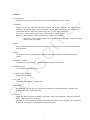
1. Button
1.1 Touch panel
Capacitive touch panel: In The Operation, to click ,dragging on the touch panel.
1.2 POWER
Startup: Long Press and hold the power button, the system will enter the main interface.
Shutdown: In the main menu interface, press the power button about 5 second to shutdown,
The system can hint "power off" option, Click ”ok”. you can safely shut down.
Lock screen: Short press Power button to lock screen or unlock screen.
Remark 1. When power is empty,system will shut down automatically.
2. Illegal turn off the device,restart will scan and restore the disk, it may take longer
time to enter into system.
1.3 ESC
Short Press ESC button will return the last interface, long Press ESC button will return to the
main interface
1.4 Menu
The Tablet under normal operating conditions, short press M button will Back to the home
screen.
1.5 Volume +, VolumeThe buttons on top Volume +, Volume-achieve changes in the volume.
1.6 Earphone Jack
3.5 mm standard earphone jack
1.7 Video output interface
HDMI output interface
1.8 TF card
TF-CARD solt: external T-FLASH card
1.9 MiniUSB
MiniUSB jack: you can use it to connect the computer for data transmission, charging and
external connection USB flash drive
1.10 Reset
When the Tablet under the condition of the crash, use the small objects to short press RESET
button, Tablet will force to shutdown.
【Remark】: unless unable to shutdown, otherwise don’t use the reset, suggest you to shutdown
by normal, if no will easy to damage the machine system.
1