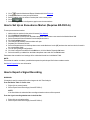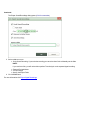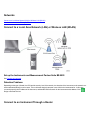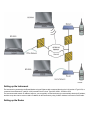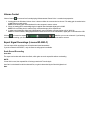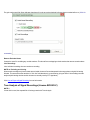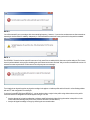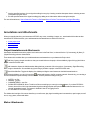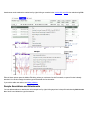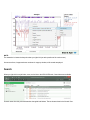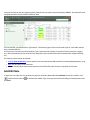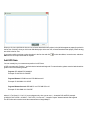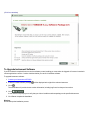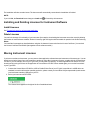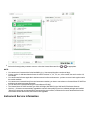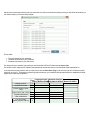
1
Introduction to the Measurement Partner Suite What Can You Do with Measurement Partner Suite? Measurement Partner Suite Licenses: Free, A, B and C The Latest Version of the Software Measurement Partner Suite BZ-5503 Software Help for Measurement Partner Suite BZ-5503 What can you do with the Measurement Partner Suite for Hand-held Analyzers BZ5503? Measurement Partner Suite is the primary application for processing data measured with Type 2250, Type 2250-L (2250 Light), Type 2250-M (2250 used with MATRON 3 Light) or Type 2270. The application can export to all major Brüel & Kjær Environmental Software applications such as Noise Explorer Type 7815, Evaluator Type 7820/21, Protector Type 7825 or Qualifier Type 7830/31. It enables you to: l l l l l l Setup or control Type 2250/2250-L/2250-M/2270 from a PC Upgrade and update1 software on the instrument or install licenses for the instrument software Retrieve data from Type 2250/2250-L/2250-M/2270 Manage and archive data from Type 2250/2250-L/2250-M/2270 Post-process your data Export data to: – Type 7810 Predictor Type 7810, Environmental Noise Prediction and Control Software, is a multipurpose Windows®-based software package for calculating environmental noise. It allows you to calculate and analyze noise from various noise sources such as industry or traffic. With its state-of-the-art calculation power, it can be used for all applications ranging from small-scale impact assessments to mapping of large agglomerations. For further information see the website for Predictor Type 7810. – Type 7815 Noise Explorer Type 7815 is a Windows®-based application for downloading and reporting noise and vibration data measured with Brüel & Kjær Sound Level Meters and analyzers. This software allows you to: l l Format your data for export to spreadsheets, noise mapping software or the Windows® clipboard Display/print measurement results in graphical or tabular form For further information see the website for Noise Explorer Type 7815. – Type 7816 Acoustic Determinator Type 7816 is a Windows®-based application for acoustic engineers who want to find out the sound power level of industrial sources by measuring sound pressure levels in the field. Using data from field measurements, Acoustic Determinator can guide you in the determination of sound power levels of various sources in accordance with a wide range of leading national and international standards, such as ISO 8297 and ISO 3744. For further information see the website for Acoustic Determinator Type 7816. – Type 7820 Evaluator™ Type 7820 is a Windows®-based application for environmental noise evaluation. It provides versatile tools for analysing measured data from the family of Brüel & Kjær Sound Level Meters, and it is a complete solution for determining Rating Levels according to various national standards. Evaluator is used in noise profile measurement (to measure industrial, residential and road/rail traffic noise) and in environmental noise evaluation against noise limits according to national and international standards. For further information see the website for Evaluator Type 7820. – Type 7825 1Updates are free of charge if you already have a license for a version of the module with the same most significant digit in the version number (e.g., version 1.2 is a free update of version 1.0 and 1.1 if you have a license for version 1.0 or 1.1). Protector™ is a Windows -based application for post-processing, simulating and archiving noise exposure data. Designed to work with the family of Brüel & Kjær sound level meters, noise dose meters and sound level analyzers, Protector™ allows you to quickly download sample noise profiles for specific locations or persons. Protector™ can use this data to calculate noise exposure for people or positions under investigation. It calculates noise exposure according to ISO 9612.2. For situations where only work-point noise measurements are available and workers move about, Protector™ can combine work-point measurements with a profile of a persons movements, to simulate their personal noise exposure. This software allows you to: l l l Make comparisons between measured, calculated, and permitted noise exposure values Create a corporate database for all occupational health matters related to noise exposure Identify high-exposure areas and jobs for planning noise-reduction measures For further information see the website for Protector Type 7825. – Type 7830 Qualifier™ is a Windows -based application for calculating, documenting and reporting sound insulation curves and indexes. Designed to work with the family of Brüel & Kjær sound level meters and analyzers, Qualifier™ allows you to: l l l Calculate reverberation time and sound insulation Edit measurement results, including manual input of data Document and report your measurements For further information see the website for Qualifier Type 7830. – Microsoft® Excel® Measurement Partner Suite Licenses: Free, A, B and C There are four packages available, one free and three licensed. Each license adds specific capabilities and tools. If a specific license is required to perform a function described in this help, the required license will be specified in the section title. The complete list of licenses and their features is in this Table. The Latest Version of the Software To ensure that you have the latest version of Measurement Partner Suite, click . If the software is up to date, You are using the latest version of the Measurement Partner Suite will be displayed. If an update is available, If there is a new version of the software available, a notification should pop up over Clicking will be available. on start up. will shut down Measurement Partner Suite and perform the installation. If there are ongoing file transfers, the transfers will be paused for the installation process so that there is no data loss. If there are instrument software updates in progress, the Measurement Partner Suite installation will be paused until the instrument updates are complete or manually stopped. Measurement Partner SuiteBZ-5503 Software Measurement Partner Suite BZ-5503 view contains all tasks commonly associated with data in archives or data saved on an instrument. The purpose of the archives is to store data in a secure and effective way, in the same structure as used on the instrument. Data are kept in projects organised in job folders, per user. You also get access to data post-processing (if license is available for the particular module). The following suggestions are considered good practice when using the archives: l l l l l Keep all data related to the same case in the same archive Make new archives for major new cases Keep data in the archive, even if you export data, then you always have the raw data in a secure way Create the archive on a network drive, then your colleagues will also have access to the data Create users (for Type 2250/2270 only) and templates in the archive for easy setup of the instrument to a specific case The following suggestions are considered good practice when organising data on the instrument: l l Create a user for each user of the instrument (Type 2250/2270 only); all data and setups for each user are then effectively secure from being altered by other users Create job folders to distinguish between different jobs To organise larger jobs, or cases, consider creating a user as a “case”; this will ease working on several cases at the same time (Type 2250/2270 only). See also How To Organise Templates in Archives. Use the archive as the basis for the following activities with your instrument: l l l l l Transfer and store data from the instrument Set up the instrument View data Export data Access Logging or Spectrum post-processing module NOTE: It is strongly recommended that you never change an existing archive file structure with Windows® Explorer. Help for Measurement Partner Suite BZ-5503 Help is provided with Measurement Partner Suite BZ-5503. Press <F1> or click at any time during use of this program to get detailed help on the current task. If required, a print-friendly PDF version is also available on the Environmental Software DVD (BZ5298). Feedback for Measurement Partner Suite BZ-5503 You can provide feedback for Measurement Partner Suite BZ-5503 by clicking then Give us Feedback. or clicking > Help and Support and You can provide feedback on bugs, enhancement suggestions, remarks, etc. in text form or as attachments. NOTE: Please do not use Feedback to request support or help. For product support, click here to open our service page. The attachment options are: l Click to browse to and attach any file smaller than 100 Mb. l Click l Click to launch the Microsoft Snipping tool to catch part of the screen and annotate it. (If the snipping tool is not installed this button is disabled.) to insert a bitmap from your clipboard (e.g., your print screen key). Double clicking an attachment will open it and you can use the right-click options to delete it. 16. januar 2014 © Brüel & Kjær Tutorials Tutorial Videos and Demo Data The first time you open Measurement Partner Suite, the Tutorial Videos window will pop up. Deselect Show Player at Start Up (in the player's lower left corner) to disable this action. The Tutorial Videos window can be opened again at any time by clicking . Demo Data Click (also found in Help and Support) to install the demo data used in the tutorials. The Demo Data comprise a selection of projects that make it possible to explore licensed and non-licensed functionality of Measurement Partner Suite without a license. The Demo Data enable all licensed functionality (for these data) except for pasting in text-based clipboard data, e.g., from Excel®. Step-by-step How To... ...Fulfil Your BZ-5503 License ...Connect an Instrument ...Install an Instrument Application ...Install a License for an Instrument ...Transfer Data from Your Instrument to an Archive via USB ...Transfer Data from an SD-card (or a CF-card) in a PC Card Reader ...Transfer Data from or Control an Instrument via LAN/WLAN ...Export Data from Your Instrument to External Software (Type 7810/12/15/16/20/25/30, Microsoft Excel or Pack-and-Go) ...Create Your Own Master Excel Files ...Export to a Customized Master Excel File for Reporting ...Create New Users on your Instrument ...Backup Archives ...Import Pack-and-Go Files ...Organise Templates in Archives ...Password Protect Your Instrument ...Convert FFT Spectra to Octave Spectra ...Perform Tone Analysis on a Signal Recording ...Search for Tones in a Profile ...Set up an Exceedance Marker ...Export a Signal Recording To Fulfil Your BZ-5503 License Before you can use the post-processing modules of Measurement Partner Suite, you need to fulfil your license online. The complete list of licenses and their features is in thisTable. License Fulfilment Procedure In order to complete license fulfilment for BZ-5503, the software must be installed on the PC on which it will be used. Steps 1 – 6 can be performed using the Internet browser option on a PC that does not have the software installed. Steps 7 and 8 require software installation. 1. Start by doing one of the following: – Open the software and click (the Options icon), click Measurement Partner Licenses and click – Open an Internet browser and go to http://license.bksv.com. 2. In the Login field, enter your Authorisation Code from your Authorisation Card and click Submit. 3. In the Host ID field, enter your Instrument Serial Number (see the back of your instrument). NOTE: Demo licenses do not require serial numbers. Continue to step 4 4. Click Fulfil. 5. Check that all information is entered correctly, then click Confirm. 6. Click Save to File to save the license file (*.lic) to a disk drive. Once you have the flle, transfer the file to the PC that has the environmental software installed. If the software is not yet installed, do it now. 7. Open the software and click 8. Click (the Options icon), click Measurement Partner Licenses. to navigate to the license file that was saved in step 6. Click Open. Your newly added license will now be added to the License list and you can start using the software. To Connect an Instrument 1. Open your BZ-5503 application and click . 2. Switch on your Type 2250/2250-L/2250-M/2270 instrument and wait a few seconds for the instrument to go through its initialisation and start-up routine. 3. Connect your instrument via: USB Cable to PC 4. Connect the instrument directly to the PC via USB and wait for the instrument to be recognised automatically. This can be confirmed by checking that the instrument serial number appears in: LAN or WLAN 4. Connect an instrument or instruments to the network using: o An Ethernet cable connected directly to the LAN socket of Type 2270 o An Ethernet CF-card (UL-1016) inserted in the CF-slot of Type 2250, 2250-L, 2250-M or 2270 o A CF WLAN card inserted in the CF-slot of Type 2250, 2250-L, 2250-M or 2270 o A wireless Ethernet bridge The analyzer supports TCP/IP (Transmission Control Protocol/Internet Protocol) on the LAN. The analyzer must have a unique address on the network (an IP address), which consists of four sets of three-digit numbers, e.g., 010.116.121.016. Typically the instrument is set up to automatically obtain the IP address. Consult the User Manual and local IT administrator if there is a problem. If you use WLAN, network name and security settings must be specified, please consult your hand-held analyzer's User Manual. Typically no extra settings are necessary for BZ-5503 to connect to instruments on the same LAN as the PC. When an instrument is connected to the LAN, it is automatically detected by BZ-5503. If the instrument is not found, then either it is not turned on or there is a router between the instrument and the PC. If not found, you can try to use the Refresh button 5. Click on the toolbar to re-search for instruments. to show the Instrument view and check the checkbox for the instrument to which you wish to connect. All instruments detected on the network are listed here. Click network. on the toolbar to search for instruments on the An instrument can only be connected to one version of BZ-5503 at a time. If you are not using the instrument anymore, you can disconnect by closing the online display and unchecking the instrument in DEVICES. This means other people can now connect to the instrument. The DEVICES view indicates which instruments are in use by displaying In use next to them. If an instrument is in use, you cannot connect to it before the other user disconnects. NOTE: Because connecting to another instrument does not disconnect the previously selected instrument, you must disconnect the instrument before another user can access it. To Install an Instrument Application 1. Connect your instrument to BZ-5503. 2. Select the instrument by clicking on the serial number in DEVICES. 3. Click the Software tab at the bottom of the application window to see the installed versions of the software modules. By default, only software that matches the selected instrument type is displayed. To display the full list of available packages, hold down <Ctr>l while clicking on the drop-down menu to the right of Select Software Package to Install:. 4. Select the software package to install and click . 5. If you are installing on an instrument with hardware version 1 to 3, select up to three languages (in addition to English) for the user interface. If you are installing on an instrument with hardware version 4, no language selection is possible – all available languages are installed automatically. 6. Click . The installation will take several minutes. The instrument will automatically restart when the installation is finished. NOTE: l l If you are upgrading software, your preferences are maintained, but you will have to adjust the touch screen and select you preferred language and time zone If you are downgrading software, templates are reset (i.e., overwritten) A valid license is required to run an application on the instrument. If you have purchased your instrument together with the application(s), the relevant license(s) will come pre-installed on the instrument. If you purchased a separate application for your instrument, you must install the license on the instrument. To Install a License for an Instrument Application 1. Connect your instrument to BZ-5503. 2. Select the instrument by clicking on the serial number in DEVICES. 3. On the right side, click the Licenses tab to show the installed versions of the software modules and the licenses already available. You will have received a License Authorisation Card from Brüel & Kjær together with the application. 4. Enter the 16-character license code (from the certificate) into the four placeholders at the bottom of the License view. 5. Click and the license will be installed. You can now use the application. NOTE: Version 1 – 3 licenses are automatically upgraded to version 4 when qualifying version 4 software packages are installed. "Moved in" licenses are not changed on the instrument they are moved to, but when the license is transferred back to the instrument that owns that license, the license is then upgraded. To Transfer Data from Your Instrument to an Archive via USB 1. Connect your instrument to BZ-5503. 2. Click the instrument serial number on the instrument you wish to transfer data from, then click on a user or disk (Internal Disk, SD-Card or CF-Card). Basic Data Transfer 3. Click (on the toolbar) and the send data to archive dialog will pop up. 4. Select an archive for data storage in the Select an archive for data storage section. 5. Select Automatic deletion of data from the instrument (and you will not have to clean up the data on your instrument afterwards). 6. Select Transfer new data and you will transfer all data saved since your last transfer. Set Date lets you change the date as required. 7. Click and the data will be transferred into the selected archive. Transferred data will be stored in the archive using the same user and job folder structure as on the instrument. Advanced Data Transfer 3. Navigate to the data in the Instrument you want to transfer by using the tree. You can select multiple job folders and/or projects in the list view. 4. Right-click on the selected data and select To Archive (or click Send data to archive wizard. on the toolbar). Select an archive for data storage in the 5. Select Transfer selected data. 6. Click and the data (including the data in subfolders) will be transferred into the selected archive using the same user and job folder structure as on the instrument. 7. Repeat steps 3 – 6 until you have transferred all required data. 8. Delete the projects no longer required on the instrument by right-clicking on the project(s) and selecting Delete from the context menu that appears. Advanced Using Drag and Drop 3. Navigate to the data in the Instrument you want to transfer by using the tree. You can select multiple job folders and/or projects in the list view. 4. Drag and drop data to its final destination in an already created archive. 5. Navigate to the archive to which data was transferred to find your data again in the Archive Explorer. Pausing Data Transfer During data transfer, progress is monitored in the TASKS area below the tree: The task area can be minimized, in which case progress is indicated as shown below: The button expands/collapses the TASKS area. If your instrument has version 4 software, you can avoid the risk of having to restart downloads of large measurement projects due to an unstable Internet connection. With BZ-5503’s resumable download feature, the software automatically pauses and restarts downloads if your connection fails. To Transfer Data from an SD-card (or a CF-card) in a PC Card Reader 1. Plug the SD/CF-card into the card reader on the PC and the card will automatically appear under DEVICES. 2. Select the job folders and/or projects on the removable disk and either: o o Drag them to the desired archive, or Right-click one of the selected folders and select Cut (or press <Ctrl+x>) or Copy (or press <Ctrl+c>), then right-click in the archive where you want the data and select Paste (or press <Ctrl+v>) 3. Delete the projects no longer required on the removable disk. To Transfer Data from or Control an Instrument via LAN/WLAN Using DEVICES 1. Connect your instrument to BZ-5503. 2. Right-click the instrument serial number and select Online display. Using the Toolbar 1. Click on the toolbar. If only one instrument is connected, the online display will automatically pop up. If multiple instruments are connected a list of instruments will pop up. 2. Select the desired instrument(s) and click OK. To Export Data from Your Instrument to External Software (Type 7810/15/16/20/25/30, Microsoft® Excel® or Pack-and-Go) Type 2250, 2250-L, 2250-M, 2270 data can be processed by BZ-5503 itself and by the following external tools: l l l l l l l l l l Predictor Type 7810 Noise Explorer Type 7815 Acoustic Determinator Type 7816 Evaluator Type 7820/21 Protector Type 7825 Qualifier Type 7830/31 Microsoft® Excel® 7821 Evaluator Light for 2250 Light and 2250 MATRON 3 Light data only 7830/31 for 2250/2270 Reverberation Time and Building Acoustics data only PULSE ASCII for FFT data only NOTE: You cannot open instrument data directly from the external software. Transfer the instrument data to an archive on the PC using Measurement Partner Suite BZ-5503 (see USB, PC card reader or network for specific instructions). Then you can export data from the archive to any of the types mentioned above, or to Excel®. Export is controlled by your BZ-5503 software. To Export Data from an Archive to External Software 1. Open BZ-5503 and select the data to export in the Archive Explorer (you can select multiple projects and/or Job folders in the list view on the right). 2. Right-click the selected data and select Export from the drop-down (or click on the toolbar ). Select the required type of export in the Export control panel. If you want to export to Microsoft® Excel (see Export Data to Excel), ASCII, XML or Pack-and-Go, click Next and specify what to export (if required) and a destination file for the output. 3. Click Finish to export the data. The external software will automatically be started and display the result. To Create Your Own Master Excel Files 1. Use the Export wizard:. a. Select the data for export. b. Export the selected data, which creates an Excel® output file. c. Select Launch Excel after export and export the complete set of data 2. After Excel® has opened, delete the unwanted data columns (parameters). 3. Delete all data rows (except row 1, the header row). 4. Save the Excel® sheets as MyFilter.xls or MyFilter.xlsx depending on the Excel® version together with the other Master Files. 5. Export your data using MyFilter.xls(x) as the Master File – the resulting Excel® file will contain only the required sheets and parameters. To Export to a Customized Master Excel File Export a Complete Set of Data Use the Export wizard to select the data for export and the EmptyMaster.xls/EmptyMaster.xlsx as the Master File. This is the file used when you want export the complete set of data. It consists of an empty Excel® file. Filtering Data for Export 1. Use the Export wizard, select Launch Excel after export and export the complete set of data. 2. After Excel® has opened, delete the unwanted data columns (parameters). 3. Delete all data rows (except row 1, the header row). 4. Save the Excel® sheets as MyFilter.xls or MyFilter.xlsx depending on the Excel® version together with the other Master Files. 5. Export your data using MyFilter.xls(x) as the Master File – the resulting Excel® file will contain only the required sheets and parameters. NOTE: The filter must match the measured data. If for example, LAeq and LCeq appear in the list of filtered information and you use the filter on data measured with Broadband Frequency Weighting set to AZ instead of AC, then you will only get LAeq. LCeq will not be present in the data and LZeq has not been set in the filter. If you want LZeq to be present together with LAeq, then make a new filter. NOTE: The filter must match the selected Export Language in Options, Language. Reporting 1. Export complete data or filtered data as shown above, naming the Excel® file (as an example) MyReport.xls. 2. Add one or more sheets containing calculated data, tables and graphs. 3. Create links between the report sheets and the data sheets (if you want to delete the data rows in the data sheets afterwards, use the Clear Contents option from the Edit menu, then Excel® will preserve the links to the empty cells). 4. Save MyReport.xls with the other Master Files. 5. Export your data using MyReport.xls as the Master File – the resulting Excel® file will contain the required data and reports. NOTE: It is essential that the filter matches the measured data. To Create New Users on Your Instrument NOTE: This topic is for Type 2250/2270 only. Type 2250/2270 can handle more than one user of the instrument. Each user has their own set of preferences, templates and jobs/projects – completely invisible to other users. This can also be very useful when organising large jobs, or cases; you can separate the cases completely from each other by handling each case as a user. The transducers, the calibration setup and the calibration histories of the transducers are common to all users/cases. To Create a User/Case on the Instrument 1. Connect your instrument to BZ-5503. 2. Select the instrument in the tree view. 3. Click the Add User button on the toolbar, or right-click the instrument and select Create User. 4. Type the name of the new user/case in the Create User dialog. 5. Type in the name of the new user, select whether the settings (preferences and templates) for the new user will be the default settings or the same as the settings of a user already defined on the instrument. 6. Click Create. NOTE: New users can also be created in the archive (using the Data tab) and then transferred to Type 2250/2270. To Enable the New User/Case 1. Set the Multi-user parameter to Enabled on the instrument (under Users in the Preferences menu): To Switch Between Users/Cases 1. Select Log Off <user name> from the Main Menu on Type 2250/2270: 2. Select the new user name in the login screen and tap Login. To Backup Archives The archives containing the instrument data have typically been created on the local disk of your PC, or on a disk drive on your company network. If you want to backup an archive, use BZ-5503 as follows: 1. Locate the path to the archive you want to backup. 2. Click the Export button on the toolbar. 3. Click Next in the Export dialog, which will default to Export to Pack-and-Go file. 4. Select a destination for the backup: 5. You can create a CD or DVD with your backup. If you want to use your backup again: See How to Import Pack-and-Go Files To Import Pack-and-Go Files To import Pack-and-Go files: l Navigate to the Pack-and-Go file in Windows Explorer, double-click on the file and a new archive will appear in the ARCHIVES tree. NOTE: If BZ-5503 is not running, this method will start BZ-5503 and a new archive will appear in the ARCHIVES tree. When the file is added a New Archive availablewindow will pop up. Clicking the ARCHIVE tree and open it. or will select the new archive in l Navigate to the Pack-and-Go file in Windows Explorer and drag-and-drop the file to a job node in the tree. When the file is added a New Project(s) available inwindow will pop up. Clicking node in the ARCHIVE tree and open it. will select the new project To Organise Templates in Archives Templates that are in archives can be copied to any number of instruments if the same template setup is required for the instruments. This means that BZ-5503 can be used as an backup archive for templates in case they are deleted from or modified in the instrument: 1. Configure the templates on the instrument according to how you want the data to be saved. 2. Create a new archive (one in which you will not store any data) in BZ-5503 and add a default user to this archive. Default templates provided with BZ-5503 are added to the user, so before you go on to the next step you may want to delete these. However, there must always be at least one template, so you can delete all but one and then right-click, select Rename and give it a meaningless name. You can then delete it later (after step 3). 3. Copy the templates you have created on the instrument to the archive you have created in BZ-5503 by selecting the templates you want to copy, for example from a user tab (2270 in the screenshot below): To do so, use <Ctrl + A> or a combination of <Ctrl>, <Shift>, click to select the templates. Then right-click and select Copy, or To Archive, or click . You now have backup templates for your instrument that can be copied to the instrument, or any other instrument of the same type, as required. Note that Types 2250 and 2270 use different templates, so if you are using both, you should create two new archives or two default users (2250 and 2270) in your archive. As added security, you can also backup this archive by exporting it to a Pack-and-Go file. NOTE: You can clone templates using Copy/Paste in the same archive. For example, if you copy FFT Analyzer, the pasted template will be called FFT Analyzer (0). You can then right-click and select Rename. How to Password Protection for the Instrument To turn on password protection: 1. 2. 3. 4. Tap Tap Remote Access Settings Tap Password and enter your password using the keypad. Tap BZ-5503 login required and select Yes How to Convert FFT data to Octave Spectra To convert FFT data to octave spectra (requires license BZ-5503-B): 1. 2. 3. 4. 5. Open an FFT project. Right-click the graph area and select Copy FFT data to Calculations (license BZ-5503-B). Open a CPB project. Click the Calculations tab. Right-click in the graph area and select Paste Synthesized Octave spectra (license BZ-5503-B). How to Perform Tone Analysis on a Signal Recording (Requires License BZ-5503-C) Profile View To perform Tone Analysis on a section of a signal recording in the Profile View: 1. Open the project with the recording. 2. Click and drag in the Profile view to select the area of interest (a menu will automatically pop up) and select Analyze for Tones (licenses BZ-5503-C and BZ-5503-C). 3. A Tone Analysis window will open displaying the results of the analysis. For more information, see Signal Recording. Marker Table To perform Tone Analysis on one marker directly from the Marker Table: 1. Open the project with the recording. 2. Right-click on the sound marker in the Marker Table and select Analyze for Tones (license BZ-5503-C). 3. A Tone Analysis window will open displaying the results of the analysis. For more information, see Signal Recording. Project Level To perform Tone Analysis on a complete signal recording (you must use the sidebar 1. Open the project with the recording. 2. Click and expand Signal Recordings. ): 3. Right-click on the sound recording and select Analyze for Tones (requires license BZ-5503-C). (Click for screenshot) 4. A Tone Analysis window will open displaying the results of the analysis. For more information, see Signal Recording. How to Add an Impulse Marker To add impulse markers : 1. Click . 2. Select the Impulses tab. 3. Select the parameters from the list of available parameters in the drop-down menus that will trigger the event. (More...1) 4. Enter the dB value. 5. Check (or uncheck) Require 10 dB up/down slopes of less than 1s (using 100 ms LAF) (More...2) 6. Select the type of Marker to use. 7. If you want to remove existing markers of the type you have selected, select Remove existing marker occurrences. 8. Click to add the markers to the Profile view and the Marker Table view. How to Search Tones in a Profile To perform Tone Analysis on a logging profile: 1. Open the project with the logging profile. 2. Ensure that the Tone Table (license BZ-5503-B) is open (if not, click ) and that the Spectrum graph is open (if not, click ). 1 Impulses can be found by comparing a fast changing parameter (such as LAImax or LApeak) with a slow changing (such as LAFmax or LASmax. 2 The 100 ms LAF value can be checked to see if the upward slope of the impulse rises more than 10 dB in less than 1 s and drops more than 10 dB in less than 1 s. 3. Click to open the Marker and Report Wizard and click theTone tab. 4. Change parameters to meet your specifications. 5. Select a marker name (or rename a marker) that is not currently used. 6. Click . 7. Select the Logged view in the Spectrum graph to see the tone markers. How to Set Up an Exceedance Marker (Requires BZ-5503-A) To set up an exceedance marker: 1. 2. 3. 4. 5. 6. 7. 8. Add a marker or markers for the period of interest (New Marker) Click the Marker Properties button. Select the marker you set up from the Marker drop-down menu or enter a new name in the Marker Name field. Select Exceedance from the Marker Function drop-down menue. Click the Configure button. The Configure Exceedance Criteria window will open. Stipulate your Reference Periods. Select three parameters from the drop-down menus under Maximum Levels [dB] and enter the maximum levels for each in the corresponding fields. 9. You can set up multiple configurations. 10. Click the Configure Exceedance Criteria Ok button, click the Marker Properties Ok button. 11. Select the marker you added from the Marker drop-down menu and click the Finish button. Parameters that exceed the level settings will be outlined with a red box in the Marker Table. NOTE: Ensure that the marker or markers you added encompass the periods specified in the excedance marker. See Marker Properties for more information. How to Export a Signal Recording WARNING: If Autogain is used, the exported file will no longer work with Tone Analysis. From the Marker Table or Profile view: 1. Right-click on a sound marker. 2. Select Export Sound Recordings (license BZ-5503-C). NOTE: If the Sum Marker is selected all the recordings related to markers will be exported. From the signal recording attachments in the Side Bar: 1. Right-click on a signal recording. 2. Select Export Sound Recordings (license BZ-5503-C). Continued : The Export Sound Recordings dialog opens.(Click for screenshot) 3. Select whether or not to: l Scale Sound Recording: If you scale the recording you can select Auto Gain or Manually set the Gain. NOTE: If you use Auto Gain, you will not be able to perform Tone Analysis on the exported signal recording. Remove Excluded Areas Join Recordings l Specify the Export Folder 4. Click the OK button. l l For more information click Export Signal Recordings. Networks Connect to a Local Area Network (LAN) or Wireless LAN (WLAN) Connect to an Instrument Through a Router Connect to a Local Area Network (LAN) or Wireless LAN (WLAN) Set up the Instruments and Measurement Partner Suite BZ-5503 See Connect an Instrument Detection Problems Depending on the type of firewall, the VPN and the security level of the network, the detection of the instrument on the network cannot be made automatically in some cases. This could mean that the instrument is not visible in the Instruments list. In this case, you need to specify the IP address of the instrument, and then BZ-5503 will search for the instrument at this address. Click and go to Remote Devices. Connect to an Instrument Through a Router Setting up the Instrument The instrument is connected to the Router/Modem using an Ethernet cable connected directly to the LAN socket of Type 2270, or connected via an Ethernet CF-card (UL-1016) inserted in the CF-slot of Type 2250, 2250-L, 2250-M or 2270. The instrument needs a static IP address; however, you can typically set the instrument up to automatically obtain the IP address, and then set up the router to reserve a static IP address for the instrument by using it’s MAC Address in the router's DHCP table. Setting up the Router In addition to the settings needed for the router to access the WAN (Wide Area Network), the Internet (please consult the user manual for the router and your Internet Service Provider) and the settings needed for setting up the LAN, a number of steps are necessary to allow access to the instrument from the Internet. Please consult the user manual for the router, but the main steps are as follows: l l l Set up the router to assign/reserve a fixed IP address for the instrument. Many routers handle this using a DHCP reservation list, or a Static DHCP list. Please add the instrument to this list and then select an IP address for it. Often the instrument must be identified by either the host name of the instrument (this is BK2250-nnnnnnn or BK2270-nnnnnnn, where nnnnnnn is the serial number of the instrument) or by the MAC address of the LAN adaptor (the MAC address is available under Preferences on the instrument). If the router can reserve a static IP address for the instrument, then the instrument can keep the "Set IP Address = Automatically" – otherwise you need to manually set the instrument up for an IP address in the range allowed by the router Set up the router to forward port 80 (TCP) to the IP address of the instrument (the IP address set in the first step). This is typically done in a section called "Port Forwarding", "Network Address Translation (NAT)" or "Applications & Gaming" The router needs to have a static external IP address – this is arranged with your Internet Service Provider. Often this is the standard setting. If you don't know the address, then you can look it up by using a PC connected to the LAN behind the router. Use the web-address "www.myipaddress.com" or similar services Additional Settings for the GPRS/3G Router In addition to the settings needed for the router to phone the Network Operator (please consult the manual for the router) and a SIMcard with Data subscription, you need a static and global IP address for the GPRS/3G connection. Please consult your Network Operator. If it is not possible to get a static IP address for the router, then the router will get an IP address every time it connects to the network through GPRS/3G. NOTE: If the router does not support DDNS (Dynamic DNS) then one can be setup on the instrument. Please consult the instrument user manual. Setting up Multiple Instruments Behind a Router In order to connect multiple instruments behind a router and be able to communicate with them, you must have a router that can convert ports from the WAN side to the internal side of the network. The scenario shows two instruments behind a router. The router has two interfaces, an internal interface where the instruments are connected to and have the IP addresses 192.168.1.10 and 192.168.1.11 and its WAN interface where the router in this example has the external IP 87.100.100.150. To configure the router for following scenario, see the NAT table, which shows the port forwards that needs to be done in order to be able to connect to the instruments from BZ-5503. Application name Type 2250 – Instrument 1 Type 2250 – Instrument 2 Port from 100 101 NAT table Protocol TCP TCP IP Address 192.168.1.10 192.168.1.11 Port to 80 80 NOTE: For BZ-5503 to detect the above two instruments, the static IP Addresses tab in Options must have the settings given in the BZ5503 settings table. Addresses 87.100.100.150 87.100.100.150 BZ-5503 settings Port 100 101 Description Instrument 1 Instrument 2 Set Up BZ-5503 The PC running BZ-5503 needs access to the Internet, either via the office network, or via a GPRS/3G connection. With BZ-5503 you need to specify the static external IP address of the router. The address is set up in the Devices tab. Options Remote Additional Settings for DDNS If the address is static, then you just need to specify the address. If the address isn't static, then you need to insert the 'hostname' specified at the DDNS service provider, e.g., 'MyBK2250.dyndns.com'. BZ-5503 will then get and use the correct IP address from the DDNS service provider. Port Numbers When connecting to a PC or instrument on an IP address, then it is done through a port with a number between 0 and 65535 (several of these numbers are reserved). BZ-5503 uses default port 80 to connect to the instrument. This port is also used for accessing the Internet using Internet Browsers. The main advantage of using this port is: l On company networks, all ports are often closed (for security reasons) with the exception of a few. One of the exceptions is port 80; otherwise, Internet access would not be possible. You will then be able to access the Type 2250/2270 from a PC on a restricted company network The drawback is: l If the network behind the router contains a Web server, all traffic into the router on port 80 is forwarded to the Web server, thus Type 2250/2270 cannot be reached In case you cannot use the default port setting in BZ-5503, the default port can be changed in BZ-5503 to another port in the Options Remote Devices tab in BZ-5503. NOTE: A router is required when connecting to an instrument where the default port is not used. The router must support NAT and conversion of ports so that an incoming port X can be forwarded to port 80 on the instrument. This is because the instrument uses port 80, which is fixed and cannot be changed. Example when port 80 is available From a company network you would like to connect to a Type 2250 that is connected to a small 'home office' network behind a router. l l l l Type 2250 is setup for 'Set IP Address = automatically' in Preferences, Network The DHCP setting for the router has already been setup for generating IP addresses in the range from 192.168.0.100 to 192.168.0.199. Select an address not used already (e.g., 192.168.0.150) and reserve it for the Type 2250 in the DHCP Reservation List, or the DHCP Static List Setup router to forward port 80 to the IP address 192.168.0.150 The external address of the router is 152.115.123.456. This address is inserted in BZ-5503 in Options Remote Devices tab Example when port 80 is not available From a company network you would like to connect to a Type 2250 that is connected to a small 'home office' network behind a router but port 80 is used for an server or something else: l l l l Type 2250 is setup for 'Set IP Address = automatically' in Preferences, Network The DHCP setting for the router has already been setup for generating IP addresses in the range from 192.168.0.100 to 192.168.0.199. Select an address not used already (e.g., 192.168.0.150) and reserve it for the Type 2250 in the DHCP Reservation List, or the DHCP Static List Set up router to forward port X (where X is an port between 0 and 65535) to port 80 to the IP Address 192.168.0.150 The external address of the router is 152.115.123.456. This address is inserted in BZ-5503 in Options Remote Devices tab together with the port X that has been chosen DDNS DDNS is a network service that provides the capability for a router to notify a domain name server to change, in real time (ad hoc), the active DNS configuration of its configured 'hostnames' and addresses. If the router supports DDNS, then it can be configured to notify the DDNS service provider each time the IP address of the router is set or changed. When BZ-5503 connects to the instrument through the router, then the IP address of the router must be specified. However, the IP address is only known to the router itself and the DDNS service provider. BZ-5503 then looks up the address at the DDNS service provider. There are several DDNS service providers available, some providers have free services. For example, a typical world-wide DDNS service provider is 'dyndns.org'. You need to make an account at a DDNS service provider, specifying a 'username' and a password for the account and a 'hostname' (e.g., 'MyBK2250.dyndns.com') identifying the router. Devices DEVICES Transfer Data from the Instrument to the Archive Create Users on Instrument On-line Display Devices The DEVICES node allows you to connect and disconnect instruments, and to view or select jobs/projects on connected instruments, for further action. Tree View The tree view of an instrument allows you to quickly navigate to the job folder and project you need. List View The list view (to the right of the tree view) allows you to sort the data and see more detail. Instrument When you connect your instrument to the PC via the USB cable, the instrument is automatically detected, and the serial number and location are displayed in the DEVICE list view when you click DEVICES. If you connect more than one instrument, or connect using LAN, this is where you select the instrument(s) you wish to connect to – use the checkboxes in the Connected column or right-click and select Connect Instrument. The Location is set up on the instrument in Preferences, Network Settings. NOTE: Connecting to an instrument using LAN locks the instrument from being connected to/from other PCs on the network. If an instrument is in use, the Status column reads In Use. Uncheck the checkbox or right-click and select Disconnect Instrument to free the instrument again. User If you have defined more than one user on the instrument (Type 2250/2270 only), then navigate to the user whose data you wish to view. If you need to show all users' data, expand all users in the tree. Context Menus To help you manage your data in this view, various context menus pop up when you right-click on an item. For instance, there are menus for each of the tree nodes, each of your job folders and each of your projects. Each of these menus has various options, some of which may, or may not be available, depending on which part of the tree you are in. Most tasks and functionality on instruments can be activated from the context menus. While some of the options on these context menus are specific to this BZ-5503 software and need explanation (see below), some are common options found in most software packages, such as Expand, Collapse, Explore, Cut, Copy, Paste, Delete and Rename, which are self-explanatory. Context Menus Specific to BZ-5503 Software On-line Display: Use this option to start the on-line display, which allows you to view the instruments display remotely on your PC and use the simulated keyboard to control measurements and data. Create User: (Type 2250/2270 only) Use this option to create a new user on the instrument by typing the new name into the entry field provided. Select which method you want to use to create the new user, you can choose either the 'default' user, or clone an existing one by selecting it from the user drop-down list. Once you have selected what you want, click the Create button. To Archive: Use this option to transfer the currently selected data from your instrument to the archive. Select an archive from the drop down list that appears in the pop-up window, or click the New button to create a new archive. Check the checkbox if you want to delete the data from the instrument once it has been transferred to the archive. Click the Start Transfer button to start the process. Create Job Folder: Use this option to create a new job folder in the archive. Type the new name into the entry field of the window that pops up, then click the Create button to add your new folder to the archive. Disconnect Instrument: Use this option to disconnect the connection between the PC and the instrument. Instrument Clock Synchronization You can synchronize your instrument clock with your PC. If the instrument uses a different time zone it will be offset accordingly. To synchronize the instrument, right-click the instrument in DEVICE and select Synchronize Instrument Clock with PC Clock. You can synchronize multiple instruments at one time. Transfer Data from the Instrument to the Archive Right-click on the data you want to transfer and select To Archive from the pop-up menu (or press (To Archive/Instrument) on the toolbar) to transfer projects and/or settings from the instrument to the selected archive, using the Send Data to Archive wizard: The transferred data are stored in the archive using the same user and job folder structure as on the instrument. However, no distinction is made in the archives between memory devices in the instrument (i.e., data in a 'Job001' folder' on a SD-card and data in a 'Job001' folder on the internal disk will all be stored in 'Job001' in the archive). During transfer of data, if a project with the same name already exists in the archive, a dialog appears, asking you to rename it. The panel is split into 3 sections: Section 1: allows you to choose an archive for storing your data, or create a new one if required. Section 2: allows you to delete the data from the instrument once it has been successfully archived (if you check the checkbox). If you do not check the checkbox, the data you transferred remain on the instrument. Section 3: allows you to choose between transferring selected data (i.e., data selected in the explorer tree/list view) or transferring all data modified by the current user after the specified date. Set Date lets you change the date, if required. Once you have selected the data to transfer, click Start Transfer. Scheduled Transfer Scheduled transfer can be used to transfer data at a specific time, with recurring transfer at a set interval. For example, if you are using Enhanced logging and produce a project every day, scheduled transfer can be set to retrieve that measurement automatically every day as long as long as BX-5503 is running and the instrument is available. The Schedule button in the lower left of the dialog only appears if you transfer data at Job level or higher. It opens the Schedule Data Transfer dialog. 1. Select Start Immediately or enter a Start Time and select a Start Date. 2. Set Execute to Infinitely, or to This many Times: and enter the number of times. 3. Set the Interval at which to transfer data. If you select Custom, the format is Days.Hours:Minutes:Seconds 4. Check or uncheck Automatic deletion of data from the instrument to automatically delete the data after transfer or not. 5. Check the details and click OK. The schedule appears in the TASKS area below the tree view and you can view details such as source, destination, next schedule, etc., and any errors that may have arisen such as attempting to transfer data to an archive that has been deleted or from an SD card that has been removed. You can also edit the schedule or delete it. To ensure that your schedule task is running properly: l The instrument must be turned on, running and have a connection to BZ-5503 via either USB or network l If a schedule is set up to retrieve data from an SD/CF card, then do not remove the card l BZ-5503 must be left running on the PC to which the data are to be transferred l Do not remove/disconnect the Archive in which the scheduler has been set to save data Drag and Drop You can also transfer data by dragging it from the instrument and dropping it in an archive. If you drag and drop a job folder, a button is added in the TASK information for the transfer: You can then click to open the Scheduled Data Transfer dialog and set a schedule for future transfer of data for the job folder as described above. Create Users on Instrument (Type 2250/2270 Only) The Create User wizard is used to create a new user on the instrument: Two sections of the wizard are used (as the software already knows the Type of User): Section 1: allows you to type in the name of a new user on the instrument. Section 2: allows you to select the method to use to create the new user. You can choose either the 'default' settings, or copy existing settings from another user by selecting the user from the drop-down list. Once you have selected what you want, click Create. The Create User wizard can be displayed by right clicking on an instrument in the tree view and selecting Create User from the drop-down menu, or by clicking an instrument and then clicking on the toolbar. Password Protection for the Instrument It is possible to protect an instrument from unwanted access. A user name and password is provided from BZ-5503, RemoteAPI or PULSE Reflex when connected to the instrument. To turn on or off the password protection: 1. Tap 2. Tap Remote Access Settings>BZ-5503 login required 3. Select Yes or No The user name and password defined in the instrument's preferences is reused for this purpose, which will be found under Remote Access Settings > Password. If password protection is enabled, when connecting instruments to Measurement Partner, you will be prompted for a username and password that has been stored (encrypted) in the PC registry for this instrument. If the instrument has not been connected before, you will be prompted to type in a user name and password or to cancel the connection attempt. If password protection is enabled, old versions of the PC software can no longer access the instrument and new versions of the PC software can connect only if the credentials are known. NOTE: If an old version of BZ-5503 tries to connect to a protected instrument it will deny the connection. On-line Display The on-line display and keyboard connect to the instrument you have selected in explorer. They allow you to control and monitor your measurements remotely from your PC. NOTE: The on-line display can be active while transferring data to the archive or to the instrument. More than one on-line display can be active at the same time, this means that different instruments can have their own on-line display. Archive Archives Node Transfer Data from the Archive to the Instrument Create Users in Archives The Export Wizard Export Data to Excel Export to Qualifier Add Archive Removable Disks, SD-, SDHC- and CF-cards Data Viewer Profile View Table View Spectrum View Statistics View Tone Table View Marker Table View Annotations and Attachments Search Add/Edit Note Calculations Master Files Archives Node The ARCHIVES Node allows you to view or select jobs/projects in the archive for further action, and to connect, disconnect or hide archives from the tree view. It consists of an archive tree and a list view. Archive Tree View The archive tree view allows you to quickly navigate to the job folder and project you need in the archive. List View The list view (to the right of the tree view) allows you to sort the data. The list view contains job folders and projects with a number of details listed in the columns. Right-click on the column-header to display the columns that are available. Select/deselect from the list that pops up: l l l l l l l l l l You can re-organise the columns by clicking a column header and dragging it to another position You can sort the list in accordance with any of the columns by clicking on the column header. Click again to reverse the sorting You can hide archives from the tree view by unchecking the Connected checkbox on the left of list view The Graph column shows your measurements as thumbnails. Neither Sound Level Meter data nor Logging data from software versions below 2.0 contain graphics content For Logging data the thumbnail shows the Logging Overview measured by the instrument For Frequency Analysis data the thumbnail shows the L spectrum eq The thumbnail is green for data below 30 dB, and red for data above 100 dB – and then from green through yellow to red from 30 to 100 dB Hover the mouse over the thumbnail to show it as a small graph like this: Hover the mouse pointer over the Note icon to display the content Hover the mouse pointer over a Comment or Recording, for immediate playback – it stops when you move the mouse pointer again Context Menus To help you manage your data in this view, various context menus have been provided. These pop-up when you right-click on the selected item. For instance, menus have been provided for each of the tree nodes, each of your job folders and each of your projects. The various menu options may or may not be available, depending on which part of the tree you are in. Most tasks and functionality in the Archive View can be activated from the context menus. While some of the options on these context menus are specific to this BZ-5503 software and need explanation (see below), some are common options found in most software packages, such as Expand, Collapse, Explore, Cut, Copy, Paste, and Rename, which are self-explanatory. Context Menus Specific to BZ-5503 Software Add Archive: Use this option to add a new archive or connect to an existing one. Type the new name into the entry field of the Add Archive window that pops up, then select where to create the new archive by navigating to it using the browse button. Click OK to accept or Cancel to abort. Create User: Use this option to create a new user in the currently selected archive. Type the new name into the entry field and then select which settings you want to use for the new archive. Use either the default settings or copy the settings from an existing user in the archive, selecting the user from the drop-down list that appears when you select the radio button. When you have finished, click Create to create the new user. Properties: Use this option if you want to check the path of the currently selected archive. Create Job Folder: Use this option to create a new job folder for the current user in the currently selected archive. Type the new name into the entry field of the window that pops up, and click Create to add your new folder to the archive. To Instrument: Use this option to transfer selected data to the instrument. First select the instrument from the drop-down list. Then select the memory device in the instrument to which you want to download the data and click Start Transfer . Add Note: Use this option to add a text note to either the job folder or a project within the folder. Add Attachment: Use this option to add an attachment to either the job folder or a project within the folder. Export: Use this option to export the selected jobs or projects. View in External Window: Use this option to view the measurement data stored in the currently selected project, using an external BZ-5503 Data Viewer. Disconnect Archive: Use this option to hide an archive from the Archive Explorer. Once hidden, the archive will no longer be displayed. To show the archive again, click the ARCHIVES node and check the checkbox for the archive. Delete: For a data project, this means that the project will be deleted from the archive on your disk. This cannot be undone, so use it with caution. For an archive, it can mean two things: either the archive will be removed from BZ-5503 and can be added again later, or that the archive is removed and deleted from disk, in which case you will not be able to retrieve it. Hide: Use this option to hide a removable disk that is not relevant to your instrument. Show: Use this option to display a removable disk that was previously hidden. Transfer Data from the Archive to the Instrument Select the data to transfer, right-click on it and select To Instrument (or click on the toolbar) to transfer projects and/or settings, from a selected archive to the selected instrument, using the Send Data to Instrument dialog: The transferred data is stored in the instrument on the selected memory device in the same job folder structure as in the archive and under the same user. The panel is split into 2 sections: Section 1: allows you to choose an instrument for storing your data. Section 2: allows you to select the memory device on the instrument (Internal disk, SD-card or CF-card). Once you have selected what you want, click Start Transfer. Create Users in Archives The Create User wizard is used to create a new user in the archives: The panel is split into three sections: Section 1: allows you to type in the name of a new user to be created in archives. Section 2: allows you to select which method you want to use to create the new user. You can choose either the 'default' user, or clone an existing one by selecting it from the user drop-down list. Once you have selected what you want, click the Create button. Section 3: if you select Use default settings in step 2, this section allows you to select which type of user you would like to create, Type 2250 or Type 2270. The Create User wizard can be displayed by right clicking on an archive node in the tree view and selecting Create User from the drop-down menu (or clicking on the toolbar). NOTE: If your instrument hasn't been upgraded to the latest version of the software, then you should 'clone' an existing user instead of using the 'default' user. The default user might contain setups incompatible with older versions of the software. The Export Wizard NOTE: If nothing is selected that can be exported to a specific target or the target program is not installed, the option is disabled and a tool tip appears explaining why. If some projects in a multi-file selection are not allowed for a specific export, the export is permitted, but the illegal projects are removed from the export. Information about their removal is added to the task. Select a project or the data to export, right-click on it and select Export (or click your instrument in various formats: 1. Select the type of export you want to perform then click on the toolbar) to export selected data from if no more selections are necessary or click to display wizard dialogues for further selections.: The choices are normally Pack-and-Go, Excel® or XML format, but if you are using one of Brüel & Kjær's other postprocessing software packages, they will also appear in the list of radio buttons, and can be selected. (If none of these products have been installed, they will be greyed out in the list.) Export only part of the project can be used to export data from a specific time period of a logging project to Excel®, ASCII, Evaluator, Protector, 7810/7816 or XML. You can set the region by selecting a marker in the Marker Table View, by clicking and dragging and selecting Export Region in the Profile View, or by manually entering times. 2. Select what to export: There are different screens that depend on the type of data: l Standard Click for screenshot. Settings Setup and Calibration parameters will be output to one sheet. Total and Periodic Reports Broadband will output broadband data to a single sheet. Total data will be output to one row. Periodic Reports will be output with one Report interval per Excel® row. Spectra will output Spectral data to a single sheet. Total data will be output to one row. Periodic Reports will be output with one Report interval per Excel row. LN Spectra will be output to a single sheet. Total spectra will be output to one row. Periodic Reports will be output with one Report interval per Excel row. Logged Data Broadband will output Broadband data to a single sheet. The logged data will be output with one logging interval per Excel® row. Spectra will output Spectral data to a single sheet. The logged data will be output with one logging interval per Excel® row. LN Spectra will output LN Spectra to a single sheet. The LN spectra will be output with one logging interval per Excel® row. Marker Calculations will output Marker Calculations to a single sheet.. Logged Data (100 ms) Broadband will output LAeq and/or LAF to a single sheet. The data will be output with one 100 ms interval per Excel® row. Export annotations files If Export annotations files is checked, BZ-5503 will copy all annotations made on the data to the "project-name" Annotation folder. l Reverberation Click for screenshot. Settings Setup and Calibration parameters will be output to one sheet. Reverberation Time Data Room Spectra will output Room Reverberation Time Spectra (T30 Room, T20 Room and EDT Room) to a single sheet. Spectra will output Reverberation Time Spectra (T30, T20 and EDT) for each position to a single sheet. Decay will output the decays for each position to a single sheet. If Export annotations files is checked, BZ-5503 will copy all annotations made on the data to the "project-name" Annotation folder. l Building Acoustics Click for screenshot. Settings Setup and Calibration parameters will be output to one sheet. Building Acoustics Data Result will output the result spectrum together with L1 average, L2 average, B2 average, T20 and T30 to a single sheet L1 will output L1 spectra for each position to a single sheet. L2 will output L2 spectra for each position to a single sheet. B2 will output B2 spectra for each position to a single sheet. T2 Spectra will output T20 and T30 spectra for each position to a single sheet. Decay will output reverberation decays for each position to a single sheet. If Export annotations files is checked, BZ-5503 will copy all annotations made on the data to the "project-name" Annotation folder. Each selection will output data to a separate sheet. 3. Name the file and click . You can select Create fast package (no compression) to drastically speed up the process; however, this will also increase the file size. You can also select Open in file explorer to have the file automatically open after export. Settings for export to Excel® You can: l l Save the output in an Excel® file (either by typing the name into the entry field or browsing to it using the browse button) Select an Excel® Master File (either by typing the name into the entry field or browsing to it using the browse button) NOTE: The parameters in the header row will be in the language selected in Language l l Launch Excel® after export Export projects in separate files (More...1) Export Data to Excel You can: l l l l l l l View all data for each Sound Level Meter or Frequency Analysis Project in one row View all data for each logging interval in Logging Projects in one row View all data for each Report interval in Periodic Reports in one row View Reverberation Time data or decays Export as much data as you want in one go – within the scope of a single User's data and the limitations of Excel Make your own filter to extract data for export Make your own Excel report format including charts and tables NOTE: Data can only be exported from the archive. Transfer the instrument data to an archive on the PC using the Measurement Partner Suite BZ-5503. To Export a Specific Data Set 1. Right-click a data se and select: l l Copy Data in a graph Copy or Copy entire table in a table NOTE: In the Marker Table view, copy acts on all markers of the same type, while copy entire table copies all markers. 2. Paste the data into Excel. To Export All or a User-selected Combination of Data Sets (Using the Export Wizard) 1. Right-click the selected data in the ARCHIVES tree and select Export from the drop-down (or click on the toolbar ). Using the Export wizard, you can select which data you want to export, and with an Excel Master File , you can format the exported file. You can choose to launch Microsoft® Excel immediately or save the output to your chosen Excel file. Master Files Two default Master Files are supplied with BZ-5503: 1 This create one Excel® file per project, which makes it possible to use an Excel® master file that was designed for usage with one project to create multiple reports at one time. l l EmptyMaster.xls (compatible with Microsoft® Excel 2003 and earlier) EmptyMaster.xlsx (compatible with Microsoft® Excel 2007 and 2010) These files are used to export the complete data sets from your instrument and should not be modified. Four Master files (referred to as such only in the wizard) are supplied with the BZ-5503 software: l l l l EmptyMaster.xls EmptyMaster.xlsx FilterExample.xls ReportExample.xls Export to Qualifier Select Export to Qualifier Type 7830/31 in the Export Wizard to export data for calculating Building Acoustics parameters in accordance with international and national standards. You can either export Building Acoustics data measured with 2250/2270 Building Acoustics Software directly, or you can export Frequency Analyzer and Reverberation Time data using a special data selection dialog described here. Data from Building Acoustics Software If you have used the Building Acoustics Software BZ-7228, or the Dual-channel Building Acoustics Software BZ-7229 for measuring source and receiver room levels, the background noise and the reverberation time, then all data are kept in a single project. You then just need to select the project for export. Data from Frequency Analyzer and Reverberation Time Software l Use BZ-7223 Frequency Analyzer Software to perform L1, L2 and B2 measurements. NOTE: Version 2 of this software can control the built-in generator. l l l l Use BZ-7227 Reverberation Time Software to perform T2 measurements. Use BZ-5503 to archive the data on your PC. Use this dialog to select which data to export to Type 7830 as L1, L2, B2 and T2 data, and to select standard, task, surface and volume - see typical dialog below. Use Type 7830 version 2.9 (or higher) to calculate and report the relevant building acoustics parameters. Hint: To help you with 'data housekeeping' when doing the measurements, please create a job folder on your Type 2250 for each building acoustics task you want to perform. Set the 'Project Name Prefix' under 'Storage Settings, Preferences' to L1, L2, B2 or T2, matching the current function you want to measure - then Type 2250 will automatically do the position numbering. 1. Select the desired Standard and Task from the drop-down lists – a detailed description of the standards and tasks is available in the Qualifier Online Manual, Chapter 6. A number of extra values for the calculation can be set, depending on the Standard and Task chosen: l l l l l For all standards with Airborne and Façade tasks, you can set the Area of the partition. For all standards with Airborne, Façade and Impact tasks, you can set the Volume of the room. For NEN standard with Façade task, you can set Cr and Traffic Type. For NEN standard with Impact task you can set Rubber Hammer and Floor. For ASTM standard with Façade task you can set OILR Corr. and OITL Corr. 2. Select the data to be exported. In the Project list you can select data from Frequency Analysis and Reverberation Time projects – all located in the folder you selected when starting the Export wizard. 3. Select the files and press the relevant Add or Remove buttons to add them to (or remove them from) the Sending Room (L1), Receiving Room (L2), Background Noise (B2) or Reverberation Time (T2) lists to the right of the Project list. NOTE: NEN and BREW standards require measurements from two source locations – the lists appear when selecting these standards. 4. When you have selected and organized the data correctly in the lists, click the Export button to start the export to Qualifier. Pack-and-Go Files Files/backup archives that have be exported to Pack-and-Go files (*.B7Z) can easily be imported. Pack-and-Go files can be dragged to various levels in the archive tree: l l l A new archive will be created with the same name as the Pack-and-Go file name. The archive entry will contain all the users, templates, jobs and projects that are included in the Pack-and-Go file All the jobs and projects from all the users in the Pack-and-Go file will be added to this current user All the jobs and projects from all the users in the package will be added to this job When copying users jobs and projects from the Pack-and-Go file to the new destination, the following rules are applied: l l l If there is a name clash on projects, the imported projects are renamed using the normal BZ-5503 naming convention (e.g., project (1)) If there is a name clash between users or between jobs, they are treated as the same (combined) Templates are only copied from the Pack-and-Go file when it is imported at the Archives level To create a Pack-and-Go file, see The Export wizard. To import a Pack-and-Go file, see To Import Pack-and-Go files. Add Archive Right-click on the ARCHIVES node and select Add Archive from the pop-up menu (or click archive or connect an existing one, using the Add Archive dialog: in the toolbar) to create a new Create a New Archive 1. Enter the Archive Name. 2. Use the browse button to select the Archive Path. 3. Click Create to insert the new archive (or Cancel to abort). Connect an Existing Archive 1. Use the browse button to find the archive. When the archive has been selected, its name will automatically be entered in the Archive Name field. 2. Click Create to insert the archive (or Cancel to abort). Removable Disks, SD-, SDHC- and CF-cards In the Archive tree you can get access to removable disks (memory cards) like SD-Cards, SDHC-Cards or CF-Cards (this requires that your PC has slots for these cards - or you connect an SD-Card, SDHC-Card or a CF-Card reader to the USB port of the PC). If you have stored instrument data on a memory card, and the card is in the SD/CF slot on your instrument, then you can transfer the data from the card to an archive using the To Archive task (through the USB connection), or you can remove the card from the instrument and insert it in the slot or card reader on your PC. The card will then be available in the Archive View as a 'Removable Device' and under DEVICES: For a quick overview you can view some of the stored data directly on the removable before transferring it to an archive. On transfer, all the data are available. You can copy or move data (projects, jobs or even users) to an archive. Right click on the data you want to copy (select Copy from the context menu) or move (select Cut from the context menu) and then right-click at the position in the archive, where you want the data and select Paste. The data will then be transferred from the card to the archive. You can also drag and drop the data from card to archive. Click and drag the data you want to transfer to its new position in the archive. When you release the mouse button, the data will be copied. You can move or copy data from an archive to the card. If you press <Ctrl> while you release the mouse button, then the data will be copied. NOTE: All removable disks on your PC will be displayed in the Archive View. If a disk is not relevant as storage media for the instrument, then you can hide it by right clicking on it and selecting Hide from the context menu. You can reveal hidden removable disks by right clicking at the top most level in the Archive View and selecting Show. Data Viewer BZ-5503 allows you to view the data in your previously saved projects. Depending on the license available, you can also post-process data. Click on any project in your archives to open it. . This button shows the data in an external viewer with a reduced toolbar and reduced functionality (for example, you cannot add attachments and annotations using the side bar). In this way you can view more than one project at a time. Data can be displayed in up to six different views: Profile view, Table view, Spectrum view, Statistics view, Tone Table view, and Marker Table view: l l l l l Sound Level Meter projects can be viewed using the Table and Statistics views Frequency Analysis projects can be viewed using the Table, Spectrum and Statistics views Logging and Enhanced Logging projects can be viewed using five views: Profile; Table; Spectrum, Statistics and Marker Table views Reverberation Time projects can be viewed using the Table and Reverberation Time Spectrum views FFT projects can be viewed using the Table and FFT Spectrum Views Views can be enabled/disabled using the view selectors in the view toolbar: The first time you open large logging and enhanced logging projects (and projects including logged full statistics) the system needs to build compressed versions of the data for easy zoom and overview facilities in the profile, and it also needs to build profiles of LN values. The compressed information is stored within the project in the archive for faster access on successive openings. NOTE: If the archive is write protected, then this compression is not possible and the zoom facilities will be limited. NOTE: In the various table views, - - - means that the value cannot be calculated (for example with 100 ms marker resolution) or is covered by an Exclude marker. Tones (BZ-5503-B) In addition to the above, and if the license is available, you can use the Tone Table for tone analysis of projects including spectra. Tones and noise pauses are shown. By default, the prominent tone is automatically selected marked with a vertical line and also marks the regression line and mask level. Copy Graphics and Data You can copy the displayed graphs to the clipboard by right clicking inside a graph and selecting Copy Graph. You can then paste the graphics into your documentation tool, for example, Microsoft® Word. You can copy the displayed data to the clipboard by right clicking inside the graph and selecting Copy Data. You can then paste the data into your documentation tool, for example, Microsoft® Excel. Adding Attachments and Annotations Three buttons in the Data Viewer toolbar allow you to add attachments and annotations to you data at the Project level: Add Note: Opens a simple text editor so that you can add a note to the project. Add Annotation: Opens the Add Annotation dialog that lets you attach a file to the project: commentary, signal recording, note, image or other attachment. Show/Hide Side Bar: Toggles the display of a sidebar providing the same features as the two buttons above You can also add annotations and attachments to markers and points of the display in Profile view. For details see Annotations and Attachments. Profile View The Profile view shows measured broad-band parameters (LA , L , etc.) as a function of time. Parameters from Logeq AFmax ging, 100 ms and Reports can be displayed. Right-click inside the profile to select which parameters to display. Above the profile you may see the markers made with the instrument during the measurement or added later as colored horizontal bars. Hover the mouse pointer over the marker to see details of the marker. A signal recording (displayed as a sound marker) can be played back by right-clicking the marker and selecting Play – or by placing the profile cursor to the left of or inside the marker and then pressing the Play button , or <Ctrl + p>, in the upper left corner. Click the Pause button , <Ctrl + p>, to pause playback or the Stop button , <Ctrl + s> to stop playback and move the profile cursor to the start of the recording. If the data to view in the profile covers too many samples to be displayed efficiently, then the compressed version of the data is displayed. The compressed data shows the minimum and maximum values within the compression intervals, e.g., if you have several days of data sampled with 1 s resolution, then if the profile displays all the days, then each displayed sample might cover 1 minute, with the minimum and maximum value displayed for the minute. You then have to zoom in on part of the profile to see the profile of 1 s values. NOTE: LN values will not be available for compressed profiles. Drag-click Options Adding a Marker (License BZ-5503-A) To add a marker, click and drag in the profile view and select Add Marker and the type of marker from the pop-up menu. When you add a marker, it is also added to the Marker Table view. Alternatively, you can add event markers by clicking on to open the Marker and Report wizard. You can also rename markers from the Marker Table Export Region (License BZ-5503-A) To export a limited region, click and drag in the profile view and select Export Region from the pop-up menu to open the Export wizard. Zooming You can zoom in on part of the profile by clicking inside the profile and dragging the mouse pointer horizontally. When you release the mouse button, select Zoom from the pop-up menu: The overview of the profile is displayed above the zoomed profile – a little box on the overview profile indicates the zoomed part. Use the mouse pointer to drag the box to another part of the overview profile for a zoomed display of this part. You can select a new zoom range either in the zoomed profile or in the overview profile − the latter can be used for zoom-out. Double-click on the x-axis to unzoom or right-click in the profile and select Unzoom. 100 ms Resolution of Markers As default, markers cover a multiple of the logging period. However, if your project contains data from 100 ms logging, you can click ers to 100 ms. in the toolbar to change the resolution of the mark- You can use this if you wish to view the data in greater detail, particularly if you zoom in on the profile. NOTE: With 100 ms marker resolution, the number of parameters calculated is reduced, as only parameters for fast logging are calculated. Right-click Options Unzoom If you have zoomed in on the profile Unzoom will be available in the right-click menu. Autoscale Scales the Profile view to fit in the allocated area. Add Annotation (License BZ-5503-A) You can attach files to markers and add annotations to the spectrum at sample level (at a point in the profile) by right-clicking and selecting Add Annotation. See Annotations and Attachments. Marker Properties (License BZ-5503-A) Opens the Marker Properties dialog. Report and (Report Octaves) To view a report in the Profile view, the report must have been created manually using the Marker and Report wizard or created on the instrument: 1. Right-click in the profile view. 2. Select Report or Report Octavesto open the that menu. 3. Select the data you wish to add. To view a report in the Spectrum view and Statistics view 1. Select the Report line in Table View 2. Click the time period you wish to see in the Profile view Once you have added a report Remove Time Reports becomes available in the wizard. Remove Time Reports in the Marker and Report Wizard When you use Remove Time Reports, you remove the report applied by Measurement Partner Suite BZ-5503. Enhanced Logging If the project is an Enhanced Logging project, a report was initially created on the instrument. Creating a report Measurement Partner Suite does not overwrite that original report. So using Remove Time Reports reverts to the report initially measured with the instrument. Logged (and Logged Octaves (License BZ-5503-A)) To view logged data in the Profile view: 1. Right-click in the Profile view. 2. Select Logged or Logged Octaves(Logged Octaves requires BZ-5503-A) to open that menu. 3. Select the data you wish to add. Independent Y-axes CPB and logging graphs can display two independent y-axis. When graphs with two y-axes are loaded, the axes are scaled so the ticks align. Copy Graph Copy the entire Profile view graph. Copy Data Copy either the Report or Logged data. Table View The Table view shows measured broadband parameters in tabular form. There can be up to five rows with parameters from Total, Logged, 100 ms, Report and Marker. The Logged, 100 ms and Report rows contain parameters from the sample period selected by the Profile cursor. The Marker row contains parameters from the marker selected in the profile. NOTE: This feature requires a Logging Module license. Right-click on the column header to display the available columns. Select/deselect from the menu. You can reorganize the columns by clicking a column header and dragging it to another position. One of the rows is highlighted to indicate whether data from Total, Logged, 100 ms, Report or Marker are selected for display in the Spectrum and Statistics views. Spectrum View Spectrum View The Spectrum view shows the measured spectra in graphical form. Select which spectra to display using the selector in the Table view above the graph: Total, Logged or Report. This setting is linked to a similar parameter in the Statistics view. Scaling x- and y-axes In the spectrum views, you can change the x- and y-axis ranges by double-clicking on the maximum or minimum values, typing in a new value and pressing <Enter>. Double-click on the axis to return to the original setting. Independent Y-axes CPB and logging graphs can display two independent y-axis. When graphs with two y-axes are loaded, the axes are scaled so the ticks align. CPB Spectrum View The CPB Spectrum view shows CPB spectra in graphical form. You can add a graph title and an annotation that indicates the type of data and marker information by clicking Settings. then Display You can add A, B or C post-weighting to the display so that both the weighted and the unweighted spectra are shown, view data as 1/1- or 1/3-octaves and, with a BZ-5503-B license, select the parameter to use for tone assessment. Right-click inside the spectrum to select which parameters to display. NOTE: With a BZ-5503-B license, you can copy LXeqdata to the Calculations tab. Noise Curves To display noise curves the measurement must meet the following conditions: l l l Noise curves require use of a Mic.You must select a microphone Noise curves can only be displayed together with LZeq Noise curves can only be displayed for 1/1-octaves NOTE: For RC and NCB, you can display the limit curves for Rumble and Hiss and for Rattle and Vibration together with the 1/1octave LZeq spectrum. See also Noise Curves. FFT Spectrum View The FFT Spectrum view shows the FFT spectra in graphical form. Main, Delta, Reference, Harmonic and Symmetric Delta cursors are available − together with Auto Peak functionality ( as in FFT Analysis software BZ-7230). You select the cursor type in the drop-down above the graph. Clicking with the mouse on the graph sets the Main cursor, unless you point at one of the special cursors to drag it to another position or change the width. The other drop-downs above the graph allow you to choose the scaling (PWR, RMS, PSD, ESD, Peak, Peak-Peak); the frequency weighting (A or Z); Acceleration, Velocity or Displacement (Accelerometer measurements only); and Linear or Logarithmic Y-axis (if data has been saved with Engineering units set). Check the Frequency Correction checkbox, if you want corrected amplitude and frequency to be calculated for peaks between FFT lines. Right-click Menu Zoom in X Zoom in centred around current main cursor position. The overview of the spectrum is displayed above the zoomed spectrum – a box on the overview spectrum indicates the zoomed part. Use the mouse pointer to drag the box to another part of the x-axis for a zoomed display of this part. Zoom out X Zoom out centred around current main cursor position. Unzoom Unzoom both the x- and y-axes. You can unzoom one axis at a time by double-clicking that axis. MAX Selecting this parameter displays it in the Spectrum view. FFT Selecting this parameter displays it in the Spectrum view. Copy Graph Copies the graph itself. Copy Data Copies the data that comprises the graph. Copy FFT Data to Calculations (license BZ-5503-B) Copies FFT data for conversion to octave spectra for use in the Calculator. (See FFT Spectra and How to Convert FFT Spectra to Octave Spectra.) Render Graph as Render the graph as Step or Bar (shown). Reverberation Time Spectrum View The Reverberation Time Spectrum view shows the Room reverberation time spectra in graphical form. Right-click inside the spectrum to select which parameters to display. Building Acoustics Spectrum View The Building Acoustics Spectrum view shows the Building Acoustics Result Spectrum determined by Type 2250/2270 in graphical form. Statistics View The Statistics view shows the Level and Cumulative distribution of the noise levels. The statistics are based on the statistics made on the instrument. Select which statistics to display using the selector above the graph: Total; Logged or Report. This setting is linked to a similar parameter in the Spectrum view. The frequency of the Spectrum cursor selects the statistics from the spectral statistics (this requires that spectral statistics have been measured). You can change the x- and y-axis ranges by double-clicking on the maximum or minimum values, typing in a new value and pressing <Enter>. Double-click on the axis to return to the original setting. You can add a graph title and an annotation that indicates the type of data and marker information by clicking Settings. then Display Tone Table View Requires license BZ-5503-B. The Tone Table View lists the tones found from tone assessment of FFT or 1/3-octave CPB spectra, according to the setting chosen in the Tone Analysis Setup. Select the settings you need from the drop-down lists and enter or scroll to change dB values. Then click Analyze to make the calculations. For CPB you can: l l Assess tones in a measured 1/3-octave spectrum according to ISO 1996:2007, Annex D Assess tones in a measured 1/3-octave spectrum according to Italian Law, “Ministero dell'ambiente, Decreto 16 marzo 1998” l l Assess tones measured according to the Tonalité Marquée, based on NF S 31-010,2010-11-08 section 7.5.2.4.2. More...1 Assess tones measured according to the Western Australia standard (More...2) Details of how the calculations are made can be found in the User Manual for Hand-held Analyzer Types 2250 and 2270 (BE1713). For FFT you can : l l Assess tones in a measured FFT spectrum according to ISO 1996:2007, Annex C Assess tones in a measured FFT spectrum according to the Danish standard: Denmark 1984/1991. Details on how the calculations are made can be found in the User Manual for FFT Analysis Software BZ-7230 and Tone Assessment Option BZ-7231 (BE1778) Marker Table View (Requires license BZ-5503-A). The Marker Table view is used in conjunction with the Profile view for Logging and Advanced Logging projects. When Overview is selected, as in the figure below, it lists the types of markers used from the start of the first marker to the end of the last marker and the individual marker for the selected row are indicated in the Profile view. You can right-click in the header to select the columns to display. 1 Tones will be calculated, marked in the spectrum and listed in the tone table. Additionally the calculated left and right level differences are displayed in the tone table. In the main table, the tone standard and status text are updated. 2 These tones are present if a band in the LASmax spectrum is more than 8 dB higher than the average of the neighboring bands. The LAeq spectrum can also be used but the criteria is 3 dB instead and you must manually verify that the duration of the tone is more than 10% of the RAP period. If a parameter other than LAeq or LASmax is used the 3 dB criteria is used for Leq parameters and the 8 dB criteria for non-Leq parameters, and you will receive a warning that a non-standard parameter is being used. NOTE: To allow for LAeq and the LASmax to be assessed, you will have to run the marker wizard twice (you can use the same marker). When a single marker type is selected, for example Sound, the table lists all markers of that type: NOTE: l l Sound markers have .WAV files attached If you have added attachments at the sample level in the Profile view, you can display a list of them in the Marker Table view Table Body Right-click Menus Depending on the type of marker selected, the following menu items may be available: l Copy: Copies a row of the table to the clipboard l Copy entire table: Copies the entire table to the clipboard. Includes all marker types l Edit: Opens the Marker Edit dialog, allowing you to change marker type, and position and to attach a file l Export region: Opens the Export wizard allowing you to export the region covered by the marker (must select a specific marker, not Overview). l Delete: Deletes the marker (cannot be undone) l Play: Plays the wave file attached to the selected marker l Export Sound Recording: Save the selected sound as a .WAV file l Join Recordings: Saves all sounds as wave files, combining adjacent markers (i.e., markers with no time interval between them) into a single file. l Marker Properties Saves the new name to the marker file and reflects it in the Marker Table and profile. NOTE: The setup file is not modified. The marker names in the setup are not updated and if you transfer the project back to a 2250, it will show the original marker names. Table Header Right-click Menus Right-clicking on the Marker Table heading row allows you to stipulate the data displayed in the table. Click to see full list. Rename Markers There two ways to rename markers: 1. In the Marker Table: a. Right-click on a marker. b. Select Marker Properties from the pop-up menu. c. Enter the new name in the Marker Name box and click Ok. 2. Using the Marker and Report wizard: a. Click . b. Select the Add Event Marker button. c. Click . d. Enter the new name in the Marker Name box and click Ok. The new name is saved immediately to the marker file and reflected in the GUI (marker table, profile, etc). NOTE: The setup file is not modified, so the marker names in the setup (which can be displayed in the main table) are not updated, and if you transfer the project back to a hand-held analyzer, it will show the original marker names. Marker Properties Marker: Displays the name of the current marker. Use the drop-down menu to change the selected marker. Marker Name: Enter a new name for the marker in the text box. This changes the name of all markers of that name. Marker Function: Select: l l l None – marks the target, but imposes no conditions Exclude – excludes the periods from calculations. Excluded periods are marked in the graph. Exceedance – places a marker where your selected parameters exceed limits you define. See How to Set Up an Exceedence Marker for more information. NOTE: l l Excluded markers added in Measurement Partner Suite cannot be exported back to the hand-held analyzer. The analyzer project markers will have their original functionality. The exclude settings export to Excel® and are shown in as excluded in the Marker Name column. See also Annotations and Attachments. Marker and Report Wizard (Requires BZ-5503-A license) Click to open the Marker and Report Wizard Reports Add Time Report To add reports covering time periods longer than the logging period : 1. Click . 2. Select the Reports tab. 3. Select a Report Period or enter a value for Use logging time (the number of logging periods to include in each report period). Changing one of these values changes the other. 4. If you want the reports to match the current cursor position check the Synchronize reports with profile cursor box. 5. Click to add the Report to the Table view. Remove Time Reports When you use Remove Reports, you remove the report applied by Measurement Partner Suite BZ-5503. Enhanced Logging If the project is an Enhanced Logging project, a report was initially created on the instrument. Creating a report in Measurement Partner Suite does not overwrite that original report. So using Remove Reports reverts to the report initially measured with the instrument. Markers You can also add, remove or rename markers on the Marker Table view. Rename Markers To rename a marker: 1. Click . 2. Click . 3. Enter the new name in the Marker Name box. 4. Click . to close the Marker Properties dialog. 5. Click to close the wizard. Event Marker To add event markers : 1. Click . 2. Select the Event tab. 3. Enter a Trigger Level [dB] (the Leq level that will trigger an event). 4. Enter values for Minimum Duration [s], Pre Trigger [s] and Post Trigger [s] marker extensions. 5. Select the type of Marker to use. (To adjust the marker properties, click the Marker Properties button.) 6. If you want to remove existing markers of the type you have selected, select Remove existing marker occurrences. 7. Click to add the markers to the Profile view and the Marker Table view. Weather Marker To add weather markers : 1. Click . 2. Select the Weather tab. 3. Define the Wind Direction [deg] line: l l To trigger a marker for any wind regardless of direction, uncheck the Wind Direction [deg] box To stipulate a range of wind direction that will trigger the marker, check the Wind Direction [deg] box and enter the range 4. Define the Wind Speed [m/s] line: l l To trigger a marker for any wind regardless of direction, uncheck the Wind Speed [m/s] box To stipulate a range of wind speed that will trigger the marker, check the Wind Speed [m/s] box and enter the range 5. Select the type of Marker to use. (To adjust the marker properties, click the Marker Properties button.) 6. If you want to remove existing markers of the type you have selected, select Remove existing marker occurrences. 7. Click Finish to add the markers to the Profile view and the Marker Table view. 8. If you want to remove existing markers of the type you have selected, select Remove existing marker occurrences. 9. Click to add the markers to the Profile view and the Marker Table view. NOTE: Weather unit values can be changed to SI or US/UK in the Calculation Settings window. Tone Marker To add tone markers : 1. Click . 2. Select the Tone tab. 3. Define the Minimum duration of tone. 4. Define Low frequency [Hz]. 5. Define High frequency [Hz]. 6. Define Tone Standard. 7. Define Low Freq. Last Band [Hz]. 8. Define Level Difference Low [dB]. 9. Define Level Difference Middle [dB]. 10. Define Level Difference High [dB]. 11. Define Based on. 12. Select the type of Marker to use. (To adjust the marker properties, click the Marker Properties button.) 13. Click Finish to add the markers to the Profile view and the Marker Table view. 14. If you want to remove existing markers of the type you have selected, select Remove existing marker occurrences. 15. Click to add the markers to the Profile view and the Marker Table view. Impulse Marker To add impulse markers : 1. Click . 2. Select the Impulses tab. 3. Select the parameters from the list of available parameters in the drop-down menus that will trigger the event. (More...1) 4. Enter the dB value. 1 Impulses can be found by comparing a fast changing parameter (such as LAImax or LApeak) with a slow changing (such as LAFmax or LASmax. 5. Check (or uncheck) Require 10 dB up/down slopes of less than 1s (using 100 ms LAF) (More...1) 6. Select the type of Marker to use. (To adjust the marker properties, click the Marker Properties button.) 7. If you want to remove existing markers of the type you have selected, select Remove existing marker occurrences. 8. Click to add the markers to the Profile view and the Marker Table view. Signal Recordings Playing Signal Recordings There are three different type of files to play: Sound Markers on Profiles There are three ways to play sound markers: 1. Right-click the sound marker in the Marker table and select Play. 2. Right-click the sound marker in the data view and select Play. 3. Place the cursor at the marker to be played and click n n n The player can be paused or stopped <Ctrl+p> toggles between play and pause <Ctrl+s> stops the player in the toolbar by clicking the relative button in the toolbar Where to start the playing of the marker is controlled by cursor placement. Before moving the cursor to a new position the player must be stopped. Commentaries on Profiles There are two ways to play commentaries: 1. Select the commentary in the annotation tab in marker table right click the annotation and select Open 2. Hover over the commentary with the mouse in dataview. Commentaries on Projects Playing commentaries is controlled in the Project Properties Panel. Hover over a commentary with the mouse and the player appears: l Click l Click to stop. <Ctrl+s> is shortcut Select a new playing position by dragging the slider, click the progressbar, use the scroll wheel on the mouse or use left and right arrows on the keyboard l when playing. <Ctrl+p> is shortcut 1 The 100 ms LAF value can be checked to see if the upward slope of the impulse rises more than 10 dB in less than 1 s and drops more than 10 dB in less than 1 s. Volume Control Volume Control is common for all sound playing in Measurement Partner Suite. It controls three properties: 1. Analog gain to the Windows Volume mixer: It does not affect the common device volume. Full analog gain is reached at the middle volume control setting. NOTE: Extra analog gain can be obtained from the computer's master volume. 2. When full analog gain is reached digital gain is applied. Max obtainable digital gain is 60 dB. NOTE: If the recording level is relatively high, a distorted output will be experienced. 3. In order to avoid damage, digital gain is automatically set to 0 dB when you start playing a 16 bit .WAV file. NOTE: If a sound marker is being played and the cursor hovers over a voice annotation, digital gain will be reduced to 0 dB. Clicking will cause it to expand and allow you to mute a channel. If you listening to a 2-channel recording. you can mute one channel at a time: muting one will cause the other to unmute. Export Signal Recordings (License BZ-5503-C) You can export 24-bit recordings from all markers and sound annotations. If you do not have the BZ-5503-C, only the Save recording option is available. Scale Sound Recording Auto Gain The export can be done with either Auto Gain, which gains as much as possible without overloading. NOTE: If Auto Gain is used, the exported file will no longer work with Tone Analysis. Auto Gain is calculated from all the selected files, so gain is determined by the file with highest level. Gain The gain can be specified: Green indicates that there will not be an overload and red indicates that an overload will occur. (Click for screenshot.) Remove Excluded Areas Creates the wave file excluding any exclude markers. This also affects overlapping exclude markers that are non-sound markers. Join Recordings Joins individual recordings into one continuous recording. NOTE on Excluding and Joining When sound recordings are joined or areas are excluded, the wave files are dampened in the merge points using half a Hanning Window. This ensures that the transition is "click free" and that there is no non linearity giving an effect if the recordings are later analyzed (the Hanning window used is the same as normally used by FFT algorithms). Click How to Export a Signal Recording for more information. Tone Analysis of Signal Recordings (License BZ-5503-C) NOTE 1: If Auto Gain is used, the exported file will no longer work with Tone Analysis: NOTE 2: You will be warned if you try to analyse with a low sampling frequency; however, if you used an accelerometer or direct transducer the analysis is allowed but no audibility and penalty is calculated and the status text warns you that this is beyond the standard: NOTE: 3 The BZ-5503-C license is tied to a specific instrument. Only wave files recorded with this instrument can be analysed. The license check is performed both on the project containing the wave file and on the wave file itself. Only wave files recorded with version 4.3 software or newer are permitted. All other wave files will prompt an error message: Tone Analysis can be performed on any signal recordings in the project or inside a profile and it will result in a free-floating window with an FFT and configurable Tone Analysis. If you have license BZ-5503-A and BZ-5503-C, you can analyze select a region in the profile using either markers or the profile cursor and have all overlapped wave files analyzed in one go. You can: l l Analyze the part of a signal recording that overlaps a specified marker by right-clicking the marker in the profile or in the marker table and selecting Analyze for tones (licenses BZ-5503-A and BZ-5503-C) Analyze all signal recordings in one go by choosing the sum sound marker l l Analyze specified sections of more signal recordings in one go by choosing a marker that spans these or selecting an area in the profile using the mouse Exclude specified areas of the signal recording(s) by adding an exclude marker before starting the analysis For more information see, How to Search for Tones in a Profile and How to Perform Tone Analysis on a Signal Recording. . Annotations and Attachments When you transfer data from your instrument to BZ-5503, any notes, recordings, images, etc., associated with the data are also transferred. BZ-5503 also allows you to add annotations and attachments to data in the Archives: l l l At the project level At marker level At sample level Project Annotations and Attachments Annotations and attachments at the project level can be seen in the Data View, in columns like the C (Commentary), N (Note), S (Signal Recording) columns shown below. Three buttons in the toolbar allow you to add attachments and annotations to your data at the Project level: Add Note: Opens a simple text editor so that you can add a Note to the project. Also available by right-clicking a job folder or project in the ARCHIVES node. Add Annotation: Opens the Add Annotation dialog that lets you attach a file to the project: Commentary, Signal Recording, Note, Image or Attachment. Also available by right-clicking a job folder or project in the ARCHIVES node. Show/Hide Side Bar: Toggles the display of a sidebar providing the same features as the Add Annotation above. When using the sidebar, you can click one of the buttons and browse to the file you want to attach. Alternatively, you can drag a file from Windows® Explorer and drop it on the side bar. Files are placed according to file type: l l l l l NOTES: .txt files IMAGES: .jpg files COMMENTARIES: .wav files SIGNAL RECORDINGS: None. To add .wav files as recordings you can only use the button. If you have BZ-5503-A license, there will be a link in each annotation/signal recording group that will open the marker table and browse to the correct tab (annotations/sound). The feature is disabled if there is no logging license ATTACHMENTS: All other file types The sidebar also has right-click menus that allow you to edit notes, play signal recordings and commentaries, open images, as well as cut, copy, paste, rename and delete. Marker Attachments Attachments can be made at the marker level by right-clicking on a marker in the marker table or profile view and selecting Edit. or Either of these options opens the Marker Edit dialog, where you can browse for the file to attach, or open a file that is already attached. You can also change the marker type and start/end time for the marker. If you wish to add a new marker, see Adding a Marker. Sample Annotations and Attachments You can add annotations or attachments at the sample level by right-clicking anywhere in the profile and selecting Add Annotation. Small icons indicate the type of annotation: NOTE: The annotation is inserted at the point where you right-click (not at the position of the x-axis cursor). On mouse rollover, images and notes are shown in a pop-up window, while sounds are played. Search When you right-click on a job folder, a user, an Archive or the ARCHIVES node, Search becomes available. A search starts from this point and searches through all sub-folders. The results are shown in the Search View: In the text field (the one with the magnifying glass), enter the text you want to search for and press <Enter>. The search will check through all the names of items and the contents of notes. You can then filter your search with the Type selector. The following types of items can be found: Projects; Job Folders; Annotations; Users and Archives For Projects you can refine your filter using Node Type to select the kind of project (for example Frequency Analyzer, Logging, etc.), and for Annotations you can refine your filter using Node Type to select which kind of annotation (Note, Signal Recording, etc.). The following context menus are available: l l l View in External Window: Use this option to view the measurement data stored in the currently highlighted project, using the BZ-5503 data viewer. Edit: Use this option to edit a text note. Locate: Use this option locate the selected item in the ARCHIVES node. The item is outlined in the Tree View. Add/Edit Note To add a new note, right-click on a job folder or a project in the Archive Node and select Add Note from the list of options, click in the Data View toolbar or click Save: in the Data View sidebar. Type your notes into the Edit Note dialog, see example below, and When you click on a job folder in the tree view, all notes attached to each project in the job folder appear as paperclip symbols in the list view. Similarly, when you click on an individual project in the tree view, all notes attached to that project (if there are any) are visible in the list view. If you need to edit the note later, select the project in the list view and click Edit from the list of options and edit as required. to show the sidebar, locate the note, and select Add GPS Note You can manually key in a measurement position in a GPS note. A GPS note starts with “Position:”, and includes the latitude and longitude. For manual entries, please enter the latitude and longitude in one of the following formats : Degrees: DD.ddddddY DD.ddddddX Example: 55.816730N 12.532855E Degrees Minutes: DD MM.mmmmY DD MM.mmmmX Example: 55 49.0038N 12 31.9713E Degrees Minutes Seconds: DD MM SS.sssY DD MM SS.sssX Example: 55 49 0.288N 12 31 58.278E where X = E or W and Y = N or S. If you use degrees only, then you can use +/– instead of N/S and E/W (example: 43.08011N,79.071007W = 43.08011,– 79.071007). You can use "," instead of "space" between latitude and longitude The GPS note can be used to locate the measurement on Google Maps™. 1. Create a Note, for example: 2. Click Save. 3. Rename the Note to, for example, GPS Note 1 (the GPS is required): 4. Right-click on the Note and select Show in Google Maps, which has now been added to the menu, or open the Note for editing and click the new button, Map. Calculations Unless a particular section states otherwise, a BZ-5503-B license is required to perform calculations. To avoid mixing different data types only spectra measured with the same transducer can be put into the same calculator instance. The following functions can be used in the Calculationswindow: l l l l l Logarithmic Addition and Subtraction Background Correction Arithmetic Subtraction Constant Arithmetic Subtraction Post-weighting Spectra You can add or subtract spectra that have the same axes such as 1/1- or 1/3-octave* (for example, for subtraction of background noise) using: l l Logarithmic addition Logarithmic subtraction The first spectrum in the Calculations sidebar determines what spectra can be copied into the Calculations sidebar. For example: 1. You have a project with 1/3-octaves and open Calculations window. 2. The spectrum shown in the Calculator is the Total 1/3-octave spectrum. 3. You can add and subtract 1/3-octave spectra or continue to step 4 to work with 1/1-octave spectra. 4. Delete the 1/3-octave spectrum. 5. Copy a 1/1-octave spectrum from another project or convert the total spectrum of the current project to 1/1-octave*. 6. Now in the Calculator there will only be one spectrum, the 1/1-octave spectrum. 7. Now only 1/1-octave spectra can be added so any 1/3-octave spectrum that is added will be automatically converted to 1/1octave. *. For the calculations 1/3-octave spectrum can be converted to 1/1-octave spectrum by dragging the 1/3-octave spectrum into a 1/1-octave spectrum. The result is listed in the sidebar and displayed along with the original spectra. You can show the result on its own by right-clicking in the graph and deselecting the original spectra: You can use and to rearrange the order of the projects listed in the sidebar. Results of the calculations are saved in the first project that was shown in the Calculations window. Noise Curves You can display a noise curve for a single LZeq spectrum. If more than one LZeq spectrum is visible or there is not an LZeq spectra is visible, Noise Curves are disabled. Noise curves can be shown together with other Lxeq values. NOTE: Noise curves are copied to clipboard together with the visible spectra. See also Noise Curves. FFT Spectra FFT spectra can undergo calculations like CPB spectra if they meet the following requirements: l l The FFT spectra must have the same x-axis and transducer Only RMS spectra can be added Logarithmic Addition and Subtraction To add or subtract spectra: 1. Select a project in archives to show it in the Data Viewer and select the Calculations tab. 2. Make sure that the calculations sidebar is open. 3. Click and drag other projects to the sidebar.* 4. Click on a project in the sidebar, then press <Shift> or <Ctrl> and click on the project(s) you want to add to or subtract from the first. 5. Select Logarithmic Addition or Logarithmic Subtraction from the Operator drop-down menu and click . *. For the calculations 1/3-octave spectrum can be converted to 1/1-octave spectrum by dragging the 1/3-octave spectrum into a 1/1-octave spectrum. Post-weighting Spectra To post-weight spectra: 1. Select the spectrum or spectra you wish to post-weight from the list of available spectra in the Calculations sidebar. 2. Select Post Weight from the Operator drop-down menu in the top-right corner of the Calculations sidebar. 3. Select the desired post weighting (A, B or C) from the Post Weighting drop-down menu. 4. Click and a post-weighted spectrum will be generated for each individual spectra you selected. The post-weighting applied depends on the setting of Post Weight Setting (bottom right) and the actual weighting of selected spectrum. Following weightings can be made: l l l l l l From Z to A From Z to B From Z to C From C to A From C to B From B to A. When attempting to apply other weightings, you will receive an error message. Post-weighting settings are global in BZ-5503, so changes to these settings will also be used in future calculations; however, calculations that have already been performed will not be updated. Broadband values are not influenced by the post-weighting because they are measured values. NOTE: If a Z-weighted signal recording is analyzed for tones, the FFT spectrum is post-A-weighted automatically if is required by the standard (for example, ISO does, DS does not). You can override the post-weighted recording with A or Z as desired. Status text will inform the you if you are no longer in compliance with the standard: Arithmetic Subtraction Constant A constant value can be subtracted from each band in a spectrum. 1. Select one spectrum. 2. Select Arithmetic Subtraction Constant from the Operator drop-down menu and click . A result is calculated where the constant value (defined in the setup) is subtracted from each band in the spectrum. If the value of a band is undefined (NaN) the result will also be undefined. Subtraction constant settings are global in BZ-5503, so changes to these settings will also be used in future calculations; however, calculations that have already been performed will not be updated. Background Correction A calculation is performed so that the upper spectrum in the list is corrected with the values in the lower spectrum. The algorithm for used for this calculation is the same as in Building Acoustics (Type 2250 and Reflex). To perform Background correction: 1. Select two spectra. 2. Select Correct for Background Noise from the Operator drop-down menu. 3. Stipulate Background Correction Settings*. 4. Click . Specify Background and Noise Markers for Logging Profiles Both a BZ-5503-A license and a BZ-5503-B license are required to perform this calculation. To manually specify sections of a logged measurement: 1. 2. 3. 4. 5. 6. 7. 8. 9. 10. Create markers (titled Background) for the periods to be designated as background. Create markers (titled Noise) for the period to be designated as noise. Open the Marker Table and click on the Background marker. Select Marker in the drop-down list by the spectrum (usually set to Total). The spectrum will be updated to represent the background averaged from all of the Background markers. Right-click the spectrum and select Copy LXeq data to Calculations. Repeat steps 3 through 5 for the Noise markers. Click the Calculations tab. Delete the Total spectra. Select Correct for Background Noise from the Operator drop-down menu. Arrange the spectra so that Background is at the bottom 11. Select both spectra and click . *. The corrections are made according to the settings that have been stipulated in Background Correction Settings. You can select a standard (with the corresponding parameters shown as read only) or define your own parameters. Background correction settings are global in BZ-5503, so changes to these settings will also be used in future calculations; however, calculations that have already been performed will not be updated. A smiley is displayed for the status of the entire correction (corresponding Position status in Building Acoustics). It is not possible to see the status for each octave band. It is not possible to make background correction on a spectrum that is already a result of a background correction. Arithmetic Subtraction 1. Select one or more spectra. 2. Select Arithmetic Subtraction from the Operator drop-down menu and click . A result is calculated where the selected spectra are subtracted from the first spectrum. Maintenance Installing Software Modules on the Instrument Installing Software Modules on the Instrument Using a CF-card Installing Licenses for Instrument Software Moving Instrument Licenses Instrument Service Information Enhancements Log License Table Installing Applications on the Instrument NOTE:If you do not have the required license to use the software you are installing you must select the Upgrade of licenses is needed to run new applications version. Continue checkbox before you can click Install. BZ-5503 can be used for updating or upgrading new software applications on your instrument. It can even downgrade to specific software versions if required by type approval authorities. Using BZ-5503, you can also install licenses for the specific applications; and, if you have hardware version 1 – 3, install your preferred language (with G4 hardware, all languages are pre-installed in the instrument). Installation requires a USB connection between BZ-5503 and the instrument. BZ-5503 clearly indicates whether the new software version is an update (free of charge) or an upgrade (license fee). To install software modules: 1. Connect your instrument to BZ-5503. 2. Select the instrument by clicking on the serial number in DEVICES. 3. Click the Software tab to see the table showing the installed versions of the software modules. The instrument software package consists of a number of software modules. All software modules are installed when you install a package – you cannot pick out a single module from a package and install it separately. In general, it is recommended to keep your instrument updated with the latest software modules, please check the Support site on www.bksv.com at regular intervals. See Type Approved Software Versions below. 4. Select the 2250/2270 Software Package to install. 5. If you are installing on an instrument with hardware version 1 to 3, select up to three languages (in addition to English) for the user interface. If you are installing on an instrument with hardware version 4, no language selection is possible – all available languages are installed automatically. 6. Click Install. WARNING: Do not interrupt the installation process. The installation will take several minutes. The instrument will automatically restart when the installation is finished. NOTE: l l If you are upgrading software, your preferences are maintained, but you will have to o adjust the touch screen using Main Menu > Preferences > Display Settings > Adjust Touch Screen o select you preferred language and time zone using Main Menu > Preferences > Regional Settings. If you are downgrading software, templates are reset (i.e., overwritten) A valid license is required to run an application on the instrument. If you have purchased your instrument together with the application(s), the relevant license(s) will come pre-installed on the instrument. If you purchased a separate application for your instrument, you must install the license on the instrument. Troubleshooting If you have experienced serious problems in starting and using the software, you have tried the Reset Options described in the Troubleshooting section of the User Manual for the instrument, and you are not able to install software using the USB, then you can install instrument software using a CF-card. Templates The templates for user "2250" or "2270" will be updated when installing/upgrading 2250/2270 software. You have to manually update the templates for the other users afterwards. This is done by copying templates from user "2250"/"2270" to the other users: 1. Select the instrument by clicking on the serial number inDEVICES. 2. Select the 2250 or 2270 tab. 3. Press <Ctrl +A> and, with the mouse pointer in the highlighted area, right-click and select Copy. 4. Select a user's tab. 5. Press <Ctrl +A> and, with the mouse pointer in the highlighted area, right-click and select Paste. 6. Repeat for other users. Type Approved Software Versions National bodies that type approve sound level meters generally approve specific versions of the sound level meter software. Whenever Brüel & Kjær revises software an extension of the approval is applied for. However, new versions can be published on the Support site at www.bksv.com before the new approvals are finalised. If use of your instrument relies on the use of an approved version you should check with your type approving authority, or with your local Brüel & Kjær representative, before installing a new version. If you need to install a previous version of a software module, see Installing Earlier Versions. Installing Earlier Versions To install earlier versions: 1. Connect your instrument to BZ-5503. 2. Select the instrument by clicking on the serial number in DEVICES. 3. Click the Software tab to see the table showing the installed versions of the software modules. 4. Select the software package to install. NOTE: l l (download) next to the package indicates that the software package is available for download online. indicates that the package may not match your instrument. 5. If you are installing on an instrument with hardware version 1 to 3, select up to three languages (in addition to English) for the user interface. If you are installing on an instrument with hardware version 4, no language selection is possible – all available languages are installed automatically. 6. Click Install (or , then Install). WARNING: Do not interrupt the installation process. The installation will take several minutes. The instrument will automatically restart when the installation is finished. NOTE: If you are downgrading software, templates are reset (i.e., overwritten) Installing Applications on the Instrument Using a CF-card NOTE: This topic applies only to hardware versions 1, 2 and 3. For version 4 hardware, please refer to Chapter 9 of the Type 2250/2270 User Manual (BE1713). You can see the hardware version by displaying the About tab of your instrument's help. If you cannot install software using the USB, and have have tried the Reset Options described in the Troubleshooting section of the User Manual for the instrument, then you can install the instrument software using a CF-card. Procedure for Hardware Versions 1, 2 and 3 1. Locate the required 2250/2270 Software Package in the folder where you have installed BZ-5503. The default path is: 32-bit Windows® 7 and XP: C:\Program Files\Common Files\Bruel and Kjaer\SWP\SW# 64-bit Windows® 7: C:\Program Files (x86)\Common Files\Bruel and Kjaer\SWP\SW# 2. Copy the content of the required 2250 Software Package to the root of an empty CF-Card (size between 64 and 512 MB and formatted with FAT 16). You should now have the following layout: 3. Power off the instrument and insert the CF-card in the CF slot on the instrument 4. Press and hold down the Commentary and Save tenance Mode initial screen will be displayed 5. Press the Accept pushbuttons, while switching on the instrument. The Main- pushbutton to "Update 2250/2270 Software”. This takes a few minutes 6. Then press the Accept pushbutton to Reset to Default Settings. This will install the rest of the applications and reset the instrument to the SLM template, with no transducer selected. This takes a few minutes 7. When done, the instrument initialises in SLM mode. Please adjust the touch screen in Preferences, Display Settings. 8. Select your transducer again in the topmost line of the Transducers display. 9. Remove the CF-Card. Instrument Software Updates When an instrument is connected to BZ-5503 and a new software package is available for the instrument, you will be notified. (Click for screenshot) To Upgrade Instrument Software If you do not have the required license to use the software you are installing you must select the Upgrade of licenses is needed to run new applications version. Continue checkbox before you can click install the software. To upgrade instrument software: 1. Connect your instrument to BZ-5503. 2. If there is a newer software package, 3. Click will be displayed to the right of the relevant instrument. . The new window will provide the new version information, including bug fixes from the previous version. 4. Click . A new window will prompt you to verify that you wish to install that software package on the specified instrument. 5. Click Yes to complete the installation. Warning: Do not interrupt the installation process. The installation will take several minutes. The instrument will automatically restart when the installation is finished. NOTE: If you click No, the Download button changes to Install and will remain by the instrument. Installing and Deleting Licenses for Instrument Software Install Licenses See To Install a License for an Instrument Application. Delete Licenses You can limit the range of functionality of your instrument (for example, when lending the instrument out to other users) by deleting the licenses of certain software modules. Delete a license by right-clicking the software module in question in the list and selecting Delete. You install the license again as described above using the 16-character license code from the License Certificate. (You received the License Certificate from Brüel & Kjær together with the software module.) Moving Instrument Licenses If you have more than one instrument, you may want to share application software between instruments of the same type. You can do this by moving the license from one instrument to another by using Move Instrument Licenses, together with the License Mover VP-0647. If you, for example, lend out your Type 2250, you may want to temporarily ‘un-install’ applications not needed. This can be achieved by moving the license of the application to License Mover VP-0647. When needed again, you move the license back to your Type 2250. 1. Connect the License Mover VP-0647 to a USB or Parallel Printer Port of your PC (the License Mover is a USB device as standard, but can be delivered as a parallel port device, please consult your local Brüel & Kjær representative) and connect your instrument to another USB port on your PC. 2. Select your instrument in DEVICES. The License Mover appears to the right of the list of installed software. 3. Select the license(s) that you want to move to or from the License Mover and click or , as appropriate. NOTE: l l l l l l l You cannot move licenses with a limited availability (e.g., licenses expiring after a number of days). License version 3.x indicates that the license is valid for versions 3.1, 3.2, 3.3, etc., of the module, but not for version 4.0, for example. You cannot install a license again after it has been moved out from an instrument - you have to move it back again to make the module available. You cannot move licenses directly from one instrument to another; you have to move them to a License Mover VP-0647 first and then to the other instrument afterwards. You can also move licenses between two License Movers VP-0647. The License Mover VP-0647 can hold Type 2250, 2250 Light, MATRON 3 Light, 2260 and 2270 software licenses. Version 1 – 3 licenses are automatically upgraded to version 4 when qualifying version 4 software packages are installed. "Moved in" licenses are not changed on the instrument they are moved to, but when the license is transferred back to the instrument that owns that license, the license is then upgraded. Instrument Service Information Should you encounter any problems with your instrument, the Service Information window provides you with all the information you will need to enable you to contact Brüel & Kjær: This includes: l l l The serial number of your instrument Hardware information for your instrument Software information for your instrument The dialog can be accessed by right-clicking on the instrument in DEVICES and selecting Service Info. The window can be copied to your clipboard, then pasted into an email and sent to your local Brüel & Kjær representative. If you experience severe problems with your instrument, then use Save Error Logs to retrieve error logs from the instrument and save them on your PC. Then please zip these logs and send them to your local Brüel & Kjær representative to enable Brüel & Kjær support staff to deal with the problem. Logging Post-pro- Spectrum Post-pro- Wave File Analysis Free cessing Module BZ-5503-A cessing Module BZ-5503-BModule BZ-5503-C Manage archives X Upgrade instrument X License install on instrument X Export (78XX, XML, ASCII) X Template maintenance X User maintenance X List view (small graphs: projects, total val- X Logging Post-pro- Spectrum Post-pro- Wave File Analysis Free cessing Module BZ-5503-A cessing Module BZ-5503-BModule BZ-5503-C ues LAEq, etc.) Online display X Add/view annotations X Export annotations X Pack-and-Go files X Send mail X View projects X Search X Noise rating curves X Display wind speed and/or direction X Change LN percentiles X Synchronize instrument time X View logged octaves in profile view X Resumeable downloads (instrument software v. 4) X Export region X New/edit/delete markers X Marker calculations X Marker wizard (weather, tone and impulse) X Report wizard X Marker annotations/attachments X Configure marker X Export marker calculation data X Generate spectral statistics X Weather markers X Exceedance markers X Post-weight spectra X 1/3 to 1/1 octave conversion X Calculation (add/subtract/compare octave spectra, background correction) on CPB or FFT spectra X Tone assessment for CPB X Logging Post-pro- Spectrum Post-pro- Wave File Analysis Free cessing Module BZ-5503-A cessing Module BZ-5503-BModule BZ-5503-C or FFT spectra Tone assessment for wave files X1 Advanced export for Signal Recordings (scale, exclude areas and join recordings) X 1BZ-5503-A license also gives capability to do Tone Analysis on portions of .WAV files when selecting a region of a profile. Options Click l l l l l l or press Alt to open the Optionsmenu, with: Language Remote Devices Measurement Partner Licenses Display Settings Calculation Settings Help and Support NOTE: All changes are automatically enacted. Language Select User Interface Language Use this to select the language to be used for the User Interface. Select Export Language Use this to select the language to be used for export. You can use the export language to get parameters in your local language, for example, when exporting to Excel®. NOTE: If a program (or macro) is going to interpret the parameters, then we recommend that you select Invariant English from the dropdown list of export languages. This setting will output parameters in English and the names of the parameters will be kept over time from version to version of the program. This is not guaranteed for other languages, where the parameter names might change over time. Changes are applied when you exit the options window. Remote Devices Use this for instruments that have a known IP Address. Normally BZ-5503 can recognise Type 2250/2270 instruments on a Local Area Network; however, in some cases it is not possible, for example: l l l If the instrument is located on another network, e.g., behind a router to be accessed through the internet. You should then insert the global IP address of the router on this tab. See also Connect an Instrument Through a Router If the instrument is located behind a GPRS or 3G modem with a global IP address. If the IP address is fixed, then you can insert the IP address here - otherwise you can insert an address to a DynDNS account, which resolves the address - see Connect an Instrument Through a Router If the instrument is located on a network highly protected by firewalls and a VPN, then it may be necessary to insert the IP address on this tab Instruments on these addresses will automatically be visible in the connection list for Instrument View for online display. Click Add to add an IP address and a description of the address. To edit addresses in the list, simply click on the content. Use Remove to remove entries no longer in use. NOTE: Entries no longer in use should be removed to prevent BZ-5503 from trying to connect to these addresses - as this can degrade the overall performance of the program. Display Settings Graph Settings Render Octave spectra as: Select Bar or Step Render FFT spectra as: Select Bar or Step Show graph title Selecting Show graph title places the name of the project as the graph title in bold across the top of the graph. The graph title is also added to the bitmap when right-click Copy Graphis used. Show graph annotation (only for logging) Selecting Show graph annotation (only for logging) displays an annotation on top of the graph (under the graph title if Show graph title is also selected) that is used on spectra and statistics graphs in logging projects. This indicates whether the data are for Total, Logged, Report or Marker, which marker and what start time. Changes are applied when you exit the options window. Graph Color All parameters in graphs have a predefined color. Use this tab if you want to adjust the colors. Click on the color to open a palette with colors to choose from. Click Default to reset all colors to their predefined settings. Changes are applied when you exit the options window. Measurement Partner Licenses The Measurement Partner Licenses window allows you to fulfil your license before first using the software and to see what license is being used. You can also check Show warnings about expiring licenses if you want to be informed before your license expires. The complete list of licenses and their features is in thisTable. NOTE: Version 1 – 3 licenses are automatically upgraded to version 4 when qualifying version 4 software packages are installed. "Moved in" licenses are not changed on the instrument they are moved to, but when the license is transferred back to the instrument that owns that license, the license is then upgraded. Calculation Settings Statistics Settings Fractiles Fractiles are always displayed in the main table and in the spectrum graph for the total measurement (and the report) and displayed for Logged and Marker when full statistics have been logged. Fractile setup can also be shown in the main table, which will show the current fractile definitions. Specify Fractiles To specify fractiles other than those used in the project (or return to the project definitions): 1. Click . 2. Select Calculation Settings 3. Check (or uncheck) Use fractiles from project. LN Fractiles To show LN fractiles: 1. Click . 2. Select Calculation Settings. 3. Check (or uncheck) Show LN fractiles in profile. If this is selected LN fractiles are calculated for the entire project when this is first opened or when the fractile setup is changed. Generating Spectral Statistics Based on Leq If a logging or enhanced logging project does not contain logged statistics but does contain 1 s of logged Leq spectra then spectral and broad band statistics can optionally be automatically generated. If no spectral statistics are logged but broadband statistics are logged, spectral statistics can be generated and displayed together with the measured broadband statistics. To enable automatic generation of spectral statistics: 1. Click . 2. Select Calculation Settings. 3. Check Generate spectral statistics on markers based on Leq (license BZ-5503-A). Leq-based statistics calculations are now added to the marker calculations. Select a marker to display the full statistic in the statistics graph and the spectral statistics and broadband statistics in the spectrum graph. The marker called Total will display the Leqbased statistics for the entire measurement, excluding areas marked with the Exclude marker. NOTE: For Leq-based statistics calculations to function, there must be at least one marker in the project. No spectral statistics is added on the enhanced logging reports. The statistics are only generated on markers. The statistics are not included in the exports. You can however copy the data from the spectrum or statistics graph and paste them into Excel®. Unit Settings To change the unit of measure to SI or US/UK for Wind Speed, Temperature, Dimensions or Vibration: 1. Click . 2. Select Calculation Settings. 3. Select SI or US/UK from the drop-down menu next to the units to be changed. Scaling Check or uncheck Use scaling from a project: Engineering Unit Resolution of Readings Use the drop-down menu to select Normal or Extended. Help and Support In this window are links to: l l l l l Measurement Partner Suite Help About Measurement Partner Suite Tutorial Videos Give us Feedback Install Demo Data