1
3. Hardware Setup
Removing the faceplate
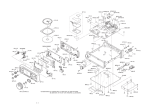
Remove three screws from the front panel to remove the faceplate as shown below.
Board
Cover
Remove the screws
Figure 3.10 Removing the faceplate
Removing the filter
Remove the filter as shown below.
Figure 3.11 Removing the filter
CAUTION
Clean the filter periodically.
Using the MPC-WA1HA with the filter left dirty increases the interior temperature of the chassis,
resulting in unexpected trouble.
18
MPC-WA1HA