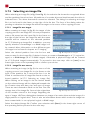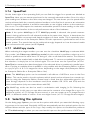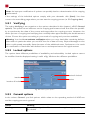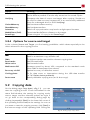
1
Miray Software AG HDClone 3.7 User’s Manual Copyright © 2002-2009 by Miray Software Table of Contents 1 Introduction.........................................................................................................................................................6 1.1 Chapter overview 6 1.2 Character conventions 6 1.3 Features 7 1.4 Edition overview 7 2 Fields of application..........................................................................................................................................9 2.1 Upgrading hard disks & migrating an OS 9 2.1.1 Unused disk space 9 2.1.2 Smaller target medium 9 2.2 Data rescue 10 2.3 Installation backup 10 2.4 Mass copying 11 2.5 Master installations 11 2.5.1 Duplicating system installations 11 2.5.2 Handling several master installations 11 2.6 Proprietary hard disk formats 11 2.7 Forensic data securing 12 2.8 Image files 12 3 Supported hardware......................................................................................................................................13 3.1 Overview 13 3.1.1 Hardware requirements 13 3.1.2 Supported media 13 3.1.3 Supported controllers 13 3.2 Compatibility 14 3.2.1 Compatibility test 14 3.2.2 Standards 14 3.3 IDE/ATA/SATA 14 3.3.1 IDE/ATA controllers 15 3.3.2 SATA/SATA-II controllers 15 3.3.3 Multiword DMA and Ultra-DMA 15 3.3.4 Bus master IDE controllers 16 3.3.5 Speed 16 3.4 SCSI 16 3.4.1 Utilization 17 3.4.2 Compatibility 17 3.4.3 Manufacturer information 17 3.4.4 Driver information 17 3.5 USB 18 3.5.1 Mass-Storage-Class 18 3.5.2 UHCI, OHCI und EHCI 18 3.5.3 Hubs 19 3.6 Firewire (IEEE1394) 19 4 Installation.........................................................................................................................................................20 ii Inhaltsverzeichnis 4.1 Introduction 4.1.1 Bootable medium 4.1.2 Software package 4.2 Installation with Windows 4.2.1 Installation interface 4.2.2 CD/DVD writer not selectable 4.3 Installation with other operating systems 4.3.1 Creating a bootable floppy disk 4.3.2 Creating a bootable CD/DVD 20 20 20 20 21 21 21 21 22 5 Program instructions......................................................................................................................................23 5.1 Preliminary steps 23 5.2 Starting the program 23 5.2.1 Self-booting program 23 5.2.2 Windows program 23 5.3 Program screen 23 5.3.1 Status field 24 5.3.2 Operating field 24 5.4 Operation 24 5.4.1 Graphical control elements 24 5.4.2 Operation with keyboard and mouse 25 5.5 Help 26 5.6 Selecting the copying mode 26 5.7 Selecting data source and target 28 5.7.1 Selecting a drive 28 5.7.2 Selecting a partition 28 5.7.3 Deactivated list entries 29 5.7.4 Information on the drive 29 5.7.5 Selecting an image file 30 5.7.6 SpeedTest 31 5.7.7 MultiCopy mode 31 5.8 Selecting the options 31 5.8.1 Verifying 32 5.8.2 Locked options 32 5.8.3 General options 32 5.8.4 Options for source and target 33 5.9 Copying data 33 5.9.1 Security query 34 5.9.2 AutoExpand 34 5.9.3 Copy animation 35 5.9.4 Status indication 35 5.9.5 Percentage indication 35 5.9.6 Progress bar 35 5.9.7 Course of the process 36 iii Inhaltsverzeichnis 5.9.8 Interrupting the running process 5.10 Termination of the copying process 5.10.1 User abort 5.10.2 Regular termination 5.10.3 Adjust media parameters 5.10.4 Final report 5.11 Ending the program 5.11.1 End dialog 5.11.2 Good-bye screen 36 36 36 36 37 37 39 39 39 6 Operating principles.......................................................................................................................................40 6.1 Copying modes 40 6.1.1 Preliminary remark 40 6.1.2 Physical copy 40 6.1.3 Drive-to-drive 40 6.1.4 Partition-to-partition 41 6.1.5 Drive-to-partition 42 6.1.6 Partition-to-drive 42 6.1.7 Create drive image 42 6.1.8 Create partition image 43 6.1.9 Restore drive image 43 6.1.10 Restore partition image 44 6.2 Size differences 44 6.2.1 Equal size 44 6.2.2 Small to large 44 6.2.3 Large to small 45 6.3 Automatic troubleshooting 45 6.3.1 Intensive reading/writing 45 6.3.2 Read errors 45 6.3.3 Write errors 46 6.3.4 Verification errors 46 6.4 Area copy 46 6.4.1 Usage 46 6.4.2 Functioning 46 6.5 Mass copy (MultiCopy mode) 47 6.5.1 Mode of operation 47 6.5.2 Speed 47 6.5.3 Different media 47 6.6 SmartCopy 48 6.6.1 Mode of operation 48 6.6.2 Usage 48 6.7 Imaging 48 6.7.1 Logical images 48 6.7.2 Physical images 48 iv Inhaltsverzeichnis 6.7.3 RAW images 6.7.4 Mode of operation 49 49 7 Troubleshooting...............................................................................................................................................50 7.1 Load errors 50 7.1.1 Error #5002 and ‘Disk error’ 50 7.1.2 Other errors 50 7.2 Keyboard and mouse 50 7.3 General problems 51 7.3.1 Slowed down system 51 7.3.2 Read, write and verification errors 51 7.4 IDE/ATA/SATA 51 7.4.1 Hard disk not recognized 51 7.4.2 IDE controller not found 51 7.4.3 Problems with DMA 52 7.4.4 BIOS settings 53 7.5 SCSI 54 7.5.1 Restart 54 7.5.2 Deactivate unused controllers 54 7.5.3 Deactivate unused drives 54 7.5.4 Minimum configuration of the controller 54 7.5.5 Minimum configuration of the systems 55 7.6 USB 55 7.6.1 Storage device not recognized 55 7.6.2 Other device problems 55 7.6.3 Controller not found 56 7.6.4 Speed loss 56 7.6.5 Other controller problems 56 8 Miscellaneous...................................................................................................................................................57 8.1 Terms of license 57 8.1.1 License model 57 8.1.2 Examples 57 8.1.3 Scope 58 8.1.4 Consultancy 58 8.2 Certificate of authenticity 58 8.2.1 Security hologram 58 8.2.2 Valid product license 58 8.3 Disclaimer 59 8.4 Feedback 59 8.5 Support 59 v 1 Introduction Thank you very much for choosing HDClone. We are always striving for offering you a software product, which meets your requirements as well as our own high ambitions. In case of having suggestions for improvement or not being satisfied with the software in certain aspects, we therefore kindly ask you to communicate the regarding criticism and suggestions to us at [email protected]. 1.1 Chapter overview 1 Introduction: In this chapter, you find general information regarding this manual and the program. Particularly, it contains an overview of the available editions and their abilities. 2 Fields of application: By supporting physical copies, HDClone is suitable for many different areas of application. Here you find descriptions and hints for the most common areas of application of the program. 3 Supported hardware: In this chapter, you find a list of supported controllers and media as well as information about which aspects to consider when using certain types of controllers or media. 4 Installation: For starting HDClone you need a bootable HDClone CD or floppy disk at first. This chapter describes how you create a bootable HDClone medium within few minutes by means of the installation package in case you have not already received the program on a bootable medium. 5 Program instructions: This chapter contains the actual manual for operating HDClone. It is a step-by-step description of how to operate the program for creating a copy with HDClone. 6 Operating principles: Here you find useful descriptions and hints for gaining optimal performance when using HDClone with different types of media as each media type can have its very own characteristics. 7 Troubleshooting: In case you encounter any problems when using HDClone, you find detailed descriptions and support here. By means of these information you will be able to solve or bypass occurring problems in most cases. 8 Miscellaneous: In the last chapter you find miscellaneous information, particularly regarding our support and our license terms. 1.2 Character conventions In this manual, angle brackets (’<’ and ’>’) and italic type are used to depict a key on the keyboard, e.g. <Esc> for the escape key or <Return> for the return key. Some keys are represented by an according symbol, e.g. <> for the ’up’-key. Visual controls on the screen, particularly buttons are represented by brackets (’[’ and ’]’) and semi-bold type, e.g. [next], [back]. 6 1.3 Features 1.3 Features HDClone lets you make physical and logical 1:1 copies (clones) as well as physical and logical file images of hard disks and partitions. This ensures that the sector-by-sector copy is 100% identical to the original. This allows HDClone to create copies or file images of hard disks regardless of the respective partitioning scheme, the used file system and the installed operating system(s). Thus HDClone is especially suitable for the tasks described in 2 Fields of application as well as for many other tasks. Note: The physical copying process of HDClone for exact (bit-wise) 1:1 copies and 1:1 images makes it suitable for many areas of application. HDClone’s features make it a valuable tool, even in special and extraordinary scenarios. They have made HDClone a tool of unique value to many users in situations where no other program offered the necessary features. 1.4 Edition overview There are different Editions of HDClone. They differ from each other by the amount of features they offer, particularly supported device types, performance and special options. The following table offers you a comparative overview of the editions and their features. Subsequent, there are short explanations referring to some of the topics listed in the table. Note: Within the table the following abbrevations are used: FE = Free | BE = Basic | SE = Standard | PE = Professional | EE = Enterprise Device support IDE/ATA/SATA hard disks 1) hard disks up to 2048 GB 2) AHCI (SATA II) USB 1.1 (UHCI, OHCI) USB 2.0 (EHCI) CompactFlash via IDE 3) Firewire / IEEE1394 (OHCI) SCSI hard disks 4) Copy modes 5) drive copy partition copy drive-to-partition backup SmartCopy MultiCopy (4x, 8x, 16x) Image files physical images logical images RAW images FE BE SE PE EE ● ● ● ● ● ● ● ● ● ● ● ● ● ● ● ● ● ● ● ● ○ ● ● ● ● ○ ● ● ● ● ○ ○ ○ ● ● ○ ○ ○ ● ● ● ● ● ● ● ○ ● ● ● ● ○ ● ● ● ● ○ ○ ● ● ● ○ ○ ○ ○ ● ● ● ● ● ● ○ ○ ● ● ● ○ ○ ○ ● ● 7 1.4 Edition overview FE BE SE PE EE ○ ● ● ● ● ○ ○ ● ● ● ○ ○ ○ ● ● ○ ● ● ● ● ○ ○ ● ● ● ○ ○ ○ ● ● ● ● ● ● ● ○ ● ● ● ● ○ ○ ● ● ● ○ ○ ○ ● ● ○ ○ ○ ○ ● ● ● ● ● ● ○ ○ ● ● ● ○ ○ ○ ● ● 6) DMA support Multiword DMA Ultra-DMA-33 Ultra-DMA-66/100/133 Special modes 7) SafeRescue mode verification mode FastCopy mode Copying speed 8) up to 10 MB/s up to 20 MB/s up to 30 MB/s up to 90 MB/s and more up to 1000 MB/s and more License scope 9) private use professionals/corporations technician license 1) SATA hard disks: They have to be connected to one of the SATA controllers supported by HDClone and the controller has to be configured accordingly (3.3.2 SATA/SATA-II controllers). 2) Hard disks up to 2048 GB: HDClone supports hard disks upto 2048 GB (2 Terabyte). 3) CompactFlash via IDE: HDClone supports CF media in TrueIDE mode. 4) SCSI hard disks: Have to be connected to one of the SCSI host adapters supported by HDClone (3.4 SCSI). 5) Copying modes: You find further information regarding the different modes in chapter 6 Operating principles. • • • • • drive copy: Allows to make a copy of entire drives. partition copy: Allows to make a copy of single partitions. drive-to-partition backup: Backing up an entire drive into a partition and restoring it from there. SmartCopy: Creates a logical 1:1 copy and is faster by a multiple in most cases (6.6 SmartCopy). MultiCopy: Mass-copying to up to 4, 8, or 16 target media at a time, according to the variant of the Enterprise Edition used (4x, 8x, or 16x) (6.5 Mass copy (MultiCopy mode)). 6) DMA support: Using DMA, data transfers will be accelerated (up to factor 40), in case of Multiword DMA with up to 16,7 MB/sec, in case of Ultra-DMA even with up to 133 MB/sec (3.3.3 Multiword DMA and Ultra-DMA). 7) Special modes: HDClone knows special working modes to increase copy speed (FastCopy) and data security (verification, SafeRescue). Further information about this is to be found in chapter 5.8 Selecting the options. 8) Copying speed: Due to technical differences between the individual editions, there is an upper limit for the actually achievable copy speed of each edition: ~ 10 MB/sec: according to PIO mode 2. ~ 20 MB/sec: according to Multiword DMA mode 2. ~ 30 MB/sec: according to Ultra-DMA mode 2. > 90 MB/sec: up to 133 MB/s with Ultra-DMA mode 6, up to 300 MB/sec with SATA II. > 1000 MB/sec: Mass-copy to up to 16 target drives at a time. 9) 8 License scope: see also chapter 8.1 Terms of license. 2 Fields of application HDClone is specialized on creating physical copies. Therefore HDClone offers particular advantages for copying resp. rescuing defective media (2.2 Data rescue). In addition, HDClone is able to work independent from partitioning scheme, file system and operating system. This allows to copy entire operating system installations (2.1 Upgrading hard disks & migrating an OS) or to be able to create an exact copy in case of unknown/proprietary file systems (2.6 Proprietary hard disk formats). Altogether, HDClone covers a wide spectrum of possible applications by its universal copying technology. In the following you find descriptions of the most common areas of application of HDClone. The individual chapters contain instructions as well as further advice regarding accomplishment of the respective application. Tip: HDClone allows you to copy data arbitrarily between all recognized types of media, particularly between different types of drives etc. 2.1 Upgrading hard disks & migrating an OS Since HDClone works independent of file system formats and operating systems, you can use it to migrate entire installations, incl. the installed operating system, to another hard disk. This is especially useful if you want to migrate an existing installation to a new hard disk without having to install the operating system and applications once again. The media used as target should be of the same size as the source media or larger to ensure that all data will be copied. For this type of application you can utilize both modes, 6.1.3 Drive-to-drive as well as 6.1.4 Partition-to-partition. Note: Please take absolute care to have only one of the two hard disks connected after completion of the copying process and before starting the operating system. It should be connected to the same channel as the original hard disk, i.e. either remove the medium with the copy on it or connect it instead of the original medium. 2.1.1 Unused disk space Additional disk space on the medium used as target can be converted into a partition using the partitioning program fdisk or the Computer Management program (C:\WINDOWS\system32\compmgmt.msc) of Windows XP. It can then be used as an additional virtual drive. You can also resize the copied partition so that it also uses the extra disk space of the target medium, but this requires special tools. 2.1.2 Smaller target medium In general, you can also copy a complete installation from a larger to a smaller medium. But then you should first downsize the partitions on the source medium with the help of according tools in such a way that they fit completely into the target medium and are located at the beginning of the source medium. It possibly works also if you defragment the source media in such a way that all used data is situated at the beginning of the source medium and that the area containing the used data does not use more disk space than is available on the target me- 9 2.1 Upgrading hard disks & migrating an OS dium. This method is not absolutely reliable, but as the data on the source medium stays unchanged, it maybe worth an attempt. 2.2 Data rescue In case of hard disks with defective areas it is especially important that they are being rescued to an intact medium before starting any recovery attempts. Otherwise, depending on the kind of defect, the recovery procedure may cause further defects resulting from the inherent exposure of this procedure. Of course, using HDClone also cases exposure for the hard disk. But the physical copying causes much less exposure than any other usage due to its linear operation, i.e. only continuous movement of the disk’s heads. Furthermore, the option SafeRescue (5.8.3 General options) is able to reduce exposure to an absolute minimum. In very critical cases, you can also just copy single partitions to reduce exposure for the medium even more (6.1.4 Partition-to-partition). After having rescued the data from the defective hard disk, you can perform a recovery on the (functional) target medium without having to fear any further damages. Note: Only a physical copy allows to rescue all of the data, except the irrecoverable areas, even if there are logical errors resulting from defective areas. The logical errors can be corrected in most cases by the recovery, but missing data could not be restored. Hence, the data should be copied to a target medium of the same size or a larger target medium in either case (6.2 Size differences). For this reason, also never use the SmartCopy mode (6.6 SmartCopy) for rescuing data. Tip: If you do not have an appropriate unused hard disk at hand for an urgent rescue, you can temporarily save the damaged hard disk to a partition of the according size on the target disk. (6.1.5 Drive-to-partition) or only save certain partitions from the damaged hard disk (6.1.4 Partition-to-partition). 2.3 Installation backup HDClone also provides the possibility to create a local backup of an entire system installation. If required, a simple restore from the backup partition brings the system installation back into its original state – without any ballast, faulty program installations, viruses etc. For this purpose, create an unused partition in addition to the system partition of at least the same size to serve as a backup partition. After having finished system installation, copy the system partition to the backup partition using the partition-to-partition mode 6.1.4 Partition-to-partition. Then you can restore the original system partition at any time by making a copy in the opposite direction. Note: Before restoring from the backup partition, save your work files and other data from the system partition or store them on a third partition from the outset. 10 2.4 Mass copying 2.4 Mass copying The Enterprise Edition of HDClone is specially designed for creating up to 16 copies at a time. Therefore the Enterprise Editions especially suitable for industrial duplication of pre-installed software (e.g. on hard disks or on CompactFlash media etc.) or for creating several identical operating system installations (2.5 Master installations). 2.5 Master installations 2.5.1 Duplicating system installations HDClone is also optimally suitable for distributing or duplicating master installations (2.4 Mass copying). Copy a complete master hard disk or master partition to the target medium to create a complete installation there and to have it ready for action. Note: When duplicating Windows XP installation, we recommend to run the tool sysprep (contained in Windows) before cloning. Further information on this is to be found at Microsoft at http://www.microsoft.com, search for ‚sysprep’. 2.5.2 Handling several master installations Especially if you want to handle several different master installations, the copy modes drive-topartition (6.1.5 Drive-to-partition) and partition-to-drive (6.1.6 Partition-to-drive) are very useful. For this purpose, use a hard disk as container and create one partition for each master installation on it. Afterwards, use the mode drive-to-partition to make a copy of each master hard disk to one of the partitions on the container hard disk. Now you can use the mode partition-to-drive to create a complete system installation from the according partition on any system. 2.6 Proprietary hard disk formats HDClone is capable of copying arbitrary hard disk formats. Especially for hard disks installed in proprietary systems (e.g. studio technology, medical technology etc.) there are often no programs besides system software, which can read the data on these media. HDClone can rescue this data or moving it to a new medium without any problem. The best way is to copy the original medium to a target medium of the same or larger size. A target medium smaller than the original medium should not be used as it cannot be assured that all relevant user data will be transferred in this case. Note: In case of unknown or proprietary (non-standardized) formats, always copy the entire original medium. Even if HDClone reports partitions, it cannot be assured that this information is correct due to the proprietary hard disk format. You should only use the partition-to-partition mode (6.1.4 Partition-to-partition) if you know for sure that the partitions are reported correctly. 11 2.7 Forensic data securing 2.7 Forensic data securing HDClone is also very suitable for securing data for forensic purposes as really all data from a hard disk is copied, including data that has possibly been hidden or deleted. This data cannot be reached any more via the usual file system mechanisms. Therefore it will be useful to create a copy in drive-to-drive mode (6.1.3 Drive-to-drive) before performing a detailed forensic analysis of secured media. This allows you to make changes to the copy during analysis without endangering the original medium by altering its content. Hinweis: As in case of securing data it may be unclear which areas of the medium are actually used, especially concerning hidden or deleted data, it is always recommendable to create a copy of the entire medium to a target medium of the same or larger size. For the same reason the SmartCopy mode (6.6 SmartCopy) should not be used for this type of application. 2.8 Image files Under HDClone, working with physical and logical images follows the same basic logic as physical and logical copies which are performed directly from medium to medium. Example: A defective hard disk has to be rescued to another medium using HDClone. Afterwards the data has to be rescued from the copy without putting the original medium at risk. This objective may be achieved by either making a physical 1:1 copy (6.1.3 Drive-to-drive) or by creating a physical (!) image (6.1.7 Create drive image) of the defective original hard disk. The image file created may then be restored to another hard disk in a second step. The result will be the same in both cases. The target medium will always contain a bit-wise exact copy (apart from possibly occurred defects of the source hard disk) of the original hard disk. In many cases image files offer advantages compared to direct copies. Image files allow for: • Simple storing and managing in your file system • Archiving within any existing infrastructure • Exchanging media contents using arbitrary storage media • Distributing without physical media via networks and the Internet 12 3 Supported hardware This section contains detailed information about the hardware and hardware standards supported by HDClone. Furthermore, there are special references to be found regarding the usage of certain device types. 3.1 Overview Subsequent, you find a listing of the hardware requirements concerning the hardware used to run HDClone as well as additionally supported devices. Please note that support for a certain hardware may depend on the edition used (1.4 Edition overview). 3.1.1 Hardware requirements • PC 80586 or higher, 90 MHz, 64 MB RAM, VGA (optimal: VESA support) • keyboard: standard, PS/2 or USB • mouse: serial, PS/2 or USB (optionally, can be operated with keyboard only) • bootable floppy or CD drive 3.1.2 Supported media • IDE/ATA hard disks (up to 2048 GB), CompactFlash via IDE 1) • SATA hard disks (internal & external) • SCSI hard disks (internal & external) • USB hard disks (internal & external) • Firewire hard disks (internal & external) • USB keys 2), CompactFlash I 3), CompactFlash II 3), MicroDrive 3), SD/MMC 3) • xD-Picture Card 3), Memory Stick 3), Memory Stick PRO 3), Memory Stick DUO 1) CompactFlash media with TrueIDE support 2) must support the USB-Mass-Storage-Class protocoln 3) via an appropriate USB card reader 3) 3.1.3 Supported controllers • PCI IDE controller • Bus master IDE controller • PCI SCSI host adapter (3.4.2 Compatibility) • SATA controller with IDE interface (3.3.2 SATA/SATA-II controllers) • SATA-II controller with AHCI interface (3.3.2 SATA/SATA-II controllers) • USB UHCI & OHCI controller (USB 1.1) • USB EHCI controller (USB 2.0) • IEEE1394 OHCI controller (Firewire) Note: The devices listed above represent the whole spectrum of hardware supported by HDClone. Detailed information about which devices are supported by your edition of HDClone is to be found in chapter1.4 Edition overview. 13 3.2 Compatibility 3.2 Compatibility HDClone has been developed for the hardware listed in 3.1 Overview and has been tested on a multiplicity of according devices. HDClone also works well with many other devices. You may use the Free Edition of HDClone to easily check out in advance and for free whether the device in question is supported (3.2.1 Compatibility test). 3.2.1 Compatibility test You can use the Free Edition of HDClone to find out easily if your hard disks, other media as well as the associated controllers are supported properly, even if a higher edition is required to use them with HDClone. For this purpose, simply start HDClone Free Edition on the respective PC, chose a drive-to-drive copy and move on to the source drive selection (5.6 Selecting the copying mode). All drives displayed there as well as the associated controllers have been recognized by HDClone and are supported by one of the available editions. Which edition will be necessary to utilize a certain device type can be seen from the info box at the right side of the list box when you select the regarding drive (5.7.4 Information on the drive). Note: Please ensure that you connect the needed USB devices before starting the program to ensure that they are recognized correctly (5.1 Preliminary steps). 3.2.2 Standards To be able to support as many devices as possible, HDClone implements the effective standards for the appropriate device types. Device support in HDClone primarily refers to the standards applicable to the appropriate device type. In addition, we perform extensive tests with each device type. Those test also reveal that there is a number of devices, which themselves implement their respective standard only insufficiently or even inaccurately. Furthermore, it is possible that some problems occur in certain hardware configurations, usually in certain combinations of controller and device. If possible, HDClone tries to support even such devices and to bypass the according deficiencies of the hardware. However, these kinds of problems can not always be bypassed. Hence even extensive tests cannot completely prevent that a problem appears in your special hardware configuration. In most cases this can be solved by setting the options appropriately (5.8 Selecting the options and 7 Troubleshooting). In case of even this does not work, our support team (8.5 Support) will be there to assist you with solving the problem. 3.3 IDE/ATA/SATA In principle, HDClone supports all IDE/ATA/SATA hard disks. A necessary precondition is, that they are connected to one of the IDE/ATA/SATA controllers supported by HDClone (3.3.1 IDE/ATA controllers and 3.3.2 SATA/SATA-II controllers). 14 3.3 IDE/ATA/SATA 3.3.1 IDE/ATA controllers HDClone supports standard IDE controller (ISA) and PCI IDE controller. These may be (internal) onboard controllers as well as (external) PCI/ISA adapter cards. In case of ISA/Standard IDE controllers, the first two channels are scanned for hard disks. HDClone recognizes available PCI IDE controllers automatically and scans them for connected hard disks. Note: If there are one or more PCI IDE controllers available in the system, ISA controllers that are possibly present, too, will not be taken into account. Regarding the PCI IDE controllers supported by HDClone, this refers to a standardized programming interface, which is supported by a large majority of IDE controllers. Nevertheless, there are also others, especially external PCI hard disk controllers, which implement a different, usually proprietary interface. They are often also called “IDE controllers”, as they allow IDE hard disks to be connected. Since ‘IDE’ stands for a programming interface (program controller) as well as for a hardware interface (controller drive) it results in a double meaning. Refer to chapter 3.2.1 Compatibility test to determine whether your PCI controller is compliant with the PCI IDE standard). 3.3.2 SATA/SATA-II controllers Precondition for the support of SATA drives is an SATA controller with IDE interface or an SATA II controller with AHCI interface. All popular chipsets from Intel with ICH-5/-6/-7 incorporate such an IDE-compatible SATA controller. Regrettably, many other SATA controllers only offer a proprietary programming interface. Nevertheless, it may be possible in case of onboard SATA controllers to activate a compatibility mode in BIOS setup, which would allow HDClone to access the SATA controller. As for SATA II controllers, many models already implement the AHCI interface supported by HDClone. Tip: With the Free Edition of HDClone you can easily check out whether your SATA or SATAII controller is supported (3.2.1 Compatibility test). Connect at least one SATA drive and start HDClone. If the SATA drive is recognized, HDClone also supports the associated SATA/SATA-II controller. Note: It might possibly be necessary to adjust the SATA settings in BIOS. As mode of operation, “IDE”, “ATA”, “compatible” or “AHCI” should be chosen, but in no case “RAID” or “SATA”. Additionally it may be necessary to set the controller configuration to combined, especially for allowing simultaneous use of IDE and SATA hard disks. In this case there are only ports 0 and 2 or 1 and 3 available for SATA. Please connect the SATA hard disks accordingly in this case. 3.3.3 Multiword DMA and Ultra-DMA HDClone automatically recognizes and uses bus master IDE controllers, which allow data rates up to 133 MB/sec resp. 7.8 GB/min. Hereby, Multiword DMA (up to 16.7 MB/sec) as well as Ultra-DMA (UDMA) are supported. This can increase achievable data transmission rates by a multiple higher of the rates that can be achieved without DMA (in PIO mode). HDClone recog15 3.3 IDE/ATA/SATA nizes automatically, whether controller and hard disk support DMA and then automatically selects the fastest usable mode (Multiword DMA or Ultra-DMA 33/66/100/133). Note: Take into account that both, hard disk and IDE controller have to support a certain DMA mode. If the actually achieved speed values do not match the technical data of a hard disk, the reason may be that the IDE controller only supports lower modes. Furthermore, the achievable values also depend on the physical abilities of the hard disk, i.e. a hard disk with UDMA-6 (theoretically 133 MB/sec) currently achieves an actual transfer rate of about 60 MB/sec. 3.3.4 Bus master IDE controllers Precondition for using DMA mode is that the attached PCI IDE controller also supports the Bus master IDE standard. This is the case for most of the established internal and external IDE controllers. Whether your PCI IDE controller supports Bus master IDE can be determined by means of the program PCISniffer, if necessary, which can be downloaded for free at http://www.miray.de/download/sat.pcisniffer.html. The field 'Classcode' in PCISniffer has to contain the value 01018x (x = arbitrary) for the respective PCI IDE controller. Note: For using Bus master IDE, the settings and initializations made in and by the PC’s system BIOS play a major role. In case of HDClone having problems with utilizing DMA, it is likely that certain BIOS settings have to be accommodated accordingly. (7.4.3 Problems with DMA). 3.3.5 Speed The speed that can be achieved with DMA always depends on the physical abilities of the regarding hard disk. The following rough classification shows the approximate speed that can be expected by a certain drive type: Typ Age Speed older drives about 5-10 years about 1-20 MB/sec newer drives about 2-5 years about 20-40 MB/sec top models about 0-2 years about 40-90 MB/sec and more 3.4 SCSI In case you have an edition of HDClone which also supports SCSI hard disks, the following chapter provide important information regarding utilization and compatibility of SCSI drives and controllers. Note: As HDClone embeds original driver code of the hardware manufacturers, Miray Software has no influence on actual compatibility. Hence, the following statements are of informative nature only, are based on specifications of the manufacturer and are not legally binding (8.3 Disclaimer). 16 3.4 SCSI 3.4.1 Utilization You can use HDClone with SCSI hard disk in the same way as with any other media. HDClone automatically recognizes supported SCSI controllers and connected SCSI hard disks at program start and displays them, along with other recognized media, in the according selective lists. Note: You can also copy data from SCSI hard disks to any other kinds of media (2 Fields of application). This is especially important for the purpose of data rescue or if there is no adequate SCSI target medium at hand, as any arbitrary medium can be used for (temporarily) storing the regarding data. 3.4.2 Compatibility In principle, HDClone supports all SCSI hard disk drives. Precondition is that they are connected to a SCSI controller supported by HDClone. Currently, HDClone supports the popular Narrow-, Wide-, Ultra- und Ultra-Wide-SCSI controllers from Adaptec. Tip: Whether your SCSI controller is supported can be determined easily with the Free Edition of HDClone (3.2.1 Compatibility test). Connect at least one SCSI drive to the SCSI bus and start HDClone. If the SCSI drive is being recognized then HDClone also supports the SCSI controller. 3.4.3 Manufacturer information According to information from the manufacturer, the drivers used in HDClone currently support the following SCSI controllers: • Adaptec AHA-2930U • Adaptec ASC-19160 • Adaptec AHA-2940 Ultra • Adaptec ASC-29160 • Adaptec AHA-2940UW • Adaptec ASC-29160LP • Adaptec AHA-2940AU • Adaptec ASC-29160N • Adaptec AHA-2944UW • Adaptec ASC-39160 3.4.4 Driver information According to information directly from the drivers, they support a number of other SCSI controllers, too, which are partly constructed as onboard chipset (AIC) and partly as adapter cards (AHA, ASC). They can be recognized definitely by their respective PCI vendor ID and PCI device ID, which are listed in the following table. Vendor 9004h Modell AHA-2930U Device 3860h Vendor 9004h Modell AIC-7860 Device 7860h Vendor Modell Device 9005h AHA-3940/50U2x 0050h " AHA-2930CVAR 3868h " AIC-7895 7895h " AHA-3950 U2x " " 3869h " AIC-7880 8078h " AIC-7896/7 U2 005Fh " AHA-4944(U)W 3B78h " AHA-2940U(W) 8178h " AIC-789x 006xh 0051h 17 3.4 SCSI Vendor " Modell AIC-755x Device 5x75h Vendor Modell Device " AHA-3940U(W)(D) 8278h " AIC-785x 5x78h " " AIC-7560 6075h " AHA-2944UW " AIC-786x 6x78h " AHA-4944UW " AIC-7870 7078h " AIC-7887 " AHA-2940(W) 7178h " " AHA-3940(W) 7278h " " AHA-2944 7478h " AHA-3944(W) 7578h " AIC-789x " AHA-4944(U)W 7678h " " AIC-7877 7778h " Vendor " Modell " Device 007xh 8478h " AHA-3944U(WD) 8578h " AIC-7892(A|B)U160 008xh AIC-789x 009xh 8678h " " 00Axh 8778h " " 00Bxh AIC-7888 8878h " AHA-4944(U)W EC78h " AIC-789x 00Dxh 9005h AHA-2940/50U2W 0010h " " 00Exh 001xh " " 00Fxh " 002xh " AHA-2930U2 0180h " 003xh AIC-7899(A) U160 00Cxh The IDs of your respective controllers can be determined by means of the program PCISniffer. At http://www.miray.de/download/sat.pcisniffer.html you can download it for free from the Miray homepage. For the regarding PCI SCSI controller, the values displayed by PCISniffer for the fields Vendor ID and Device ID have to match the values specified above for your SCSI controller. 3.5 USB If your edition of HDClone also supports USB storage media, the following chapters contain important information regarding utilization and compatibility of USB storage media and controllers. Hinweis: Please take care to connect USB devices already before starting HDClone (5.1 Preliminary steps) and if possible directly to the PC resp. to the USB controller (3.5.3 Hubs). 3.5.1 Mass-Storage-Class USB storage media that is intended to be used with HDClone has to support the USB-MassStorage-Class protocol. This is an official standard, which is supported by almost all current USB sticks, USB card readers, USB hard disks etc. If you are not sure if a certain USB storage medium is supported by HDClone, you can check this out easily and for free in advance by means of the Free Edition (3.2.1 Compatibility test). 3.5.2 UHCI, OHCI und EHCI Regarding USB devices, it is crucial that HDClone supports the respective USB controller. HDClone is capable of all three common USB standards, UHCI and OHCI for USB 1.0/1.1 as well as EHCI for USB 2.0. In the area of standard PCs, all current USB controllers, onboard controllers as well as adapter cards, offer one of these three interface standards. In case you are not sure though whether your USB controller is supported by HDClone, you can check this out easily and for free in advance by means of the Free Edition (3.2.1 Compatibility test). 18 3.5 USB 3.5.3 Hubs USB devices usually may also be connected via a USB hub. Nevertheless, for achieving the highest possible transfer rate, it is recommended to rather connect them directly to the PC resp. to the USB controller. 3.6 Firewire (IEEE1394) If your edition of HDClone supports Firewire, you can connect arbitrary Firewire drives or card readers. Connected devices must support the Serial-Bus-Protocol (SBP) in order to be recognized and operated correctly by HDClone. Note: Please take care to connect Firewire devices already before starting HDClone (5.1 Preliminary steps) and if possible directly to the PC resp. to the Firewire controller. 19 4 Installation 4.1 Introduction HDClone does not need an installation in the usual sense. HDClone can be started directly as a Windows application. Otherwise it can be started without presence of an installed operating system as a self-booting application from CD or floppy disk. In case you do not already have HDClone available on a bootable medium (4.1.1 Bootable medium), it is necessary to create a bootable HDClone medium before using the self-booting HDClone for the first time (4.1.2 Software package). 4.1.1 Bootable medium In case you have HDClone already available on a bootable medium, you can start and use the program immediately on any PC and without any preceding installation, as described in chapter 5.2 Starting the program. Note: It is possible that, although you have HDClone on a physical medium, it may not be in form of a bootable medium but rather as an installation package. In this case it is also necessary to create a bootable medium at first, according to the subsequently provided descriptions. 4.1.2 Software package As far as you do not have HDClone on a bootable medium already, you have to create one before using HDClone for the first time. The software package, which you should have obtained in this case, contains the files needed for this purpose. The following chapters describe how to create a bootable medium. The required procedure can be different according to the media type or operating system used. The bootable medium created in this way then can be used to start HDClone on any PC without any further installation (5.2 Starting the program). 4.2 Installation with Windows The HDClone software package contains an installation program for creating a bootable floppy disk or CD/DVD with only few mouse clicks. To use the installation program, please extract all files of the installation package into an empty folder. Then execute the file hdclone.exe from this folder and choose [Create bootable medium] in the emerging dialog window. 20 4.2 Installation with Windows 4.2.1 Installation interface When starting the installation program the main window appears (fig. 1). • If you want to create a bootable floppy disk, choose the desired drive at ‘Floppy drive’ and click on [Create floppy]. • To create a bootable CD/DVD, choose the desired drive at ‘CD/DVD writer’ and click on [Create CD/DVD]. Follow the instructions and wait until the installation program announces successful creation of the bootable medium. Then click on [Exit]. Afterwards, please proceed with chapter 5 Program instructions. fig. 1: HDClone installation program Note: When creating a CD/DVD, please always use a new, empty writeable CD/DVD. Otherwise there may be problems when starting HDClone. 4.2.2 CD/DVD writer not selectable It is possible that there is no drive offered for selection at CD/DVD writer although a CD/DVD writer is available on the system. In most cases this results from already installed software for the CD/DVD writer (e.g. drivers for direct access to the CD/DVD writer with Windows Explorer). It reserves the drive in a way that the installation program cannot access it. If possible, deactivate or uninstall the CD/DVD writer software. As an alternative, please create a bootable CD/DVD from that ISO image which is also contained in the software package (4.3.2 Creating a bootable CD/DVD). 4.3 Installation with other operating systems 4.3.1 Creating a bootable floppy disk You can also create a bootable HDClone floppy disk without the installation program with any operating system. For this purpose, the HDClone software package contains a floppy disk image in the file hdclone.img. You can create a bootable 3.5"/1.44MB floppy disk from this image with any appropriate disk imaging program. Tip: Under UNIX and Linux you may use the tool dd, which is available on these systems, with the following syntax: dd if=hdclone.img of=/dev/fd0. After having created a bootable floppy disk, you can start HDClone on any PC as described in chapter 5.2 Starting the program. 21 4.3 Installation with other operating systems 4.3.2 Creating a bootable CD/DVD The HDClone software package contains a so called ISO image in the file hdclone.iso. It can be used to create a bootable HDClone CD with any operating system using a CD writing software of your choice as far as it supports creating CDs from an ISO image. Further information can be found in the manual of your CD writing software. • Extract the file hdclone.iso from the HDClone software package. • Start your CD writing software and choose Create CD from image file (or similar, according to the respective CD writing software) • Specify the file hdclone.iso as image file. • Insert a blank CD into the according drive. • Write the CD. Tip: The easiest way of creating a bootable HDClone CD under Linux is using the software tool cdrecord with the following syntax: cdrecord hdclone.iso. After having accomplished these steps you have created a bootable HDClone CD. From this CD you can start HDClone directly on any PC with a bootable CD/DVD drive as described in 5.2 Starting the program. Note: Generally the instructions provided above for creating a bootable CD using the ISO image can also be adopted to DVDs. However, some CD/DVD writing software refuses writing an ISO image to a DVD. The HDClone installation program (4.2 Installation with Windows) for example also writes DVDs without any problem. Booting from a DVD created this way also works smoothly. 22 5 Program instructions The following chapters give a detailed description on how to operate HDClone, from the start to the end. Hinweis: According to the edition you use, there can be deviations between the features described or illustrated herein and the features supported by your edition. If one or several of the features of the program described below cannot be used in your edition, you can check in 1.4 Edition overview whether your edition supports the respective feature. 5.1 Preliminary steps If you want to use USB devices for the following copying process and your edition of HDClone supports USB, connect these devices before starting HDClone and leave them connected until the copying process is finished. Otherwise it is not guaranteed that HDClone recognizes them correctly. Do not use a USB hub to connect USB storage devices, always connect the USB storage devices directly to the USB controller or the PC case. Note: HDClone can be started directly as a Windows application (5.2.2 Windows program) or as a self-booting application (5.2.1 Self-booting program). To start the self-booting HDClone, you need a bootable HDClone CD or floppy disk. If you don’t have HDClone on a bootable medium, you can create such a device as de-scribed in chapter 4 Installation. 5.2 Starting the program 5.2.1 Self-booting program Insert the bootable HDClone CD or floppy disk into the corresponding drive. Switch on the computer or reboot it. Make sure that the BIOS boots from the respective floppy disk or CD drive. HDClone is then started automatically from the CD or floppy disk and the program screen appears. Note: For troubleshooting loading problems of HDClone please view chapter 7.1 Load errors. 5.2.2 Windows program Start hdclone.exe from the genuine HDClone medium or directly from your software package. 5.3 Program screen The HDClone program screen (fig. 2) contains two fields in a lighter blue. They are the ‘active’ area of the program where all information is shown and all operation steps are executed. 23 5.3 Program screen Status field Quit Operating field Title of dialog page Help Selection graphic fig. 2: Program screen 5.3.1 Status field The upper field is the status field (fig. 2). It shows the parameters selected for the copying process (Copying mode, Source, Target and Options). Thus you see at any point of the program which parameters you have already selected. Furthermore, the right side of the status field also shows license information. 5.3.2 Operating field The lower field is the operating field (fig. 2). In the upper left of the operating field is the title of the currently shown dialog page together with a corresponding symbol. In the upper right are two general operating elements: with the help button [?] you can call up the interactive help at any point of the program (5.5 Help). With the quit button [X] you can quit the program at any time (5.11 Ending the program). At the bottom of the operating field, you find the buttons [Next] and [Back], with which you can go to the next or previous dialog page. 5.4 Operation To create a copy, you are led through five consecutive dialog pages where you can select the individual parameters for the copy and start and control the copying process. These five dialog pages are shown in the operating field. 5.4.1 Graphical control elements To control the program, HDClone knows different graphical control elements (fig. 3 and fig. 4). The names which are used within this manual to designate the different elements are listed and illustrated by examples in the following illustration. 24 5.4 Operation List box Info box Check box Button (normal) fig. 3: Graphical control elements (1) Dialog window Button (focused) Close dialog Percentage Progress bar Button (inactive) fig. 4: Graphical control elements (2) 5.4.2 Operation with keyboard and mouse HDClone is operated by keyboard and mouse. It is also possible to operate the pro-gram exclusively by keyboard or exclusively by mouse. 5.4.2.1 Keyboard operation Operation by keyboard always refers to the currently focused graphical element. This element is highlighted by color, brightness, or an additional frame. With the tabulator key you can switch the focus in turn to the other operating elements. The following control keys have a function when operating the keyboard: 25 5.4 Operation Key Control element Function <Tab> (all) Switch to the next element Arrow keys List field Select list element (///) Selection graphic Highlight element <Space> Button Press button Selection graphic Select highlighted element <Return> <Esc> Link Show link target Button Press button (in dialog windows only) Link Show link target Window Close window (only windows with ✘ in the title bar) (operating field) Quit HDClone 5.4.2.2 Mouse operation Operating HDClone with the help of a mouse is done according to the point-and-click principle. The right mouse key has no special function. HDClone does not use drag-and-drop. 5.5 Help You can open a context-related help window at any point of the program by pressing the key <F1> or the [?] symbol in the upper right corner of the operating field (fig. 2). The help gives you useful hints on the current program screen. The underlined text links in the help window enable you to jump to other help topics at any time. Note: The program help is designed to give you useful hints when using the program. The help is no complete program instruction. That is why you should use this user's manual especially when you have problems or need more information on a topic. 5.6 Selecting the copying mode You can select the desired copying mode on the first dialog page (fig. 5). You have eight options altogether. According to your choice, a physical copy, a logical copy, or an image file will be created or restored. The following table provides a short overview on the available options. You find a detailed description of the copying modes, their working mode and effect in chapter 6 Operating principles. fig. 5: Selecting the copying mode 26 5.6 Selecting the copying mode Drive-to-drive Creates the classical physical 1:1 copy of a drive (6.1.3 Drive-to-drive). Partition-to-partition Creates a physical 1:1 copy of an individual partition (6.1.4 Partition-to-partition). Drive-to-partition Creates a backup of an entire drive (6.1.5 Drive-to-partition). Partition-to-drive Restores the backup of an entire drive (6.1.6 Partition-to-drive). Create drive image Saves the contents of an entire drive into an image file (6.1.7 Create drive image). Create partition image Saves the contents of a single partition into an image file (6.1.8 Create partition image). Restore drive image Restores an entire drive from an existing image file (6.1.9 Restore drive image). Restore partition image Restores a single partition from an existing image file (6.1.10 Restore partition image). Note: The copying modes drive-to-partition and partition-to-drive are designed for mutual use. In general, it is not possible to copy a working hard disk installation onto a partition and to use it there. The installation rather has to be copied back onto a hard drive to be used. The partition serves only as a container for the hard disk data. The same applies generally for copying a functioning partition onto a hard disk. Nevertheless, there are some systems, which know to handle media with just one single partition and without any partition table, sometimes named SuperFloppy. For further information on these copying modes please consult chapter 6.1 Copying modes. 27 5.6 Selecting the copying mode After having selected the copying mode, you go to the next step by pressing [next] in the lower right corner of the operating field (5.7 Selecting data source and target). Already when selecting the copying mode, HDClone starts the recognition of connected devices and drives. If the recognition is not finished yet, a corresponding note will be displayed before the next dialog page will be shown. This can take up to one minute or more. The time needed also depends on the number of drives connected. If it takes more than five minutes, you can assume that there is a technical problem. In this case you find further information in chapter 7 Troubleshooting. 5.7 Selecting data source and target In the two following steps, you select the data source and the target for the copying process. The left half of the operating field shows a selection list. On the right side is an info box containing details on the currently selected element. According to the selected copying mode, you can select either an entire drive or a single partition. The following two sub-chapters give you more detailed information. After having selected the data source in the first step, a similar looking dialog page appears for the selection of the target. After these two steps, you come to the selection of the options (5.8 Selecting the options). 5.7.1 Selecting a drive When selecting a source or target drive (fig. 6), you see the devices recognized by HDClone in the selection list. The info box beside the selection list shows more details on the selected element (5.7.4 Information on the drive). Select the desired drive. You confirm your selection by pressing [Next] in the lower right corner of the operating field and go to the next step. 5.7.2 Selecting a partition fig. 6: Selecting a drive When selecting a source or target partition (fig. 7), the recognized drives and the partitions found on them are shown in the selection list. The partitions belonging to a certain drive are listed below it in an indented form. The drives themselves cannot be selected. The frame with the details on the right side of the selection list shows details concerning the drive on which the currently selected partition is located. Select the desired partition. You confirm your selection by pressing [Next] in the lower right corner of the operating field and go to the next step. 28 fig. 7: Selecting a partition 5.7 Selecting data source and target 5.7.3 Deactivated list entries There are four cases in which entries in the selection list for source or target are deactivated and therefore cannot be selected: • In the selection dialog for a source or target partition, the list entries for the corresponding hard disks are always deactivated because a partition but not a hard disk is to be selected. • Since source and target must not overlap, the already selected source drive or the drive that contains the source partitions is deactivated when selecting a target drive. • When selecting a target partition, the already selected source partition or all partitions of the source drive are deactivated. • If HDClone recognizes drives, but the edition used does not support them, these drives and the partitions on them are also deactivated. In order to use HDClone for these drives, you need a higher edition. For further information on the supported drives and the capacities of the different editions of HDClone, please consult chapter 1.4 Edition overview or the HDClone website at http://www.hdclone.com. Tip: To see the details of drives which are recognized by HDClone but not supported by your edition (1.4 Edition overview), activate the checkbox All drives selectable below the details. Then you can also select these drives to show the corresponding details. You can see under the point Supported from which edition on the respective drive is supported. 5.7.4 Information on the drive On the right side of the selection list for the source drive/source partition resp. the target drive/ target partition, you find a frame containing details on the currently selected drive. When selecting a partition, the data of the corresponding drive is shown here. The following information is available: Field Description Controller Type (IDE/SCSI) and number (0-15) of the controller Channel/Device Channel used by the drive (primary/secondary) and Connection of the drive (master/slave resp. 0-15) LUN Logical number of the drive (0-255) Name Name of the device (according to the internal drive data) Serial number Device serial number (according to the internal drive data) Manufacturer Name of the manufacturer (according to the internal drive data) Firmware Version of the firmware (according to the internal drive data) Supported Drive type supported by the edition used Note: Supported will show yes if the edition you use supports the selected drive. Otherwise HDClone indicates here from which edition on that drive is supported. 29 5.7 Selecting data source and target 5.7.5 Selecting an image file When selecting an image file (fig. 8 and fig. 9), the selection list shows the recognized drives and the partitions found on them. All partitions of a certain drive are listed beneath the drive in indented form. The drives themselves cannot be selected. The dialog for selecting an image file is to be found in the frame on the right of the list box. The form of the dialog varies depending on whether the image file will be the target or the source of the copying process. 5.7.5.1 Image file as a target When creating an image (fig. 8), the target of the copying process is an image file. You are prompted to enter a file name into the input field in the frame on the right of the list box. An image file with the name entered will be created on the selected partition (5.7.5 Selecting an image file). In addition, you may specify whether a SmartImage or a RAW image is to be created. More information on the different types of images is to be found in chapter 6.7 Imaging. fig. 8: Image file as a target Select the desired partition from the list box and enter a name for the image file. If desired, choose to create a SmartImage (6.7.1 Logical images) or a RAW-Image (6.7.3 RAW images). Otherwise a physical image will be created (6.7.2 Physical images) automatically. To proceed to the next step, click on [next] in the lower right corner of the operating field to confirm your choice. 5.7.5.2 Image file as a source When restoring an image (fig. 9), the source of the copying process is an image file. In the frame on the right of the partition list, a second list box is to be found. It contains a list of image files found on the selected partition (5.7.5 Selecting an image file). When clicking on an image in the list, further details on the selected image will be displayed beneath the list: Creation time and date, size, and type of image. There are two information fileds on the size. First, the storage size of the image file. Second, the original size fig. 9: Image file as a source of the medium stored in the image. Regarding the type of image, HDClone distinguishes between an image of an entire drive and the image of a single partition or logical drive. There is also an information about which mode the image has been created with, i.e. as a physical, logical, or RAW image. Select the desired image file. Confirm your selection with [Next] in the lower right corner of the operating field to proceed to the next step. 30 5.7 Selecting data source and target 5.7.6 SpeedTest On the lower right of the operating field you can find the trigger for a speed test, labeled as SpeedTest. Here you can start a speed test for the currently selected medium. Since it is only a pure reading test, all data on the drive stays unchanged. The test shows you the speed which can be achieved with the currently selected medium. In the first line it serves as an orientation guide for examining whether it would be reasonable to use a higher edition on the tested system or not. The result reports the maximum achievable speed for linear reading on the selected medium and therefore is also a real performance value of the hardware. Note: If the option MultiCopy (5.7.7 MultiCopy mode) is selected, the speed measurement is being performed for all selected media at the same time. Hence, it determines the maximum possible concurrent total data throughput of these media. This is especially relevant for potential use of the Enterprise Edition, but also represents a performance test of the entire system. The speed that can be achieved strongly depends on how the tested media are connected to the system (6.5.2 Speed). 5.7.7 MultiCopy mode When selecting the target medium you can use the checkbox MultiCopy to activate MultiCopy mode (6.5 Mass copy (MultiCopy mode)). In this mode it is possible to select up to 16 drives or partitions at the same time. For doing so, click on all desired list entries. The selected entries then will be marked with a dark blue background. To remove a marked list entry from the selection, it simply has to be clicked again. You can then use the SpeedTest (5.7.6 SpeedTest) to measure the data throughput of the selected drives or partitions in parallel operation. Copying to multiple drives in parallel is only possible with the Enterprise Edition. It allows to copy to up to 4, 8 or 16 targets at a time, depending on the stage used (Enterprise Edition 4x, Enterprise Edition 8x or Enterprise Edition 16x). Note: The MultiCopy option can be activated in all editions of HDClone, even in the Free Edition. This can be used to check in advance which speed can be achieved on a certain system by using the Enterprise Edition. Please keep in mind that the achievable speed in this case strongly depends on the interfaces used (most suitable: IDE, SATA, and SCSI) and the drive combinations (only use master drives with IDE). Tip: MultiCopy mode can also be used in combination with imaging (5.6 Selecting the copying mode). In this case you can either restore the contents of an image file to up to 16 targets at a time (5.7.5.2 Image file as a source) or you can create up to 16 image files at a time - to different media, of course - from one single source (5.7.5.1 Image file as a target). 5.8 Selecting the options On the dialog page Options, you can set the options with which you want the following copying process to be executed. Principally, HDClone automatically sets the optimal options for the selected drives and the type of the copy. Only modify the options to troubleshoot problems (7 Troubleshooting) or when you are sure that this improves the performance of HDClone. 31 5.8 Selecting the options Note: An improper modification of options can possibly lead to a deterioration of the copying performance. If the settings of the individual options comply with your demands, click [Next]. You then come to the next dialog page where you can start the copying process (5.9 Copying data). 5.8.1 Verifying The option Verifying is an exception to the options described in this chapter (5.8.3 General options). This option has no influence on the copying performance itself, but offers the possibility to synchronize the data of the source and target after the copying process. However, the whole process of copying and verifying then normally takes approximately the double amount of time. Choose this option according to your needs of copying and your time available. Warning: You should not activate verification when you copy hard disks containing defects, that means in particular when you use HDClone for a data recovery. Physical damages on the drive could spread essentially faster because of the additional stress. Furthermore, the result of a verification of hard disks with defects has no real expressiveness for logical reasons. 5.8.2 Locked options The options have different possibilities of availability and selectability. Locked options cannot be modified, but the displayed setting is valid. fig. 10 shows the different possibilities. active & locked inactive active inactive & locked fig. 10: Selecting the options 5.8.3 General options In the column General, you find options, which relate to the operating method of HDClone and the copying process in general. Option Meaning FastCopy Special copy algorithm. Can increase the regular copy speed up to the double. 32 5.8 Selecting the options Option Meaning SafeRescue Special algorithm for data recovery. Tries to recover as large areas on the drive as possible. Can also stay turned on for normal copies. Verifying Compares the data of source and target after copying. Should not be used for data recovery because this is an unnecessary additional stress for a damaged drive (5.8.1 Verifying). CachedMemory Use fast intermediate memory. SharedMemory Use fast data transfers. Animation Switch off copy animation, may lead to a slight speed increase. MediaDirect (Dell) Deactivate MediaDirect software on the target. SmartCopy Create a logical 1:1 copy (6.6 SmartCopy). 5.8.4 Options for source and target In the columns Source and Target, you find setting possibilities, which relate especially to the drives selected for the copying process. Option Meaning IRQ In IRQ mode, source and target are optimally synchronized. Only this leads to a maximum copy transfer rate. DMA For highest transfer rate and the shortest copying time. Read cache Use fast read buffer. Write cache Use fast write buffer. Multi-sector PIO Increases speed by about 10% compared to the standard mode when DMA is deactivated (see above). Recovery via PIO Optimal recovery of defective sectors. Cooling phase To fix data errors or interruptions during the USB data transfer (7.6.2 Other device problems). Sector area Exactly definable copying area (6.4 Area copy). 5.9 Copying data On the dialog page Copy data (fig. 11) , you can start the copying process. Check beforehand in the status field whether the settings for copying mode, source, target, and the selected options are right. If no, go back to the corresponding dialog page by clicking (repeatedly) [Back] in the lower left corner of the operating field and adjust the settings. As soon as you want to start the copying process, click [Start] in the bottom margin of the operating field. During the fig. 11: Dialog page 'Copy data' 33 5.9 Copying data copying process, you can follow the process with the help of the displays described in the following subchapters. 5.9.1 Security query Before the final start of the copying process, a security query (fig. 12) appears where source and target of the copying process as well as corresponding security notes are displayed. Click [Start copying] to start the copying process and [Cancel] to return without starting the copying process. Warning: All data in the target area will be irretrievably deleted by starting the copying process. 5.9.2 AutoExpand fig. 12: Security query If there is more free space available on the target medium than required by the source medium, HDClone offers to resize the file system automatically to the available size (fig. 13). HDClone will integrate the additionally available space on the target into the copied file system. The source medium will stay unchanged. The target medium will contain the fig. 13: ‚AutoExpand‘ dialog same data, just the amount of available free space will grow automatically to the maximum available amount on the drive. Click on [Yes] to have the available space enlarged automatically, [No] to leave the additional space unused for the moment, and [Cancel], to cancel the copying process. Example: Given the source is a Windows installation on a partition of 80 GB on a hard disk of 80 GB total. The target is assumed to be a 200 GB hard disk. Without AutoExpand the target would contain a Windows partition of 80 GB and 120 GB of free, unassigned space. The free space could be used to create another partition with a different drive letter. Using AutoExpand, the data from the 80 GB source partition would be copied to a 200 GB target partition. The file system in this partition would be resized from 80 GB to 200 GB. This would result in having the full 200 GB available in one partition under one drive letter, containing all the data from the original 80 GB partition. Note: Automatic resizing currently works for FAT and NTFS partitions only. The size will always be adapted to the maximum of available space on the target. In case a drive copy is performed and the source drive contains several partitions, only the last partition will be resized. All remaining partitions will keep their size. 34 5.9 Copying data 5.9.3 Copy animation In the center of the operating field, you see the copy animation (if you have not deactivated it when selecting the options) after the start of the copying process. The copy animation shows that the copying process is running. Especially in case the other indications only change or do not change at all for a time, e.g. in case of read or write errors, the copy animation shows that HDClone is still running. 5.9.4 Status indication On the left and right side of the operating field, you see the fields of the status indication. They contain information on the current status of the copying process. Status Meaning Sectors processed Absolute number of sectors already copied. Buffer size Size of the internally used buffer. Read errors Number of the read errors occurred up to this point. This number can also decrease if errors can be fixed. When starting the optional verification run, this value is set back to zero. Write errors Number of the write errors occurred up to this point. This number can also decrease if errors can be fixed. When starting the optional verification run, this value is set back to zero. Running time Time passed since the start of the copying process. Time remaining Estimated (!) time remaining for the whole copying process (incl. the optional verification run) on the basis of the copy speed attained up to here. Note: The rest time can strongly increase in case of occurring read or write errors. Data rate Average data rate which has been attained up to this point of time. The indicated value refers to the amount of copied data. The actual throughput is twice as high (x MB copying = x MB reading + x MB writing). Verification errors This indication is only used if you have selected Verifying as an option. 5.9.5 Percentage indication The percentage indication (fig. 4) is located below the copy animation. It shows how many percent of the current run (5.9.7 Course of the process) are already finished. 5.9.6 Progress bar The progress bar (fig. 4) below the percentage indication visualizes the progress of the current run. Which run (5.9.7 Course of the process) is currently processed is shown on the left above the progress bar. 35 5.9 Copying data 5.9.7 Course of the process The whole process consists of up to three runs: the copying process itself, an optional debug run (option SafeRescue active, 5.8.3 General options), and an optional verification run (option Verifying active, 5.8.3 General options). In this manual, the designation copying process includes the optional debug run because it belongs to the copying process, even if it is executed afterwards. 5.9.8 Interrupting the running process You can interrupt the running copying process or the verification run at any time by clicking [Stop]. A dialog window then appears (fig. 14 and fig. 15) where you have the choice to either continue the process (click on [Continue copying] or [Continue verifying]) or to abort it completely (click on [Abort fig. 14: Abort dialog copying process copying] or [Abort verifying],5.10.1 User abort). As long as you select neither option, the current copying process remains interrupted. 5.10 Termination of the copying process 5.10.1 User abort If you interrupt a running copying process or verification run by clicking [Stop] (5.9.8 Interrupting the running process), you can definitively abort the process in the dialog window which then appears (fig. 14 and fig. 15) by clicking [Abort copying] or [Abort verifying]. You then obtain a final report (5.10.4 Final report) upon the prematurely terminated process. fig. 15: Abort dialog verification run Note: Unlike an aborted copying run, an aborted verification run has no influence on the copied data. The copy itself is already finished at that point of time. 5.10.2 Regular termination After up to three runs (5.9.7 Course of the process) without a premature abort, the copying process is regularly ended. You then obtain a final report upon the complete copying process in a dialog window (5.10.4 Final report). 36 5.10 Termination of the copying process 5.10.3 Adjust media parameters After finishing the copying process, a dialog for adjusting media parameters appears (fig. 16). Since HDClone creates a 1:1 copy, the data from the Master Boot Record (MBR) and of the boot sector(s) are also copied to the target medium. As this characteristic of a 1:1 copy sometimes causes problems in practice, HDClone offers to adjust the regarding media parameters optimally for the target medium. Important: In case you adjust the target medium, it will no longer be an absolute 1:1 copy. Especially in case of forensic analysis you might want to abstain any adjustment. HDClone automatically sets parameter values, which are optimal for the respective medium in most cases. They usually just need to be confirmed. A manual change of the preset parameters is only needed in exceptional cases. The parameters refer to the Master Boot Record (MBR) and to any known boot sector(s) and are grouped accordingly. fig. 16: Adjustment dialog Parameter Meaning Geometry used To boot from the medium, the device geometry has to match the geometry set in BIOS. Adopt partition ID Use same partition type as on the source medium. Adjust partition size Set the space reserved for the target partition to the size needed by the partition that has been copied. Adjust CHS layout Use the values set under Geometry used for adjusting the MBR or the boot sector(s). Reset disk signature Reset unique media signature. Adjust offset Adjust real partition start address in boot sector(s). Patch boot code Avoids boot problems on older hardware. Change volume ID Create a new ID for the partition. Unconditionally necessary when source and target work in the same PC. When the parameters and options are set as desired, click on [Adjust] to modify the medium or click on [No changes] to leave the medium unchanged. Note: In case of a copy with several target media (Enterprise Edition only) the dialog appears only once. The selected adjustments are then carried out for all target media. 5.10.4 Final report After termination (fig. 17) or the abort (fig. 18) of a copying process, you obtain a final report in a dialog window with the following information. 37 5.10 Termination of the copying process fig. 17: Final report after a successful fig. 18: Final report after the copying and verification run abort of the copying run • A complete copy has been created: in case the copying process has been finished without an abort (even if the verification run has been aborted). • The copying process has been aborted: in case the copying run has been aborted before its regular termination. • The copy has not been verified: in case no verification run has been executed after the copying process or in case the copying process has been prematurely aborted. • The copy has been only partly verified: in case the verification run has been aborted pre- maturely. • The copy has been verified: in case the verification has been terminated without an abort. Furthermore, the final report contains the following information: Field Meaning Source Source drive/partition of the copying process. Target Target drive/partition of the copying process. Copied sectors Total number of copied sectors. Read errors Total number of the read errors occurred during the copying process. Read errors, which occur during the verification run, are exclusively counted as verification errors. Write errors Total number of the write errors occurred during the copying process. Write errors, which occur during the verification run, are exclusively counted as verification errors. 38 5.10 Termination of the copying process Field Meaning Verification errors Total number of the errors occurred during the verification run. This includes write and read errors as well as non-identical data during the comparison. This field is not shown, if no verification run was started. If the verification run has been aborted, maybe not all verification errors have been discovered due to the premature abort. Runtime Time required for the whole process, i.e. copying process and verification run (if executed). You can start another copying process by clicking [Another copy] or end the program by clicking [Quit HDClone] (5.11.2 Good-bye screen). 5.11 Ending the program 5.11.1 End dialog You can end HDClone at any time. Possibly open dialog windows have to be closed before. Click then the end symbol [X] (5.3.2 Operating field) in the upper right corner of the operating field (fig. 2) or press <ESC>. The end dialog appears (fig. 19) where you can quit HDClone by clicking [Yes] and return to the program by clicking [No]. Furthermore, you can cancel HDClone directly after a terminated copying process (5.10.4 Final report). fig. 19: End dialog 5.11.2 Good-bye screen After the termination of HDClone, either via the end dialog (5.11.1 End dialog) or via the dialog window with the final report (5.10.4 Final report), a goodbye screen appears (fig. 20). You can then shut down the computer or reboot it. Note: If you do not want to start HDClone when you start the computer the next time, remove the HDClone boot medium from the boot drive. fig. 20: Good-bye screen 39 6 Operating principles In this paragraph, you find detailed descriptions upon the operating principles of the copying modes and upon the operating procedure of HDClone in case of defective media. 6.1 Copying modes HDClone can handle whole hard disks as well as individual partitions. The program therefore offers different copying modes, whose meaning, effect and possibilities of use are explained in the following subchapters. However, the different copying modes only represent the technical possibilities offered by HDClone. Each copying mode has, ac-cording to the system environment, numerous practical possibilities of application, which cover the data recovery over the backup to the migration of entire operating system installations (2 Fields of application). 6.1.1 Preliminary remark The copying modes offered by HDClone aim to cover as many possibilities of application of the 1:1 copy as possible. Since many users have their own individual requirements and cases of application for the 1:1 copy, some of the offered possibilities only lead to an intermediate step (e.g. in case of a backup, 6.1.5 Drive-to-partition). As long as you do not overwrite any areas containing data which is still needed, you can try every copying mode without problems because the original remains unchanged. Important: In case of a data recovery from a defective hard disk, you should first of all make a physical 1:1 copy or a physical 1:1 image of the whole hard disk onto an identically big or a bigger hard disk (6.2 Size differences). With that copy, you can then try different copying modes or recovery trials without any risk regarding the original data. 6.1.2 Physical copy A physical copy copies a cohesive area of a hard disk onto another area on the same hard disk or onto another hard disk. It is capital for the usability of the copy and its integrity which area is copied and onto which area on the target disk the data is copied. To keep the process easily manageable for the user and to allow you to create a copy according to your wishes and needs in the easiest way possible (see also6.1.1 Preliminary remark), HDClone offers the copying modes described in the following subchapters. Which copying mode is the best for what purpose, is described in the respective subchapter as well as in 2 Fields of application. 6.1.3 Drive-to-drive This copying mode creates a ‘classical’ 1:1 copy. Each sector of the source hard disk is copied to the same address on the target hard disk. After the successful termination of the copying process, hard disks of an identical size match in every sec-tor. Different sizes of the hard disks result in a non-copied resp. non-overwritten area (6.2 Size differences). 40 fig. 21: Drive-to-drive 6.1 Copying modes The drive-to-drive copying mode is especially useful for the following areas of use: • Migration of an existing operation system installation to a larger drive (2.1 Upgrading hard disks & migrating an OS). • Rescue of entire hard disks (2.2 Data rescue). • Backup and restore of entire drives or operating system installations (2.3 Installation backup). • Multiple installations (2.5.1 Duplicating system installations). • Copying proprietary file systems and data formats onto another drive (2.6 Proprietary hard disk formats). • Backup of hard disk data for a forensic evaluation and further processing (2.7 Forensic data securing). 6.1.4 Partition-to-partition This copying mode functions similarly to the above described mode (6.1.3 Drive-to-drive). However, in this case, not the whole hard disk is copied, but only the content of an individual parfig. 22: Partition-to-partition tition is copied. This copy is executed sector by sector, too. Relatively a the beginning of the respective partition, the individual sectors are also moved to the same address. However, due to the principle and in contrast to the drive-todrive mode, the individual sectors are not at the same absolute address in relation to the complete hard disk. Perhaps such a copy is therefore not directly usable, but only after it has been copied back (2.3 Installation backup) or adapted to the changed absolute position on the hard disk (5.10.3 Adjust media parameters). The partition-to-partition copying mode is especially useful for the following areas of use: • Migration of an existing operation system partition to another drive (2.1 Upgrading hard disks & migrating an OS). • Rescue of individual partitions (2.2 Data rescue). • Backup and restore of individual (operating system) partitions (2.3 Installation backup). • Multiple installations of individual (system) partitions (2.5.1 Duplicating system installa- tions). • Copying of proprietary file systems and data formats onto another drive (2.6 Proprietary hard disk formats) - only with a valid partition table! • Backup of individual partitions for forensic analysis and further processing (2.7 Forensic data securing). • Temporary storage or intermediate storage of a partition, e.g. in case of a reorganization of a hard disk. • Relocating a partition within a medium or to another medium. 41 6.1 Copying modes 6.1.5 Drive-to-partition This copying mode stores a physical copy of a complete hard disk in a partition on an-other hard disk. Physical images of several hard disks can be stored on a single hard disk for example (in different partitions) (2.5.2 Handling several master installations). In most of the cases, such a fig. 23: Drive-to-partition partition cannot be used directly. This copying mode mainly serves to create a backup of a hard disk. This is why it is mostly used in context with the partition-to-drive copying mode (6.1.6 Partition-to-drive), which recovers the previously backed up data. The drive-to-partition copying mode is especially useful for the following areas of use: • Rescue of several drives onto one single drive (2.2 Data rescue). • Backup of several drives (2.5.2 Handling several master installations). • Backup of the data from several drives onto one single (correspondingly big) drive for a sub- sequent forensic analysis and further processing (2.7 Forensic data securing). • Temporary storage or intermediate storage of entire drives. 6.1.6 Partition-to-drive This copying mode copies the content of individual partitions onto a single hard disk. This copying mode mainly serves to restore a previously created backup of a hard disk or to bring in one of several previously stored master installations (2.5.2 Handling several master installafig. 24: Partition-to-drive tions). That is why it is normally used in combination with the drive-to-partition copying mode 6.1.5 Drive-to-partition for a data recovery. If an arbitrary partition is copied onto a hard disk on the contrary, the hard disk is in most of the cases not directly usable. The partition-to-drive copying mode is especially useful for the following areas of use: • Restore of a complete drive which has been previously backed up with the drive-to-partition copying mode (6.1.5 Drive-to-partition). • Multiple installations (2.5.1 Duplicating system installations). • Decoupling of hard disk data that has previously been saved in individual partitions for a forensic evaluation (2.7 Forensic data securing). 6.1.7 Create drive image This copying mode allows to copy the contents of an entire drive to an image file. The result is a file, containing an exact image of the source drive. Depending on the type of image used (6.7 Imaging), the image file contains a logical image (6.7.1 Logical images) or a physically 42 6.1 Copying modes exact 1:1 image (6.7.2 Physical images). A physical image can be processed by third party programs in certain cases (6.7.3 RAW images). In case of a logical image, the data stored in the image file is identical to a direct copy using SmartCopy mode (6.6 SmartCopy), i.e. only fig. 25: Create drive image sectors in use on the drive are stored. In case of a physical image or RAW image, all sectors on the drive are stored bit by bit, similar to a physical 1:1 copy. The copying mode create drive image is suitable for the following areas of application:: • Backup of an entire drive to a file (2.3 Installation backup). • Creating master installations (2.5.1 Duplicating system installations). • Data rescue to an image (2.2 Data rescue) for transmission and further processing. • Forensic drive image for further evaluation (2.7 Forensic data securing). 6.1.8 Create partition image This copying mode allows to copy the contents of a single partition to an image file. The result is a file, containing an exact image of the source partition. Depending on the type of image used fig. 26: Create partition image (6.7 Imaging), the image file contains a logical image (6.7.1 Logical images) or a physically exact 1:1 image (6.7.2 Physical images). A physical image can be processed by third party programs in certain cases (6.7.3 RAW images). In case of a logical image, the data stored in the image file is identical to a direct copy using SmartCopy mode (6.6 SmartCopy), i.e. only sectors in use of the partition are stored. In case of a physical image or RAW image, all sectors of the partition are stored bit by bit, similar to a physical 1:1 copy. The copying mode create partition image is suitable for the following areas of application:: • Backup of single (system-) partitions to a file (2.3 Installation backup). • Creating master installations (2.5.1 Duplicating system installations). • Data rescue to an image (2.2 Data rescue) for transmission and further processing. • Forensic partition image for further evaluation (2.7 Forensic data securing). 6.1.9 Restore drive image This copying mode allows to restore the contents of an image file to a drive. It is used to restore backups, to roll out master installations, or to copy data previously saved to an image file back to a drive for data recovery or forensic evaluation. It is recommended that a drive image is fig. 27: Restore drive image 43 6.1 Copying modes used as source. Copying a partition image to an entire drive may yield a result which is not usable for direct access in most cases. The copying mode restore drive image is suitable for the following areas of application:: • Restore of an entire drive from a drive image (6.1.7 Create drive image). • Rolling out master installations (2.5.1 Duplicating system installations). • Copying back previously saved drive images for data recovery (2.2 Data rescue) or forensic evaluation. (2.7 Forensic data securing). 6.1.10 Restore partition image This copying mode allows to restore the contents of an image file to a partition. It is used to restore backups, to roll out master installations, or to copy data previously saved to an image file back fig. 28: Restore partition image to a partition for data recovery or forensic evaluation. It is recommended that a partition image is used as source. Copying a drive image to a single partition may yield a result which is not usable for direct access in most cases. The copying mode restore partition image is suitable for the following areas of application:: • Restore of a single partition from a partition image (6.1.8 Create partition image). • Rolling out master installations (2.5.1 Duplicating system installations). • Copying back previously saved partition images for data recovery (2.2 Data rescue) or forensic evaluation. (2.7 Forensic data securing). 6.2 Size differences To create a real 1:1 copy, source and target must have the same size. HDClone is also capable to create physical copies if the size of source and target differs. The following subchapters describe according to what rules HDClone processes and what are the results. 6.2.1 Equal size If source and target are of the same size, HDClone creates an absolutely identical copy (clone). On this clone, all sectors on source and target, from the first to the last sector, are 100% identical, provided that the process was error-free. Principally, HDClone can create such a clone in all available copying modes. However, only the mode drive-to-drive (6.1.3 Driveto-drive) guarantees that the individual sectors of source and target also have the same absolute position on the hard disk. 6.2.2 Small to large If the source is smaller than the target, HDClone copies only the data that is available on the source. This data is copied from the beginning of the source onto the beginning of the target medium. The area at the end of the target medium, which is larger than the source, remains 44 6.2 Size differences unaffected. Apart from that the unaffected area remains possibly unused during a later usage, such a copy is usually comparable to a real clone as far as the capacity of use is concerned because the target contains entirely all data of the source (in contrast to 6.2.3 Large to small). 6.2.3 Large to small If the source is bigger than the target, HDClone copies only the data which also fits onto the target. This data is copied from the beginning of the source to the beginning of the target medium. The data which is larger than the target is not copied and is missing on the target. Generally, such a copy can only restrictedly be used because possibly necessary data can be missing. However, if you make sure before copying (e.g. by defragmentation) that all valid or necessary data is in the front part of the source medium and that this area is not larger than the target medium, a copy onto a smaller target medium can also be successfully used. This also applies if you have copied a smaller source onto a larger target (6.2.2 Small to large) and if you copy back the (unchanged) data onto the original medium or onto a target of the corresponding size. 6.3 Automatic troubleshooting In case of occurring errors, HDClone tries to troubleshoot them the best possible. If this is not possible, the errors will be mentioned in a corresponding error statistic. The following chapters give you more detailed information on the troubleshooting and error statistic in HDClone. 6.3.1 Intensive reading/writing In case of read or write errors, HDClone uses different strategies in order to still be able to read or write this data, if possible. The time used for defective areas depends to a large extent on the respective medium. According to the medium and its state, several seconds up to minutes can be needed for the recovery trials. Therefore, it is recommended to always activate the option SafeRescue (5.8.3 General options) because then handling defective sectors takes place after the copying of all intact areas has been finished. The process can then be aborted if it takes too long without losing the data of the intact areas. 6.3.2 Read errors During the copying process, read errors can only occur on the source medium. HDClone then tries to read the defective areas immediately after the termination of the copying process (with the option SafeRescue, 5.8.3 General options) with the help of special data recovery strategies within a single troubleshooting run (5.9.7 Course of the process). During the troubleshooting run, the number of the indicated read errors can reduce according to the areas on the source medium, which could be recovered. Note: Read errors, that occur during the verification run, are not counted as read errors but as verification errors (5.9.4 Status indication). The indicated read errors only refers to the errors occurred during the copying process (including the debug run). 45 6.3 Automatic troubleshooting 6.3.3 Write errors Write errors can only occur during the copying process and only on the target medium. HDClone then tries to read the defective areas immediately after the termination of the copying process (with the option SafeRescue, 5.8.3 General options) with the help of special data recovery strategies within a proper troubleshooting run (5.9.7 Course of the process). During the troubleshooting run, the number of the indicated write errors can reduce according to the areas on the target medium, which could be recovered. 6.3.4 Verification errors When the option Verifying (5.8.1 Verifying) is activated, HDClone executes a verification run (5.9.7 Course of the process) after the copying process. A verification error is counted if the data of two sectors on source and target do not correspond. Furthermore, read errors, which occur during the verification run in one or both of the areas to be compared, are also counted as verification errors. Therefore, the number of verification errors gives you absolute information on how exactly source and target correspond to each other after the copying process. In case of an error-free copying process, HDClone should not report any verification errors and signalize a 100% conformity of source and target. 6.4 Area copy In case of an area copy, the source or target medium (or both) is not used as a whole. Only a partial area of the selected medium(drive or partition) is used for the copy. 6.4.1 Usage The dialog page Options provides the possibility to specify an exactly definable sector area for source and target (5.8.4 Options for source and target). To specify a sector area, activate the check box Sector area and enter the starting (from) and the ending (to) sector of the area to define. These sectors are interpreted as the first and the last sector of the are, i.e. they are included with the area. Note: The sector counting starts with with ‘0’ (= 1st sector of the medium). Accordingly, all further sector numbers have to be decreased by 1, too (e.g. from = 0, to = 99999 defines the first 100000 sectors on the medium as an area). Warning: You should not conduct an area copy unless you are completely aware of its functioning and possible consequences. A sector area, which has not been defined with expertise may lead to data loss. 6.4.2 Functioning The sector area is always subordinated to the selected medium (drive or partition) and is interpreted relatively to the starting position of the medium. Instead of using the whole medium for the subsequent copying process, only the defined sector area will be used as source or target. During copying, the data from the first sector of the source area will be copied to the first sec46 6.4 Area copy tor of the target area and so on. Compared to a normal copy, the only difference is that instead of copying the whole drive or partition only the defined partial area is used in the copying process. Example: The values from = 0, to = 31 define an are of 32 sectors. In case of the type of source (or target) is drive, the declaration refers to the first 32 sectors on the drive. In case the type of source (or target) is partition, the declaration refers to the first 32 sectors of the partition and may be located at an arbitrary position of the drive (depending on the partition table). 6.5 Mass copy (MultiCopy mode) In case of a mass copy the contents of the source medium are copied on multiple target media at the same time. As a result there is a huge benefit regarding time and performance, since the source data only has to be read once and the data can be written on multiple target media at the same time. 6.5.1 Mode of operation With HDClone, creating a multi or mass copy works exactly the same (simple) way as creating a single 1:1 copy. The only difference is that instead of only one multiple target media can be selected. This becomes possible as soon as the option MultiCopy is being selected in the target medium dialog (5.7 Selecting data source and target). Then it is possible to select multiple target media from the list. The further procedure then is the same as when creating a single 1:1 copy. Note: When creating a mass copy, the result on a single medium is identical with the result of a single copy. If the target medium is smaller than the source, it is not possible to copy all data. If the target medium is larger, the region which exceeds the size of the source medium will remain unchanged. This is also valid when using one of the different copying modes (6.1 Copying modes): regarding the result, there is no difference in comparison to a single copy. 6.5.2 Speed Mass copying yields an enormous advantage in speed compared to single copies. In case of optimal connected media (6.5.3 Different media), speed increases straight proportional with the number of target media. For example, a fourfold copy yields about four times the data throughput of a single copy. 6.5.3 Different media Regarding mass copying HDClone offers the possibility to connect all types of supported drives in arbitrary combinations. But there may be huge differences in performance according to which drives are used and how they are connected. For maximum speed, only IDE, SATA, and SCSI drives ought to be used. And IDE drives should always be configured as master. 47 6.6 SmartCopy 6.6 SmartCopy 6.6.1 Mode of operation SmartCopy mode creates logical 1:1 copies. It allows HDClone to save a huge amount of the time needed for creating a physical 1:1 copy – depending on how much data is stored on the medium. SmartCopy mode creates a bitwise copy as well, but in contrast to a physical 1:1 copy it only refers to the areas marked as used on the medium. For many cases, this mode is more suitable since it yields the same result in less time. Note: Since it is only a copy, you can always try SmartCopy mode first. If it turns out not to be sufficient for your individual case, you can still create a physical 1:1 copy. Important: Never use the SmartCopy mode for 2.2 Data rescue. Also, only use it in exceptional cases for 2.7 Forensic data securing, i.e. only if you are definitely sure that it is sufficient for the regarding case. 6.6.2 Usage For copying media using SmartCopy, simply activate the option SmartCopy on the dialog page Options (5.8.3 General options). The SmartCopy mode can be applied to entire hard disks or other media as well as to single partitions. SmartCopy currently supports the file systems NTFS and FAT. In case of other file systems, a physical 1:1 copy will be created, even when the SmartCopy option is activated. 6.7 Imaging Besides direct media to media copies, HDClone is also capable of creating images of a medium and storing them in a file. An image contains the same data as a copy. When an image has been restored to another medium, the result is the same as if it had been copied directly from the source medium. Information: Images offer many advantages if the data of a certain medium has rather to be stored than copied directly. Since images are normal files, stored in folders, managing them is a lot easier. Images also can be transmitted or exchanged, e.g. on optical discs or via network and the Internet. 6.7.1 Logical images Logical images store – exactly like logical 1:1 copies – only those areas of a medium that contain valid data. Therefore a logical image requires much less disk space than a physical image in most cases. This implies that creating logical images also requires much less time. This makes them the perfect choice for creating backups or for managing several system installations. 6.7.2 Physical images Physical images store – exactly like physical 1:1 copies – all areas of the medium. In contrast to a pure copy, physical images store the data in a file which can be archived (e.g. as a 1:1 emer48 6.7 Imaging gency backup) or transmitted afterwards. The latter may be useful for restoring the medium at another location without having to transfer a physical medium. This makes it easier, faster, and more secure. 6.7.3 RAW images RAW images are also a kind of physical images. They contain the same data as physical images. HDClone just uses a special file format for physical images, which supports HDClone's special modes (e.g. SafeRescue) optimally. In contrast, RAW images contain the data of a medium in the same linear order as they are stored on the medium. This makes it easier to process image files with third party programs. Tip: RAW images are especially suitable for using them for data streaming or with virtual machines. A RAW image can be used like a normal (virtual) drive with many virtual machines. 6.7.4 Mode of operation When choosing a copying mode (5.6 Selecting the copying mode) you can specify Image as source (= restore image) or target (= create image). You can create physical images of any media supported by HDClone. For creating logical images, it is required (just as for logical copies) that the source medium is formatted with FAT or NTFS. Under HDClone/S you can use FAT32 formatted media for reading and writing image files. HDClone/W also supports NTFS formatted media and network drives. 49 7 Troubleshooting This paragraph describes possible problems when using HDClone and offers proposals for solution. If there should be no proposal for solution for a problem, you can gladly contact our Support (8.5 Support). 7.1 Load errors During the start of the program, before HDClone is loaded itself, a message and a progress bar will appear on the boot screen. In case of an error, one of the following error codes will be indicated here. 7.1.1 Error #5002 and ‘Disk error’ This error will be displayed if the boot medium is not readable when booting the program. The error is reported by the BIOS of the computer and points to a defective data carrier or a problem with the used boot drive. In many cases, in particular when booting from a floppy disk, an incompatibility between drive and data carrier is the cause. Principally this problem can be fixed. Please try the following steps, at best in the indicated order: • Try again to boot the program, perhaps with/without cold start. • Create once again a bootable disk (4 Installation). • Floppy disk: format the floppy disk (no quick format) before creating a new one. • Floppy disk: use another floppy disk. • Use (if possible) another boot drive. Note: If you didn’t receive HDClone as an installation package but on a bootable disk and if a disk shows this problems also after multiple trials on different devices, please contact our Support (8.5 Support) and indicate your license number. 7.1.2 Other errors If other errors in the form of #(number) should occur when loading the program, please contact our Support (8.5 Support). 7.2 Keyboard and mouse HDClone supports DIN and PS/2 keyboards as well as serial and PS/2 mice (3 Supported hardware). If keyboard or mouse (or both) do not function with HDClone, this is usually because the concerned computer has only a USB keyboard or USB mouse. On most of the computers, you can fix this problem by activating the emulation for PS/2 devices in the BIOS setup. Please consult your computer manual on how to change this setting because modifying this option is different according to the respective BIOS. In most of the cases, you can find it under the name USB Legacy Support or USB Keyboard Support (often under Integrated Peripherals or Advanced Options). As an alternative, you can temporarily connect a PS/2 keyboard or mouse for running HDClone. 50 7.2 Keyboard and mouse Note: In some of the cases, problems with the PS/2 keyboard and/or mouse occurred with an activated emulation for PS/2 devices. If you do not use any USB input de-vices, please switch off the PS/2 emulation in the BIOS setup. 7.3 General problems 7.3.1 Slowed down system If you think the speed of the total system or the copying speed – also with IDE and SCSI devices – is too slow, a USB controller can be the cause, even if it is not used (7.6.4 Speed loss). 7.3.2 Read, write and verification errors If HDClone reports errors, these are usually defective areas on the respective medium. However, general problems with the hardware can possibly also cause (putative) read and write errors. This is mostly noticeable by a very high number of displayed errors. First of all, try to fix the problem via the help instructions for the respective hardware types (IDE, SCSI, USB) because the causes are usually found there. If the problems cannot be fixed this way either, deactivate step by step the following options, at best in the indicated order: • CachedMemory • Read cache and write cache • FastCopy • DMA • SharedMemory If the problem does not occur any more after having deactivated a certain option, the previously deactivated options can be reactivated as a test. 7.4 IDE/ATA/SATA 7.4.1 Hard disk not recognized If HDClone does not recognize a hard disk, there can be several reasons. Perhaps the controller which the disk is connected to has not been found (7.4.2 IDE controller not found). A further possible reason can be a non-standardly connected hard disk. This is for example the case if a hard disk is configured as slave and if a CD/DVD drive or no drive at all is connected at the same IDE channel as master. Normally, HDClone can handle that, too. Note: If an SATA hard disk is not recognized, this can also be due to the used SATA controller (3.3.2 SATA/SATA-II controllers). 7.4.2 IDE controller not found There are the following three reasons why HDClone has not automatically recognized an IDE controller: 51 7.4 IDE/ATA/SATA • The IDE controller/channel is deactivated, e.g. on an onboard IDE controller. Activate the IDE controller/channel via the BIOS setup. • Standard IDE controllers (ISA) are not taken into account if PCI IDE controllers are available. Connect the respective hard disk to a PCI IDE controller in this case or deactivate the PCI IDE controller or controllers. • The used controller does not correspond to the PCI IDE standard. Although most controllers support this standardized programming interface, there are some controllers which have only a proprietary programming interface. More detailed information can be found in 3.3.1 IDE/ ATA controllers. Connect the corresponding drives to another controller (PCI IDE controller). 7.4.3 Problems with DMA The following principal problems can occur with (Ultra) DMA: • The achieved speed is too slow despite DMA. Please consider that the achievable speed (3.3.5 Speed) depends on many factors and that this is not absolutely due to a problem with DMA. • DMA mode is not available. When selecting the options (5.8.4 Options for source and tar- get), the option DMA is deactivated and locked in this case. • Read, write or verification errors occur when using DMA. IIn all cases, the problems can be due to the same reasons. When having problems with DMA, you can principally use PIO mode at any time. Deactivate the option DMA of the concerned drive when selecting the options (5.8.4 Options for source and target). Since PIO mode is usually much slower than DMA, we recommend to try first of all the following hints and help instructions to possibly be able to use the DMA mode. Please consider the notes in the subchapter 7.4.4 BIOS settings as well • Check if the concerned drive really supports DMA. Some older drives and especially older CompactFlash media do not support DMA. • Make sure that from Ultra DMA Mode 3 on an 80-wire data cable is used to connect the drive(s). • Please note that when two drives are connected via the same cable, the DMA mode of the slower drive is also used for the faster drive. Remove the slower drive temporarily, if possible, or connect the drives via separate channels or cables. • Try both connections of the data cable (center connection and connection at the end) in case of a single connected drive to eliminate possible problems with damping (center connection) and reflection (connection at the end). • Switch the used UltraDMA mode to a lower value in the BIOS setup (7.4.4.1 Switch to a lower/higher UltraDMA mode) or deactivate UltraDMA (7.4.4.2 Activate/deactivate UltraDMA). Multiword DMA mode will be (automatically) still available, which offers about a twice to four times higher speed than PIO mode. • On the other hand, you can also try to activate UltraDMA or to switch to a higher UltraDMA mode if the corresponding default settings in your BIOS setup are too low. 52 7.4 IDE/ATA/SATA Note: Our tests showed that some chipsets and hard disks do not collaborate optimally. This can lead to the fact that the UltraDMA mode (putatively correctly) recognized and set in the BIOS is too high. 7.4.4 BIOS settings The following notes refer to settings which you should possibly make in the BIOS setup of your computer if problems occur during the use of DMA. Since the settings offered by the BIOS setup are manufacturer- and model-specific, these notes can only be given in a general form. Consult your BIOS manual on how exactly to make these set-tings in your BIOS setup and which settings are available. You normally find the DMA settings under Integrated Peripherals or Chipset Setup in the BIOS setup. Note: Please execute the automatic hard disk recognition in the BIOS after every modification of the DMA and hard disk settings so that the modifications for the corresponding drives become effective. Make sure to save the modifications via Save and Exit when leaving the BIOS setup. 7.4.4.1 Switch to a lower/higher UltraDMA mode In many BIOS setups the (highest) used UltraDMA mode can be selected manually. If you have problems with DMA, try to switch the used mode step by step to a lower level at the corresponding IDE channel. Only if this does not solve the problem, deactivate UltraDMA completely. The controller then mostly (automatically) uses multi-word DMA, which is at least faster than PIO. You can switch the UltraDMA mode step by step to a higher level of course, if you think that you have not selected the best possible UltraDMA mode. 7.4.4.2 Activate/deactivate UltraDMA Some BIOS setups do not offer a free selection of the UltraDMA mode but only an automatic recognition or deactivation. If this is the case with your BIOS or if you have already switched to the lowest UltraDMA mode and problems keep occurring, deactivate UltraDMA. Usually, multiword DMA is (automatically) available then, which is often faster than PIO. Only if this doesn’t function either, you should completely switch off the DMA mode in HDClone (5.8.4 Options for source and target). If UltraDMA is deactivated in your BIOS setup, you can activate it as a test, of course, in order to attain a higher speed, if possible. 7.4.4.3 Deactivate IO caching If there are problems in the PIO mode as well, you should deactivate IO caches and buffers. In particular the setting Dataport Postwrite, if available, should be switched to Disable if there are problems. 7.4.4.4 Set BIOS defaults If HDClone should not work as desired despite all the above mentioned instructions, you can try to set standard values via the option Load BIOS/Setup Defaults. This set-ting tries to avoid possible hardware conflicts. 53 7.5 SCSI 7.5 SCSI When using SCSI devices, please make sure that they are correctly configured and connected to the SCSI controller. In particular SCSI controllers with SCSI BIOS must show a hard disk during the system start, so that HDClone can then address this hard disk. Furthermore, HDClone must support the controller you use. You find a list of the supported SCSI controllers in chapter 3.4.2 Compatibility. Note: Even if an SCSI controller shows the desired drives during the system start, this is no guarantee that they are correctly configured or connected. In principle, the BIOS of the SCSI controller works on a lower level than the SCSI drivers used by HDClone and can thus possibly recognize hard disk drives which are not recognized by HDClone itself. HDClone has been tested on a range of SCSI controllers. Sporadically encountered problems are bypassed by the software as far as possible. The following subchapters contain useful hints on how to solve further random or sporadic problems. These hints should be applied in the described order to minimize the effort, if possible. The following problems occurred during the tests and could be bypassed with the hints from the following subchapters: • HDClone stops during the device recognition (5.6 Selecting the copying mode) • no SCSI hard disks are recognized • not all SCSI hard disks are recognized 7.5.1 Restart If HDClone stops during the start procedure or does not show the desired SCSI drives, try a restart in form of a warm boot (reset button). Only if this does not fix the problem, you should try a cold start (switch off the PC and leave it switched off for about 30 seconds). Both forms of the restart can counter signal and status problems of SCSI controllers. 7.5.2 Deactivate unused controllers If a restart does not lead to the desired result, you should, if your system disposes of several SCSI controllers, deactivate unused controllers. This is also recommended if a controller is principally used, but the hard disks connected to it are not needed for using HDClone. 7.5.3 Deactivate unused drives In some cases, SCSI hard disks, which are connected to the same controller, can interfere with each other or even with the controller itself. Deactivate individual hard disks as a test or connect them step by step after one another to find out which hard disk possibly causes an interference. Make sure that the last SCSI device is always terminated also during the tests. 7.5.4 Minimum configuration of the controller The configuration of the SCSI controller over its BIOS setup or the BIOS setup of the PC in case of onboard controllers can also solve the problem. Set the lowest resp. the securest values for the SCSI bus (e.g. transmission in the narrow mode of a wide controller). 54 7.5 SCSI 7.5.5 Minimum configuration of the systems Try to connect the SCSI hard disks used in the system in a different way, especially if you use several SCSI controllers. Proceed as follows, if possible: deactivate all SCSI controllers except one. This controller should have one SCSI channel only, if possible, and be part of the controllers listed in 3.4.3 Manufacturer information. Connect then the needed drive or drives only. Apart from defective drives, this strategy mostly allowed us to find a functioning configuration during our tests to execute the planned job. 7.6 USB Despite the vast support of USB controllers and storage devices (3.5 USB), there are some cases where these controllers and devices do not function as expected. The following subchapters provide you with hints and solution possibilities. Note: Please check first of all in chapter 1.4 Edition overview whether your HDClone edition supports USB. Otherwise, you need a higher edition of HDClone to use USB. 7.6.1 Storage device not recognized Mostly, there are four possible reasons why a USB storage device supported by HDClone (3.1 Overview) is not recognized: • The USB storage device has been connected too late or exchanged afterwards. USB storage devices should be connected to the computer before starting HDClone (5.1 Preliminary steps). • The USB storage device is not directly connected to the USB controller but via a hub (e.g. at the monitor). Always connect the USB devices, you wish to use with HDClone, directly to the USB controller or to the computer. • The used device is no standard-conform USB mass storage device and does there-fore not belong to the supported devices (3.5.1 Mass-Storage-Class). • The USB storage device is defective or works faultily. You should then test its functionality by using it with another PC or another operating system. Note: If no USB storage device is recognized and if the above mentioned possibilities are excluded, the corresponding USB controller has probably not been recognized (7.6.3 Controller not found). 7.6.2 Other device problems Some devices, especially USB sticks, can show malfunctions in case of temperature rise or continuous operation, i.e. in case of continuous reading or writing big amounts of data. With HDClone, these problems manifest in read or write errors on the respective USB storage device, which do not always occur at the same location but after a certain operating time. Sometimes these hardware problems also lead to very long breaks during the copying process, which can be up to several minutes. When selecting the options (5.8.3 General options), try to deactivate the option FastCopy in this case. Only if the problem persists, activate additionally the op55 7.6 USB tion Cooling off break for the concerned device. Thus, the copying process takes a bit longer, but in most of the cases the data transfer functions better. Note: The described problems are mostly due to deficient hardware and also occur under other operating systems. We recommend you to have the concerned device replaced by your vendor. 7.6.3 Controller not found HDClone should recognize all current USB controllers which offer one of the USB standard interfaces (3.5.2 UHCI, OHCI und EHCI). If HDClone recognizes USB devices on one PC but not on another PC or on another controller, the USB controller can have one of the following problems: • The USB controller does not correspond to the UHCI, OHCI or EHCI standard. In this case, use another compatible (3.5.2 UHCI, OHCI und EHCI) USB controller. • The USB controller is deactivated, e.g. in case of an onboard USB controller. Activate the USB controller via the BIOS setup. • The USB controller does not function correctly or is defective. Use another USB controller or another PC for the copying process. 7.6.4 Speed loss USB controllers can have a negative effect on the speed of the whole system. This particularly affects the copying speed of all device types (also IDE and SCSI), even if no USB storage device is connected. Remove the corresponding USB controller if it is not needed during the use of HDClone. Otherwise, there a no negative effects apart from the speed loss. Note: In our tests, this problem showed up with only one USB controller (VIA VT6212) and also persisted on other computers and operating systems with this controller. The measured speed loss on the PCI bus was at about 40% (!). 7.6.5 Other controller problems Another problem is an incompatibility with certain USB storage devices caused by the USB controller. Especially older USB devices do not function flawlessly in such USB controllers. Use another USB controller, if possible. Note: In our tests, this problem showed up with only one USB controller (Acer ALi M5273) and was also reproducible on other computers and operating systems. 56 8 Miscellaneous 8.1 Terms of license HDClone is designed to offer you the highest possible technical flexibility, and also the HDClone license conditions are designed not to limit your flexibility when using HDClone. Since you usually don’t know at the beginning on how many computers and how often you will use the software, we offer you a very simple and cost-effective license model, which restricts you the least possible. 8.1.1 License model The following table shows you the minimum number of licenses necessary for the respective area of use. Edition Private users Companies/Institutions Professionals Free sufficient insufficient insufficient Basic 1 license insufficient Standard 1 license 1 license per location insufficient 1) insufficient 1 license per 5 PCs 2) Professional 1 license per location 1) 1 license 1 license per dedicated PC 4) 1 license per 25 PCs 2) Enterprise 1 license per technician 3) 1 license per location 1) 1 license 1 license per dedicated PC 4) 1 license per 100 PCs 2) 1) License is taken into account for the respective other indicated criteria. 2) Existing PC work stations, regardless of actual use of HDClone. 3) Technicians are all employees who use HDClone simultaneously or for field service. 4) PC which is exclusively used for HDClone, e.g. as copy server. 1 license per technician 3) In practice, the use of HDClone can involve a different number of PCs according to the area of use, despite a similar use. Either the program is permanently used on one single or several few computers, which the media to be copied is connected to when needed. Or HDClone is always used directly on the respective computers, which the media to be copied is connected to; mostly with only one usage per computer. To find a fair regulation for all use cases, you can choose between a license per dedicated PC and a license for a lump number of work station PCs where HDClone could be used. Furthermore, you need additional licenses if you use HDClone (potentially) in parallel on several PCs, e.g. if several service employees use HDClone independently from each other. That is why you need at least one license per branch office because this also represents a (potentially) parallel use. 8.1.2 Examples The following examples refer to frequently occurring license situations. 57 8.1 Terms of license • A company with 50 PC work stations needs two licenses of the Professional Edition, whereof each covers 25 PC work stations. • A company with 100 PC work stations needs four licenses of the Professional Edition, one for 25 PCs each. • A service provider with two PCs that serve as HDClone copy station needs two licenses of the Professional Edition, one for each copy station. • A service provider with two field service employees who use HDClone needs two licenses of the Professional Edition, one for each independently working technician. 8.1.3 Scope A license is unlimited concerning the number of usages and the period of validity. It can be used as often as desired and without a time limit. However, the license is limited with regard to the (also potentially) parallel use on several computers and the size of the company or the institution concerning the number of existing PC work stations. 8.1.4 Consultancy If you have questions concerning the license situation in your specific case, please contact us at [email protected]. Miray Software gladly consults you on multiple licenses or more complex cases and offers you, according to the individual case, attractive discounts. We are pleased to make you an individual offer. 8.2 Certificate of authenticity The following notes exclusively refer to the boxed versions of HDClone, that means not to the versions available as download or via email. 8.2.1 Security hologram For the protection against bootleg copies, our software is equipped with a security hologram, among others. Each of the original data carriers you received bears a security hologram. Please keep the data carriers with the security hologram in any case because this is your license proof. 8.2.2 Valid product license The condition to have a valid product license is that the number printed on the security hologram corresponds to the number shown within the program. If this should not be the case for your software package, please email us at [email protected]. Please indicate the number displayed by the program, the number on the security hologram and where you acquired the software package. If there is no security hologram on the data carriers or if the security hologram is damaged, please contact us as well and indicate the above mentioned data. We will try to find a simple solution so that you obtain a valid license. Note: Make sure that each data carrier you received bears its own security hologram with its own registration number and that this number has to correspond to the number of the pro58 8.2 Certificate of authenticity gram which has been started from this data carrier. That means if you start the program from a floppy disk, the displayed number has to correspond to the number of the security hologram on the floppy disk and not to the number of the security hologram on the CD. 8.3 Disclaimer Although HDClone was programmed with the largest possible caution and was tested on a large scale of different systems, we hope you understand that we cannot assume any liability for the proper functionality of the program and that we are not liable for damages resulting from its usage, subject to gross negligence and intention. 8.4 Feedback We are highly interested in your feedback. If you encounter any program errors or if you have any improvement ideas, we will always try to fix the errors and implement or integrate your ideas. If you only want to tell us your opinions on this software, we are looking forward to receive such information from you. Internet http://www.miray.de/ E-Mail [email protected] Fax +49 (0)89 72013-647 Postanschrift Miray Software AG Gaissacher Str. 18 81371 Munich Germany 8.5 Support If you encounter any problems with one of our products, our support team is gladly at your disposal. Please send us your inquiry at our homepage at http://www.miray.de/support/ or email us at [email protected]. Please note that inquiries sent directly per email and not over our homepage take a bit longer to be answered due to the system. 59