1
6
English
Introduction
Congratulations on your purchase and welcome to Philips! To fully benefit
from the support that Philips offers, register your product at
www.philips.com/welcome.
Please read this user manual, as it contains information about the wonderful
features of this shaver as well as some tips to make shaving easier
and more enjoyable.
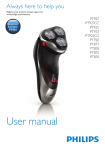
General description (Fig. 1)
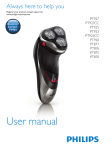
AShaver
1 Protection cap
2 Shaving unit
3 Shaving unit release button
4Trimmer
5 Trimmer release slide
6 Shaver on/off button
7 Shaving head symbol
8 Battery symbol
B Charging stand (PT927/PT925/PT923/PT920/PT876/PT875 only)
CAdapter
D Jet Clean System (PT927CC/PT923CC only)
1 Locking lever
2 Shaver holder
3 Cleaning chamber release button
4 Jet Clean System on/off button
5 Cleaning symbol and ‘fluid low’ symbol
6 Battery symbol
E Jet Clean solution (HQ200)
F Cleaning brush
G Storage pouch (PT927CC/PT927/PT925/PT923CC/PT920/PT876
only)
Note:You can find the type number on the back of the shaver.
Important
Read this user manual carefully before you use the shaver, the Jet Clean
System (PT927CC/PT923CC only) and the charging stand (PT927/
PT925/PT923/PT920/PT876/PT875 only). Save the user manual for future
reference.
Danger
-- Keep the adapter dry.
Warning
-- The adapter contains a transformer. Do not cut off the adapter to
replace it with another plug, as this causes a hazardous situation.
-- The shaver and the Jet Clean System are not intended for use
by persons (including children) with reduced physical, sensory or
mental capabilities, or lack of experience and knowledge, unless they
have been given supervision or instruction concerning use of these
appliances by a person responsible for their safety.