1
40| Electronically File the Return
2003 DRAKE TAX SOLUTION
Electronically File the Return
Drake users can electronically file Federal tax returns either through Drake or directly to an IRS Service Center. State returns can be piggybacked on Federal returns, or sent directly to the state, depending on state
requirements. In addition, the Piggyback states can be sent separately to the IRS as a “State Only” packet, with
the exception of Hawaii and Oregon. The flexibility in EF options that Drake offers can be useful when filing a
multi-state return, or when the initial State return has been rejected and must be re-filed. Becoming an Electronic Return Originator (ERO) requires some pre-season planning, but pays off when tax season arrives.
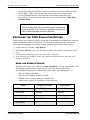
ERO/STATE ERO SETUP
The temporary EFIN assigned by Drake does not enable electronic filing, but allows system
testing. Preparers who are new to E-filing must apply to the IRS for an EFIN.
ERO information MUST be entered before attempting to electronically file live returns.
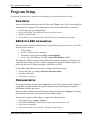
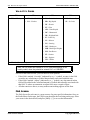
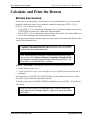
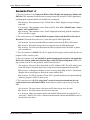
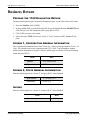
1. On the Menu Bar, go to Setup > ERO/State ERO Information.
2. Enter or edit the information.
3. Click [OK] or press [ESC] to save and exit
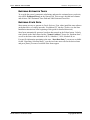
If the preparer is filing through Drake and has returns for more than one IRS Service Center,
all the returns can be filed in the same batch without changing the processing site. Drake separates the returns and sends them to the correct IRS Service Center.
Returns with bank products, multiple-state returns to different
IRS Service Centers, and Direct State returns must be E-filed
through Drake.
To apply to the IRS to become an ERO file form 8633. (Found in the software: Tools > Blank
Forms > Select 1040 > 8633 and 8633.PG2.). Mail this completed form with a fingerprint
card to the Internal Revenue Service; Andover Campus; Attention EFU Acceptance; Testing
Stop 983; PO Box 4099; Woburn, MA 01888-4099. Call the IRS, 1.866.255.0654 or Drake
Support, 1.828.524.8020 to obtain a Fingerprint Card.
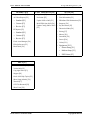
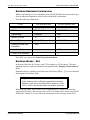
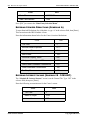
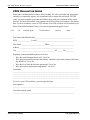
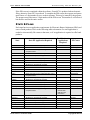
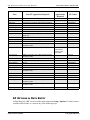
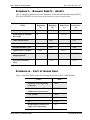
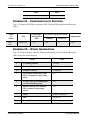
In addition, some states require the IRS acceptance letter or a special application before you
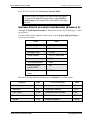
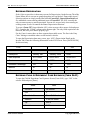
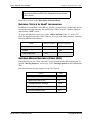
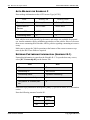
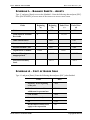
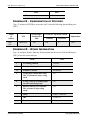
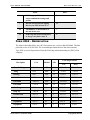
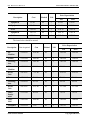
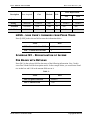
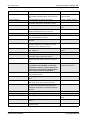
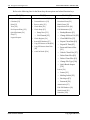
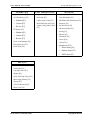
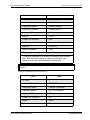
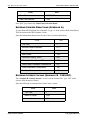
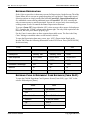
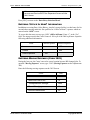
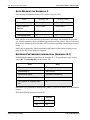
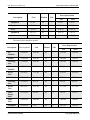
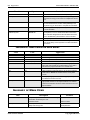
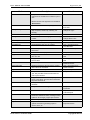
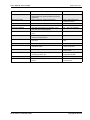
electronically file to their state. Please refer to the chart below for state application requirements.
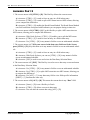
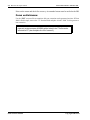
The taxpayer does not sign the bottom of page 2 of the 1040 when electronic filing the return.
The Signature page for electronic filing is either the 8879 to send an electronic signature or
the 8453 which must be mailed to the applicable IRS Service Center within 3 business days
after the ERO has received acknowledgement from the IRS that the return has been accepted.
The 8879 must be signed by the taxpayer BEFORE the electronic return is transmitted and
then is retained in the tax preparer’s office for 3 years.
Drake Software Manual
Copyrighted Material