1
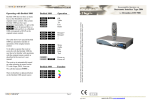
Operating with Beo4 and Beo5
Beo4 and Beo5 do not have as many keys
as this receiver’s original remote control.
Thus certain Beo4/ Beo5 keys have got
alternative functionality.
To get to this Ohas to be pressed first,
i.e. Ofollowed by 1 corresponds to
info on the receiver’s own remote control.
Beo4/ Beo5
Daily operation
OO
OK
W*2 *1
R*2 *1
Q*2
E*2
P+
PGuide
Back
m
Setup
The table to the right shows how special
Beo4/ Beo5 key operations translate to
operations of the original remote control.
To get the most of operating the receiver
with a Bang & Olufsen remote control, the
user has to be familiar with operations with
the original remote control as described in
the receiver’s user manual.
Power on the receiver
The receiver automatically powers up,
when the source is pressed on beo4, which
the bee2 controller is programmed for.
Usually this source might be s,
T, f or something else.
Fabric settings are f.
*1 It is possible to exchange the up/ down arrow the
functions with the blue and yellow buttons. This is
done with an option, refer to the installation pages.
*2 As the direct function of the coloured buttons on
the Beolink remote control has been reassigned to
other functions, Ohas to be pressed before these
buttons, to get to the colour function.
oE
oQ
oW
oR
Red function
Green Function
Yellow function
Blue function
Other operation
o1
o2
o3
o4
w
o9
info
Radio
Violet
Options
Power off
Power manual