1
Settings for multiple track configurations in Channel Mode
Multiple track set-ups for sequential scanning can be defined as one configuration (Channel Mode
Configuration), to be stored under any name, reloaded or deleted.
The maximum of four tracks with up to eight channels can be defined simultaneously and then scanned
one after the other. Each track is a separate unit and can be configured independently from the other
tracks with regard to channels, Acousto-Optical Tunable Filters (AOTF), emission filters and dichroic beam
splitters.
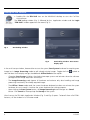
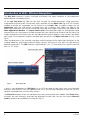
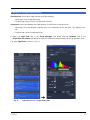
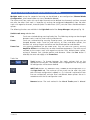
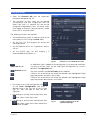
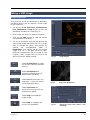
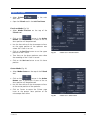
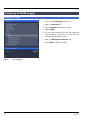
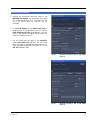
The following functions are available in the Light Path tool of the Setup Manager tool group (Fig. 18).
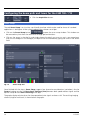
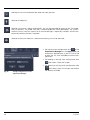
Switch track every selection box
Line
Tracks are switched during scanning line-by-line. The following settings can be changed
between tracks: Laser line, laser intensity and channels.
Frame
Tracks are switched during scanning frame-by-frame. The following settings can be
changed between tracks: Laser line and intensity, all filters and beam splitters, the
channels incl. settings for gain and offset and the pinhole position and diameter.
Frame Fast
The scanning procedure can be made faster. Only the laser line intensity and the
Amplifier Offset are switched, but no other hardware components. The tracks are all
matched to the current track with regard to emission filter, dichroic beam splitter,
setting of Detector Gain, pinhole position and diameter. When the Line button is
selected, the same rules apply as for Frame Fast.
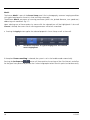
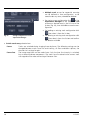
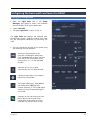
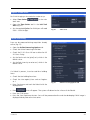
Tracks line
Track buttons: To change between the tracks settings click on the
appropriate track button. The selected track is highlighted. The setting table
for configuration will be shown behind.
Add Track button: An additional track is added to the configuration list in
the Light Path tool. The maximum of four tracks can be used. One track
each with basic configuration is added, i.e.: Ch 1 channel is activated, all laser
lines are switched off, emission filters and dichroic beam splitters are set in
accordance with the last configuration used.
Remove button: The track marked in the List of Tracks panel is deleted.
11/2013
19