1
NOTE:
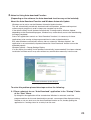
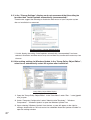
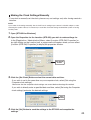
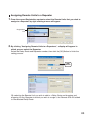
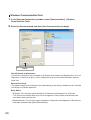
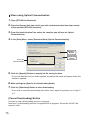
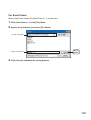
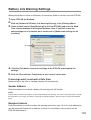
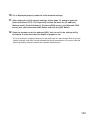
If [Automatically adjust clock for daylight saving changes] has not been checked in the "Date and Time
Properties" Settings in the Control Panel of Windows OS you are using, it will not be possible to make
Summer Time setting. In such a case, please check the Settings in "Date and Time Properties" and
make any necessary changes.
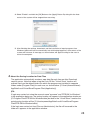
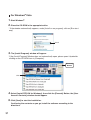
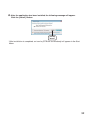
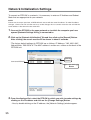
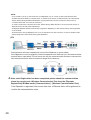
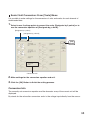
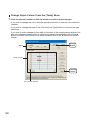
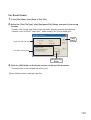
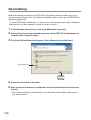
5. After making entries click the [Set] Button to send the settings to the RTR-5W
that were entered into the [Access Settings] Bar and the settings for the Location
will be completed.
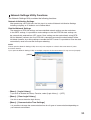
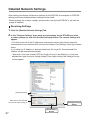
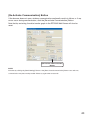
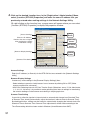
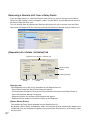
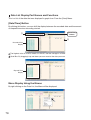
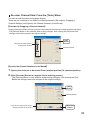
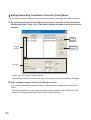
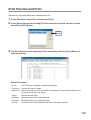
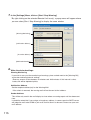
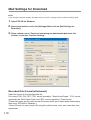
[Get Time] Button
Clicking this button will start communication with the Location and will retrieve and display
the time settings from the Location's internal clock. Due to network delays, this may be a few
seconds off from the time you receive the settings.
[Set Clock] Button
If SNTP settings have not been made, click this button to make RTR-5W clock settings. If an
SNTP server is not being used, please make sure to reset the internal clock to your local time
before using. This is necessary because each time the RTR-5W is rebooted the internal clock is
automatically reset to its default setting. See p.42-44 for details.
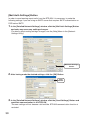
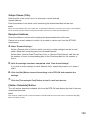
[Reboot] Button
This will reboot the RTR-5W. If you have updated the RTR-5W internal script or in some other
cases it is necessary to reboot the system. Please read the following "NOTE" about the rebooting
of an RTR-5W.
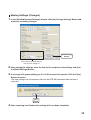
[Send Summer Time Info to RTR-5W] Button
Clicking this button will send the Summer Time info to the RTR-5W at the selected Location. If a
change is made to the [Summer Time Setting], make sure to send the new settings. Note that to
activate the Summer Time Setting, the RTR-5W may automatically reboot after the Info has been
sent to the RTR-5W. Please read the following "NOTE" about the rebooting of an RTR-5W.
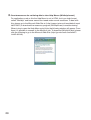
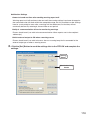
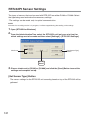
NOTE: About the Rebooting of an RTR-5W
- By rebooting an RTR-5W, the unit’s internal clock will automatically return to its default settings. If SNTP
settings have not been made, please make sure to reset the internal clock to your current local time before
using. See p.42-44 for details.
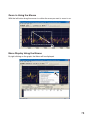
- By rebooting an RTR-5W, all warning logs, readings and graphs currently displayed in the browser (data
files for transfer) will be erased. Note however that, when an RTR-5W is rebooted, the recorded data
logged in the Remote Unit will not be affected.
52