1
Gigaset E490/E495 / GBR / A31008-M2105-L101-2-7619 / registr_sett.fm / 04.01.2011
Using a handset as a room monitor
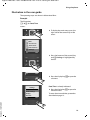
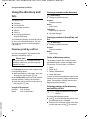
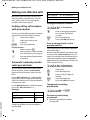
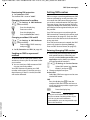
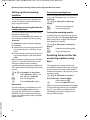
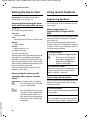
Changing the name of a
handset
The names "INT 1", "INT 2" etc. are assigned
automatically on registration. You can
change these names. The name must be no
more than 10 characters. The changed name
is displayed in every handset's list.
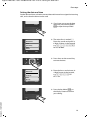
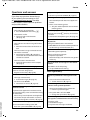
u
Open the list of handsets. Your
own handset is indicated by <.
s
Select handset.
§Edit§
Press the display key.
~
Enter name.
§Save§
Press the display key.
Version 4, 16.09.2005
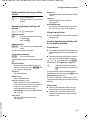
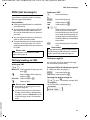
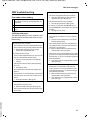
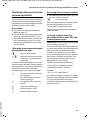
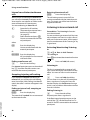
Changing a handset's
internal number
A handset is automatically assigned the
lowest free number when it is registered. If
all slots are occupied, number 6 is overwritten if this handset is in idle status. You can
change the internal number of all registered
handsets (1–6).
u
Open the list of handsets. Your
own handset is indicated by <.
§Options§
Open menu.
Edit H/Set No.
Select and press §OK§. The list of
handsets is displayed.
s
The current number flashes.
Select a handset.
~
Enter the new internal number
(1–6). The handset's old number
is overwritten.
§Save§
Press the display key to save the
input.
a
Press and hold (idle status).
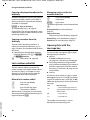
You will hear the error tone (descending
tone sequence) if you assign an internal
number twice.
¤ Repeat the procedure with a free number.
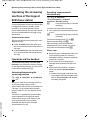
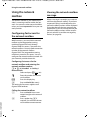
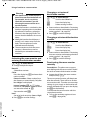
Using a handset as a
room monitor
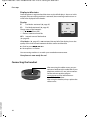
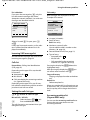
If the room monitor is activated, a previously
saved destination number is called as soon
as a set noise level is reached. You can save
an internal or external number in your handset as the destination number.
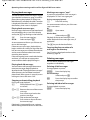
The room monitor call to an external
number stops after around 90 seconds. The
room monitor call to an internal number
(handset) stops after approx. 3 minutes
(depending on the base station). When the
room monitor is activated, all keys are locked
except the end call key. The handset's
speaker is muted.
When the room monitor is activated, incoming calls to the handset are indicated without a ringer and are only shown on the
screen. The display and keypad are not illuminated and advisory tones are also turned
off.
If you accept an incoming call, the room
monitor is suspended for the duration of the
call, but the function remains activated.
If you deactivate then reactivate the handset, the room monitor remains activated.
49