1
Wireless off
To turn off all your phone radios, please go to
Home, tap the application tab, select Settings >
More. Select Airplane mode check box. Your
phone will switch to “airplane” mode now. An
airplane mode
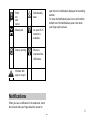
icon will be displayed in the
status bar and all wireless connections will be
disabled.
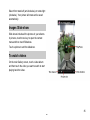
To enable wireless connections again, return to the
settings screen and clear the Airplane mode check
box.
9
P