1
Software – Windows CE
Ethernet. Therefore, once the system has been generated, you can use the Ethernet mode to download it and
update the board. Certainly, you have to install the TFTP server on your Ubuntu computer as follows:
1) Download the tfpt server package, tftp client package and xinetd package and install it
$ sudo apt-get install tftpd tftp xinetd
2)
Create /etc/xinetd.d/tftp file and add following codes into it:
3)
service tftp
{
protocol = udp
port = 69
socket_type = dgram
wait = yes
user = nobody
server = /usr/sbin/in.tftpd
server_args = /tftp
disable = no
}
Set the tftp directory as the tftp server root directory
$ sudo chmod –R 777 /tftp
$ sudo chown –R nobody /tftp
4)
Start the tftpd server by the xinetd super-server
$ sudo /etc/init.d/xinetd start
OK, the tftp server has been install on your computer, you can download all Linux images into the board and
update it. More details, please refer to the section 7.4
.2 How to calibrate the touch screen in Linux
7.6
7.6.2
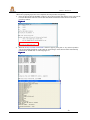
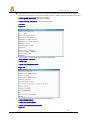
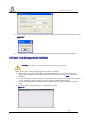
Plug the power cable into the board and boot the system into the Linux console. Open the DNW software on your
computer (or other terminal software), type following commands:
# tsbra
s-ccali
lib
ratte (Touch the crosses that appear on the screen)
all
# kill
illa
# Xo
Xorrg
weroff (to save settings)
# po
pow
42
November 2011
SBC-S2416 User Manual