1
USER’S MANUAL
:
Press to switch between Operation and Standby modes
:
Press to temporarily cut off the sound
NUMERIC KEYS:Press to enter required numbers in the input box or select a
channel to watch
:
USER’S MANUAL
4. Installation of STB
This section explains the installation of the receiver. Refer to the manuals supplied
with the equipment for the installation of outdoor equipment such as the dish antenna.
When adding new equipment, be sure to refer to the related parts of the manual for
the installation.
Press to switch back to previous channel
INFO :
Press to show information of the current channel
:
4.1 Connecting to TV using RCA Support
Press to page up or down
:
Press to switch between TV and Radio modes
EPG :
Press to display EPG (Electronic Program Guide) menu
MENU :
Press to display the Main Menu on the screen
EXIT:
Press to return to the previous menu or escape from the item
:
OK :
Move cursor up/down/left/right, Page up/down, Volume +/Press to execute the selected item in the menu, or to confirm the
desired value in input mode
SAT :
Press to display the satellite list of searched channels
FAV :
Press to display the favorite channel list
TV/AV :
Press to switch between TV and AV modes
EDIT :
Press to display the Channel Edit window
:
Press to magnify the video from the currrent program
::
AUDIO :
10
Press to switch between Pause and Play
When watching a channel, press to switch the audio languages
:
Press to display the multi-pictures window
:
Press to switch to teletext or subtitle mode
FIND :
4.2 Connecting to TV using SCART Support
Press to dispaly the Quick Find window
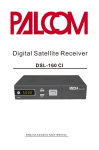
Digital Satellite Receiver
Digital Satellite Receiver
11