1
JC600 3G Rearview Mirror DVR
User Manual
www.jimilab.com
Instructions before use
1.This device should be connected with a vehicle 12-volt power system (must be grounded),
do not install the unit directly on a 24-volt battery in the truck or bus.
2.Do not install the unit onto position that would block the vision or operation of the drivers.
3.For safe driving, the driver must not watch TV program or operate the unit while driving.
4.Do not replace the power fuse without professional guidance.
5.The device consists of high-precision components, please avoid strong impact. Do not
disassemble or adjust any inner part, if you have any questions, please turn off the power
immediately and notify your local vendors.
6.Do not scratch the mirror with sharp materials.
7.Do not use anything that contains alcoholic or corrosive dilution to clear the screen.
8.Prevent the device from places that is too hot or too cold. Storage temperature: –30℃~ 80℃,
operating temperature: –10℃~ 55℃ .
9.Do not expose the unit to moisture, dust, vapors, fumes, direct sunlight or related environment.
Hints:
●Read all the instructions before installation, and we suggest bringing professionals in helping the installation.
●Remember to turn off engine and cut ACC and B+ connection before installation.
●Turn off the GPS navigator before taking out the TF card.
●Please note that when install 3rd party apk, due to compatibility difference the App might not be working well. It might also cause the device to reboot. These errors have nothing to do with the device itself.
Interface descriptions
11 10 9 8
7 6
5
4
3
2
1
14
12
13
1.Mute
6. POWER
11.TF Card Slot
2.DVR
7.Mic
12.Camera
3.GPS
8.Headset jack
13.RESET Button
4.BACK
9. USB
14.Speaker
5.HOME
10.SIM Card Slot
Product Features
●ARM Cortex A7, 720P version: Dual-Core 1.3GHZ, 1080P version: Quad-core 1.3GHZ
●RAM DDR2 1GB
●GSM 850/900/1800/1900 WCDMA 2100/900
●5 Inch 960*540 HD mirror capacitive touch screen
●Support Rearview Camera(CVBS input and support the NTC, PAL and SECAM video formats)
●Support FM radio emission output, built-in speaker.
●Support APE、MP3、WAV、WMA(Including nondestructive format) and various audio format
●Support AVI、FLV、MKV、MOV、MP4、MPG、RM/RMVB and various video format.
●Support BMP、GIF、JPG、PNG and various picture format.
●Support 480P/720P/1080P Format media file decoding
●Built-in WCDMA 3G module, Support 3G phone and Internet access function, automatically connected into the net when the Car ACC is on
●Built-in high sensitive microphone, Support speech recognition
●Built-in Bluetooth module, support Bluetooth data transmission
●Built-in WIFI module, working frequency 2.4GHZ, support WIFI hotspot function
●Adopt 3 mega pixel resolution DVR camera, Super long real time driving recording
●Support USB2.0 high speed interface
●Support 2-32G Micro-SD Card
Basic operation
Turn on/off
Press power button to turn on device; press down power button 2 seconds to turn down device.
If the device is on and shut off the engine directly, then next time the engine is on, the device
will automatically turn on.
Energy saving mode
When the device is on, short press power button to go into standby mode, the screen will close.
Short press the power button again to return.
Main screen introduction
The system provides GPS navigation,
DVR, Bluetooth, media, rear camera,
etc. Press
button to return to main
screen,
button to return to last
screen.
Navigation:
1. Press 3G navi into Google Map for navigation.
2. 3G/GSM network or Wifi should be available to activate the Google map.
3. Stream the local map with Wifi before installation into cars would be suggested.
DVR:
1. Press DVR button to go into recording mode. Press
to stop or restart video recording again. When recording is stop, press
to take snapshot.
2. Tap the left screen
to set the storage
space for video record.
REC
Set
Memory Space (14.38G/14.48G)
2G
2G
4G
8G
3. Tap
to view the record of videos and pictures.
REC
Video
Picture
File list
Rearview camera: If connection of back camera
is successful, when you go into reverse gear the
device will automatically turn on and switch to
reverse camera mode. After the gear shifted back
the device return to normal.
Calling function:
1. support GSM 850/900/1800/1900 WCDMA
2100/900 frequency
2. insert SIM and press
to start
1 o_o
_ 2 ABC
_ 3 DEF
_
4 GHI
_ 5 JKL
_ 6 MNO
_
7 PQRS
_ 8 TUV
_ 9 WXYZ
_
*
0_
#
GPS tracking
1.insert SIM card, when data connection is
successful, the device will start to send GPS
data to platform
2.default tracking function is on. First fix after turn
on will take around 2-5 minutes.
3.Please place the device in open air for accurate
positioning.
4.Tracking platform is www.jimitrack.com; detail
usage of the platform and APP please refer to
the instructions for Jimitrack.
System setting: You can set brightness, sound,
language, WIFI switch, navigation, etc.
Settings
SIM card control
WLAN
OFF
Bluetooth
OFF
Data usage
More settings
Storage
Application
Reset button: The reset button is at the back side as shown in the below picture. Short press
the reset button to reset the device.
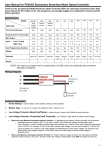
Wire diagram
1
2
3
4