1
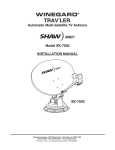
SD60A & SD75a Installation Guide Explorer Satellite Systems Inc. SD60a / SD75a Explorer Satellite Systems Inc., 4115 rue Lavoisier, Boisbriand, Quebec, Canada, J7H1N1 1-877-397-5677 (514)227-8425 FAX: (450)420-4376 www.explorerss.com DOC00687-02-2009-12 Copyright ESSi 2009 Explorer Satellite Systems Inc. ESSi - SD60a (60 cm elliptical dish for Shaw Direct) The SD60a Explorer satellite system is a fully automatic, one button, multiple satellite, HDTV ready RV satellite system for Shaw Direct. ESSi, the first company to introduce an RV satellite system for Shaw Direct, is the only Canadian manufacturer for Shaw Direct mobile solutions. Next time you hit the open road in your favorite RV, don't let Mother Nature dampen your holiday spirit. ESSi and Shaw Direct have a great cure for cabin fever. Specifications - Compatible with Shaw Direct - Fully automatic - Quad LNB - Integrated GPS antenna - HDTV ready -Three (3) axis rotation 32 37 11/16 Materials: - Stainless steel - Irridited and anodized aluminum - Injection molded plastic parts - Powder coat paint finish Dish size ..................................: 60 cm System Height (opened) ..........: 31" System Height (closed) ...........: 11 3/4" Weight .....................................: 45 lbs. Shipping Weight ......................: 57 lbs. 19 3/16 15 1/4 19 3/16 15 1/2 Clearance line For information on a dealer nearest you, contact: Explorer Satellite Systems Inc. at (514) 227-8425 www.explorerss.com 31 11 3/4 31 15/16 Explorer Satellite Systems Inc., 4115 rue Lavoisier, Boisbriand, Quebec, Canada, J7H1N1 1-877-397-5677 (514)227-8425 FAX: (450)420-4376 www.explorerss.com DOC00687-02-2009-12 Copyright ESSi 2009 Explorer Satellite Systems Inc. ESSi - SD75a (75 cm elliptical dish for Shaw Direct) The SD75a Explorer satellite system is our largest, fully automatic, one button, multiple satellite, HDTV ready RV satellite system for Shaw Direct. Next time you hit the open road in your favorite RV, don't let Mother Nature dampen your holiday spirit. ESSi and Shaw Direct have a great cure for cabin fever. Specifications 36 9/16 - Compatible with Shaw Direct - Fully automatic - Quad LNB - Integrated GPS antenna - HDTV ready -Three (3) axis rotation 45 11/16 Materials: - Stainless steel - Irridited and anodized aluminum - Injection molded plastic parts - Powder coat paint finish Dish size ..................................: 75 cm System Height (opened) ..........: 40 3/4" System Height (closed) ...........: 11 3/4" Weight .....................................: 51 lbs. Shipping Weight ......................: 61 lbs. 21 3/16 15 1/4 21 3/16 17 1/2 Clearance line For information on a dealer nearest you, contact: Explorer Satellite Systems Inc. at (514) 227-8425 www.explorerss.com 40 3/4 11 3/4 31 15/16 Explorer Satellite Systems Inc., 4115 rue Lavoisier, Boisbriand, Quebec, Canada, J7H1N1 1-877-397-5677 (514)227-8425 FAX: (450)420-4376 www.explorerss.com DOC00687-02-2009-12 Copyright ESSi 2009 ESSi - Elite EC600 Dish Controller Explorer Satellite Systems Inc. EC600 USER GUIDE ESSi’s experience and expertise has led to the next level of a truly user-friendly, one-button solution with the new Elite series controllers, introduced in July of 2009. Locating the proper satellites has never been easier. The system locks on to all required satellites simultaneously. The dish captures the signal, sends it to the receiver then to your TV, providing you with hours of crystal-clear digital high-definition programming from your favourite Service Provider. The EC600 contains many features in a small package, (7.5W x 2.8H x 5.8D inches). It can be installed in a small cabinet. For your convenience, the EC600 is a one-button search operation and one button stow operation. The EC600 is the only dish controller that displays the parameters like the GPS latitude and longitude, elevation, skew and system azimuth value. All system information is available on the 3.25 inch LCD display. Front View Rear View Explorer Satellite Systems Inc., 4115 rue Lavoisier, Boisbriand, Quebec, Canada, J7H1N1 1-877-397-5677 (514)227-8425 FAX: (450)420-4376 www.explorerss.com DOC00687-02-2009-12 Copyright ESSi 2009 Explorer Satellite Systems Inc. After turning Controller on LED light to turn Red How to stow dish Wait for LED light to flash Green 2 LED light is Yellow when dish is moving Explorer Satellite Systems Inc., 4115 rue Lavoisier, Boisbriand, Quebec, Canada, J7H1N1 1-877-397-5677 (514)227-8425 FAX: (450)420-4376 www.explorerss.com DOC00687-02-2009-12 Copyright ESSi 2009 Semi-Auto w/GPS Explorer Satellite Systems Inc. After turning Controller on LED light to turn Red Wait for LED light to flash Green Whith your Shaw Direct remote Press channel 950 and select Options 6431 signal strength LED light is Yellow when dish is moving Explorer Satellite Systems Inc., 4115 rue Lavoisier, Boisbriand, Quebec, Canada, J7H1N1 1-877-397-5677 (514)227-8425 FAX: (450)420-4376 www.explorerss.com DOC00687-02-2009-12 Copyright ESSi 2009 Explorer Satellite Systems Inc. Explorer Satellite Systems Inc., 4115 rue Lavoisier, Boisbriand, Quebec, Canada, J7H1N1 1-877-397-5677 (514)227-8425 FAX: (450)420-4376 www.explorerss.com DOC00687-02-2009-12 Copyright ESSi 2009 Explorer Satellite Systems Inc. B C A Manually enter LAt & Long MAX SIGNAL MAX SIGNAL When locked on max signal Explorer Satellite Systems Inc., 4115 rue Lavoisier, Boisbriand, Quebec, Canada, J7H1N1 1-877-397-5677 (514)227-8425 FAX: (450)420-4376 www.explorerss.com DOC00687-02-2009-12 Copyright ESSi 2009 Explorer Satellite Systems Inc. Explorer Satellite Systems Inc., 4115 rue Lavoisier, Boisbriand, Quebec, Canada, J7H1N1 1-877-397-5677 (514)227-8425 FAX: (450)420-4376 www.explorerss.com DOC00687-02-2009-12 Copyright ESSi 2009 SD60A & SD75a Installation Guide Explorer Satellite Systems Inc. 1. Verify,Shaw Direct requirements, system configuration, equipment placement etc. (If possible, activate the receiver in advance and connected for 24 hrs prior to your installation). 2. <> Note <> with a DVR530 Receiver, the requirements are (2) extra RG179 cables to be installed in the arm (only 2 provided) 3. Unpack SD60A / SD75a and review contents. 4. Inspect all components before install 5. Assemble dish and arm to mount <> NOTE: Use 9 - 12V DC battery to lift Elevation Arm (pink & Brown wires). DO NOT attempt to force the arm assembly as damage will result! 6. Attach LNB Skid plate to base. 7. Mount Base Plate on roof in a level area (both axis), mark holes / pre-drill & utilizing (20) #10 Screws secure with sealant (puddle over hole between base and roof) 8. Tie 2 RG6 & GREY Control cable together, attach to connections (always run 2 RG6 cables to the interior of RV). 9. Apply Dielectric grease to all RG6 and control cables. 10. Secure cables. 11. Using a 7/8” hole saw, drill hole in roof for cables. 12. Attach antenna & mount to base, stow dish flat using 9 – 12VDC battery connected to the control cable (pink & Brown wires). 13. Cover cables/ hole with plastic Clam Shell using putty tape and sealant. (As per diagram in User Manual). 14. Assemble controller and receiver cables, connectors (as per diagram in User Manual). 15. Install the 120VAC to 12VDC / 4 Amp Power adapter that is supplied with the controller. 16. LEVEL the Coach // RV Vehicle. 17. Program the SD60A /SD75a remote control . (As per diagram in User Manual). 18. Turn on the TV, (NOTE >> If the TV Screen is fuzzy/snowy, reverse the Channel switch position <> Default is channel 3). 19. Systems are all pre calibrated at the factory but may need to be re calibrated. 20. If re calibration needs to be done. turn on the controller, go to MENU and select setup then select reset controller and press ENTER. Turn it back on, select the appropriate components now the controller will calibrate the antenna. At the end the results will be displayed and it will shut down. 21. Power on the system following the on screen steps . 22. If the receiver is not activated, it will default to channel 299. Explorer Satellite Systems Inc., 4115 rue Lavoisier, Boisbriand, Quebec, Canada, J7H1N1 1-877-397-5677 (514)227-8425 FAX: (450)420-4376 www.explorerss.com DOC00686-01-2009-12 Copyright ESSi 2009 SD60A & SD75a Installation Guide Explorer Satellite Systems Inc. Remove ( 2 ) carriage bolts from end of rails. Pull LNB support Rod out to edge of red tape. Reinstall ( 2 ) carriage bolts from end of rails. Explorer Satellite Systems Inc., 4115 rue Lavoisier, Boisbriand, Quebec, Canada, J7H1N1 1-877-397-5677 (514)227-8425 FAX: (450)420-4376 www.explorerss.com DOC00687-02-2009-12 Copyright ESSi 2009 SD60A & SD75a Installation Guide Explorer Satellite Systems Inc. Rails 32 37 11/16 19 3/16 15 1/4 19 3/16 15 1/2 Clearance line Explorer Satellite Systems Inc., 4115 rue Lavoisier, Boisbriand, Quebec, Canada, J7H1N1 1-877-397-5677 (514)227-8425 FAX: (450)420-4376 www.explorerss.com DOC00687-02-2009-12 Copyright ESSi 2009 Explorer Satellite Systems Inc. Explorer Satellite Systems Inc., 4115 rue Lavoisier, Boisbriand, Quebec, Canada, J7H1N1 1-877-397-5677 (514)227-8425 FAX: (450)420-4376 www.explorerss.com DOC00687-02-2009-12 Copyright ESSi 2009 SD60A & SD75a Installation Guide Explorer Satellite Systems Inc. 12 wire Explorer Satellite Systems Inc., 4115 rue Lavoisier, Boisbriand, Quebec, Canada, J7H1N1 1-877-397-5677 (514)227-8425 FAX: (450)420-4376 www.explorerss.com DOC00687-02-2009-12 Copyright ESSi 2009