1
Play from an MP3 player
Select sections of audio for repeat playback.
During playback, press REPEAT A-B to
mark the start point.
Press REPEAT A-B again to mark the end point.
»» Repeat play starts.
»» To cancel repeat A-B, press REPEAT A-B
again.
Connect and play audio files from an MP3 player
or other external audio devices.
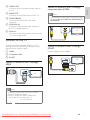
Connect the MP3 player to the home
theater.
Press MP3 LINK.
»» ‘MP3 LINK’ appears on the display panel.
1
2
1
2
3
Press the buttons on the MP3 player to
select and play audio files.
Note
•• Repeat play is only possible within a track.
Play from radio
1
2
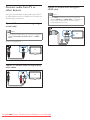
Check that the FM antenna is connected.
Press RADIO.
»» “AUTO INSTALL...PRESS PLAY’ appears
on the display panel if you have not
.
installed any radio stations. Press
3
Press the following buttons to control play:
Button
/
/
PROGRAM
Action
Selects a preset radio station.
Searches for a radio station.
Fine tunes a radio frequency.
Press and hold to erase the
preset radio station.
Manual: Press once to access
program mode, press / to
assign a number to the radio
station, then press again to store
the radio station.
Automatic: Press and hold for
three seconds to reinstall radio
stations.
Use Philips EasyLink
The home theater supports Philips EasyLink,
which uses the HDMI CEC (Consumer
Electronics Control) protocol. EasyLinkcompliant devices that are connected through
HDMI connectors can be controlled by a single
remote control.
Note
•• Philips does not guarantee 100%
interoperability with all HDMI CEC devices.
1
2
3
4
5
Note
•• The home theater can store up to 40 radio
stations.
•• Press to stop the installation.
•• AM and digital radio are not supported.
•• If no stereo signal is detected, or if fewer than
five stations are found, you are prompted to
install the radio stations again.
•• For the best reception, place the antenna away
from the TV or other sources of radiation.
Downloaded From TheatreSystem-Manual.com Manuals
Switch on the HDMI CEC operations on
the TV and other connected devices. See
the manual of the TV or other devices for
details.
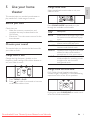
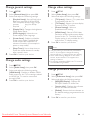
Press SETUP.
Select [General Setup], then press OK.
Select [EasyLink Setup], then press OK.
Select and adjust the following settings:
• [EasyLink] : Enables or disables
EasyLink.
• [One Touch Play] : Enables or disables
One Touch Play.
If enabled, you can use the remote
control to start USB play in the
home theater and the TV switches
automatically to the correct channel.
• [One Touch Standby] : Enables or
disables One Touch Standby.
If enabled, the home theater can
be switched off to standby by a
remote control from the TV or other
connected HDMI CEC devices.
EN
11
English
Repeat play a specific section