1
01.qxd
10/4/04
06:21 PM
Page 1
I
Foundations
9
01.qxd
10/4/04
06:21 PM
Page 2
01.qxd
10/4/04
06:21 PM
Page 3
1
1
Foundation
I: Getting
Started
10/4/04
06:21 PM
Page 4
4 P A I N T E R 9 C R E AT I V I T Y: D I G I TA L A R T I S T ’ S H A N D B O O K
Every child is an artist. The problem is how to remain an artist once he grows up.
F O U N D AT I O N I : G E T T I N G S TA R T E D
01.qxd
—Pablo Picasso
1.1 Introduction
The journey we are embarking on is to unleash your full creative potential, the potential in all of us
that Picasso alludes to in his quote. We start this journey with the Fundamentals, building up a solid
foundation from which to grow. The first two Fundamentals chapters cover essential knowledge and
skills. The third Fundamentals chapter covers advanced brush creation and customization, not essential but ultimately useful if you wish to fully realize your creative potential.
This first chapter introduces you to Painter and guides you through some initial setting up and
getting to know the “where to” and “how to” for basic operations, such as opening a new canvas,
selecting a brush, changing color, clearing your canvas, saving your image, and so on. The chapter
concludes with an exploration of some types of brushes that can confuse the first-time Painter user.
By the end of this chapter you’ll be familiar with the Painter interface and you’ll be comfortable
choosing, applying and controlling the brushes, which are at the heart of Painter.
1.2 What’s This Thing Called “Painter”?
In a Nutshell
Corel Painter IX is a phenomenal image creation program, with the richest variety and versatility of
brushes available anywhere, as well as offering powerful special effects, pattern-making, and animation capabilities and industry standard text, layers, channels, and masking. Painter is a valuable tool
for fine art, photography, and all forms of image manipulation, design, illustration, collage, and video.
Whatever your application, the key to Painter’s magic is the ability it offers to apply brushstrokes by
hand (using a graphics tablet with pressure-sensitive stylus), as opposed to just applying uniform
special effects (though Painter has many great special effects that may be successfully incorporated
into a final image). Through the use of your hand you express your heart in your art.
The brushes are at the heart of Painter’s uniqueness and strength. Some brushes emulate
traditional natural media, such as chalks, watercolors, and oils, while other brushes create unique
effects that don’t exist outside Painter in the “traditional,” nondigital world. There are so many
brushes that come with Painter that they have been divided into 33 groups, or types, known as
categories. Within each brush category is a collection of individual brushes known as variants. See
the Visual Glossary at the front of this handbook to get an overview of the variety of brush looks
available in each category.
10/4/04
06:21 PM
Page 5
P A I N T E R 9 C R E AT I V I T Y: D I G I TA L A R T I S T ’ S H A N D B O O K
5
1.3 Which Tools to Use When?
Painter and Photoshop—Your Foundation Tools
Corel Painter IX, your digital art studio, is an essential part of your digital imaging toolkit and is a
perfect complement to Adobe Photoshop CS, your digital darkroom. These two foundation tools,
Painter and Photoshop, are primarily bitmap programs; that is, they deal primarily in imagery composed of pixels (though there are resolution-independent text and vector shapes in Painter). Besides
these two great tools, you may also find it useful to have a good graphics drawing program with powerful vector-based drawing and text capabilities, such as Adobe Illustrator, CorelDRAW, or Macromedia Freehand. I have outlined here the main digital workflow tasks you might come across as you
work on a digital image and shared my opinions as to which tools are best suited to each task. There
is some overlap in functionality between all of the programs mentioned, and consequently there are
many alternative ways to accomplish the same task. There are no hard and fast rules here, and you
will find many different approaches to workflow. Do what works best for you and what you’re most
comfortable with.
Photographic Capture, Cropping, and Orientation
For browsing, scanning, rotating, adjusting perspective, and cropping photographs, Photoshop is
often the best tool (though Corel Painter IX has introduced entire canvas rotation, so if it’s just rotation you need, you can do that equally easily in either program). Digital photo image capture software packages, such as iPhoto, ACDSee, and iView Media Pro, also offer browsing, rotating, and
cropping capability.
Basic Image Editing
Photoshop is great for almost any kind of image-editing need, such as enhancing your source image
and adjusting levels, hue, saturation, contrast, and brightness. Photoshop offers the optimum control
and flexibility for image adjustments using Adjustment Layers. When using Photoshop’s Adjustment
Layers I recommend saving a Photoshop file format master document with the Adjustment Layers
and then flattening the layers and resaving a flat version of the file in TIFF format for opening in
Painter. The reason for making a flattened version of the file is that Painter does not recognize the
Photoshop Adjustment Layer properties. If you are already working on an image in Painter and want
to make tonal or color adjustments, then you could use Painter’s built-in tools under Effects > Tonal
Control, though these are not as editable or as powerful as those offered through Photoshop’s Adjustment Layers.
F O U N D AT I O N I : G E T T I N G S TA R T E D
01.qxd
10/4/04
06:21 PM
Page 6
6 P A I N T E R 9 C R E AT I V I T Y: D I G I TA L A R T I S T ’ S H A N D B O O K
Hand-Painted Artistic Effects
F O U N D AT I O N I : G E T T I N G S TA R T E D
01.qxd
Corel Painter IX is the tool to use when you want an organic, artistic, painterly, hand-painted look
and feel to your image. This applies equally whether you are creating a painting from scratch or transforming a photographic image. While Photoshop has an extensive set of brushes and numerous wonderful built-in and third-party filters and effects, there is no substitute for the versatility, variety, and
richness of Painter’s brushes and textures. You can also start with effects and brushes in Photoshop
and then rework your image in Painter, finally bringing it back to Photoshop for final refinement and
color adjustment.
Selections and Layers
Both Painter and Photoshop have comparable and largely compatible facilities for making and saving
selections (including compatible Channels and Alpha Channels) and for controlling, adjusting, and
organizing layers.
The Photoshop Lasso tool has the added flexibility of having a feather setting (in the Tool Property Bar) and a point-to-point feature when the Option/Alt modifier key is held down. This makes
precise selections easier and faster to do in Photoshop than in Painter (where, for the most precise
selections, you would use the Bezier Pen tool to create a Shape and then convert that Shape to a
Selection).
Layer Masks are compatible between the two programs (providing you save your files as Photoshop format files). Although Photoshop Layer Blending Modes are similar to Painter Layer Composite Methods, there are Photoshop Layer Blending Modes, such as Color Burn and Vivid Light, that
don’t exist in Painter, and there are Painter Layer Composite Methods, such as Gel and Magic
Combine, that don’t exist in Photoshop. When either program comes across a layer blending
mode/composite method it doesn’t recognize, it just substitutes the Normal (Photoshop) mode or
Default (Painter) method. When using Layer Composite Methods in Painter, save your file in RIFF file
format. RIFF is the native file format for Painter. RIFF files preserve the most data but cannot be
opened in Photoshop. Before being able to open a RIFF file in Photoshop you will need to resave the
image in Photoshop or TIFF file format. If you are using Gel or Magic Combine composite methods it
is best to flatten your image in Painter before resaving, to preserve the effect of the composite methods
on the colors in your image.
Note that besides some Layer Composite Methods, there are other special layers and modes in
Painter (Watercolor, Liquid Ink, Impasto, Digital Watercolor, and Mosaic) that lose their special properties and editability when you convert from a RIFF format file to a Photoshop format file (the full
editability of these special Painter layers and modes is preserved only in the RIFF format).
10/4/04
06:21 PM
Page 7
P A I N T E R 9 C R E AT I V I T Y: D I G I TA L A R T I S T ’ S H A N D B O O K
7
Type and Design
Generally vector programs, such as Adobe Illustrator, CorelDRAW, or Macromedia Freehand, are
great for sharp, editable, scalable, resolution-independent type, for setting type on a curve, and for
keeping file sizes small. Use type in Photoshop or Painter only when you wish to apply a special effect
to it or the sharpness of the type is not crucial.
Both Photoshop and Painter have versatile text tools that allow you to experiment with different
fonts, orientation, positioning, alignment, and spacing. In Painter, by converting to resolutionindependent vector-based Shapes you can also skew and distort lettering individually or as a group.
The special properties of Painter’s Text and Shape layers are only preserved in the RIFF file format. If
you convert the file to Photoshop format so that it can be opened in Photoshop, the Painter Text and
Shape layers are converted to regular bitmap image layers. Likewise Photoshop Text layers are converted to regular bitmap image layers when opened up in Painter. Thus while you need editability of
your text layers, you should stay in the program in which you created the text and keep the file format
appropriate (RIFF format for Painter Text, Photoshop format for Photoshop Text). By converting your
Painter Text or Shape layers to default image layers in Painter, you can apply all of Painter’s brushes
and effects, including instant drop shadows (Effects > Objects > Create Drop Shadow).
If you want to wrap text accurately around a circle or a path, then you should create the text in
a vector-based program like Adobe Illustrator, CorelDRAW, or Macromedia Freehand. If you wish to
add effects to the text or integrate the text into a bitmap (pixel) image in Painter, then you can always
import the Illustrator- or Freehand-generated text as a layer, or series of layers, into either Photoshop
or Painter. In Painter, Illustrator text is imported as a group of Shapes (File > Acquire > Adobe Illustrator File).
If you are preparing a piece for print and want the most precise, accurate, sharp-looking text
possible and the text will be a plain color without gradients, transparency, or drop shadows, then you
are better off either creating the text in Illustrator (or other vector program) and converting it to outlines or saving as a PDF document. Keep a copy of the original (non-outline) document for your
records for future editing and resolution-independent resizing. You can also create sharp text mixed
in with graphics in layout programs such as Adobe InDesign and Quark Xpress.
Publishing on the Web
Publishing artwork on the Web involves a number of conflicting considerations:
1 Keeping your file size as small as possible to minimize download time and avoid the need for
scrolling and thus create a better viewer experience.
2 Showing your artwork in sufficient scale, detail, quality, accuracy, and consistency of color to
impact viewers and do justice to your talents.
3 Protecting your imagery from being used without your permission and therefore not publishing
such high-quality imagery that people can make good prints from them.
F O U N D AT I O N I : G E T T I N G S TA R T E D
01.qxd
10/4/04
06:21 PM
Page 8
8 P A I N T E R 9 C R E AT I V I T Y: D I G I TA L A R T I S T ’ S H A N D B O O K
F O U N D AT I O N I : G E T T I N G S TA R T E D
01.qxd
Similar considerations apply to preparing images to send and share as e-mail attachments. With
regard to digital imaging workflow, Photoshop CS offers a useful File > Save for Web option, which
allows you to see how your image will look depending on what quality or format you choose. I recommend that you use this option when saving from Photoshop for the Web. For further Web imaging
capabilities you can choose File > Edit in Image Ready.
My Web gallery images typically end up being about 400 to 600 pixels in the maximum dimension at 72 ppi. I create my original artwork at higher resolution as RIFF files in Painter and then resize
and resave them (also in Painter) as High-Quality JPEGs. Every time you save anything as a JPEG, the
quality of the file is reduced, and if you resave as a JPEG, then the quality is reduced even more. Only
save as a JPEG once. Creating images at higher resolution gives you the flexibility to reuse the images
for printing at a later time.
For helping protect your files from misuse you can, in Photoshop, choose Filter > Digimarc, which
allows you to embed a watermark with your copyright notice.
Printing
I have successfully printed from both Painter and Photoshop with excellent results. If you print
from Photoshop I recommend using the File > Print with Preview option, which allows you more
control in positioning your image on the paper. A key concern when you come to print your digital
artwork is getting good consistency between the colors you see on the screen when you create your
artwork and the colors you see in your final printed image. Painter IX has new color management
tools built into it that are worthwhile using. Refer to the User Manual and Help > Help Topics
for further information on that. Here are two books that can help you color manage your creative
workflow:
Mastering Digital Printing by Harald Johnson (Muska & Lipman, 2003, ISBN 1-929685-65-3)—this
is a comprehensive book on digital printing that is written in a chatty, easy-to-follow style and has a
chapter on Understanding and Managing Color.
Real World Color Management by Bruce Fraser et al. (Peachpit Press, 2003, ISBN 0-201-77340-6)—
a highly detailed technical book that tells you all you could wish to know about the ins and outs of
color management.
One factor to be aware of with regard to printing is that different printers and printing technology
may require your files to be in one of two different color modes, namely, RGB (red–green–blue) for
most fine art inkjet printers and CMYK (cyan–magenta–yellow–black) for commercial offset printing.
Painter is an RGB program, in that all color data is stored with RGB values, and I recommend only
saving RGB files from Painter. Photoshop allows you to work in different color modes. If you are
working with traditional offset lithography printers, use Photoshop to convert your files from RGB to
CMYK. Be aware that many options and filters are not available in Photoshop when working in
CMYK, so leave CMYK conversion to the end of your workflow, always saving a backup RGB version
of your file before changing color modes.
10/4/04
06:21 PM
Page 9
P A I N T E R 9 C R E AT I V I T Y: D I G I TA L A R T I S T ’ S H A N D B O O K
9
Video
2
When working on a QuickTime movie for video, I generally start my projects in Painter at the required
final video resolution, typically 720 pixels ¥ 480 pixels at 72 ppi. This keeps everything simple and
straightforward and allows me to use the resulting QuickTime movie directly without any need
for resizing. You can generate a frame stack from the replay of a script and subsequently generate
a QuickTime movie (or AVI movie or numbered files) from the frame stack. (This is explained in
Chapter 10.) You can also open numbered files or a QuickTime movie in Painter, where it appears as
a frame stack. You can then paint on and apply effects to individual frames or across the whole movie.
Once your frame stack is exported as a QuickTime movie you can then open that movie in any
animation or special effects program (such as Adobe Premiere and After Effects, and Apple Final
Cut Pro).
1.4 First Things First
Get Comfortable
It’s important to feel good about your environment. Take a look around. Is the surface on which the
computer monitor and keyboard are situated clear of clutter? Is the computer screen in a position
and orientation where you won’t be disturbed by reflected light from a window? Adjust your environment so you feel good about it. You want to avoid distractions once you sit down to create art on
the computer.
Before sitting down at your computer, do some simple stretching and relaxation exercises. These
could be as simple as some deep breaths accompanied by slowly raising and lowering your arms,
gently rotating your head, and softly rolling your shoulders. You may find it pleasant to put on some
relaxing music to accompany this movement. When you’ve completed some stretching and relaxation exercises, finish by shaking out your feet and hands. Stand upright with your arms relaxed at
your side. Observe your posture. Breathe deep into your diaphragm, hold your head upright, and keep
your shoulders down. Now sit at your computer.
I recommend getting up and stretching (and drinking some water) at least every hour, preferably every 20 minutes. Since time flies by when you’re absorbed in a project, you may find it useful
to set a small kitchen timer as your stretch time reminder.
Creating should be fun! Make it easy and comfortable for yourself. Observe your posture now
that you are sitting. Maintain a relaxed upright posture with your head held high (not slouched
forward) and shoulders down (not hunched up). Sit comfortably facing the screen. Make sure
your eyes are in line roughly with the center of your screen. If you find you are straining your
neck by being forced to look up or down, then adjust your seat and/or monitor height until you are
comfortable.
F O U N D AT I O N I : G E T T I N G S TA R T E D
01.qxd
10/4/04
06:21 PM
10
Page 10
P A I N T E R 9 C R E AT I V I T Y: D I G I TA L A R T I S T ’ S H A N D B O O K
Make the Tablet Your Friend
F O U N D AT I O N I : G E T T I N G S TA R T E D
01.qxd
Harmony Between Human and Computer
The graphics tablet is the key to unlocking the computer as an art tool. The graphics tablet is an input
device that replaces the mouse or trackball (though you can still use other input devices if you wish).
The graphics tablet has an active surface which corresponds to the computer screen. You apply a
special pen, also known as a ‘stylus’, to this active surface and thus control the cursor on your screen.
The tablet will become your friend, an extension of yourself. The company that supplies almost all
tablets is Wacom (pronounced wah’-kum). Wa is from the Japanese word for “harmony” and com is
short for “computer.” Thus Wacom means harmony between human and computer. This is a very
apt name since that’s exactly what we need as artists—harmony between our tools and ourselves.
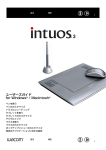
The tablet I personally use, and highly recommend, for most of my art is the Wacom Intuos3 6¥8/A5
(Figure 1.1).
I also enjoy using the Wacom Cintiq 18SX tablet, particularly for my live portrait sessions. The
Cintiq combines an LCD display with the tablet so you actually paint directly on your screen. It is very
intuitive and can be easily rotated and positioned for comfort. When painting live subjects I like the
fact that the Cintiq avoids having a vertical computer display screen between my model and I.
I share here some tips for using the Intuos3 and setting up the Wacom tablet Control Panel for
optimum ease of use in Painter. The new series of Wacom Intuos3 tablets come with an excellent
User’s Manual in PDF format. Take some time to review the manual so that you are aware of the
content. Wacom has kindly permitted me to reproduce some of the illustrations from their Intuos3
User’s Manual in this book. The Intuos3 Control Panel screen shots were taken on a Windows PC.
Figure 1.1 The Wacom Intuos3 6¥8/A5 tablet.
10/4/04
06:21 PM
Page 11
P A I N T E R 9 C R E AT I V I T Y: D I G I TA L A R T I S T ’ S H A N D B O O K
11
Relaxed Grip
Place your tablet centrally in front of you, between you and the screen. I find it most comfortable with
the tablet resting on my lap, and sometimes with the upper section of the tablet resting on the edge
of the desk. Rest the side of your favored hand on the tablet active surface. The standard Wacom pen
that comes with the Intuos3 tablet is known as a Grip Pen. Lightly hold the Grip Pen with a relaxed
grip close to the tip and slightly more upright than you would a normal pen or pencil. Your hand and
arm should feel totally relaxed. There should be no strain (Figure 1.2).
Keep the side of your hand in contact with the tablet at all times. This gives you maximum
comfort and much greater control. If you hold the pen with your hand floating in the air, which is a
natural tendency for many, it is difficult to control and you’ll find yourself accidentally clicking when
you don’t intend to.
Using the Wacom Grip Pen
The Grip Pen position determines precisely and uniquely where the cursor appears on the screen. The
Grip Pen is not relational like a mouse. There is absolute and unique correspondence between every
point on the tablet surface and every point on the screen. A Grip Pen does all the functions of a mouse
(and more). A light tap is a click. Two light taps is a double-click. Click and drag is a depression of the
pen at one position, maintaining the pressure while sliding the pen to another position, and then
lifting the pen tip away from the surface of the tablet. From now on put your mouse or trackball to
one side and use the Grip Pen for all operations on the computer, both within Painter as well as outside
Painter. You’ll find once you get used to it you won’t ever want to use a mouse again!
The Grip Pen is supplied with three replacement standard white nibs, a grey spring-loaded Stroke
nib which gives a dampened feel to the pen and is designed to feel more like a brush, and a black Felt
nib which gives the feel of more resistance as you paint and is designed to feel more like a marker
pen. I personally like using the Stroke nib.
Figure 1.2 Holding the Wacom Grip Pen.
F O U N D AT I O N I : G E T T I N G S TA R T E D
01.qxd
10/4/04
06:21 PM
12
Page 12
P A I N T E R 9 C R E AT I V I T Y: D I G I TA L A R T I S T ’ S H A N D B O O K
Wacom Intuos3 Control Panel
F O U N D AT I O N I : G E T T I N G S TA R T E D
01.qxd
1 The tablet driver installs a Control Panel (Figure 1.3). Make sure you have the most up-todate driver installed on your computer (see www.wacom.com for free download of the
current drivers).
2 In Mac OS X select System Preferences > Other > Wacom Tablet. In Windows click Start >
Settings > Control Panel and double-click on the Wacom Tablet icon. If you ever need to
uninstall the Wacom control panel in Mac OS X, you’ll find an uninstall icon in Applications > Tablet.
Making Double-Clicking Easier
1 Select the Grip Pen icon in the Tools menu at the top of the Wacom Tablet Control Panel
(Wacom Tablet Properties on Windows).
2 Select the Pen tab.
3 Move the Tip Double Click Distance slider towards the right (Large). This makes it easier
to double-click (Figure 1.4). The compromise here is that you don’t want to make it
too easy to double click or you’ll find yourself accidentally double clicking when you don’t
wish to.
4 Click on the Details button in the Pen tab. This reveals the Feel Details window
(Figure 1.5).
Figure 1.3 The Wacom Control Panel with Pen Tab selected.
10/4/04
06:21 PM
Page 13
P A I N T E R 9 C R E AT I V I T Y: D I G I TA L A R T I S T ’ S H A N D B O O K
13
Figure 1.4 Adjust the Tip Double Click Distance.
Figure 1.5 The Feel Details window.
5 Lower the Click Threshold slightly. This will make your pen more sensitive to registering a
click when you tap lightly. Experiment after you’ve set this. If you find you are accidentally
clicking too much, then return to this setting and increase the Click Threshold slightly.
6 You may also wish to adjust the Sensitivity setting in this Feel Details window to suit your
hand. If you find it difficult to make a mark in the Try Here: scratch pad (lower right corner
of the Feel Details window), then see if a higher Sensitivity setting helps. Click OK.
7 You are now back in the main Pen tab window. The Tip Feel slider in the Pen tab window
also gives you control over the pressure sensitivity of your pen tip. You will be further finetuning your pressure sensitivity within Painter, so don’t worry about getting it exactly right
at this stage.
F O U N D AT I O N I : G E T T I N G S TA R T E D
01.qxd
10/4/04
06:21 PM
14
Page 14
P A I N T E R 9 C R E AT I V I T Y: D I G I TA L A R T I S T ’ S H A N D B O O K
F O U N D AT I O N I : G E T T I N G S TA R T E D
01.qxd
Figure 1.6 The button-function pop-up menu.
Selecting Button Functions
The button on the side of the stylus is a two-function button. Each end of the button can be programmed to choose a separate function.
1 Click on the upper button-function pop-up menu, located in the upper right of the Pens
tab window. You will see a pop-up menu with a list of optional functions that you can set
that button function to be (Figure 1.6).
2 Select the function you desire for the back of the button (that is, the end of the button
furthest from the stylus tip). This is a matter of personal choice and convenience. Some
Windows users like to set this function to be Right Click or Alt. Personally I like simplicity
and I set both button functions on my stylus to be Disabled.
3 Repeat this for the lower button-function pop-up menu, which controls the function of
the front of the button (the end that is nearest the stylus tip).
Customizing the Tablet Keys
1 Click on the Functions icon in the Tools menu at the top of the Wacom Tablet Control
Panel.
2 Click on the Tablet Keys tab.
3 Go through the pull-down menus and decide what you wish to set each Key to be
(Figure 1.7).
Customizing the Touch Strip
1 Click on the Touch Strip tab.
2 Set your Touch Strip function and speed (Figure 1.8).
10/4/04
06:21 PM
Page 15
P A I N T E R 9 C R E AT I V I T Y: D I G I TA L A R T I S T ’ S H A N D B O O K
15
Figure 1.7 The Tablet Keys customization window.
Figure 1.8 The Touch Strip customization window.
You may find your stylus hand inadvertently activates the Touch Strip as you move around the tablet
and in that case you may wish to set the Touch Strip function on that side to disabled.
Please note that there are other functionalities within the Wacom Intuos3 tablet that I haven’t
covered here, such as the Pop-Up Menu option. See the Intuos3 User’s Manual for further details.
Basic Stylus Tasks
If you are new to using a tablet, it is useful first to get used to some basic tasks. If you are already
comfortable using a Wacom tablet, then skip this section.
1 With your Finder/Desktop visible on your screen, click on one of the icons (for instance,
the hard drive icon on the Macintosh or the My Computer icon on Windows) so that it
becomes highlighted. Then click on the desktop background so that the icon is no longer
highlighted.
F O U N D AT I O N I : G E T T I N G S TA R T E D
01.qxd
10/4/04
06:21 PM
16
Page 16
P A I N T E R 9 C R E AT I V I T Y: D I G I TA L A R T I S T ’ S H A N D B O O K
2 Repeat this and see how light a tap can cause a click. You’ll be amazed at how little pressure you need to apply. Remember to relax your grip.
F O U N D AT I O N I : G E T T I N G S TA R T E D
01.qxd
3 Click on the same icon, and this time keep pressure applied to your Grip Pen so that it
remains in contact with the tablet active surface, and drag the stylus across the tablet.
Observe the icon being dragged across the desktop.
4 Double-click on the icon so that it opens into a window (or an application, depending what
the icon is).
5 Close the window.
6 Drag the icon back to its original position.
7 Move the cursor to each corner and along the edges of the screen, keeping the stylus tip
about 1/4 inch above the tablet surface at all times. It is important to be able to move the
cursor around without accidentally clicking or dragging. Get a feel for the physical relationship between the boundaries of the screen and the boundaries of the tablet.
Create a Painter Alias (Mac OS X)
1 Locate the Painter IX folder in your computer.
2 Open the Painter IX folder and locate the Painter IX application icon.
3 Click and drag the Painter IX application icon into the Dock (usually located at the bottom
of the screen). You will see a Painter alias appear in the Dock.
4 A single click on the Painter icon in the Dock opens Painter.
5 I like to set up the Dock with small icons on the right of my screen. You can do this through
the Apple > Dock > Dock Preferences.
Create a Painter Alias (Windows)
1 Locate the Painter IX folder in your computer.
2 Open the Painter IX folder and locate the Painter IX application icon.
3 Right-Click on the Painter IX application icon and select Shortcut.
4 Drag the Shortcut onto your desktop.
Add Painter to the Start Menu (Windows)
1 If a Painter shortcut icon is on your desktop, hold down the Alt key and then click and
drag the Painter shortcut icon onto the Start button. Painter can now be launched from
the Start menu.
10/4/04
06:21 PM
Page 17
P A I N T E R 9 C R E AT I V I T Y: D I G I TA L A R T I S T ’ S H A N D B O O K
17
Figure 1.9 The Brushes folder containing the Painter
Brushes library folder.
2 If the Painter icon is not on your desktop, click Start > Run and type Explorer.
3 Open the Program Files folder and then open the main Corel Painter IX folder.
4 Hold down the Alt key and then click and drag the Painter application icon (.exe file) over
the Start button. This creates a Painter shortcut icon and places it in the Start menu. Painter
can now be launched from the Start menu.
Load Jeremy Faves 2.0 Brush Category (Macintosh)
On the Companion Resource CD that comes with this handbook you will find the Jeremy Faves 2.0
brush category which contains many great brush variants, some from older versions of Painter and
some unique custom brushes made by myself or generously shared by others. These brushes will
enrich your experience in Painter.
1 Put the Companion Resource CD that comes with this handbook in your computer.
2 Double-click on the CD icon.
3 Locate and open the “Goodies (Mac)” folder. You will see a folder “Jeremy Faves 2.0” and
a JPEG file “Jeremy Faves 2.0.jpg.” Keep this window open and drag it to the right of your
screen.
4 Choose Go > Applications.
5 Open the Corel Painter IX application folder.
6 Open the Brushes folder within the Corel Painter IX application folder.
7 You will see a Painter Brushes folder within the Brushes folder (Figure 1.9). Place this
window, showing the Painter Brushes folder, on the left of your screen.
8 Drag the “Jeremy Faves 2.0” folder and the “Jeremy Faves 2.0.jpg” file into the Painter
Brushes folder. You have now successfully added the “Jeremy Faves 2.0” brush category to
your Painter Brushes library (Figure 1.10).
F O U N D AT I O N I : G E T T I N G S TA R T E D
01.qxd
10/4/04
06:21 PM
18
F O U N D AT I O N I : G E T T I N G S TA R T E D
01.qxd
Page 18
P A I N T E R 9 C R E AT I V I T Y: D I G I TA L A R T I S T ’ S H A N D B O O K
Figure 1.10 The Painter
Brushes folder after the
Jeremy Faves 2.0 brush
category has been added.
Figure 1.11 Copying Jeremy Faves 2.0 brush
category folder and icon to the Painter
Brushes directory.
The Painter Brushes folder, the default brush library in Painter, contains all the brush categories. If you open the Painter Brushes folder you’ll see a long sequence of folders with brush
category names, each accompanied by a JPEG file of the same name, for instance, “Artists”
and “Artists.jpg.” These JPEG files are 30-¥ 30-pixel icons that represent each brush category
in the Brush Selector Bar within Painter. The brush category folders contain the individual brush
variants. Open one of the brush category folders and observe the mixture of .xml and other
files, which contain the brush data for each individual Painter IX brush variant. Seeing this will
give you a good understanding of the Painter brush hierarchy (Library > Category > Variant).
Double check that both the Jeremy Faves 2.0 folder and JPEG have been added to the Painter
Brushes folder. If they are not in that folder you will not be able to access the Jeremy Faves 2.0 brushes.
Note that since there is a space at the front of the file name the Jeremy Faves 2.0 brush category is
located at the top of the list of categories.
Load Jeremy Faves 2.0 Brush Category (Windows)
1 Open My Computer.
2 Locate the Companion Resource CD (typically on the D Drive, but this may vary from computer to computer).
3 Open the “Goodies (Win)” folder.
4 Select the”JeremyFaves2” folder and JeremyFaves2.jpg JPEG.
5 Right-click on the two highlighted items and drag to Copy to Folder (or choose Edit > Copy
to Folder).
6 In the Copy Items window locate Local Disk C > Program Files > Corel > Corel Painter IX >
Brushes > Painter Brushes. Copy both items into that location (Figure 1.11).
3
10/4/04
06:21 PM
Page 19
P A I N T E R 9 C R E AT I V I T Y: D I G I TA L A R T I S T ’ S H A N D B O O K
19
If you are on Windows 2000, you will also need to uncheck the Read Only property of all the
files you’ve copied. The following steps are just for Windows 2000 users.
7 Locate the two copied items.
8 Select each item (JeremyFaves2 folder and JeremyFaves2.jpg file).
9 Right-click and choose Properties (File > Properties).
10 Uncheck the Read Only box.
11 Click Apply.
12 Choose the option “Apply to this folder, subfolders and files.”
13 Click OK.
What to Do with Your Old Jeremy Faves Brush Category?
If you already have the earlier version of my custom brush category, Jeremy Faves, loaded
onto your computer (in Painter 8) from the Painter 8 Creativity: Digital Artist’s Handbook, I
suggest you do not copy it over to Painter IX but instead use the new Jeremy Faves 2.0 category that comes with this handbook. If you’ve already copied it over, you may wish to remove
it to keep your brush library efficient (you don’t want to have too many categories because
the category list becomes too long). I have kept key brushes from my earlier Jeremy Faves and
added some wonderful new ones, so Jeremy Faves 2.0 is an even bigger and better collection
of brushes.
Make a Backup Copy of Your Brushes Folder
At this stage make a backup copy of your Brushes folder, the one that is within your Corel Painter IX
application folder. On Macintosh OSX hold down the Option key while you drag the Brushes folder to
another location within the Corel Painter IX folder. This will create a copy of the folder called Brushes
Copy. On Windows first select the Brushes folder alnd then choose Copy (Ctrl-C) followed by Paste
(Ctrl-V). This will generate a folder called Copy of Brushes. It will be useful to have the Brushes folder
backed up in case if you ever have a brush variant file become corrupt and need replacing (which
unfortunately may happen from time to time).
Backing Up Custom Data
In Chapter 3, “Brush Creation,” you will find further instructions about backing up the
Painter customization data, which is stored in another location on your computer. I recommend that you back up custom data every few months to ensure your custom brushes are
preserved.
F O U N D AT I O N I : G E T T I N G S TA R T E D
01.qxd
10/4/04
06:21 PM
20
Page 20
P A I N T E R 9 C R E AT I V I T Y: D I G I TA L A R T I S T ’ S H A N D B O O K
Loading Other Goodies
F O U N D AT I O N I : G E T T I N G S TA R T E D
01.qxd
Copy the remaining contents of the appropriate Goodies folder into your Corel Painter IX application folder. This extra content includes more art materials such as extra papers, patterns and
color sets.
1.5 Welcome to Painter
Open and Mount a Canvas in Painter
In this section we’re going to start by opening a new canvas in Painter so that you have a scratch pad
to try brushes out on. We’ll make some basic adjustments in the Preferences to make things more
comfortable and convenient.
Opening a New Canvas
1 Open Painter.
2 Select from the top menu bar File > New (Cmd/Ctrl-N).
3 In the New Picture window set the canvas size to 700 pixels wide by 750 pixels high.
Leave the resolution at 72 pixels per inch, the paper color white, and the picture type as
Image.
4 Click OK.
Mount and Reposition Your Canvas
1 Mount your canvas by selecting the keyboard shortcut Cmd/Ctrl-M. This is equivalent to
going to the top menu Window > Screen Mode Toggle. You now see your canvas appearing against an inert gray background that you can click on and drag over without accidentally going back to the Finder (Mac users). It is also visually simpler than having the
canvas border frame around the canvas. Always work in screen mode unless there’s a
specific reason not to.
2 Move the cursor over the canvas.
3 Hold down the spacebar on your keyboard (or you can use the lower function button
on the Wacom Intuos3 tablet which is set by default to be the space bar). The cursor
changes into a hand (the same Grabber Hand as in the Tools palette). Click and drag the
canvas, still holding the spacebar down, and move the canvas so it fits snugly in the top
left corner.
10/4/04
06:21 PM
Page 21
P A I N T E R 9 C R E AT I V I T Y: D I G I TA L A R T I S T ’ S H A N D B O O K
21
Set Up Painter Preferences
In this section you will be introduced to each of the Preferences in Painter. Some you may not need
to adjust, but it is still useful to be aware of the default settings and how to access them.
General Preferences
1 Choose Cmd/Ctrl-K (Corel Painter IX / Edit on Windows > Preferences > General).
2 In the General Preferences window adjust the cursor angle. If you are right-handed you
may prefer your cursor to point toward the upper left (Figure 1.12). If you are left-handed,
you may prefer it pointing to the upper right.
3 You may wish to uncheck the “Enable Brush Ghosting” checkbox. By default this option is
checked, which results in a preview of the brush shape and size, visible on the canvas when
you’re about to paint, which disappears when you actually paint. The advantage of brush
ghosting is that you know immediately when you place your cursor on your canvas how
big your brush size is and the shape of the brush. The disadvantage is that with very small
brushes it is difficult to see where your cursor is, and with large brushes it is difficult to
know exactly the point at which your brushstroke will start. Try it with and without
the brush ghost and decide for yourself. I personally prefer to have the brush ghosting
disabled.
4 Under Quick Clone uncheck Switch to Cloner Brushes.
5 Check “Draw zoomed-out views using area-averaging.”
6 Click OK to return to your canvas.
Figure 1.12 General Preferences window.
F O U N D AT I O N I : G E T T I N G S TA R T E D
01.qxd
10/4/04
06:21 PM
22
Page 22
P A I N T E R 9 C R E AT I V I T Y: D I G I TA L A R T I S T ’ S H A N D B O O K
Brush Tracking Preferences
F O U N D AT I O N I : G E T T I N G S TA R T E D
01.qxd
1 In the top right corner of your Painter desktop you will see a brush selector with two icons
and a description of the current brush category and variant (these terms will be explained
in more detail later in this chapter). Click on the left icon. You will see a pop-up menu that
lists the brush categories.
2 At first you will just see five categories listed in the pop-up menu. Click and drag the
bottom right corner of the category pop-up menu downward until you see a complete list
of categories visible on your screen (ends with Watercolor).
3 Select the Artists category.
4 Click on the right-hand icon. You will see a pop-up menu that lists the brush variants contained within the Artists category. It is a good idea to get into the habit initially of clicking and dragging down the bottom right corner of each variant pop-up menu to make
sure you are seeing all the variants available.
5 Select the Sargent Brush variant.
6 Make a brushstroke on your canvas starting with very soft pressure and ending with hard
pressure. Does your brushstroke smoothly go from thin to thick, or is there an abrupt “jog”
in the stroke where it suddenly gets thick? If the latter, then adjusting the Brush Tracking
Preferences can help. Try a few brushstrokes like this to be sure. Don’t be afraid to press
hard! Note how the thickness responds to pressure. Make sure you test out the full range
of thickness by going to extremes of light and heavy pressure. You should be able to comfortably control the thickness across the full range. Sometimes you may find that the brush
is either too sensitive or too insensitive in response to the pressure you apply. We all apply
a different natural range of stylus pressure when we paint. Brush Tracking allows Painter
and your stylus to be sensitive to your natural pressure range.
7 Choose Cmd/Ctrl-K.
8 Click on the Preferences pop-up menu (where you see the word General) and select Brush
Tracking.
9 Make a note of the four slider settings, since once you adjust them and click OK to try
out the new settings, you can’t go back and cancel or reset the sliders to their previous
values.
10 Make a single light stroke in the Brush Tracking Preferences window (Figure 1.13).
11 Click OK.
12 Try out a light to hard brushstroke on your canvas and see if the transition from thick to
thin is now smoother and better controlled than before. If needed you can return to the
Brush Tracking Preferences and repeat the process.
10/4/04
06:21 PM
Page 23
P A I N T E R 9 C R E AT I V I T Y: D I G I TA L A R T I S T ’ S H A N D B O O K
Figure 1.13 Brush Tracking Preferences
window.
23
Figure 1.14 Customize Keys Preferences
window.
Customize Keys Preferences
1 Choose Cmd/Ctrl-K.
2 Click on the Preferences pop-up menu (where you see the word General) and select Customize Keys. You will see here a summary of all the main menu and submenu application
commands (those that you see along the top of your screen) with all the default keyboard
shortcuts (Figure 1.14). You can click in the shortcuts column next to any menu item and
type in your own shortcut. This incredible facility is heaven for anyone who likes using keyboard shortcuts in their workflow. If you find there is an operation you keep doing regularly that doesn’t have a shortcut, this is the place to go to create one.
The two Customize Keys shortcuts I recommend adjusting immediately for ease of use are the
shortcuts for Tools > Scissors and Other > ColorTalk (ColorTalk is a programming language that
allows you to automate tasks). The default for Scissors is “Z,” which is easily accidentally chosen if
you try to choose Cmd/Ctrl-Z (undo) and miss depressing the Cmd/Ctrl key in time. I recommend
making the Scissor shortcut “Shift-Z”. The default shortcut for Other > ColorTalk is “N,” which is
easily accidentally hit when you mean to hit the “B” key. I recommend changing the ColorTalk shortcut to Option-Shift-N/Alt-Shift-N (Shift-N is already taken by ColorTalk Movie).
Undo Preferences
1 Click on the Preferences pop-up menu and select Undo. You will see that the default is set
to the maximum of 32 (Figure 1.15). I suggest leaving this as is. This means you can repeat
Cmd/Ctrl-Z 32 times and sequentially undo your last 32 actions on the canvas (brushstrokes,
commands, effects).
F O U N D AT I O N I : G E T T I N G S TA R T E D
01.qxd
10/4/04
06:21 PM
24
F O U N D AT I O N I : G E T T I N G S TA R T E D
01.qxd
Page 24
P A I N T E R 9 C R E AT I V I T Y: D I G I TA L A R T I S T ’ S H A N D B O O K
Figure 1.15 Undo
Preferences window.
Figure 1.16 Shapes Preferences
window.
Shapes Preferences
1 Click on the Preferences pop-up menu and select Shapes (Figure 1.16).
2 Uncheck the defaults of Stroke in Current Color on Draw and Fill with Current Color on
Close.
3 Check Big Handles.
These settings help keep your paths simple and unobtrusive when you use the Pen tool to create and
edit a path for the purposes of selection.
Note that the Shapes Preferences window also contains an Align Brush to Path Tolerance setting
for the snap-to-path painting feature.
Internet Preferences
1 Click on the Preferences pop-up menu and select Internet. You will see the default library
address used by the Help menu. Just leave this as is.
Save Preferences
1 Click on the Preferences pop-up menu and select Save.
2 For Mac users choose Append Always (the default is Never) and check Use Lower Case
(Figure 1.17).
3 For Mac and Windows users make the Color Space RGB for both TIFF and Photoshop (PSD)
files. The defaults are Prompt on Save.
Palettes and UI Preferences
1 Click on the Preferences pop-up menu and select Palettes and UI.
2 If you wish to change the window background color from gray (this is the background
color you see surrounding your canvas when it is mounted in Screen Mode), then select
10/4/04
06:21 PM
Page 25
P A I N T E R 9 C R E AT I V I T Y: D I G I TA L A R T I S T ’ S H A N D B O O K
Figure 1.17 Save Preferences
window.
25
Figure 1.18 Palettes and UI
Preferences window.
the color in your Colors palette and click on the Window Background: Use Current Color
button. I use this for presentations when I prefer a dark gray or black background color
rather than the default mid gray (Figure 1.18).
Memory and Scratch Preferences
1 Click on the Preferences pop-up menu and select Memory and Scratch (Figure 1.19).
2 If you wish to maximize the potential power of Painter when working on large files, you
change the Memory Usage from 80% to 100% of available.
3 Make sure the Scratch Disk you have assigned has plenty of free space.
Register
If you haven’t registered your copy of Painter, do so by selecting Help > Register.
Figure 1.19 Memory and Scratch Preferences window.
F O U N D AT I O N I : G E T T I N G S TA R T E D
01.qxd
10/4/04
06:21 PM
26
Page 26
P A I N T E R 9 C R E AT I V I T Y: D I G I TA L A R T I S T ’ S H A N D B O O K
Set Up Your Painter Desktop
F O U N D AT I O N I : G E T T I N G S TA R T E D
01.qxd
We take a look at the Painter desktop and review what’s what and what’s where. We look at how you
can control your desktop and explore the brushes hierarchy.
Desktop Overview
The Painter IX desktop comprises four main interface elements: Toolbox, Property Bar, Brush Selector Bar, and Palettes. The palettes that are initially displayed by default when you first open Painter
are the Color palettes (Colors, Mixer, Color Sets, and Color Info) and the Layers and Channels palettes.
There are many other palettes available through the Window menu (Figure 1.20). Palettes are listed
under the Window menu with either Hide or Show preceding the palette name, depending on whether
they are already visible on your desktop. Under the Window menu some palettes have been grouped
together by type (Brush Controls, Color Palettes, Library Palettes).
All of these elements can be moved around, rearranged, or hidden. Thus you have complete flexibility in controlling your Painter IX environment. My intention here is to give you a quick overview
of what’s where rather than go into detail and describe every palette and menu item in detail. For a
more detailed description of the Painter desktop elements please refer to the Painter IX User Manual
and Getting Started Guide.
Toolbox
The Toolbox lets you access the Painter IX tools plus a variety of art materials, such as the papers,
patterns, gradients, nozzles, weaves, and brush looks (Figure 1.21). Note that a small triangle in the
Figure 1.20 The default Painter desktop with the Window > Library Palettes menu.
10/4/04
06:21 PM
Page 27
P A I N T E R 9 C R E AT I V I T Y: D I G I TA L A R T I S T ’ S H A N D B O O K
27
Figure 1.21 The Toolbox.
bottom right corner of a Toolbox icon indicates that a pop-up menu is accessible if you hold your
cursor down on the icon. Take a few moments to explore the Toolbox.
Property Bar
The Property Bar provides easy access to commonly needed parameters related to the currently
selected tool. Notice as you change the tool choice how the Property Bar changes. For the Brush tool
the parameters displayed in the Property Bar are dependent on the specific brush variant that is currently selected. Greater in-depth adjustment of brush parameters is possible through the Brush Controls group of palettes (Window > Brush Controls) or by choosing the Brush Creator mode (Window
> Show Brush Creator).
Brush Selector Bar
Brushes are at the heart of Painter’s magic. The phenomenal range and ability of Painter’s brushes
empowers you to express yourself freely on the digital canvas. The Brush Selector is where you choose
the specific brush you wish to use. It comprises a Category pop-up menu on the left and, immediately
to the right of the Category pop-up, the Variant pop-up menu (Figure 1.22). Always select Category
first and Variant second, since each brush category (grouping, type, or family of brushes with similar
behaviors) contains a separate set of brush variants (individual brushes). You can think of brush categories like drawers in an art cabinet, with each drawer containing a different collection of related
art tools (oil paint brushes, crayons, pens, pencils, etc.). When you first open either the Category popup menu or the Variant pop-up menu, you will see just the first five items listed and a scroll bar on
the right of the menu. I recommend you drag the bottom right corner of the menu down as far as it
will go to show the complete list.
The consistent hierarchy of brushes in Painter is Library > Category > Variant. Understanding
this hierarchy is vital to using Painter.
There is a Brushes pop-up menu (Figure 1.23), accessible by holding the cursor down on the triangle in the top right of the Brush Selector window. This menu allows you to choose commands for
saving custom variants when you create a new brush you like and for returning the current variant
to its default settings.
F O U N D AT I O N I : G E T T I N G S TA R T E D
01.qxd
10/4/04
06:21 PM
28
Page 28
P A I N T E R 9 C R E AT I V I T Y: D I G I TA L A R T I S T ’ S H A N D B O O K
F O U N D AT I O N I : G E T T I N G S TA R T E D
01.qxd
Figure 1.22 The Brush Selector Bar.
Figure 1.23 The Brush Selector Bar pop-up menu.
Palettes
There are thirty five palettes that come with Painter (more can be created using Window > Custom
Palettes). Nineteen of these palettes are grouped within the Brush Controls palette. Many palettes
have pop-up menus on the far right of the palette title bar (click on the triangle). You may find you
want different combinations of palettes showing for different tasks. For instance, when painting you
may just want to see Colors and Layers. For working with text you will also want to see the text palette.
For working on collage the layers and channels palettes will be needed. Palettes can be conveniently
grouped or ungrouped (for instance, the Color palettes are initially all grouped together) and opened
or closed (when closed, you just see the palette title bar), as well as hidden or shown. Thus you can
make the best use of your working space and avoid getting it too cluttered.
10/4/04
06:21 PM
Page 29
P A I N T E R 9 C R E AT I V I T Y: D I G I TA L A R T I S T ’ S H A N D B O O K
29
Moving Palettes
To move palettes into or out of a group of palettes or to change their order within a group of palettes,
you simply click and drag on the center of the title bar (the cursor becomes a Grabber Hand as you
pass over the center of the palette title bars).
Opening and Closing Palettes
To open or close a palette you click on the left of the palette title bar, where the solid black triangle
and palette name are visible.
Hiding and Showing Palettes
To hide a palette you click on the close button on the right side of the palette title bar. To access the
palette pop-up menu you click on the small solid black triangle on the far right of the palette title bar
(Figure 1.24).
Custom Palettes
Custom Palettes are ideal for making convenient desktop shortcuts for frequently used commands
and menu items. They can also be used to create shortcut buttons for your favorite brushes.
Make a “Save As” Button
4
A “Save As” button encourages you to save versions of your work regularly and avoids your accidentally overwriting your files with File > Save instead of File > Save As. The Save As command takes
you to the Save As window, in which you can enter the file name, determine file format, and choose
where to save the file. I recommend that you save your work in progress as a RIFF file (the native
format of Painter) and your final image for printing as an RGB TIFF. You will find a detailed discussion regarding strategies for naming and saving your artwork in the next chapter. For the remainder
of this chapter I suggest you save any images you create as RIFF files in an appropriately named folder,
such as “Painter Projects Chpt01.”
Figure 1.24 Palette title bar functionality.
F O U N D AT I O N I : G E T T I N G S TA R T E D
01.qxd
10/4/04
06:21 PM
30
Page 30
P A I N T E R 9 C R E AT I V I T Y: D I G I TA L A R T I S T ’ S H A N D B O O K
Iterative Save
F O U N D AT I O N I : G E T T I N G S TA R T E D
01.qxd
There is an Iterative Save command (File > Iterative Save), which automatically saves your work
in progress with sequentially named files. Each Iterative Save file name ends with a three digit
number, such as _001, _002, and so on, immediately preceding the file format tag (such as .rif
or .tif tag). The Save As command is useful even if you choose to use the Iterative Save function, since there will be times you wish to rename a file, such as after making a clone copy
(duplicate).
1 Make sure there is a file open in Painter (File > New, Cmd/Ctrl-N, or File > Open.
Cmd/Ctrl-O).
2 Drag down to Window > Custom Palette > Add Command.
3 Select File > Save As. You will see Menu Item: Save As in the Add Command window
(Figure 1.25).
4 Click OK. This generates a custom palette called Custom-1 containing a “Save As” button.
5 Choose Window > Custom Palette > Organizer.
6 Locate the new Custom-1 palette in the Organizer and click on it so that it is highlighted.
7 Choose Rename and rename Custom-1 “Shortcuts.”
Make a “Quick Clone” Button
Quick Clone is a useful feature that does several steps in one command. The steps are determined in
the General Preferences. It is handy to have this as a shortcut button when you are working from
photographs.
1 Choose Window > Custom Palette > Add Command.
2 Choose Shortcuts, or whatever you named your custom palette, from the Add to: menu in
the Add Command window (Figure 1.26).
Figure 1.25 The Add Command window.
10/4/04
06:21 PM
Page 31
P A I N T E R 9 C R E AT I V I T Y: D I G I TA L A R T I S T ’ S H A N D B O O K
31
Figure 1.26 The Add to: menu in the Add Command window.
3 Choose File > Quick Clone.
4 Click OK.
Adding Other Menu Commands to Your Shortcuts Custom Palette
Other menu commands you may find useful to add to your shortcuts custom palette, besides Save As
and Quick Clone, are File > Clone, Window > Screen Mode Toggle, and Window > Zoom To Fit. You
may eventually wish to create different custom palettes for different types of projects, such as one
specifically for working with photographs and another for working with layers (including a Layers >
Drop All button). Name each custom palette appropriately so that you can easily recognize which
one it is.
Adding Brush Variants to Your Custom Palette
Besides using the Add Command function to add further buttons to your Shortcuts custom palette
(such as adding the File > Clone command, which is very useful for photography), you can drag icons
from any of the libraries (Brushes, Gradations, Papers, Patterns, Scripts, etc.) into your custom
palette. This is very useful if you find yourself using the same few brush variants for a particular
project.
Moving Buttons and Icons within Your Custom Palette
By default, icons and buttons line up horizontally in the custom palette. If you want a vertical
arrangement of icons and buttons in the custom palette or wish to move the buttons around and
change their order, hold down the Shift key and click and drag on the icons and buttons.
Hiding and Showing Custom Palettes
To hide a custom palette, click on the palette close button (top left on Macintosh, top right in
Windows). To show a custom palette, choose Window > Custom Palette > palette name.
Deleting Custom Palettes
You can use the Custom Palette Organizer to delete extra custom palettes that you no longer want or
that you create accidentally (easily done when dragging brush icons onto your desktop). To delete
icons or buttons, choose Window > Custom Palettes > Organizer. Select the name of the custom
palette you wish to delete in the custom palette Organizer. Click the Delete button in the Organizer to
delete the selected custom palette.
F O U N D AT I O N I : G E T T I N G S TA R T E D
01.qxd
10/4/04
06:21 PM
32
Page 32
P A I N T E R 9 C R E AT I V I T Y: D I G I TA L A R T I S T ’ S H A N D B O O K
Showing Brush Size
F O U N D AT I O N I : G E T T I N G S TA R T E D
01.qxd
I find it useful to see a graphical representation of my brush size as I paint and therefore recommend
the following:
1 Choose Window > Brush Controls > Show Size.
2 Drag the Size palette up to the top of the Brush Controls group of palettes.
3 Drag the bottom right corner of the Brush Controls upward until you can just see the Brush
Size palette down to the Size slider.
Library Selectors and Palettes
Painter has a variety of Libraries, or collections, that can be accessed through Selectors. In the case
of the brushes, the brushes library is a collection of brush categories, each of which is a grouping of
individual Variants. As we have seen, to select a brush you use the Brush Selector Bar to choose first
the Brush Category and then the Brush Variant.
The Paper, Gradient, Pattern, Weave, Look, and Nozzle Selectors are all accessible at the bottom
of the Toolbox as well as via the Window menu (except for Look and Nozzle Selectors, which are only
accessible through the Toolbox). The Scripts, Selection Portfolio, and Image Portfolio Library Selectors are accessible through the Window menu. The content of all libraries, other than the brush
library, are edited and controlled via Movers (typically listed at or near the bottom of the corresponding palette pop-up menu).
Initially the library palette you are most likely to want to see on your desktop is the Papers palette
(Window > Library Palettes > Show Papers). This gives you a preview and control of the paper texture
applied with grainy brushes.
Saving Palette Arrangements
As you work in Painter you’ll find you rearrange your desktop to suit different tasks, hiding or
showing those palettes that are relevant, creating custom palettes as appropriate. When you have a
palette arrangement you like and that you wish to be able to return to in an instant at any time,
choose Window > Arrange Palettes > Save Layout (Figure 1.27). Name your layout with a descriptive name that relates to the task it is good for (e.g., Simple Paint).
If you ever wish to return to the standard palette arrangement, select Window > Arrange Palettes
> Default.
1.6 Foundation Skills
Foundation skills are the nuts and bolts of painting. You’ve already learned how to open, mount, and
save a canvas and how to select your brush variant from the Brush Selector Bar. The remaining foundation skills you need to learn are how to control your brush size, how to pick color, and how to
remove paint.
10/4/04
06:21 PM
Page 33
P A I N T E R 9 C R E AT I V I T Y: D I G I TA L A R T I S T ’ S H A N D B O O K
33
F O U N D AT I O N I : G E T T I N G S TA R T E D
01.qxd
Figure 1.27 Saving a palette arrangement.
Controlling Your Brush Size
Some brushstrokes vary in width according to the pressure you apply with your stylus. If you want
more variation of brush thickness than that provided by pressure control, then you need to adjust
the Brush Size. You can do this by a number of different means.
Selecting Size in the Property Bar
Click on the right side of the size box in the Property Bar to reveal the pop-up size slider.
The Size Preview and Slider in the Size Palette
1 Choose Window > Brush Controls > Show Size if it is not already showing on your desktop.
The preview window on the upper left indicates brush diameter (Figure 1.28). The outside
of the solid black circle is the brush diameter. Some brushes, such as the Artists > Impressionist variant, have a variation of diameter built in (Min Size slider less than 100%), in
which case you will see an inner solid black circle, indicating the minimum diameter, and
an outer gray ring, indicating the maximum diameter.
10/4/04
06:21 PM
34
F O U N D AT I O N I : G E T T I N G S TA R T E D
01.qxd
Page 34
P A I N T E R 9 C R E AT I V I T Y: D I G I TA L A R T I S T ’ S H A N D B O O K
Figure 1.28 Size Palette
showing diameter preview
for Artists > Impressionist
variant.
Figure 1.29 Size Palette
showing brush shape
preview for Artists >
Impressionist variant.
If you click on the Brush Dab Preview Window in the Size section you see a depiction of how the
pigment is distributed (Figure 1.29). Click again and it returns to the original solid circles. Have the
preview set to show the solid black (or black and gray) circle.
The twelve small brush dab profile icons, located on the upper right of the Size preview, show
the way pigment will be distributed across the width of the stroke.
Key Shortcuts
You can use the key command combination Cmd-Option-Shift/Ctrl-Alt-Shift and click and drag on
the canvas to change size rapidly over a large range. For a small incremental increase or decrease in
the brush size, you can use the bracket keys (the “[‘key for decrease, the’]” key for increase).
Picking Color
Painter has four Color Palettes: Colors, Mixer, Color Sets, and Color Info. You can adjust and select
color from any of these four palettes, plus you can sample color from an existing image using the
Dropper tool. These different ways (except the Color Info palette) to pick color are reviewed here.
Color Palette
Standard Colors
The Color palette has two ways of displaying color. The default display is the Standard Colors color
picker, with an outer Hue Ring (based on a representation of the color spectrum known traditionally
as the color wheel) and a Saturation/Value Triangle in the center. The other color picker, Small Colors,
combines a single horizontal hue bar with a Saturation/Value Triangle. You choose between the Standard Colors and the Small Colors in the Color palette pop-up menu (small solid black triangle in the
top right of the Colors palette). I recommend sticking with the Standard Colors color picker, which is
the one that will be shown throughout this handbook (Figure 1.30).
10/4/04
06:21 PM
Page 35
P A I N T E R 9 C R E AT I V I T Y: D I G I TA L A R T I S T ’ S H A N D B O O K
35
Figure 1.30 The Color Palette showing the Standard
Colors color picker.
5
To choose a color in the Standard Colors color picker you have to adjust both the small circular
cursor in the outer Hue Ring and the one in the central Saturation/Value Triangle. To select either
white or black in the Color Picker, take the Saturation/Value Triangle cursor to the upper left corner
for white or to the lower left corner for black. The hue is not relevant when selecting white or black.
It is easy to leave the Saturation/Value Triangle cursor in one of the corners (black lower left or white
upper left) and wonder why you are not getting the color indicated by the cursor position in the hue
ring. You will find a more in-depth discussion of color in Chapter 9.
Main and Additional Colors
Notice the two overlapping squares of color in the lower left corner of the Colors section and also in
the Tools palette. These are the Main and Additional colors. The Main Color is indicated by the foremost of the two overlapping squares. Behind the Main Color square is the Additional Color square.
You make the square active by clicking on it. The active square is highlighted by a bold black border
in the Tools palette. When you first open Painter, the Main Color square is always active.
Although these color squares closely resemble the Foreground and Background color of Photoshop, they have quite different functions in Painter. Most brushes apply only the Main Color. The Additional Color has several uses, such as specifying a two-color gradient (the Two Point gradient in the
Gradients palette), the pressure-sensitive colors seen in the F-X > Gradient Flat Brush), and providing a tint color for Image Hose nozzles (when the Grain slider in the Property Bar is moved to the left).
I recommend that you always have the Main Color active and use the exchange arrows to toggle
between the Main and Additional colors when you need to.
Choosing Paper Color
Do not confuse the Additional Color with background or Paper Color. The Additional and Main
Color squares in Painter look deceptively similar to the Background and Foreground color rectangles in Adobe Photoshop. The Paper Color in Painter is determined in the New File dialog
box or by choosing Canvas > Set Paper Color, at which point the Paper Color becomes the
current Main Color for the current active image (if you then open another image, the Paper
Color will return to the default white). The Eraser family of brushes—and the Select All > Delete
commands—erase to the current Paper Color. When you enlarge a canvas by choosing Canvas
F O U N D AT I O N I : G E T T I N G S TA R T E D
01.qxd
10/4/04
06:21 PM
36
Page 36
P A I N T E R 9 C R E AT I V I T Y: D I G I TA L A R T I S T ’ S H A N D B O O K
> Canvas Size, the extra canvas added on is the color of the current Paper Color. You can use
this fact to add colored borders to your work. The default Paper Color is white.
F O U N D AT I O N I : G E T T I N G S TA R T E D
01.qxd
Clone Color
The little icon that looks like the Photoshop Rubberstamp icon, located below the Hue Wheel in the
Colors palette, is the Clone Color button. It can be activated/deactivated for any brush by clicking on
it or using the keyboard shortcut “U.” When the Clone Color button is activated, the Hue Wheel, Value
Saturation Triangle, and Main and Additional Color rectangles are all grayed out, and the current
color is determined by the current clone source (see File > Clone Source). Note that the Cloners
brushes have clone color activated but that the Hue Wheel, Value Saturation Triangle and Main and
Additional Color rectangles are not grayed out.
Mixer Palette
The Mixer palette (Figure 1.31) is based on a traditional artist’s palette. There is a scratch pad known
as the Mixer Pad on which you can apply, mix, blend, and sample colors using a variety of special
Mixer tools. These tools are accessed by clicking on small icons displayed below the Mixer Pad.
From the Mixer pop-up menu (small solid black triangle in upper right corner) you can save the
Mixer Pad colors and image or convert the Mixer colors into a new color set.
Color Sets
Color Sets can offer you power, elegance, and consistency in your choice and application of color.
Color sets allow you to restrict your palette to a particular range of colors and easily pick those colors
just by clicking on the color squares. They are ideal if you wish to limit your palette of colors and
keep consistency of colors throughout a project. There are many different color sets supplied with
Painter, and it is easy to create your own custom color sets.
When you first open the Color Sets palette you’ll see a series of color swatches displayed, with
the name of each color listed beside the swatch. Unless you need to know the actual names of colors,
I recommend going to the Color Sets pop-up menu (click on the small solid black triangle in the upper
right of the palette) and uncheck Display Name (Figure 1.32). You will then see all the swatches
Figure 1.31 The Mixer palette.
10/4/04
06:21 PM
Page 37
P A I N T E R 9 C R E AT I V I T Y: D I G I TA L A R T I S T ’ S H A N D B O O K
37
Figure 1.32 The Color Sets palette showing pop-up menu.
visible simultaneously. The Color Sets principle is simple: you click on a swatch, and that becomes
your current color.
The default color set has a range of traditional oil paint pigment colors. To access other color
sets, choose Open Color Set from the pop-up menu. Then locate the Color Sets folder in the Corel
Painter IX application folder and select a color set from those listed within the folder. Note that the
default color set is called Painter Colors and is located in the Corel Painter IX application folder outside
of the Colors Sets folder. The JeremyXtraColorSets folder can be copied over from the Painter Creativity Companion CD into the Corel Painter IX application folder, and its contents will then be accessible through the Open Color Set command.
If you choose New Empty Color Set from the Color Sets pop-up menu, you can pick your own
colors from the Colors palette or from an image and save them one at a time into your new custom
color set (you would simply click on the Add Color to Color Set button, second from the right at the
bottom of the Color Sets palette). You can edit any color set, adding or taking away colors, at any
time from within the Color Sets palette. Adding colors to a color set as you work can be useful in building up a color set of your favorite colors over time.
One of the useful applications of creating your own color sets is when you wish to emulate the
color palette of an artist. You can open a scanned image of that artist’s artwork and then select New
Color Set from Image in the pop-up menu. You’ll instantaneously generate a new color set based on
the colors that artist used. After creating a custom color set, choose Save Color set, give it a suitable
name, and save it in the Color Sets folder (or any other location) in the Corel Painter IX application
folder.
Sampling from an Image
The Dropper tool can be used to sample color from any active image in Painter. When you have the
brush tool selected and do NOT have the clone color button checked in the Color palette, then the
Option/Alt key turns your cursor into the Dropper tool.
Resetting the Clone Source Point
If you use the key shortcut Option/Alt when painting with the clone color button checked, you
will reset the clone source point to wherever you click in the image (your cursor will become
F O U N D AT I O N I : G E T T I N G S TA R T E D
01.qxd
10/4/04
06:21 PM
38
Page 38
P A I N T E R 9 C R E AT I V I T Y: D I G I TA L A R T I S T ’ S H A N D B O O K
a crosshair when you press the key followed by a green dot and the number “1” when you
click in the image).
F O U N D AT I O N I : G E T T I N G S TA R T E D
01.qxd
Removing Paint
When you’re painting, I encourage you to avoid the temptation of erasing, deleting, and undoing
brushstrokes to get things perfect. Although the computer offers many convenient ways to edit and
remove paint, your paintings will take on greater depth, richness, and interest if you build up your
brushstrokes, even when you’re not happy with them, rather than deleting them. Be committed to
your marks. Let every mark contribute to the fabric of your painting. Having said that, here’s a brief
synopsis of what options are at your fingertips when you do wish to remove paint.
Erasing
The Eraser variants in the Erasers category of brushes erase to the paper color (which is white by
default but can be set for the active canvas to be the current Main Color by selecting Canvas > Set
Paper Color). The Bleach variant simply bleaches out the color on the canvas until it is white, independent of the Paper Color. The bleach gives a similar effect to the Dodge variant in the Photo category of brushes. Try the Eraser variants on your painted image. You can also simply turn your stylus
over on its end and use the large eraser at the opposite end of the stylus tip (although I find this a bit
cumbersome). You can also just paint with white using any brush that adds color to the canvas.
Deleting Selected Regions of Your Canvas
You can use a selection tool (e.g., lasso or rectangular/oval selection tool) to select a region of canvas.
If you want a soft edge to your deletion, choose Select > Feather and feather the selection by 10 pixels
or so. Then select Delete/Backspace to delete to the Paper Color.
Clearing Your Whole Canvas
1 Select Cmd/Ctrl-A (equivalent of choosing Select > All). You’ll see dancing ants around the
perimeter of your canvas (unless the perimeter is beyond the limits of the screen).
2 Click the Delete/Backspace key on the keyboard. Your canvas clears to the paper color,
white by default, unless you have created any Watercolor or Liquid Ink layers, in which
case you’ll see those remaining (you cleared only the background canvas).
Undoing Individual Brushstrokes
To undo individual strokes, use the Cmd/Ctrl-Z (up to 32 levels of undo).
Fading a Brush Stroke or Effect
It is also possible to partially undo a brushstroke or effect by selecting Edit > Fade. This is a particularly useful feature for effects, since the small preview windows in the effects dialog boxes often lead
you to underestimate the influence of the effect when applied to the whole canvas.
10/4/04
06:21 PM
Page 39
P A I N T E R 9 C R E AT I V I T Y: D I G I TA L A R T I S T ’ S H A N D B O O K
39
1.7 Brushes That May Make You Scratch Your Head
Most brushes are straightforward to use and behave in logical, predictable ways. You just pick the
brush and then paint with it directly on your canvas. You’ll typically see color painted onto the canvas
or interaction with color already on the canvas or both. You’ll notice a myriad of subtle differences
in behavior, such as some brushes covering up other colors, some mixing with other colors, some
showing paper textures, some changing size with pressure, and so on. You don’t need to know anything special; just try them and see what they do.
As you explore Painter’s brushes you will inevitably run into some mysteries. Some brushes don’t
seem to paint any color (some Blenders and Distortion brushes, for instance). Some brushes paint
with a color different from that chosen in the Colors palette color picker (cloners take color from the
default clone source, the currently selected pattern in the Patterns library). Some brushes (Watercolor and Liquid Ink) paint into special layers, and when you try painting with other brushes after
using either of those, you get a warning telling you that only Watercolor/Liquid Ink brushes can be
used on Watercolor/Liquid Ink layers. These are all examples of brushes that may make you scratch
your head.
What follows are the few extra steps you need to follow to realize the full potential of these
“scratch your head” brushes: Image Hose, Cloners, Watercolor, Liquid Ink, and Impasto.
Image Hose
Painting with Sequences of Image Elements
The Image Hose Brush Category is represented by the icon showing a garden hose nozzle with green
clover leaves spewing out of the end. When you paint with it, you will see a succession of images
being painted onto the canvas.
Nozzle Selector
The set of images that are being painted are known as a Nozzle. The Nozzle selector is located in the
lower right corner of the Toolbox (Figure 1.33).
Image Hose Variants
The variants for this brush category are unlike all others (Figure 1.34); they do not indicate different brush variants but simply different ways that the nozzle elements are distributed as they leave the
Image Hose. For instance, in the “Spray-Size-P Angle-D” variant, “Spray-Size-P” means the size of
the elements, and their proximity to each other as they are sprayed out is determined by stylus
pressure. “Angle-D” means the direction of the Nozzle image elements follows the direction of your
brushstroke.
Select different nozzles and try them out. Choose different variant options and see their effect.
Try light pressure as well as heavy pressure. Try short dabs as well as long strokes.
F O U N D AT I O N I : G E T T I N G S TA R T E D
01.qxd
10/4/04
06:21 PM
40
Page 40
P A I N T E R 9 C R E AT I V I T Y: D I G I TA L A R T I S T ’ S H A N D B O O K
F O U N D AT I O N I : G E T T I N G S TA R T E D
01.qxd
Figure 1.34 The Image
Hose variant list.
Figure 1.33 The Nozzle selector.
Picking up the Additional Color in the Image Hose
1 Choose a bright color in the Color Picker.
2 Click on the exchange arrows to make that bright color go to the Additional Color rectangle.
3 Move the Grain slider to the left in the Property Bar.
4 Make a brushstroke and note how the nozzle color changes when you paint.
Creating Your Own Image Hose Nozzles
1 Paste your nozzle contents as layers in a file.
2 Select all the layers in the Layers palette by clicking on each one with the Shift key held
down or choosing Select All in the Layers pop-up menu.
3 Select Cmd/Ctrl-G to group the layers.
4 Select Make Nozzle from Group from the Nozzles pop-up menu located in the top right
of the Nozzles selector in the Tools palette.
10/4/04
06:21 PM
Page 41
P A I N T E R 9 C R E AT I V I T Y: D I G I TA L A R T I S T ’ S H A N D B O O K
41
5 Save the resulting file as a RIFF file with the name you wish to call your nozzle.
6 Choose Cmd/Ctrl-L.
7 Locate your nozzle file and click Open.
8 Apply the nozzle on your canvas.
9 Select Add Nozzle to Library. Your custom nozzle will now be part of the current Nozzle
Library.
Cloners
Powerful Image Transformation Tools
6
The Cloners variants look at a clone source for their source of color, rather than the Colors
palette color picker (which is usually grayed out when Clone Color is active). There are numerous
different Cloner variants, many of which act as artistic filters that you selectively apply by hand
rather than apply instantaneously and globally over the whole image, as you do when applying an
effect.
You are not restricted to the Brush Variants of the Cloners Brush Category to clone from one
image (source image) into another (destination image). You can turn almost any brush in Painter
into a Cloner brush simply by checking the Clone Color Box in the Colors palette. This makes Painter
a phenomenally powerful image transformation tool, since you can hand-paint a clone transformation using an almost unlimited variety of brushes. Please refer to Chapters 4 and 5 for in-depth information on how to transform photographs with the use of cloning brushes.
The Default Clone Source
The default clone source in Painter is the currently selected pattern (Window > Library Palettes >
Show Patterns). When you first use the Cloners you’ll often see a mysterious grey pattern appear on
your canvas, which happens to be the colors in the default current pattern. Changing the pattern in
the Pattern Selector will change what the cloning brushes paint if the pattern is the current clone
source. The current clone source can be identified by choosing File > Clone Source and seeing what
has a checkmark by it (Figure 1.35).
Starting with a Photograph
If you start with a photograph open in Painter and then choose either File > Clone and File >
Quick Clone, a duplicate image is generated (clone copy) and the original photograph is auto-
7
matically made the clone source. The Quick Clone function may also delete the clone copy
image and turn on Tracing Paper. All this is explained in Chapters 4 and 5.
F O U N D AT I O N I : G E T T I N G S TA R T E D
01.qxd
10/4/04
06:21 PM
42
F O U N D AT I O N I : G E T T I N G S TA R T E D
01.qxd
Page 42
P A I N T E R 9 C R E AT I V I T Y: D I G I TA L A R T I S T ’ S H A N D B O O K
Figure 1.35 The current pattern is the default
clone source.
Figure 1.36 The Watercolor
brushes generate a special
watercolor layer.
Watercolor and Liquid Ink
Layers
Watercolor brushes give beautiful, soft watercolor washes and effects. Liquid Ink brushes produce
some astounding graphic and resist effects. Both Watercolor and Liquid Ink brushes paint into special
layers that are separate from, and sit above, the regular background canvas (Figure 1.36). These
layers are generated automatically as soon as you apply a Watercolor/Liquid Ink brush to your image.
You can see these layers listed in the Layers palette.
After you’ve applied Watercolor /Liquid Ink brushes, if you then try to apply a non-Watercolor/
Liquid Ink brush, you’ll get a warning “Only Watercolor / Liquid Ink brushes can be used on Watercolor/ Liquid Ink layers.” Outlined next are several alternative ways you can overcome this error.
Painting Beneath a Watercolor/Liquid Ink Layer
To preserve the Watercolor/Liquid Ink layer and paint underneath it with other nonWatercolor/Liquid Ink brushes, click on the Canvas layer in the Layers palette. The Canvas layer will
now be highlighted and you can continue painting with non-Watercolor/Liquid Ink brushes on the
background canvas beneath the Watercolor/Liquid Ink layer. Any time you wish to add Watercolor/Liquid Ink brushstrokes to the Watercolor/Liquid Ink layer, just reselect that layer. Note that
the editability of Watercolor/Liquid Ink layers with Watercolor/Liquid Ink brushes is only preserved
in the RIFF file format.
Deleting Watercolor/Liquid Ink Layer
1 Click on the Watercolor/Liquid Ink layer in the Layers palette. If you have more than one
layer you wish to delete, hold down the Shift key as you select each layer.
2 Click on the trashcan icon in the lower right of the Layers palette.
10/4/04
06:21 PM
Page 43
P A I N T E R 9 C R E AT I V I T Y: D I G I TA L A R T I S T ’ S H A N D B O O K
43
Dropping Watercolor/Liquid Ink Layer
1 Click on the Watercolor/Liquid Ink layer in the Layers palette. If you have more than one
layer you wish to delete hold, down the Shift key as you select each layer.
2 Click on the left-hand icon in the lower left of the Layers palette and drag down to Drop.
This flattens your image, placing what was in the Watercolor or Liquid Ink Layer onto the background
canvas, and allows you to paint over those marks with other brushes.
Digital Watercolor
The Digital Watercolor brushes paint directly onto either the background canvas or a regular image
layer. They act as if they are in a separate layer and are not affected by the blending tools in other
brush categories. If you wish to paint over Digital Watercolor or blend it into the background, choose
Dry Digital Watercolor from the Layers palette pop-up menu.
Impasto
Adding the Illusion of Depth
The Impasto category of brushes is a group of brushes that add three-dimensional depth to their
brushstrokes, almost as if you are embossing the canvas as you paint. They are designed to emulate
the traditional painting technique of applying thick paint to your canvas (Figure 1.37). They can give
you some fabulous effects but also cause much confusion and frustration. Once you have painted with
an Impasto brush, the three-dimensional embossing appears to remain in your image, even when
you try to paint over it with other, non-Impasto brushes. It is as if the Impasto depth is recorded in
Figure 1.37 Impasto brushes add
the appearance of depth.
F O U N D AT I O N I : G E T T I N G S TA R T E D
01.qxd
10/4/04
06:21 PM
44
F O U N D AT I O N I : G E T T I N G S TA R T E D
01.qxd
Page 44
P A I N T E R 9 C R E AT I V I T Y: D I G I TA L A R T I S T ’ S H A N D B O O K
a separate layer (one that does not appear in the Layers palette). You can control whether an Impasto
brush actually generates the depth by choosing Window > Brush Controls > Show Impasto. By changing the “Draw to” pop-up menu from “Color and Depth” to “Color,” you change the Impasto brush
into one that doesn’t add depth. Whether you like the depth is a matter of taste.
Turning Off the Impasto Layer
You can turn the impasto effect off and on by clicking on the small purple “bubble-gum” star-shaped
icon that appears in the upper right of the image window frame. You have to go out of screen mode
to see this icon by choosing Cmd/Ctrl-M if your canvas is mounted.
Dropping the Impasto Layer
If you wish to drop the impasto depth layer onto the background canvas, either so you can paint over
it in Painter or so you can preserve the impasto depth effect when you open the image up in Photoshop, then choose Save As and save the file as a TIFF file. Close the TIFF file and then reopen it. This
will automatically flatten the impasto depth layer.
Erasing a Portion of the Impasto Layer
There are two erasers within the Impasto brush category, the Depth Color Eraser, which erases everything, including the depth effect and any color on the canvas, and the Depth Eraser, which seems to
leave a subtle indentation. If you wish to erase just a portion of the impasto depth, I suggest you save
two versions of your file, one with impasto on and one with impasto off, clone one, set the other as
clone source (File > Clone Source), and then use the Cloners > Soft Cloner to clone from one into the
other.
1.8 Foundation Projects
The “How I Feel” Painting Project
1 Choose Cmd/Ctrl-N.
2 Open a new canvas 700 pixels wide by 700 pixels high.
3 Choose Cmd/Ctrl-M to mount the canvas in screen mode.
4 Play with the brushes on the canvas. Create an image that expresses how you feel. It can
be abstract. Don’t undo or erase, just keep building up brushstrokes on top of one another.
Use this painting as a way to explore the multitude of wonderful brush variants contained
in all the different brush categories. Explore the effect of different pressure, speeds, and
directions. Spend 30 minutes on this project.
10/4/04
06:21 PM
Page 45
P A I N T E R 9 C R E AT I V I T Y: D I G I TA L A R T I S T ’ S H A N D B O O K
45
The “Visual Glossary” Project (Optional)
This project is the creation of your own visual glossary of brushes. The goal is to create a series of
paintings that capture the look and feel of the brushes from each category, like the ones shown earlier
in this chapter. The experience of making your own visual glossary will familiarize you with the
brushes. You could choose a theme and make each painting a variation on that theme.
1 Choose Cmd/Ctrl-N.
2 Open a new canvas 500 pixels wide by 500 pixels high.
3 Choose Cmd/Ctrl-M to mount the canvas in screen mode.
4 Paint with all the variants from the Acrylics brush category.
5 When you have filled your canvas with paint, select File > Save As and save the file as
acrylicspainting.rif into your “Painter Projects Chpt01” folder.
6 Repeat steps 1 through 5 for all the brush categories. Note some categories, such as
Blenders, will require painting over an existing image. You can use another category of
painting for this purpose.
1.9 Wrap
8
Congratulations on mastering the Painter basics. You are now familiar with the Painter desktop and
know how to select, control, and apply brushes. If you run into any problems, refer to Appendix II:
Troubleshooting.
You are ready to move onto the next step, which is not just how to use Painter, but how to use
it smartly. In Chapter 2, “Foundation II: Creative Empowerment,” you’ll learn about the three guiding
principles of making the most of Painter—Simplify, Organize, and Optimize. These principles will help
you be more creative, more productive, and more efficient.
F O U N D AT I O N I : G E T T I N G S TA R T E D
01.qxd