1
motorola W385
User’s Guide
HELLOMOTO
Thanks for purchasing the Motorola W385 CDMA wireless phone! It’s a hot-looking phone that’s affordable to own.
My Phone, My Way -– It’s your phone—make it that way. Customize your home screen with personal pictures,
change wallpapers, and use your favorite song as your ringtone.
Freedom from Wires – Tired of being wired? With Bluetooth® wireless technology, you’re free to do more, from
almost anywhere.
Share Your Life — Take digital photos and send them to your friends who can’t be with you.
Cool Vertical External Display – At a glance you can see time and date, check phone status, and view indicators
for calls and other events.
For more information on the Motorola W385 CDMA wireless phone, please visit: www.motorola.ca/W385support
1
Here’s a quick anatomy lesson.
Left Soft Key
Center Select Key
Open menus, select
menu items.
Right Soft Key
Camera Key
Volume Keys
Navigation Key
Navigate menus.
Send Key
Make &
answer calls.
Voice Key
Speakerphone
Key
2
Power/End Key
Turn on/off, hang up, exit
menus.
Camera Lens
External Display
Home Screen
3I\
Main Menu
rÑõÉ
2
n
FRI 8/31/07
m
e
h
b
1
8:45am
Thu, Oct 23 12:45pm
History
Contacts
2
Press & hold the
Power Key O,
or until the display
lights up, to turn on
your phone.
Press the
Center Key s
to open the
Main Menu.
Call History
e
b w
I m
Select
3
Press the
Navigation Key S
left, right, up, or down
to highlight a menu
option.
4
Press the
Center Key s
to select the option.
Select
Exit
3
Motorola, Inc.
Consumer Advocacy Office
1307 East Algonquin Road
Schaumburg, IL 60196
www.hellomoto.com
1-800-331-6456 (United States)
1-888-390-6456 (TTY/TDD United States for hearing impaired)
1-800-461-4575 (Canada)
Certain mobile phone features are dependent on the capabilities
and settings of your service provider’s network. Additionally,
certain features may not be activated by your service provider,
and/or the provider’s network settings may limit the feature’s
functionality. Always contact your service provider about feature
availability and functionality. All features, functionality, and other
product specifications, as well as the information contained in this
user’s guide are based upon the latest available information and
are believed to be accurate at the time of printing. Motorola
reserves the right to change or modify any information or
specifications without notice or obligation.
MOTOROLA and the Stylized M Logo are registered in the US
Patent & Trademark Office. All other product or service names are
the property of their respective owners. The Bluetooth trademarks
are owned by their proprietor and used by Motorola, Inc. under
license. Microsoft, Windows and Windows Me are registered
trademarks of Microsoft Corporation; and Windows XP is a
trademark of Microsoft Corporation.
4
© Motorola, Inc. 2008.
Caution: Changes or modifications made in the radio phone, not
expressly approved by Motorola, will void the user’s authority to
operate the equipment.
Software Copyright Notice
The Motorola products described in this manual may include
copyrighted Motorola and third-party software stored in
semiconductor memories or other media. Laws in the United
States and other countries preserve for Motorola and third-party
software providers certain exclusive rights for copyrighted
software, such as the exclusive rights to distribute or reproduce
the copyrighted software. Accordingly, any copyrighted software
contained in the Motorola products may not be modified,
reverse-engineered, distributed, or reproduced in any manner to
the extent allowed by law. Furthermore, the purchase of the
Motorola products shall not be deemed to grant either directly or
by implication, estoppel, or otherwise, any license under the
copyrights, patents, or patent applications of Motorola or any
third-party software provider, except for the normal, non-exclusive,
royalty-free license to use that arises by operation of law in the
sale of a product.
Manual Number: 6809510A46-A
contents
menu map . . . . . . . . . . . . . . . . 7
basics . . . . . . . . . . . . . . . . . . . 18
Use and Care . . . . . . . . . . . . . . 9
home screen . . . . . . . . . . . . 18
conserve battery . . . . . . . . 32
essentials . . . . . . . . . . . . . . . . 10
menu shortcuts . . . . . . . . . . 20
calls . . . . . . . . . . . . . . . . . . . . 33
about this guide. . . . . . . . . . 10
enter text . . . . . . . . . . . . . . . 21
change active line. . . . . . . . 33
battery . . . . . . . . . . . . . . . . . 11
external display . . . . . . . . . . 25
automatic redial . . . . . . . . . 33
turn it on & off . . . . . . . . . . . 14
handsfree speaker . . . . . . . . 26
emergency calls. . . . . . . . . 33
make a call . . . . . . . . . . . . . 14
codes & passwords . . . . . . . 27
call history . . . . . . . . . . . . . 34
answer a call . . . . . . . . . . . . 14
lock & unlock phone. . . . . . . 28
notepad . . . . . . . . . . . . . . . 34
adjust volume . . . . . . . . . . . 14
lock external keys . . . . . . . . 28
return a missed call . . . . . . 35
change the call ring style. . . 15
if you forget a code . . . . . . . 28
attach number . . . . . . . . . . 35
view your phone number . . 15
airplane mode . . . . . . . . . . . 29
speed dial. . . . . . . . . . . . . . 35
customize . . . . . . . . . . . . . . . . 30
one-touch dial. . . . . . . . . . . 35
number . . . . . . . . . . . . . . . . 16
ring styles . . . . . . . . . . . . . . 30
entertainment . . . . . . . . . . . . 36
tips & tricks . . . . . . . . . . . . . . 17
answer options . . . . . . . . . . 31
take a photo . . . . . . . . . . . . 36
wallpaper . . . . . . . . . . . . . . . 31
fun & games . . . . . . . . . . . 37
call a stored phone
talking phone . . . . . . . . . . . 32
set screen saver . . . . . . . . . 31
contents
5
messages . . . . . . . . . . . . . . . . 38
send a multimedia
personal organizer . . . . . . . . 65
security . . . . . . . . . . . . . . . . 67
message . . . . . . . . . . . . . . . 38
service & repairs . . . . . . . . . . 68
receive a multimedia
SAR Data . . . . . . . . . . . . . . . . 69
message . . . . . . . . . . . . . . . 39
EU Conformance . . . . . . . . . . 71
voicemail. . . . . . . . . . . . . . . 40
more messaging features . . 41
connections . . . . . . . . . . . . . . 43
cable connections . . . . . . . . 43
Bluetooth connections . . . . 43
TTY operation . . . . . . . . . . . 47
data & fax calls . . . . . . . . . . 49
Safety Information. . . . . . . . . 75
Industry Canada Notice . . . . 80
FCC Notice . . . . . . . . . . . . . . . 81
Warranty . . . . . . . . . . . . . . . . . 82
Hearing Aids. . . . . . . . . . . . . . 86
WHO Information. . . . . . . . . . 87
other features . . . . . . . . . . . . 50
Registration . . . . . . . . . . . . . . 87
advanced calling . . . . . . . . . 50
Export Law . . . . . . . . . . . . . . . 88
contacts . . . . . . . . . . . . . . . 51
Recycling Information . . . . . . 88
personalize . . . . . . . . . . . . . 55
Perchlorate Label . . . . . . . . . . 89
call times & data volumes. . 61
Privacy and Data Security . . . 90
handsfree . . . . . . . . . . . . . . 62
Driving Safety. . . . . . . . . . . . . 91
network. . . . . . . . . . . . . . . . 64
index . . . . . . . . . . . . . . . . . . . . 93
6
contents
menu map
main menu
n
s
e
Contacts
Call History
• Received
• Dialed
• Notepad
• Call Times*
• Data Times*
• Data Volumes*
Messaging
• Voicemail
• Create Message
• Message Inbox
• Drafts
• Outbox
• Templates
• Browser Alerts
h
Media Gallery
• Pictures
• Sounds
b
Extras
• Ringtones
• Wallpaper
• Web
w
Settings
• (see next page)
É
Utilities
• Calculator
• Scheduler
• Voice Memos
• Alarm Clock
• Airplane Mode
I
m
Camera
Phone Info
• My Tel. Number
• Active Line
• Battery Meter
• Other Information
* Optional feature
This is the standard main menu layout.
Your phone’s menu may be different.
menu map
7
settings menu
t
Ring Styles
• Style
• Style Detail
l
Personalize
• Home Screen
• Main Menu
• Voice Dial Setup
• Skin
• Greeting
• Wallpaper
• Screen Saver
• Sound Settings
U
In-Call Setup
• Prepend ‘1’
• In-Call Timer
• Answer Options
• Msg Alert
u
8
Security
• Phone Lock
• External Key Lock
• Lock Application
• Restrict Calls
• New Passwords
menu map
Z
Initial Setup
• SpeakerPhone
• Auto Redial
• Display Timeout
• Backlight
• Power Tone
• TTY Setup
• Scroll
• Language
• Battery Save
• Brightness
• External Display
• DTMF
• Hyphenation
• Master Reset
• Master Clear
j
Network
• Current Network
• Set Mode
• Service Tone
• Call Drop Tone
• Roam Alert
J
Car Settings
• Auto Answer
• Auto Handsfree
• Power-off Delay
• Charger Time
S
Headset
• Auto Answer
• Voice Dial
L
Connection
• Incoming Call
• Bluetooth Link
Use and Care
Use and Care
To care for your Motorola phone, please keep it away from:
liquids of any kind
dust and dirt
Don’t expose your phone to water, rain,
extreme humidity, sweat, or other moisture. If
it does get wet, don’t try to accelerate drying
with the use of an oven or dryer, as this may
damage the phone.
Don’t expose your phone to dust, dirt, sand,
food, or other inappropriate materials.
extreme heat or cold
cleaning solutions
Avoid temperatures below 0°C/32°F or
above 45°C/113°F.
To clean your phone, use only a dry soft cloth.
Don’t use alcohol or other cleaning solutions.
microwaves
the ground
Don’t try to dry your phone in a microwave
oven.
Don’t drop your phone.
Use and Care
9
essentials
2
CAUTION: Before using the
phone for the first time, read the
Important Safety and Legal
Information included in the grayedged pages at the back of this
guide.
Press the navigation key S to scroll to s Call
History, and press the center key s to select it.
3
Press the navigation key S to scroll to Dialed, and
press the center key s to select it.
symbols
This means a feature is
network/subscription dependent and may
about this guide
This guide shows how to locate a menu feature as
follows:
This means that, from the home screen:
10
service provider for more information.
This means a feature requires an optional
accessory.
Find it: s > s Call History > Dialed
1
not be available in all areas. Contact your
Press the center key s to open the menu.
essentials
battery
•
confirm that it bears a Motorola “Original
Equipment” hologram;
Battery Use & Battery Safety
•
•
Motorola recommends you always use
The warranty does not cover damage caused
•
by non-Motorola batteries and/or chargers.
•
charger may present a risk of fire, explosion,
•
•
Important: Motorola mobile devices are
designed to work best with qualified batteries.
If you see a message on your display such as
Invalid Battery or Unable to Charge, take the following
New batteries or batteries stored for a long
time may take more time to charge.
in a fire, explosion, or other hazard.
supervised.
If the message remains, contact a
Motorola Authorized Service Center.
leakage, or other hazard. Improper battery
Battery usage by children should be
If there is a hologram, replace the battery
and retry charging it;
Caution: Use of an unqualified battery or
•
If there is no hologram, the battery is not
a qualified battery;
Motorola-branded batteries and chargers.
use, or use of a damaged battery, may result
Remove the battery and inspect it to
•
Charging precautions: When charging your
battery, keep it near room temperature. Never
expose batteries to temperatures below 0°C
(32°F) or above 45°C (113°F) when charging.
Always take your mobile device with you
when you leave your vehicle
steps:
essentials
11
•
When storing your battery, keep it in a cool,
dry place.
•
It is normal over time for battery life to
decrease, and for the battery to exhibit shorter
runtime between charges or require more
frequent or longer charging times.
•
Avoid damage to battery and mobile
device. Do not disassemble, open, crush,
bend, deform, puncture, shred, or submerge
the battery or mobile device. Avoid dropping
the battery or mobile device, especially on a
hard surface. If your battery or mobile device
Use care when handling a charged
battery—particularly when placing it inside a
pocket, purse, or other container with metal
objects. Contact with metal objects (such as
jewelry, keys, beaded chains) could complete
an electrical circuit (short circuit), causing the
battery to become very hot, which could
cause damage or injury.
Promptly dispose of used batteries in
accordance with local regulations. Contact
your local recycling center for proper battery
disposal.
has been subjected to such damage, take it to
Warning: Never dispose of batteries in a fire because
a Motorola Authorized Service Center before
they may explode.
using. Do not attempt to dry it with an
appliance or heat source, such as a hair dryer
or microwave oven.
12
•
essentials
install the battery
1
To charge using the charger:
2
1
Insert the charger into
the USB connector on
your phone as shown.
2
Plug the other end of
the charger into the
appropriate electrical outlet.
3
4
3
When your phone displays Charge Complete, remove
the charger.
When you charge the battery, the battery level
indicator at the upper right of the screen shows
charging progress. At least one segment of the
indicator must be visible to ensure full phone
functionality while charging.
charge the battery
To charge from your computer:
New batteries are shipped partially charged. Before
you can use your phone, you need to install and
You can also charge the battery by connecting
charge the battery. Some batteries perform best after
a cable from your phone’s mini-USB port to a
several full charge/discharge cycles.
high-power USB connector on a computer (not a
essentials
13
low-power one, such as the USB connector on your
keyboard or bus-powered USB hub). Typically, USB
make a call
high-power connectors are located directly on your
Enter a phone number and press N to make a call.
computer.
To “hang up,” close the flip or press O.
Both your phone and your computer must be turned
on, and you must have correct software drivers
installed on your computer. Cables and software
answer a call
drivers are available in Motorola OriginalTM data kits,
When your phone rings and/or vibrates, open the flip
sold separately.
or press N to answer.
To “hang up,” close the flip or press O.
turn it on & off
To turn on your phone, press and hold O for a few
adjust volume
seconds or until the display turns on. If prompted,
Press the volume keys up or
enter your four-digit unlock code.
down to:
To turn off your phone, press and hold O for two
seconds.
•
increase or decrease
earpiece volume
during a call
14
essentials
•
increase or decrease ringer volume when the
home screen is visible (with the flip open)
•
turn off an incoming call alert
flip closed
Press the up or down
Volume
Keys
volume key, then press the
smart/speakerphone key to
change the call ring
style
scroll through ring styles:
Loud, Soft, Vibrate, Vibrate then Ring,
and Silent. Ring styles are
Smart/
Speakerphone Key
shown on the external
flip open
display.
From the home screen, press the down volume key to
After scrolling to the desired ring style, press the up or
switch to a lower call ring volume, then vibrate, and
down volume key to save the setting and return to the
finally silent (no ring). Press the up volume key to cycle
home screen.
back from silent alert to vibrate and then to the lowest
alert volume setting.
view your phone
number
Find it: s > m Phone Info > My Tel. Number
Tip: Want to see your phone number while you’re on a
call? Press Options > My Tel. Number.
essentials
15
call a stored phone
number
Find it: s > n Contacts
1
Scroll to the entry you want to call.
Shortcut: In Contacts, press keypad keys to enter
the first letters of an entry. You can also press
*, then # to see the entries you use
frequently, or entries in other categories.
2
16
Press N to call the entry.
essentials
tips & tricks
From the home screen (page 18), you can use these
To...
Do this...
use menu
If you see menu icons in the
shortcuts
middle of your home screen,
shortcuts:
To...
Do this...
see your phone
Press B, then #.
press S left, right, up, or
down to open the menu for
number
redial a number
the corresponding icon (see
Press N, then scroll to the
number you want to call and
press N again.
turn off a call alert
page 20).
store a phone
Enter a phone number, and
number
press Store. Enter a name and
Press the volume keys to
other details for the phone
turn off a call alert before
number. (To select a
answering the call.
highlighted item, press the
center key s.) Press Done to
store the number and other
information.
tips & tricks
17
basics
See page 2 for a basic phone diagram.
Note: Your home screen may look different than the
screen shown here.
home screen
Soft key labels show the current soft key functions.
The home screen displays when you are not on a call
or using the menu. You must be in the home screen to
make a call.
system status indicators
Status indicators can show at the top of the home
Roam
Signal
Strength
Message
3I\
r
õÉ
FRI 4/4/08
Coverage
m
e
h
History
basics
screen.
Battery
Level
Ring Style
b
8:45am
18
For soft key locations, see page 2.
Contacts
indicator
6 Signal
Vertical bars show the strength
Strength
of the network connection.
W Roaming
Phone is in digital coverage area
and is roaming off network.
indicator
/ Digital
I 1X
{ Missed
indicator
Phone is in CDMA digital
h Voice Call/
coverage area.
Incoming Call
Phone is in a 1x-RTT coverage
9 Phone
area.
Locked
You received an unanswered call.
Call
ì Battery
Battery charge level. The more
bars, the greater the charge.
Style (in Ring Styles) is set to Loud.
+ Data Call,
Shows during data call, tethered
õ Sounds
mode, or WAP/BREW
Loud
Embedded
application.
Í All
Phone is in area with no service
coverage.
8 TTY
ô Sounds
Style (in Ring Styles) is set to Soft.
Soft
Application
÷ No Service
Phone is locked.
Level
Tethered, or
WAP/BREW
Shows during an active voice call.
Phone is in TTY mode (see
page 47).
Style (in Ring Styles) is set to Silent.
Sounds Off
Î Vibrate On
Style (in Ring Styles) is set to Vibrate.
ö Sound
Style (in Ring Styles) is set to Vibe then
on, Vibrate On
Ring.
Speakerphone On
Speakerphone is on.
basics
19
menu shortcuts
indicator
Q New Text
You have a new text message.
Message
Your phone displays four menu icons in the middle of
the home screen.
t New
You have a new voicemail
6
Voicemail
message.
FRI 4/6/07
Îì
Message
0 Airplane
Airplane Mode is turned on. (You
Mode
cannot make or answer calls, but
you can use other non-calling
features of your phone.)
O Bluetooth
Your phone is paired to another
Connection
Bluetooth® device.
m
e
h
b
8:45am
History
Contacts
Press S left, right, up, or down to open the menu for
the corresponding icon.
You can change the menu icons that appear in the
Active
home screen, or choose not to display icons in the
home screen (see page 59).
20
basics
enter text
set entry modes
Multiple text entry modes make it easy for you to
4
Scroll to one of these methods and press Select:
entry method
iTAP English
press keys (see page 23).
enter names, numbers, and messages:
iTAP Français
entry mode
Primary
Enter text using the method you set.
Numeric
Enter numbers only (see page 24).
Symbol
Enter symbols only (see page 24).
Secondary
Enter text using the method you set.
Phone predicts English words as you
Phone predicts Spanish words as you
press keys.
Tap English
Enter letters and numbers by pressing
a key one or more times (see page 22).
Tap Extended
Enter letters, numbers, and symbols by
pressing a key one or more times (see
To set up Primary or Secondary entry mode:
1
Press Options in any text entry screen.
2
Scroll to Text Setup and press Select.
3
Scroll to Primary Text or Secondary Text and press Change.
page 22).
Your phone may not contain all of the languages listed
above.
When you select Primary or Secondary entry mode, the
phone will use the method you assigned to that mode.
basics
21
To select a text entry mode:
Press Options in any text entry screen, scroll to and
primary
AB
ü
secondary
AB
û
iTAP, all capital letters
select Change Text Mode #, then scroll to and select the
desired entry mode.
The indicators for Numeric and Symbol entry modes are:
entry mode indicators
When you select Primary or Secondary entry mode, these
indicators identify the entry setting:
primary
secondary
abÔ
abÕ
Tap, no capital letters
AbÆ
AbÖ
Tap, capitalize next
letter only
ABù
ABú
Tap, all capital letters
abÛ
abÚ
iTAPTM, no capital
letters
Ab Ü
Ab Ø
iTAP, capitalize next
letter only
non-text entry mode
ÔÕ
numeric mode
[
symbol mode
capitalization
Press 0 in a text entry screen to change text case.
tap method
This is the standard method for entering text.
Regular Tap method cycles through the letters and
numbers of the key you press. The Tap Extended method
cycles through letters, numbers, and symbols. If Tap or
Tap Extended is not available as the Primary or Secondary entry
mode, see page 21.
22
basics
1
The first character of every sentence is
Press a key one or more times to select a letter,
capitalized. If necessary, press S down to
number, or symbol.
2
change the character to lowercase before the
Repeat the step above to enter more characters.
cursor moves to the next position.
When you enter three or more characters in a
If you don’t want to save your text or text edits,
row, your phone may guess the rest of the word.
press O to exit without saving.
For example, if you enter prog, you might see:
ab Ô
Msg
SMS: 436
This is a prog ram
Options
iTAPTM method
Îì
6
Press S right
to accept program,
or press S up or
down to reject it.
Press # to enter
a space after prog.
Send To
The iTAP software combines your key presses into
common words, and predicts each word as you enter
it. This can be faster than Tap method because your
phone combines the key presses into common words.
If iTAP method is not available as the Primary or Secondary
entry mode, see page 21.
Press S right to accept a word, S up or down
to reject a word, or # to insert a space. If you
1
Press keypad keys to show possible letter
combinations at the bottom of the screen.
want a different word, continue pressing keys to
enter the remaining characters.
2
Scroll left or right to highlight a combination.
Press S left or right to move the flashing cursor
3
Press Select to lock a highlighted combination.
left or right in a text message.
basics
23
You can press keys to add more letters to the end
symbol method
of the combination.
In a text entry screen, press * to switch entry
or
methods until your phone displays the [ (symbol)
Press * to enter the highlighted combination
indicator.
when it spells a word. A space is inserted after
1
If you enter a word your phone does not recognize,
2
unrecognized words, it deletes the oldest word to add
Scroll left or right to highlight the symbol you
want.
your phone stores the word as a new word option.
When your phone runs out of phone memory for
Press a key one or more times to show possible
symbol combinations at the bottom of the screen.
the word.
3
Press Select to enter the highlighted symbol.
new words.
delete letters & words
numeric method
Place the cursor to the right of the text you want to
In a text entry screen, press * to switch entry
methods until your phone displays the ÔÕ (numeric)
indicator.
Enter the numbers you want. When finished,
press * to switch to another entry method.
24
basics
delete, then press B to delete a letter at a time.
Press and hold B to delete all text.
external display
When your phone is closed, the external
return unanswered call
08
52
AM
display shows the time and status
6 ì
indicators. For a list of phone status
indicators, see page 18.
Tip: To change external display
orientation, press s > w Settings > Initial Setup
> External Display > Left Orientation or Right Orientation.
Your phone keeps a record of your unanswered calls,
and the external display shows X Missed Calls, where X is
the number of missed calls.
Tip: Since the microphone and earpiece are
hidden when the phone flip is closed, you’ll
need a headset or other handsfree device to make and
receive calls.
Note: The use of wireless phones while driving may
set phone ring style
cause distraction. Discontinue a call if you can’t
To set the phone ring style in the external display:
concentrate on driving. Additionally, the use of
1
With the flip closed, press a volume key to
display Style: style name.
2
wireless devices and their accessories may be
prohibited or restricted in certain areas. Always obey
the laws and regulations on the use of these products.
Press the smart/speakerphone key repeatedly
until you see the style you want.
3
Press a volume key to return to the home screen.
basics
25
1
Press the smart/
speakerphone key
(see illustration) to see
the received calls list.
2
Press the volume keys
To activate the
Volume
Keys
Smart/
Speakerphone Key
to scroll to an
unanswered call.
•
To call the number with a headset connected
to your phone, press and hold the
smart/speakerphone key.
•
To exit without calling, press the
smart/speakerphone key briefly.
speakerphone
during a call (with
the flip open), press
Volume Keys
Smart/Speakerphone Key
and hold the
smart/speakerphone key. You will see Spkrphone On and
hear a soft audio alert.
To end the call, press O. You will see Call Ended and
hear a soft audio alert.
The handsfree speaker stays on until you press and
hold the smart/speakerphone key again or turn off the
phone. You will see Spkrphone Off.
You can also set your phone to turn off the
handsfree speaker
speakerphone automatically after twenty seconds of
Note: Open your phone’s flip to activate the
Find it: s > w Settings > Initial Setup
speakerphone.
26
basics
inactivity:
1
Scroll to SpeakerPhone and press Change.
2
Scroll to 20 sec timeout and press Select.
To use the speakerphone with your phone’s flip
you get your phone. If your service provider didn’t
closed:
change these codes, you should change them to
1
Open the flip, then press and hold the
smart/speakerphone key to turn on the
speakerphone.
2
3
4
Enter then number you want to call and
prevent others from accessing your personal
information. The unlock code must contain four digits.
The security code must contain six digits.
To change a code or password:
press N.
Find it: s > w Settings > Security > New Passwords
When the call connects, close the flip and
Select the type of code you want to change, enter the
continue your conversation.
old code when prompted, then enter the new code.
To end the call, press and hold the
If you forget your unlock code: At the Enter Unlock Code
smart/speakerphone key. You will see Call Ended and
prompt, try entering 1234 or the last four digits of your
hear a soft audio alert.
phone number.
If you forget your security code, contact your
codes & passwords
service provider.
Your phone’s four-digit unlock code is originally set to
1234 or to the last four digits of your phone number.
The six-digit security code is originally set to 183729.
Your service provider may reset these codes before
basics
27
lock & unlock phone
lock external keys
You can lock your phone manually or set it to lock
You can lock your phone’s external keys to
automatically whenever you turn it off.
prevent accidental key presses.
To lock or unlock your phone, you need the four-digit
To lock the external keys automatically after a
unlock code. A locked phone still rings or vibrates for
specified time:
incoming calls or messages. You do not have to
Find it: s > w Settings > Security > External Key Lock
unlock your phone to answer a call.
You can make emergency calls on your phone even
when it is locked (see page 33).
To lock your phone:
Find it: s > w Settings > Security > Phone Lock > Lock Now
or Automatic Lock
Enter the four-digit unlock code, then press Ok.
To unlock your phone:
1
With Timer: highlighted, press Change.
2
Scroll to 2 seconds, 4 seconds, or 8 seconds, and press
Select. To turn off the automatic key lock, select Off.
To lock the external keys while the flip is closed,
press and hold the smart/speakerphone key.
if you forget a code
Your phone’s four-digit unlock code is set at the factory
When you see Enter Unlock Code, enter your four-digit
to 1234 or to the last four digits of your phone number.
unlock code and press Ok.
The six-digit security code is set to 183729.
28
basics
If you forget your security code, contact your service
provider.
airplane mode
Note: Consult airline staff about the use of Airplane Mode
during flight. Turn off your phone whenever instructed
to do so by airline staff.
Airplane mode turns off your phone’s calling features
in situations where wireless phone use is prohibited.
You can use the phone’s other non-calling features
when Airplane Mode is turned on.
Find it: s > É Utilities > Airplane Mode
> Airplane Mode> On or Off
Your phone can prompt you to activate or deactivate
each time you turn on the phone:
Find it: s > É Utilities > Airplane Mode > Prompt At Startup
> On or Off
basics
29
customize
ring styles
Your phone rings and/or vibrates to notify you of an
incoming call or to signal certain other events. This
ring or vibration is called a ring style.
detailed settings
You can specify a detailed ring style setting for Calls,
Inbox, Voicemail, Alarms, Data Calls, File Transfer, Fax Calls, and
Reminders:
Find it: s > w
set a style
Find it: s > w
1
1
Settings > Ring Styles
Scroll to Style and press Change or the center
key s.
2
Scroll to style Detail and press Change or the center
key s.
2
Scroll to Calls, Inbox, Voicemail, Alarms, Data Calls, File Transfer,
Fax Calls, or Reminders, and press Change or the center
key s.
Scroll to a ring style and press Select or the center
key s.
Settings > Ring Styles
3
Scroll to a detailed setting and press Select or the
center key s.
Note: As you scroll through settings, your phone
plays a sample of each one you highlight.
30
customize
answer options
To adjust wallpaper image layout:
1
Scroll to Layout and press Change.
Find it: s > w Settings > In-Call Setup > Answer Options
2
Scroll to Center, Tile, or Fit-to-screen, and press Select.
Select Multi-key or Open To Answer and press Change, then
set screen saver
To turn on or turn off an answer option:
select On or Off.
Set a photo or picture as a screen saver image.
wallpaper
Set a photo, picture, or animation as a wallpaper
(background) image in your home screen.
Press s > w Settings > Personalize > Wallpaper
To select a wallpaper image:
1
Scroll to Picture and press Change to view available
pictures.
2
The screen saver image displays when the flip is open
and no activity is detected for a specified time period.
The image shrinks to fill the display, if necessary.
Tip: Turn off the screen saver to extend battery life.
Find it: s > w Settings > Personalize > Screen Saver
To select a screen saver image:
1
Scroll to the picture you want and press the
center key s.
Select (None) to turn off wallpaper.
Scroll to Picture and press Change to view available
pictures.
2
Scroll to the picture you want and press Select.
Select (None) to turn off the screen saver.
customize
31
To set how long your phone must be inactive
before it displays the screen saver:
1
Scroll to Delay and press Change.
2
Scroll to 1 minute, 2 minutes, 5 minutes, or 10 minutes, and
press Select. Select Off if you don’t want a screen
saver.
talking phone
Your phone can speak aloud the name of a Contacts
entry when you highlight that entry. Your phone can
also speak the digits you type as you enter a number
to call.
Scroll to On and press Select.
To activate the talking phone function:
1
Scroll to Talking Phone and press Change.
2
Scroll to On and press Select.
conserve battery
Your phone includes a light sensor and a Battery Save
setting to extend battery life. When you turn on Battery
Save, your phone automatically turns off the keypad
backlight when it detects sufficient ambient light.
Blocking the sensor can cause the backlight to turn on
and off intermittently.
Find it: s > w Settings > Personalize > Sound Settings
To set up the talking phone function:
1
Scroll to Talking Phone Settings and press Change.
2
Scroll to Contact List Entries or Keypad Digits and press
Select.
32
3
customize
Find it: s > w Settings > Initial Setup > Battery Save
calls
To make and answer calls, see page 14.
Find it: s > w > Settings > Initial Setup > Auto Redial
When automatic redial is turned off, you can manually
change active line
If you have more than one phone number, you
can switch from one line to another.
activate the feature to redial a phone number. When
you hear a fast busy signal and see Call Failed, press N
or RETRY.
Find it: s > m Phone Info > Active Line
emergency calls
automatic redial
Your service provider programs one or more
When you receive a busy signal, your phone
call under any circumstances, even when your phone
displays Call Failed, Number Busy.
is locked.
When you turn on automatic redial, your phone
Note: Emergency numbers vary by country. Your
automatically redials a busy number for four minutes.
phone’s preprogrammed number(s) may not work in
When the call connects, your phone rings or vibrates
all locations, and sometimes an emergency call cannot
emergency phone numbers, such as 911, that you can
once, displays Redial Successful, and completes the call.
calls
33
be placed due to network, environmental, or
To see call details (like time and date), press the
interference issues.
center key s.
1
2
Enter the emergency number.
Press Options to open a menu that can include: Store,
Press N to call the emergency number.
Delete, Delete All, Send Message, Add Digits, Dial 1 + Number,
call history
Your phone keeps lists of the calls you recently
received and dialed, even if the calls didn’t connect.
The lists are sorted from newest to oldest calls. The
oldest calls are deleted as new calls are added.
Tip: Press N from the home screen to view the Call
History list.
Find it: s > s Call History
1
Scroll to Received or Dialed and press Select.
2
Scroll to an entry.
3
Press N to call the number.
34
calls
Attach Number.
notepad
Your phone stores the most recent digits you entered
in notepad memory. These digits can be a number that
you called ar a number that you entered and want to
save for later.
To retrieve a number stored in the notepad:
Find it: s > s Call History > Notepad
Press N to call the number.
Press Options to open the Options menu to attach a
number or insert a special character.
Press Store to create a new Contacts entry with the
number already entered in the No. field.
speed dial
Each entry you store in Contacts is assigned a unique
return a missed call
speed dial number.
Your phone keeps a record of your unanswered calls,
the center key s, select Contacts, then scroll to the
and shows X Missed Calls, where X is the number of
entry and press
Tip: To see the speed dial number for an entry, press
s.
missed calls.
To speed dial a number:
1
Press View to see the received calls list.
2
Scroll to the call you want to return and
1
want to call and press #.
press N.
2
attach number
Enter the speed dial number for the entry you
Press N to call the number.
one-touch dial
While dialing (with digits visible on the display), press
Options, then scroll to and select Attach Number to attach a
number from Contacts or a Call History list.
To call a Contacts entry 1 through 9, press and hold the
single-digit speed dial number (key 1 through 9)
for that entry for one second.
calls
35
entertainment
take a photo
Your phone displays the active viewfinder image:
Remaining
Shots
Your camera lens is on the back of your phone when
the phone is open (see page 2). To get the sharpest
I
photos, wipe the lens clean with a dry cloth before
621
Resolution
SM
you take a photo.
To activate your phone’s camera:
Find it: s I
Camera
Displays when
you press S to
change camera
settings.
Zoom
1x480x640
Options
Tip: You can also activate your phone’s camera by
pressing the camera key e.
Press left soft key to
view Options menu.
1
Exit
Press right soft key to
return to previous screen.
Point the camera lens at the camera subject.
Press S left and right to zoom out and in.
36
entertainment
Press Options to open a menu that includes these
To view a picture, scroll to the picture title and press
options: Go To Pictures, Auto-Timed Capture, Camera Setup, Free
the center key s.
Space, Capture Title.
2
Press the camera key e to take the photo.
3
Press Options, then select Store Only, Discard, or Apply As.
Press Options to select open a menu that can include
these options: Send, Apply As, Create New, Manage, Mark,
Categories, Assign to Category, Free Space, Properties, Pictures Setup.
or
manage sounds
Press Send to save photo and go to the Send Options
Find it: s > h Media Gallery > Sounds
screen. Then select Send in Message or Send to OnLine
To play a sound, scroll to the sound title and press the
Album.
center key s.
fun & games
Press Options to open a menu that can include these
options: Send, Apply As, Create New, Manage, Mark, Categories, Free
Space, Properties, Sounds Setup.
launch micro-browser
Find it: s > b Extras
manage pictures
Find it: s > h Media Gallery > Pictures
entertainment
37
messages
send a multimedia
message
A multimedia message contains embedded media
3
Press Options.
4
Scroll to Insert and press Select.
5
To insert a stored multimedia object, scroll to
Picture, Voice Memo, or Sound, and press Select. Then
objects (possibly including photos, pictures,
scroll to the desired object and press Insert.
animations, sounds, and voice memos). You can send
or
a multimedia message to other wireless phones with
multimedia messaging capabilities and to email
To take and insert a new photo, scroll to New Picture
addresses.
and press Select. Take the photo and press Insert.
create & send message
6
Find it: s > e Messaging > Create Message
1
2
38
Press Options to open a menu that can include
these options: Insert, Preview, Page Options, Sending Options,
Press Options.
Message Details, Cancel Message, Save to Drafts, Save as Template,
Scroll to Change to MMS and press Select. When
prompted to Change Msg Type?, press Yes.
messages
Enter message text.
Editing Options, Change Text Mode #, Text Setup.
7
Press Send To.
8
Scroll to each entry you want to receive the
message and press the center key s.
To enter a new number or email address to
receive the message, press Options, then scroll to
9
receive a multimedia
message
When you receive a multimedia message, your phone
Enter Number or Enter Email and press Select. Enter the
plays an alert and displays the < (message waiting)
number or email address and press Ok.
indicator and a New Message notification.
Press Send to send the message.
Open the flip and press READ to read the message
or
Press Options, then scroll to and select Sending Options
to open the Msg Options menu (which can include Cc,
immediately, or save it in your Message Inbox for viewing
later.
To read messages in your Message Inbox:
Bcc, Subject, Priority, Delivery Report, and Delivery) or scroll
Find it: s > e Messaging > Message Inbox
to and select Message Details to see message
1
Scroll to the message you want to read.
2
Press the center key s to open the message.
statistics. When finished, press Send to send the
message.
Your phone displays the media object, then the
or
Press Options, then scroll to and select Save to Drafts to
save the message to the Drafts folder or Abort Message
message.
Multimedia messages can contain different media
objects:
to cancel the message.
messages
39
•
•
•
Photos, pictures, and animations are displayed
When you receive a voicemail message, your phone
when you read the message.
shows the voicemail message indicator t and
A sound file begins playing when the message
text is displayed. Use the volume keys to
To check voicemail messages later:
adjust the volume.
Find it: s > e Messaging > Voicemail
If the message includes an attached file,
Press N (send key) to call your voicemail number.
select the file indicator or filename and press
VIEW (for an image file), PLAY (for a sound file),
Your phone may prompt you to store your voicemail
or OPEN (for an object such as a CONTACTS or
phone number. If you don’t know your voicemail
datebook entry or an unknown file type).
number, contact your service provider.
voicemail
Your network stores the voicemail messages
you receive. To listen to your messages, call
your voicemail number.
Note: Your service provider may give you additional
information about using voicemail.
40
New Voicemail. Press Call to listen to the message.
messages
more messaging
features
features
use text template
Text Templates are prewritten text that you can
features
select and send as messages.
send text message
s > e Messaging > Templates > Text Templates
s > e Messaging > Create Message
To insert a template in a message, scroll to the
Press Options to perform other actions.
template and press the center key s,
view sent message
To create a template, press Options, then scroll to
s > e Messaging > Outbox
Create New and press Select.
Scroll to a message and press the center key s.
To edit a template, scroll to the template and press
Press Options to perform other actions.
read received message
Options, then scroll to Edit and press Select.
use multimedia template
s > e Messaging > Templates
s > e Messaging > Message Inbox
> Multimedia Templates
Scroll to a message and press the center key s.
Scroll to the template you want to insert and press
Press Options to perform other actions.
the center key s, then press Send To.
messages
41
features
features
drafts
store message objects
s > e Messaging > Drafts
Go to a multimedia message slide, or
Scroll to a message and press the center key s.
highlight an object in a letter, then press Options.
You can edit the message when you view it.
Select Save Picture or Save Sound.
Press Options to perform other actions.
view browser alerts
erase messages
View special notifications from your Web
Delete all messages or only messages from
browser:
the Outbox or Drafts folder:
s > e Messaging > Browser Alerts
s > e Messaging
set up messaging
Press Options, then scroll to and select Erase Messages.
s > e Messaging
Scroll to All, Outbox, or Drafts.
To delete Outbox messages automatically after
a specified time, press Options, then scroll to and
select Setup. Scroll to and select Outbox Setup.
42
messages
Press Options, then scroll to and select Setup. Scroll to
and select Message Setup, Voicemail Setup, or Outbox Setup.
connections
cable connections
USB high-power ports are located directly on
your computer.
Your phone has a mini-USB
Note: If you connect your phone to a
port so you can connect it
low-power USB port, the computer may not
to a computer.
Note: Motorola OriginalTM
data cables and supporting
recognize your phone.
•
Turn on your phone and the computer.
software are sold separately. Check your computer to
determine the type of cable you need. To make data
calls through a connected computer, see page 49.
Bluetooth®
connections
If you use a USB cable connection:
Your phone supports Bluetooth wireless connections.
•
Make sure to connect the phone to a
You can connect your phone to a Bluetooth headset or
high-power USB port on your computer (not a
car kit, or connect to another device to transfer files.
low-power one such as the USB port on your
keyboard or bus-powered USB hub). Typically,
Your phone currently supports there Bluetooth
profiles:
connections
43
•
•
•
Headset—Connect a Bluetooth enabled
Note: All multimedia (audio player, shutter tones) will
headset and a computer or other Bluetooth
play from the speakerphone when your phone is
enabled device such as a mobile phone.
connected to another Bluetooth device.
Handsfree—Use a gateway device to place
For maximum Bluetooth security, always connect
and receive calls for a handsfree device. For
Bluetooth devices in a safe, private environment, away
example, an vehicle handsfree kit could use a
from other devices with Bluetooth connection
mobile phone as a gateway device.
capabilities.
Serial Port Profile (SPP)—Set up virtual serial
turn Bluetooth power on/off
ports and connect two Bluetooth enabled
devices.
Set Bluetooth power to be on whenever the phone is
on.
•
OBEX (OBject EXchange) profiles—File
Transfer Profile (FTP) and Object Push Profile
Find it: s > w Settings > Connection > Bluetooth Link
(OPP) for user-generated content (image), and
> Setup
vCard (OPP only).
1
Scroll to Power and press Change.
2
Scroll to On and press Select.
Note: This phone does not support all OBEX profiles.
For more Bluetooth wireless connections support
Note: To extend battery life, set Bluetooth power to Off
information, go to www.motorola.com/Bluetoothsupport.
when not in use. If you turn Bluetooth power Off, your
44
connections
phone will not connect to other Bluetooth devices
until you turn Bluetooth power On and reconnect.
Before you try to connect to another Bluetooth
device, make sure your phone’s Bluetooth power is On
and the device is in pairing or bonding mode (see the
place phone in discovery mode
user guide for the device you are attempting to pair
Allow an unknown Bluetooth device to discover your
with). You can connect your phone with only one
phone:
device at a time.
Find it: s > w Settings > Connection > Bluetooth Link
Find it: s > w Settings > Connection > Bluetooth Link
> Find Me
> Handsfree
pair with other device
1
Press Select to select [Look For Devices].
Note: If your Bluetooth power is not turned on,
Note: If you want to use your Motorola
your phone will prompt you to turn it on.
Bluetooth headset with both an audio device and
your phone, use your phone’s Bluetooth menus to
Your phone lists the devices it finds within its
connect the phone with the headset. If you
range. If your phone is already connected to a
establish the connection by pressing a button on the
device, your phone lists that device and identifies
headset, or if you allow the headset to connect
it with a % (in-use indicator).
automatically by turning it on, you may experience
2
Scroll to a device in the list.
3
Press the center key s to connect the device.
unexpected results.
connections
45
4
If the device requests permission to bond with
your phone, press YES and enter the device PIN
code to create a secure connection with the
device. (The PIN code is typically set to 0000.)
Note: See the instructions that came with your
device for the device’s PIN code and other
information about the device.
When the connection is made, the à (Bluetooth)
indicator or a Bluetooth message displays in the
copy files to other device
You can move or copy a multimedia object
(such as a picture or sound file), or copy a Contacts entry,
from your phone to a computer or other device.
Note: You can’t copy or move some copyrighted
objects.
1
2
Note: Your phone must be paired with the device (see
page 45).
Press Options, then select Connect Bluetooth.
On your phone, scroll to the object or Contacts entry
that you want to copy and press Options.
home screen.
connect to handsfree device
during a call
Connect to the other device (see page 45).
3
For multimedia objects, scroll to the object and
press the center key s. Press Options, then scroll
to Manage and press Select. Scroll to Move or Copy and
press Select.
or
For a Contacts entry, scroll to the entry and press
Note: You can’t switch to a headset or car kit if you are
Options. Scroll to Send Contact and press Select, then
already connected to a Bluetooth device.
scroll to Bluetooth and press Select.
46
connections
4
Select the device name, or select [Look For Devices] to
search for a device.
2
When prompted to accept the sent object, scroll
to Yes or Grant and press the center key s.
If your phone could not copy the file to the other
Your phone notifies you when the transfer is
device, make sure the device is on and ready in
complete. If necessary, press Save to save the file.
discoverable mode (see the user’s guide for the
device). Also, make sure the device is not busy with
disconnect from device
another similar Bluetooth connection.
Scroll to Bluetooth and select Off.
receive file from other device
set Bluetooth options
Note: If you do not see the Bluetooth indicator
Find it: s > w Settings > Connection
O at the top of the display, turn on your phone’s
> Bluetooth Link > Setup
Bluetooth power (see page 44).
1
Place your phone near the device, and send the
file from the device. (If necessary, refer to the
user’s manual for the device for instructions.)
TTY operation
You can use an optional TTY device with your
phone to send and receive calls. You must plug the
If your phone and the sending device don’t
recognize each other, place your phone in
TTY device into the phone’s headset jack and set the
phone to operate in one of three TTY modes.
discovery mode so the sending device can
locate it (see page 45).
connections
47
When your phone is in TTY mode, during an active call
your phone displays the international TTY mode, the
international TTY symbol, and the mode setting.
notes on TTY operation
•
•
1
Scroll to TTY Setup and press Change.
2
Scroll to a TTY Setup option and press Select.
option
Voice
Set/return to standard voice mode.
Use a TSB-121 compliant cable (provided by
TTY
Transmit and receive TTY characters.
the TTY device manufacturer) to connect the
VCO
Note: This option may not be
TTY device to the phone.
available on this phone.
Set the phone volume to level 4 (middle
Receive TTY characters but transmit
setting) for proper operation. If you experience
a high number of incorrect characters, adjust
•
by speaking into phone microphone.
HCO
Note: This option may not be
the volume as needed to minimize errors.
available on this phone.
For optimal performance, your phone should
Transmit TTY characters but receive
be at least 12 inches (30 centimeters) from the
by listening to phone earpiece.
TTY device. Placing the phone too close to the
device may cause high error rates.
ù When you set your phone to a TTY mode, it
operates in that mode whenever the TTY device is
TTY setup
Find it: s > w Settings > Initial Setup
48
connections
connected.
data & fax calls
To specify next call as a data or fax call:
Find it: s > w Settings > Connection
> Incoming Call
1
Scroll to Next Call and press Change.
2
Select Normal, Data In Only, or Fax In Only.
To send data or a fax, connect your phone to the
device, then place the call through the device
application.
To receive data or a fax, connect your phone to the
device, then answer the call through the device
application.
connections
49
other features
advanced calling
features
DTMF Tones
features
conference call
During a call, dial the next number,
press N, then press N again.
restrict calls
s > w > Settings > Security > Restrict Calls
When prompted, enter the unlock code (see
page 27) and press Ok. Select Outgoing Calls or Incoming
Calls and press Change. With Allow highlighted, press
Change, then select All, None, or Contacts.
50
other features—advanced calling
Your phone can send Dual Tone Multi Frequency
(DTMF) tones for calling card calls or other
automated touch-tone calls.
s > w > Settings > Initial Setup
Scroll to DTMF, press Change, then select Short, Long, or
Off.
contacts
features
call entry
features
create entry
s > n Contacts > [New Entry]
s > n Contacts
Scroll to the entry you want to call and press N.
edit entry
To enter information, scroll to an entry field and
press the center key s. You must enter a number.
s > n Contacts
You can also enter the following: First Name, Last Name,
Scroll to the entry, press Options, then scroll to Edit
Nickname, number Type (Mobile, Home, Work, Fax, Pager, Other),
Contact and press Select.
Email, email Type (Personal, Work, Other), URL, Postal Address,
postal address Type (Home, Work, Other), Category (General,
Friends, Family, Work), Ringer ID, Picture, Birthday.
Press Done to save entry information.
view entry
delete entry
s > n Contacts
Scroll to the entry, press Options, then scroll to Delete
Contact and press Select.
Scroll to the entry and press the center key s.
To perform other actions, scroll to the entry and
press Options to open the Phonebook Menu.
other features—contacts
51
features
features
assign ringer ID to entry
set picture ID for entry
Assign a ring style (ringer ID) to an entry:
Assign a photo or picture to show when you receive
s > n Contacts
a call from an entry:
Scroll to the entry, press Options, then scroll to Edit
s > n Contacts
Contact and press Select.
Scroll to the entry, press Options, then scroll to Edit
Scroll to Ringer ID and press the center key s. Scroll
Contact and press Select. Scroll to Picture and press the
to a ringer ID and press Select or the center key s.
Note: As you scroll through ringer IDs, your phone
plays a sample of each one you highlight.
activate ringer IDs
center key s.
To take a new photo to use as a picture ID, scroll
to Take Picture and press Select.
To select a saved picture or photo as a picture ID,
scroll to Select Picture, press Change, then scroll to a
Activate ringer IDs assigned to Contacts entries:
s>w
52
Settings > Ring Styles > Style Detail > Ringer IDs
other features—contacts
picture and press Select or the center key s.
features
features
set speed dial number for entry
view entries by picture or list
s > n Contacts
Scroll to the entry, press Options, then scroll to Add to
Speed Dial and press Select. Scroll to the speed dial
number you want to assign to the entry and press
Select.
Set your phone to display Contacts entries with their
picture IDs or as text only:
s > n Contacts
Press Options, then scroll to Setup and press Select.
Scroll to View by, press Change, then select Picture or List
add more numbers or email addresses to entry
and press Select.
Enter additional phone numbers or email addresses
sort entries
to a Contacts entry:
s > n Contacts
s > n Contacts
Press Options, then scroll to Setup and press Select.
Scroll to the entry, press Options, then scroll to Edit
Scroll to Sort by, press Change, then scroll to First Name or
Contact and press Select. Press Options, then scroll to Add
Last Name and press Select.
Number or Add Email and press Select.
other features—contacts
53
features
features
add, delete, or edit category
filter entries
s > n Contacts
View only entries that include an email address, or
Press Options, then scroll to Manage Contacts and press
view only entries in a category you specify.
Select. Scroll to Edit Categories and press Select.
s > n Contacts
To edit or delete a category, scroll to the category
Press Options, then scroll to Filter by and press Select. To
and press Options, then scroll to Edit Category or Delete
view only entries with email addresses, scroll to
Category and press Select.
Email and press Select. To view only entries in a
To add a new category, scroll to [New Category] and
press the center key s.
category you specify, scroll to Category and press
Select, then scroll the category you want and press
Select.
The Filter by setting is cleared when you exit Contacts.
The next time you select Contacts, your phone shows
all entries.
54
other features—contacts
personalize
voice commands
You can place calls and complete other actions by
speaking commands to your phone.
1
Press and release the voice key on the right side
of the phone. Your phone displays and speaks Say
2
features
Send Msg <Name or #>
Send a message to a Contacts entry whose name you
speak, or to a phone number you speak.
For more information on sending a message, see
pages 38 and 41.
a command, followed by a list of voice commands.
Lookup <Name>
Say one of the commands listed in the following
Look up a Contacts entry by speaking its name.
table. Your phone performs the corresponding
Go To <App>
action.
features
Call <Name or #>
Call a Contacts entry whose name you speak, or to a
phone number you speak.
Use a voice shortcut to access the phone app
(application or function):
Voicemail, Camera, Redial, Received Calls
Check <Item>
View information on an item:
<Status>, <Battery>, <Signal>, <Network>, <My Phone #>
other features—personalize
55
Tip: Speak the name of a Contacts entry exactly as it is
listed. For example, to call the mobile number for an
2
Press Settings, then scroll to an option and press
Select.
entry named BIll Smith, say “Call Bill Smith mobile.” (If
the entry includes only one number for Bill Smith, say
voice recognition settings
“Call Bill Smith.”)
Choice Lists
Tip: Speak numbers at a normal speed and volume.
If your phone is not sure that it has correctly
Pronounce digits distinctly. Don’t pause between
identified a name or number that you speak, it
digits.
displays up to three choices and prompts you to
voice command setup
1
Press and release the voice key on the right side
of the phone.
confirm the correct one.
To specify when choice lists appear:
Automatic—Display a list of choices from multiple
alternatives.
Always On—Always display a list of choices when
there are multiple alternatives.
Always Off—Never display a choice list. The phone
chooses from the best alternatives.
56
other features—personalize
voice recognition settings
voice recognition settings
Sensitivity
Sound
Fine tune the phone’s ability to recognize voice
Turn playback on or off for prompts, names, and
commands.
numbers. Adjust speed and volume of name
Sensitivity too strict—Phone will often reject
playback.
voice commands and display “Please repeat ...” or
Prompts—Turn playback on or off for prompts such as
“No match found.” Adjust Sensitivity toward Reject Less.
“Say a command.”
Sensitivity too forgiving—Phone will have many
Digits—Turn playback on or off for digits (for example,
false activations (indicating that it detects a wrong
when confirming a phone number).
match). Adjust Sensitivity toward Reject More.
Digit Dialing
Adapt digit dialing to your voice:
Names—Turn playback on or off for names.
Name Settings—Adjust speed and volume of name
playback.
Adapt Digits—Improve recognition of spoken phone
numbers. Adaptation takes about sixty seconds.
Reset Digits—Erase any previous adaptation and reset
to the factory default. If you have not adapted digits,
this option appears in grey (not available).
other features—personalize
57
more personalizing features
features
features
call & key volumes
brightness
s > w Settings > Ring Styles > Style Detail
s > w Settings > Initial Setup > Brightness
Scroll to Ring Volume or Key Volume and press Change.
display timeout
power tone
Set how long the display stays turned on.
Set phone to play a tone when you power it on:
Note: If you set Display Timeout to Off, your display
s > w Settings > Initial Setup > Power Tone
backlight will never turn off. This will greatly reduce
greeting
your battery’s life.
Change the greeting that appears when you
s > w Settings > Initial Setup > Display Timeout
turn on your phone:
backlight
s > w Settings > Personalize > Greeting
Set how long the display and keypad
scroll
backlights stay on, or turn off backlights to
extend battery life.
s > w Settings > Initial Setup > Backlight
58
other features—personalize
Set the scroll bar to Up/Down or Wrap Around in menu
lists:
s > w Settings > Initial Setup > Scroll
features
features
message alerts
change home screen menu icons
Set whether you receive message alerts during a
Change the menu icons that display in the home
call:
screen.
s > w Settings > In-Call Setup > MSG Alert
s > w Settings > Personalize > Home Screen > Home Keys
skin
Scroll to Up, Down, Right, or Left, and press Change, then
Choose a phone skin that sets the look and feel of
select a menu.
your phone’s screen:
change home screen soft key labels
s > w Settings > Personalize > Skin
s > w Settings > Personalize > Home Screen > Home Keys
menu language
Scroll to Left Soft Key or Right Soft Key and press Change,
s > w Settings > Initial Setup > Language
then select a menu or function.
show or hide menu icons
Show or hide menu icons in the home screen.
s > w Settings > Personalize > Home Screen > Home Keys
> Icons
other features—personalize
59
features
features
menu view
master clear
Display the main menu as icons or a numbered list:
Reset all options except unlock code, security code,
s > w Settings > Personalize > Main Menu > View
and lifetime timer, and clear all user settings and
When the menu is displayed as a numbered list,
press the center key s, then the number key for
the menu you want.
entries:
Warning: This option erases all user-entered
information in your phone memory, including
Contacts entries and downloaded files. Once you
change menu order
erase the information, it cannot be recovered. It
s > w Settings > Personalize > Main Menu > Reorder
resets all options to their factory settings except for
master reset
Reset all options except unlock code, security code,
the unlock code, security code, and lifetime timer.
s > w Settings > Initial Setup > Master Clear
and lifetime timer:
To reset all options, you need to enter the Security Code
s > w Settings > Initial Setup > Master Reset
(183729).
To reset all options, you need to enter the Security Code
(183729).
60
other features—personalize
call times & data
volumes
Network connection time is the elapsed time from
features
view call times
s s> Call History > Call Times
the moment you connect to your service provider’s
Scroll to Last Call, Dialed, Received, All Calls, or Lifetime, and
network to the moment you end the call by
press Select.
pressing O. This time includes busy signals and
ringing.
The amount of network connection time you track
view data times
s > s Call History > Data Times
on your resettable timer may not equal the
Scroll to Recent Data Session or All Data Sessions, press Select,
amount of time for which you are billed by your
then scroll to Internal Data Session, External Data Session, or Total
service provider. For billing information, please
Time and press Select.
contact your service provider directly.
reset all data times
features
set in-call timer
s > s Call History > Data Times > All Data Sessions
> Reset All
s > w Settings > In-Call Setup > In-Call Timer
Select Display or Beep and press Change.
other features—call times & data volumes
61
features
areas. Always obey the laws and regulations on the
use of these products.
view data volumes
s s > Call History > Data Volumes
features
Scroll to Recent Data Session or All Data Sessions, press Select,
accessory volume settings (car kit or
then scroll to Internal Data Session, External Data Session, or Total
headset)
Data Transferred and press Select.
During an active call, press your phone’s up or down
reset all data times
volume keys.
s > s Call History > Data Times > All Data Sessions
external speakerphone
> Reset All
To activate a connected external
speakerphone during a call, press the
handsfree
Note: The use of wireless devices and their
accessories may be prohibited or restricted in certain
smart/speakerphone key on the left side of the
phone.
auto answer (car kit or headset)
s > w Settings > Car Settings or Headset
Scroll to Auto Answer and press Change.
62
other features—handsfree
features
features
voice dial (headset)
power-off delay (car kit)
Enable voice dial with headset send/end
Set the phone to stay on for a period of time
key:
after the ignition is switched off:
s > w Settings > Headset
s > w Settings > Car Settings
Scroll to Voice Dial and press Change.
Scroll to Power-off Delay and press Change.
auto handsfree (car kit)
charger time (car kit)
Automatically route calls to a car kit when
Charge phone after vehicle ignition is
connected:
switched off:
s > w Settings > Car Settings
s
Scroll to Auto Handsfree and press Change.
Scroll to Charger Time and press Change.
> w Settings > Car Settings
other features—handsfree
63
network
features
set call drop tone
features
view current network
s > w Settings > Network
With Current Network highlighted, press View.
adjust network settings
s > w Settings > Network
Scroll to Set Mode and press Change.
set service tones
Set phone to play an alert tone whenever
the network drops a call. (Because digital networks
are so quiet, a call drop alert may be your only
indication that a call was dropped.)
s > w Settings > Network
Scroll to Call Drop Tone and press Change.
roam alert
Set phone to play an alert tone whenever it
roams outside of your home network:
Set phone to beep whenever the network
registration status changes:
s > w Settings > Network
Scroll to Service Tone and press Change.
64
other features—network
s > w Settings > Network
Scroll to Roam Alert and press Change.
personal organizer
features
copy scheduler event
features
add scheduler event
s > É Utilities > Scheduler
Scroll to a day and press Options, then scroll to New
and press Select.
Copy a scheduler event to another date
and/or time:
s > É Utilities > Scheduler
Scroll to a day and press the center key s, then
scroll to an event and press Options. Scroll to Copy and
view or edit scheduler event
press Select.
s > É Utilities > Scheduler
set alarm
Scroll to a day and press the center key s, then
s > É Utilities > Alarm Clock
scroll to an event and press the center key s. To
edit the event, press Options, then select Edit.
event reminder
turn off alarm
Press Off or O.
Press View to view an event reminder. Press
Exit to dismiss an event reminder.
other features—personal organizer
65
features
features
create voice memo
calculator
Note: Recording phone calls is subject to
Calculate numbers:
varying state and federal laws regarding privacy and
s > É Utilities > Calculator
recording of conversations.
s > É Utilities > Voice Memos
convert currency
s > É Utilities > Calculator
Scroll to [New Voice Memo] and press the center
key s, then press and hold the voice key (on the
Press Options, then scroll to Exchange Rate and press
right side of the phone) and begin recording.
Select. Enter an exchange rate and press Ok. Enter an
Release the voice key when finished.
amount to convert and press Options. Scroll to Convert
play voice memo
s > É Utilities > Voice Memos
Scroll to a voice record and press the center
key s.
66
other features—personal organizer
Currency and press Select.
security
features
lock application
s > w Settings > Security > Lock Application
When prompted, enter the unlock code and press
Ok. Scroll to an application and press Change.
other features—security
67
service & repairs
If you have questions or need assistance, we’re here
to help.
Go to www.motorola.com/consumer/support, where you
can select from a number of customer care options.
You can also contact the Motorola Customer Support
Center at 1-800-331-6456 (United States),
1-888-390-6456 (TTY/TDD United States for hearing
impaired), or 1-800-461-4575 (Canada).
68
service & repairs
Specific Absorption Rate Data
SAR Data
This model wireless phone meets the
government’s requirements for exposure to radio
waves.
Your wireless phone is a radio transmitter and receiver. It is
designed and manufactured not to exceed limits for exposure to
radio frequency (RF) energy set by the Federal Communications
Commission (FCC) of the U.S. Government and by the Canadian
regulatory authorities. These limits are part of comprehensive
guidelines and establish permitted levels of RF energy for the
general population. The guidelines are based on standards that
were developed by independent scientific organizations through
periodic and thorough evaluation of scientific studies. The
standards include a substantial safety margin designed to assure
the safety of all persons, regardless of age or health.
The exposure standard for wireless mobile phones employs a unit
of measurement known as the Specific Absorption Rate, or SAR.
The SAR limit set by the FCC and by the Canadian regulatory
authorities is 1.6 W/kg.1 Tests for SAR are conducted using
standard operating positions accepted by the FCC and by Industry
Canada with the phone transmitting at its highest certified power
level in all tested frequency bands. Although the SAR is
determined at the highest certified power level, the actual SAR
level of the phone while operating can be well below the
maximum value. This is because the phone is designed to operate
at multiple power levels so as to use only the power required to
reach the network. In general, the closer you are to a wireless
base station, the lower the power output.
Before a phone model is available for sale to the public in the U.S.
and Canada, it must be tested and certified to the FCC and Industry
Canada that it does not exceed the limit established by each
government for safe exposure. The tests are performed in
positions and locations (e.g., at the ear and worn on the body)
reported to the FCC and available for review by Industry Canada.
The highest SAR value for this model phone when tested for use at
the ear is 1.54 W/kg, and when worn on the body, as described in
this user guide, is 1.13 W/kg. (Body-worn measurements differ
among phone models, depending upon available accessories and
regulatory requirements).2
While there may be differences between the SAR levels of various
phones and at various positions, they all meet the governmental
requirements for safe exposure. Please note that improvements to
this product model could cause differences in the SAR value for
later products; in all cases, products are designed to be within the
guidelines.
SAR Data
69
Additional information on Specific Absorption Rates (SAR) can be
found on the Cellular Telecommunications & Internet Association
(CTIA) Web site:
http://www.phonefacts.net
or the Canadian Wireless Telecommunications Association (CWTA)
Web site:
http://www.cwta.ca
1. In the United States and Canada, the SAR limit for mobile phones used
by the public is 1.6 watts/kg (W/kg) averaged over one gram of tissue.
The standard incorporates a substantial margin of safety to give
additional protection for the public and to account for any variations in
measurements.
2. The SAR information includes the Motorola testing protocol,
assessment procedure, and measurement uncertainty range for this
product.
70
SAR Data
European Union Directives Conformance Statement
EU Conformance
Hereby, Motorola declares that this product is in
compliance with:
• The essential requirements and other relevant provisions
of Directive 1999/5/EC
• All other relevant EU Directives
0168
Product
Approval
Number
The above gives an example of a typical Product Approval Number.
You can view your product’s Declaration of Conformity (DoC) to
Directive 1999/5/EC (to R&TTE Directive) at
www.motorola.com/rtte. To find your DoC, enter the Product
Approval Number from your product’s label in the “Search” bar on
the Web site.
EU Conformance
71
72
EU Conformance
Important Safety and
Legal Information
73
74
Safety and General Information
This section contains important information on the safe and
efficient operation of your mobile device. Read this
information before using your mobile device.*
Safety Information
Exposure to Radio Frequency (RF)
Energy
Your mobile device contains a transmitter and receiver. When it is
ON, it receives and transmits RF energy. When you communicate
with your mobile device, the system handling your call controls the
power level at which your mobile device transmits.
Your Motorola mobile device is designed to comply with local
regulatory requirements in your country concerning exposure of
human beings to RF energy.
Operational Precautions
For optimal mobile device performance and to be sure that human
exposure to RF energy does not exceed the guidelines set forth in
* The information provided in this document supersedes the general
safety information in user’s guides published prior to May 1, 2007.
the relevant standards, always follow these instructions and
precautions.
External Antenna Care
If your mobile device has an external antenna, use only a
Motorola-supplied or approved replacement antenna. Use of
unauthorized antennas, modifications, or attachments could
damage the mobile device and/or may result in your device not
complying with local regulatory requirements in your country.
DO NOT hold the external antenna when the mobile device is IN
USE. Holding the external antenna affects call quality and may
cause the mobile device to operate at a higher power level than
needed.
Product Operation
When placing or receiving a phone call, hold your mobile device
just like you would a landline phone.
If you wear the mobile device on your body, always place the
mobile device in a Motorola-supplied or approved clip, holder,
holster, case, or body harness. If you do not use a body-worn
accessory supplied or approved by Motorola, keep the mobile
device and its antenna at least 2.5 centimeters (1 inch) from your
body when transmitting.
Safety Information
75
When using any data feature of the mobile device, with or without
an accessory cable, position the mobile device and its antenna at
least 2.5 centimeters (1 inch) from your body.
Using accessories not supplied or approved by Motorola may
cause your mobile device to exceed RF energy exposure
guidelines. For a list of Motorola-supplied or approved
accessories, visit our Web site at: www.motorola.com.
RF Energy Interference/Compatibility
Nearly every electronic device is subject to RF energy interference
from external sources if inadequately shielded, designed, or
otherwise configured for RF energy compatibility. In some
circumstances your mobile device may cause interference with
other devices.
Follow Instructions to Avoid Interference
Problems
Turn off your mobile device in any location where posted notices
instruct you to do so.
In an aircraft, turn off your mobile device whenever instructed to
do so by airline staff. If your mobile device offers an airplane mode
or similar feature, consult airline staff about using it in flight.
76
Safety Information
Implantable Medical Devices
If you have an implantable medical device, such as a pacemaker or
defibrillator, consult your physician before using this mobile
device.
Persons with implantable medical devices should observe the
following precautions:
• ALWAYS keep the mobile device more than
20 centimeters (8 inches) from the implantable medical
device when the mobile device is turned ON.
• DO NOT carry the mobile device in the breast pocket.
• Use the ear opposite the implantable medical device to
minimize the potential for interference.
• Turn OFF the mobile device immediately if you have any
reason to suspect that interference is taking place.
Read and follow the directions from the manufacturer of your
implantable medical device. If you have any questions about using
your mobile device with your implantable medical device, consult
your health care provider.
Driving Precautions
Check the laws and regulations on the use of mobile devices in the
area where you drive. Always obey them.
When using your mobile device while driving, please:
• Give full attention to driving and to the road. Using a
mobile device may be distracting. Discontinue use if you
can’t concentrate on driving.
• Use handsfree operation, if available.
• Pull off the road and park before making or answering a
call if driving conditions so require.
• Do not place a mobile device in the airbag deployment
area.
Responsible driving practices can be found in the “Smart Practices
While Driving” section in this user’s guide and/or at the Motorola
Web site: www.motorola.com/callsmart.
Note: The use of wireless phones while driving may cause
distraction. Discontinue a call if you can’t concentrate on driving.
Additionally, the use of wireless devices and their accessories may
be prohibited or restricted in certain areas. Always obey the laws
and regulations on the use of these products.
When you are in such an area, turn off your mobile device, and do
not remove, install, or charge batteries. In such areas, sparks can
occur and cause an explosion or fire.
Symbol Key
Your battery, charger, or mobile device may contain symbols,
defined as follows:
Symbol
Definition
032374o
032376o
032375o
Operational Warnings
Areas with potentially explosive atmospheres are often but not
always posted and can include fueling areas such as below decks
on boats, fuel or chemical transfer or storage facilities, or areas
where the air contains chemicals or particles, such as grain dust,
or metal powders.
Do not dispose of your battery or mobile
device in a fire.
Your battery or mobile device may require
recycling in accordance with local laws.
Contact your local regulatory authorities
for more information.
Do not throw your battery or mobile device
in the trash.
Obey all posted signs when using mobile devices in public areas.
Potentially Explosive Atmospheres
Important safety information follows.
Li Ion BATT
032378o
Your mobile device contains an internal
lithium ion battery.
Do not let your battery, charger, or mobile
device get wet.
Safety Information
77
Symbol
Definition
Seizures/Blackouts
Listening at full volume to music or voice
through a headset may damage your
hearing.
Some people may be susceptible to epileptic seizures or blackouts
when exposed to flashing lights, such as when playing video
games. These may occur even if a person has never had a previous
seizure or blackout.
If you have experienced seizures or blackouts, or if you have a
family history of such occurrences, please consult with your
physician before playing video games or enabling a flashing-lights
feature (if available) on your mobile device.
Discontinue use and consult a physician if any of the following
symptoms occur: convulsion, eye or muscle twitching, loss of
awareness, involuntary movements, or disorientation. It is always
a good idea to hold the screen away from your eyes, leave the
lights on in the room, take a 15-minute break every hour, and stop
use if you are very tired.
Batteries and Chargers
Caution: Improper treatment or use of batteries may present
a danger of fire, explosion, leakage, or other hazard. For
more information, see the “Battery Use & Battery Safety”
section in this user’s guide.
Choking Hazards
Your mobile device or its accessories may include detachable
parts, which may present a choking hazard to small children. Keep
your mobile device and its accessories away from small children.
Glass Parts
Some parts of your mobile device may be made of glass. This glass
could break if the product is dropped on a hard surface or receives
a substantial impact. If glass breaks, do not touch or attempt to
remove. Stop using your mobile device until the glass is replaced
by a qualified service center.
Caution About High Volume Usage
Listening at full volume to music or voice through a
headset may damage your hearing.
Repetitive Motion
When you repetitively perform actions such as pressing keys or
entering finger-written characters, you may experience occasional
discomfort in your hands, arms, shoulders, neck, or other parts of
78
Safety Information
your body. If you continue to have discomfort during or after such
use, stop use and see a physician.
Safety Information
79
Industry Canada Notice to Users
Operation is subject to the following two conditions: (1) This
device may not cause interference and (2) This device must accept
any interference, including interference that may cause undesired
operation of the device. See RSS-GEN 7.1.5.
Industry Canada Notice
80
Industry Canada Notice
FCC Notice to Users
The following statement applies to all products that have
received FCC approval. Applicable products bear the FCC
logo, and/or an FCC ID in the format FCC-ID:xxxxxx on the
product label.
Motorola has not approved any changes or modifications to this
device by the user. Any changes or modifications could void the
user’s authority to operate the equipment. See 47 CFR Sec. 15.21.
This device complies with part 15 of the FCC Rules. Operation is
subject to the following two conditions: (1) This device may not
cause harmful interference, and (2) this device must accept any
interference received, including interference that may cause
undesired operation. See 47 CFR Sec. 15.19(3).
This equipment has been tested and found to comply with the
limits for a Class B digital device, pursuant to part 15 of the FCC
Rules. These limits are designed to provide reasonable protection
against harmful interference in a residential installation. This
equipment generates, uses and can radiate radio frequency energy
and, if not installed and used in accordance with the instructions,
may cause harmful interference to radio communications.
However, there is no guarantee that interference will not occur in a
particular installation. If this equipment does cause harmful
interference to radio or television reception, which can be
determined by turning the equipment off and on, the user is
FCC Notice
encouraged to try to correct the interference by one or more of the
following measures:
• Reorient or relocate the receiving antenna.
• Increase the separation between the equipment and the
receiver.
• Connect the equipment to an outlet on a circuit different
from that to which the receiver is connected.
• Consult the dealer or an experienced radio/TV technician
for help.
FCC Notice
81
Motorola Limited Warranty for the United States and
Canada
Warranty
What Does this Warranty Cover?
Subject to the exclusions contained below, Motorola, Inc. warrants
its telephones, pagers, messaging devices, and consumer and
professional two-way radios (excluding commercial, government
or industrial radios) that operate via Family Radio Service or
General Mobile Radio Service, Motorola-branded or certified
accessories sold for use with these Products (“Accessories”) and
Motorola software contained on CD-ROMs or other tangible media
and sold for use with these Products (“Software”) to be free from
defects in materials and workmanship under normal consumer
usage for the period(s) outlined below. This limited warranty is a
consumer's exclusive remedy, and applies as follows to new
Motorola Products, Accessories and Software purchased by
consumers in the United States or Canada, which are accompanied
by this written warranty:
82
Warranty
Products and Accessories
Products Covered
Length of Coverage
Products and
Accessories as
defined above, unless
otherwise provided for
below.
One (1) year from the date of
purchase by the first consumer
purchaser of the product unless
otherwise provided for below.
Decorative
Accessories and
Cases. Decorative
covers, bezels,
PhoneWrap™ covers
and cases.
Limited lifetime warranty for the
lifetime of ownership by the first
consumer purchaser of the product.
Monaural Headsets.
Ear buds and boom
headsets that transmit
mono sound through a
wired connection.
Limited lifetime warranty for the
lifetime of ownership by the first
consumer purchaser of the product.
Products Covered
Length of Coverage
Consumer and
Professional
Two-Way Radio
Accessories.
Ninety (90) days from the date of
purchase by the first consumer
purchaser of the product.
Products and
Accessories that are
Repaired or
Replaced.
The balance of the original
warranty or for ninety (90) days
from the date returned to the
consumer, whichever is longer.
Exclusions
Normal Wear and Tear. Periodic maintenance, repair and
replacement of parts due to normal wear and tear are excluded
from coverage.
Batteries. Only batteries whose fully charged capacity falls below
80% of their rated capacity and batteries that leak are covered by
this limited warranty.
Abuse & Misuse. Defects or damage that result from:
(a) improper operation, storage, misuse or abuse, accident or
neglect, such as physical damage (cracks, scratches, etc.) to the
surface of the product resulting from misuse; (b) contact with
liquid, water, rain, extreme humidity or heavy perspiration, sand,
dirt or the like, extreme heat, or food; (c) use of the Products or
Accessories for commercial purposes or subjecting the Product or
Accessory to abnormal usage or conditions; or (d) other acts which
are not the fault of Motorola, are excluded from coverage.
Use of Non-Motorola Products and Accessories. Defects or
damage that result from the use of Non-Motorola branded or
certified Products, Accessories, Software or other peripheral
equipment are excluded from coverage.
Unauthorized Service or Modification. Defects or damages
resulting from service, testing, adjustment, installation,
maintenance, alteration, or modification in any way by someone
other than Motorola, or its authorized service centers, are
excluded from coverage.
Altered Products. Products or Accessories with (a) serial
numbers or date tags that have been removed, altered or
obliterated; (b) broken seals or that show evidence of tampering;
(c) mismatched board serial numbers; or (d) nonconforming or
non-Motorola housings, or parts, are excluded from coverage.
Communication Services. Defects, damages, or the failure of
Products, Accessories or Software due to any communication
service or signal you may subscribe to or use with the Products
Accessories or Software is excluded from coverage.
Software
Products Covered
Length of Coverage
Software. Applies only to physical
defects in the media that embodies
the copy of the software (e.g.
CD-ROM, or floppy disk).
Ninety (90) days from
the date of purchase.
Warranty
83
Exclusions
Software Embodied in Physical Media. No warranty is made
that the software will meet your requirements or will work in
combination with any hardware or software applications provided
by third parties, that the operation of the software products will be
uninterrupted or error free, or that all defects in the software
products will be corrected.
Software NOT Embodied in Physical Media. Software that is
not embodied in physical media (e.g. software that is downloaded
from the internet), is provided “as is” and without warranty.
Who Is Covered?
This warranty extends only to the first consumer purchaser, and is
not transferable.
What Will Motorola Do?
Motorola, at its option, will at no charge repair, replace or refund
the purchase price of any Products, Accessories or Software that
does not conform to this warranty. We may use functionally
equivalent reconditioned/refurbished/pre-owned or new Products,
Accessories or parts. No data, software or applications added to
your Product, Accessory or Software, including but not limited to
personal contacts, games and ringer tones, will be reinstalled. To
avoid losing such data, software and applications please create a
back up prior to requesting service.
84
Warranty
How to Obtain Warranty Service or
Other Information
USA
Phones
1-800-331-6456
Pagers
1-800-548-9954
Two-Way Radios and Messaging Devices
1-800-353-2729
Canada
All Products
1-800-461-4575
TTY
1-888-390-6456
For Accessories and Software, please call the telephone
number designated above for the product with which they are
used.
You will receive instructions on how to ship the Products,
Accessories or Software, at your expense, to a Motorola
Authorized Repair Center. To obtain service, you must include: (a) a
copy of your receipt, bill of sale or other comparable proof of
purchase; (b) a written description of the problem; (c) the name of
your service provider, if applicable; (d) the name and location of the
installation facility (if applicable) and, most importantly; (e) your
address and telephone number.
What Other Limitations Are There?
ANY IMPLIED WARRANTIES, INCLUDING WITHOUT LIMITATION
THE IMPLIED WARRANTIES OF MERCHANTABILITY AND FITNESS
FOR A PARTICULAR PURPOSE, SHALL BE LIMITED TO THE
DURATION OF THIS LIMITED WARRANTY, OTHERWISE THE
REPAIR, REPLACEMENT, OR REFUND AS PROVIDED UNDER THIS
EXPRESS LIMITED WARRANTY IS THE EXCLUSIVE REMEDY OF
THE CONSUMER, AND IS PROVIDED IN LIEU OF ALL OTHER
WARRANTIES, EXPRESS OR IMPLIED. IN NO EVENT SHALL
MOTOROLA BE LIABLE, WHETHER IN CONTRACT OR TORT
(INCLUDING NEGLIGENCE) FOR DAMAGES IN EXCESS OF THE
PURCHASE PRICE OF THE PRODUCT, ACCESSORY OR SOFTWARE,
OR FOR ANY INDIRECT, INCIDENTAL, SPECIAL OR
CONSEQUENTIAL DAMAGES OF ANY KIND, OR LOSS OF
REVENUE OR PROFITS, LOSS OF BUSINESS, LOSS OF
INFORMATION OR DATA, SOFTWARE OR APPLICATIONS OR
OTHER FINANCIAL LOSS ARISING OUT OF OR IN CONNECTION
WITH THE ABILITY OR INABILITY TO USE THE PRODUCTS,
ACCESSORIES OR SOFTWARE TO THE FULL EXTENT THESE
DAMAGES MAY BE DISCLAIMED BY LAW.
Some states and jurisdictions do not allow the limitation or
exclusion of incidental or consequential damages, or
limitation on the length of an implied warranty, so the
above limitations or exclusions may not apply to you. This
warranty gives you specific legal rights, and you may also
have other rights that vary from state to state or from one
jurisdiction to another.
Laws in the United States and other countries preserve for
Motorola certain exclusive rights for copyrighted Motorola
software such as the exclusive rights to reproduce and distribute
copies of the Motorola software. Motorola software may only be
copied into, used in, and redistributed with, the Products
associated with such Motorola software. No other use, including
without limitation disassembly of such Motorola software or
exercise of the exclusive rights reserved for Motorola, is
permitted.
Warranty
85
Hearing Aid Compatibility with Mobile Phones
Some Motorola phones are measured for compatibility with
hearing aids. If the box for your particular model has “Rated for
Hearing Aids” printed on it, the following explanation applies.
When some mobile phones are used near some hearing devices
(hearing aids and cochlear implants), users may detect a buzzing,
humming, or whining noise. Some hearing devices are more
immune than others to this interference noise, and phones also
vary in the amount of interference they generate.
The wireless telephone industry has developed ratings for some of
their mobile phones, to assist hearing device users in finding
phones that may be compatible with their hearing devices. Not all
phones have been rated. Phones that are rated have the rating on
their box or a label on the box.
The ratings are not guarantees. Results will vary depending on the
user’s hearing device and hearing loss. If your hearing device
happens to be vulnerable to interference, you may not be able to
use a rated phone successfully. Trying out the phone with your
hearing device is the best way to evaluate it for your personal
needs.
M-Ratings: Phones rated M3 or M4 meet FCC requirements and
are likely to generate less interference to hearing devices than
phones that are not labeled. M4 is the better/higher of the two
ratings.
Hearing Aids
86
Hearing Aids
T-Ratings: Phones rated T3 or T4 meet FCC requirements and are
likely to be more usable with a hearing device’s telecoil (“T
Switch” or “Telephone Switch”) than unrated phones. T4 is the
better/higher of the two ratings. (Note that not all hearing devices
have telecoils in them.)
Hearing devices may also be measured for immunity to this type of
interference. Your hearing device manufacturer or hearing health
professional may help you find results for your hearing device. The
more immune your hearing aid is, the less likely you are to
experience interference noise from mobile phones.
Information from the World Health Organization
Present scientific information does not indicate the need for any
special precautions for the use of mobile phones. If you are
concerned, you may want to limit your own or your children’s RF
WHO Information
exposure by limiting the length of calls or by using handsfree
devices to keep mobile phones away from your head and body.
Source: WHO Fact Sheet 193
Further information: http://www.who.int./peh-emf
Product Registration
Online Product Registration:
direct.motorola.com/hellomoto/ Motosupport/source/registration.asp
Product registration is an important step toward enjoying your new
Motorola product. Registering helps us facilitate warranty service,
and permits us to contact you should your product require an
update or other service. Registration is for U.S. residents only and
is not required for warranty coverage.
Please retain your original dated sales receipt for your records. For
warranty service of your Motorola Personal Communications
Product you will need to provide a copy of your dated sales receipt
to confirm warranty status.
Thank you for choosing a Motorola product.
Registration
WHO Information
87
Export Law Assurances
This product is controlled under the export regulations of the
United States of America and Canada. The Governments of the
United States of America and Canada may restrict the exportation
Export Law
or re-exportation of this product to certain destinations. For further
information contact the U.S. Department of Commerce or the
Canadian Department of Foreign Affairs and International Trade.
Caring for the Environment by Recycling
Recycling Information
This symbol on a Motorola product means the product
should not be disposed of with household waste.
Disposal of your Mobile Device and
Accessories
Please do not dispose of mobile devices or electrical accessories
(such as chargers, headsets, or batteries) with your household
waste. These items should be disposed of in accordance with the
national collection and recycling schemes operated by your local or
regional authority. Alternatively, you may return unwanted mobile
devices and electrical accessories to any Motorola Approved
Service Center in your region. Details of Motorola approved
88
Export Law
national recycling schemes, and further information on Motorola
recycling activities can be found at: www.motorola.com/recycling
Disposal of your Mobile Device
Packaging and User’s Guide
Product packaging and user’s guides should only be disposed of in
accordance with national collection and recycling requirements.
Please contact your regional authorities for more details.
California Perchlorate Label
Some mobile phones use an internal, permanent backup battery on
the printed circuit board that may contain very small amounts of
perchlorate. In such cases, California law requires the following
label:
“Perchlorate Material – special handling may apply. See
www.dtsc.ca.gov/hazardouswaste/ perchlorate.”
There is no special handling required by consumers.
Perchlorate Label
Perchlorate Label
89
Privacy and Data Security
Motorola understands that privacy and data security are important
to everyone. Because some features of your mobile device may
affect your privacy or data security, please follow these
recommendations to enhance protection of your information:
• Monitor access—Keep your mobile device with you and
do not leave it where others may have unmonitored
access. Lock your device’s keypad where this feature is
available.
• Keep software up to date—If Motorola or a
software/application vendor releases a patch or software
fix for your mobile device which updates the device’s
security, install it as soon as possible.
• Erase before recycling—Delete personal information
or data from your mobile device prior to disposing of it or
turning it in for recycling. For step-by-step instructions on
how to delete all personal information from your device,
see the section entitled “master clear” or “delete data” in
this user’s guide.
Note: For information on backing up your mobile device
data before erasing it, go to www.motorola.com and then
navigate to the “downloads” section of the consumer Web
page for “Motorola Backup” or “Motorola Phone Tools.”
Privacy and Data Security
90
Privacy and Data Security
• Understanding AGPS—In order to comply with
emergency caller location requirements of the FCC, certain
Motorola mobile devices incorporate Assisted Global
Positioning System (AGPS) technology. AGPS technology
also can be used in non-emergency applications to track
and monitor a user’s location—for example, to provide
driving directions. Users who prefer not to permit such
tracking and monitoring should avoid using such
applications.
If you have further questions regarding how use of your mobile
device may impact your privacy or data security, please contact
Motorola at [email protected], or contact your service
provider.
Smart Practices While Driving
Drive Safe, Call Smart SM
Check the laws and regulations on the use of mobile
devices and their accessories in the areas where you drive.
Always obey them. The use of these devices may be
prohibited or restricted in certain areas. Go to
www.motorola.com/callsmart for more information.
Your mobile device lets you communicate by voice and
data—almost anywhere, anytime, wherever wireless service is
available and safe conditions allow. When driving a car, driving is
your first responsibility. If you choose to use your mobile device
while driving, remember the following tips:
• Get to know your Motorola mobile device and its
features such as speed dial and redial. If available,
these features help you to place your call without taking
your attention off the road.
• When available, use a handsfree
device. If possible, add an additional
layer of convenience to your mobile device
with one of the many Motorola Original
handsfree accessories available today.
• Position your mobile device within easy reach. Be
able to access your mobile device without removing your
eyes from the road. If you receive an incoming call at an
Driving Safety
•
•
•
•
•
inconvenient time, if possible, let your voice mail answer
it for you.
Let the person you are speaking with know you are
driving; if necessary, suspend the call in heavy
traffic or hazardous weather conditions. Rain, sleet,
snow, ice, and even heavy traffic can be hazardous.
Do not take notes or look up phone numbers while
driving. Jotting down a “to do” list or going through your
address book takes attention away from your primary
responsibility—driving safely.
Dial sensibly and assess the traffic; if possible,
place calls when your car is not moving or before
pulling into traffic. If you must make a call while
moving, dial only a few numbers, check the road and your
mirrors, then continue.
Do not engage in stressful or emotional
conversations that may be distracting. Make people
you are talking with aware you are driving and suspend
conversations that can divert your attention away from the
road.
Use your mobile device to call for help. Dial 911 or
other local emergency number in the case of fire, traffic
accident, or medical emergencies.*
Driving Safety
91
• Use your mobile device to help others in
emergencies. If you see an auto accident, crime in
progress, or other serious emergency where lives are in
danger, call 911 or other local emergency number, as you
would want others to do for you.*
• Call roadside assistance or a special
non-emergency wireless assistance number when
necessary. If you see a broken-down vehicle posing no
serious hazard, a broken traffic signal, a minor traffic
accident where no one appears injured, or a vehicle you
know to be stolen, call roadside assistance or other
special non-emergency wireless number.*
* Wherever wireless phone service is available.
92
Driving Safety
index
1X indicator 19
Bluetooth connection indicator 20
Bluetooth connections 43
call
answer 14, 31
A
connect during call 46
end 14
accessories 10
copy files 46
external speakerphone 62
airplane mode 29
disconnect 47
airplane mode indicator 20
edit device properties 47
call history 34
alarm clock 65
make phone discoverable 45
call times 61
alert
pair with device 45
caller ID 52
receive files 47
capitalize text 22
set options 47
car kit 62
turn power on 44
center select key 2
turn off 17
answer a call 14, 31
make 14
B
brightness 58
codes 27, 28
backlight 58
browser 37
conference call 50
battery
conserve 32
conserve battery 32
C
Contacts 51
battery level indicator 19
cables 43
add number 53
battery life, extend 11
calculator 66
call entry 51
index
93
Contacts (continued)
display 18
create entry 51
brightness 58
H
handsfree speaker 26
filter by catergory 54
display timeout 58
handsfree use 62
filter by email address 54
drafts folder 42
headset 26
ringer IDs, activate 52
DTMF tones 50
set entry view 53, 54
set speed dial 53
E
sort entries 53
emergency number 33
view entry 51
end a call 14
accessory, using 62
hearing aids 86
home screen 18
icons 59
soft key indicators 59
end key 2, 14
D
Enter Unlock Code message 27
I
data call 49
export regulations 88
indicators
volume meters 62
external display 25
data call/tethered/embedded
WAP/BREW indicator 19
data times
reset 61, 62
view 61
F
fax call 49
flip 14
dial a phone number 14
G
dialed calls 34
greeting 58
digital indicator 19
94
index
1X 19
airplane mode 20
battery level 19
Bluetooth connection 20
data call/tethered/embedded
WAP/BREW 19
digital 19
message 20
no service 19
L
phone locked 19
lock
roaming 18
text template 41
phone 28
signal strength 18
view sent message 41
message indicator 20
messages
sound on, vibrate on 19
M
sounds loud 19
make a call 14
sounds off (silent) 19
master clear 60
sounds soft 19
master reset 60
speakerphone 19
menu
alerts 59
Missed Calls message 35
N
navigation key 2, 10
network
text entry mode 22
change order 60
TTY 19
icons, show or hide 59
adjust settings 64
uanswered call 19
language 59
call drop tone 64
vibrate on 19
scroll 58
roam alert 64
voice call 19
show icons or list 60
service tones 64
iTAP text entry method 23
K
key volume 58
message
view current network 64
drafts 42
no service indicator 19
erase 42
notepad 34
setup 42
number. See phone number
store message objects 42
numeric entry method 24
text message 41
index
95
O
R
silent mode 25
optional accessory 10
received calls 34
skin 59
optional feature 10
redial 17
smart key 25, 26
restrict calls 50
soft keys 18
P
return a call 25, 35
passwords. See codes
ring style
indicators 59
sound on, vibrate on indicator 19
perchlorate label 89
detailed settings 30
sounds loud indicator 19
phone
setting 25, 30
sounds off (silent) indicator 19
ring volume 58
sounds soft indicator 19
call drop tone 64
ringer ID 52
speakerphone
service tones 64
roam alert 64
network
network settings, adjust 64
roaming indicator 18
speakerphone, external
network, view current 64
talking phone 32
automatic answer 62
speakerphone indicator 19
S
activating 62
phone locked indicator 19
safety information 75
store your number 15
phone number 15
safety tips 91
symbol entry mode 24
picture ID 52
security code 27
power key 2, 14
send key 2, 14
power tone 58
shortcuts 17
tap text entry method 22
signal strength indicator 18
telephone number. See phone
T
number
96
index
text entry 21
find contacts entry 55
capitalization 22
send text message 55
entry mode indicators 22
setup 56
text template 41
shortcuts 55
tips & tricks 17
voice dial 63
TTY indicator 19
voicemail 40
turn on/off 14
voicemail message indicator 40
volume
U
key 58
unanswered call indicator 19
ring 58
unlock
phone 27, 28
W
unlock code 27, 28
wallpaper 31
USB cables 43
warranty 82
WHO information 87
V
vibrate mode 25
Y
vibrate on indicator 19
your phone number 15
voice call indicator 19
voice commands 55
call 55
U.S. patent Re. 34,976
index
97
98
index
www.motorola.com

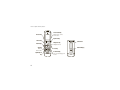
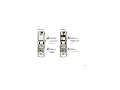
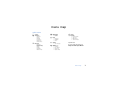
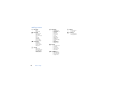
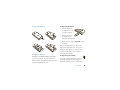
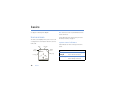
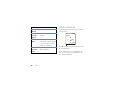
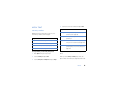
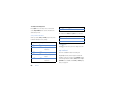
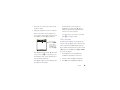
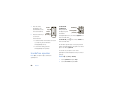
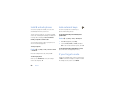
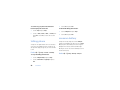
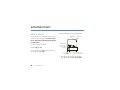
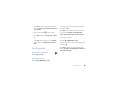
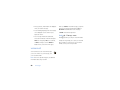
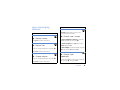
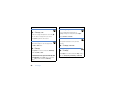
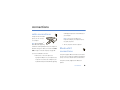
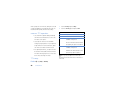
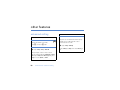
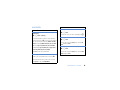
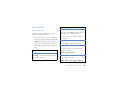
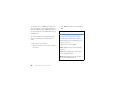
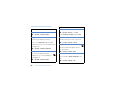
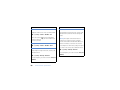
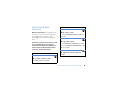
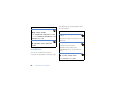
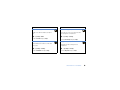
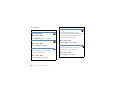
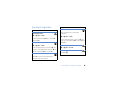





![[RELATIONS UNIVERSITE/ENTREPRISE : MODE D`EMPLOI]](http://vs1.manualzilla.com/store/data/006523986_1-75e95403c98b349c8633b197edb01d0a-150x150.png)