1
Chapter 11. Importing Initial Conditions
The RELAP5 plug-in provides the ability to import initial conditions from a previously
completed job. The Navigator model node pop-up menu provides option "Retrieve Initial
Conditions" which opens a job selection dialog. The dialog has a selection utility for defining
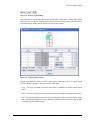
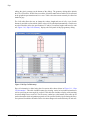
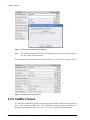
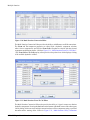
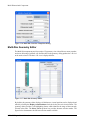
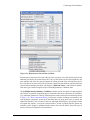
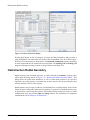
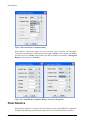
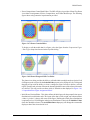
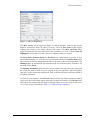
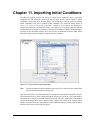
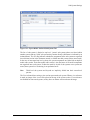
which components will receive updated initial conditions. The Selection dialog shown in
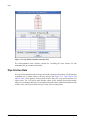
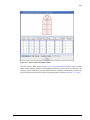
Figure 11.1, “Select IC Receiving Components” contains a list of each of the categories of
components contained in the RELAP5 model. A checkbox next to each entry indicates that the
components in those categories (which are selected) will be updated on Initial Conditions import.
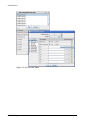
Selecting on the individual category table cells provides an additional selection dialog which
determines which of those category's components will be updated.
Figure 11.1. Select IC Receiving Components
Note
In order to import the initial condtions from a specific job it must first be loaded using
the load action denoted by the arrow icon.
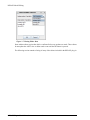
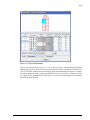
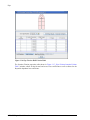
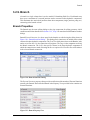
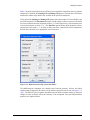
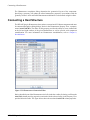
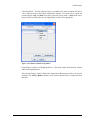
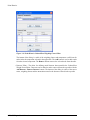
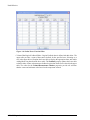
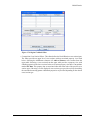
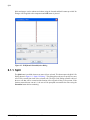
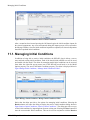
Once the desired job is selected and loaded, an appropriate restart number should be choosen.
The included arrow keys allow cycling through the restarts for a given job. The restart number
and restart time is displayed for each restart encountered in the file. Additionally, heatstructure
internal mesh temperatures can be imported from a Major Edit closest to the selected restart
number if desired. The layout of the Retrieve Initial Conditions dialog is similar to the Job Status
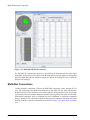
interface and is shown in the following figure:
85
RELAP5 Plug-in User's Manual