1
filename[\\Win-35\logitecmo\422958711MDSJE640CED\01GB03OPE-CED.fm]
masterpage:Left
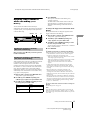
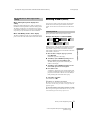
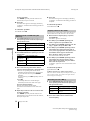
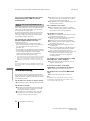
z (MDS-JE640 only) You can use Setup Menu to adjust
the analog output level
1 While the deck is playing, press MENU/NO twice.
“Setup Menu” appears in the display.
2 Turn AMS (or press ./> repeatedly) until “Aout”
appears, then press AMS or YES.
3 Turn AMS (or press LEVEL +/– repeatedly) to adjust the
output signal level, then press AMS or YES.
4 Press MENU/NO.
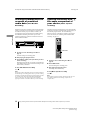
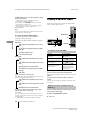
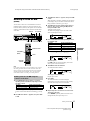
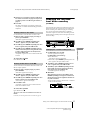
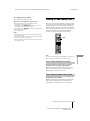
Playing a specific track
While the deck is playing or stopped, use the procedure
below to quickly play any track.
`/1
Z
Note
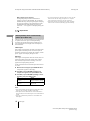
When you eject the MD or turn off the deck, the output level is
reset to the factory setting (0.0 dB).
Number buttons
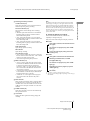
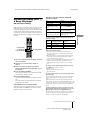
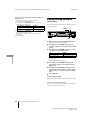
To change the display during playing
H
Press LEVEL/DISPLAY/CHAR (or DISPLAY)
repeatedly to change the display.
>10
.
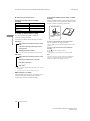
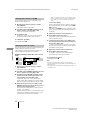
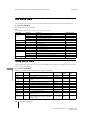
Each press of the button changes the display as follows:
H
Playing MDs
MDS-JE640
z
./>
Track number and elapsed time of the current
track
r
The contents of a program (only when “PGM”
lights up)
r
Disc name and track name
r
Level of the output signal
MDS-JE440
Track number and elapsed time of the current
track
r
Track number and remaining time of the current
track
r
Remaining time of all recorded tracks
r
The contents of a program (only when “PGM”
lights up)
r
Track name
z You can check the remaining time
Press TIME during playback (MDS-JE640 only). Each press of
the button changes the display as follows:
Track number and elapsed time of the current
track
r
Track number and remaining time of the current
track
r
Remaining time of all recorded tracks
z You can check the track name while playing (only
when the track name is recorded) Z
Press SCROLL.
The track name appears and scrolls. While the track name is
scrolling, press the button again to pause scrolling, and again to
continue scrolling.
For MDS-JE440, you can also use SCROLL on the deck.
24
>
AMS
X
x
.
>
m
M
AMS
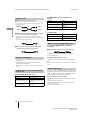
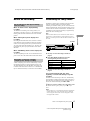
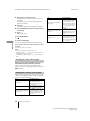
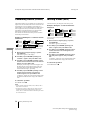
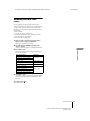
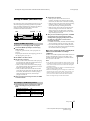
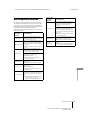
Locating a track with AMS1)
To go to
Do the following:
The next or a succeeding track Turn AMS clockwise (or press
> repeatedly).
during play
Turn AMS counterclockwise
A preceding track during play
(or press . repeatedly).
The beginning of the current Turn AMS counterclockwise
track during play
(or press . once).
A specific track while the
deck is stopped
Turn AMS (or press ./
> repeatedly) until the track
number you want to go to
flashes in the display, then
press AMS or H.
1) Automatic Music Sensor
z You can locate the last track of the MD quickly
While the deck is stopped, turn AMS counterclockwise (or press
. once).
z If you locate a track while the deck is stopped or
paused
The deck will still be stopped or paused at the beginning of the
located track.
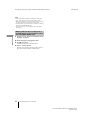
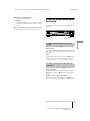
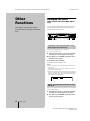
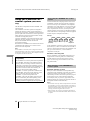
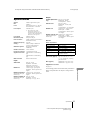
Playing a track by entering the track
number Z
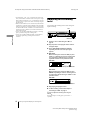
Press the number button(s) to enter the track number
of the track you want to play.
To enter a track number over 10
1
Press >10.
Playing an MD/Playing a specific track
model name1[MDS-JE640] model name2[MDS-JE440]
[4-229-587-11(1)]