1
filename[\\Win-35\logitecmo\422958711MDSJE640CED\01GB03OPE-CED.fm]
Recording to MDs
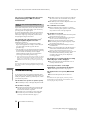
• If “LPstamp:On” is set, “LP:” is recorded as part of the track
name, so the number of characters that can be input in a single
MD is reduced. Furthermore, “LP:” is automatically copied if
the track name is copied or if the track is divided by using the
Divide function.
• MDs recorded in MD LP (LP2 or LP4 Stereo) mode should be
played back on a deck that supports MD LP mode. These MDs
cannot be played back on other decks. When you play an MD
recorded in MD LP mode, “STEREO” (for an MD recorded in
LP2 Stereo mode) or “MONO” (for an MD recorded in LP4
Stereo mode) lights up.
• Even if you press REC MODE during recording or recording
pause, you cannot change the recording mode.
• Even if you press REC MODE repeatedly to select MONO,
the monitor signal during recording does not become
monaural.
masterpage:Left
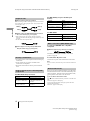
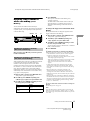
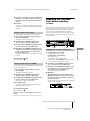
Adjusting the recording
level
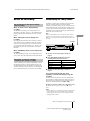
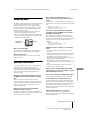
You can adjust the recording level for both analog and
digital recordings.
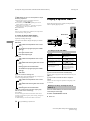
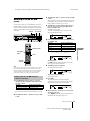
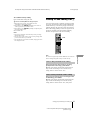
AMS
AMS
LEVEL/DISPLAY/CHAR
1
Do steps 1 to 6 of “Recording to an MD” on
page 13.
2
Play the portion of the program source with the
strongest output.
3
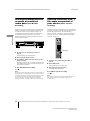
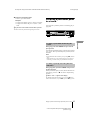
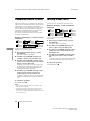
Press LEVEL/DISPLAY/CHAR (or DISPLAY)
repeatedly until the level of the input signal
appears.
4
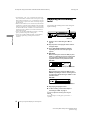
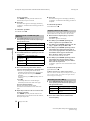
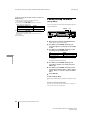
MDS-JE640
While monitoring the sound, turn AMS (or press
LEVEL +/– repeatedly) to raise the recording level
to its highest level without turning on the two
rightmost indicators on the peak level meters.
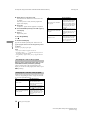
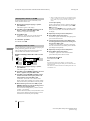
MDS-JE640
Avoid turning on these indicators
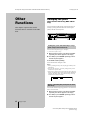
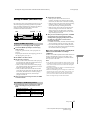
MDS-JE440
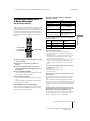
While monitoring the sound, turn AMS (or press
./> repeatedly) to raise the recording level to
its highest level without turning on “OVER” on the
peak level meters.
MDS-JE440
Avoid turning on these indicators
5
6
Stop playing the program source.
To start recording, continue from step 8 of
“Recording to an MD” on page 13.
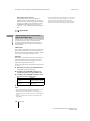
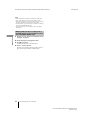
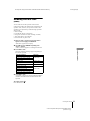
z You can adjust the recording level using the
remote Z
During recording or recording pause, press LEVEL +/–
repeatedly.
16
Recording for long times/Adjusting the recording level
model name1[MDS-JE640] model name2[MDS-JE440]
[4-229-587-11(1)]