1
FIGURE 1
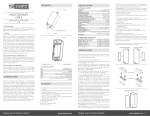
Dimensions (unit: mm)
INTRODUCTION
ANTENNA
MICROMODULE SINGLE
SWITCH MAX.LOAD: 11A
INCLUDE_BUTTON
QUICK INSTALLATION GUIDE
v1.0
Zipato and the Zipato logo are registered Trademarks. All
other product names mentioned herein may be trademarks or
registered trademarks of their respective companies.
39.00
TRADEMARKS
NOTICE
Although Zipato has attempted to ensure the accuracy of the
content of this manual, it is possible that this document may
contain technical inaccuracies, typographical, or other errors.
Zipato assumes no liability for any error in this publication, and for
damages, whether direct, indirect, incidental, and consequential
or otherwise, that may result from such error, including, but not
limited to loss of data or profits. Zipato provides this publication
“as is” without warranty of any kind, either express or implied,
including, but not limited to implied warranties of merchantability
or fitness for a particular purpose. The published information in
the manual is subject to change without notice. Zipato reserves
the right to make changes in the product design, layout, and driver
revisions without notification to its users. This version of the
Installation guide supersedes all previous versions.
NEUTRAL
LIVE
S2
S1
NO1
15.60
47.50
TAKE CARE OF YOUR SAFETY
DANGER
APPLICATION
IN WALL SWITCH 1 RELAY; 1A TYPE
L
N
DANGER
Switch
Load
2
2-second on,
2-second off
Micromodule Single Switch Max.Load: 11A is able to detect
instance wattage and overload current (12A) of connected lights
or appliances. When detecting overload state, the Switch will be
disabled and its On/Off button will be lockout of which LED will flash
quickly. However, unplug and re-connect the switch will reset its
overload condition to normal status.
Exclusion
OPERATING VOLTAGE
230V/50HZ
MAXIMUM LOAD
11A
OPERATING TEMPERATURE
0°C ~ 40°C
RANGE
Minimum 30m in door 70m outdoor line of sight
WEIGHT
39g
DIMENSIONS
47mm x 39mm x 15.60mm
COMMAND_CLASS_ZWAVEPLUS_INFO
COMMAND_CLASS_VERSION
COMMAND_CLASS_MANUFACTURER_SPECIFIC_V2
COMMAND_CLASS_SECURITY
COMMAND_CLASS_DEVICE_RESET_LOCALLY
COMMAND_CLASS_ASSOCIATION_V2
COMMAND_CLASS_ASSOCIATION_GRP_INFO
COMMAND_CLASS_POWERLEVEL
COMMAND_CLASS_SWITCH_BINARY
COMMAND_CLASS_BASIC
COMMAND_CLASS_SWITCH_ALL
COMMAND_CLASS_METER_V3
COMMAND_CLASS_CONFIGURATION
COMMAND_CLASS_ALARM
COMMAND_CLASS_PROTECTION
COMMAND_CLASS_FIRMWARE_UPDATE_MD_V2
AUTO INCLUSION
S2 S1
NO1
make your home smart
LED Indication
The Z-Wave Controller does not
allocate a node ID to the Switch.
In the front casing, there is an On/Off button with LED indicator
which is used to toggle switch on and off or carry out inclusion,
exclusion, reset or association. When first power is applied, its
LED flashes on and off alternately and repeatedly at 0.5 second
intervals. It implies that it has not been assigned a node ID and
start auto inclusion.
DANGER
RISK OF FATAL INJURY FROM ELECTRIC CURRENT.
When installing a wall plate, the distance between the cover’s fixing
brackets or screws and the connections of the flush- mounted
Micromodule Single Swtich Max.Load 11A must be at least 4
mm once installed. If the distance is less than 4 mm, a deeper
installation box must be used. The fixing brackets or screws of the
cover must not press against the housing. Only insulated tools may
be used for operation on the device, e.g. an insulated phase tester.
Description
No node ID
ADDING TO Z-WAVE NETWORK
CAUTION
The connected devices and the flush-mounted receiver can
become damaged if devices are operated that do not correspond
to the technical specifications (see technical data).
RISK OF FATAL INJURY FROM ELECTRIC CURRENT.
The device has no basic insulation and must therefore be installed
in a way that protects against accidental contact.
Function
Inclusion
L
N
Relay 1
www.zipato.com
The function of auto inclusion will be executed as long as the
switch does not have Node ID and just plug the switch into a wall
outlet.
Note: Auto inclusion timeout is 2 minute during which the node
information of explorer frame will be emitted once several
seconds. Unlike “inclusion” function as shown in the table below,
the execution of auto inclusion is free from pressing the On/Off
button on the Switch.
The table below lists an operation summary of basic Z-Wave
make your home smart
Put your Z-Wave controller into
inclusion mode by following the
instructions provided by the
controller manufacturer.
Pressing On/Off button three
times within 2 seconds will
enter inclusion mode.
Put your Z-Wave controller into
exclusion mode by following the
instructions provided by the
controller manufacturer.
Pressing On/Off button three
times within 2 seconds will
enter exclusion mode.
Node ID has been excluded.
Pressing On/Off button three
times within 2 seconds will
enter inclusion mode.
Reset
Within 1 second, press On/Off
button again for 5 seconds.
IDs are excluded.
Z-WAVE SUPPORTED COMMAND CLASS
ELECTROMAGNETIC COMPATIBILITY
RISK OF ELECTROCUTION
All work on the device should only be carried out by trained and
skilled electricians. Observe the country-specific regulations.
Micromodule Single Switch Max.Load: 11A is a security enabled
wireless switch, based on Z-Wave Plus technology. Z-Wave Plus
enabled devices displaying the Z-Wave Plus logo can also be used
with it regardless of the manufacturer, and can also be used in other
manufacturer’s Z-Wave enabled networks. Remote On/Off control of
the connected load is possible with other manufacturer’s wireless
Controller. Each switch is designed to act as a repeater. Repeaters
will re-transmit the RF signal to ensure that the signal is received by
its intended destination by routing the signal around obstacles and
radio dead spots. Because Micromodule Single Switch Max.Load:
11A supports Security Command Class, it can learn with Secured
controller. Its functionality and supported command classes is
identical when included as a secure and non-secure device.
SPECIFICATION
In proper state and when operated properly, the product complies
with all the requirements in respect of interference radiation
according to EN 301 489-17, EN 301 489-1 and EN 300 328. The
connections conducting HF signals must neither be manipulated
nor damaged.
Display extreme caution when using ladders or steps, please
follow manufacturer’s instructions. Be careful when using hand
and power tools and follow the manufacturer’s guidelines when
using them. Take care that the correct tools are used. Wear
goggles or protective clothing where required.
functions. Please refer to the instructions for your Z-Wave
Certificated Primary Controller to access the Setup function, and
to include/exclude/associate devices.
Association
0.5s On, 0.5s
Off (Enter auto
inclusion)
Use this
procedure
only in the
event that the
primary
controller is
lost or
otherwise
inoperable.
0.5s On, 0.5s
Off (Enter auto
inclusion)
Micromodule Single Switch Max.
Load: 11A is an always listening
Z-Wave device, so associations
may be added or removed by a
controller at any time.
OR
If your controller requires to
have the Micromodule Single
Switch Max.Load: 11A send a
‘node information frame’ or NIF
for associations, then pressing
the On/Off button three times
within 2 seconds will cause the
Micromodule Single Switch Max.
Load: 11A to send its NIF.
There is only one group for
the switch
Note: Including a node ID allocated by Z-Wave Controller means
inclusion. Excluding a node ID allocated by Z-Wave Controller
means exclusion.
Note: Failed or success in including/excluding the node ID can be
viewed from the Z-Wave Controller.
Sometimes people are not easy to execute exclusion or inclusion
especially when Micromodule Single Switch Max.Load: 11A already
installed in a wall box. To solve this issue, Micromodule Single
Switch Max.Load: 11A support a special feature that can use S1 or
S2 to execute “exclusion, inclusion, Reset or Association” at the
first 3 minutes when first time connect to main power.
LED INDICATION
To know what mode the switch is in, view from the LED identification.
State Type
LED Indication
Normal
Whenever we switch On and Off of the
Micromodule Single Switch Max.Load: 11A by S1
S2 or On/Off button or RF command, the LED
will lights up 1 second and then off.
www.zipato.com 01
No node ID
Under normal operation, when the Switch has
not been allocated to a node ID, the LED flashes
on and off alternately at 2-second intervals. By
pressing S1, S2 or On/Off button, it will stop
flashing temporarily.
Learning
When Micromodule Single Switch Max.Load:
11A is in learning mode, LED flashes on and
off alternately and repeatedly at 0.5 second
intervals.
Overload
When overload state occurs, the Switch is
disabled of which LED flashes on and off
alternately at 0.5 second intervals. Overload
state can be cleared by unplugging and
reconnecting the Switch to the wall outlet.
Binary Switch Get Command:[Command Class Switch Binary,
Switch Binary Get]
Meter Get Command: [Command Class Meter, Meter Get,
Scale =0x02(W)]
Binary Switch Report Command:
Report OFF:[Command Class Switch Binary, Switch Binary
Report, Value =0(0x00)]
Report ON:[Command Class Switch Binary, Switch Binary
Report, Value = 255(0xFF)]
Meter Report Command:
[Command Class Meter, Meter Report, Rate Type = 0x01,
Meter Type = 0x01, Precision = 1, Scale = 0x02, Size = 4, Meter
Value(W) ]
1.2 | BASIC_SET / SWITCH_BINARY_SET
Upon receipt of the following commands from a Z-Wave, the load
attached to the Switch will turn on or off.
[Command Class Basic, Basic Set, Value = 1~99,255(0xFF)]:
the load attached to the Switch turns on.
CHOOSING A SUITABLE LOCATION
o not locate the Switch facing direct sunlight, humid or dusty
D
place.
The suitable ambient temperature for the Switch is 0°C~40°C.
Do not locate the Switch where exists combustible substances or
any source of heat, e.g. fires, radiators, boiler etc.
After putting it into use, the body of Switch will become a little bit
hot of which phenomenon is normal.
INSTALLATION AND OPERATION
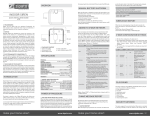
ut the in wall switch into a wall box and connect the AC power
P
wire L,N to Micromodule Single Switch Max.Load: 11A’s L and N.
Connect the wall switch to the Micromodule Single Switch Max.
Load: 11A as shown in picture.
There are 3 modes Micromodule Single Switch Max.Load: 11A
can be configured to match different kind of wall switch, please
refer to 3-10 Edge / Pulse / Edge-Toggle modes which are
described in next section of this user manual
[Command Class Basic, Basic Set, Value = 0(0x00)]: the load
attached to the Switch turns off.
[Command Class Switch Binary, Switch Binary Set, Value =
1~99, (255)0xFF]: the load attached to the Switch turns on.
[Command Class Switch Binary, Switch Binary Set, Value =
0(0x00)]: the load attached to the Switch turns off.
2 | Z-WAVE’S GROUPS (ASSOCIATION COMMAND
CLASS VERSION 2)
The Switch can be set to send associated Z-Wave devices. It
supports one association group with one node support for Grouping
1. For group 1, the Switch will report its latest status to Z-Wave
Controller.
Grouping 1 includes, SWITCH_BINARY_REPORT, METER_
REPORT, ALARM_REPORT.
2.1 | AUTO REPORT TO GROUPING 1 (MAXIMUM NODE 1)
2.1.1 | ON/OFF EVENT REPORT
Upon receipt of the following commands from a Z-Wave
Controller, the Switch will report its On/Off state to the node
asked.
BASIC GET COMMAND: [COMMAND CLASS BASIC, BASIC GET]
Basic Report Command:
Report OFF: [Command Class Basic, Basic Report, Value =
0(0x00)]
Report ON:[Command Class Basic, Basic Report, Value =
255(0xFF)]
2.1.3 | OVERLOAD ALARM REPORT
When Micromodule Single Switch Max.Load: 11A detects the
current is more than 12A, it will send Alarm Report to Group 1 node.
The content of Alarm Report:
Alarm report command: [Command_Class_Alarm, Alarm_
Report, Alarm Type = 0x08, Alarm Level = 0xFF]
2.2 | RESPONSE TO METER GET COMMAND
The Switch will report its (1) instant Power Consumption (Watt) or
(2) accumulated power consumption(KWH) or (3) AC load Voltage
(V) or (4) AC load current ( I ) (5) load power factor (PF) to Z-Wave
Controller after receive the Meter Get Command from Z-Wave
Controller.
2.2.1 | I NSTANT POWER CONSUMPTION (WATT) OF
SWITCH
When receiving Meter Get Command, it will report Meter Report
Command to the node.
make your home smart
Meter Report Command:
[Command Class Meter, Meter Report, Rate Type = 0x01,
Meter Type = 0x01, Precision = 2, Scale = 0x00, Size = 4, Meter
Value (KWh)]
Example:
Scale = 0x00 (KWh)
Precision = 2
Size = 4 Bytes (KW/h)
Meter Value 1 = 0x00(KWh)
Meter Value 2 = 0x01(KWh)
Meter Value 3 = 0x38(KWh)
Meter Value 4 = 0xA3(KWh)
2.2.3 | CLEARING ACCUMULATED POWER
CONSUMPTION
Meter Report Command:
[Command Class Meter, Meter Report, Rate Type = 0x01.
Meter Type = 0x01, Precision = 1, Scale = 0x02, Size = 4, Meter
Value(W) ]
1.1 | B
ASIC_GET / BINARY_SWITCH_GET
Meter Get Command: [Command Class Meter, Meter Get,
Scale = 0x00 KW/h)]
Binary Switch Report
When the power consumption of load vary over 5%, it will send
Meter report to the nodes of Grouping 1.
The Switch will respond to BASIC and BINARY commands that are
part of the Z-Wave system.
When receiving Meter Get Command, it will report Meter Report
Command to the node.
Accumulated power consumption (KW/h) = (Meter Value 2*65536) +
(Meter Value 3*256) + (Meter Value 4) = 800.35 (KW/h)
2.1.2 | INSTANT POWER CONSUMPTION VARY OVER
5% REPORT
1 | BASIC COMMAND CLASS / BINARY SWITCH
COMMAND CLASS
2.2.2 | ACCUMULATED POWER CONSUMPTION (KW/H)
When “on” or “off” state has been changed, it will send Binary
Switch Report to the node of Grouping 1.
ON:[Command Class Switch Binary, Switch Binary Report,
Value =255(0xFF)]
OFF:[Command Class Switch Binary, Switch Binary Report,
Value =0(0x00)]
PROGRAMMING
xample:
E
Meter Value 1 = 0x00 (W)
Meter Value 2 = 0x00 (W)
Meter Value 3 = 0x03 (W)
Meter Value 4 = 0xEA (W)
Meter(W) = Meter Value 3 *256 + Meter Value 4 = 100.2W
www.zipato.com
Whenever re-start counting the accumulated power consumption is
needed, you can use Meter Reset Command to clear it.
Meter Reset Command: [Command Class Meter, Meter Reset]
Example:
Scale = 0x05 (I)
Precision = 2
Size = 2 (2 Bytes of I)
Meter Value 1 = 0x01(I)
Meter Value 2 = 0x21(I)
AC load current = (Meter Value 1*256) +(Meter Value 2)= 2.89 (A)
2.2.6 | LOAD POWER FACTOR (PF)
When receiving Meter Get Command, it will report Meter Report
Command to the node.
Meter Get Command: [Command Class Meter, Meter Get,
Scale =0x06(PF)]
Meter Report Command:
[Command Class Meter, Meter Report, Rate Type = 0x01,
Meter Type = 0x01, Precision = 2, Scale = 0x06, Size = 1 Bytes,
Meter Value(PF)]
Example:
Scale = 0x06 (PF)
Precision = 2
Size = 1 (1 Byte of PF)
Meter Value 1 = 0x63(PF)
Load power factor (PF) = Meter Value 1 =0.99
3|Z
-Wave’s Configuration
Configuration Parameter 1
Function
Size (byte)
Value
Watt Meter
Report Period
2
0x010x7FFF
Unit
Default
Description
5s
720
720*5s=3600s=1
hour
Configuration Parameter 2
Function
Size (byte)
Value
KWH Meter
Report Period
2
0x010x7FFF
Unit
Default
Description
10min
6
6*10min=1 hour
2.2.4 | AC LOAD VOLTAGE (V)
When receiving Meter Get Command, it will report Meter Report
Command to the node.
Meter Get Command: [Command Class Meter, Meter Get,
Scale =0x04(V)]
Meter Report Command:
[Command Class Meter, Meter Report, Rate Type = 0x01,
Meter Type = 0x01, Precision = 1, Scale = 0x04, Size = 2, Meter
Value(V)]
Example:
Scale = 0x04 (V)
Precision = 1
Size = 2 (2 Bytes of V)
Meter Value 1 = 0x09(V)
Meter Value 2 = 0x01(V)
AC load Voltage = (Meter Value 1*256) +(Meter Value 2)= 230.5 (V)
Configuration Parameter 3
Function
Size (byte)
Value
Threshold of
current for Load
caution
2
10-1100
Unit
Default
Description
0.01A
1100
1100*0.01A = 11A
Configuration Parameter 4
Function
Size (byte)
Value
Threshold of
KWh for Load
caution
2
1-10000
Unit
Default
Description
1KWh
10000
2.2.5 | AC LOAD CURRENT ( I )
When receiving Meter Get Command, it will report Meter Report
Command to the node.
Meter Get Command: [Command Class Meter, Meter Get,
Scale =0x05(I)]
Meter Report Command:
[Command Class Meter, Meter Report, Rate Type = 0x01,
Meter Type = 0x01, Precision = 2, Scale = 0x05, Size = 2, Meter
Value(I)]
make your home smart
Configuration Parameter 5
Function
Size (byte)
Restore switch state
mode
1
Value
0-2
Unit
Default
Description
1
0 : Switch off
1 : Last switch state
2 : Switch on
www.zipato.com 02
Configuration Parameter 6
Function
Size (byte)
Value
Manual On/Off
mode
1
0-1
Unit
Default
Description
0
0: Disable manual
On/Off
1: Enable manual
On/Off
Configuration Parameter 7
Function
Size (byte)
Value
LED indication
mode
1
1-3
Unit
Default
Description
1
1 : Show switch
state
2 : Show night
mode
3 : One flash mode
Configuration Parameter 8
Function
Size (byte)
Value
Auto off timer
2
0-0x7FFF
Unit
Default
Description
1s
0
0 : Disable auto off
function
1-0x7FFF : 1s ~
32767s
Configuration Parameter 9
Function
Size (byte)
Value
RF off command
mode
1
0-3
Unit
Default
Description
0
0 : Switch off
1 : Ignore
2 : Switch toggle
3 : Switch on
3.1 | WATT METER REPORT PERIOD:
If the setting is configured for 1hour (set value =720), the
Micromodule Single Switch Max.Load: 11A will report its instant
power consumption every 1 hour to Group1 node. The maximum
interval to report its instant power consumption is 45 hours
(5s*32767/3600=45hr).
3.2 | KWH METER REPORT PERIOD:
If the setting is configured for 1hour (set value =6), the Micromodule
Single Switch Max.Load: 11A will report its Accumulated Power
Consumption (KW/h) every 1 hour to Group1 node. The maximum
interval to report its Accumulated Power Consumption (KW/h) is
227.55 days (10min*32767/1440=227.55 days).
3.3 | THRESHOLD OF CURRENT FOR LOAD CAUTION:
SWITCH OFF, LAST SWITCH STATE, SWITCH ON. The default setting
is LAST SWITCH STATE.
3.6 | MANUAL ON/OFF MODE:
The On/Off function of S1, S2 and learn switch can be disabled or
enabled by this parameter, default value is Enable. But the learning
operation won’t be affected. When manual On/Off function is
disabled, the RF command can only switch On but not Off. This is
useful function for keeping the device in switch on state.
3.7 | LED INDICATION MODE:
3.7.1 | SHOW SWITCH STATE:
When switch is on, LED is on. When switch is off, LED is off. The
default setting is Show Switch State.
3.7.2 | SHOW NIGHT MODE:
When switch is on, LED is off. When switch is off, LED is on.
3.7.3 | ONE FLASH MODE:
When the state of switch changes, LED will be on only one second,
then LED keeps off.
Symptom
Cause of Failure
Recommendation
1. Check power
connections
2. Don’t open up the
Switch and send it
for repair.
3.9 | RF OFF COMMAND MODE:
The Switch LED
illuminating, but
cannot control the
ON/OFF Switch of
the load attached
1.Check if the load
plugged into the
Switch has its own
ON/OFF switch
2. The switch is
protected
1. Set the ON/OFF
switch of the load
attached to ON
2. Unprotected the
switch or follow
the instruction of
protection.
3.9.1 | SWITCH OFF:
The Switch LED
illuminating, but
the Detector cannot
control the Switch
1. Not carry out
association
2. Same frequency
interference
1. Carry out
association
2. Wait for a while
to re-try
3.9.2 | IGNORE:
LED keep flashing,
but cannot control
Overload occurs
Remove the load
attached or check
max. load cannot
exceed 11.0A
Whenever a switch off command, BASIC_SET, BINARY_SWITCH_
SET, SWITCH_ALL_OFF, is received, it could be interpreted as 4
variety of commands.
It switches to OFF state. The default setting is Switch Off.
The switch off command will be ignored.
3.9.3 | SWITCH TOGGLE:
It switches to the inverse of current state.
3.9.4 | SWITCH ON:
MODELS AND FREQUENCIES
MODELS
It switches to ON state.
3.10 | EDGE MODE, PULSE MODE AND EDGE-TOGGLE
MODE:
Manual switch S1 and S2 can set to Edge mode or Pulse mode or
Edge-Toggle mode, default value is Edge mode.
3.10.1 | EDGE MODE:
This mode is suitable for the bi-stable wall switch that has indicator
point on the switch, and the same position correspond to same state
of relay1. If the Micromodule Single Switch Max.Load: 11A relay
change the state because of receiving Z-Wave RF command, it may
need two times of change (switch on to off or switch off to on) to
let relay back to the correspond state. Manual switch S2 is disabled
in this mode.
3.10.3 | EDGE-TOGGLE MODE:
make your home smart
TROUBLESHOOTING
The Switch not
working and LED off
Whenever Micromodule Single Switch Max.Load: 11A switches to
on, the auto off timer begin to count down. After the timer decrease
to zero, it will switch to off automatically. However if Auto off timer
is set as 0, the auto off function will be disabled. The default setting
is 0.
3.4 | THRESHOLD OF KWH FOR LOAD CAUTION
Whenever the AC power return from lost, Micromodule Single
Switch Max.Load: 11A will restore the switch state which could be
Micromodule Single Switch Max.Load: 11A is based on 500 series
SoC and supports Firmware Update Command Class, it can
receives the updated firmware image sent by controller via the
Z-wave RF media. It is a helpful and convenient way to improve
some function if needed.
3.8 | AUTO OFF TIMER:
3.10.2 | PULSE MODE:
3.5 | RESTORE SWITCH STATE MODE:
OVER THE AIR FIRMWARE UPDATE
The Switch is not
plugged into the
electrical outlet
properly
This is a warning when the current of load over the preset threshold
value, if the setting value is 1100, when the load current of Relay1
over this value, Micromodule Single Switch Max.Load: 11A will send
current meter report to warn the Group1 node, the Range of the
setting value is from 10 to 1100, and the default value is 1100.
This is a warning when the KWh of load over the preset threshold
value, if the setting value is 10000, when the Accumulated Power
Consumption of Relay1 over this value, Micromodule Single Switch
Max.Load: 11A will send KWH meter report to warn the Group1
node, minimum value is 1KWh and default value is 10000 kWh.
After being set to “Protection by sequence” state, any intentional
pressing of On/Off button should be hold longer than 1 second, or
the switch state will not change. However, the operation of learn
function does not change, because learning will not be protected.
This mode is suitable for the toggle type wall switch to swap the
state of Relay1.
This mode is suitable for the normal bi-stable switch, whenever
change the state of the wall switch will also swap the state of
Relay1.
4 | PROTECTION COMMAND CLASSES
Micromodule Single Switch Max.Load: 11A supports Protection
Command Class version 2, it can protect the switch against
unintentionally control by e.g. a child. And it can also protect the
switch from being turned off by setting it in “No RF Control” state.
www.zipato.com
EUROPEAN UNION - EU version
UNITED STATES - US version
RUSSIA - RU version
ISRAEL - IS version
AUSTRALIA - AU version
INDIA - IN version
FREQUENCIES
EUROPEAN UNION - EU
UNITED STATES - US
RUSSIA - RU
ISRAEL - IS
AUSTRALIA - AU
INDIA - IN
ph-pan03.eu
ph-pan03.us
ph-pan03.ru
ph-pan03.is
ph-pan03.au
ph-pan03.in
868.42 MHz
908.42MHz
869.02MHz
916.02MHz
921.42MHz
865.20MHz
LIMITED PRODUCT WARRANTY
GENERAL TERMS
Nothing in this Limited Product Warranty affects your statutory
rights as a consumer.
The Limited Product Warranty set forth below is given by Tri plus
grupa d.o.o. (Europe) (herein referred to as “ZIPATO”). This Limited
Product Warranty is only effective upon presentation of the proof
of purchase. Upon further request by ZIPATO, this warranty card
has to be presented, too.
make your home smart
EXCEPT AS EXPRESSLY SET FORTH IN THIS LIMITED WARRANTY,
ZIPATO MAKES NO OTHER WARRANTIES, EXPRESS OR IMPLIED,
INCLUDING ANY IMPLIED WARRANTIES OF MERCHANTABILITY
AND FITNESS FOR A PARTICULAR PURPOSE. ZIPATO EXPRESSLY
DISCLAIMS ALL WARRANTIES NOT STATED IN THIS LIMITED
WARRANTY. ANY IMPLIED WARRANTIES THAT MAY BE IMPOSED
BY LAW ARE LIMITED IN DURATION TO THE LIMITED WARRANTY
PERIOD. TO THE EXTENT ALLOWED BY LOCAL LAW, THE
REMEDIES IN THIS WARRANTY STATEMENT ARE CUSTOMER’S
SOLE AND EXCLUSIVE REMEDIES AGAINST ZIPATO. THEY DO
NOT, HOWEVER, AFFECT OR RESTRICT THE RIGHTS YOU HAVE
AGAINST THE BUSINESS YOU BOUGHT A ZIPATO PRODUCT FROM.
IN NO EVENT WILL ZIPATO BE LIABLE FOR LOSS OF DATA OR FOR
INDIRECT, SPECIAL, INCIDENTAL, CONSEQUENTIAL (INCLUDING
LOST PROFIT OR DATA), OR OTHER DAMAGE, WHETHER BASED IN
CONTRACT, TORT, OR OTHERWISE. HOWEVER, NOTHING IN THIS
AGREEMENT LIMITS ZIPATO’S LIABILITY TO YOU (I) IN THE EVENT
OF DEATH OR PERSONAL INJURY TO THE EXTENT RESULTING
FROM ZIPATO’S NEGLIGENCE, OR (II) TO THE EXTENT RESULTING
FROM ANY FRAUDULENT MISREPRESENTATION ON THE PART
OF ZIPATO, OR (III) TO THE EXTENT ARISING UNDER PART 1
OF THE CONSUMER PROTECTION ACT 1987 OF THE UNITED
KINGDOM. SOME STATES OR COUNTRIES DO NOT ALLOW: (1) A
DISCLAIMER OF IMPLIED WARRANTIES; (2) A LIMITATION ON HOW
LONG AN IMPLIED WARRANTY LASTS OR THE EXCLUSION; OR
(3) LIMITATION OF INCIDENTAL OR CONSEQUENTIAL DAMAGES
FOR CONSUMER PRODUCTS. IN SUCH STATES OR COUNTRIES,
SOME EXCLUSIONS OR LIMITATIONS OF THIS LIMITED WARRANTY
MAY NOT APPLY TO YOU. THIS LIMITED WARRANTY GIVES YOU
SPECIFIC LEGAL RIGHTS. YOU MAY ALSO HAVE OTHER RIGHTS
THAT MAY VARY FROM STATE TO STATE OR FROM COUNTRY TO
COUNTRY. YOU ARE ADVISED TO CONSULT APPLICABLE STATE OR
COUNTRY LAWS FOR A FULL DETERMINATION OF YOUR RIGHTS.
This Limited Product Warranty applies to ZIPATO branded hardware
products (collectively referred to as “ZIPATO Hardware Products”)
sold by ZIPATO (Europe), its European subsidiaries, affiliates,
authorized resellers, or country distributors (collectively referred to
as “ZIPATO Resellers”) with this Limited Product Warranty.
The term “ZIPATO Hardware Product” is limited to the hardware
components and all its internal components including firmware.
The term “ZIPATO Hardware Product” DOES NOT include any
software applications or programs.
EOGRAPHICAL SCOPE OF THE LIMITED
G
PRODUCT WARRANTY
This Limited Product Warranty is applicable to Hardware Products
sold by Zipato Resellers in all countries listed at the beginning of
this document under the heading “Countries in which this ZIPATO
Limited Product Warranty applies”.
The Limited Product Warranty will be honored in any country where
ZIPATO or its authorized service providers offer warranty service
subject to the terms and conditions set forth in this Limited Product
Warranty. However, warranty service availability and response
times may vary from country to country and may also be subject to
registration requirements.
LIMITATION OF PRODUCT WARRANTY
ZIPATO warrants that the products described below under
normal use are free from material defects in materials and
workmanship during the Limited Product Warranty Period set
forth below (“Limited Product Warranty Period”), if the product is
used and serviced in accordance with the user manual and other
documentation provided to the purchaser at the time of purchase
(or as amended from time to time).
ZIPATO does not warrant that the products will operate
uninterrupted or error-free or that all deficiencies, errors, defects
or non-conformities will be corrected.
This warranty shall not apply to problems resulting from: (a)
unauthorized alterations or attachments; (b) negligence, abuse
or misuse, including failure to operate the product in accordance
with specifications or interface requirements; (c) improper
handling; (d) failure of goods or services not obtained from ZIPATO
www.zipato.com 03
or not subject to a then-effective ZIPATO warranty or maintenance
agreement; (e) improper use or storage; or (f) fire, water, acts of
God or other catastrophic events. This warranty shall also not
apply to any particular product if any ZIPATO serial number has
been removed or defaced in any way.
ZIPATO IS NOT RESPONSIBLE FOR DAMAGE THAT OCCURS AS A
RESULT OF YOUR FAILURE TO FOLLOW THE INSTRUCTIONS FOR
THE ZIPATO HARDWARE PRODUCT.
LIMITED PRODUCT WARRANTY PERIOD
The Limited Product Warranty Period starts on the date of
purchase from ZIPATO. Your dated sales or delivery receipt,
showing the date of purchase of the product, is your proof of the
purchase date. You may be required to provide proof of purchase
as a condition of receiving warranty service. You are entitled to
warranty service according to the terms and conditions of this
document if a repair to your ZIPATO branded hardware is required
within the Limited Product Warranty Period.
[Other than in respect of products for domestic use (in particular
those listed in the first and last boxes in the table below), this
Limited Product Warranty extends only to the original end user
purchaser of this ZIPATO Hardware Product and is not transferable
to anyone who obtains ownership of the ZIPATO Hardware Product
from the original end-user purchaser.
PRODUCT WARRANTY PERIOD TABLE
PRODUCT TYPE
Micromodule Single Switch
Max.Load 11A
PRODUCT WARRANTY
PERIOD
One (1) year
IMPORTANT
The content of “Product Type” listed above is subject to change;
please refer to the www.zipato.com for latest update.
ERFORMANCE OF THE LIMITED
P
PRODUCT WARRANTY
If a product defect occurs, ZIPATO’s sole obligation shall be to
repair or replace any defective Zipato Hardware Product free of
charge provided it is returned to an Authorized ZIPATO Service
Centre during the Limited Warranty Period. Such repair or
replacement will be rendered by ZIPATO at an Authorized ZIPATO
Service Centre. All component parts or hardware products that
are replaced under this Limited Product Warranty become the
property of ZIPATO.
The replacement part or product takes on the remaining Limited
Warranty Period of the replaced part or product. The replacement
product need not be new or of an identical make, model or part;
ZIPATO may in its discretion replace the defective product (or
any part thereof) with any reconditioned equivalent (or superior)
product in all material respects to the defective product.
In accordance with the following Directive(s): 2006/95/EC The Low
Voltage Directive, 89/336/EEC The Electromagnetic Compatibility
Directive and 1999/5/EC R&TT EC Directive is in conformity with the e
applicable requirements of the following documents:
EN 61326
EN 61000-3-3 EN 61000-4-4 EN 61000-4-11
IEC/EN 55011 EN 61000-6-2 EN 61000-4-5 EN 301 489-1-3
EN 300 220-2 EN 61000-4-2 EN 61000-4-6 AS/NZS/IEC 60335-2-97
EN 61000-3-2 EN 61000-4-3 EN 61000-4-8 EN 60335-1
I hereby declare that the equipment named above has been
designed to comply with the relevant sections of the above
referenced specifications. The unit complies with all applicable
Essential Requirements of the Directives.
Person responsible for this declaration:
Dean Janacek, Certification Manager
01.09.2012
No part of this manual may be reproduced or transmitted in any form
without the expressed, written permission of Tr
Le présent appareil est conforme aux CNR d’Industrie Canada
applicables aux appareils radio exempts de licence. L’exploitation
est autorisée aux deux conditions suivantes :
1 | l’appareil ne doit pas produire de brouillage, et
2 | l’utilisateur de l’appareil doit accepter tout brouillage radioélectrique subi, même si le brouillage est susceptible d’en compromettre le fonctionnement.
NOTE: Changes or modifications not expressly approved by Zipato
for compliance could void the user’s authority to operate the
equipment. This equipment has been tested and found to comply with
the limits for a Class B digital device, pursuant to Part 15 of the FCC
Rules. These limits are designed to provide reasonable protection
against harmful interference in a residential installation. This
equipment generates, uses and can radiate radio frequency energy
and, if not installed and used in accordance with the instructions, may
cause harmful interference to radio communications.
However, there is no guarantee that interference will not occur in
a particular installation. If this equipment does cause harmful
interference to radio or television reception, which can be
determined by turning the equipment off and on, the user is
encouraged to try to correct the interference by one or more of the
following measures:
TEL +385 (0)1 4004 404
FAX +385 (0)1 4004 405
DISPOSING AND RECYCLING YOUR PRODUCT
make your home smart
COPYRIGHT
© 2014 Tri plus grupa d.o.o. All Rights Reserved.
THIS DEVICE COMPLIES WITH PART 15 OF THE FCC RULES.
Operation is subject to the following two conditions:
1 | this device may not cause harmful interference, and
2 | this device must accept any interference received, including
interference that may cause undesired operation.
Reorient or relocate the receiving antenna.
Increase the separation between the equipment and receiver.
Connect the equipment into an outlet on a circuit different from
that to which the receiver is connected.
Consult the dealer or an experienced radio/TV technician for help.
The Manufacturer Tri plus grupa d.o.o. hereby declares that the
product:
Micromodule Single Switch Max.Load 11A
CONTACT SUPPORT
E-MAIL: [email protected]
(Mon-Fri) 9.00am-05.00pm (CET)
www.zipato.com
Changes or modifications not expressly approved Tri plus grupa
d.o.o. for compliance could void the user’s authority to operate the
equipment.
WARRANTOR
Tri plus grupa d.o.o.
Banjavciceva 11
10 000 Zagreb
CROATIA
DECLARATION OF CONFORMITY
human health. At Zipato, we understand and are committed to
reducing any impact our operations and products may have on
the environment. To minimize this impact Zipato designs and
builds its products to be as environmentally friendly as possible,
by using recyclable, low toxic materials in both products and
packaging.
This symbol on the product or packaging means that according
to local laws and regulations needs to be disposed of separately
from household waste and sent to recycling because it contains
electronic components and a battery. Once this product has
reached the end of its life, please take it to a collection point
(recycle facilites) designated by your local authorities, some will
accept your product for free or simply drop it off at your Zipato
re-seller store. By recycling the product and its packaging in
this manner you help to conserve the environment and protect
www.zipato.com
make your home smart
www.zipato.com 05