1
Oracle Database Appliance V1
7.
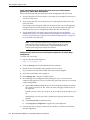
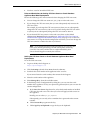
Paste the key into an empty text file and save the file to a location on the Oracle
Database Appliance.
8.
Log in to one of the servers on Oracle Database Appliance as root.
9.
Note: The command in this step will reboot the server to complete the
reconfiguration.
Run the following command:
/opt/oracle/oak/bin/oakcli apply core_configuration_key key_file_location
Where key_file_location is the full path name of the text file that you created in
Step 7.
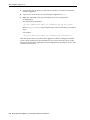
For example:
/opt/oracle/oak/bin/oakcli apply core_configuration_key /home/myfile.txt
After the system reboots, Oracle Database Appliance will be reconfigured and both
servers will be running with the specified CPU core count. You must always assign
cores to Oracle Database Appliance bare metal deployments in multiples of two, with
a minimum of two cores.
2-8 Oracle Database Appliance Licensing Information User Manual