1
e_hd100.book Page 17 Tuesday, October 4, 2005 10:31 AM
CONTROLS, INDICATORS AND CONNECTORS
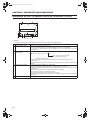
Top Section
5
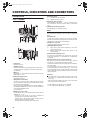
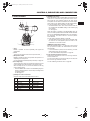
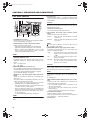
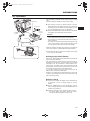
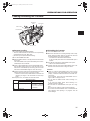
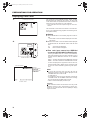
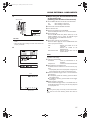
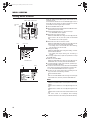
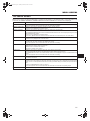
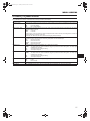
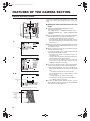
8[REC] REC trigger button (start/stop recording)
Start and stop recording using this button.
(This works together with the REC trigger button on the
right panel and the lens VTR trigger button.)
6
9[REC LOCK] REC LOCK switch
Slide this switch in the direction of the arrow to lock the
[REC] trigger button 8. Use this to prevent unwanted
recording.
(The REC trigger button on the right panel and the lens
VTR trigger button are not locked.)
7
8
4
9
3
2
0
1
e
f
g
a
h
b
i
j
c
d
k
l
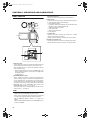
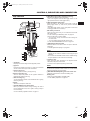
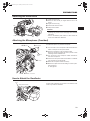
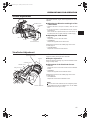
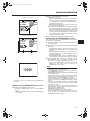
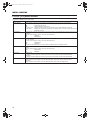
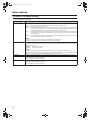
1Viewfinder
Displays the camera image and the playback picture.
2Eyepiece
Ensures that ambient light does not reach the viewfinder
screen or falls into the eye of the cameraman.
3Eyepiece focus ring
You can adjust the focus by turning this ring.
4Eyepiece mounting ring
You can adjust the position of the eyepiece forward or
backward by loosening this ring.
5Slide mounting ring
You can adjust the position of the viewfinder left or right by
loosening this ring.
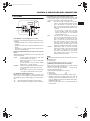
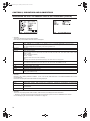
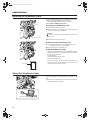
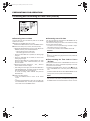
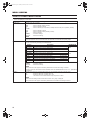
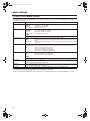
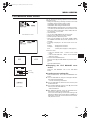
0SD memory card cover
When you open this cover, you can insert and remove the
SD memory card.
X See “Inserting an SD Memory Card” on page 30.
When an SD memory card is loaded
• You can save, call up and reset the menu settings on
this camcorder.
• You can initialize (format) an SD memory card.
X See “FILE MANAGE Menu Screen” on page 79.
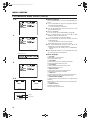
a[EJECT] Eject switch and LED
Slide this switch to the side to insert or eject a videocassette tape.
The LED lights while ejecting is in progress.
MEMO
• It takes a few seconds before the videocassette is
ejected. Do not close the cassette cover during the eject
operation.
• Do not touch the cassette insertion slot or cassette during
the eject operation. This could result in damage.
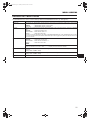
bOperation cover
Open this cover when operating in the playback mode.
Otherwise, keep this cover closed.
This cover can be opened by sliding it to the side.
MEMO
When the STOP button i is pressed in the Camera mode
to set the VTR operation mode indicator to indicate STOP,
playback operations become possible.
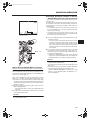
c[BATTERY RELEASE] Battery pack lock release lever
Slide this lever forward to remove the battery pack.
dBattery pack
Attach the provided battery pack (BN-V428).
X See “Battery Operation” on page 32.
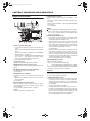
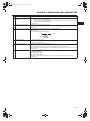
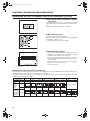
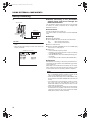
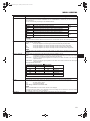
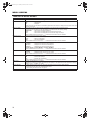
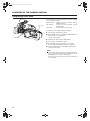
6Clamp
Attach the microphone cable here.
7[FOCUS ASSIST] Focus assist button
When you press this button during shooting, the area of
focus is displayed in blue, red or green, making it easy to
focus accurately.
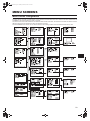
X See “LCD/VF [1/3] Menu Screen” on page 71.
17