1
3BChapter 4: Configuring the camera
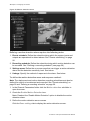
5. Select the time format from the Time format list box. Formats include: 24hour and 12-hour.
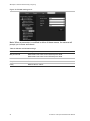
6. Select a display mode for the camera from the OSD Status list box. Display
modes include:
•
Transparent & Non-Flashing. The screen image appears through the
text. This is default.
•
Transparent & Flashing. The screen image appears through the text.
The text flashes on and off.
•
Non-Transparent & Unflickering. The screen image is behind the text.
•
Non-Transparent & Flashing. The screen image is behind the text. The
text flashes on and off.
7. Click Save to save changes.
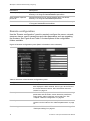
Defining the system time
NTP (Network Time Protocol) is a protocol for synchronizing the clocks of
network devices, such as IP cameras and computers. Connecting network
devices to a dedicated NTP time server ensures that they are all synchronized.
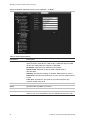
To define the system time and date:
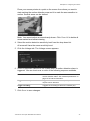
1. In the “Channel Parameters” folder click the Time & Date subfolder to open
its screen.
2. Check one of the options for setting the time and date:
Synchronize with an NTP server: Check the enable box and enter the server
NTP address.
- Or Set manually: Enter the current date and time values.
3. Select your time zone.
4. Click Save to save changes.
TruVision IP Cam Open-Standards User Manual
25