1
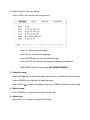
5. Adjust Melody:
Press <Melody> +/- key to increase or decrease melody of the song (AR-909MD, AR909SMD)
6. Male – Female:
Press <Male> or <Female> key to select male or female tone (AR-909MD, AR-909SMD)
E- PLAY DVD, SVCD, VCD, CD, MP3, MP4, EVD
1. <SUBTITLE>: Select secondary language
2. <VOL> +/-: Adjust the volume of song
3. <PLAY>: Play
4. <PAUSE>: Pause
5. <AUDIO/Language>: Select the voice-over language
6. <REW>: Fast rewind
7. <FWD>: Fast forward
8. <PREV>: To previous song
9. <NEXT>: To next song