1
Section 3 Quick Start (Standalone Mode)
3.1 Powering ON
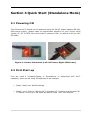
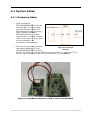
The Discover Wi-Fi board can be powered using 5V-2A DC power adapter OR Mini
USB power supply, please make an appropriate selection of your choice using
jumper J5; DC or USB. Once the board is powered ‘ON’, by default it will go into
AP mode.
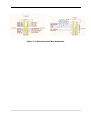
Figure 3-1 Power Connection (Left: DC Power; Right: USB Power)
3.2 First Start-up
First we need a computer/laptop or Smartphone or equipment with Wi-Fi
capability. Here we are using Smartphone as an example.
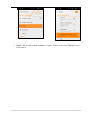
Step1: Open your WLAN Settings
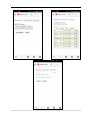
Step2: You’ll find the “Murata Wi-Fi wireless AP”, because the Discover WiFi module is running in AP mode by default. Now “Join” the network.
8|P a g e