1
CSAC GPSDO User Manual
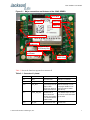
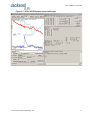
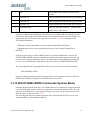
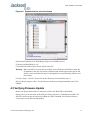
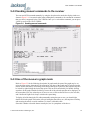
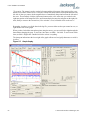
Figure 4.4
Expanded device selection window
D) Select the Baud Rate of the Flash Magic utility to be 230.4KB or slower.
E) Set the Oscillator (MHz) to “10”.
F) Check the box marked “Erase blocks used by Hex File”.
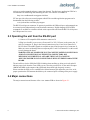
Warning: Make sure NOT(!) to check the box marked “Erase all Flash+Code Rd Prot” under any
circumstances, this may erase factory calibration data, and the unit will not operate and
will have to be returned to the factory. Checking this box on the ISP utility will thus void
the warranty.
G) Under “Step 3 - Hex File” browse for the hex file that you downloaded in step 4.4 .
H) Go to Step 5 and press “Start”. You will observe the firmware being downloaded to the CSAC
GPSDO.
4.5 Verifying Firmware Update
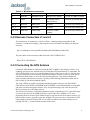
Remove the jumper from header J2, and power cycle the unit. Both LED’s should blink.
During power on, the unit sends an ID string out of the serial port at 115200 Baud by default. The
firmware version can also be queried by sending the *IDN? command. Verify that the firmware
version is the version that was downloaded.
© 2014 Jackson Labs Technologies, Inc.
57