1
Windows 7 & Vista
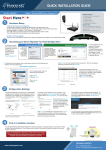
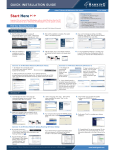
6. Select “Install” to
continue.
7. The install wizard will prompt you to
insert the USB Adapter into your PC.
IGNORE the message for now. Select
“OK” to continue. (It is recommended
to finish installing the driver before
plugging in the Adapter.)
8. You are now finished
installing the software
driver. Select “Finish.”
Then, go to Step 9.
- page 4 -
Setup Instructions: Windows7/ Vista