1
Digital Snake - 16 x 16
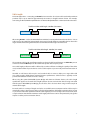
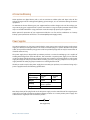
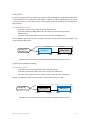
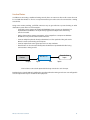
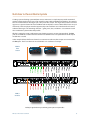
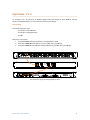
To configure a 16 x 16 (16 Sends, 16 Returns) digital snake, two AN-16/i v.2 Input Modules and two
AN-16/o v.4 Output Modules are used, connected via the System Bridge.
Setup On Stage
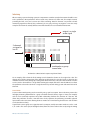
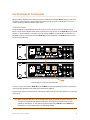
Place the following on stage:
•• one AN-16/i v.2 Input Module
•• one AN-16/o v.4 Output Module
•• one SB4
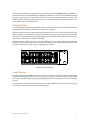
Make these connections:
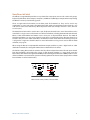
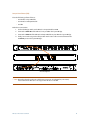
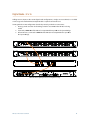
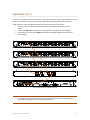
1. Set the Slot Range switch on the AN-16/i v.2 Input Module to 1-16.
2. Connect the A-Net Out of the AN-16/i v.2 to port A on the System Bridge.
3. Connect the A-Net In of the AN-16/o v.4 Output Module to port D on the System Bridge.
PRO16
PORTS
A
B
C
D
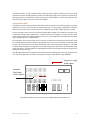
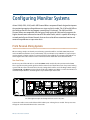
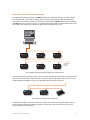
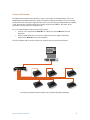
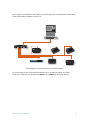
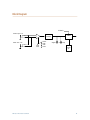
Cat-5 connections on stage for the 16 x16 digital snake are shown.
AN-16/i v.2 Input Module User Guide
40