1
Indoor Digital Signage | Special Features
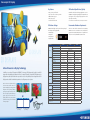
Daisy Chain Connection
SOURCE
In order to realize a multi display wall, the single units are linked
by a Daisy Chain connection over HDMI, Component or the
D-Sub interface. This implicates that just one display (master unit)
needs a direct connection to the video source. The configuration of
each display, regarding its individual ID and position in the matrix,
can be easily set-up using the on-screen menu or the RS232C
interface. The built-in video wall function allows flexible configuration and easy installation.
Ultra Narrow Bezel Design
HDMI/DVI
Component
D-Sub
Daisy Chain
Connection
NEW
Coming with an ultra narrow bezel design, HYUNDAI IT Digital
Signage Displays are dedicated to build video walls. Combined
with the cutting edge function – which allows displaying the full
picture content – the smart design of the HYUNDAI public displays
ensures a maximum screen area with a minimum of viewable
interruptions.
Multi Touch Screen Function (Option)
As an option all HYUNDAI IT Digital Signage Displays can be
equipped with touch screen functionality. Based on the infrared
ray matrix technology it’s possible to operate the displays in
either single- or multi-touch mode. That makes the HYUNDAI IT
Digital Signage Displays a smart touch screen solution for interactive applications.
Motion Sensor (Option)
Built-In Video Wall Function
Due to the built-in multi display wall function the HYUNDAI IT Public Displays are well prepared for installing
video wall configurations including up to 5 by 5 single units. For this reason no additional expensive equipment
like video split processors is necessary.
Samples of Multi Display Wall Configurations
NEW
For installation sites where contents only need to be displayed on
demand (e.g. information terminals), a display with an integrated
motion sensor offers a smart solution. Using a passive infrared
sensor (PIR), the display starts showing contents when human
motion is detected within the sensor’s detection area. After an
adjustable delay time (5 sec. to 18 min.) the display automatically turns to stand-by mode in case of no viewers in front. This
operation on demand reduces power consumption and extends
the panel’s life time.
Tempered Security Glass (Option)
In order to protect the displays against vandal attacks and thus
avoiding additional costs during the operational period it is possible to cover the screens with a tempered security glass. Combined with the opportunity of locking the keys for the on-screen
menu and the solid metal frame housing the HYUNDAI IT Digital
Signage Displays are the perfect visual equipment for the usage in
high frequented public areas.
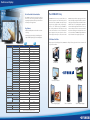
7,3 mm
Type
Application
Light Transmission
Infrared (Matrix)
Graphics Intensive, Severe Duty,
Mission Critical Applications
92~100%
Response Time
16ms
Touch Accuracy
98.5~99%
Environment
Indoor/Outdoor
Operating Temp
-41°C ~ +70°C
Life
Surface Hardness
Input Mode
Function
Size
Usage
Tested to perform over 100 million
touches on a single point
5mm with Anti-Vandal
Bare or gloved finger, stylus, pen etc., any object that blocks light
Senses interruption of invisible
infrared array. Fully ADA compliant.
24” ~ 57”
Large Screen, DID
Technical details are subject of changes without further notice. Errors expected.