1
3.1 WAN Settings
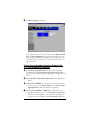
Select WAN Settings to configure additional settings for the
protocol you selected on the Basic Setup page of your
Configuration Manager.
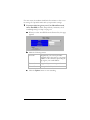
There is a WAN Settings page for each of the Internet protocols
on the Protocol list. The protocol and settings that appear when
you click WAN Settings depend on the protocol you selected in
Basic Setup.
If you selected PPPoE or PPPoA, go to Section 3.1.1, PPP
Connections, on page 31.
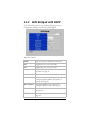
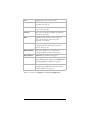
If you selected 1483 Bridged w/DHCP, go to Section 3.1.2, 1483
Bridged Mode with DHCP on page 34.
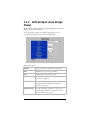
If you selected 1483 Bridged w/Static IP, go to Section 3.1.3,
1483 Bridged with Static IP on page 35.
If you selected 1483 Routed w/Static IP, go to Section 3.1.4,
1483 Bridged with Routed IP on page 36.
If you selected 1483 Bridged (Pure Bridge Mode), go to Section
3.1.5, 1483 Bridged (Pure Bridge Mode) on page 38.
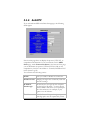
If you selected AutoPPP, go to Section 3.1.6, AutoPPP on page
39.
If you selected AutoBridge, go to Section 3.1.7, AutoBridge on
page 41.
The WAN Settings pages also let you configure one or more
additional Virtual Circuits for specific purposes such as gaming or
video-conferencing, but only if your ISP supports more than one
type of connection. See the Wan IP Filter section on page 42.
30 Hayes ADSL Ethernet User’s Guide