1
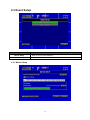
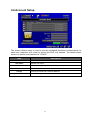
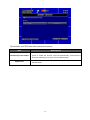
Since holidays are different between countries and regions, you can setup the holiday of
your location accordingly (Maximum Setup: 50).
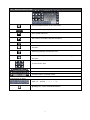
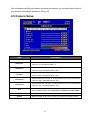
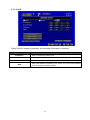
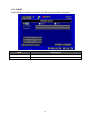
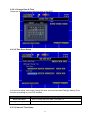
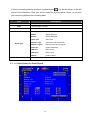
4.5 Camera Setup
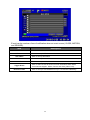
Item
Mask
Sharpness
Brightness
Contrast
Chroma (U)
Chroma (V)
Hue
Name
Volume
Description
Check the box to Enable/ Disable mask function for LIVE mode
Drag the white bar or press ◀ ▶ to adjust Sharpness of your camera from
value 0 to 15. The default value is 1.
Drag the white bar or press ◀ ▶ to adjust Brightness of your camera from
value 0 to 255. The default value is 128.
Drag the white bar or press ◀ ▶ to adjust Contrast of your camera from
value 0 to 255. The default value is 100.
Drag the white bar or press ◀ ▶ to adjust Chroma (U) of your camera from
value 0 to 255. The default value is 150.
Drag the white bar or press ◀ ▶ to adjust Chroma (V) of your camera from
value 0 to 255. The default value is 150.
Drag the white bar or press ◀ ▶ to adjust Hue of your camera from value 0 to
255. The default value is 150. (This function is ineffective in PAL system).
Set up name of each channel.
Select to adjust audio volume under LIVE mode and recording mode.
20