Transcript
G5019750301622
Features
PCI 32 bit/66MHz interface
.PCI 2.3 compliant interface.
. Burst transfer rate of 264 Mb/s.
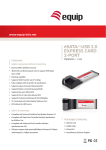
SERIAL ATA
HOST CONTROLLER CARD
. Built in hardware bus master engine.
.Supports both 3.3V and 5V.
ATA Interface
.Serial ATA Revision 1.0a, Serial ATA II Revision 1.0 (Extensions to Serial ATA 1.0a)
.Serial ATA transfer rate of 1.5 GB/s.
.Two SATA channels support.
.SATA TCQ and NCQ commands support.
Memory Interface
.Support for 256K FLASH and Serial EEPROM.
USER MANUAL
SATA1620/1622/1623
eSATA1620/1622/1623
Data FIFO
.256 Byte data FIFO for each channel.
On Board PCI Bus Master Engine
. On board Bus Master Engine relieve the system processor from book keeping and enhance performance.
Uses Initio's Proprietary Host Adapter Mode of Operation
. Initio's Proprietary Auto DMA mode (IDMA).
. Queued/ Overlapping ATA Commands support.
Other Features
. Disk RAID 0/1/JBOD support.
.SATA hot plug/unplug hardware support.
. Implements Power Management.
. Full driver support for all Major Operating Systems.
WARNING
Before installing and activating RAID function, please
make sure you have a complete backup of your existing
data loss due to abuse, misuse, or neglect. Should you
have any installation problem, please contact us for
assistance.
. Supports Plug and Play allowing users to change configurations without the use of jumpers.
. Integrated Serial ATA Transport, link logic and PHY layer.
.Supports 48-bit LBA (Logical Block Addressing) for hard drives larger than 137GB.
Supports ATAPI devices.
. LED support for each channel.
. External Flash BIOS.
Accessories
.One User Manual
.One Serial ATA host controller card
.One Serial ATA cable
All other company and product names are trademarks or registered trademarks of their respective owners.
Installing the Serial ATA host controller card into your computer
.One Driver CD
4. Click the Next button to confirm the installation.
5. Click the “ Close ” button, it has been successfully installed.
6. Restart system.
1. Turn off your computer and all external devices connect to it .
2. Disconnect your computer from the power sources.
3. Open the computer case. Refer to your manual for more details.
During Install the Windows* 2000/XP/2003 Operating System to SATA Hard Drive
4. Find an available PCI slot and remove the slot bracket. Save the bracket screw for later use.
5. Align the serial ATA host controller card horizontally with respect to the PCI slot and insert it into the slot
firmly and evenly. Take care not to force it into the slot. Once you have properly positioned the Serial ATA
host controller card.
6. Connect any Serial ATA device to the connector(s) of the Serial ATA host controller card with the
provided Serial ATA cable.
7. Connect the HDD led connector(CH3) from the computer case to the HDD busy LED connector one
Serial ATA host controller card.
8. Close the computer case. Make sure to reconnect all the external devices to your computer.
Driver Installation
When Windows* 2000/XP/2003 Operating System setup program is running.
1.Press F6 to install the driver of SATA Host Controller. ( Press F6 if your need to install a third party SCSI
or RAID driver... )
2.Press S to Specify additional drivers for use with Windows2000.
3.Please insert the disk labeled and press ENTER key when ready.
4. The content as below is the driver and index file for installation.(:/Initio/162x/txtsetup.oen)
5. Select the S-ATA Adapter you want from the following list and press Enter key to continue.
6. Press the Enter key to continue the Windows setup process.
Windows 98/ME Driver PnP method for Installation
The chapter contains the procedures for installing the Windows* 98,ME,2000,XP,2003 and Vista, Red Hat*
Linux7.0,8.0,9.0 and Mac* OS 8.6x,9.1x,9.2x,10.1x,10.2x,10.3x,10.4 operating systems.
1. Select the selection of “specify the location of the driver” and click the NEXT button.
2. Choose the “specify a location” and assign the 162x driver’s location.
Macintosh OS 10.2x/10.3x/10.4x support is built into the Macintosh BIOS on the SATA board.
3. Press the “ NEXT ” button for installs the driver.
4. Press “Finish” button for finish the installing.
For Windows 98SE/ME/2000/XP/Server 2003/Vista Support, you will also need this Windows Installer for the
5. You can Verify the driver is installed normally or not on Device Manager.
RAID drivers and utility in addition to the PC RAID BIOS on the SATA board. For adapters based on the
INIC-162X SATA host chipset and our SATA-E model and SATA-I host adaptors use the following Windows drivers.
BIOS Setup
If you already have a bootable hard disk connected to the main board's IDE controller but want to use the SATA
:/INITIO/1620(drivers for the SATA-1620/eSATA-1620)
hard disk connect to the serial ATA host controller card as default bootable driver(Driver C). you need to set
:/INITIO/1622(drivers for the SATA-1622/eSATA-1622/ SATA-1623/eSATA-1623 )
the main board's BIOS to SCSI first. Please refer to the main board's user manual for more details.
:/INITIO/ 162 x_vista(Windows 64 bit driver for the SATA-1620/1622/1623)
Installing drivers with existing Windows98/ME/2000/XP /2003 and Vista
1. Click the setup.exe file to install the application of RAID Manager and driver.
2. Click the Next button.
3. Click the “ NEXT ” button install a different folder by press the “ Browse ” button, the button of “ Disk
Cost ' provides the disk space for user to choice.