1
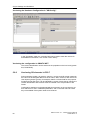
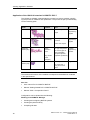
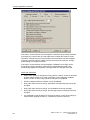
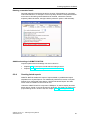
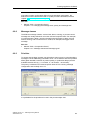
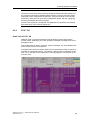
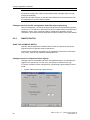
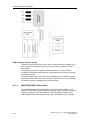
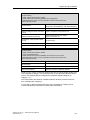
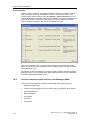
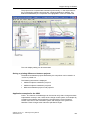
Creating Application Software Note Generating block icons automatically reduces the risk of an error occurring. See also PCS 7 on Tour – Basic, chapter 10 / 5.1 "Adapted block icons and faceplates" If the Create/Update Block Icons function is executed, the block icons are derived from the plant hierarchy of the project by means of their names and priorities, copied from the templates, and automatically linked to the tag interface of the relevant operator panel. Priority 1. Screen name @PCS7Typicals*.pdl Remark Starting with the picture which comes last alphabetically 2. 3. @PCS7Typicals.pdl @@PCS7Typicals.pdl Contained in the standard The @@PCS7Typicals.pdl template The "@@PCS7Typicals.pdl" picture is included in every PCS 7 OS project by default. It contains the standard block icons. Note The "@@PCS7Typicals.pdl" original file must not be changed under any circumstances. Any changes to the original file will be overwritten when an update or upgrade is performed. Separate templates should be created for customer-specific block, "@PCS7Typicals*.pdl". See also Product Support http://support.automation.siemens.com/DE/view/de/26697820 Product Support http://support.automation.siemens.com/DE/view/de/19688107 Project-specific template A project-specific template, "@PCS7Typicals*.pdl", can be created by copying template "@@PCS7Typicals.pdl". Customer-specific changes can then be made to the "new" template. The @Template.pdl template The "@Template.pdl" template is primarily used when block icons are inserted into pictures manually. These block icons are not connected to the plant hierarchy and are not, therefore, created or updated by the system. As a result, it can be helpful to use the template file. On the one hand you are not then linked to the plant hierarchy, and on the other hand you can use a wizard to export picture objects from one or all flow charts to a configuration file, modify block icons and their connections, and finally import the picture objects again. The configuration file can be edited using tools such as Excel. 70 SIMATIC PCS7 V7.1 - GMP Engineering Manual A5E02795571-01