1
Deployment Tools
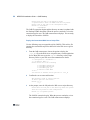
Telnet Setup (Windows Only)
This menu option does not appear when running the scripts on a UNIX
server.
You must use this menu option to set up your telnet environment and
generate the Windows-specific telnet script, k_start.bat. This file is
required for Windows systems. The script is used to automatically start a
telnet server session and to determine which items a user can access on
the host when launching an MFG/PRO program that executes in
Desktop’s integrated telnet interface. The generated file is placed in a
\telnet subdirectory in the MFG/PRO installation directory.
Uninstall MFG/PRO – Progress Desktop Files
Use this menu option to uninstall the Progress files installed by the
deployment script for the Desktop system you select. Use this option
when you want to back out the Desktop directories for a system. This
option does not remove the MFG/UTIL updates.
Using this option removes the \mfgsvr\SysName directory. SysName is
the Desktop configuration name.
Multi-Tier Deployment Options
The main menu for multi-tier configurations has two significant menu
options. The first option—the Deploy the Progress files menu—is used on
the database server. The Post MFG/UTIL Desktop Build Jar Install Menu
option is used on the application servers. In order to use these menu
options, you need to know and confirm the database server
JAVA_HOME.
Install MFG/PRO – Progress Desktop Files Menu
Use the options on this menu on the database server to:
• Deploy Desktop-specific code and MFG/PRO and MFG/UTIL
updates.
• Stage the HTML and cgi-bin files that MFG/UTIL will customize and
prepare for the application servers.
199