1
THE ULTIMATE TOOL FOR BUSINESS IN ACTION
User Manual
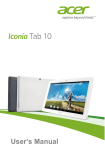
9.6" QUAD CORE TABLET
Follow the easy steps shown inside to get
your Stream Tablet up and running.
CONTENTS
Welcome
2
Important Safety Instructions
2
Care of the Environment
3
What’s in the Package
4
Layout of Your Tablet
5
Getting Started
7
Charging the Battery
7
Powering Up
8
Checking Out the Controls and Connections
10
Physical Controls
10
Virtual Controls
10
Connections and Plug-ins
11
Basic Operations
11
Power Monitoring and Charging
11
Reset 11
Connecting to Your Computer and Loading Files
12
Powering On Your Tablet
12
Main System Menu
13
Multi-Media
14
Music
14
Video 16
Images
16
Email 17
Browser 19
System Settings
21
Voice and Display
21
Display Settings
21
microSD and Internal Memory
24
About the Tablet
26
Installing Applications
26
Uninstalling an Application
26
Troubleshooting26
Technical Specifications
28
Stream Limited Warranty to End-Users
29
Welcome
Thank you for purchasing an Stream tablet!
We appreciate your business. This guide is designed to
walk you through the basics of using your new tablet.
Please make sure to read the safety instructions below
to prevent bodily injury and/or damage to the tablet.
If you have any questions that are not covered in this
guide, please visit www.triotablets.com or contact us
by phone (844.400.8746).
Please note that the information in this guide is
subject to change without notice and is protected by
the copyright laws of the United States of America
and other countries. Copying or modifying this user
guide without written consent is prohibited.
Important Safety Instructions
• Clean only with a clean, dry cloth; do not use any water, cleaners or polishes.
• Do not use the tablet near water.
• Do not use or leave your tablet in temperatures above 95°F (35°C) or below 25°F (-5°C).
• Do not place your tablet on or near any heat source,
such as a radiator, heat register, stove, or other apparatus that produces heat.
• Do not leave your tablet in direct sunlight.
2
• Using the tablet with earphones at a high volume may cause permanent damage to your hearing. Please keep the volume at a comfortable level.
• Use only the charger that came bundled with your tablet. Use of other chargers may result in damage.
• Do not charge your tablet during storms. A power surge could damage the charger and/or tablet.
• There are no user-serviceable parts inside the tablet’s casing. If you attempt to take your tablet apart, you run the risk of damaging it voiding the warranty.
• This product may contain lead and mercury. Disposal of these materials may be regulated due to environmental considerations. For disposal or recycling information, please contact your local authorities or the Electronic Industries Alliance: www.eiae.org
Care of the Environment
Your tablet is manufactured using high quality
materials and components, which can be recycled
and reused. Do not dispose of it with other household
waste. Please familiarize yourself with local rules on
the separate collection of electronic products and
batteries. The correct disposal of these products helps
prevent potentially negative consequences on the
environment and human health. Please visit www.eiae.
org for additional information on recycling your tablet.
3
What’s in the Package
• Stream Tablet
• Charger
• USB/Charger Cable
• Quick-Start Guide
4
Layout of Your Tablet
Once you have unpacked your Tablet, take a look
around it so that you know where all the controls and
connections are located.
Front
Front
Camera
Speaker
Speaker
Back
Task Manager
Power on/off
Volume (+ / -)
Rear Camera
USB/Charger
Port
Mic
5
Back
Task Manager
Power on/off
Volume (+ / -)
Rear Camera
USB/Charger
Port
Mic
Headphone
Jack
Reset Aperture
microSD Slot
It’s now time to get your Tablet ready for use.
Follow the instructions for getting started, then you
will be able to check out and try the various controls,
icons, connections and features so that you will be
comfortable using your new device.
6
Getting Started
Charging the Battery
MOST IMPORTANT - You will need to charge up the
battery before you use your Stream Tablet for the first
time.
Connect the charger to your Stream, using the USB/
Charger cable. The cable plugs in to the USB/Charger
Port at the bottom of your Tablet.
USB/Charger Port
The connection should look like this:
Plug the charger into a power outlet. Keep the battery
on charge for 6 to 8 hours to make sure that it is fully
charged.
7
Powering Up
When the battery is fully charged, switch on your
Stream Tablet. To do this, press and hold the power
on/off button until the Stream logo appears:
The logo remains until the startup operation is
finished; the startup screen then appears:
8
Touch the screen at the lock symbol and swipe
sideways. This will unlock your tablet and display
the home screen. This is sometimes called a desktop
screen, as on a laptop or personal computer. At the
bottom of the home screen you will see the following
icon:
Touch this symbol and the Apps page appears.
Touch any icon on the Apps page and it will open the
application that you have chosen.
You are now up and running!
9
Checking Out the Controls
and Connections
Physical Controls
These are controls that you can see and touch at all
times, even when your Tablet is switched off. They are
separate items that actually move when you operate
them. There are just three of these:
• On/Off – Press to switch on; press again to switch off. For some operations you need to hold the on/
off button down for a couple of seconds; this will be explained for each operation that uses this control.
• Volume + – Press to increase volume
• Volume – – Press to reduce volume
• Task Manager – Press to see a list of all apps currently open. Swipe the image up or down to close the app.
Virtual Controls
These controls are simply images on the screen. They
appear as icons (small figures) and are displayed only
when they are needed. At different times different
icons will show up on the same part of the screen.
Tapping the home screen icon
found at the
bottom of the screen will return you to the home
screen at any time. Volume controls, a back button, and
a task manager button whoing all running applications
are also found at the bottom of the screen.
10
Connections and Plug-ins
USB/Charger Port – This is used with the USB/
Charger cable when you need to charge the battery
on your Stream Tablet, or if you wish to connect your
Tablet to another device (such as a personal computer
or notebook).
Audio Jack – You can plug headphones into this jack
for personal listening.
microSD Card Slot – If you wish to increase the data
storage on your Tablet you can purchase a microSD
card and plug it in here. Your Tablet will accept cards
up to 32GB capacity.
Basic Operations
Power Monitoring and Charging
You can see the battery icon
on the upper right
hand corner of most screens and monitor battery
capacity. When the power runs out, the device will
automatically turn off. When the screen shows low
battery
, users can use the computer to charge it.
It takes approximately 4 hours to fully charge.
Reset
You can reset the player by pressing the reset button
located inside the reset hole on the back of the tablet.
11
Connecting to Your Computer and Loading Files
Attach your USB cable to your computer, and then the
tablet. Select “Turn on USB storage” on the device, it
will be recognized in “Computer” as “Stream”. Simply
open this drive and drag your files to the appropriate
folders.
Please note that MAC operating systems will display
the drive on the desktop and in your listed devices.
Powering On Your Tablet
When you power on your tablet, you will first see your
home screen. You can customize your home screen
by adding shortcuts and widgets to it. Tap an icon to
select a file or start an application. If you tap and hold
your finder on an icon for several seconds, you can
move the icon around on the home screen. Drag the
icon to the far right side of the screen to place on a
new home screen page. Swipe left and right to switch
between home screen pages.
12
Main System Menu
Your main system menu allows you to access
applications you have downloaded and adjust the
settings on your tablet.
Please note: We are unable to provide support for
third party applications. Please contact the software
manufacturer for issues with an application.
File Manager: Select this to browse images, audio files,
movies, ebook files, etc. saved on the internal memory
or SD card you have installed. Selecting one of these
files will open the file in the appropriate program.
Browser: Selecting this option will open your web
browser. For detailed instructions, please refer to the
“Multi-Media” section below.
Settings: This option will allow you to adjust most of
your settings, including Wi-Fi, screen brightness, etc.
For detailed instructions, please refer to the
“Multi-Media” section below.
13
Multi-Media
Your device supports the following media formats
Audio file formats supported:
MP3, WMA (non encrypted), MP2, OGG, M4A, MA4,
FLAC, 3GP, WAV.
Supported video formats:
AVI(H.264, DIVX, XVID), RM, RMVB, MKV(H.264, DIVX,
DIVX, XVID), WMV, MP4(H.264, MPEG, DIVX, XVID),
MPEG, MPG, FLV (H.263,H.264), HD 1080P max.
Supported image formats:
JPG, JPEG, GIF, BMP, PNG.
Music
Your music can be divided into four types: artists,
album, all music, and play list. Choose a type to view
the list. If you enter one type, continue to narrow your
selection, until the music you want to play appears.
For example, if you choose artist type, you can see the
artist name from A to Z, if you choose one artist, a list
will display the artists’ albums and album list.
14
Find and play music
1. Tap the music application.
2. Tap artist, album or play list.
3. Select any music to play.
Add music to a play list
1. Tap the music application.
2. Enter “select music”.
3. Tap and hold the music you want to add.
4. Tap “Add to playlist”, and select the play list you
wish to add your files to.
OR
1. Tap “new”.
2. Input a name for your new play list.
3. Tap “save”.
15
Delete the music in a play list
1. Tap music.
2. Tap and hold the music you want to delete from
the play list.
3. In the pop up music setting menu, tap delete to
finish.
Video
Tap the video application
1. Tap gallery or list selections.
2. The device will display all compatible video files.
3. Tap the file you want play.
Images
View images
1. Tap the gallery application.
2. This will bring up the image gallery, tap the file or
folder you want to view.
3. Tap the image you want to view, the system will
view the image in full screen.
4. When you view images, you can zoom in and out
by pinching or sliding two fingers apart.
Edit and setting images as a contact or desktop
After opening an image, tap the image again to bring
up menu options. Tap the menu icon in the upper
right corner of the screen to bring up a menu with the
following options:
16
Delete: Deletes the selected photo.
Slideshow: Enables a photo slideshow of available
pictures.
Edit: Opens a photo editor.
Crop: Allows you to crop the image.
Set Picture As: Allows you to set the image as
wallpaper on the home screen.
Details: Displays the full details of the image such as
file name and date created.
Print: Send the image to an available wireless printer.
Email
The Email application allows you to access an external
POP3 or IMAP email account provider such as Yahoo
or Gmail.
Note: Before setting up your email, please ensure that
you are connected to Wi-Fi. If you do not already
know your email settings (POP3, IMAP, etc) you can
obtain them from your email provider.
1. Tap the Email app.
2. An email setting guide to help you get your account
set up.
3. Enter your email account address and password.
4. Tap the next button, choose your email type; POP3
or IMAP.
5. Tap next button to check the email settings.
6. Enter the account name and the email sender’s
(your) name, tap finish.
7. If the mailbox is available, it will enter into your
inbox.
17
Delete an email account
You can delete the set POP3 or IMAP email account
from your Device.
1. Tap email.
2. Enter your inbox.
3. Touch the menu icon.
4. Tap setting.
5. Select the account you wish to remove.
6. A menu list will appear, select delete account.
7. Tap OK to delete.
Sending E-mail
1. Tap Email to display your mail box.
2. Tap the inbox, it will refresh the new emails
automatically; tap it to read new email.
3. Touch the
button at the top of screen.
18
4. Input the receiver’s email address in the receiver
column.
5. Input subject and email content.
6. Tap to add attachment, touch menu button, a menu
will pop up.
7. Tap “add attachment”.
8. Select the attachment you want to send (pictures,
videos)
9. Tap send button
to send the email.
Browser
When you select the browser icon, your browser will
open.You can tap the browser bar to bring up the
virtual keyboard and input the web address you would
like to view. The browser will open to the last page you
visited.
19
If you have not opened the browser yet, it will go to
your homepage.
Set the homepage
1. Tap the browser icon.
2. Tap the menu icon on the top right corner.
3. Tap the setting menu.
4. Tap General.
5. Tap Set homepage.
Visit webpage
1. Touch browser icon
2. Input the website you want to search on the
keyboard.
3. Tap finish to go to the website.
20
Bookmark management
Setting webpage bookmark
1. Go to any webpage.
2. Tap
and select “OK” to add this website to
bookmark.
Opening a bookmark
1. Tap
, and it will show bookmark list in the
browser.
2. Tap the bookmark you want to open that webpage.
System Settings
Voice and Display
Sound and volume setting
1. Tap the setting icon.
2. Tap “Sound”.
3. Tap volume to adjust the volume for music and
video.
4. Or press “VOL +” or “VOL – Button” to adjust the
volume.
Display Settings
Adjust the brightness of your screen
1. Tap the setting icon.
2. Tap display
Tap brightness, a slide bar will open.
Slide this bar to the right to increase brightness, and
to the left to decrease brightness
3. Tap OK.
21
Adjust screen standby time
1. Tap the setting icon.
2. Tap display
Tap “Sleep”, select the amount of
idle time you want to pass before the device enters
standby mode to conserve power.
Setting a screen lock
NOTE: If you set a password, PIN, or Pattern, and later
forget this item, you will be LOCKED OUT of your
device. For security purposes, we can NOT recover a
lost password, PIN, or Pattern for you. You can set a
password, PIN, or pattern to secure your device from
unauthorized access and protect your privacy.
Note: Anytime the device enters standby mode
(pressing the power button briefly or due to idle time)
you must enter your password, PIN, or pattern to
unlock it, if you have one set.
22
1. Tap the setting icon.
2. Tap Security
Screen lock
screen lock type you want.
23
Then chose the
microSD Card and Internal Memory
View microSD card and memory available space
1. Tap the setting icon.
2. Tap storage.
3. View the available space on the SD card.
4. View internal memory space.
Safely remove the microSD card
Please follow this procedure when removing the microSD card
to prevent damage to your microSD card and files
1. Tap the setting icon.
2. Tap storage.
3. Tap remove SD card.
4. Pull out the microSD card.
Date and Time
Manually adjust the date, time and time zone
1. Tap the setting icon.
2. Scroll the screen down, and tap date and time.
3. Tap time zone, and choose your zone in the list.
Scroll down to view more zone information.
4. Tap choose date formats, and tap the date formats.
24
Setting the Display Language
1. Tap the setting icon.
2. Tap language & input.
3. Tap language, and select the language you want.
25
About the Tablet
Installing Applications
Open the “Play Store” app to access thousands of
Android applications. Simply search or browse for an
app and follow the on screen instructions to install.
After installation is complete, a shortcut icon is added to the homescreen for that app. Additionally, you
can access all installed apps from the main apps page
screen.
Uninstalling an Application
Tap the settings icon
1. Tap Application.
2. Select the application you want to uninstall, tap
uninstall.
3. Tap OK to finish uninstalling the app.
Troubleshooting
1. It takes a long time to power up when I power on
for the first time. The first time you power the device
on, or after updating the device, it may take as long as
3 minutes to power on as it initializes files. Subsequent
power sequences should take less than a minute.
2. Sometimes, the device feels warm to the touch.
When charging, or after a long period of use, it is
common for the device to feel slightly warm. This is
normal as the battery charges or discharges and is not
a cause for concern.
26
3. My device will not connect to Wi-Fi.
- Ensure that you are in an area with a strong Wi-Fi
signal.
- Please make sure the password you are using is
correct.
4. Cannot surf the Internet.
- Please make sure the distance between the device
and the wireless router is within 50 yards.
- Please re-connect the Wi-Fi.
5. Sometimes, the device runs slowly.
The more apps you have open and running, the slower
the device will run. You can enter your application
setting to disable or “kill” applications to free up
processor and memory resources. In addition, there
are many “Task Killer” applications which can do this.
27
Technical Specifications
Display
10.1" IPS 1280 x 800
capacitive touch panel
CPU
MediaTek MT8127 Quad Core
processor
Cores
Quad
Storage
8GB
RAM
1GB
Bluetooth Version
4.0
Wi-Fi Bands
802.11b/g/n
Battery
5000mAh
microSD Support
Up to 32GB expandable
Front Camera Resolution
2MP
Rear Camera Resolution
5MP w/ Auto-Focus
Dimensions
265.6 x 152 x 9.4mm
Weight
885g
Android, Google, Google PIay and other marks are
trademarks of Google Inc.
If at any point, you have questions about your tablet or
experience an issue with your tablet, please feel free
to contact our technicians at mssupport@machspeed.
com or by phone at 844.400.8746.
28
STREAM LIMITED WARRANTY
TO END-USERS
Warranty; Limited Warranty Period, Warranty Recipient;
Exclusions; Exclusive Remedy:
1. The tablet you purchased (the “Product”) is
manufactured by Stream. Stream is providing this
Limited Warranty to the original end-user purchaser
of the Product only (the “Purchaser” or “you”). This
warranty is nontransferable.
2.Stream warrants to you that this Product will be free
from defects in materials and workmanship for one year
from the date of purchase (the “Warranty Period”). If
you obtain a Return Merchandise Authorization (“RMA”)
and return the Product to Stream in accordance with
the procedures set forth below during the Warranty
Period, the Product will be repaired or replaced
(with the same or a similar model, which may be a
refurbished model) at Stream’s option, without charge
for either parts or labor. This warranty shall not apply
if the Product is modified, tampered with, misused,
physically damaged, or subjected to abnormal working
conditions (including, but not limited to, electrical, fire,
and water damage).
THIS LIMITED WARRANTY DOES NOT GUARANTEE
YOU UNINTERRUPTED SERVICE. REPAIR OR
REPLACEMENT IS THE EXCLUSIVE REMEDY OF THE
PURCHASER UNDER THIS LIMITED WARRANTY.
29
To obtain service under this warranty, you must contact
our Technical Department by telephone at 844-4008746 or by email at [email protected] to
obtain an RMA number. Stream will only replace or
repair a Product that is sent to us with an authorized
RMA number and the original dated bill of sale, or a
substitute proof of purchase acceptable to Stream at
Stream’s sole option in accordance with applicable
law. Purchaser will be responsible, including paying the
charges, for the shipping and insurance of the Product
to Stream at the address supplied by our Technical
Department. Stream will pay for return shipping of the
repaired or replacement Product, as applicable, to the
Purchaser’s residence.
Discrepancy & Shipping Damage:
1. For wrong items, missing items, shipping damage, or
other discrepancy related to the shipment of repaired
or replacement Product by Stream; Purchaser should
report to our Technical Department within a reasonable
period of time after receipt, but not more than two
weeks after the items were received from Stream. Any
claims made more than two weeks after receipt of such
items by Purchaser will not be honored by Stream.
2.For any shipping damage that occurs when Purchaser
is returning the Product to Stream pursuant to this
warranty, Purchaser must file a claim with Purchaser’s
carrier immediately. All items must be shipped by
Purchaser with insurance, so Purchaser must report
damage to Customer’s carrier for coverage.
30
3.Purchaser is responsible for paying any freight charge
caused by refused shipment or unclaimed goods
shipped to Purchaser by Stream.
4.Stream will use reasonable efforts to deliver on time;
however; Stream is not liable for late or lost shipments.
In the event the replacement or repaired Product is lost
during shipment from Stream to you, you must contact
our Technical Department in the manner described
above to obtain another replacement or repaired
Product in accordance with this warranty.
Force Majeure; Certain Damages Excluded:
1. Stream shall not be liable for any failure to perform
or delay in performing any of its obligations when such
failure or delay is due to circumstances beyond its
reasonable control, including, without limitation, any act
of God, war, strike, riot, fire, flood, earthquake, lock-out,
late or non-delivery by suppliers, shortage or unavailability of materials, components or transportation
facilities, or any act, refusal to act, regulation, order or
intervention of any governmental authority.
2.TO THE EXTENT PERMITTED BY APPLICABLE LAW,
UNDER NO CIRCUMSTANCES SHALL Stream OR THE
SELLER OF THE PRODUCT BE LIABLE FOR ANYSPECIAL, INDIRECT, INCIDENTAL OR CONSEQUENTIAL
DAMAGES OF ANY KIND OR NATURE WHATSOEVER,
OR LOST GOODWILL, LOST RESALE PROFITS, LOSS
OF DATA OR SOFTWARE, WORK STOPPAGE OR
IMPAIRMENT OF OTHER GOODS,
31
WHETHER ARISING OUT OF BREACH OF ANY
EXPRESS OR IMPLIED WARRANTY, BREACH OF
CONTRACT, TORT (INCLUDING NEGLIGENCE), STRICT
PRODUCT LIABILITY OR OTHERWISE, EVEN IF
ADVISED OF THE POSSIBILITY OF SUCH DAMAGE OR
IF SUCH DAMAGE COULD HAVE BEEN REASONABLY
FORESEEN. Some states do not allow the exclusion or
limitation of incidental or consequential damages, so
the above exclusion or limitation may not apply to you.
No Other Express Warranties; Limitation on Duration of
Implied Warranties; Other Rights:
1. THIS LIMITED WARRANTY IS IN LIEU OF ALL OTHER
EXPRESS WARRANTIES BY STREAM OR THE SELLER
OF THE PRODUCT. STREAM LIMITS THE DURATION
OF ANY IMPLIED WARRANTY BY STREAM OR THE
SELLER OF THE PRODUCT, INCLUDING ANY IMPLIED
WARRANTY OF MERCHANTABILITY OR FITNESS
FOR A PARTICULAR PURPOSE, TO THE DURATION
OF THIS LIMITED WARRANTY. SOME STATES DO NOT
ALLOW LIMITATIONS ON HOW LONG AN IMPLIED
WARRANTY LASTS, SO THE ABOVE LIMITATION MAY
NOT APPLY TO YOU.
2.Other Rights Under State Law: THIS WARRANTY
GIVES YOU SPECIFIC LEGAL RIGHTS, AND YOU MAY
ALSO HAVE OTHER RIGHTS WHICH VARY FROM
STATE TO STATE.
32
FCC Information
This equipment has been tested and found to
comply with the limits for a Class B digital device,
pursuant to Part 15 of the FCC Rules. These limits are
designed to provide reasonable protection against
harmful interference in a residential installation. This
equipment generates, uses and can radiate radio
frequency energy and, if not installed and used in
accordance with the instructions, may cause harmful
interference to radio communications. However, there
is no guarantee that interference will not occur in a
particular installation. If this equipment does cause
harmful interference to radio or television reception,
which can be determined by turning the equipment
off and on, the user is encouraged to try to correct the
interference by one or more of the following measures:
• Reorient or relocate the receiving antenna.
• Increase the separation between the equipment
and receiver.
• Connect the equipment into an outlet on a circuit
different from that to which the receiver is
connected.
• Consult the dealer or an experienced radio/TV
technician for help. If you cannot eliminate the
interference, the FCC requires that you stop
using your product. Changes or modifications not
expressly by the party responsible for compliance
could void the user’s authority to operate the equipment. This device complies with Part 15 of the
33
FCC Rules. Operation is subject to the following two
conditions: (1) this device may not cause harmful
interference, and (2) this device must accept any
interference received, including interference that
may cause undesired operation.
Battery Caution & Disposal Information
• Improper operation of the battery (e.g., overcharging, crushing, puncture, excessive heat or moisture)
may produce smoke. In such an event, ventilate the
area.
• Extinguish any flames with carbon dioxide,
dry-powder fire extinguisher, or cover with sand or
mud.
• Do not disassemble, crush, puncture or incinerate.
• Do not expose to temperatures above 140° F.
• Do not dispose of the battery in the trash.
• Charge fully before storage or if stored for longer
than three months.
• Do not dispose of batteries in a fire.
• Batteries should be disposed or recycled per state
and local guidelines.
34
More Information
To find out more about your
Stream Tablet and its cool features,
check out the user manual online.
www.triotablets.com/manuals