1
Card
Printer
Solutions
General information
Getting started
Operation
Printing a card
Cleaning
P420i Plastic Card Printer
4•3 Card Cleaning Cartridge
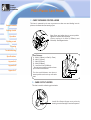
Your P420i Printer also has a Card Cleaning Cartridge. This item cleans the cards
entering the printer. To ensure print quality, the cleaning roller requires periodic
replacem ents.
CLEAN
PRINTER
W HEN TO M A IN TA IN
When LCD screen reports m essage.
Run a printer cleaning first .
(see 4.1 Cleaning System for m ore instructions.)
Troubleshooting
Specifications
HOW TO M A IN TA IN
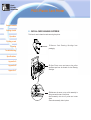
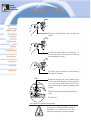
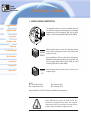
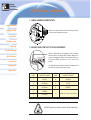
1.·Open Cover and locate Cleaning Cartridge.
Appendix A
Appendix B
Appendix C
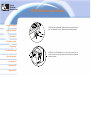
2.·Gently rem ove Cleaning Cartridge by rotating
up and aw ay from printer.
Continued on next page...