1
User's Manual
Introduction
Software
Introduction
Installation
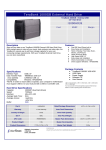
Mass Storage -USB 2.0/Combo Enclosure integrates USB V2.0 and
FireWire specification. You can connect your enclosure to
FireWire/IEEE 1394 or USB equipped computers without switching
converters. By using USB 2.0/Combo Enclosure, you can enjoy the
High-Speed of FireWire and the prevalent of USB . It also expand the
convenience for both Macintosh and purchase.
Features
1.
2.
3.
4.
5.
Hardware Requirements
USB and or FireWire enabled Macintosh or PC
Software Requirements
Mac : Mac OS8.6 or above
PC : Windows 98/98SE/ME/2000
Package Contents
Fully compatible with both USB2.0 and or IEEE1394a standard.
Cross-platform between Purchase and Macintosh supportive.
Plug and Play
Automatic configuration without ID selection or terminator
Bootable Hard Disk Drive supportive for Macintosh System on
FireWire connection.
1. Mass Storage Combo 2.5" Enclosure
2. High quality USB 2.0 Cable
3. High quality dual 6-pin FireWire Cable.
4. Installation Disk with manual inside.
* Optional wall mount power adapter .
Specification
1. Two FireWire (IEEE 1394) port and or one USB port
2. Support bus powered and self powered
3. Transfer rate : FireWire up to 400Mb/s
USB High Speed up to 480Mb/s
USB Full Speed up to 12Mb/s
USB Low Speed up to 1.5Mb/s
1
2
Hardware
SoftwareInstallation
Installation
Software
Hardware
Installation
Installation
Combo Enclosure Hardware Installation
2. Remove the screw first.
1. It's the enclosure you get.
3
4
Software
Hardware
Installation
Installation
SoftwareInstallation
Installation
Hardware
4. Remove the PCB.
3. Remove the front panel.
5
6
Software
Hardware
Installation
Installation
Hardware
SoftwareInstallation
Installation
6. Fix the 4 screws to PCB.
5. Mount the HDD on the PCB.
7
8
Software
Hardware
Installation
Installation
Hardware
SoftwareInstallation
Installation
8. Fix the front panel.
7. Insert the PCB module into the enclosure.
9
10
Software
Hardware
Installation
Installation
Software
Software
SoftwareInstallation
Installation
Installation
9. Fix the two screws. That's all.
USB Software Installation :
Macintosh supports USB V1.1 specification only.
Mac OS 8.6~9.X:
There is no any additional driver needed.
What you can do is plug in the USB cable to your
system.
Mac OS X.x:
There is no any additional driver needed also.
What you can do is plug in the USB cable to your
system.
11
12
Software
Installation
Software
Installation
Software
SoftwareInstallation
Installation
Windows 98 SE:
When the USB cable is plug-in to USB port.
System will find a new device and remind you to install the driver
for new device. What you should do are as following.
1. insert the "Windows Driver" disc to CD-ROM.
13
2. Double click the disc icon and you can see a folder
named "Windows 98SE".
14
Software
Installation
Software
Installation
Software
SoftwareInstallation
Installation
3. Find the path for your system.
You should choose "Windows 98SE" folder.
4. System will find the Win98 driver and install the driver
automatically until system reminds you" the installation is
finished".
Windows ME/2000/XP: USB connection
FireWire Software Installation :
No need to install any additional driver for FireWire connection.
If you use Mac OS 9.0.X or before ,follows are the result what
you can do.
Go to the address: http://www.apple.com to get the
"FireWire update V2.7".
No need to install any additional driver for USB connection.
There is a default driver for USB storage device provided by
OS.
Windows 98SE/ME/2000/XP:
No need to install any additional driver for FireWire connection.
15
16
Software
Installation
Trouble
Shooting
Software Installation
Troubleshooting
Please make sure all the cables and plugs are securely fastened
in their respective places.
General Remarks
1.You may not reproduce or transcribe any part of this publication
without the express prior written permission
2.The product described in this manual and its specifications are
subject to change without notice.
3.If you have any specific questions about this manual or your
Combo2.5" Enclosure, please contact your sales representative.
4.To prevent possible fire or electric shock, do not expose this product
to moisture of any kind.
17