1
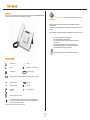
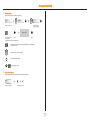
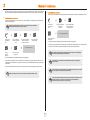
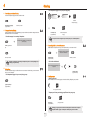
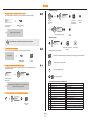
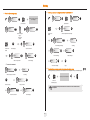
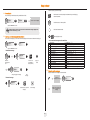
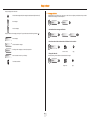
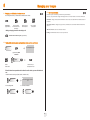
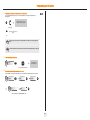
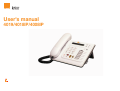
User manual Introduction Thank you for choosing a telephone from the 4019/4018/4018IP range manufactured by Orange Business Services. Your terminal has a new ergonomic layout for more effective communication. of your phone: Recommendations on the management of password (or personal code) When connected to an external public network your e-diatonis IPBX can be subject to malicious attacks. A simple way of protecting against attack is to change your passwords regularly as you do for your PCs. Here are a few tips on choosing your password, called "personal code" (4 digits on your phone) : Do not use a too easy password (ex. 1234, 2010 ...) Take a different password for each application Your password is personal and should remain confidential, not disclose it to anyone else Never write down your password. The first thing an attacker will do is rummage through your belongings – check your diary, look under your monitor and keyboard, sift through your garbage, etc. Your phone is now correctly secure and the fraud risks are minimized. How to use this guide Lift the receiver. Hang up. 2ab 5 c jkl ef 3d mno 6 Line key. 2 Numeric keypad. Specific key on numeric keypad. Partial view of display. Means that the function is subject to programming. If necessary, contact your installer. Adjustment “reduce”. Fixed key. Adjustment “increase”. MENU key. Loudspeaker, hands free. Voice mail access key. Move the navigation key up or down. To go back one level (press and release) or to return to the welcome page (press and hold) ; during a conversation, can be used to access the different pages (Menu, Perso, etc.) and to return to the telephone screens. These symbols can be supplemented by small icons or text. 3