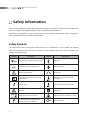
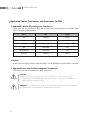
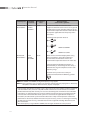
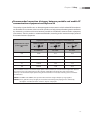
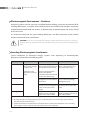
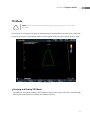
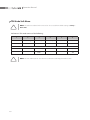
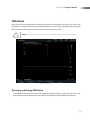
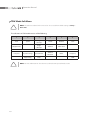
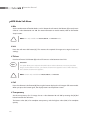
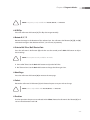
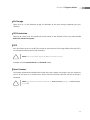
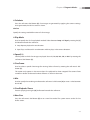
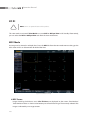
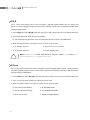
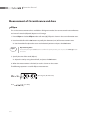
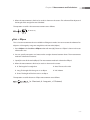
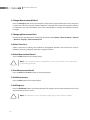
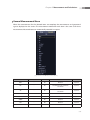
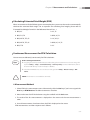
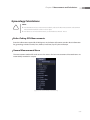
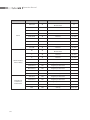
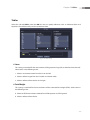
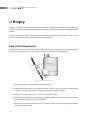
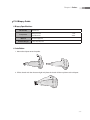
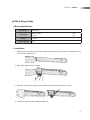
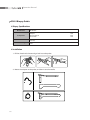
1
WARRANTY Samsung Medison provides the following warranty to the purchaser of this unit. This warranty is valid for a period of one year from the date of installation and covers all problems caused by faulty workmanship or faulty material. Samsung Medison will, as sole and exclusive remedy and at no charge, replace any such defective unit returned to Samsung Medison within the designated warranty period. The warranty does not cover damages and loss caused by outside factors including, but not limited to, fire, flood, storm, tidal wave, lightning, earthquake, theft, abnormal conditions of operation, and intentional destruction of the equipment. Damage caused by equipment relocation is not covered. The warranty is void in cases where the equipment has been damaged as a result of an accident, misuse, abuse, dropping, or when attempts to modify or alter any part or assembly of the equipment have taken place. Parts with cosmetic defects or deterioration will not be replaced. Replacement of batteries, training materials, and supplies are not covered. Samsung Medison will not be responsible for incidental or consequential damages of any kind arising from or connected with the use of the equipment. Samsung Medison will not be responsible for any loss, damage, or injury resulting from a delay in services rendered under the warranty This limited warranty is in lieu of all other warranties expressed or implied, including warranties of merchant ability or fitness for any particular use. No representative or other person is authorized to represent or assume for Samsung Medison any warranty liability beyond that set forth herein. Defective equipment shipped from you to Samsung Medison must be packed in the replacement cartons. Shipping and insurance costs are the responsibility of the customer. To return defective material to Samsung Medison contact the Samsung Medison Customer Service Department. Samsung Medison or a local distributor will make available, upon request, circuit diagrams, a component parts list, descriptions, calibration instructions and other information which will assist your appropriately qualified technical personnel to repair those parts of the equipment which are designed by Samsung Medison as repairable. CAUTION: United State federal law restricts this device to sale by or on the order of physicians. MANUFACTURER : SAMSUNG MEDISON CO., LTD. 42, Teheran-ro 108-gil, Gangnam-gu, Seoul, Korea Customer Service Department : SAMSUNG MEDISON CO., LTD. TEL : 82-2-2194-1234 FAX : 82-2-2194-1071 Website: www.samsungmedison.com EC Representative : SAMSUNG ELECTRONICS (UK) LTD. Blackbushe Business Park, Saxony Way, Yateley, Hampshire, GU46 6GG, UK Diagnostic Ultrasound System Operation Manual Version 1.00.00 English M359-E10000-01 PROPRIETRAY INFORMATION AND SOFTWARE LICENSE The Customer shall keep confidential all proprietary information furnished or disclosed to the Customer by Samsung Medison, unless such information has become part of the public domain through no fault of the Customer. The Customer shall not use such proprietary information, without the prior written consent of Samsung Medison, for any purpose other than the maintenance, repair or operation of the goods. Samsung Medison’s systems contain Samsung Medison’s proprietary software in machine-readable form. Samsung Medison retains all its rights, title and interest in the software except that purchase of this product includes a license to use the machine-readable software contained in it. The Customer shall not copy, trace, disassemble or modify the software. Transfer of this product by the Customer shall constitute a transfer of this license that shall not be otherwise transferable. Upon cancellation or termination of this contract or return of the goods for reasons other than repair or modification, the Customer shall return to Samsung Medison all such proprietary information. Safety Requirements Classifications: XX Type of protection against electrical shock: Class I XX Degree of protection against electrical shock (Patient connection): Type BF equipment XX Degree of protection against harmful ingress of water: Ordinary equipment XX Degree of safety of application in the presence of a flammable anesthetic material with air or with oxygen or nitrous oxide: Equipment not suitable for use in the presence of a flammable anesthetic mixture with air or with oxygen or nitrous oxide. XX Mode of operation: Continuous operation Electromechanical safety standards met: XX Medical Electrical Equipment, Part 1: General Requirements for Basic Safety and Essential Performance [IEC 60601-1:2005] XX Medical Electrical Equipment, Part 1-2: General Requirements for Basic Safety and Essential Performance - Collateral Standard: Electromagnetic Compatibility - Requirements and Tests [IEC 60601-1-2:2007] XX Medical Electrical Equipment, Part 1-6: General Requirements for Basic Safety and Essential Performance- Collateral Standard: Usability [IEC 60601-1-6:2006] XX Medical Electrical Equipment, Part 2-37: Particular Requirements for the Basic Safety and Essential Performance of Ultrasonic Medical Diagnostic and Monitoring Equipment [IEC60601-2-37:2007] XX Medical Electrical Equipment, Part 1: General Requirements for Safety [IEC 60601-1:1988 with A1:1991 and A2:1995] XX Medical Electrical Equipment, Part 1: General Requirements for Safety – 1 Collateral Standard: safety Requirement for Medical Electrical Systems [IEC 60601-1-1:2000] XX Medical Electrical Equipment, Part 1: General Requirements for Safety - 2 Collateral Standard: Electromagnetic Compatibility - Requirements and Test [IEC 60601-1-2:2001, A1:2004] XX Medical Electrical Equipment, Part 1: General Requirements for Safety - 4 Collateral Standard: Programmable Electrical Medical Systems [IEC 60601-1-4: 1996, A1:1999] XX Medical Electrical Equipment, Part 2: Particular Requirements for Safety - 37 Ultrasonic Medical Diagnostic and Monitoring Equipment [IEC60601-2-37: 2001 with A1:2004, A2:2005] XX Medical Devices – Application of Risk Management to Medical Devices [ISO 14971:2007] XX Medical Electrical Equipment, Part 1: General Requirements for Safety [UL60601-1:2003] XX Medical Electrical Equipment - Part 1: General Requirements for Safety [CAN/CSA 22.2 No.601.1-M90:1990, with R2003, with R2005] XX Biological Evaluation of Medical Devices [ISO10993 : 2009] XX Standard Means for the Reporting of the Acoustic Output of Medical Diagnostic Ultrasonic Equipment [IEC61157:2007] Declarations This is CSA symbol for Canada and United States of America This is manufacturer’s declaration of product compliance with applicable EEC directive(s) and the European notified body. This is manufacturer’s declaration of product compliance with applicable EEC directive(s). This is GMP symbol for Good Manufacturing Practice of Korea quality system regulation. Before Using This Product You should be familiar with all of these areas before attempting to use this manual or your ultrasound system. Please keep this user guide close to the product as a reference when using the system. ‘Chapter 1. Safety and ‘Chapter 8. Maintenance’, in particular, contain important safety information and must be thoroughly understood. This manual does not include diagnosis results or opinions. Also, check the reference information for the measured area of the body before using the application’s measurement results in any diagnosis. This product is an ultrasound diagnosis device and cannot be used from the user's PC. We are not responsible for errors that occur when the system is run on a user’s PC. Only medical doctors or persons supervised by medical doctors should use this system. Persons who are not qualified must not operate this product. The manufacturer is not responsible for any damage to this product caused by user carelessness and/ or neglect. The contents and specifications described in this manual may be changed without notice. Non- Samsung Medison product names may be trademarks of their respective owners. The following terms are used to highlight safety precautions that the user must be aware of: DANGER: Ignoring a DANGER warning will risk life-threatening injury. WARNING: The accompanying information must be followed to prevent serious accidents and/or damage to property. CAUTION: The accompanying information helps to avoid accidents and/or damage to property. NOTE: The accompanying information covers an installation, operation, or maintenance procedure that requires careful attention from the user, but has little chance of leading directly to a dangerous situation. If You Need Assistance If you need the service manual or any assistance with the equipment, please contact the Samsung Medison Customer Service Department, or one of their worldwide customer service representatives, immediately. Revision History The revision history of this manual is as the follows. DOCUMENT DATE NOTE M359-E10000-01 2012-05-15 Initial Release System Upgrades and Manual Set Updates An upgrade to this product refers to an upgrade to its hardware and/or software. When this product is upgraded, an updated operation manual will be published to reflect the changes to in the product. Please make sure that the revised version of this manual matches that of the accompanying product. If not, please contact the Samsung Medison Customer Service Department. Table of Contents Table of Contents Chapter 1 Safety Indication for Use...........................................................................................................................................1-3 Contraindications ............................................................................................................................................................... 1-3 Safety Information.........................................................................................................................................1-4 Safety Symbols..................................................................................................................................................................... 1-4 LABEL....................................................................................................................................................................................... 1-6 Electrical Safety...............................................................................................................................................1-7 Prevention of Electric Shock........................................................................................................................................... 1-7 ECG-Related Information................................................................................................................................................. 1-8 ESD............................................................................................................................................................................................ 1-8 EMI............................................................................................................................................................................................ 1-9 EMC ......................................................................................................................................................................................... 1-9 Mechanical Safety....................................................................................................................................... 1-16 Safety Notes........................................................................................................................................................................1-16 Moving the Equipment...................................................................................................................................................1-17 Biological Safety.......................................................................................................................................... 1-18 ALARA Principle.................................................................................................................................................................1-18 Training.................................................................................................................................................................................1-31 Environmental Protection........................................................................................................................ 1-32 Battery Pack................................................................................................................................................... 1-33 Chapter 2 Introduction Specification....................................................................................................................................................2-3 Product Configuration ................................................................................................................................2-6 Monitor................................................................................................................................................................................... 2-7 Control Panel........................................................................................................................................................................ 2-9 Console ................................................................................................................................................................................2-14 Peripheral Devices............................................................................................................................................................2-16 Battery Pack.........................................................................................................................................................................2-18 Probes....................................................................................................................................................................................2-20 MySono U6 Cart (sold separately)..............................................................................................................................2-21 Accessories..........................................................................................................................................................................2-22 Optional Functions...........................................................................................................................................................2-22 15 Operation Manual Chapter 3 Starting Diagnosis Power Supply...................................................................................................................................................3-3 AC Adapter Connection.................................................................................................................................................... 3-3 Powering On ........................................................................................................................................................................ 3-4 Powering Off......................................................................................................................................................................... 3-4 Monitor and Audio .......................................................................................................................................3-5 Monitor Brightness Adjustment.................................................................................................................................... 3-5 Volume Adjustment........................................................................................................................................................... 3-5 Probes & Applications .................................................................................................................................3-6 Probe Connection............................................................................................................................................................... 3-7 Application Selection........................................................................................................................................................ 3-8 Changing Probe Preset..................................................................................................................................................... 3-8 Patient Information ......................................................................................................................................3-9 Basic Patient Information Entry..................................................................................................................................... 3-9 Application-Specific Patient Information................................................................................................................3-11 Searching for Patient Information..............................................................................................................................3-20 Managing Patient Exams...............................................................................................................................................3-23 Changing Measurements..............................................................................................................................................3-30 Power Saving Mode .................................................................................................................................. 3-33 Chapter 4 Diagnosis Modes Information......................................................................................................................................................4-3 Types of Diagnosis Modes............................................................................................................................................... 4-3 Basic Operating Instructions ......................................................................................................................................... 4-4 Basic Mode.......................................................................................................................................................4-6 2D Mode................................................................................................................................................................................. 4-6 M Mode ................................................................................................................................................................................4-13 Color Doppler Mode .......................................................................................................................................................4-16 Power Doppler Mode .....................................................................................................................................................4-20 PW Spectral Doppler Mode ..........................................................................................................................................4-23 CW Spectral Doppler Mode .........................................................................................................................................4-29 TDI Mode..............................................................................................................................................................................4-31 TDW Mode ..........................................................................................................................................................................4-33 Combined Mode......................................................................................................................................... 4-35 2D/C/PW Mode..................................................................................................................................................................4-35 16 Table of Contents 2D/PD/PW Mode...............................................................................................................................................................4-35 2D/C/CW Mode..................................................................................................................................................................4-35 2D/PD/CW Mode...............................................................................................................................................................4-35 2D/C/M Mode ....................................................................................................................................................................4-36 2D/C Live Mode.................................................................................................................................................................4-36 Dual Mode..................................................................................................................................................... 4-37 3D/4D Mode................................................................................................................................................. 4-38 3D Stand by.........................................................................................................................................................................4-39 3D View-MPR.......................................................................................................................................................................4-42 3D XI.......................................................................................................................................................................................4-58 Chapter 5 Measurements and Calculations Measurement Accuracy...............................................................................................................................5-3 Causes of Measurement Errors...................................................................................................................................... 5-3 Optimization of Measurement Accuracy................................................................................................................... 5-5 Measurement Accuracy Table........................................................................................................................................ 5-7 Basic Measurements.....................................................................................................................................5-8 Distance Measurement...................................................................................................................................................5-11 Measurement of Circumference and Area..............................................................................................................5-16 Volume Measurement.....................................................................................................................................................5-18 Calculations by Application ................................................................................................................... 5-21 Things to note ..................................................................................................................................................................5-21 Common Measurement Methods .............................................................................................................................5-25 OB Calculations..................................................................................................................................................................5-30 Gynecology Calculations ..............................................................................................................................................5-39 Cardiac Calculations.........................................................................................................................................................5-42 Carotid Calculations.........................................................................................................................................................5-55 LE Artery Calculations.....................................................................................................................................................5-61 UE Artery Calculations ...................................................................................................................................................5-63 LE Vein Calculation ..........................................................................................................................................................5-65 UE Vein Calculations.........................................................................................................................................................5-67 Fetal Echo Calculations...................................................................................................................................................5-69 Urology Calculations........................................................................................................................................................5-73 Abdomen Calculations ..................................................................................................................................................5-76 Small Parts Calculations .................................................................................................................................................5-79 TCD Calculations ..............................................................................................................................................................5-84 Musculoskeletal Calculations.......................................................................................................................................5-86 Pediatric Hips Calculations............................................................................................................................................5-87 17 Operation Manual Report.............................................................................................................................................................. 5-89 Viewing Reports ...............................................................................................................................................................5-89 Editing Reports..................................................................................................................................................................5-91 Adding Comments...........................................................................................................................................................5-93 Printing Reports.................................................................................................................................................................5-93 Exporting Reports.............................................................................................................................................................5-94 Transferring Reports........................................................................................................................................................5-95 Graph screen.......................................................................................................................................................................5-95 Closing Reports............................................................................................................................................................... 5-100 Chapter 6 Image Management Cine/Loop.........................................................................................................................................................6-3 Annotation.......................................................................................................................................................6-6 Text .......................................................................................................................................................................................... 6-6 BodyMarker.........................................................................................................................................................................6-10 Indicator ..............................................................................................................................................................................6-12 Saving and Playing Images..................................................................................................................... 6-14 Saving Images....................................................................................................................................................................6-14 Playing Images...................................................................................................................................................................6-15 Transferring and Printing Images......................................................................................................... 6-16 Transferring Images.........................................................................................................................................................6-16 Printing Images..................................................................................................................................................................6-17 SONOVIEW..................................................................................................................................................... 6-18 Exam Mode..........................................................................................................................................................................6-18 Compare Mode..................................................................................................................................................................6-20 Exam Image Management ...........................................................................................................................................6-21 Chapter 7 Utilities Utilities ..............................................................................................................................................................7-3 Biopsy.................................................................................................................................................................7-5 Histogram ........................................................................................................................................................7-7 Post Curve ........................................................................................................................................................7-9 Monitor Calibration............................................................................................................................................................ 7-9 Gamma..................................................................................................................................................................................7-12 18 Table of Contents 2D Post..................................................................................................................................................................................7-12 Color Map.............................................................................................................................................................................7-14 D Post.....................................................................................................................................................................................7-15 M Post....................................................................................................................................................................................7-15 Preset .............................................................................................................................................................. 7-16 General..................................................................................................................................................................................7-17 Display...................................................................................................................................................................................7-20 Annotate...............................................................................................................................................................................7-24 Peripherals...........................................................................................................................................................................7-29 User Defined Key...............................................................................................................................................................7-31 Miscellaneous.....................................................................................................................................................................7-33 Option...................................................................................................................................................................................7-35 DICOM...................................................................................................................................................................................7-37 AutoCalc...............................................................................................................................................................................7-54 About.....................................................................................................................................................................................7-55 Measurement Settings ............................................................................................................................. 7-56 General..................................................................................................................................................................................7-57 OB............................................................................................................................................................................................7-66 Cardiac...................................................................................................................................................................................7-74 Vascular.................................................................................................................................................................................7-76 Urology.................................................................................................................................................................................7-78 Fetal Heart............................................................................................................................................................................7-80 Storage Manager......................................................................................................................................... 7-82 Menu Edit....................................................................................................................................................... 7-84 Chapter 8 Maintenance Operating Environment..............................................................................................................................8-3 System Maintenance....................................................................................................................................8-4 Cleaning and disinfecting................................................................................................................................................ 8-4 Accuracy Check.................................................................................................................................................................... 8-6 Battery Pack Management.........................................................................................................................8-7 Replacing the Battery Pack.............................................................................................................................................. 8-7 Recharging the Battery Pack........................................................................................................................................... 8-8 Storing the Battery Pack................................................................................................................................................... 8-9 Disposing of the Battery Pack........................................................................................................................................ 8-9 19 Operation Manual Data Management...................................................................................................................................... 8-10 User Settings Backup.......................................................................................................................................................8-10 Patient Information Backup..........................................................................................................................................8-10 Software...............................................................................................................................................................................8-10 Chapter 9 Probes Probes.................................................................................................................................................................9-3 Ultrasound Transmission Gel.......................................................................................................................................... 9-8 Sheath Use............................................................................................................................................................................. 9-9 Probe Safety Precautions...............................................................................................................................................9-10 Cleaning and Disinfecting the Probe........................................................................................................................9-12 Biopsy.............................................................................................................................................................. 9-20 Biopsy Kit Components..................................................................................................................................................9-20 Using the Biopsy Kit.........................................................................................................................................................9-21 Cleaning and Disinfecting the Biopsy Kit................................................................................................................9-23 Assembling the Biopsy Kit.............................................................................................................................................9-25 Reference Manual Samsung Medison provides an additional MySono U6 Reference Manual (English). 20 Chapter 1 Safety Indication for Use..............................................1-3 Contraindications ....................................................................1-3 Safety Information...........................................1-4 Safety Symbols..........................................................................1-4 LABEL............................................................................................1-6 Electrical Safety.................................................1-7 Prevention of Electric Shock.................................................1-7 ECG-Related Information.......................................................1-8 ESD.................................................................................................1-8 EMI..................................................................................................1-9 EMC ...............................................................................................1-9 Mechanical Safety......................................... 1-16 Safety Notes..............................................................................1-16 Moving the Equipment........................................................1-17 Biological Safety............................................ 1-18 ALARA Principle......................................................................1-18 Training......................................................................................1-31 Environmental Protection............................ 1-32 Battery Pack................................................... 1-33 Chapter 1 Safety Indication for Use The MySono U6 Diagnostic Ultrasound System and transducers are intended for diagnostic ultrasound imaging and fluid analysis of the human body. The clinical applications include: Fetal, Abdominal, Pediatric, Small Organ, Neonatal Cephalic, Adult Cephalic, Trans-rectal, Trans-vaginal, Muscular-Skeletal (Conventional, Superficial), Cardiac Adult, Cardiac Pediatric, Peripheral vessel. Contraindications The MySono U6 system is not intended for ophthalmic use or any use causing the acoustic beam to pass through the eye. CAUTION: XX Federal law restricts this device to sale by or on the order of a physician. XX The method of application or use of the device is described in the manual ‘Chapter 3. Starting Diagnosis’ and ‘Chapter 4. Diagnosis Modes’. 1-3 Operation Manual Safety Information Please read the following safety information before using this product. It is relevant to the ultrasound system, the probes, the recording devices, and any of the optional equipment. MySono U6 is intended for use by, or by the order of, and under the supervision of, a licensed physician who is qualified for direct use of the medical device. Safety Symbols The International Electro Technical Commission (IEC) has established a set of symbols for medical electronic equipment, which classify a connection or warn of potential hazards. The classifications and symbols are shown below. Symbols 1-4 Description Symbols Description AC (alternating current) voltage source USB port DC (direct current) voltage source Microphone port Risk of electric shock Audio port Isolated patient connection (Type BF applied part) Protection against the effects of immersion Power switch Protection against dripping water Caution Probe port Refer to the operation manual ESD (electrostatic discharge) caution Indicates dangerous voltages over 1,000V AC or over 1,500V DC. Video (DVI-I) port Chapter 1 Safety Symbols Description Symbols Description Network port Do not sit on control panel Do not push the product Do not lean against the product Follow the operation manual 1-5 Operation Manual LABEL Warning and caution labels that contain information and instructions concerning the protection of the product can be found on the exterior of the product. [Label 1. ID label] [Label 2. Cautions found on the lower part of the product exterior] 1-6 Chapter 1 Safety Electrical Safety This equipment has been verified as a Class I device with Type BF applied parts. Prevention of Electric Shock WARNING: XX Electric shock may result if this system, including all of its externally mounted recording and monitoring devices, is not properly grounded. XX Never remove the cover from the product. This product uses levels of voltage that are potentially dangerous. All internal component repairs and part replacements must be performed by Samsung Medison’s service department. XX Always check the product’s casing, cables, cords, and plugs for damage before using the product. Do not use and disconnect the power source, if the face is cracked, chipped, or torn, the housing is damaged, or if the cable is worn. XX Always disconnect the system from the wall outlet prior to cleaning the system. XX All patient contact devices, such as the probe, must be detached from the patient prior to using a high-voltage defibrillator. XX The use of flammable anesthetic gas or oxidizing gases should be avoided. Doing so may cause an explosion. XX Avoid installing the system in such a way that it is difficult for the operator to disconnect it from the power source. XX Only use an AC adapter recommended by Samsung Medison. CAUTION: XX An isolation transformer protects the system from power surges. The isolation transformer continues to operate when the system is in standby. XX Do not immerse the cable in liquids. The power cable is not waterproof. XX Do not touch the SIP/SOP terminal on the rear of the product while diagnosing the patient. There is a risk of electric shock from leakage current. Additional equipment connected to medical electrical equipment must comply with the respective IEC standards (e.g. IEC 60950/EN60950 for data processing equipment, IEC60601-1/EN60601-1 for medical devices). Furthermore, all configurations shall comply with the requirements for medical electrical systems (see IEC60601-1-1/EN60601-1-1). Anybody connecting additional equipment to signal input and output port of medical electrical equipment should make sure that the equipment complies with IEC60601-1-1/EN60601-1-1. 1-7 Operation Manual ECG-Related Information WARNING: XX This device is not intended to provide a ECG monitoring function. Therefore, it does not have a means of indicating an inoperative electrocardiograph. XX Do not use the ECG electrodes for HF surgical equipment. Any malfunctions in the HF surgical equipment may result in burns to the patient. XX Do not use ECG electrodes during cardiac pacemaker procedures or any procedures that involve other types of electrical stimulators. XXDo not use ECG leads and electrodes in an operating room. ESD Electrostatic discharge (ESD), which is commonly referred to as static shock, is a naturally occurring phenomenon. ESD is most prevalent during conditions of low humidity, including during heater or airconditioner use. The static shock or ESD is a discharge of the electrical energy build-up from a charged individual to a lesser or non-charged individual or object. An ESD occurs when an individual with an electrical energy build-up comes in contact with conductive objects such as metal doorknobs, file cabinets, computer equipment, and even other individuals. CAUTION: XX The level of electrical energy discharged from a system user or patient to an ultrasound system can be significant enough to cause damage to the system or probes. XX Always perform the ESD preventive procedure before using connectors bearing the ESD warning symbol. −− Apply anti-static spray on carpets or linoleum. −− Use anti-static mats. −− Ground the product to the patient’s table or bed. XX It is highly recommended that the user be given training on ESD-related warning symbols and preventive procedures. 1-8 Chapter 1 Safety EMI Although this system has been manufactured in compliance with existing EMI (ElectroMagnetic Interference) requirements, use of this system in the presence of an electromagnetic field can cause degradation of the ultrasound image or product damage. If this occurs often, Samsung Medison suggests a review of the environment in which the system is being used, to identify possible sources of radiated emissions. These emissions could be from other electrical devices used within the same room or an adjacent room. Communication devices such as cellular phones and pagers can cause these emissions. The existence of radios, TVs, or microwave transmission equipment nearby can also cause interference. CAUTION: Indicates the presence of a hazard that can cause equipment damage. EMC The testing for EMC(Electromagnetic Compatibility) of this system has been performed according to the international standard for EMC with medical devices (IEC60601-1-2). In Europe, the IEC standard was adopted as the European norm (EN60601-1-2). Guidance and manufacturer’s declaration - electromagnetic emission This product is intended for use in the electromagnetic environment specified below. The user is to ensure that the product is used in the following environment. Emission test Compliance RF Emission CISPR 11 Group 1 RF Emission CISPR 11 Class B Harmonic Emission IEC 61000-3-2 Class A Flicker Emission IEC 61000-3-3 Complies Electromagnetic environment -guidance The Ultrasound System uses RF energy only for its internal functions. Therefore, its RF emissions are very low and are not likely to cause any interference in nearby electronic equipment. The Ultrasound System is suitable for use in all establishments, including domestic establishments and those directly connected to the public low-voltage power supply network that supplies building used for domestic purposes. 1-9 Operation Manual Approved Cables, Transducers and Accessories for EMC Approved Cable for Electromagnetic Compliance Cables used with this product can affect the emission levels. Accordingly, only use cables of the types and lengths specified below: Cable Type Length DVI Shielded Normal USB Shielded Normal LAN(RJ45) Twisted pair Any MIC Unshielded Any Printer Remote Unshielded Any Audio R.L Shielded Normal Probes Probes listed in ‘Chapter 9. Probes’ meet the Group 1 Class B requirements of the CISPR 11 standard. Approved Accessories for Electromagnetic Compliance Accessories used with this product may affect its emissions. CAUTION: XX Before connecting this medical device to one of your own accessories, you must ensure electromagnetic compatibility between this device and the accessory. Use only CISPR 11 or CISPR 22, CLASS B compliant devices. WARNING: The use of cables, transducers, and accessories other than those specified may result in increased emission or decreased Immunity of the Ultrasound System. 1-10 Chapter 1 Safety Immunity test Electrotatic discharge (ESD) IEC 60601 Test level Compliance level Electromagnetic environment -guidance ±6KV Contact ±6KV Contact ±8KV air ±8KV air IEC 61000-4-4 ±2KV for power supply lines ±1KV for input/output lines ±2KV for power supply lines ±1KV for input/output lines Mains power quality should be that of a typical commer-cial or hospital environment. Surge ±1KV differential mode ±1KV differential mode IEC 61000-4-5 ±2KV common mode ±2KV common mode Mains power quality should be that of a typical commer-cial or hospital environment. Voltage dips, short interruptions and voltage variations on power supply input lines <5% Uт for 0.5 cycles (>95% dip in Uт) <5% Uт for 0.5 cycles (>95% dip in Uт) 40% Uт for 5 cycles (60% dip in Uт) 40% Uт for 5 cycles (60% dip in Uт) IEC 61000-4-11 70% Uт for 25 cycles (30% dip in Uт) 70% Uт for 25 cycles (30% dip in Uт) <5% Uт for 5 s (<95% dip in Uт) <5% Uт for 5 s (<95% dip in Uт) 3 A/m 3 A/m IEC 61000-4-2 Electrical fast transient/burst Power frequency (50/60Hz) magnetic field IEC 61000-4-8 Floors should be wood, concrete or ceramic tile. If floors are covered with synthetic material, the relat-ive humidity should be at least 30%. Mains power quality should be that of a typical commer-cial or hospital environment. If the user of this product requires continued operation during power mains interrup-tions, it is recommended that this product be powered from an uninterruptible power supply or a battery. Power frequency magnetic fields should be at levels characteristic of a typical location in a typical commer-cial or hospital environment. NOTE: Uт is the a.c. mains voltage prior to application of the test level. 1-11 Operation Manual Immunity test Conducted RF IEC 61000-4-6 IEC 60601 test level 3 Vrms 150 kHz to 80MHz Compliance level 0.01V Electromagnetic environment - guidance Portable and mobile RF communications equipment should be used no closer to any part of the Ultrasound System, including cables, than the recommended separation distance calculated from the equation applicable to the frequency of the transmitter. Recommended separation distance Radiated RF IEC 61000-4-3 3 V/m 80 MHz to 2.5GHz 3V/m 80MHz to 800MHZ 800MHz to 2.5GHz Where P is the maximum output power rating of the transmitter in watts (W) according to the transmitter manufacturer and d is the recommended separation distance in meters (m). Field strengths from fixed RF transmitters, as determined by an electromagnetic site survey, a should be less than the compliance level in each frequency range. b Interference may occur in the vicinity of equipment marked with the following symbol : NOTE 1: At 80MHz and 800MHz, the higher frequency range applies. NOTE 2: These guidelines may not apply in all situations. Electromagnetic propagation is affected by absorption and reflection from structures, objects and people. F ield strengths from fixed transmitters, such as base stations for radio (cellular/cordless) telephones and land mobile radios, amateur radio, AM and FM radio broadcast and TV broadcast cannot be predicted theoretically with accuracy. To assess the electromagnetic environment due to fixed RF transmitters, an electromagnetic site survey should be considered. If the measured field strength in the location in which the Ultrasound System is used exceeds the applicable RF compliance level above, the Ultrasound System should be observed to verify normal operation. If abnormal performance is observed, additional measures may be necessary, such as re-orienting or relocating the Ultrasound System or using a shielded location with a higher RF shielding effectiveness and filter attenuation. b Over the frequency range 150kHz to 80MHz, field strengths should be less than [V1] V/m. a 1-12 Chapter 1 Safety Recommended separation distances between portable and mobile RF communications equipment and MySono U6 This product is intended for use in an electromagnetic environment in which radiated RF disturbances are controlled. The customer or the user of this product can help prevent electromagnetic interference by maintaining a minimum distance between portable and mobile RF communications equipment (transmitters) and this product as recommended below, according to the maximum output power of the communications equipment. Separation distance according to frequency of transmitter [m] 150kHz to 80MHz 80MHz to 800MHz 800MHz to 2.5GHz V1=0.01Vrms E1=3 V/m E1=3V/m 0.01 35.00 0.11 0.23 0.1 110.68 0.36 0.73 1 350.00 1.16 2.33 10 1106.80 3.68 7.37 100 3500.00 11.66 23.33 Rated maximum output power of transmitter [W] For transmitters rated at a maximum output power not listed above, the recommended separation distance d in meters (m) can be estimated using the equation applicable to the frequency of the transmitter, where p is the maximum output power rating of the transmitter in watts (W) according to the transmitter manufacturer. NOTE 1: A t 80MHz and 800MHz, the separation distance for the higher frequency range applies. NOTE 2: T hese guidelines may not apply in all situations. Electromagnetic propagation is affected by absorption and reflection from structures, objects and people. 1-13 Operation Manual Electromagnetic Environment – Guidance Ultrasound systems must be used only in shielded locations offering at least the minimal level of RF shielding effectiveness, and where all the cables found are also shielded. Field strengths outside the shielded location from fixed RF transmitters, as determined by an electromagnetic site survey, should be less than 3V/m. It is essential to verify that the actual shielding effectiveness and filter attenuation of the shielded location meet the minimum specifications. CAUTION: If you connect the product to a LAN or any other remote device you possess, Samsung Medison will not be held responsible for any problem arising in the presence of an electromagnetic field. Avoiding Electromagnetic Interference Typical interference on Ultrasound Imaging Systems varies depending on Electromagnetic phenomena. Please refer to the following table: Imaging Mode 2D or 3D M ESD1 RF2 Power Line3 Change of operating mode, system settings, or system reset. For sector imaging probes, White dots, dashes, diagonal white radial bands or flashes in lines, or diagonal lines near the centerlines of the image. the center of the image. Brief flashes in the displayed or recorded image. For linear imaging probes, white vertical bands, sometimes more pronounced on the sides of the image. Increase in the image background noise or white M mode lines. White dots, dashes, diagonal lines, or increase in image background noise Color Color flashes, radial or vertical Color flashes, dots, dashes, bands, increase in background or changes in the color noise noise, or changes in color level. image. Doppler Horizontal lines in the spectral Vertical lines in the spectral display or tones, abnormal display, popping type noise in noise in the audio, or both. the audio, or both. 1. ESD caused by discharging of electric charge build-up on insulated surfaces or persons. 2. RF energy from RF transmitting equipment such as portable phones, hand-held radios, wireless devices, commercial radio and TV, and so on. 3. Conducted interference on powerlines or connected cables caused by other equipment, such as switching power supplies, electrical controls, and natural phenomena such as lightning. 1-14 Chapter 1 Safety A medical device can either generate or receive electromagnetic interference. The EMC standards describe tests for both emitted and received interference. Samsung Medison’s ultrasound products do not generate electromagnetic interference in excess of their standard levels of the devices. An Ultrasound System is designed to receive signals at radio frequency and is therefore susceptible to interference generated by RF energy sources. Examples of other sources of interference are medical devices, information technology products, and radio and television transmission towers. Tracing the source of radiated interference can be a difficult task. Customers should consider the following in an attempt to locate the source: XX Is the interference intermittent or constant? XX Does the interference show up only with one transducer operating at the same frequency or with several transducers? XX Do two different transducers operating at the same frequency have the same problem? XX Is the interference present if the system is moved to a different location in the facility? The answers to these questions will help determine if the problem resides with the system or the scanning environment. Answer each of the questions and contact the Samsung Medison service department in your area. 1-15 Operation Manual Mechanical Safety Safety Notes CAUTION: XX Do not apply excessive force to the product. XX Install and use the product at a stable location. Use of the Samsung Medison cart (sold separately) is recommended. XX Do not use the product with it placed on your lap. You might get burned. XX Never attempt to modify the product in any way. XX Read the instructions on safe operation of the product if using the product after a prolonged period of non-use. XX Make sure that other objects, such as metal pieces, do not enter the system. XX Do not block the ventilation slots. XX Do not store the product inside a bag or any other enclosed space while it is powered on. XX Do not pull on the power cord to unplug the product. Doing so might damage the cord and cause the product to short-circuit, or the cord itself to break. Unplug the cord by pulling on the plug. XX Excessive bending or twisting of cables on patient-applied parts may cause failure or intermittent operation of the system. XX Improper cleaning or sterilization of a patient-applied part may cause permanent damage. Please refer to ‘Chapter 8. Maintenance’ for detailed information on protection, cleaning, and disinfecting the equipment. 1-16 Chapter 1 Safety Moving the Equipment Grab the handle on the rear of the product and move the product slowly. Alternatively, you can use the Samsung Medison cart (sold separately). CAUTION: Power off the product and disconnect all cables before moving it. NOTE: If using the recommended cart, avoid leaving the cart unattended on an uneven surface. If you must leave the cart on an uneven surface, engage the brakes attached to the casters. 1-17 Operation Manual Biological Safety WARNING: XX Ultrasound waves may have damaging effects on cells and, therefore, may be harmful to the patient. If there is no medical benefit, minimize the exposure time and maintain the ultrasound wave output level at low. Please refer to the ALARA principle. XX Do not use the system if an error message appears on the video display indicating that a hazardous condition exists. Note the error code, turn off the power to the system, and call the Samsung Medison service department in your area. XX Do not use a system that exhibits erratic or inconsistent updating. Discontinuities in the scanning sequence are indication of a hardware failure that should be corrected before use. XX The system limits the maximum contact temperature to 43 degree Celsius, and the ultrasonic waves output observes American FDA regulations. ALARA Principle Performing diagnoses using an ultrasound device is defined by the “As Low As Reasonably Achievable” (ALARA) principle. The decision as to what is reasonable should be left to the judgment and insight of qualified personnel. No set of rules can be formulated that would be sufficiently complete to dictate the correct response for every circumstance. By keeping ultrasound exposure as low as possible, while obtaining diagnostic images, users can minimize ultrasonic bioeffects. Since the threshold for diagnostic ultrasound bioeffects is undetermined, it is the sonographer’s responsibility to control the total energy transmitted into the patient. The sonographer must reconcile exposure time with diagnostic image quality. To ensure diagnostic image quality and limit exposure time, the ultrasound system provides controls that can be manipulated during the exam to optimize the results of the exam. The ability of the user to abide by the ALARA principle is important. Advances in diagnostic ultrasound not only in the technology but also in the applications of the technology, have resulted in the need for more and better information to guide the user. The output indices are designed to provide that important information There are a number of variables, which affect the way in which the output display indices can be used to implement the ALARA principle. These variables include mass, body size, location of the bone relative to the focal point, attenuation in the body, and ultrasound exposure time. Exposure time is an especially useful variable, because the user controls it. The ability to limit the index values over time support the ALARA principle. 1-18 Chapter 1 Safety Applying ALARA The system-imaging mode used depends upon the information needed. 2D-mode and M-mode imaging provide anatomical information, while Doppler, Power, and Color imaging provide information about blood flow. Scanned modes like 2D-mode, Power, or Color, disperse or scatter the ultrasonic energy over an area, while unscanned modes like M-mode or Doppler concentrate ultrasonic energy. Understanding the nature of the imaging mode being used allows the sonographer to apply the ALARA principle with informed judgment. The probe frequency, system set-up values, scanning techniques, and operator experience aid the sonographer in meeting the definition of the ALARA principle. The decision as to the amount of acoustic output is, in the final analysis, up to the system operator. This decision must be based on the following factors: type of patient, type of exam, patient history, ease or difficulty of obtaining diagnostically useful information, and the potential localized heating of the patient due to probe surface temperatures. Prudent use of the system occurs when patient exposure is limited to the lowest index reading for the shortest amount of time necessary to achieve acceptable diagnostic results. Although a high index reading does not mean that a bioeffect is actually occurring, a high index reading should be taken seriously. Every effort should be made to reduce the possible effects of a high index reading. Limiting exposure time is an effective way to accomplish this goal. There are several system controls that the operator can use to adjust the image quality and limit the acoustic intensity. These controls are related to the techniques that an operator might use to implement ALARA. These controls can be divided into three categories: direct, indirect, and receiver control. Direct Controls Application selection and the output intensity control directly affect acoustic intensity. There are different ranges of allowable intensity or output based on your selection. Selecting the correct range of acoustic intensity for the application is one of the priorities required during any exam. For example, peripheral vascular intensity levels are not recommended for fetal exams. Some systems automatically select the proper range for a particular procedure, while others require manual selection. Ultimately, the user bears the responsibility for proper clinical use. This Samsung Medison system provides both automatic and user-definable settings. Output has direct impact on acoustic intensity. Once the application has been established, the output control can be used to increase or decrease the intensity output. The output control allows you to select intensity levels less than the defined maximum. Prudent use dictates that you select the lowest output intensity consistent with good image quality. 1-19 Operation Manual Indirect Controls The indirect controls are those that have an indirect effect on acoustic intensity. These controls affect imaging mode, pulse repetition frequency, focus depth, pulse length, and probe selection. The choice of imaging mode determines the nature of the ultrasound beam. 2D-mode is a scanning mode, Doppler is a stationary or unscanned mode. A stationary ultrasound beam concentrates energy on a single location. A moving or scanned ultrasound beam disperses the energy over a wide area and the beam is only concentrated on a given area for a fraction of the time necessary in unscanned mode. Pulse repetition frequency or rate refers to the number of ultrasound bursts of energy over a specific period of time. The higher the pulse repetition frequency, the more pulses of energy in a given period of time. Several controls affect pulse repetition frequency: focal depth, display depth, sample volume depth, color sensitivity, number of focal zones, and sector width controls. Focus of the ultrasound beam affects the image resolution. Maintaining or increasing the resolution at a different focal zone involves the adjustment of numerous outputs from the focal zone. This output adjustment is one of the system’s optimization features. Different exams require different focal depths. Setting the focus to the proper depth improves the resolution of the structure of interest. Pulse length is the time during which the ultrasonic burst is turned on. The longer the pulse, the greater the time-average intensity value. The greater the time-average intensity, the greater the likelihood of temperature increase and cavitations. Pulse length, burst length, and pulse duration refer to the output pulse duration in pulsed Doppler mode. Increasing the Doppler sample volume increases the pulse length. Probe selection affects intensity indirectly. Tissue attenuation changes with frequency. The higher the probe operating frequency, the greater the attenuation of the ultrasonic energy. Higher probe operating frequencies require higher output intensity to scan at a deeper depth. To scan deeper at the same output intensity, a lower probe frequency is required. Using more gain and output beyond a point, without corresponding increases in image quality, can mean that a lower frequency probe is needed. Receiver Controls Receiver controls are used by the operator to improve image quality. These controls have no effect on output. Receiver controls only affect how the ultrasound echo is received. These controls include gain, TGC, dynamic range, and image processing. The important thing to remember concerning output is that the receiver controls should be optimized before increasing it. For example; before increasing output, optimize gain to improve image quality. 1-20 Chapter 1 Safety Additional Considerations Ensure that scanning time is kept to a minimum, and ensure that only medically required scanning is performed. Never compromise quality by rushing through an exam. A poor exam will require a followup, which ultimately increases the time. Diagnostic ultrasound is an important tool in medicine, and, like any tool, should be used efficiently and effectively. Output Display Features The system output display comprises two basic indices: a mechanical index and a thermal index. The thermal index consists of the following indices:soft tissue (TIs), bone (TIb) and cranial bone (Tic). One of these three thermal indices will be displayed at all times. Which one depends upon the system preset or user choice, depending upon the application at hand. The mechanical index is continuously displayed over the range of 0.0 to 1.9, in increments of 0.1. The thermal index consists of the three indices, and only one of these is displayed all the time. Each probe application has a default selection that is appropriate for that combination. The Tib or Tis is continuously displayed over the range of 0.0 to maximum output, based on the probe and application, in increments of 0.1. The application-specific nature of the default setting is also an important factor of index behavior. A default setting is a system control state which is preset by the manufacturer or the operator. The system has default index settings for the probe application. The default settings are invoked automatically by the ultrasound system when power is turned on, new patient data is entered into the system database, or a change in application takes place. The decision as to which of the three thermal indices to display should be based on the following criteria: Appropriate index for the application: Tis is used for imaging soft tissue, and Tib for a focus at or near a bone. Certain factors such as the presence of fluid or bone, or the flow of blood, might create artificially high or low thermal index readings. A highly attenuating tissue path, for example, will cause the potential for local zone heating to be less than the thermal index displays. Scanned modes versus unscanned modes of operation affect the thermal index. For scanned modes, heating tends to be near the surface; for unscanned modes, the potential for heating tends to be deeper in the focal zone. Always limit ultrasound exposure time. Do not rush the exam. Ensure that the indices are kept to a minimum and that exposure time is limited without compromising diagnostic sensitivity. 1-21 Operation Manual Mechanical Index (MI) Display Mechanical bioeffects are threshold phenomena that occur when a certain level of output is exceeded. The threshold level varies, however, with the type of tissue. The potential for mechanical bioeffects varies with peak pressure and ultrasound frequency. The MI accounts for these two factors. The higher the MI value, the greater the likelihood of mechanical bioeffects occurring. However, there is no specific MI value that means that a mechanical effect will actually occur. The MI should be used as a guide for implementing the ALARA principle. Thermal Index (TI) Display The TI informs the user about the potential for temperature increase occuring at the body surface, within body tissue, or at the point of focus of the ultrasound beam on bone. The TI is an estimate of the temperature increase in specific body tissues. The actual amount of any temperature rise is influenced by factors such as tissue type, vascularity, and mode of operation. The TI should be used as a guide for implementing the ALARA principle. The bone thermal index (TIb) informs the user about potential heating at or near the focus after the ultrasound beam has passed through soft tissue or fluid, for example, at or near second or third trimester fetal bone. The cranial bone thermal index (TIc) informs the user about the potential heating of bone at or near the surface, for example, cranial bone. The soft tissue thermal index (TIs) informs the user about the potential for heating within soft homogeneous tissue. Tic is displayed when you select a trans-cranial application. Mechanical and Thermal Indices Display Precision and Accuracy The Mechanical and Thermal Indices on the system are precise to 0.1 units. The MI and TI display accuracy estimates for the system are given in the Acoustic Output Tables manual. These accuracy estimates are based on the variability range of probes and systems, inherent acoustic output modeling errors and measurement variability, as described below. The displayed values should be interpreted as relative information to help the system operator achieve the ALARA principle through prudent use of the system. The values should not be interpreted as actual physical values investigated tissue or organs. The initial data that is used to support the output display is derived from laboratory measurements based on the AIUM measurement standard. The measurements are then put into algorithms to calculate the displayed output values. Many of the assumptions used in the process of measurement and calculation are conservative in nature. Over-estimation of actual in situ exposure, for the vast majority of tissue paths, is built into the measurement and calculation process. For example, the measured water tank values are derated using a conservative, industry standard, attenuation coefficient of 0.3dB/cm-MHz. Conservative values for tissue characteristics were selected for use in the TI models. Conservative 1-22 Chapter 1 Safety values for tissue or bone absorption rates, blood perfusion rates, blood heat capacity, and tissue thermal conductivity were selected. Steady state temperature rise is assumed in the industry standard TI models, and the assumption is made that the ultrasound probe is held steady in one position long enough for a steady state to be reached. A number of factors are considered when estimating the accuracy of display values: hardware variations, algorithm accuracy estimation, measurement variability and variability among probes and systems are significant factors. Probe variability results from piezoelectric crystal efficiencies, process-related impedance differences, and sensitive lens focusing parameter variations. Differences in the system pulse voltage control and efficiencies are also a contributor to variability. There are inherent uncertainties in the algorithms used for estimating acoustic output values over the range of possible system operating conditions and pulse voltages. Inaccuracies in laboratory measurements are related to differences in hydrophone calibration and performance, positioning, alignment and digitization tolerances, and variability among test operators. The conservative assumptions of the output estimation algorithms of linear propagation, at all depths, through a 0.3dB/cm-MHz attenuated medium are not taken into account in calculation of the accuracy estimate displayed. Neither linear propagation, nor uniform attenuation at the 0.3dB/ cm-MHz rate, occur in water tank measurements or in most tissue paths in the body. In the body, different tissues and organs have dissimilar attenuation characteristics. In water, there is almost no attenuation. In the body, and particularly in water tank measurements, non-linear propagation and saturation losses occur as pulse voltages increase. The display accuracy estimates take into account the variability ranges of probes and systems, inherent acoustic output modeling errors, and measurement variability. Display accuracy estimates are measured according to AIUM measurement standards but not based on errors caused during the measurment. They are also independent of the effects of non-linear loss on the measured values. Control Effects - Control affecting the indices As various system controls are adjusted, the TI and MI values may change. This will be most apparent as the POWER control is adjusted; however, other system controls will affect the on-screen output values. Power Power controls the system’s acoustic output. Two real-time output values are on the screen: a TI and a MI. They change as the system responds to POWER adjustments. In combined modes, such as simultaneous Color, 2D-mode and pulsed Doppler, the individual modes each add to the total TI. One mode will be the dominant contributor to this total. The displayed MI will be from the mode with the largest peak pressure. 1-23 Operation Manual 2D-mode Controls 2D-mode size Narrowing the sector angle may increase the frame rate. This will increase the TI. Pulse voltage may be automatically adjusted down with software controls to keep the TI below the system maximums. A decrease in pulse voltage will decrease MI. Zoom Increasing the zoom magnification may increase frame rate. This will increase the TI. The number of focal zones may also increase automatically to improve resolution. This action may change MI since the peak intensity can occur at a different depth. Persistence A lower persistence will decrease the TI. Pulse voltage may be automatically increased. An increase in pulse voltage will increase MI. Focal no. More focal zones may change both the TI and MI by changing frame rate or focal depth automatically. Lower frame rates decrease the TI. MI displayed will correspond to the zone with the largest peak intensity. Focus Changing the focal depth will change the MI. Generally, higher MI values will occur when the focal depth is near the natural focus of the transducer. Color and Power Controls Color Sensitivity Increasing the color sensitivity may increase the TI. More time is spent scanning for color images. Color pulses are the dominant pulse type in this mode. Color Sector Width Narrower color sector width will increase color frame rate and the TI will increase. The system may automatically decrease pulse voltage to stay below the system maximum. A decrease in pulse voltage will decrease the MI. If pulsed Doppler is also enabled, then pulsed Doppler will remain as the primary mode and the TI change will be small. 1-24 Chapter 1 Safety Color Sector Depth Deeper color sector depth may automatically decrease color frame rate or select a new color focal zone or color pulse length. The TI will change due to the combination of these effects. Generally, the TI will decrease with increased color sector depth. MI will correspond to the peak intensity of the dominant pulse type, which is a color pulse. However, if pulsed Doppler is also enabled, then pulsed Doppler will remain the dominant mode and the TI change will be small. Scale Using the SCALE control to increase the color velocity range may increase the TI. The system will automatically adjust pulse voltage to stay below the system maximums. A decrease in pulse voltage will also decrease MI. Sec Width A narrower 2D-mode sector width in Color imaging will increase color frame rate. The TI will increase. MI will not change. If pulsed Doppler is also enabled, then pulsed Doppler will remain as the primary mode and the TI change will be small. M-mode and Doppler Controls Speed M-mode and Doppler sweep speed adjustments will not affect the MI. When M-mode sweep speed changes, TI changes. Simultaneous and Update Methods Use of combination modes affects both the TI and MI through the combination of pulse types. During simultaneous mode, the TI is additive. During auto-update and duplex, the TI will display the dominant pulse type. The displayed MI will be from the mode with the largest peak pressure. Sample Volume Depth When Doppler sample volume depth is increased the Doppler PRF may automatically decrease. A decrease in PRF will decrease the TI. The system may also automatically decrease the pulse voltage to remain below the system maximum. A decrease in pulse voltage will decrease MI. 1-25 Operation Manual Doppler, CW, M-mode, and Color Imaging Controls When a new imaging mode is selected, both the TI and the MI will change to default settings. Each mode has a corresponding pulse repetition frequency and maximum intensity point. In combined or simultaneous modes, the TI is the sum of the contributions from the modes enabled, and MI is the MI for the focal zone and mode with the largest derated intensity. If a mode is turned off and then reselected, the system will return to the previously selected settings. Probes Each probe model available has unique specifications for contact area, beam shape, and center frequency. Settings are initialized when you select a probe. Factory defaults vary according to the probe, application, and selected mode. Defaults have been chosen below the FDA limits for intended use. Depth An increase in 2D-mode depth will automatically decrease the 2D-mode frame rate. This would decrease the TI. The system may also automatically choose a deeper 2D-mode focal depth. A change of focal depth may change the MI. The MI displayed is that of the zone with the largest peak intensity. Application Acoustic output defaults are set when you select an application. The factory defaults vary with probe, application and mode. Defaults have been chosen below the FDA limits for intended use. Related Guidance Documents For more information about ultrasonic bioeffects and related topics refer to the following: 1. AIUM Report, January 28, 1993, “Bioeffects and Safety of Diagnostic Ultrasound” 2. Bioeffects Considerations for the Safety of Diagnostic Ultrasound, J Ultrasound Med., Sept. 1998: Vol. 7, No. 9 Supplement 3. Acoustic Output Measurement Standard for Diagnostic Ultrasound Equipment. (AIUM, NEMA. 1998) 4. Acoustic Output Labeling Standard for Diagnostic Ultrasound Equipment (AIUM, 1998) 5. Second Edition of the AIUM Output Display Standard Brochure, Dated March 10, 1994. (A copy of this document is shipped with each system.) 1-26 Chapter 1 Safety 6. Information for Manufacturer Seeking Marketing Clearance of Diagnostic Ultrasound Systems and Transducers. FDA. September 1997. FDA. 7. Standard for Real-Time Display of Thermal and Mechanical Acoustic Output Indices on Diagnostic Ultrasound Equipment. (Revision 1, AIUM, NEMA. 1998) 8. WFUMB. Symposium on Safety of Ultrasound in Medicine: Conclusions and Recommendations on Thermal and Non-Thermal Mechanisms for Biological Effects of Ultrasound, Ultrasound in Medicine and Biology, 1998: Vol. 24, Supplement1. In Situ, Derated, and Water Value Intensities All intensity parameters are measured in water. Since water does not absorb acoustic energy, these water measurements represent a worst case value. Biological tissue does not absorb acoustic energy. The true value of the intensity at any point depends on the amount and type of tissue and the frequency of the ultrasound that passes through the tissue. The intensity value in the tissue and the In Situ value have been estimated by using the following formula: In Situ = Water [e - (0,23 alf)] where: In Situ = In Situ Intensity Value Water = Water Value Intensity e = 2.7183 a = Attenuation Factor Tissue a(dB/cm-MHz) Brain.53 Heart.66 Kidney.79 Liver.43 Muscle.55 l = skin line to measurement depth (cm) f = Center frequency of the transducer/system/mode combination(MHz) Since the ultrasonic path during an examination is likely to pass through varying lengths and types of tissue, it is difficult to estimate the true In Situ intensity. An attenuation factor of 0.3 is used for general reporting purposes. Therefore, the In Situ value which is commonly reported uses the following formula: In Situ (derated) = Water [e -(0,069 lf)] Since this value is not the true In Situ intensity, the term “derated” is used. 1-27 Operation Manual The maximum derated and the maximum water values do not always occur under the same operating conditions; therefore, the reported maximum water and derated values may not be related to the In Situ (derated) formula. For example, a multi-zone array transducer that has the greatest water value intensities in its deepest zone. the same transducer may have its largest derated intensity in one of its shallowest focal zones. Acoustic Output and Measurement Since the first usage of diagnostic ultrasound, the possible human biological effects (bioeffects) of ultrasound exposure have been studied by various scientific and medical institutions. In October 1987, the American Institute of Ultrasound in Medicine(AIUM) ratified a report prepared by its Bioeffects Committee (Bioeffects Considerations for the Safety of Diagnostic Ultrasound, J Ultrasound Med., Sept. 1988: Vol.7, No.9 Supplement), sometimes referred to as the Stowe Report, which reviewed available data on the possible effects of ultrasound exposure. Another report “Bioeffects and Safety of Diagnostic Ultrasound”, dated January 28, 1993, provides more up to date information. The acoustic output for this system has been measured and calculated in accordance with the December 1985 “510(K) Guide for Measuring and Reporting Acoustic Output of Diagnostic Ultrasound Medical Devices”, except for the hydrophone, which meets the requirements of “Acoustic Output Measurement Standard for Diagnostic Ultrasound Equipment” (NEMA UD 2-1992). The terms and symbols used in the acoustic output tables are defined in the following paragraphs. ISPTA.3 Derated spatial-peak temporal-average intensity (milliwatts per square centimeter). ISPPA.3The derated spatial-peak pulse-average intensity (watts per square centimeter). The value of IPA.3 at the position of global maximum MI (IPA.3@MI) may be reported instead of ISPPA.3 if the global maximum MI is reported. MIThe Mechanical Index. The value of MI at the position of ISPPA.3, ([email protected]) may be reported instead of MI (global maximum value) if ISPPA.3 is 190W/cm2. Pr.3The derated peak rarefactional pressure (megapascals) associated with the transmit pattern giving rise to the reported MI value. WOThe ultrasonic power (milliwatts). For operating conditions giving rise to ISPTA.3, WO is the total time-average power. For operating conditions subject to reporting under ISPPA.3, WO is the ultrasonic power associated with the transmit pattern giving rise to the value reported under ISPPA.3. 1-28 Chapter 1 Safety FcThe center frequency (MHz). For MI and ISPPA.3, Fc is the center frequency associated with the transmit pattern giving rise to the global maximum value of the respective parameter. For ISPTA.3, for combined modes involving beam types of unequal center frequency, Fc is defined as the overall ranges of the center frequencies of the respective transmit patterns. ZSPThe axial distance at which the reported parameter is measured (centimeters). x-6,y-6are respectively the in-plane (azimuth) and out-of-plane (elevation) -6 dimensions in the x-y plane where ZSP is found (centimeters). PDThe pulse duration (microseconds) associated with the transmit pattern giving rise to the reported value of the respective parameter. PRF The pulse repetition frequency (Hz) associated with the transmit pattern giving rise to the reported value of the respective parameter. EBDThe entrance beam dimensions for the azimuth and elevation planes (centimeters). EDSThe entrance dimensions of the scan for the azimuth and elevation planes (centimeters). 1-29 Operation Manual Acoustic Measurement Precision and Uncertainty The Acoustic Measurement Precision and Acoustic Measurement Uncertainty are described below. Quantity Precision Total Uncertainty PII.3(derated pulse intensity integral) 3.2% +21% to - 24% Wo(acoustic power) 6.2% +/- 19% Pr.3(derated rarefaction pressure) 5.4% +/- 15% Fc(center frequency) < 1% +/- 4.5% Systematic Uncertainties. For the pulse intensity integral, derated rarefaction pressure Pr.3, center frequency and pulse duration, the analysis includes considerations of the effects on accuracy of: Hydrophone calibration drift or errors. Hydrophone / Amp frequency response. Spatial averaging. Alignment errors. Voltage measurement accuracy, including. XX Oscilloscope vertical accuracy. XX Oscilloscope offset accuracy. XX Oscilloscope clock accuracy. XX Oscilloscope Digitization rates. XX Noise. The systematic uncertainties Acoustic power measurements using a Radiation Force are measured through the use of calibrated NIST acoustic power sources. We also refer to a September 1993 analysis done by a working group of the IEC technical committee 87 and prepared by K. Beissner, as a first supplement to IEC publication 1161. 1-30 Chapter 1 Safety The document includes analysis and discussion of the sources of error / measurement effects due to: Balance system calibration. Absorbing (or reflecting) target suspension mechanisms. Linearity of the balance system. Extrapolation to the moment of switching the ultrasonic transducer (compensation for ringing and thermal drift). Target imperfections. Absorbing (reflecting ) target geometry and finite target size. Target misalignment. Ultrasonic transducer misalignment. Water temperature. Ultrasonic attenuation and acoustic streaming. Coupling or shielding foil properties. Plane-wave assumption. Environmental influences. Excitation voltage measurement. Ultrasonic transducer temperature. Effects due to nonlinear propagation and saturation loss. The overall findings of the analysis give a rough Acoustic Power accuracy figure of +/- 10% for the frequency range of 1 - 10 MHz. Training The operator of this equipment must become thoroughly familiar with the correct use of the equipment in order to optimize its performance and recognize possible malfunctions. It is recommended that all users receive proper training before operation. Applications training is available through the Samsung Medison Customer Service Department, or from one of their worldwide customer service representatives. 1-31 Operation Manual Environmental Protection CAUTION: XX To dispose of the system or accessories that have come to the end of their lifespan, contact the vendor or follow appropriate disposal procedures. XX You are responsible for complying with the relevant regulations for waste disposal. XX The lithium ion battery used in the product must be replaced by a Samsung Medison service engineer or an authorized dealer. 1-32 Chapter 1 Safety Battery Pack Familiarize yourself with the instructions below before using the battery pack: WARNING: XX Comply with all instructions concerning charging and discharging the battery pack and the temperature at which it should be stored. For more information on the recommended temperature range, refer to ‘Chapter 8. Maintenance’. XX When connecting the battery pack, be aware of the polarity of the electrodes. Mixing up the polarity can cause the battery pack to short-circuit. XX Do not allow the battery pack’s electrodes to come into contact with metallic objects. XX Do not disassemble or modify the battery pack. XX Do not expose the battery pack to heat or set it on fire. XX Do not store or use the battery pack in the vicinity of a heat-generating device or an open flame. Make sure not to subject the battery pack to temperatures in excess of 60°. XX Do not leave the battery pack in direct sunlight. XX Do not handle the battery pack using sharp objects. XX Do not subject the battery pack to impact. Do not step on the battery pack. XX If the battery pack has been damaged, do not use it. XX Do not try to solder or repair the battery pack. XX Do not connect the battery pack to an electrical outlet. XX If you are not planning on using your MySono U6 unit for more than a month, remove the battery pack from the unit and store it separately. CAUTION: The battery pack can damage the product if it explodes, catches on fire, or starts to produce smoke. See below for more information. XX Do not submerge the battery pack in water or allow it to get wet. XX Do not place the battery pack inside a microwave oven, an electric oven, or a pressurized container. XX If the battery pack begins to leak, produce an odor, or generate heat, do not use it, or store it in the vicinity of an inflammable material or substance. XX Do not use the battery pack if you notice suspicious signs such as an odor, heat, or deformation. For more information on battery pack care, refer to ‘Chapter 8. Maintenance’. 1-33 Chapter 2 Introduction Specification......................................................2-3 Product Configuration ....................................2-6 Monitor.........................................................................................2-7 Control Panel..............................................................................2-9 Console ......................................................................................2-14 Peripheral Devices..................................................................2-16 Battery Pack..............................................................................2-18 Probes.........................................................................................2-20 MySono U6 Cart (sold separately)....................................2-21 Accessories................................................................................2-22 Optional Functions................................................................2-22 Chapter 2 Introduction Specification Physical Dimensions Imaging modes Gray Scale Focusing Probes (Type BF / IPX7) Probe connections Battery Pack Monitor ECG Height: 75.4mm Width: 360mm Depth: 291mm Weight: more than 4.8kg (without battery) 2D imaging mode M imaging mode Color Doppler Imaging (CDI) mode Power Doppler Imaging (PDI) mode Directional Power Doppler Imaging (DPDI) mode Pulse Wave (PW) Spectral Doppler imaging mode Continuous Wave (CW) Doppler imaging mode Tissue Doppler Imaging (TDI) mode 3D imaging mode 4D imaging mode Dual modes Combined modes Simultaneous mode Zoom mode 256 (8 bits) Transmit focusing, maximum of eight points (four points simultaneously selectable) Digital dynamic receive focusing (continuous) Curved Linear Array : C2-5, C2-8, C4-9 Linear Array: LN5-12 Phased Array: P2-4 Endocavity Curved Linear Array: EVN4-9 Volume Probe: 3DC2-6, 3D4-9 CW Probe: CW2.0 One probe port Two probe ports for option Hight: 23.5mm Width: 224.5mm Depth: 78.5mm Weight: less than 700g 15 inch LCD monitor Type BF 2-3 Operation Manual Input / Output Connections Video (DVI-I) port Network port USB port Microphone port Audio port Image Storage Maximum 2,621 frames for CINE memory Maximum 8,192 Lines for LOOP memory Image filing system Application Electrical Parameters Measurement Packages Input:100-240VAC, 0.7-1.63A, 47-63Hz Output:19VDC, 7.9A, 150W Max Obstetrics, Gynecology, Cardiology, Carotid, Fetal Echo, UE Artery, LE Artery, UE Vein, LE Vein, Radiology, TCD, Thyroid, Breast, Testicle, Superficial, Pediatric Hips, MSK * Refer the Chapter 5 for additional information Signal processing (Pre-processing) TGC control Mode-independent gain control Acoustic power control (adjustable) Dynamic aperture Dynamic apodization Dynamic range control (adjustable) Image view area control M-mode sweep speed control Signal processing (Post-processing) Frame average Edge Enhancement/Blurring Gamma-scale windowing Image orientation (left/right and up/down, rotation) White on black/black on white Zoom Measurement Auxiliary User Interface 2-4 Abdomen, Obstetrics, Gynecology, Musculoskeletal, Small Parts, Vascular, Cardiac, Pediatric, TCD, Urology Trackball operation of multiple cursors 2D mode: Linear measurements and area measurements using elliptical approximation or trace M mode: Continuous readout of distance, time, and slope rate Doppler mode: Velocity and trace USB ECG USB Foot Switch (IPX1) External Monitor External DVD Multi USB Video Printer USB Laser Printer USB Hard Disk Drive USB Flash Memory Media English, German, French, Italian, Spanish, Russian Chapter 2 Introduction Pressure Limits Operating: 700 - 1060hPa Storage: 700 - 1060hPa Humidity Limits Operating: 30 - 75% Storage & Shipping: 20 - 90% Temperature Limits Operating: 10 - 35°C Storage & Shipping: -25 - 60°C 2-5 Operation Manual Product Configuration This Product consists of monitor, control panel, console, peripheral devices and probes. 1 1 Monitor 2 Control Panel 3 Console 2 4 Probe Port 5 Handle 5 3 4 [Figure 2.1 Product Components] Tips! Principles of Operation Medical ultrasound images are created by computer and digital memory from the transmission and reception of mechanical high-frequency waves applied through a probe. The mechanical ultrasound waves spread through the body, producing an echo where density changes occur. For example, in the case of tissue, an echo is created where a signal passes from an adipose tissue region to a muscular tissue region. The echoes return to the probe where they are converted back into electrical signals. These echo signals are highly amplified and processed by analog and digital circuits having filters with many frequency and time response options, transforming the high-frequency electrical signals into a series of digital image signals which are stored in memory. Once in memory, the image can be displayed in real-time on the image monitor. All signal transmission, reception and processing characteristics are controlled by computer. 2-6 Chapter 2 Introduction Monitor Ultrasound images and other information are displayed on the color LCD monitor. Screen Layout The monitor displays ultrasound images, operation menus and a variety of other information. The screen is divided into five areas: 1 Title area, 2 Image area, 3 Thumbnail area, 4 User information area, and 5 Soft menu. 1 2 3 4 5 [Figure 2.2 Monitor Display] Title Area Displays patient name, hospital name, application, frame rate, depth, probe information, acoustic output information, and date and time. Image Area This is where the ultrasound image is displayed. Image information, annotation, and measurement information are also displayed. 2-7 Operation Manual Thumbnail Area Up to five saved images are displayed. (Save by pressing the Save button.) Click a thumbnail to enlarge. In BodyMarker mode, the BodyMarkers are displayed. User Information Area The user information area provides a variety of information necessary for system use. Information such as current system status, image information, selectable items, etc. are displayed. Tips! Current System Status Shows the Foot Switch connection status. Displays the battery level. For more information, refer to the ‘Battery Pack’ section in this chapter. Displays the network status. Displays USB device connection status. Double-click on the icon to load the Storage Manager screen. Shows the system’s total hard disk space and the available disk space. Shows the wireless LAN connection status. Soft Menu The menu options that are displayed change depending on the status of the system. To add or remove a soft menu option, press the corresponding dial button on the control panel. Screen Brightness Adjustment Use the left and right arrow keys on the keyboard. However, you cannot adjust the screen brightness in text mode. 2-8 Chapter 2 Introduction Control Panel The control panel is used to operate the system. 1 2 3 SONOVIEW Dual User Patient Single BPD 4 AC FL CRL 5 GS 6 Print 2 2D Probe PW C CW Report Focus Zoom PD M 3D/4D Q Scan Ext.Menu Gain/Ref.Slice Active Mode Angle Freeze Save Print 1 [Figure 2.3 Control Panel] The control panel consists of a keyboard, soft menus, buttons, dials, dial-buttons, sliders, and a trackball. A dial-button can be used as both a dial and a button. 2-9 Operation Manual Functions of the Control Panel The following are the descriptions and instructions for the controls on the control panel. For more information on controls with multiple functions, see Chapter 3 and later in this manual. Button Turns the system on/off. Patient Button Displays the Patient Information screen for patient selection and information entry. Probe Button Displays the Probe Selection screen, which allows you to select or change the probe or application. End Exam Button Finishes the exam of the currently selected patient and resets the related data. Report Button Displays the report screen that shows the measurement results of the current application and other information. M Button Press this dial-button to start/stop M mode. CW Button Press this dial-button to start/stop CW Spectral Doppler mode. Available only with the phased array probe. PW Button Press this dial-button to start/stop PW Spectral Doppler mode. 2D Button Press this dial-button to start 2D mode. C Button Press this dial-button to start/stop Color Doppler mode. PD Button Press this dial-button to start/stop Power Doppler mode. 3D / 4D Button Starts or ends 3D/4D mode. Active Mode Button In combined mode, pressing this button changes the soft menu. Each press of the button changes the soft menu to the one that relates to the next diagnosis mode in the set. On/Off XX Ext. Menu: Pressing the dial-button changes the soft menu page. Ext.Menu / Angle Dial-button Press the button while the measurement or utility menu is shown. Ext. Menu is short for External Menu. XX Angle: Adjusts the angle of the sample volume in Spectral Doppler mode. It is also used to adjust the BodyMarker’s probe cursor or indicator angle. 2-10 Depth Button Adjusts the scanning depth of the image. Focus Button You can adjust the focus point. Chapter 2 Introduction Zoom Button Q Scan / Gain Exit Pointer Clear Change Calculator Caliper Set Freeze Save Print 1 You can magnify an image. Dial-button Q Scan: Pressing the dial-button activates Quick Scan. A mark appears at the top of the image. It can be used only in specific applications of specific probes. Gain: Rotating the dial-button adjusts the gain under the current diagnosis mode. Button Exits the currently used function and returns to the previous function. Button When this is pressed, an arrow marker appears to point to parts of the displayed image. Button Deletes text, indicator, BodyMarker, measurement result, etc. from the image. Button This is used to change the current trackball function. Button Starts measurements by application. Button Starts to measure distance, circumference, area, and volume. Button Select an item or value using the trackball. Button Pauses/resumes scanning. Button Saves the displayed image or report to the database. Button Prints an image on the screen using the printer connected to the system. The function of this button can be set in Utility > Setup > User Defined Key. Trackball Trackball TGC Slider Moves the cursor on the screen. Also scrolls through Cine images. Allows you to adjust TGC values for each depth by using 6 sliders. TGC stands for Time Gain Compensation. CAUTION: Too great a difference in the gain value settings of adjacent TGC sliders may cause stripes in an image. 2-11 Operation Manual Soft Menu Soft Menu 1~6 Tips! Dial-button Executes the function assigned to the relevant number in the current soft menu. The menu options that are displayed change depending on the status of the system. Press the dial-button or rotate it to change the option. Using Soft Menu dial-buttons The soft menu consists of a top menu at the top of the screen and a sub menu at the bottom of the screen. XX Top Menu (1): Rotate the dial-button to select an option. XX Sub Menu (2): Press the dial-button to select the option. 1 2 [Figure 2.4 Soft Menu] Tips! Soft Menu Dial-Buttons [4] through [6] Soft menu dial-buttons [4] through [6] perform the following in 3D view: XX Soft Menu Dial-Button [4]: Rotates the image in the direction of the X-axis. XX Soft Menu Dial-Button [5]: Rotates the image in the direction of the Y-axis. XX Soft Menu Dial-Button [6]: Rotates the image in the direction of the Z-axis. Keyboard The keyboard lets the user input text and use function keys to execute various functions directly. User SONOVIEW Dual Single BPD AC FL [Figure 2.5 Keyboard] 2-12 CRL GS Print 2 Chapter 2 Introduction ESC User F1 Help F2 Utility F3 Indicator F4 Text F5 BodyMarker F6 SonoView F7 Dual F8 Single F9 BPD F10 AC F11 FL F12 CRL Prt Scr SysRq GS Pause Break Print 2 Space Bar , This button is used to perform special functions that you have preset. The function of this button can be set in Utility > Setup > User Defined Key > User Key Setup. Displays the Help Manual on the screen. Displays the Utility menu on the screen. Starts Indicator mode. Activates text mode. However, with the check box under Utility > Setup > Annotate > Text Setup > Quick Text selected, you can enter text right away without pressing this button. Starts BodyMarker mode. Launches SONOVIEW, an image filing program. Used for Dual mode. Converts to Single mode. Available while in Dual mode. These buttons are used to assign user-defined measurement functions. The function of each button can be set in Utility > Setup > User Defined Key > Measure Key Setup. The function of this button can be set in Utility > Setup > User Defined Key. Each press of the bar removes items from the screen in the order of image information gray scale bar/color bar TGC. When all of the items have been removed from the screen, pressing the space bar once more reloads all the items back onto the screen. Used to adjust the monitor’s brightness level. , Used to adjust the volume while in spectral Doppler mode. 2-13 Operation Manual Console The console is made up mostly of ultrasound imaging components on the inside, and various connectors and a handle on the outside. The console’s sections and components are described below: Left Rear Right [Figure 2.6 Console] 2-14 Chapter 2 Introduction Console – Left Side Security Lock Port (Kensington Lock) USB Port Microphone Port Audio Port Console – Right Side Probe Port Probe Lock Switch USB Port Console - Rear Video (DVI-I) port Network Port Power Port NOTE: For instructions on connecting an AC adapter to the power port, refer to ‘Chapter 3. Starting Diagnosis’. 2-15 Operation Manual Peripheral Devices Peripheral devices can be connected to their corresponding ports on the left or rear sides of the product. CAUTION: Do not place peripheral devices, not listed in this manual, inside the patient environment. If you place them in the patient environment, it may cause electrical hazard. N N N N [Figure 2.7 Patient Environment] CAUTION: When using a peripheral device via a USB port, always turn the power off before connecting/disconnecting the device. Connection/disconnection of USB devices during power-on may lead to malfunction of the system and the USB devices. NOTE: For instructions on using a specific peripheral device, refer to the device's operation manual. 2-16 Chapter 2 Introduction The following products are recommended: DVD-Multi DVD+R, DVD-R, DVD+RW, DVD-RW, CD-R, CD-RW USB Video Printer XX Color : Mitsubishi CP30DW, SONY UP-D23MD, SONY UP-D25MD XX Black and White : Mitsubishi P93DW, Mitsubishi P95DE, SONY UP-D897 CAUTION: XX You must install a Microsoft Windows XP™ or above compatible printer and driver. Contact Samsung Medison’s customer service department for inquiries about printer driver installation. XX When connecting a printer, ensure that the printer is configured under Microsoft Windows™ or system setup, and has been selected as the default printer. USB to Serial (RS-232C) Converter USB to Serial Converter (RS-232C) with FTDI Chipset (FTDI FT232BM Compatible) Foot Switch To configure the foot switch function, go to Utility > Setup > User Defined Key > Foot Switch. Select from Freeze, Update, Print 1, Print 2, Save, Store Clip, and Volume Start. Other Flash Memory media NOTE: XX The system cannot recognize USB 1.1 flash memory. Remove the flash memory from the console and equip again with an appropriate device. XX To remove a USB storage device from the system, go to Utility > Storage Manager. XX Regarding file formats that are not ordinarily saved: Please check first to see if it is possible to save the file format on a desktop PC before trying to save the file onto flash memory. 2-17 Operation Manual Battery Pack This product uses lithium ion batteries. Use this battery pack if you are not using an AC adapter to power the product, or the power supply is not reliable. WARNING: XX If the low battery message appears while using the product, save the diagnosis information right away and connect the AC adapter as soon as you can. If you continue to use the product without connecting it to an AC power source, it will display a warning message and automatically shut down. XX If the AC power source is not reliable or the product has not been grounded properly, then you should use the battery pack. XX MySono U6 has specific battery pack and AC adapter requirements. Always use a battery pack recommended by Samsung Medison. The number of hours the battery pack can power MySono U6 for varies depending on the diagnosis mode selection and the types of peripherals being used. If the battery level runs low while using the product, connect it to an AC power source to recharge the battery pack. If you have a spare battery pack and want to replace the depleted battery pack, shut down the system before making the replacement. NOTE: XX 4D mode can only be used when connected to an AC power source. XX Before using the battery pack, make sure to read the battery safety information in ‘Chapter 1. Safety’. XX The battery pack will continue to discharge even after powering off the product. You should therefore remove the battery pack from the product or connect the product to an AC power source when it is not in use. XX For more information on battery pack replacement and maintenance, refer to ‘Chapter 8. Maintenance’. 2-18 Chapter 2 Introduction Battery Icons Battery icons indicate the status of the battery pack and are shown in the user information area of the screen. While using the battery pack as the power source, use the battery icons to check the remaining battery level. See below for more information on battery icons: Icon Status Connected to an AC power source. Remarks Battery pack is being recharged. Battery level is between 75% and 100%. Battery level is between 50% and 75%. AC adapter is not connected. Battery level is between 25% and 50%. Battery level is below 25%. Indicates that neither the AC adapter nor the battery pack is connected, or there is a battery-related error. 2-19 Operation Manual Probes Probes are devices that generate ultrasound waves and process reflected wave data for the purpose of image formation. NOTE: For more information on probes, refer to ‘Chapter 9. Probes’ and the reference manual. Be sure to connect or disconnect probes when the power is off to ensure the safety of the system and the probes. 1. Lift up the probe’s lockdown switch and disconnect the probe. 2. Connect the probe to the probe port. 3. Push down the probe’s lockdown switch to lock it in place. 2-20 Chapter 2 Introduction MySono U6 Cart (sold separately) The MySono U6 cart can be used as a base station for your MySono U6, or to move it around. For more information on using and setting up MySono U6 Cart, refer to the accompanying manual. [Figure 2.8 MySono U6 Cart] Tips! Two-Probe Connector (sold separately) Using a two-probe connector lets you connect two probes at once. 1. Power off the main unit. 2. Plug the two-probe connector into the bottom section of the cart’s upper tray. 3. Secure the connector in place by using screws [RH Sem’s MS4*10(Ni)*3EA]. 4. Join the two-probe connector to the main unit's probe port. Connect probes in the same manner as you would with a single probe. [Figure 2.9 Two-Probe Connector] 2-21 Operation Manual Accessories An accessory box containing the items below is supplied with the product. SONO GEL FUSE GROUND CABLE MANUAL POWER CORD DVI2RGB GENDER WINDOWS XP LABEL [Figure 2.10 Accessories] Optional Functions This product has the following optional functions: XX 4D XX DICOM XX 3D XI XX Spatial Compound XX CW Function XX DynamicMR+ XX Cardiac Measurement XX Auto IMT For further information about optional functions, please refer to the relevant chapters in this manual. 2-22 Chapter 3 Starting Diagnosis Power Supply.....................................................3-3 AC Adapter Connection.........................................................3-3 Powering On ..............................................................................3-4 Powering Off..............................................................................3-4 Monitor and Audio ...........................................3-5 Monitor Brightness Adjustment.........................................3-5 Volume Adjustment................................................................3-5 Probes & Applications .....................................3-6 Probe Connection....................................................................3-7 Application Selection..............................................................3-8 Changing Probe Preset...........................................................3-8 Patient Information .........................................3-9 Basic Patient Information Entry..........................................3-9 Application-Specific Patient Information......................3-11 Searching for Patient Information...................................3-20 Managing Patient Exams.....................................................3-23 Changing Measurements....................................................3-30 Power Saving Mode ...................................... 3-33 Chapter 3 Starting Diagnosis Power Supply Boot up the system for use. CAUTION: Make sure to connect the probes and peripheral devices that will be used before powering on the system. If you attempt to connect them during system use, it may lead to patient injury or irreparable damage to the console. NOTE: Samsung Medison recommends that you use an AC power source whenever possible. AC Adapter Connection Use the power port located on the rear of the product. Connecting the AC adapter automatically begins to recharge the battery pack. WARNING: Before connecting the AC adapter, make sure it’s the right way up. Forcing the adapter into the product in the wrong way can damage the product. NOTE: XX If powering the product with a battery pack, do not connect the AC adapter. XX For more information on battery pack replacement and maintenance, refer to ‘Chapter 8. Maintenance’. 3-3 Operation Manual Powering On Press the On/Off button when the power is off. Booting begins, and the product logo appears on the screen. When booting is completed, the 2D mode screen appears in End Exam status. CAUTION: Before starting the diagnosis, you must register the patient information. Powering Off Press the On/Off button while using the system to initiate shutdown. CAUTION: Holding down the On/Off button for four seconds or longer forces the product to power off, and might cause hard disk damage. NOTE: XX Do not press keys on the keyboard or press a button while booting is in progress. Doing so may cause the system to malfunction. XX If you turn on the power after a forced shutdown, the system might turn on and then immediately turn off. This is one of the characteristics of the Intel® PC main board, and not a system error. 3-4 Chapter 3 Starting Diagnosis Monitor and Audio You can adjust monitor and audio settings while performing a diagnosis. Monitor Brightness Adjustment Use the left and right arrow keys on the keyboard to adjust the brightness of the monitor. Press to decrease brightness and to increase it. Volume Adjustment Use the up and down arrow keys on the keyboard to adjust the volume. Press to increase volume and to decrease it. These controls are used to adjust the Doppler sound level while in Spectral Doppler Mode. NOTE: For information on miscellaneous settings, refer to ‘Chapter 7. Utilities’. 3-5 Operation Manual Probes & Applications Before scanning, you need to select a probe and an application. NOTE: Refer to ‘Chapter 9. Probes’ for more information on probes and applications supported by the system. 1 2 3 4 [Figure 3.1 Probe Selection] 3-6 Chapter 3 Starting Diagnosis Probe Selection Screen Press the Probe button on the control panel to load the Probe Selection screen. From this screen, you can select an application and change the probe settings. The Probe Selection screen consists of the following: 1 Connected probe 2 Application list 3 Preset list 4 Userset list Probe Connection Be sure to connect or disconnect probes when the power is off to ensure the safety of the system and the probes. 1. Lift up the probe’s lockdown switch and disconnect the probe. 2. Connect the probe to the probe port. 3. Push down the probe’s lockdown switch to lock it in place. NOTE: Debris trapped between the probe and the port can cause connection problems. If you experience a connection problem, attempt to remove any debris and try again. 3-7 Operation Manual Application Selection Select an application from the Probe Selection screen’s application list. 1. Use the trackball and the Set button to select an application. 2. Press OK dial button. Click Cancel to cancel. Tips! Changing the application by using the soft menu. Press Utility. The current probe preset is shown on soft menu 1. Rotate the dial until the desired application is shown. To apply the new application selection, press the dial-button. Changing Probe Preset Change the probe preset from the Probe Selection screen’s preset or userset list. The optimal preset for the probe and the selected application is loaded by default. However, the user can choose to change the preset. 1. Use the trackball and the Set button to select a probe preset. XX Each preset can have several usersets (user 1, user 2...). Available usersets are shown underneath the preset. Tips! Userset Selecting a userset displays the preset name in the title area. For example, setting Cardiac as the application and the User1 as the preset displays Cardiac/ User1 in the title area. 2. Press OK dial button. Click Cancel to cancel. Tips! Changing the probe preset by using the soft menu. Click Utility. The current probe presets are shown on soft menu [2] and [3]. Rotate the dial until the desired preset is shown. To apply the new preset selections, press Pre. Load. NOTE: For instructions on renaming a probe userset, refer to ‘Chapter 7. Utilities’. 3-8 Chapter 3 Starting Diagnosis Patient Information Press the Patient key on the control panel and the Patient Information screen will appear. In this screen, you can enter, search, or change patient information. Patient information includes basic information such as the patient ID, name, DOB, and gender, together with additional information for applications. NOTE: The ID and name fields are required. Basic Patient Information Entry You can enter or change basic patient data at the top of the Patient Information screen. Use the trackball and the Set button to select the desired field. Alternatively, use the Ext. Menu dialbutton to navigate through the fields. ID Enter a patient ID. XX To enter a patient ID manually, type the appropriate ID into the ID field. XX To enter a patient ID automatically, select Auto ID Creation and click New. The icon, next to the ID field, is changed to . XX If you enter an ID that already exists, the icon, next to the ID field, is changed to . Name Enter the patient’s full name. XX Last Name: Enter the patient’s last name. XX First Name: Enter the patient’s first name. XX Middle: Enter the patient’s middle name. The name that you have entered will appear in the title area and reports. 3-9 Operation Manual Birth Enter the patient’s date of birth in the specified format. Age Enter the patient’s age in “yy-mm” format. When a birth date is specified in the Birth field, this information is automatically calculated and displayed. Gender Select the patient’s gender. Accession When viewing the work list for a patient via the DICOM server, this information is automatically displayed in the appropriate fields. [Figure 3.2 The Patient Information] 3-10 Chapter 3 Starting Diagnosis Application-Specific Patient Information You can add or change application-specific patient information. 1. In the Patient Information screen, press the Study Information tab. 2. Select an application under Category. 3. Enter additional information required for diagnosis. XX To delete all past measurement values, click Clear Measure on the screen. General In Category, select General. Enter additional information. The items in General are also included in the patient information screen for other applications. Height Enter the patient’s height. Height can be specified in inches (in.) or centimeters (cm). Click the unit button to change the unit. When the unit is changed, the entered number is automatically recalculated and displayed in the new unit of measurement. Weight Enter the patient’s weight. Supported units are ounces (oz), pounds (lb), and kilograms (Kg). Click the corresponding unit button to change the unit of measurement. BSA When the height and weight are entered, the BSA (Body Surface Area) is automatically calculated and displayed. HR Enter a heart rate. BP Enter systolic/diastolic pressure (blood pressure). 3-11 Operation Manual Diag. Physician Enter the name of the physician who diagnosed the patient. When there is more than one physician involved, you can use the combo button to make a selection. Ref. Physician Enter the referring physician’s name. When there is more than one physician involved, you can use the combo button to make a selection. Sonographer Enter the name of the sonographer who scanned the patient. When there is more than one sonographer involved, you can use the combo button to make a selection. Description Enter a description of the diagnosis. If a description is entered, it can be searched for and viewed under Description in SONOVIEW. [Figure 3.3 Study Information - General] 3-12 Chapter 3 Starting Diagnosis OB Select OB under Category. Enter the additional obstetrical information. [Figure 3.4 Study Information - OB] LMP Enter the last menstrual period for a patient. You can enter it manually or have it automatically calculated and displayed with the GA entered. GA (LMP) Indicates the gestational age of a patient. You can enter it manually or have it automatically calculated and displayed with the LMP entered. EDD (LMP) With the LMP or GA entered, the EDD (Expected Date of Delivery) is calculated and displayed. Tips! Calculating EDD (LMP) EDD can be calculated by entering LMP or GA. XX When LMP is entered: GA and EDD are automatically calculated and displayed on the screen. XX When GA is entered: LMP and EDD are automatically calculated and displayed on the screen. Estab. Due Date Enter the established due date using the proper format. Once the expected delivery date is entered, LMP, GA (LMP), and EDD (LMP) are automatically calculated and displayed. Ovul. Date Enter an ovulation date in the specified format. LMP, GA, and EDD will be automatically calculated and displayed. 3-13 Operation Manual Tips! Calculating LMP and EDD (LMP) with Ovul. Date The following formulae are used: XX LMP = Ovul. Date - 14 XX EDD = (280 - 14) + Ovul. Date NOTE: Values that have been calculated and entered cannot be changed. Number of Fetuses Enter the number of fetuses. Up to four may be entered. Day of Cycle Enter a menstrual period in number of days (dd). Para Enter the number of deliveries. Gravida Enter the number of pregnancies. Aborta Enter the number of miscarriages. Ectopic Enter the number of ectopic pregnancies. New Pregnancy Deletes the patient’s existing OB information. 3-14 Chapter 3 Starting Diagnosis Gynecology In Category, select Gynecology. NOTE: XX In the GYN information input screen, even if Ovul. Date is entered, LMP and EDD will not be calculated automatically. XX For other gynecological information, refer to the OB section. [Figure 3.5 Study Information - Gynecology] Adult Echo In Category, select Adult Echo. Enter additional information for Cardiac. BP Enter systolic/diastolic pressure (Blood Pressure). Additional Information Select the applicable check boxes. Smoker Hypertension Diabetes Hyperlipidemia Family History Surgery History Murmur Heart Failure Coronary Heart Disease Angina Myocardial Infarction Jugular Venous Distension Dyspnea Syncope Arrhythmia Rheumatic Heart Disease Congential Heart Disease Heart Valve Disease 3-15 Operation Manual [Figure 3.6 Study Information – Adult Echo] Ped. Echo In Category, select Ped Echo. Enter pediatric cardiac information. Additional Information Select the applicable check boxes. Murmur Dyspnea Palpitation Fever Cyanosis Paroxysm Fainting Chest Pain Cardiomegaly Dextrocardia Pacemaker Family History VSD (Ventricular Septal Defect) ASD (Atrial Septal Defect) PDA (Patent Ductus Arteriosus) COA (Coarctation of the Aorta) TOF (Tetralogy of Fallot) PS (Pulmonic Stenosis) AS (Aortic Stenosis) TGA (Transposition of the Great Arteries) [Figure 3.7 Study Information – Ped Echo] 3-16 Chapter 3 Starting Diagnosis Fetal Heart In Category, select Fetal Heart. Enter fetal heart-related information. [Figure 3.8 Study Information – Vascular] Vascular In Category, select Vascular. Enter vascular information. Additional Information Select the applicable check boxes. Smoker Hypertension Diabetes Hyperlipidemia Family History Surgery History Dizziness Headache Migraine Stroke Peripheral Neuropathy [Figure 3.9 Study Information – Vascular] 3-17 Operation Manual TCD In Category, select TCD. Enter additional information for Transcranial Doppler (TCD). Additional Information Select the applicable check boxes. Smoker Hypertension Diabetes Family History Dizziness Vertigo Migraine Headache Diplopia Dysarthria Dysphagia Tinnitus Stroke Peripheral Neuropathy TIA Numbness Paralysis [Figure 3.10 Study Information – TCD] 3-18 Chapter 3 Starting Diagnosis Urology In Category, select Urology. Enter additional information for Urology. PSA Enter the Prostate Specific Antigen (PSA) value. [Figure 3.11 Study Information – Urology] 3-19 Operation Manual Searching for Patient Information In the Patient Information screen, select the Search tab. You can search for patient information by using the following two methods: Local Search Search through the information stored in the system. 1. Select Local under Search Source. 2. In Search By, select a search condition. XX Select Patient ID to search by ID, or select a patient’s name under Patient Name to search by name. 3. Enter the ID or name in the search field and click Search. The list of patients who match the criteria will be displayed. Tips! XX To display a list of all the patients that are available in the system, click Search All. XX Clicking items such as ID or Name sorts entries in alphabetical or numerical order for the selected criteria. 4. Select a patient list and tap on the Apply button. This applies the selected patient information to the system. XX To delete the ID and all other information of the selected patient, click Delete. XX To select all patients in the list, click Select All. WARNING: If a patient ID is deleted, all related data and images stored in SONOVIEW are erased. 3-20 Chapter 3 Starting Diagnosis [Figure 3.12 Search-Local] Worklist Search Perform a search by connecting to the DICOM Modality Work list server in the hospital network. NOTE: A work list search is available only when DICOM is enabled. The Work list Server can be specified at Utility > Setup > DICOM. Refer to the ‘Setting DICOM’ section of ‘Chapter 7. Utilities’ 1. Select Worklist under Search Source. 2. After entering at least one item out of Patient ID, Last Name, Accession # (work list number) and Procedure ID, click Search. The list of patients who match the criteria will be displayed. Tips! Clicking items such as Date/Time or Patient Name sorts entries into alphabetical or numerical order for the selected criteria. 3. Select a patient list and tap on the Apply button. This applies the selected patient information to the system. 3-21 Operation Manual [Figure 3.13 Search - Worklist] 3-22 Chapter 3 Starting Diagnosis Managing Patient Exams In the Patient Information screen, select the Exam View tab. A list of exams performed on the patient whose ID was entered under Search is displayed. NOTE: The exam list is only displayed after a patient information search has been performed and the patient information has been loaded onto the system. In addition to patient ID, name, age, and gender, the exam list contains the following information: XX Exam Date: The date of the exam. XX Images: Number of images on record. XX Measurements: Measurement status. XX SR: Structured report status. XX SE: Stress echo exam status. XX SC: Exam transfer status (Storage Commit). XX Lock Status: Lock status. Tips! Clicking items such as Patient ID or Name sorts entries into alphabetical or numerical order for the selected criteria. [Figure 3.14 Exam View] 3-23 Operation Manual Executing Exam Select an exam, and then click Review Exam or Continue Exam on the screen. For an exam currently being executed, the button is displayed as Current Exam and disabled. NOTE: If the selected exam has been executed in the past 24 hours, the button in the lower left corner is displayed as Continue Exam. If the exam was executed earlier than this, the button is displayed as Review Exam. Continue Exam In addition to using the Resume Exam function, you can update the current scan with the exam executed previously. The selected exam appears on the screen and scanning is available. The date when the exam was resumed (Exam Resumed) is displayed in the feedback area. Double-clicking a stored image in the thumbnail area on the right side of the screen retrieves the image and displays the stored image information. In the retrieved exam screen, you can perform measurements or enter text, BodyMarkers or indicators. Review Exam The selected exam appears on the screen. Double-clicking a stored image in the thumbnail area on the right side of the screen retrieves the image and displays the date when the exam is reviewed (Exam Reviewed) and the stored image information. In the retrieved exam screen, you can perform measurements or enter text, BodyMarkers or indicators. 3-24 Chapter 3 Starting Diagnosis Viewing Exam Select exam(s) and then click Review on the screen. Switch to the SONOVIEW screen. NOTE: For instructions on using SONOVIEW, refer to ‘Chapter 6. Image Management’. Deleting Exam After selecting an exam, press Delete on the screen. All images from the exam will be deleted. However, an exam in progress or a locked exam cannot be deleted. NOTE: Once deleted, exams cannot be recovered. Tips! To select more than one image, press the Set button while holding down the Ctrl key on the keyboard. 3-25 Operation Manual Sending Exams via DICOM NOTE: Before using this feature, make sure that DICOM is properly configured. For instructions on configuring DICOM, refer to ‘Chapter 7. Utilities’. Perform the following steps to send the selected exam via DICOM: 1. Select exam(s) and then click Send on the screen. The DICOM Storage window will appear. Tips! To select more than one image, press the Set button while holding down the Ctrl key on the keyboard. 2. Select an image or report to send. You can select images under Storage Image, and reports under Storage SR. 3. Click Transfer. The transfer will be started and its progress (%) will be displayed. Click Close to cancel. Click Test to check the DICOM’s connection with the server. [Figure 3.15 DICOM Storage] 3-26 Chapter 3 Starting Diagnosis Printing Exams via DICOM NOTE: Before using this feature, make sure that DICOM is properly configured. For instructions on configuring DICOM, refer to ‘Chapter 7. Utilities’. [Figure 3.16 DICOM Printer] Perform the following steps to print the selected exam via DICOM: 1. After selecting an exam, click Print on the screen. The DICOM Printer window will be displayed. Tips! To select more than one image, press the Set button while holding down the Ctrl key on the keyboard. 2. Click Transfer. The transfer will be started and its progress (%) will be displayed. Click Close to cancel. Click Test to check the DICOM’s connection with the server. Exporting the Exam Perform the following steps to export the selected exam to an external storage device: NOTE: The system only supports USB storage devices. 1. After selecting an exam, click Export on the screen. The Image Export window will be displayed. Tips! To select more than one image, press the Set button while holding down the Ctrl key on the keyboard. 3-27 Operation Manual 2. In Drive, select the device on which the exam will be saved. 3. In File Name, enter the file name. The same file name is given to all images of an exam. When an exam contains multiple images, a serial number is automatically added to the end of the file name. 4. In File Format, select the format in which the files will be saved. You can select BMP, JPEG, TIFF, or DICOM. 5. In Export Option, select the options to apply to the files. You can select multiple options. XX 3D Volume Data: Export the 3D volume data together with the image. XX 2D Cine: Export the stored Cine images after converting them to video files (AVI files). XX 3D and Live Cine: Export 3D Cine and Live Cine images after converting them to video files (AVI files). XX Hide Patient Information: Export images from which the patient ID and name have been deleted. 6. In Directory, select the location where you want to save the exam. To create a new directory, click and enter the name. To delete a directory, click . In Files, the files currently saved in the selected directory are displayed. 7. Click Export to begin exporting. Click Close to cancel. [Figure 3.17 Image Export] 3-28 Chapter 3 Starting Diagnosis Backing up the Exam You can back up the selected exams on an external storage device. NOTE: The system only supports USB storage devices only. 1. Connect the storage device that you want to use to back up the data . 2. Select exam(s) and then click Backup on the screen. Tips! To select more than one image, press the Set button while holding down the Ctrl key on the keyboard. 3. A Confirmation window will appear asking whether to continue the back-up. Click Yes to continue. Click No to cancel. 4. The Back-up window will appear. Under Drive, select the media where the selected exams will be saved. 5. Click OK to start the backup. Click Cancel to cancel. [Figure 3.18 Exam Back-up] 3-29 Operation Manual Changing Measurements In the Patient Information screen, press the Measure Data tab. Under the Measure Data tab, you can enter obstetrics measurements for a patient or check the existing measurements. NOTE: XX Appears only when a patient ID has been selected. XX If obstetrics data has been changed by using New Pregnancy in Patient Information > Study Information > OB, enter LMP as a piece of obstetrics data before changing measurement data. Insert Screen Click Insert>> on the screen to display the Insert screen. You can enter the existing obstetrical measurements. Exam. Date Enter the measurement date. NOTE: If OB data has been changed by using New Pregnancy, you can only enter a date between the newly entered LMP and yesterday. Fetus If there are multiple fetuses, identify each one. Up to four fetuses (A, B, C, D) can be specified. Exam No. Up to eight exam numbers can be entered for each date. An exam number appears next to the Fetus field. New Data Delete all measurement data entered for all exams and enter new measurement data. Clear Cancel entering the measurement data. 3-30 Chapter 3 Starting Diagnosis Insert Complete entering the measurement data. Page Browse Use the >> or << buttons to scroll through pages. View Switch to the View screen. [Figure 3.19 Measure Data - Insert] View Screen Click View >> on the screen to display the View screen. You can view the measurements entered or save them in an Excel file. The * symbol next to the Exam Date indicates that the data is the current measurement data. Package Select a measurement package to display on the screen. Refresh Update the measurement data. Newly calculated measurements, or the measurements entered, are added. 3-31 Operation Manual Save The Save To Excel window appears, allowing you to save information on the screen in an Excel file. By default, the Excel file name is set to the measurement ID. After specifying the target path and file name, click Save to save the information. Click Close to cancel. NOTE: Checking the HTML checkbox saves information as an HTML file instead of an Excel file. Insert Switch to the Insert screen. [Figure 3.20 Measure Data-View] 3-32 Chapter 3 Starting Diagnosis Power Saving Mode This mode reduces power consumption when the cover is closed. Conversion to Power Saving Mode Once the cover is closed, power saving mode is automatically activated. XX Power saving mode automatically enables Freeze mode. XX The backlight of the monitor and the control panel is turned off. Disabling Power Saving Mode Once the cover is opened, the previous state is restored immediately. XX The backlight of the monitor and the control panel is turned on. 3-33 Chapter 4 Diagnosis Modes Information.......................................................4-3 Types of Diagnosis Modes....................................................4-3 Basic Operating Instructions ...............................................4-4 Basic Mode.........................................................4-6 2D Mode......................................................................................4-6 M Mode .....................................................................................4-13 Color Doppler Mode ............................................................4-16 Power Doppler Mode ...........................................................4-20 PW Spectral Doppler Mode ...............................................4-23 CW Spectral Doppler Mode ...............................................4-29 TDI Mode...................................................................................4-31 TDW Mode ...............................................................................4-33 Combined Mode............................................. 4-35 2D/C/PW Mode.......................................................................4-35 2D/PD/PW Mode....................................................................4-35 2D/C/CW Mode.......................................................................4-35 2D/PD/CW Mode....................................................................4-35 2D/C/M Mode .........................................................................4-36 2D/C Live Mode.......................................................................4-36 Dual Mode...................................................... 4-37 3D/4D Mode................................................... 4-38 3D Stand by..............................................................................4-39 3D View-MPR............................................................................4-42 3D XI............................................................................................4-58 Chapter 4 Diagnosis Modes Information Types of Diagnosis Modes Basic, Combined, Dual, and 3D/4D modes are available. Basic Mode: Consists of different modes, each of which has a specific usage and function. Includes 2D mode. Combined Mode: Provides two or three Basic modes for a single image at the same time. Includes 2D mode. Dual Mode: Splits the screen into two, allowing you to view two images at the same time. Since each sub screen can display a different image, it can be a very useful feature, allowing multilateral views of an organ. 3D / 4D Mode: 3D and 4D images can be obtained. The types of diagnosis mode that are available with the product are shown below: Mode Type Basic Mode 2D Mode Color Doppler Mode Power Doppler Mode M Mode PW Spectral Doppler Mode CW Spectral Doppler Mode TDI (Tissue Doppler Imaging) Mode TDW (Tissue Doppler Wave) Mode Combined Mode 2D/C/PW Mode 2D/PD/PW Mode 2D/C/CW Mode 2D/PD/CW Mode 2D/C/M Mode 2D/C Live Mode Dual Mode Dual Mode 3D/4D Mode 3D Mode 4D Mode (optional) NOTE: The functionalities for each mode may be restricted by the selected probe. 4-3 Operation Manual Basic Operating Instructions The items that are commonly used in each diagnosis mode are shown below: Using the Control Panel The items that can be used in each diagnosis mode are provided as menu items. You can change the image format or optimize an image to facilitate your diagnosis. Q Scan/Gain Q Scan: Pressing the relevant dial-button enables Quick Scan. The of an image. mark will appear at the top In 2D Mode, it is used to optimize the contrast and brightness of an image by adjusting Gain and TGC automatically. In PW Spectral Doppler Mode, it is used to optimize the spectrum by adjusting Scale and Baseline automatically. NOTE: The Quick Scan function is only available with specific probes and applications. XX Gain: Rotate this dial-button to adjust Gain. The Gain button appears differently depending on the diagnosis mode, but it is usually in the form of a dial-button used to select a diagnosis mode. You can adjust the brightness of an image. If you rotate the Gain dial-button clockwise, its value increases. Angle NOTE: Available in 2D mode and Spectral Doppler mode only. Rotating the dial in Spectral Doppler mode adjusts the angle of the sample volume in 1° increments. In 2D mode, rotating the dial scrolls the image left and right if Scan Area is not at 100%. TGC (Time Gain Compensation) Use the TGC sliders on the control panel. In general, ultrasound penetration gets weaker with depth. TGC can be used to compensate for this effect. 4-4 Chapter 4 Diagnosis Modes The product provides six TGC sliders for varying depths, allowing you to adjust Gain by area. Among the six sliders, the top slider represents the shallowest area, while the lower sliders represent the deeper ones. Move the slider to the right (+) to increase Gain, brightening the image. Depth Use the Depth button on the control panel to adjust the scanning depth of an image. Pressing the top part of the button decreases the depth and the bottom part of the button increases the depth. The allowable range for adjustment varies with the selected probe. Focus Use the Focus button on the control panel to adjust the focus point. Pressing the top part of the button brings the focus point up. Zoom Used to zoom in on or out from the image. Usage instructions are as follows: 1. Press Zoom. Press the top part of the button to zoom in and the bottom part of the button to zoom out. The current position of the zoom box is shown in the zoom navigation box, which is located on the left side of the screen. 2. Reposition the zoom box with the trackball. Examine the image in its zoomed in/out state. Continuing to press the appropriate part of the button zooms in on or out from the image even further. Soft Menu Use The soft menu consists of the most commonly used options and functions for each diagnosis mode. These options and functions can be selected and executed by using the corresponding soft menu dial-buttons. If the soft menu spans over more than a single page, rotate the Ext. Menu dial-button to scroll through the pages. 4-5 Operation Manual Basic Mode 2D Mode This basic mode, also referred to as B Mode (Brightness mode), provides scan planes of organs. This is used to display two-dimensional anatomy images in the direction of scanning in real time. [Figure 4.1 2D Mode] Entering 2D Mode Press the 2D button on the control panel. If you press the 2D button in other diagnosis modes, it will switch to the basic 2D Mode. NOTE: Because 2D Mode is applied by default for all diagnosis modes, it cannot be terminated. 4-6 Chapter 4 Diagnosis Modes 2D Mode Soft Menu The soft menu in 2D mode consists of the following: NOTE: The soft menu referred in this manual can be accessed from default settings at Utility > Menu Edit. 1 2 3 4 5 6 Frame Avg Dynamic Range Reject Level Edge Enhance Focus DMR+ Index Frequency Harmonic M Line Write Zoom 2D/C Live DMR+ Rotation Frame Rate Line Density Power SRF Index L/R Flip U/D Flip Trapezoidal Tissue SRF Pulse Inversion Frame Avg When an image is updated, the present image and the previous image are averaged. Set Frame Avg to between 0 and 15 by rotating the [1] dial button beneath the soft menu. When you scan the same diagnosis site repeatedly, speckles may appear on the updated image. Frame Avg is used to minimize these speckles. Frequency Used to change the probe’s frequency. Select from Res, Pen, and Gen by rotating the [1] dial button beneath the soft menu. XX Res (Resolution): High frequency XX Gen (General): General frequency XX Pen (Penetration): Low frequency The selected frequency is displayed in the title area, allowing you to determine the state of the current frequency easily. Dynamic Range Adjust the image contrast by changing the minimum and maximum values of the input signal. Turn the soft menu’s dial-button [2] and select a value between 50 and 200. If you increase the range, the image will become smoother. 4-7 Operation Manual Harmonic Pressing the soft menu’s dial-button [2] adds the HAR mark to the image information. This product provides the OHI (Optimal Harmonic Imaging) function that optimizes an image with high frequencies. NOTE: Harmonic is only available with specific probes. Reject Level Clears up the image by eliminating noise and echo. Set to between 1 and 32 by rotating the [3] dial button beneath the soft menu. M Line An M line appears on the image. Press the soft menu’s dial-button [3] to turn the M line on or off. The M line indicates where the observed image is located in the 2D image when either M or PW mode is used together with 2D mode. Edge Enhance Allows you to view more accurate images of organ or tissue boundaries. Turn the soft menu’s dialbutton [4] and select a value between -3 and 3. A higher value provides more accurate images of boundaries. Write Zoom This function allows you to magnify and scan an image in real time. 1. Press the dial-button. The Write Zoom box will appear on the screen. 2. Magnify and scan the image. Use the Change button to move and resize the Zoom box. Each time you press the Change button, the current state of the Zoom box is displayed in the lower left of the screen. XXPreZoom Position: Enables you to move the Zoom Box. You can move the zoom box by using the trackball. XX PreZoom Size: You can resize the Zoom box. Use the trackball to resize the zoom box. When using Write Zoom, changing Depth automatically finishes Zoom mode. 4-8 Chapter 4 Diagnosis Modes Focus This function is used to define the number of focusing points. Rotate the soft menu’s dial-button [5] and set to a value between 1 and 4. 2D/C Live Press the soft menu’s dial-button [5]. The 2D image and the Color Doppler image for the scanned area can be displayed simultaneously in real time. DMR+ NOTE: XX DMR+ is an optional feature of this product. XX DMR+ is not available if SRF is turned on. Press the soft menu dial-button [6]. Removes the noise in images and intensifies boundary lines to make images more vivid. Turning DMR+ on displays on the right side of the screen and creates the DMR+ Index option in the soft menu. DMR+ Index This option only appears in the soft menu when DMR+ is turned on. Three predefined indexes are available. Set to a value between 1 and 3 by rotating the [6] dial button beneath the soft menu. Rotation Rotating the soft menu’s dial-button [1] in a clockwise direction rotates the image accordingly. Each rotation rotates the image by 90 degrees. L/R Flip Pressing the soft menu’s dial-button [1] flips the image horizontally. The M mark located on the upper part of the image indicates the current image direction. Frame Rate Frame rate refers to how frequently the image is updated over the span of one second. Rotate the soft menu’s dial-button [2] and choose from Fast, Normal, and Slow. A higher frame rate is better suited for scanning fast-moving organs. 4-9 Operation Manual U/D Flip Press the soft menu’s dial-button [2]. Each press of the dial-button flips the image vertically. Line Density Set the scan line density. Select from Medium, High, and Low by rotating the [3] dial button beneath the soft menu. Selecting High increases the number of scan lines and improves the image resolution. However, the frame rate decreases in this case. Trapezoidal NOTE: Trapezoidal appears in the menu only when a linear probe is used. Press the soft menu’s dial-button [3] to turn this option on or off. In general, the rectangular frame provided by a linear probe is changed to a trapezoidal frame when this option is turned on. This allows a wider view of an image. The Trapezoidal function may not be available for certain depths. In addition, the Zoom button cannot be used while the Trapezoidal function is being used. Pulse Inversion Press the soft menu’s dial-button [4] to turn Pulse Inversion on or off. If it is turned on, pulses are inverted to sharpen the displayed image. NOTE: Pulse Inversion is only available with specific probes. Power Used to adjust the ultrasound output. Rotate the soft menu’s dial-button [5] and set to a value between 10 and 100. Tissue Optimizes the image by selecting the ideal frequency and speed settings for the type of tissue being scanned. Rotate the soft menu’s dial-button [5] and choose from Solid, Normal, Adipose, and Cystic. 4-10 Chapter 4 Diagnosis Modes SRF SRF is an acronym for Speckle Reduction Filter. NOTE: SRF is not available if DMR+ is turned on. Press the soft menu dial-button [6] to optimize an image by minimizing noise and adjusting the brightness of boundaries automatically. Turning SRF on by pressing the dial-button displays mark on the right side of the screen and creates the SRF Index option in the soft menu. SRF Index This option only appears in the soft menu when SRF is turned on. Two predefined indexes are available. Select between 1 and 2 by rotating the [6] dial button beneath the soft menu. Ext. Res. Press the soft menu dial-button to turn Ext. Res. on or off. When turned on, this function increases the number of channels and consequently the resolution. However, the frame rate decreases in this case. Ext. Res. is an abbreviated form of extended resolution. Scan Area Used to specify the image width. Set to a value between 40% and 100% by pressing the soft menu’s dial button. Increasing the image width reduces the frame rate. 2D Image Size Used to specify 2D image size. Set to a value between 80 and 100 by rotating the soft menu’s dial button. FSI Synthesizes the images using data measured at different frequencies in 2D mode. Shallow observation depths yield higher resolution and deep observation depths yield higher penetration. Select between 1 and 3 by rotating the soft menu’s dial button. FSI is an acronym for Full Spectrum Imaging. Gray Map Changes the Gray Map. Set to a value between 1 and 13 by rotating the soft menu’s dial button. 4-11 Operation Manual Post Curve This changes the 2D Post Curve. Set to a value between 1 and 9 by rotating the soft menu’s dial button. Spatial Compound NOTE: XX Spatial Compound is an optional feature of this product. XX This item only appears in the menu when a Linear Probe is used. XX Spatial Compound is not available if Ext. Res. is turned on. Press the soft menu dial-button to turn Spatial Compound on or off. mark is displayed on the right side of the screen if Spatial Compound is turned on. 4-12 Chapter 4 Diagnosis Modes M Mode The M Mode is used to specify an observation area in a 2D image with the M Line, and display changes over time. This mode is appropriate for the observation of organs with a lot of movement, such as cardiac valves. The 2D Mode image is also shown, allowing the marking and adjustment of an observation area within the entire image. [Figure 4.2 M Mode] 4-13 Operation Manual Starting & Ending M Mode Press the M button on the control panel. Press this button again. M Mode will be terminated and the mode switched to 2D. M Mode Screen M Line Use the trackball on the control panel to move the line to the right or left. The M Line indicates the relative position of the M Mode image in the 2D image. Therefore, you can move the M Line to change the observation area. M Mode Soft Menu NOTE: The soft menu referred in this manual can be accessed from default settings at Utility > Menu Edit. The soft menu in M mode consists of the following: 1 2 3 4 5 6 Display Format Speed Loop Size Chroma Map Type Power M Edge Enhance Negative Chroma Map Anatomical M Display Format Used to configure M image and 2D image layout. Rotate the soft menu’s dial-button [1] and choose between Top/Bottom and Side By Side. XX Top/Bottom: Places the M image on top of the 2D image. XX Side By Side: The 2D image is displayed on the left and the M image on the right. Speed Used to adjust the M image speed. Select 60Hz, 120Hz, 180z, 240Hz, 300Hz or 360Hz by rotating the soft menu’s dial-button [2]. 4-14 Chapter 4 Diagnosis Modes Negative Inverts the M image’s colors. Press the soft menu’s dial-button [2] to turn this function on or off. Loop Size Used to adjust the M image’s size. Set to a value between 30 and 70 by rotating the [3] dial button beneath the soft menu. Chroma Map Press the soft menu’s dial-button [4] to turn this function on or off. Once turned on, rotate the soft menu’s dial-button [4] and set the image color to Type 1 through 13, or User 1 through 3. NOTE: User types can be changed from Utility > Post Curve > M Post > Chroma Map. For more information, refer to ‘Chapter 7. Utilities,’ and specifically the ‘Post Curve’ section. M Edge Enhance Used to select the M image’s edge enhancement value. Set to a value between -3 and 3 by rotating the [6] dial button beneath the soft menu. Higher values provide more accurate images of boundaries. Anatomical M NOTE: Available only with the phased array probe or the cardiac application. Press the soft menu’s dial-button [6] to turn Anatomical M on or off. Once turned on, you can change the M line length. Use the Change button to reposition M Point 1 and M Point 2. NOTE: For more information on other soft menu options and functions, refer to the 2D Mode section. 4-15 Operation Manual Color Doppler Mode This mode displays the colored blood flow pattern of the ROI (Region of Interest) within the 2D image. It is appropriate for examining the presence of blood flow, its average speed, and its direction. The 2D Mode image is also shown, allowing the marking and adjustment of the ROI within the entire image. [Figure 4.3 Color Doppler Mode] Starting & Ending C Mode Press the C button on the control panel to enter C mode. Press the C button again to exit C mode and return to 2D mode. 4-16 Chapter 4 Diagnosis Modes C Mode Screen ROI Box ROI stands for Region of Interest. The ROI Box outlines the area of the 2D image where color (blood flow) information is displayed in Color Doppler Mode. Use the Change button to move and resize the ROI box. Whenever the Change button is pressed, the current ROI box status appears at the bottom left of the screen. XX ROI Position: In this state, the position of the ROI box can be changed. You can move the ROI box by using the trackball. XX ROI size: In this state, the size of the ROI box can be changed. Press the Change button to designate the size. C Mode Soft Menu NOTE: The soft menu referred in this manual can be accessed from default settings at Utility > Menu Edit. The soft menu in C mode consists of the following: 1 2 3 4 5 6 Steer Frame Avg Color Map Sensitivity Balance Scale Color Invert Harmonic M Line Write Zoom 2D/C Live Color Format Color Mode Line Density BaseLine Power Filter Frequency TDI Steer Loss of color information resulting from ultrasound beam angle adjustment is minimized. Rotate the soft menu’s dial-button [1] and set ROI to Left, None, or Right. NOTE: The Steer function is only available when using a linear probe. 4-17 Operation Manual Color Invert Pressing the soft menu’s dial-button [1] inverts the color bar. Inverting the color bar also inverts the color displayed on the image. Color Map Used to configure the post curve in a color image. Choose from Type 1 through 14 by rotating the [3] dial-button beneath the soft menu. Sensitivity Used to adjust the color image sensitivity. Rotate the soft menu’s dial-button [4] and set to a value between 8 and 31. When this value increases, the sensitivity of a color image improves, but the frame rate becomes lower. Balance The range of a color image is adjusted by comparing the gray levels of 2D images with the doppler signal values of color images. Rotate the soft menu’s dial-button [5] and set to a value between 1 and 16. When the Balance value increases, the color image also appears in the part where the gray level of a 2D image is high (the bright part), increasing the range of the color image. Scale Use the soft menu’s dial-button [6] to adjust scale. Rotating the dial-button in the clockwise direction increases the PRF (Pulse Repetition Frequency), displaying a wider range of blood flow speed. Rotating the dial-button in the counterclockwise direction decreases the PRF, displaying a narrower range of blood flow speed. Color Format Select C mode to use. Rotate the soft menu’s dial-button [1] and select between Color + B/W and B/W Only. Color Mode Used to specify the display method in Color Doppler mode. Rotate the soft menu’s dial-button [2] and select between Velocity and Vel + Var. Vel is an abbreviated form of velocity, and Var is an abbreviated form of variance. 4-18 Chapter 4 Diagnosis Modes Filter Filters out low-frequency Doppler signals produced by blood vessel wall movement. Adjust the Cutoff Frequency to remove doppler signals whose frequency is lower than the cutoff frequency. Set to a value between 0 and 3 by pressing the [3] dial button beneath the soft menu. BaseLine Rotating the soft menu’s dial-button [4] clockwise increases the baseline. In Color Doppler mode, the color bar indicates the direction and speed of blood flow. Based on the Baseline at the middle, red indicates the direction and speed of blood flow toward the probe. By contrast, the blue color indicates the direction and speed of blood flow away from the probe. TDI NOTE: XX This can be used only when the cardiac application is selected in Phased Array Probe. XX For more information on TDI, see ‘TDI Mode’. Selecting this function changes to TDI mode. TDI stands for Tissue Doppler Imaging. NOTE: For more information on other soft menu options and functions, refer to the ‘2D Mode’section. 4-19 Operation Manual Power Doppler Mode This mode displays the intensity of blood flow in color within the ROI in the 2D image. It is appropriate for examining the presence and amount of blood flow. The 2D Mode image is also shown, allowing the marking and adjustment of the ROI within the entire image. [Figure 4.4 Power Doppler Mode] 4-20 Chapter 4 Diagnosis Modes Starting & Ending PD Mode Press the PD button on the control panel to enter PD mode. Press the button again. PD Mode will be terminated and the mode switched to 2D. PD Mode Screen Color Bar In PD mode, the color bar displayed varies depending on the Power Doppler mode display method that is in use. XX PD Mode: The color bar indicates the presence of blood flow and its amount. The area above the baseline is the brightest section, where the amount of blood flow is at its highest. XX DPDI Mode: The color bar indicates the strength and direction of blood flow. Based on the Baseline at the middle, red indicates the strength and direction of blood flow toward the probe. By contrast, the blue color indicates the strength and direction of blood flow away from the probe. ROI Box The ROI (Region of Interest) outlines the area of the 2D image where color (blood flow) information is displayed in Power Doppler Mode. PD Mode Soft Menu NOTE: The soft menu referred in this manual can be accessed from default settings at Utility > Menu Edit. The soft menu in PD mode consists of the following: 1 2 3 4 5 6 Steer Frame Avg Color Map Sensitivity Balance Scale Color Invert Harmonic M Line Write Zoom 2D/C Live Color Format PD Mode Line Density BaseLine Power Frequency Filter 4-21 Operation Manual PD Mode Rotate the soft menu’s dial-button [2] and select between PD Mode and DPDI Mode. XX PD Mode: Displays blood flow intensity elements only. XX DPDI Mode: Stands for Directional Power Doppler Imaging, and displays information on blood flow intensity and direction. NOTE: For more information on other soft menu options and functions, refer to the ‘2D Mode’ and ‘Color Doppler Mode’ sections. 4-22 Chapter 4 Diagnosis Modes PW Spectral Doppler Mode PW stands for Pulse Wave. This mode displays the blood flow speed at a specific blood vessel location within a specific time frame. Distance (depth) information can also be obtained by transmitting pulses over time frames. This mode is useful for measuring low-speed blood flow, such as in the abdomen and peripheral vessels. The 2D Mode image is also shown, allowing the marking and adjustment of an observation area within the entire image. [Figure 4.5 PW Spectral Doppler Mode] 4-23 Operation Manual Starting & Ending PW Spectral Doppler Mode Press the PW button on the control panel to enter PW Spectral Doppler mode. Press it again to return to 2D Mode. Press the Set button on the control panel to obtain a spectral doppler image. PW Spectral Doppler Mode Screen Sample Volume The Doppler spectrum is displayed when the sample volume is located above the blood flow on the 2D image. The size and depth of Sample volume is displayed in mm units. Its position is moved with the trackball and displayed in the [email protected] mm format. The information is formatted to indicate a sample volume that is xx.xx mm in size at a depth of yy.yy mm. For example, [email protected] means a 2.00mm sample volume at 16.70mm in depth. XX Moving Sample Volume: Use the trackball on the control panel. XX Resizing Sample Volume After pressing the Change button on the control panel, adjust the size of the sample volume by using the trackball. Press the Change button again to return to the Sample Volume Position Control screen. Here, an icon is displayed in the upper left corner of the screen to indicate whether the trackball is set to SV Position or SV Size. XX Adjusting Sample Volume Angle: Use the control panel’s Angle dial-button to adjust the sample volume angle. Rotating the Angle dial-button clockwise increases the angle within a range of –70 to +70. HPRF NOTE: XX Enable/disable HPRF from Utility > Setup > General > Scan Mode > Option. XX HPRF is not activated in Simultaneous Mode. In addition, HPRF cannot be enabled if 200% of PRF is higher than 23KHz. Adjust the blood flow above the speed limit at a specific depth. Using this functions doubles the current scale, and is only available in PW Spectral Doppler mode. HPRF stands for High PRF. XX Activating HPRF Increasing the scale at a specific depth to a certain point automatically activates HPRF. A The Phantom Gate will appear on the D Line at a position higher than the sample volume. Once HPRF starts, PRF does not increase even if you increase the scale value. 4-24 Chapter 4 Diagnosis Modes XX Finishing HPRF While HPRF is in use, decrease the scale value by one step to finish HPRF. Here, PRF value becomes the maximum value in the current PW Spectral Doppler mode. XX Moving Sample Volume To move the Sample Volume position in the D Only state, the system calculates PRF values and the Phantom Gate position, and updates them on the PW Spectral Doppler image. HPRF is terminated when HPRF cannot be activated. When Sample Volume is moved in the 2D Only state, the PRF values don’t change. CAUTION: XX While in a zoomed in state, the phantom gate position can move outside the 2D image area. XX Make sure that sample volume and Phantom Gate are not placed together in the measuring area. If more than two Sample Volumes are located in the vessels, all Doppler components will appear in the spectrum, causing noise. PW Spectral Doppler Mode Soft Menu NOTE: The soft menu referred in this manual can be accessed from default settings at Utility > Menu Edit. The soft menu in PW mode consists of the following: 1 2 3 4 5 6 Steer Speed Angle (10 Step) SV Size BaseLine Scale Doppler Invert Simultaneous Angle (60 Step) AutoCalc Mean Trace Display Format Dynamic Range Spectrum Ehn. AutoCalc Direction Power Doppler Avg. Filter Frequency TDW 4-25 Operation Manual Doppler Invert Press the soft menu dial-button [1]. Each time the button is pressed, the speed indicator (+ / –) for a spectrum is inverted. Simultaneous Press the soft menu’s dial-button [2] to turn the Simultaneous option on or off. NOTE: This option appears in the PW menu only when Utility > Setup > General > Scan Mode > Simultaneous Mode is set to Allow. If the Simultaneous option is turned on, it will be possible to view real-time 2D and spectral Doppler images at the same time. If the option is not turned on, however, you will only be able to view the image from one of the modes. The Simultaneous function decreases Doppler PRF, thus decreasing the measurable speed range. Angle Adjusting the sample volume angle enables accurate speed measurement. Rotate the soft menu’s dial-button [3] to adjust the angle in 10˚ increments. Pressing the soft menu’s dial-button [3] changes the angle in the order of –60˚, 0˚, and 60˚. SV Size Used to specify the sample volume size. Rotate the soft menu’s dial-button [4] and set to a value between 0.5 and 15. AutoCalc Press the soft menu’s dial-button [4] to turn AutoCalc on or off. If it is turned on, Doppler Trace is performed and its results are displayed. Up to 6 calculations can be selected under Utility > Setup > AutoCalc. If it is turned on, the Mean Trace button is enabled. For information on selecting calculations, refer to the ‘Setting Measurements’ section in ‘Chapter 7. Utilities’. CAUTION: The measurements done by Auto Trace under Measure and Real Time Automatic Doppler Trace (Automatic Calculator) may be different from each other. This is because the algorithms for these two methods are different. It is recommended to use Auto Trace under Measure for more accurate measurement. 4-26 Chapter 4 Diagnosis Modes Tips! Things to Consider for Real Time Automatic Doppler Trace 1. Aliasing occurs because PRF is too low in comparison to the image speed, or the spectrum is clustered around the baseline because PRF is too high. 2. Peak is indistinctive or intermittent such as in Spectral waveforms for veins. 3. Meaningful spectrum distinction becomes difficult because Doppler Gain is set too high or too low. 4. An index is displayed during the transition time after Sample Volume is moved with the Trackball. 5. The major spectral signals are cut off because Doppler Wall Filter is set too high. 6. Peak Trace is interrupted due to abnormal Doppler noise or artifacts. Heart rate is above approximately 140 bpm. If any of the above apply, Real Time Automatic Doppler Trace may not produce an accurate trace or results. Furthermore, during auto calculation, results will not be displayed if the Freeze function is run against inaccurate values. Baseline Use the [5] dial button on the soft menu. Rotate the dial-button and adjust the position of the Doppler image’s horizontal axis. Mean Trace NOTE: Appears in the soft menu when AutoCalc is turned on. Performs a Doppler trace and displays the mean value. Press the soft menu’s dial-button [5] to turn on or off. Display Format Used to configure 2D image and PW image layout. Rotate the soft menu’s dial-button [1] and choose one. Doppler Average Press the soft menu’s dial-button [2] to turn on or off. Once turned on, you can use FDRP (Fast DRP) to increase the quality of Spectral Doppler image. Spectrum Ehn Used to adjust Spectral Doppler image brightness and sensitivity levels. Set to a value between 1 and 4 by rotating the [3] dial button beneath the soft menu. Spectrum Ehn is short for spectrum enhancement. 4-27 Operation Manual AutoCalc Direction Used to specify the part of the spectrum to calculate when using AutoCalc. Rotate the [5] dial button beneath the soft menu and select from Up, Down, and All. TDW NOTE: XX This can only be used when the cardiac application is selected in Phased Array Probe. XX For more information on TDW, see TDW Mode. Pressing the soft menu’s dial-button [6] switches the mode to TDW mode. TDW stands for Tissue Doppler Wave. Spectrum Type Select Spectrum Type. Set between Type 1 and 3 by rotating the soft menu’s dial button. NOTE: For more information on other soft menu options and functions, refer to the 2D Mode and Color Doppler Mode sections. 4-28 Chapter 4 Diagnosis Modes CW Spectral Doppler Mode CW stands for Continuous Wave. This mode displays the blood flow speed and direction at a specific blood vessel location within a specific time frame. Unlike PW Spectral Doppler Mode, it does not provide Sample Volume. NOTE: XX CW Spectral Doppler mode is an optional feature of this product. XX This dial-button can be used with the Phased Array or Static CW probes. [Figure 4.6 CW Spectral Doppler Mode] Steered CW Spectral Doppler Mode This mode can be used only if the Phased Array probe is used. The 2D Mode image is also shown, allowing the marking and adjustment of an observation area within the entire image. Static CW Spectral Doppler Mode This mode is only available with a Static CW Probe. The 2D image is not displayed. 4-29 Operation Manual Starting & Ending CW Spectral Doppler Mode Press the CW button on the control panel to enter CW Spectral Doppler Mode. Press it again to return to 2D Mode. CW Spectral Doppler Mode Soft Menu NOTE: The soft menu referred in this manual can be accessed from default settings at Utility > Menu Edit. The soft menu in CW mode consists of the following: 1 2 3 Speed Angle (10 Step) 5 6 BaseLine Scale Angle (60 Step) AutoCalc Mean Trace Dynamic Range Spectrum Ehn. AutoCalc Direction Power Doppler Avg. Filter Doppler Invert Loop Size 4 NOTE: For more information on the soft menu, refer to the ‘PW Spectral Doppler Mode’ section. 4-30 Chapter 4 Diagnosis Modes TDI Mode NOTE: Appears on the soft menu only when using the phased array probe and the cardiac application. TDI stands for Tissue Doppler Imaging. TDI mode represents the movements of tissues such as the heart. Cannot be activated in Color Doppler mode. In Color Doppler mode, TDI shows cardiac tissues in color. [Figure 4.7 TDI mode] Starting and Ending TDI Mode TDI Mode can be activated while in Color Doppler mode by pressing the soft menu’s dial-button [6]. Pressing the button once more switches the mode from TDI to C. 4-31 Operation Manual TDI Mode Soft Menu NOTE: The soft menu referred in this manual can be accessed from default settings at Utility > Menu Edit. Soft menu in TDI mode consists of the following: 1 Color Invert Color Format 2 3 4 5 6 Frame Avg Color Map Sensitivity Balance Scale Harmonic M Line Write Zoom 2D/C Live Line Density BaseLine Power Frequency Filter NOTE: For more information on the soft menu, refer to the ‘Color Doppler Mode’ section. 4-32 TDI Chapter 4 Diagnosis Modes TDW Mode TDW stands for Tissue Doppler Wave. TDW mode represents the movements of tissues such as the heart. TDW Mode is available in the PW Spectral Doppler Mode. If it is used in Spectral Doppler Mode along with Color Doppler mode, changes in cardiac tissues over time can be observed. NOTE: This can be used only when the cardiac application is selected in Phased Array Probe. [Figure 4.8 TDW mode] Starting and Ending TDW Mode TDW Mode can be activated while in PW Spectral Doppler mode by pressing the soft menu’s dialbutton [6]. Pressing the button once more switches the mode from TDW to PW Spectral Doppler. 4-33 Operation Manual TDW Mode Soft Menu NOTE: The soft menu referred in this manual can be accessed from default settings at Utility > Menu Edit. The soft menu in TDW mode consists of the following: 1 2 3 4 5 6 Steer Speed Angle (10 Step) SV Size BaseLine Scale Angle (60 Step) AutoCalc Mean Trace Dynamic Range Spectrum Ehn. AutoCalc Direction Power Doppler Avg. Filter Doppler Invert Loop Size Frequency NOTE: For more information on the soft menu, refer to the PW Spectral Mode section. 4-34 TDW Chapter 4 Diagnosis Modes Combined Mode In Combined Mode, three different modes are combined, including the default 2D Mode. Note that, in 2D/C Live Mode, only two modes are combined:2D and Color Doppler Modes. 2D/C/PW Mode Color Doppler Mode and PW Spectral Doppler Mode are displayed simultaneously. In Color Doppler Mode, press the PW dial-button on the control panel. Or, in PW Spectral Doppler Mode, press the C button on the control panel. 2D/PD/PW Mode Power Doppler Mode and PW Spectral Doppler Mode are displayed simultaneously. In Power Doppler Mode, press the PW button on the control panel. Or, in PW Spectral Doppler Mode, press the PD button on the control panel. 2D/C/CW Mode Color Doppler Mode and CW Spectral Doppler Mode are displayed simultaneously. This mode is available only with certain probes. In Color Doppler Mode, press the CW dial-button on the control panel. Or, in CW Spectral Doppler Mode, press the C button on the control panel. 2D/PD/CW Mode Power Doppler Mode and CW Spectral Doppler Mode are displayed simultaneously. This mode is available only with certain probes. In Power Doppler Mode, press the CW dial-button on the control panel. Or, in CW Spectral Doppler Mode, press the PD button on the control panel. 4-35 Operation Manual 2D/C/M Mode Color Doppler Mode and M Mode are displayed simultaneously. In Color Doppler Mode, press the M button on the control panel. Or, in M mode, press the C button on the control panel. (This mode is enabled for specific diagnostic applications with specific probes only.) 2D/C Live Mode 2D Mode and Color Doppler Mode are displayed simultaneously. In 2D mode, select the soft menu’s dialbutton [5] 2D/C Live. Changing Combined Mode Format Changing the Active Image Mode Press the Set button on the control panel. The current active image mode – ‘D Only’ or ‘2D Only’ - is displayed above the menu on the screen. In Combined Mode, more than two image modes are used at the same time. The image mode currently in use is called the “Active Image Mode”. For example, if Sample Volume is moved with the trackball in 2D/C/PW Mode, PW Spectral Doppler Mode becomes the current active image mode. Because the menu and button options vary depending on the active image mode, you can use the Set button to change the active image mode. Note that the active image mode cannot be changed with the Set button when the Freeze function is in effect. Changing the menu Press the Active Mode button on the control panel. This changes the menu and the soft menu without affecting the active image mode. The functions of the buttons on the control panel vary depending on the active image mode. For example, pressing the Active Mode button while in 2D/C/PW mode with the 2D mode soft menu loaded on the screen loads up Color Doppler mode’s soft menu. NOTE: For information on optimizing an image in Combined Mode, please refer to ‘Basic Mode’. 4-36 Chapter 4 Diagnosis Modes Dual Mode Press the keyboard’s Dual button. This lets you compare images from two different diagnosis modes or combined mode. Each time you press the Dual button, one of the two images is activated. The active image is identified with an orange line. Control panel and soft menu operation depends on which diagnosis mode has been activated. To exit from Dual mode, press the keyboard’s Single button. [Figure 4.9 Dual mode] Change Window The active image is changed on each press of soft menu’s dial button. The image that is currently being scanned is displayed with a yellow outline at the top. 4-37 Operation Manual 3D/4D Mode These modes show 3D images of the region being examined. MySono U6 features 3D and 4D (optional) modes. NOTE: XX Standard probes cannot be used for 3D/4D Modes. XX 4D mode and 3D XI are optional features in this product. 3D Mode You can capture 3D images by using a 3D probe. 4D Mode (Optional) In 4D Mode, 3D images can be obtained in real time with 3D probes. This mode is also called Live 3D Mode. Starting and Ending 3D/4D Mode Press the 3D/4D button on the control panel. This loads the 3D standby screen. Press the button again to exit 3D/4D Mode and return to 2D Mode. 3D/4D Mode Screen ROI Box In 3D/4D mode, ROI box is also referred to as volume box. The box is used to indicate 3D/4D conversion areas. You can adjust the position and size of the ROI box by using the Change button on the control panel. Each time the Change button is pressed, the state of the ROI box is displayed in the lower middle part of the screen as follows: XX ROI Position: In this state, the position of the ROI box can be changed. You can move the ROI box by using the trackball. XX ROI size: In this state, the size of the ROI box can be changed. After resizing the ROI box with the trackball, press the Change button to confirm the new size. 4-38 Chapter 4 Diagnosis Modes 3D Stand by This screen is displayed when 3D/4D mode is activated. This is where you configure the 3D image acquisition method. [Figure 4.10 3D Standby] 3D Standby Soft Menu Scan Mode Select the 3D mode you wish to use. Select between 3D and 4D by rotating the [1] dial button beneath the soft menu. View Mode Select a view mode to use after 3D images are acquired. Select from MPR, MSV, and Oblique View by rotating the soft menu’s dial-button [2]. For more information on the view modes, refer to the ‘3D View-MPR’ or ‘3D XI’ section. 4-39 Operation Manual Load Preset Select a preset for the 3D image. Select Default or User1 through User5 by rotating the soft menu’s dial-button [3]. For more information, refer to the preset information contained in the ‘3D View-MPR Mode’ section. Scan Quality Set the 3D image quality. Select from Low, Medium, High, and Extreme by rotating the soft menu’s dial-button [5]. XX Extreme: Provides superior image quality. Use for studying a highly detailed image. XX High: Provides higher 3D image capturing (or rendering) speed than Extreme setting, at the expense of image quality. XX Middle: Provides better image capturing speed and lower image quality than High setting. XX Low: Provides the highest 3D image capturing speed and the lowest image quality. Auto ROI NOTE: Auto ROI only appears in the menu when the 3D probe’s application is OB. Press the soft menu’s dial-button [5] to turn Auto ROI on or off. Once turned on, the volume box is automatically positioned over the area that will be converted into 3D. Tips! Auto ROI Considerations When Auto ROI is used, the following should be taken into account: XX Only images of the fetal body can be acquired. XX Auto ROI is affected by the brightness or contrast of 2D images. XX Once Auto ROI is turned on, the position or size of the volume box cannot be changed. Scan Angle Used to adjust the scan angle. Rotate the soft menu’s dial-button [6] to adjust the scan angle. The available scan angle range varies depending on the probe being used. 4-40 Chapter 4 Diagnosis Modes Acquiring 3D/4D Images 1. Press the 3D/4D button on the control panel. This loads the 3D standby screen. 2. Select the desired 3D mode by using the soft menu [1]. 3. Specify the location and size of the ROI Box as desired. 4. Configure the settings by using the soft menu [2] through [6]. 5. Press the Freeze or Set button on the control panel. The system will start acquiring 3D images. 6. Once 3D image acquisition is complete, the 3D View screen will be shown (if configured to do so). XX If soft menu [2] is set to MPR, 3D View will be launched. If it is set to MSV or Oblique View, 3D XI will be launched. XX If a left/right-reversed 3D image is obtained, the image will also be shown left/right reversed in 3D View or 3D XI. 7. Optimize the acquired images as needed for diagnosis. Press the 3D/4D button to acquire 3D images again. Tips! How to Improve 3D Image Quality XX Consider the direction, size and section of the viewpoint as well as the visibility of an object. XX Before acquiring 3D images, adjust the contrast in 2D Mode. XX The bigger the ROI box, the slower the rendering speed. Therefore, set an appropriate ROI box size. XX To see the 3D image of a fetus in frontal view, position the fetal head in the direction of the Direction Mark, putting it in the coronal plane. Then scan the fetus from back to abdomen. XX The 3D image of a fetal face can be more easily located in the coronal plane than in the Sagittal plane. XX To determine surface contour, subjects such as amniotic fluid that do not generate echoes should be insulated with hypo-echoic textures. XX Once 3D image acquisition is complete, you can adjust the low-threshold level to clean up the image. The general rule is not to adjust High Threshold; set it to the maximum value of 255. 4-41 Operation Manual 3D View-MPR This viewing mode is launched when an image is acquired from 3D standby with View Mode set to MPR. Alternatively, you can select the MPR tab from the view mode menu. The Basics of 3D View Mode Screen Layout 1 2 3 4 5 6 [Figure 4.11 3D View - MPR] 1View Mode Menu: Specify a viewing mode, optimize the 3D image, and then perform the diagnosis and take measurements. 2A Plane: Image of the axial section. 3B Plane: Image of the sagittal section. 4C Plane: Image of the coronal section. 53D Image 4-42 Chapter 4 Diagnosis Modes 6Trackball status indication: The current trackball state is displayed at the bottom of the monitor screen. You can select Pointer, Move, or ROI for trackball. Press the Change button on the control panel to change the trackball state. The trackball state changes sequentially each time the button is pressed. XX Cursor: The trackball is used like a cursor in this state. Use the trackball and the Set button to select on-screen icons. Pressing the Pointer button activates the cursor immediately. XX Move: You can move 3D images with the trackball. The acquired 3D image moves as you move the trackball. XX ROI: You can resize the ROI box with the trackball. The ROI box on the 3D image is resized as you move the trackball. Available only with Display in the MPR tab set to ROI 3D. Zooming In/Out Image Press the Zoom button on the control panel to zoom in to or out from images. The current zoom factor appears on the bottom right part of the screen. Resizing ROI With the trackball in ROI state, you can move the trackball to adjust the ROI boundaries. With the trackball in cursor state, position the cursor on the ROI box and use the trackball and the Set button to adjust the boundaries. Moving an Image Place the trackball pointer on the image to move, and move it while pressing the Set button. Or you may move it by using the trackball when the trackball is in Move state. XX Set Button: Rotates the image around the center. XX Exit Button: Moves the image up, down, left, or right. Rotating Image to the X-axis Use the [4] dial button on the soft menu. Or move the trackball when it is in Cursor state on the A Plane image while pressing the Set button. Rotating Image to the Y-axis Use the [5] dial button on the soft menu. Or move the trackball when it is in Cursor state on the B Plane image while pressing the Set button. 4-43 Operation Manual Rotating Image to the Z-axis Use the soft menu’s dial-button [6]. Or move the trackball when it is in Cursor state on the C Plane while pressing the Set button. Show/Hide Menu To have the menu appear on the screen, press the control panel’s Ext. Menu dial-button. Press the Exit to hide the menu. Item Selection Use the control panel’s Ext. Menu dial-button to select an item. Return to Previous Menu Press the menu’s Return or Exit button to return to the previous menu. Alternatively, you can use the control panel’s Exit button. Changing View Mode Use the Active Mode button to change the view mode. Or you can use the control panel’s trackball and Set button to select a view mode menu tab. In 4D mode, however, the menu tab can only be changed while in the freeze state. Measurements by Application: NOTE: XX Measurements can be taken only for images in MPR, MSV or 4D Mode. XX Only the Sonoview, Patient, and Report buttons are available during measurement. Press the Calculator button on the control panel. Measurement-taking methods are identical to those described in ‘Chapter 5 Measurements and Calculations’. Basic Measurement Press the Caliper button on the control panel. For more information, refer to ‘Chapter 5. Measurements and Calculations’, and specifically the ‘Basic Measurement’ section. Entering Text Press the keyboard’s Text button. With quick text activated, pressing any key on the keyboard immediately activates text input mode. For more information, refer to ‘Chapter 6. Image Management,’ and specifically the ‘Entering Text’ section. 4-44 Chapter 4 Diagnosis Modes Entering Indicators Press the keyboard’s Indicator button. For more information, refer to‘Chapter 6. Image Management,’ and specifically the ‘Entering Indicators’ section. Saving Images NOTE: If volume data contains both 4D and 3D Cine images, choose either 4D or 3D for saving. 1. Press the Save button on the control panel. This brings up the 3D Data Save window. 2. Specify settings such as Save Type, Save Item, and Volume Format. 3. To save using the specified settings, click the Save button on the screen. Click Cancel to cancel. Tips! Volume Data 1. If volume data contains a Cine image, it is saved at the same time. 2. If images are saved with volume data, they can be converted to new 3D rendering images with Sonoview. [Figure 4.12 3D Data Save] Printing Image Press the Print 1 (or Print 2) button on the control panel. 4-45 Operation Manual MPR Mode Soft Menu Mix Set the combination of Render Mode 1 and 2. Rotate the soft menu’s dial-button [1] to set the mix value to a value between 0 and 100. For more information on render modes, refer to the ‘Render Setup’ section. NOTE: Mix is only available with 2D/3D, ROI 3D, and Fixed 3D modes. Init Press the soft menu dial-button [1]. This restores the acquired 3D image to its original state and settings. Th.Low Use the soft menu’s dial-button [2] and set Th.Low to a value between 0 and 254. Tips! Threshold This option allows you to adjust the threshold value in order to eliminate unnecessary data from images. As the number increases, cyst elements become more apparent. As the number decreases, bone elements become more apparent. NOTE: Th.Low is only available with 2D/3D, ROI 3D, and Fixed 3D. Full Press the soft menu’s dial-button [2]. Pressing this button displays the 3D image in full screen mode. When you press this button again, the display returns to the previous screen. Transparency Set the transparency of a 3D image. Set to a value between 20 and 250 by rotating the [3] dial button beneath the soft menu. The lowest value (20) is for complete transparency, and the highest value (250) is for complete opacity. 4-46 Chapter 4 Diagnosis Modes NOTE: Transparency is only available with 2D/3D, ROI 3D, and Fixed 3D. U/D Flip Press the soft menu dial-button [3]. This flips the image vertically. Rotate X / Y / Z Rotates the image in the direction of the selected axis. Use soft menu dial-buttons [4], [5], and [6] to rotate the image in the direction of the X, Y, and Z axes, respectively. Gain to Ref. Slice / Ref. Slice to Gain Press the soft menu’s dial-button [4] and then use the control panel’s Gain dial-button to adjust these settings. NOTE: These options are only available in 4D mode. XX Gain to Ref. Slice: Use the Gain dial-button to adjust the Ref. Slice. XX Ref. Slice to Gain: Use the Gain dial-button to change the 3D image’s Gain. Next Page Press the soft menu dial-button [6] to move to the next page. Select Rotate the soft menu’s dial-button [1] and choose the post curve you wish to change. NOTE: Select is only available with 2D/3D, ROI 3D, and Fixed 3D. Position Used to reposition the post curve selected under Select. Rotate the soft menu’s dial-button [2] and set to a value between 0 and 100. 4-47 Operation Manual Bias Used to change the bias of the post curve selected under Select. Set to a value between -100 and 100 by rotating the [3] dial button beneath the soft menu. Zoom Use the soft menu’s dial-button [4] to set the zoom to a value between 25 and 400. Prev Page Press the soft menu dial-button [6] to moves to the previous page. Display Select Display from the menu and then select an appropriate format. 2D Displays axial, sagittal, and coronal plane images. Tips! 2D mode is for diagnosis using multi-planar images only. Using the soft menu’s Full option lets you examine the images in more detail. 2D / 3D Axial, sagittal, or coronal plane images are displayed on the screen, together with 3D images. Tips! Use the control panel’s Dual button to activate the 2D/3D mode. ROI 3D Axial, sagittal, or coronal plane images are displayed on the screen, together with 3D images. In this display format, you can manipulate the ROI box. Fixed 3D Axial, sagittal, or coronal plane images are displayed on the screen, together with the 3D image from inside the ROI box that was set up in ROI 3D mode. ROI is not indicated. 4-48 Chapter 4 Diagnosis Modes Ref. Image Select A, B, or C as the reference image. The direction of the arrow changes depending on your selection. 3D Orientation Select 0, 90, 180, or 270˚. The coordinate system rotates in the direction of the Z-axis from the 3D Reference Coordinate System. VCE Press this button to turn on or off. If it is turned on, the contrast of a 3D image will be enhanced. VCE is an acronym for Volume Contrast Enhancement. NOTE: VCE is only available with 2D/3D, ROI 3D, and Fixed 3D modes. Available only with 2D/3D, ROI 3D, and Fixed 3D modes. Auto Contour This feature automatically identifies fetus’s fetal faces from sagittal scan images. Press this button to turn on or off. Once on, a contour line is drawn within the A plane’s ROI box and the 3D image is contoured. NOTE: Supported only in ROI 3D mode where the Render Direction setting under Render Setup is set to C+. 4-49 Operation Manual 3D Cine Press this button to bring up the 3D Cine Define screen. 3D Cine Define Specify the settings needed for creation of a Cine image. Rotation Angle Used to specify the total image rotation angle. Set to 30, 45, 60, 90, 180, or 360˚ by rotating the [1] dial button beneath the soft menu. Step Angle Used to specify the rotation angle per step. Set to 1, 3, 5, or 15˚ by rotating the soft menu’s dialbutton [2]. Tips! The Difference between Rotation Angle and Step Angle A Cine image rotates to the angle specified under Rotation Angle. During this process, each rotational step is equivalent to the angle specified under Step Angle. For example, if Rotation Angle is set to 360° and Step Angle is set to 15°, a 3D Cine image rotates to 360° in 22 steps, each of which involves a rotation of 15°. Rotate Axis Used to specify the rotation axis of the image. Rotate the soft menu’s dial-button [3] and select between X and Y. Start Angle Used to set the start angle of a Cine image. Rotate the soft menu’s dial-button [4] and set to a value between -180° and -1°. When Start Angle is set, Rotation Angle is cancelled. End Angle Used to set the end angle of a Cine image. Rotate the soft menu’s dial-button [5] and set to a value between 1° and 180°. Configuring End Angle cancels the Rotation Angle setting. Mix Used to specify the rendering mix. Set to a value between 0 and 100 by rotating the [6] dial button beneath the soft menu. 4-50 Chapter 4 Diagnosis Modes Calculate Press the soft menu dial-button [6]. Cine images are generated by applying the current settings. Once generated, the 3D Cine screen is shown. 3D Cine Specify the settings needed for review of a Cine image. Play Mode Used to specify the 3D Cine playback method. Select between Loop and Yoyo by rotating the [1] dial button beneath the soft menu. XX Loop: Repeats playback in one direction. XX Yoyo: Plays until the end in one direction and then plays in the reverse direction. Speed (%) Set the speed at which Cine images are played. Set to 25, 50,100, 200, 300, or 400% by rotating the soft menu’s dial-button [2]. Cine Frame Used to select a specific Cine image for viewing. Select a frame by rotating the soft menu’s dialbutton [3]. This option only appears in the menu when Cine playback has been stopped. The current frame number in relation to the total number of frames is shown in the menu. Mix Used to specify the rendering mix. Rotate the soft menu’s dial-button [4] to set to a value between 0 and 100. Cine Playback / Pause Pause or play by pressing the [4] dial button beneath the soft menu. New Cine Press the soft menu’s dial-button [5] to set a new Cine mode. The system returns to the 3D Cine Define screen. 4-51 Operation Manual Clear Cine Press the soft menu’s dial-button [6] to delete the current Cine image. This ends 3D Cine. [Figure 4.13 3D Cine] 4-52 Chapter 4 Diagnosis Modes 4D Cine The 4D images saved temporarily in the system can be reviewed. Press this button to bring up the 4D Cine screen. NOTE: You can also press the Freeze button in 4D Mode to execute 4D Cine. The cine bar is shown on the screen. The cine bar includes the Current Cine Frame Number/Total Number of Cine Frames. [Figure 4.14 4D Cine] NOTE: For information on soft menu items in 4D Cine mode, refer to ‘3D Cine’. 4-53 Operation Manual Preset Used to select or edit a 3D mode preset. Pressing this button brings up the Preset screen. Preset Select Default or User1 through User5 as the preset to use. Pressing Default loads the probe’s general preset. Load Preset Loads the selected preset and exits from the Preset screen. Save Preset Saves the current preset. Rename Change the name of the selected Rendering Preset. Pressing this button brings up the Name window. After changing the name, click OK to save the changed name. Click Cancel to cancel the change. Render Setup Specify the image rendering method. Pressing this button brings up the Gray Render Mode screen. Gray Render Mode is used to specify how volume data acquired with the gray method should be rendered into 3D images. Render Mode 1 Used to configure Render Mode 1. XX Surface: Represents 3D images in the Ray-Casting method, which shows the shell of an image with curved surfaces. XX Smooth: Represents 3D images that are smoother than Surface. XX Max: Represents 3D images at maximum intensity. It can be useful for the observation of bone structures in a human body. XX Min: Represents 3D images at minimum intensity. It can be useful for observation of vessels or hollow parts in a human body. 4-54 Chapter 4 Diagnosis Modes XX X-Ray: Represents 3D images in terms of average intensity. It shows images similar to X-ray images. Render Mode 2 Used to configure Render Mode 2. The options are the same as with Render Mode 1. Render Direction Used to specify the rendering orientation. ‘+’ indicates the facing direction and ‘-’ indicates the opposite of the facing direction. TH. High Used to specify the maximum threshold range. You can select an interval between 0 and 255. MagiCut MagiCut cuts out 3D image sections that serve no purpose in diagnosing the patient. Press this button the bring up the MagiCut screen. NOTE: XX Available in MPR mode only. XX Not supported in 4D mode. XX After MagiCut is enabled, if the system is switched to a mode other than MPR Mode, MagiCut is disabled. 4-55 Operation Manual [Figure 4.15 MagiCut] CutMode Used to select a cut mode. XX Inside Contour: Cuts the inside of the selected area. XX Outside Contour: Cuts the outside of the selected area. XX Inside Box: Cuts the inside of the box. XX Outside Box: Cuts the outside of the box. XX Small Eraser: Cuts the selected contour line. XX Big Eraser: Cuts the selected contour line. This uses a thicker contour line than Small Eraser. 4-56 Chapter 4 Diagnosis Modes Depth Used to specify the cut depth. XX Full: Cuts out the entire area. XX Define: Cuts out a user-defined area. Define an area as follows: 1. Use the trackball and the Set button to select the area. 2. Press Depth and specify the depth of the cut. You can select a depth between 1 and 100. 3. Press Apply to finish. To cancel or start over, use the soft menu’s Undo, Undo All, and Redo commands. −− Undo: Cancels the cut. −− Redo: Reapplies the cut. −− Undo All: Cancels all cuts. Palette Used to configure 2D/3D image colors. Pressing this button brings up the Palette screen. 2D Palette Used to specify 2D image color. Select a Palette from the options 0 to 9 by rotating the [1] dial button beneath the soft menu. 3D Palette Used to specify 3D image color. Select a Palette from the options 0 to 9 by rotating the [2] dial button beneath the soft menu. 4-57 Operation Manual 3D XI NOTE: 3D XI is an optional feature of this product. This view mode is activated if View Mode was set to MSV or Oblique View in 3D Standby. Alternatively, you can select the MSV or Oblique View tabs from the view mode menu. MSV Mode An image can be viewed in multiple slices. Press the MSV tab from the view mode menu to bring up the MSV screen. MSV is an abbreviation for Multi-Slice View. [Figure 4.16 Multi Slice View] MSV Screen Images sliced by the thickness set in Slice Thickness are displayed on the screen. Slice Number/ Total Number of Slices is shown at the bottom part of each slice image. The currently selected slice image is indicated by an orange contour. 4-58 Chapter 4 Diagnosis Modes NOTE: Available options are Calculator, Caliper, Text and Indicator. MSV Mode Soft Menu Slice Thickness Set the cut depth of images. Set to 0.5, 1.0, 2.0, 3.0, 4.0, or 5.0mm by rotating the [1] dial-button beneath the soft menu. Depending on your selection, the number of slices and pages will vary. NOTE: Slice thickness is the slice interval within the volume data, and does not refer to actual anatomical locations. Selected Slice Select a slice image to observe. Use the [2] dial-button on the soft menu to select a slice. The selected slice will be highlighted with orange borders. Page Change If there are multiple pages of images, then you can use the soft menu’s dial button [3] to change the page. Rotate X / Y / Z Rotates the image in the direction of the selected axis. Use soft menu dial-buttons [4], [5], and [6] to rotate the image in the direction of the X, Y, and Z axes, respectively. Orientation Dot Click the soft menu’s dial-button [4] to turn this option on or off. When this is on, a dot appears at the center of the image. Init Press the soft menu’s dial-button [5]. This returns you to MSV mode’s initial screen. Next Page Press the soft menu dial-button [6]. This brings up the next soft menu page. 4-59 Operation Manual Ruler Used to position the on-screen ruler. Use the soft menu’s dial-button [1] and select None, Right, Left, Top, Bottom, or All. Bias Used to set the post curve bias. Use the soft menu’s dial-button [2] to set to a value between -100 and 100. Position Used to adjust the post curve position. Set to a value between 0 and 100 by using the [3] dial button beneath the soft menu. Zoom Use the soft menu’s dial-button [4] and set to a value between 25 and 400. L/R Flip Use the [4] dial button on the soft menu. Each press of the button flips the image horizontally. U/D Fip Use the [5] dial button on the soft menu. Each press of the button flips the image vertically. Prev Page Press the soft menu dial-button [6]. This brings up the previous soft menu page. Layout Set the layout of slice images. Select 1x1, 2x1, 3x2, 3x3, or 4x3. The number of slices that can be displayed simultaneously on the screen varies depending on this setting. If the layout is changed, the selected slice image moves to the first position on the screen. Ref. Image Select A, B, or C as the reference image. 4-60 Chapter 4 Diagnosis Modes Orientation Dot Has the same function as the [4] dial-button on the soft menu. When this is on, a dot appears at the center of the image. Post Processing Post Processing is used to process slice images. Clicking this button brings up the Post Processing screen. Invert Click this button to turn this option on or off. Turning this option on inverts slice image brightness. Auto Contrast Click this button to turn this option on or off. Turning this option on automatically adjusts the slice image contrast level. Thres. Changing the threshold eliminates levels of brightness that are not necessary for the image. Click this button to turn this option on or off. Turning this option on creates Th. Low and Th. High options in the menu. XX Th. Low: Use the soft menu’s dial-button [3] to select the function. XX Th. High: Use the [4] dial button on the soft menu to select the function. Sharp Used to adjust the slice image’s boundaries. Click this button to turn this option on or off. Turning this option on creates the Sharp option in the soft menu. XX Sharp: Set the sharpness of the slice image’s boundaries to a value between 100 and 400 by using the [6] dial-button beneath the soft menu. The higher the number, the sharper the boundaries. 4-61 Operation Manual 3D CI This feature combines images to eliminate noise and increase picture quality. Turning this option on creates the CSI Offset option in the soft menu. 3D CI is an abbreviation for 3D Compound Imaging. XX CSI Offset: CSI, or Compound of Sectional Image, overlaps images to create a higher quality C plane image. Select the distance between images used for 3D CI from 1-10 by using the soft menu’s dial-button [5]. Gradient Mask Used to adjust the brightness level at a specific area of a slice image. Select Top, Bottom, Left, or Right. Brightness level at the selected area is increased. NOTE: For more information on Preset and Palette, refer to the 3D View-MPR section. Oblique View After drawing a straight or curved line in the selected image in MSV Mode, you can observe the related oblique image. Press the Oblique View tab from the view mode menu to bring up the Oblique View screen. Tips! 4-62 Direction of View of Oblique Image The observer is located perpendicular to the section of a reference image. Please see the view direction below: Chapter 4 Diagnosis Modes Oblique View Screen The reference image that is selected in MSV Mode is displayed on the screen. The reference image is highlighted with yellow borders and always placed in the upper left corner of the screen. When more than one line is used for observation, each line is indicated by a different color and number. NOTE: While Calculator and Caliper are not available, Text and Indicator are. Oblique View Mode Soft Menu Selected Slice Use the [1] dial-button on the soft menu to select a line. Available only if Multi Line or Multi Contour has been selected from the oblique view mode menu. Rotate Line Use the soft menu’s dial-button [2] to rotate the line that was selected in Selected Slice. Not available if Contour or Multi Contour was selected from the oblique view mode menu. Slice Thickness Use the [3] dial-button on the soft menu to adjust the gap between the parallel lines. Available only if Multi Parallel or Multi Plumb has been selected from the oblique view mode menu. Rotate X / Y / Z Rotates the image in the direction of the selected axis. Use soft menu dial-buttons [4], [5], and [6] to rotate the image in the direction of the X, Y, and Z axes, respectively. Auto Increase Click the soft menu’s dial-button [4] to turn this option on or off. Turning this option on automatically increases the number of lines in Multi Line, Multi Contour, Multi Parallel, or Multi Plumb to a maximum of four. 4-63 Operation Manual Orientation Dot Press the soft menu’s dial-button [5] to turn this function on or off. When this is on, a dot appears at the center of the image. Next Page Press the soft menu dial-button [6]. This brings up the next soft menu page. Position Used to adjust the post curve position. Use the soft menu’s dial-button [2] and set to a value between 0 and 100. Bias Used to set the post curve bias. Use the soft menu’s dial-button [4] and set to a value between -100 and 100. Prev Page Press the soft menu dial-button [6]. This brings up the previous soft menu page. [Figure 4.17 Oblique View] 4-64 Chapter 4 Diagnosis Modes Single Static Line Used to examine the sectional image at an angle perpendicular to the default line shown on the image. Use the soft menu’s dial-button [2] to rotate the default line. Dynamic Line Used to examine the sectional image at an angle perpendicular to a line drawn by the user. XX Draw a line by using the trackball and the Set button. The starting point is marked with an S and the end point with an E. XX To change the line’s angle, use the soft menu’s dial-button [2] Rotate Line. Contour Used to examine the sectional image at an angle perpendicular to a line or curve contoured by the user. Instructions for contouring, moving, and adjusting the line are the same as with Dynamic Line. Multi Line Used to examine the sectional image at an angle perpendicular to a line drawn by the user. Instructions for drawing, moving, and adjusting the lines are the same as with Dynamic Line. NOTE: With Multi Line and Multi Contour, you can only draw two or more lines if Auto Increase has been turned on. Multi Contour Used to examine the sectional image at an angle perpendicular to a line or curve contoured by the user. Instructions for contouring, moving, and adjusting the line are the same as with Dynamic Line. 4-65 Operation Manual Multi Parallel Once the user draws a straight line, this option applies four lines on the reference that are parallel to the original line, and displays the oblique image. XX Click Multi Parallel and draw the reference line by using the trackball and the Set button. Parallel lines will be inserted automatically. XX To adjust the gap between the parallel lines, use the soft menu’s dial-button [3] Slice Thickness. Multi Plumb Once the user draws a straight line, this option applies four lines on the reference that are perpendicular to the original line, and displays the oblique image. XX Click Multi Plumb and draw the reference line by using the trackball and the Set button. Perpendicular lines will be inserted automatically. XX To adjust the gap between the parallel lines, use the soft menu’s dial-button [3] Slice Thickness. NOTE: For more information on Palette and Post Processing, refer to the ‘3D View-MPR Mode’ section. 4-66 Chapter 5 Measurements and Calculations Measurement Accuracy...................................5-3 Causes of Measurement Errors............................................5-3 Optimization of Measurement Accuracy........................5-5 Measurement Accuracy Table..............................................5-7 Basic Measurements........................................5-8 Distance Measurement........................................................5-11 Measurement of Circumference and Area....................5-16 Volume Measurement..........................................................5-18 Calculations by Application ......................... 5-21 Things to note ........................................................................5-21 Common Measurement Methods ..................................5-25 OB Calculations.......................................................................5-30 Gynecology Calculations ....................................................5-39 Cardiac Calculations..............................................................5-42 Carotid Calculations..............................................................5-55 LE Artery Calculations...........................................................5-61 UE Artery Calculations .........................................................5-63 LE Vein Calculation ................................................................5-65 UE Vein Calculations..............................................................5-67 Fetal Echo Calculations........................................................5-69 Urology Calculations.............................................................5-73 Abdomen Calculations ........................................................5-76 Small Parts Calculations ......................................................5-79 Chapter 5 TCD Calculations ....................................................................5-84 Musculoskeletal Calculations............................................5-86 Pediatric Hips Calculations.................................................5-87 Report.............................................................. 5-89 Viewing Reports .....................................................................5-89 Editing Reports........................................................................5-91 Adding Comments.................................................................5-93 Printing Reports......................................................................5-93 Exporting Reports..................................................................5-94 Transferring Reports..............................................................5-95 Graph screen............................................................................5-95 Closing Reports....................................................................5-100 Chapter 5 Measurements and Calculations Measurement Accuracy Measurement values can vary, depending on the nature of the ultrasound, the body’s response to ultrasound, the measurement tools, algorithms, product settings, probe type, and user operation. Before using this product, make sure to read and understand the following information regarding the causes of measurement errors, and measurement optimization. Causes of Measurement Errors Image Resolution The resolution of ultrasound images may be limited by the available hard disk space. XX Errors due to signal range may be minimized by adjusting focus settings. Optimizing the focus settings increases the resolution of the measured data. XX In general, lateral resolution is lower than axial resolution. Therefore, measurements should be performed along the axis of the ultrasound beam in order to obtain accurate values. XX Gain has a direct impact on resolution. Gain can be adjusted by using the Gain button for each mode. XX In general, increasing the frequency of ultrasound enhances resolution. Pixel Size XX Ultrasound images in the product consist of pixels. XX Since a single pixel represents the basic unit of an image, you should allow for a margin of error of ±1 pixel between the original image size and the measurement result. XX However, this error becomes significant only when a narrow area in an image is measured. 5-3 Operation Manual Ultrasound Velocity XX The velocity of ultrasound used during measurement is usually 1,540 m/s on average. XX The velocity of ultrasound may vary depending on the cell type. XX The possible range of error is approximately 2-5%, depending on the structure of cells (about 2% for typical cells and about 5% for fatty cells). Doppler Signal Adjustment XX During velocity measurement, an error may occur depending on the cosine angle between the blood flow and the ultrasound beam. XX For Doppler velocity measurements, the most accurate results can be ensured when the ultrasound beam is aligned in parallel with the blood flow. XX If that is not possible, the angle between them should be adjusted by using the Angle option. Aliasing XX PW Spectral Doppler Mode uses a signal sampling technique to calculate the frequency (or velocity) spectrum. XX Adjust the baseline or the velocity scale to minimize aliasing. A lower frequency probe can also be used to reduce aliasing. XX Aliasing is dramatically reduced in CW Spectral Doppler Mode. Calculation Equation XX Some of the calculation equations used for clinical purposes originate from hypotheses and approximation. XX All calculation equations are based on medical reports and articles. Human Error XX Human error may occur due to inappropriate use or lack of experience. XX This can be minimized through compliance with and thorough understanding of the manuals. 5-4 Chapter 5 Measurements and Calculations Optimization of Measurement Accuracy 2D Mode XX Resolution is in proportion to the frequency of the probe. XX Penetration is in inverse proportion to the frequency of the probe. XX The highest resolution can be obtained at the focus of the probe where the ultrasound beam is narrowest. XX The most accurate measurements can be obtained at the focus depth. The accuracy decreases as the distance from the focus increases, widening the beam width. XX Using the zoom function or minimizing the depth display makes distance or area measurements more accurate. M Mode XX The accuracy of time measurements can be increased when the sweep velocity and the display format are set to high values. XX The accuracy of distance measurements can be increased when the display format is set to high values. Doppler Mode XX It is recommended to use lower frequency ultrasound for measurement of faster blood flows. XX The size of the sample volume is limited by the axial direction of the ultrasound. XX Using lower frequency ultrasound increases penetration. XX The accuracy of time measurements can be increased when the sweep velocity is increased. XX The accuracy of velocity measurements can be increased when the vertical scale is set to smaller values. XX It is most important to use an optimal Doppler angle to enhance the accuracy of velocity measurements. 5-5 Operation Manual Color/Power Doppler Mode XX A protocol is not specified for images in Color Doppler Mode or Power Doppler Mode. Therefore, the same limitations imposed when measurements are taken in B/W images apply to the accuracy of the measurements taken in these modes. XX It is not recommended to use images in Color/Power Doppler Mode for measurement of accurate blood flow velocity. XX The amount of blood flow is calculated based on the average velocity, rather than the peak velocity. XX In all applications, the amount of blood flow is measured in PW/CW Spectral Doppler Mode. Cursor Position XX All measurements are affected by input data. XX To ensure accurate positioning of the cursor: Adjust the images on the screen so that they are displayed at maximum granularity. Use the front edge or boundary point of a probe to make the start and end points of a measurement object more distinct. Make sure that the probe direction is always aligned during measurement. 5-6 Chapter 5 Measurements and Calculations Measurement Accuracy Table The following tables show the accuracy of the measurements that are available when using the product. Ensure that the results of measurement accuracy checks are kept within the ranges specified in the tables. Except for certain applications or probes, the following accuracy ranges should be maintained for measurement of a straight distance. NOTE: To ensure accurate measurements, an accuracy check should be performed at least once per year. If the measurement accuracy falls outside the ranges specified in the following table, contact Samsung Medison’s service department. 2D Mode Measurements System Tolerance (Whichever is greater) Test Methodology Accuracy Based on Range Axial Distance < ± 4% or 2mm Phantom Acquisition 0.01 – 25 cm Lateral Distance < ± 4% or 2mm Phantom Acquisition 0.01 – 35 cm Axial Resolution < ± 4% or 3mm Phantom Acquisition 0.01 – 25 cm Lateral Resolution < ± 4% or 3mm Phantom Acquisition 0.01 – 35 cm M Mode Measurements System Tolerance (whichever is greater) Test Methodology Accuracy Based on Range Depth < ± 5% or 3 mm Phantom Acquisition 1 ~ 25 cm Time < ± 5% Signal generator Acquisition 0.01 - 11.3 sec PW/CW Spectral Doppler Mode Doppler Measurement System Tolerance (whichever is greater) Test Methodology Accuracy Based on Range Velocity < ± 15% Phantom Acquisition PW:0.1cm/s - 8.8 m/s CW:0.1cm/s - 19.3 m/s Time < ± 5% Signal Generator Acquisition 10 ms - 9.44 s 5-7 Operation Manual Basic Measurements Press the Caliper button on the control panel. NOTE: This function performs a simple measurement, such as distance and area, regardless of applications. For information on measurements for each application, please refer to ‘Measurements by Application’ in this chapter. The available measurement methods vary depending on the current diagnosis mode. Please refer to the following table: Measurement Distance Measurement of Circumference and Area Measurement of Volume Diagnosis Modes Measurement Methods 2D, M, D Distance Line Trace Angle %StD M M Distance D D Velocity D A/B D Trace D time 2D, M, D Ellipse Trace %StA 2D, M, D 3 Distance 1 Distance Distance + Ellipse Ellipse MOD [Table 5.1 Basic Measurements by Diagnosis Mode] 5-8 Chapter 5 Measurements and Calculations Basic Measurement Operations The following is the information on common button operations for basic measurements: [Figure 5.1 Basic Measurements Soft Menu] Selecting/changing measurement method To select or change the measurement method, you can use the soft menu’s dial-buttons [1] through [3]. The soft menu items vary depending on the diagnosis mode being used. The selected measurement method is displayed in the user information area. Setting the display position of the measurement results Use the soft menu’s dial-button [4]. XX Move: Change the display position of the measurement results. Change the position of the measurement results with the trackball, and then press the Set button. XX Reset: When you press the dial-button, the display position of the measurement results is reset. NOTE: When there are multiple pages of measurement results, you can find the desired result by using Move. Canceling measurement results Use the [5] dial-button on the soft menu. XX Delete: Deletes a part of the curve being traced. NOTE: The Delete function can only be used for Line Trace, Area Trace and MOD. XX Undo: Press the dial-button to cancel the previous measurement and measure again. NOTE: Undo can only be used for 3 Distance and Distance+Ellipse among the volume measurement items. 5-9 Operation Manual Delete Measurement Result Press the Clear button on the control panel. This deletes the measurement result from the screen. Print Measurement Result Press the Print 1 (or Print 2) button on the control panel. Exiting basic measurements Press the Exit button on the control panel. NOTE: To change settings such as measurement units, select Utility > Measure Setup > General. For more information, refer to ‘Chapter 7. Utilities’. 5-10 Chapter 5 Measurements and Calculations Distance Measurement Distance This is a basic measurement that is available in all diagnosis modes. You can specify two points in a 2D image and measure the straight distance between them. 1. Press Caliper and select Distance under soft menu [1]. ‘Distance’ is shown in the user information area. 2. Use the trackball and the Set button to designate the two end points of the measurement area. XX Use the trackball to place the cursor at the desired position and press the Set button. Tips! Repositioning Point Instead of pressing the Set button to confirm the point position, you can press the Change button to reset it. 3. Specify both end points and then the distance between them will be measured. 4. When the measurement is finished, its result is shown on the screen. Line Trace This is a basic measurement that is available in all diagnosis modes. You can specify a point in a 2D image and trace a curve from that point to a second point on the image. You can then measure the distance between the two points. 1. Press Caliper and select Line Trace under soft menu [1]. ‘Line Trace’ is displayed in the user information area. 2. Use the trackball and the Set button to specify the starting point of the measurement area. XX Use the trackball to place the cursor at the desired position and press the Set button. 3. Use the trackball to draw the desired curve and then press the Set button to set the end point. Tips! Editing Curves Before specifying the end point by pressing the Set button, you can delete part of the curve being traced by rotating the [5] Delete dial-button on the soft menu. 4. Specify both end points, and then the length of the curve will be automatically measured. 5-11 Operation Manual Angle This is a basic measurement that is available in all diagnosis modes. You can specify two straight lines in a 2D image and measure the angle between them. 1. Press Caliper and select Angle under soft menu [1]. ‘Angle’ is shown in the user information area. 2. Draw two straight lines. For instructions on drawing lines, refer to ‘Distance’. 3. The angle between two lines will be calculated and displayed on the screen. XX When two angles are calculated, the smaller angle is displayed. %StD StD stands for Stenosis Distance, which is a basic measurement available in all diagnosis modes. In a 2D image, the diameter of a vessel is measured and the stenosis ratio calculated. 1. Press Caliper and select %StD under soft menu [1]. ‘%StD’ is shown in the user information area. 2. Measure the total diameter of a vessel using the Distance measurement method. 3. When a new cursor appears, measure the inner wall diameter of the vessel that is under stenosis. 4. Calculate %StD with the following equation: %StD = (Outer Distance – Inner Distance) / Outer Distance x 100 M Distance This is a basic measurement that is only available in M Mode. You can specify two points in an M image and measure the distance, elapsed time, and velocity between them. 1. Select M Distance under Flexible soft menu [1]. ‘M Distance’ is shown in the user information area. 2. You can specify two points and measure the straight distance between them. The measurement method is identical to ‘Distance’. 3. When the measurement is finished, its result is shown on the screen. 5-12 Chapter 5 Measurements and Calculations D Velocity This is a basic measurement that is only available in Spectral Doppler Mode. You can specify two points in a Spectral Doppler image and measure the distance between them and the velocity at each point to calculate the change in speed, change in time, and acceleration. NOTE: In a Spectral Doppler image, the X- and Y-axes represent time and velocity, respectively. 1. Press Caliper and select D Velocity under soft menu [1]. ‘D Velocity’ is shown in the user information area. 2. You can specify two points and measure the straight distance between them. The measurement method is identical to ‘Distance’. 3. When the measurement is finished, its result is shown on the screen. XX V1: Velocity at point 1. XX Time: Change in time. XX V2: Velocity at point 2. XX Acc: Acceleration. XX PGmax: Max Pressure Gradient XX RI: Resistivity Index XX V2-V1: Change in speed. XX S/D: Systolic to Diastolic Ratio The equations used for D Velocity measurement are as follows: XX XX XX NOTE: If Application under Utility > Measure Setup > General > Caliper is set to Cardiac, results for Vmax, PGmax, V2-V1, Time, Acc, etc. are shown on the screen. 5-13 Operation Manual D A/B This is a basic measurement that is only available in Spectral Doppler Mode. You can specify two points in a Spectral Doppler image and measure the velocity at each point to calculate the ratio of the velocity between them. 1. Press Caliper and select D A/B under soft menu [1]. ‘D A/B’ is displayed in the user information area. 2. Specify two points for which to measure velocity. XX Use the trackball to place the cursor at the desired position and press the Set button. 3. When the measurement is finished, its result is shown on the screen. XX V1: Velocity at point 1 XX PGmax: Max Pressure Gradient XX V2: Velocity at point 2 XX V1/V2: Velocity ratio NOTE: If Application under Utility > Measure Setup > General > Caliper is set to Cardiac, results for Vmax, PGmax, V2-V1, etc. are shown on the screen. D Trace This is a basic measurement that is only available in Spectral Doppler Mode. You can specify a point in a Spectral Doppler image and trace a curve from that point to calculate the velocity, integral value and average velocity of blood flow. 1. Press Caliper and select D Trace under soft menu [1]. ‘D Trace’ is shown in the user information area. 2. Trace a curve. The tracing method is identical to ‘Line Trace’. 3. When the measurement is finished, its result is shown on the screen. 5-14 XX PSV: Peak Systolic Velocity XX PI: Pulsatility Index XX EDV: End Diastolic Velocity XX S/D: Ratio of PSV to EDV XX RI: Resistivity Index XX Vmean: Average velocity. Chapter 5 Measurements and Calculations The equations used for D Trace measurement are as follows: XX XX XX XX NOTE: If Application under Utility > Measure Setup > General > Caliper is set to Cardiac, results for Vmax, Vmean, PGmax, PGmean, VTI, PHT, Acc, AccT, Dec, DecT, etc. are shown on the screen. D Time This is a basic measurement that is only available in Spectral Doppler Mode. You can specify two bars on a Spectral Doppler image and calculate the time between them. 1. Press Caliper and select D Time under soft menu [1]. ‘Time’ is shown in the user information area. 2. Set two bars on the spectrum with the trackball and the Set button. 3. When the measurement is finished, its result is shown on the screen. 5-15 Operation Manual Measurement of Circumference and Area Ellipse This is a basic measurement that is available in all diagnosis modes. You can measure the circumference and area of a circular (elliptical) object in a 2D image. 1. Press Caliper and select Ellipse under soft menu [2]. ‘Ellipse’ is shown in the user information area. 2. Use the trackball and the Set button to specify the diameter (axis) of the measurement area. XX Use the trackball to place the cursor at the desired position and press the Set button. Tips! Repositioning Point Instead of pressing the Set button to confirm the point position, you can press the Change button to reset it. 3. Specify the size of the circle (ellipse). XX Adjust the size by using the trackball, and press the Set button. 4. When the measurement is finished, its result is shown on the screen. The following equation is used for Ellipse measurement: (A: Long axis, B: Short axis) Area 5-16 (a, b: Axis) Chapter 5 Measurements and Calculations Trace This is a basic measurement that is available in all diagnosis modes. You can measure the circumference and area of an irregular object in a 2D image. 1. Press Caliper and select Trace under soft menu [2]. ‘Trace’ is shown in the user information area. 2. Use the trackball and the Set button to specify the start point for tracing over the contour of the measurement area. XX Use the trackball to place the cursor at the desired position and press the Set button. 3. Trace the curve so that the measurement cursor returns to the start point, and then press the Set button. NOTE: Trace lines must be closed. If you press the Set button before tracing is complete, tracing may be done over a straight line between the current point and the start point, resulting in a significant error. 4. When the measurement is finished, its result is shown on the screen. The equations used for Trace measurement are as follows: sum Area sum (N = 1,2… last point) (N = 1,2… last point) %StA StA stands for Stenosis Area, which is a basic measurement available in all diagnosis modes. In a 2D image, the area of a vessel is measured to calculate the stenosis ratio (%). 1. Press Caliper and select %StA under soft menu [2]. ‘%StA’ is shown in the user information area. 2. Measure the area of the vessel outer wall using the Area measurement method. 3. When the second cursor appears, measure the area of the vessels inner wall under stenosis. 4. Calculate %StA with the following equation: %StA = (Outer Area – Inner Area) / Outer Area x 100 5-17 Operation Manual Volume Measurement NOTE: Since Dual Mode simultaneously displays two images on the screen, you don't have to return to the diagnosis mode to measure volume in Dual Mode. 3 Distance This is a basic measurement that is available in all diagnosis modes. You can measure the volume of an object in a 2D image by using 3 straight lines. 1. Press Caliper and select 3 Distance under soft menu [3]. ‘3 Distance’ is shown in the user information area. 2. You can specify two points and measure the straight distance between them. The measurement method is identical to ‘Distance’. 3. Measure the length of the remaining two straight lines as in the above. 4. When the measurement is finished, its result is shown on the screen. The volume of the object and the length of the straight line are calculated. XX Pressing Undo on the touch screen while measurement is in progress cancels the previous measurement and restarts the current measurement. The equations used for 3 Distance measurement are as follows: (D: distance) 1 Distance This is a basic measurement that is available in all diagnosis modes. You can measure the volume of an object in a 2D image by using a single straight line. 1. Press Caliper and select 1 Distance under soft menu [3]. ‘1 Distance’ is shown in the user information area. 2. You can specify two points and measure the straight distance between them. The measurement method is identical to ‘Distance’. 5-18 Chapter 5 Measurements and Calculations 3. When the measurement is finished, its result is shown on the screen. The volume of the object and the length of the straight line are calculated. The equations used for 1 Distance measurement are as follows: (D: distance) Dist. + Ellipse This is a basic measurement that is available in all diagnosis modes. You can measure the volume of an object in a 2D image by using one straight line and one circle (ellipse). 1. Press Caliper and select Dist. + Ellipse under soft menu [3]. ‘Distance + Ellipse’ is shown in the user information area. 2. You can specify two points and measure the straight distance between them. The measurement method is identical to ‘Distance’. 3. Specify the size of the circle (ellipse). The measurement method is identical to ‘Ellipse’. 4. When the measurement is finished, its result is shown on the screen. XX D: The length of a straight line XX Area: The area of a circle XX Long: The length of the long axis in an ellipse XX Vol.: Volume XX Short: The length of the short axis in an ellipse The equations used for Distance + Ellipse measurement are as follows: (a : Short axis, b : Long axis , d : Distance) 5-19 Operation Manual Ellipse This is a basic measurement that is available in all diagnosis modes. In a 2D image, the volume of a conical object is measured by using an ellipse. 1. Press Caliper and select Ellipse under soft menu [3]. ‘Ellipse’ is shown in the user information area. 2. Specify the size of the circle (ellipse). The measurement method is identical to ‘Ellipse’. 3. When the measurement is finished, its result is shown on the screen. The following equation is used for Ellipse measurement: MOD This is a basic measurement that is available in all diagnosis modes. In a 2D image, the area of an irregular object and the length of its long axis are obtained to calculate its volume. MOD is an abbreviation for Method of Disk. 1. Press Caliper and select MOD under soft menu [3]. ‘MOD’ is shown in the user information area. 2. Draw a contour you want to measure. The measurement method is identical to ‘Trace’. 3. Measure the length of the long axis. The measurement method is identical to ‘Distance’. 4. When the measurement is finished, its result is shown on the screen. Tips! 5-20 Editing Curves Before specifying the end point by pressing the Set button, you can delete part of the curve being traced by rotating the [5] Delete dial-button on the soft menu. Chapter 5 Measurements and Calculations Calculations by Application Press the Calculator button on the control panel. Things to note Before Starting Measurement Register Patient Make sure that the currently registered patient information is correct. If the patient is not registered, press the Patient button on the control panel. For the Patient Information menu and entry method, refer to ‘Patient Information’ in Chapter 3. ‘Starting Diagnosis’. Check Probe, Application & Preset XX Check the probe name and application that are displayed in the title bar. Press the Probe button on the control panel to use another probe or application. XX Check the preset settings in the Probe Selection screen. Measurement Menu Settings You can customize the measurement menu to include selected items only. For more information on customizing the measurement menu, refer to the ‘Setting Measurements’ section in ‘Chapter 7. Utilities’. Measurement Operations The following gives information on the common button operations for measurements: Select Measurement Item Use the trackball or the Ext. Menu dial-button to move the cursor, and then press the Set button or the Ext. Menu dial-button. To configure the measurement menu items, go to Utility > Measure Setup > General > Calc Menu. 5-21 Operation Manual Change Measurement Method Press the Change button on the control panel. If the current measurement item can be measured in more than one way, the measurement method is changed. The current measurement method is displayed in the user information area. Once measurement is started, the method cannot be changed. Changing Measurement Unit End the current measurement and select the desired unit from Utility > Measure Setup > General > General > Display > Measurement Unit. Delete Trace Line Delete a trace line by moving the trackball in the opposite direction. The trace line can only be deleted if measuring a doppler spectrum using Manual Trace. Delete Measurement Result Press the Clear button on the control panel. NOTE: The measurement results are deleted from the screen, but still shown on the report for the corresponding application. Print Measurement Result Press the Print 1 (or Print 2) button on the control panel. Exit Measurement Press the Exit button on the control panel. End Diagnosis Press the End Exam button on the control panel. The diagnosis for the current patient ends and all measurement results are saved. NOTE: For information on various application-related settings, refer to ‘Chapter 7. Utilities’. 5-22 Chapter 5 Measurements and Calculations Soft Menu The following soft menu options are available for each application while a measurement is in progress: [Figure 5.2 Mid-Measurement Soft Menu by Application] HR Cycle Activated when measuring the heart rate in M or D mode. Rotate the soft menu’s [1] dial-button and adjust the heart rate cycle to between 1 and 20. Package Select a measurement package by pressing the [1] dial-button beneath the soft menu. Each press of the button changes the application. Trace Direction Used to change the doppler spectrum’s trace direction. Rotate the [2] dial button beneath the soft menu and select from Up, Down, and All. This is enabled only after Auto or Limited Trace is carried out in Spectral Doppler Mode. XX Up: Only the ‘+’ part of the doppler waveform is traced. XX Down: Only the ‘-’ part of the doppler waveform is traced. XX All: All parts of the doppler waveform are traced. Tab Select a measurement package by rotating the [2] dial button beneath the soft menu. Each press of the button changes the menu tab within the current application. Threshold Set by rotating the soft menu’s [3] dial-button. This is enabled only after Auto or Limited Trace is carried out in Spectral Doppler Mode. Adjusting the threshold facilitates contouring of the doppler spectrum. Laterality Select whether you want to measure the left (Lt) or Right (Rt) side of an object by pressing the [3] dial-button beneath the soft menu. This option appears on the menu only with certain applications. 5-23 Operation Manual Result Action Set a location for a measurement result by rotating the [4] dial button beneath the soft menu. XX Move: Change the display position of the measurement results. Change the position with the trackball and then press the Set button. XX Reset: When you press the dial-button, the display position of the measurement results is reset. Tips! When there are multiple pages of measurement results, you can find the desired result by click the Move button. Delete Activated while tracing is in progress. Rotating the soft menu’s [5] dial-button deletes a part of the curve being traced. Undo Pressing the [5] dial-button cancels the last measurement. RAP Rotating the soft menu’s [6] dial-button adjusts the right atrium pressure level. This option is available with the cardiac application only. Apply RAP Press the soft menu’s [6] dial-button to save the selected RAP value to the report. 5-24 Chapter 5 Measurements and Calculations Common Measurement Methods This section provides information on the common measurement methods used for applications. Measurements in Spectral Doppler Mode In general, if you trace a doppler spectrum, you can obtain results for various measurement items automatically. There are 3 ways to trace a Doppler spectrum. In addition, you can select a specific item under the measurement menu and take measurements individually without tracing a Doppler spectrum. Auto Trace A spectrum is traced automatically. This function is enabled in the measurement menu in Spectral Doppler Mode. 1. Press Auto Trace in the measurement menu. 2. The system traces a spectrum automatically. 3. When the Trace is complete, the measurement results are displayed on the screen. 5-25 Operation Manual Tips! Things to consider for Doppler Spectrum Auto Trace The state of a Doppler spectrum may affect measurement results. Please see the following: Causes for Trace Failure XX If Gain is changed for a Doppler image in the Freeze state, Contour Trace and Peak Trace will not work. XX If there is little or no noise in an image without a spectrum, Contour Trace will not work. XX If there is severe noise in an image, Contour Trace will not work. XX If the Clutter filter is set too high, Auto Trace or Limited Trace may not work. Causes for Inaccurate Peak Trace XX If PRF (Pulse Repetition Frequency) is lower than the velocity in the observation area, aliasing may occur. If the original signals are separated from any aliasing, the Trace can be carried out, but the peak measurement may not be accurate. XX If the peak of a spectral waveform is not clear or occurs intermittently, the Trace can be carried out, but the peak measurement may not be accurate. XX If the doppler gain is set to high or low, it becomes difficult to distinguish spectrums. This may result in measurement error(s). XX If the Wall Filter is set too high, only part of the spectrum is displayed. In this case, the Trace can be carried out, but Peak measurement may not be accurate. XX If abnormal noise or artifacts occurs, the Trace can be carried out but Peak measurement may not be accurate. Other XX Use of the CW Probe may result in measurement error(s). XX Limited Trace is supported only for two-peak spectrums such as Mitral Valve Inflow and Tricuspid Valve Inflow in the cardiology application. Limited Trace If you specify a measurement range, a spectrum is traced automatically. This function is enabled in the menu in Spectral Doppler Mode. 1. Select Limited Trace in the measurement menu. A bar appears allowing you to specify a measurement area. 2. Specify the measurement range. XX Place the bar at the desired position with the trackball, and press the Set button. 3. The system traces spectrums within the specified range automatically. 4. When Trace is complete, the measurement results are displayed on the screen. 5-26 Chapter 5 Measurements and Calculations Manual Trace A spectrum can be traced manually. This function is enabled in the menu in Spectral Doppler Mode. 1. Select Manual Trace in the measurement menu. A measurement cursor appears over a spectrum. 2. Trace the spectrum. The measuring method is the same as in ‘D Trace’. 3. When the Trace is complete, the measurement results are displayed on the screen. Itemized Measurement In the Measurement menu, select an individual item and take a measurement. 1. Press the Calculator button after obtaining a desired image. 2. Select a desired item in the measurement menu. The ‘+’ cursor appears over a spectral waveform. 3. Position the ‘+’ cursor and press the Set button. 4. The measurement results for the selected item are displayed on the screen. The following measurements are taken from doppler spectrums: Item Type Unit Equation PSV (Peak Systolic Velocity) Velocity cm/s or m/s EDV (End Diastolic Velocity) Velocity cm/s or m/s TAMV (Time Average Mean Velocity) Velocity cm/s or m/s TAPV (Time Average Peak Velocity) Velocity cm/s or m/s PGmean (Mean Pressure Gradient) Calculation mmHg PGmax (Max Pressure Gradient), Calculation mmHg 4 × PSV2 S/D (Ratio of PSV to EDV) Calculation Ratio PSV / EDV D/S (Ratio of EDV to PSV) Calculation Ratio EDV /PSV RI (Resistivity Index) Calculation Ratio (PSV – EDV) / PSV PI (Pulsatility Index) Calculation Ratio (PSV – EDV) / TAPV Tips! Taking measurements via Auto Calc You can use Auto Calc to measure predetermined items. For information on configuring these measurements, refer to the ‘Auto Calc’ section in ‘Chapter 7. Utilities’. 5-27 Operation Manual Volume Flow Measurement Select Volume Flow in the measurement menu. Volume Flow allows you to measure and calculate an area or distance. For information on distance or area measurements, please refer to ‘Basic Measurements’. The TAMV (Time Avg. Mean Velocity) value is automatically measured. Vesl. Area (Vessel Area) Measure the area of a blood vessel and calculate TAMV and Volume Flow. Vesl. Dist.(Vessel Distance) Measure the width of a blood vessel and calculate TAMV and Volume Flow. Stenosis Measurement You can measure the stenosis of each blood vessel system by measuring and calculating an area or distance. % StA Measure the area of the inner and outer walls of a blood vessel. StA stands for Stenosis Area. 1. Select the %StA menu and the first cursor will appear in 2D Mode. 2. Measure the area of the vessel’s outer wall using the Circ/Area measurement method. 3. When the second cursor appears, measure the area of the inner wall of the vessel that is under stenosis. %StA = (Outer Area – Inner Area) / Outer Area x 100 5-28 Chapter 5 Measurements and Calculations % StD Measure the diameter of a blood vessel. StD stands for Stenosis Distance. 1. Select the %StD menu and the first cursor will appear in 2D Mode. 2. Measure the total diameter of a vessel using the Distance measurement method. 3. When a new cursor appears, measure the inner wall diameter of the vessel that is under stenosis. %StD = (Outer Distance – Inner Distance) / Outer Distance x 100 Heart Rate Measurement HR(Heart Rate) You can calculate heart rates over a certain period of time. 1. Select HR in the measurement menu. A bar appears allowing you to specify a measurement area. 2. Specify the measurement range. XX Place the bar at a desired position with the trackball, and press the Set button. 3. The system measures the heart rate within the specified range automatically. 5-29 Operation Manual OB Calculations NOTE: XX Ductus Venosus and Fetal HR can only be measured in Doppler Mode. XX For information on basic measurement methods, refer to the ‘Basic Measurement’ and ‘Common Measurement Methods’ sections in this chapter. XX For references on measurement items, see the ‘Reference Manual - Part 1’. Before Taking OB Measurements OB Basic Information Enter the information required for OB diagnosis in the Patient Information window. The basic OB information includes LMP (Last Menstrual Period) and Gestations. Once LMP is entered, EDD (Estimated Delivery Date) and GA (Gestational Age) are calculated automatically. LMP is required for the calculation of values such as EDD and SD in obstetrics measurement. XX EDD(LMP) = LMP + 280days XX GA(LMP) = Current System Date - LMP Regardless of LMP, enter the EDD with a physician’s opinion into Estab. Due Date. If LMP is not available, when Estab. Due Date is modified, LMP is automatically calculated, and the ‘C’ mark is displayed next to the LMP information. A maximum of four fetuses can be entered in the Gestations menu. The default value is ‘1’. In the case of twins, enter ‘2’. For further information about patient information menus and how to input patient information, refer to the Patient Information Entry section in ‘Chapter 3. Starting Diagnosis’. 5-30 Chapter 5 Measurements and Calculations OB Measurement Menu Settings NOTE: XX Assigning OB measurements to the keyboard’s function keys makes taking measurements much easier. The function of each button can be set in Utility > Setup > User Defined Key > Measure Key Setup. XX For twins, distinguish fetuses by specifying them as Fetus A and Fetus B in the Measurement menu. To change between the fetuses for measurement, press the Change button. Set up the GA Equation, GA Table and OB measurement menus that are used in obstetrics measurements. The user can manually write, back up or restore GA Tables. For more information on the GA Equation and Table, refer to the Reference Manual. Refer to the ‘Setting Measurements’ section in Chapter 7 ‘Utilities’ for additional information. 5-31 Operation Manual Early OB Measurement Menu When the measurements for the selected items are complete, the measurements and gestational age are displayed on the screen. The measurement method for each item is the same as for basic measurement. Measured items are automatically recorded in a report. [Figure 5.3 Early OB Measurement Menu] Measurement MenuI Item Mode Method Unit GS - All Distance cm, mm YS - All Distance cm, mm CRL - All Distance cm, mm NT - All Distance mm NB - All Distance cm, mm BPD - All Distance cm, mm FL - All Distance cm, mm AC - All Circumference or automatic calculation cm, mm EFW - All Duct V All PW Velocity cm/s, m/s Duct V S Vmax PW Velocity cm/s, m/s Duct V D Vmax PW Velocity cm/s, m/s Duct V A Vmax PW Velocity cm/s, m/s - M, PW Heart Rate bpm Duct Venosus Fetal HR 5-32 Chapter 5 Measurements and Calculations Automatic Calculation Some items in the measurement menu are automatically calculated based on measurements of other items. HC This is automatically calculated using the following formula, provided there are measured BPD and OFD values. Exception: when you use Merz reference, AC This is automatically calculated using the following formula, provided there are measured APD and TAD values. Exception: when you use Merz reference, FTA This is automatically calculated using the following formula, provided there are measured APD and TAD values. 5-33 Operation Manual MAD This is automatically calculated using the following formula, provided there are measured APD and TAD values. ThC This is automatically calculated using the following formula, provided there are measured APTD and TTD values. APTD x TTD This is automatically calculated, provided there are measured APTD and TTD values. NOTE: For reference, the Osaka University/Tokyo University methods are mainly used in Asia, the Merz method in Europe, and the Shepard/Hadlock methods on the American continent. 5-34 Chapter 5 Measurements and Calculations General Measurement Menu When the measurements for the selected items are complete, the measurements and gestational age are displayed on the screen. The measurement method for each item is the same as for basic measurement. Measured items are automatically recorded in a report. [Figure 5.4 General OB Measurement Menu] Measurement MenuI Item Mode Method Unit BPD - All Distance cm, mm HC - All Circumference or automatic calculation cm, mm AC - All Circumference or automatic calculation cm, mm FL - All Distance cm, mm Lat Vent - All Distance cm, mm CEREB - All Distance cm, mm CM - All Distance cm, mm NF - All Distance cm, mm 5-35 Operation Manual Measurement MenuI Item Mode Method Unit OFD - All Distance cm, mm Cervix L - All Distance cm, mm HUM - All Distance cm, mm APD - All Distance cm, mm TAD - All Distance cm, mm EFW - All All All Distance cm, mm Q1 All Distance cm, mm Q2 All Distance cm, mm Q3 All Distance cm, mm Q4 All Distance cm, mm - All Circumference cm, mm Auto Trace PW Doppler spectrum trace Limited Trace PW Doppler spectrum trace Manual Trace PW Doppler spectrum trace PSV PW Velocity cm/s, m/s EDV PW Velocity cm/s, m/s %StA All Calculation after Area Measurement % %StD All Calculation after Distance Measurement % Vesl. Area All Area cm2, mm2 Vesl. Dist All Distance cm, mm - M, PW Heart Rate bpm AFI MVP Mid Cereb A Umbilical A Lt. Uterine A Rt. Uterine A Fetal HR AFI(Amniotic Fluid Index) Measure the amniotic fluid index. Measurements are performed by dividing the pregnant woman’s abdomen into four parts. The distance between the fetus and the farthest point of each area is measured. To obtain a specific image from each quadrant plane, press the Freeze button to go to the diagnosis mode. After obtaining the image, press the Freeze button again to return to the measurement mode. 5-36 Chapter 5 Measurements and Calculations Calculating Estimated Fetal Weight (EFW) When measurements for the following items are complete, the system uses the results to automatically calculate the estimated fetal weight. For an equation for calculating fetal weight, please refer to ‘Estimated Fetal Weight Formula’ in the Reference Manual Part - 1. XX BPD, AC XX AC, FL XX BPD, FL, FTA XX BPD, AC, FL XX BPD, APTD, TTD, FL XX HC, AC, FL XX BPD, APTD, TTD, SL XX BPD, HC, AC, FL XX BPD, TTD XX AC Continuous Measurement for EFW Calculation You can measure OB item(s) continuously for EFW calculation. Tips! Before starting measurement: XX Assigning the User key to EFW Measure makes taking the measurement much easier. Assign the key from Utility > Setup > User Defined key > User Key Setup. For more information, refer to the ‘User Defined Keys’ section in ‘Chapter 7. Utilities’. XX Check the EFW Reference. You can select or change it from Utility > Measure Setup > OB > Tables. NOTE: This function is not available in 3D mode. Measurement Methods 1. Select EFW in the measurement menu. Alternatively, click the User key if you have assigned the User key to EFW Measure. The OB measurements are taken. 2. Measure the items for EFW calculation using the trackball and the Set button. 3. The result of the first measurement is displayed on the screen and the next measurement is taken. 4. Once all measurements have been taken, the EFW is displayed on the screen. EFW measurements and their sequence are as follows: 5-37 Operation Manual Tips! Tips! 5-38 Reference Measure Item (by Order) Campbell AC Hadlock BPDAC Hadlock1 ACFL Hadlock2 BPDACFL Hadlock3 ACFLHC Hadlock4 BPD, HCACFL Hansmann BPDTTD Merz BPDAC Osaka BPDFTAFL Shepard BPDAC Shinozuka1 BPDACFL Shinozuka2 BPDAPTD, TTDSL Shinozuka3 BPDAPTD, TTDFL Ferrero ACFL Higginbottom AC Thurnau BPDAC Warsof BPDAC Weiner1 ACHC Weiner2 ACFLHC Woo BPDACFL Changing Measurement Sequence To change the measurement sequence, go to Utility > MeasureSetup > OB > Tables > EFW Sequential Measurement. Viewing EFW calculation result again When the User key is assigned to EFW Result, clicking it displays the EFW calculation result on the screen. If the key has not been assigned to this function, press Calculator and check the result from the OB measurement menu. Chapter 5 Measurements and Calculations Gynecology Calculations NOTE: XX For information on basic measurement methods, refer to the ‘Basic Measurement’ and ‘Common Measurement Methods’ sections in this chapter. XX For references on measurement items, see the ‘Reference Manual - Part 2’. Before Taking GYN Measurements Enter the information required for GYN diagnosis in the Patient Information window. Basic Information for gynecology includes Gravida, Para, Aborta, Ovul.Date, Day of Cycle and Ectopic. General Measurement Menu The measurement method for each item is the same as for basic measurement. Measured items are automatically recorded in a report. [Figure 5.5 General GYN Measurement Menu] 5-39 Operation Manual Measurement MenuI Uterus Uterine Tumor 1 Cervical Tumor Rt. Uterine A Lt. Uterine A Endometrial 5-40 Item Mode Method Unit Uterus All All Calculation after Distance Measurement ml Uterus L All Distance cm, mm Uterus H All Distance cm, mm Uterus W All Distance cm, mm Endo. Thick All Distance cm, mm Cervix All All Measurement of Volume ml Cervix L All Distance cm, mm Cervix H All Distance cm, mm Cervix W All Distance cm, mm All All Calculation after Distance Measurement ml L All Distance cm, mm H All Distance cm, mm W All Distance cm, mm Auto Trace PW Doppler spectrum trace Limited Trace PW Doppler spectrum trace Manual Trace PW Doppler spectrum trace PSV PW Velocity cm/s, m/s EDV PW Velocity cm/s, m/s Auto Trace PW Doppler spectrum trace Limited Trace PW Doppler spectrum trace Manual Trace PW Doppler spectrum trace PSV PW Velocity cm/s, m/s EDV PW Velocity cm/s, m/s Chapter 5 Measurements and Calculations Measurement MenuI Rt. Ovary Rt. Ovarian Mass Lt. Ovary Lt. Ovarian Mass Rt. Follicles Lt. Follicles Cyst Pericystic Item Mode Method Unit All All Calculation after Distance Measurement ml L All Distance cm, mm H All Distance cm, mm W All Distance cm, mm Auto Trace PW Doppler spectrum trace Limited Trace PW Doppler spectrum trace Manual Trace PW Doppler spectrum trace PSV PW Velocity cm/s, m/s EDV PW Velocity cm/s, m/s 1 ~ 12 All Volume calculated after distance measurement cm, mm and ml Rt. / Lt. Cyst All All Calculation after Distance Measurement ml Rt. / Lt. L All Distance cm, mm Rt. / Lt. H All Distance cm, mm Rt. / Lt. W All Distance cm, mm Auto Trace PW Doppler spectrum trace Limited Trace PW Doppler spectrum trace Manual Trace PW Doppler spectrum trace PSV PW Velocity cm/s, m/s EDV PW Velocity cm/s, m/s Most of the gynecology measurements are distance measurements and volume measurements based on the distance measurement results. If multiple images, such as long axis images and transverse axis images are needed, press the Freeze button to switch to Scan Mode and obtain images from another perspective. 5-41 Operation Manual Cardiac Calculations NOTE: Cardiac measurement is an optional item. The measurement method for each item is the same as for basic measurement. Measured items are automatically recorded in a report. NOTE: XX For information on basic measurement methods, refer to the ‘Basic Measurement’ and ‘Common Measurement Methods’ sections in this chapter. XX For references on measurement items, see the ‘Reference Manual - Part 2’. Dist 20 Traces the cardiac circumference and then draws the cardiac axis. The system automatically draws 20 straight lines perpendicular to the axis and calculates cardiac volume. NOTE: XX In Dual 2D Mode, two images can be viewed simultaneously. XX For RVAWd, RVIDd, RVAWs, and RVIDs, see the LV measurement method. XX MPA Diam, RPA Diam, and LPA Diam are measured under Aortic Valve Level in Parasternal Short Axis View. XX C Mode is mainly used for measuring reverse cardiac blood flow. XX As PISA-Radius or PISA-Alias Vel. measurements require Velocity values, you have to select color display for Velocity or Vel + Var in C Mode. For more information, see the ‘Color Doppler Mode’ section in ‘Chapter 4. Diagnosis Mode’. XX Tissue Doppler can be measured in TDI Mode. 5-42 Chapter 5 Measurements and Calculations Adult Echo - Chamber Measurement Menu [Figure 5.6 Adult Echo - Chamber Measurement Menu] Measurement MenuI LV (2D) LV (M) Item Mode Method Unit All LVd (2D) All Continuous measurement IVSd All Distance cm, mm LVIDd All Distance cm, mm LVPWd All Distance cm, mm All LVs (2D) All Continuous measurement IVSs All Distance cm, mm LVIDs All Distance cm, mm LVPWs All Distance cm, mm All LV (M) M Continuous measurement IVSd M Distance cm, mm LVIDd M Distance cm, mm LVPWd M Distance cm, mm IVSs M Distance cm, mm LVIDs M Distance cm, mm LVPWs M Distance cm, mm LVET M Time ms LVPEP M Time ms 5-43 Operation Manual Measurement MenuI LV Vol. (Simpson) LV Mass LA 5-44 Item Mode Method Unit LVEDV A4C All Dist 20 ml LVESV A4C All Dist 20 ml LVEDV A2C All Dist 20 ml LVESV A2C All Dist 20 ml LVEDV A4C AL All Dist 20 ml LVESV A4C AL All Dist 20 ml LVEDV A2C AL All Dist 20 ml LVESV A2C AL All Dist 20 ml All All Continuous measurement LVAd SAX PM Epi All Area cm2, mm2 LVAd SAX PM All Area cm2, mm2 LVLd Apical All Distance cm, mm LV TE a All Distance cm, mm LV TE d All Distance cm, mm All All Calculation after Distance Measurement ml LA Major All Distance cm, mm LA Minor All Distance cm, mm LA Diam (2D) All Distance cm, mm LA / Ao (2D) All Distance cm, mm LA / Ao (M) M Distance cm, mm LA Diam (M) M Distance cm, mm LAAd A2C All Area cm2, mm2 LAAs A2C All Area cm2, mm2 LAAd A4C All Area cm2, mm2 LAAs A4C All Area cm2, mm2 Chapter 5 Measurements and Calculations Measurement MenuI RV (2D) RV (M) RA Aorta HR Item Mode Method Unit RVAWd All Distance cm, mm RVIDd All Distance cm, mm RVAd All Area cm2, mm2 RVAWs All Distance cm, mm RVIDs All Distance cm, mm RVAs All Area cm2, mm2 RV Major All Distance cm, mm RV Minor All Distance cm, mm All All Continuous measurement RVAWd M Distance cm, mm RVIDd M Distance cm, mm RVAWs M Distance cm, mm RVIDs M Distance cm, mm RVPEP M Time ms RVET M Time ms RA Major All Distance cm, mm RA Minor All Distance cm, mm RAAd All Area cm2, mm2 RAAs All Area cm2, mm2 RAEDV All Dist 20 Ml RAESV All Dist 20 Ml Ao Diam (2D) All Distance cm, mm Ao Diam (M) M Distance cm, mm Asc Ao Diam All Distance cm, mm Desc Ao Diam All Distance cm, mm Ao Arch Diam All Distance cm, mm Ao Isth Diam All Distance cm, mm Ao ST Junct Diam All Distance cm, mm Ao Sinus Diam All Distance cm, mm - M, PW Heart Rate bpm 5-45 Operation Manual Adult Echo-Valve Measurement Menu [Figure 5.7 Adult Echo-Valve Measurement Menu] Measurement MenuI LVOT AV 5-46 Item Mode Method LVOT Limited Trace PW Doppler spectrum trace LVOT Manual Trace PW Doppler spectrum trace Unit LVOT Vmax PW Velocity cm/s, m/s LVOT VTI PW Doppler spectrum trace cm, mm LVOT Diam All Distance cm, mm AV Cusp All Distance cm, mm AV Cusp (M) M Distance cm, mm AV Diam All Distance cm, mm AVA Planimetry All Area cm2, mm2 AV Manual Trace PW Doppler spectrum trace AV Vmax PW Velocity cm/s, m/s AV PHT PW Time ms AV VTI PW Doppler spectrum trace cm, mm AV AccT PW Time ms AV ET PW Time ms AV DecT PW Time ms AR VCW All Distance cm, mm AR Manual Trace PW Doppler spectrum trace AR Vmax PW Velocity cm/s, m/s AR ed Vmax PW Velocity cm/s, m/s AR PHT PW Time ms AR VTI PW Doppler spectrum trace cm, mm AR AccT PW Time ms AR DecT PW Time ms Chapter 5 Measurements and Calculations Measurement MenuI MV RVOT Item Mode Method Unit All MV (M) M Distance cm, mm MV Vp M Distance cm, mm MV Diam 1 All Distance cm, mm MV Diam 2 All Distance cm, mm MVA Planimetry All Area cm2, mm2 MV Manual Trace PW Doppler spectrum trace MV E-DT-A PW Time-Speed-Time Measurement ms and m/s MV E/A PW Velocity cm/s, m/s MV Vmax PW Velocity cm/s, m/s MV PHT PW Time ms MV AccT PW Time ms MV DecT PW Time ms MV A Dur. PW Time ms MV ET PW Time ms R-R Int M, PW Heart Rate bpm MR VCW PW Distance cm, mm MR PISA Rad C PISA-Radius cm, mm MR Alias Vel. C Velocity cm/s, m/s MR Manual Trace PW Doppler spectrum trace MR Vmax PW Velocity cm/s, m/s MR VTI PW Doppler spectrum trace cm, mm RVOT Manual Trace PW Doppler spectrum trace RVOT Vmax PW Velocity cm/s, m/s RVOT VTI PW Doppler spectrum trace cm, mm RVOT Diam All Distance cm, mm 5-47 Operation Manual Measurement MenuI PV 5-48 Item Mode Method Unit PV Ann Diam All Distance cm, mm PVA Planimetry All Area cm2, mm2 PV Manual Trace PW Doppler spectrum trace PV Vmax PW Velocity cm/s, m/s PV PHT PW Time ms PV VTI PW Doppler spectrum trace cm, mm PV AccT PW Time ms PV ET PW Time ms PV DecT PW Time ms R-R Int M, PW Heart Rate bpm PR VCW PW Distance cm, mm PR PISA Rad C PISA-Radius cm, mm PR Alias Vel. C Velocity cm/s, m/s PR Manual Trace PW Doppler spectrum trace PR Vmax PW Velocity cm/s, m/s MPA Vmax PW Velocity cm/s, m/s PR PHT PW Time ms PR VTI PW Doppler spectrum trace cm, mm PR AccT PW Time ms PR DecT PW Time ms Chapter 5 Measurements and Calculations Measurement MenuI TV HR Item Mode Method Unit TV Ann Diam All Distance cm, mm TV Diam 1 All Distance cm, mm TV Diam 2 All Distance cm, mm TVA Planimetry All Area cm2, mm2 TV Manual Trace PW Doppler spectrum trace TV Vmax PW Velocity cm/s, m/s TV E/A PW Velocity cm/s, m/s TV PHT PW Time ms TV VTI PW Doppler spectrum trace cm, mm TV AccT PW Time ms TV DecT PW Time ms TV A Dur. PW Time ms R-R Int M, PW Heart Rate bpm TR VCW PW Distance cm, mm TR PISA Rad C PISA-Radius cm, mm TR Alias Vel. C Velocity cm/s, m/s TR Manual Trace PW Doppler spectrum trace TR Vmax PW Velocity cm/s, m/s TR VTI PW Doppler spectrum trace cm, mm RAP PW RAP mmHg - M, PW Heart Rate bpm 5-49 Operation Manual Adult Echo-System Measurement Menu [Figure 5.8 Adult Echo-System Measurement Menu] Measurement MenuI Plum. Veins Hepatic Veins Shunts 5-50 Item Mode Method Unit S/D PW Continuous measurement S Vmax PW Velocity cm/s, m/s D Vmax PW Velocity cm/s, m/s A Vmax PW Velocity cm/s, m/s A Dur PW Time ms MPA Diam All Distance cm, mm LPA Diam All Distance cm, mm RPA Diam All Distance cm, mm PEd All Distance cm, mm PEs All Distance cm, mm SVC S/D PW Continuous measurement SVC S Vmax PW Velocity cm/s, m/s SVC D Vmax PW Velocity cm/s, m/s SVC A Vmax PW Velocity cm/s, m/s SVC A Dur PW Time ms IVC S/D PW Continuous measurement IVC S Vmax PW Velocity cm/s, m/s IVC D Vmax PW Velocity cm/s, m/s IVC A Vmax PW Velocity cm/s, m/s IVC A Dur PW Time ms Chapter 5 Measurements and Calculations Measurement MenuI Qp / Qs Tissue Doppler Tei Index HR Item Mode Method Unit Systemic VTI PW Doppler spectrum trace cm, mm Plumonic VTI PW Doppler spectrum trace cm, mm LVOT Diam All Distance cm, mm RVOT Diam All Distance cm, mm All LV TDI PW Continuous measurement LV Peak E’ PW Velocity cm/s, m/s LV Peak A’ PW Velocity cm/s, m/s LV Peak S’ PW Velocity cm/s, m/s LV AccT PW Time ms ms LV DecT PW Time All RV TDI PW Continuous measurement RV Peak E’ PW Velocity cm/s, m/s RV Peak A’ PW Velocity cm/s, m/s RV Peak S’ PW Velocity cm/s, m/s RV AccT PW Time ms ms RV DecT PW Time All LV Tei Index PW Continuous measurement LV TST PW Time ms LV ET PW Time ms LV IVCT PW Time ms ms LV IVRT PW Time All RV Tei Index PW Continuous measurement RV TST PW Time ms RV ET PW Time ms RV IVCT PW Time ms RV IVRT PW Time ms - M, PW Heart Rate bpm 5-51 Operation Manual Pediatric Measurement Menu [Figure 5.9 Ped Echo Measurement Menu] Measurement MenuI LV / RV (2D) 5-52 Item Mode Method Unit All LVd (2D) All Continuous measurement RVIDd All Distance cm, mm IVSd All Distance cm, mm LVIDd All Distance cm, mm LVPWd All Distance cm, mm All LVs (2D) All Continuous measurement IVSs All Distance cm, mm LVIDs All Distance cm, mm LVPWs All Distance cm, mm RVAWd All Distance cm, mm LVEDV A4C All Dist 20 ml LVESV A4C All Dist 20 ml LVEDV A2C All Dist 20 ml LVESV A2C All Dist 20 ml Chapter 5 Measurements and Calculations Measurement MenuI LV / RV (M) Tissue Doppler Lt. Inflow Lt. Outflow Item Mode Method Unit All LV (M) M Continuous measurement RVIDd M Distance cm, mm IVSd M Distance cm, mm LVIDd M Distance cm, mm LVPWd M Distance cm, mm IVSs M Distance cm, mm LVIDs M Distance cm, mm LVPWs M Distance cm, mm RVAWs M Distance cm, mm All LV TDI PW Continuous measurement LV Peak E’ PW Velocity cm/s, m/s LV Peak A’ PW Velocity cm/s, m/s LV Peak S’ PW Velocity cm/s, m/s All RV TDI PW Continuous measurement RV Peak E’ PW Velocity cm/s, m/s RV Peak A’ PW Velocity cm/s, m/s RV Peak S’ PW Velocity cm/s, m/s LA Diam (2D) All Distance cm, mm MV Diam 1 All Distance cm, mm MV E-DT-A PW Continuous measurement MR Vmax PW Velocity cm/s, m/s MR dp / dt PW Calculation after Time Measurement mmHg/s LVOT Diam All Distance cm, mm Ao Sinus Diam All Distance cm, mm Ao Diam (2D) All Distance cm, mm Ao ST Junct Diam All Distance cm, mm Asc Ao Diam All Distance cm, mm Ao Arch Diam All Distance cm, mm Ao Isth Diam All Distance cm, mm Desc Ao Diam All Distance cm, mm AV Vmax PW Velocity cm/s, m/s AR DecT PW Time ms AR ed Vmax PW Velocity cm/s, m/s AR PHT PW PHT ms MV Dect 5-53 Operation Manual Measurement MenuI Plum. Veins Hepatic Veins Qp / Qs Rt. Inflow Rt. Outflow HR 5-54 Item Mode Method Unit S/D PW Continuous measurement S Vmax PW Velocity cm/s, m/s D Vmax PW Velocity cm/s, m/s A Vmax PW Velocity cm/s, m/s A Dur PW Time ms Systemic VTI PW Doppler spectrum trace cm, mm Pulmonic VTI PW Doppler spectrum trace cm, mm LVOT Diam All Distance cm, mm RVOT Diam All Distance cm, mm SVC S/D PW Continuous measurement SVC S Vmax PW Velocity cm/s, m/s SVC D Vmax PW Velocity cm/s, m/s SVC A Vmax PW Velocity cm/s, m/s SVC A Dur PW Time ms IVC S/D PW Continuous measurement IVC S Vmax PW Velocity cm/s, m/s IVC D Vmax PW Velocity cm/s, m/s IVC A Vmax PW Velocity cm/s, m/s IVC A Dur PW Time ms RA Major All Distance cm, mm TV Diam 1 All Distance cm, mm TR Vmax PW Velocity cm/s, m/s RAP PW RAP mmHg TV E/A PW Continuous measurement RVOT Diam All Distance cm, mm PV Ann Diam All Distance cm, mm PV AccT PW Time ms PR DecT PW Time ms PR Vmax PW Velocity cm/s, m/s - M, PW Heart Rate bpm Chapter 5 Measurements and Calculations Carotid Calculations The measurement method for each item is the same as for basic measurement. Measured items are automatically recorded in a report. NOTE: XX For information on basic measurement methods, refer to the ‘Basic Measurement’ and ‘Common Measurement Methods’ sections in this chapter. XX For references on measurement items, see the ‘Reference Manual - Part 2’. General Measurement Menu [Figure 5.10 General Carotid Measurement Menu] Measurement MenuI Prox CCA Mid CCA Distal CCA Bulb ECA Prox ICA Mid ICA Distal ICA Item Mode Method Unit Auto Trace PW Doppler spectrum trace PSV PW Velocity cm/s, m/s EDV PW Velocity cm/s, m/s %StA All Area % %StD All Distance % IMT All Distance cm, mm 5-55 Operation Manual Measurement MenuI Item Mode Method Auto Trace PW Doppler spectrum Trace Limited Trace PW Doppler spectrum Trace Manual Trace PW Doppler spectrum Trace PSV PW Velocity cm/s, m/s EDV PW Velocity cm/s, m/s %StA All Area % %StD All Distance Vertebral A General % Vesl. Area. All Area cm , mm2 Vesl. Dist. All Distance cm, mm Volume Flow(Auto) PW Automatic calculation ml/m Volume Flow(D) PW Automatic calculation ml/m TAMV PW Doppler spectrum Trace cm/s, m/s Vesl. Dist. All Distance cm, mm Vesl. Area. All Area cm2, mm2 - M, PW Heart Rate bpm Vol. Flow HR Auto IMT (Optional) This function allows you to take IMT measurements easily and quickly. NOTE: XX Auto IMT is only available under the following conditions: −− Probe: Linear Probe −− Application: Vascular −− Diagnosis Mode: 2D, C or PD Mode 5-56 Unit 2 Chapter 5 Measurements and Calculations Auto IMT Screen [Figure 5.11 Auto IMT] Risk Color Bar The Risk Color Bar is shown in colors based on the IMT thickness. If the thickness is <= 0.5 mm, the entire bar is shown in green. If the thickness is >= 1.1 mm, the entire bar is shown in red. For a thickness between these values, the bar is shown in the corresponding color. Ruler and Range Bar Use the trackball and Set button to specify the location and range at which IMT will be measured. XX Ruler: The grid unit is 10 mm. This option is used when a vessel is lying laterally. At the measurement location, press the Set button to take IMT measurement at a 10 mm interval. XX Range Bar: This option is used when a vessel is not lying laterally, or the length of a specific segment is measured. Press and hold the Set button at the start point, and then drag the trackball to specify the end point. 5-57 Operation Manual Intima and Adventitia Pair XX Whichever of the Near and Far zones has the higher QI is automatically selected as a measurement value, and is represented by the color of the Risk Color Bar. XX A pair with lower QI is represented in dark blue. XX Press the Change button to switch between the Near and Far zones that have been automatically selected by using the QI value. The measurement value and color presentation are also changed. However, if QI is 0, the measurement value and color presentation will not be changed. Measure Result Table XX Max: The maximum thickness of the Intima/Adventitia pair. XX Mean: The average thickness of the Intima/Adventitia pair. XX SD : Standard Deviation XX QI: The distance ratio of the measured point in a distance for Quality Index measurement. XX Points: The total number of the measured Intima/Adventitia pairs. Auto IMT Measurement 1. After checking the probe, application and preset, start carotid measurement. 2. If the desired images are obtained, click Freeze. Use the trackball to select an image for IMT measurement. 3. Press Auto IMT. This loads up the Auto IMT screen. XX If scanning is performed when the center of the vessel is aligned with the center of the image area, IMT measurement starts automatically. 4. Use the trackball and the Set button to set a location for IMT measurement. XX Select a point between Near and Far. XX If the vessel image quality is poor, select an area that is close to the Intima to be measured. XX If a detailed area has to be selected, use Range Bar. XXPress Space Bar on the keyboard to turn the Intima and Adventitia marker on/off. 5. Once the measurement location is set, the measurement values are listed in a table. 5-58 Chapter 5 Measurements and Calculations Auto IMT Measurements Analysis 1. Press Analysis to bring up the Analysis screen. 2. Select the desired analysis from Framingham/CHD, Risk Factor, Normal IMT, and User Graph by using the trackball and the Set button. XX A bar corresponding to the measurement result is displayed on each graph. However, no bar is displayed if the measurement result is smaller than Framingham/CHD or Risk Factor. Tips! User Graph You can use User Graph to adjust the graph and analyze the measurement results as you want. 3. To finish analysis, press Analysis again. The following materials were referred to when analyzing the measurements of Auto IMT. Framingham / CHD Correlation between the Framingham Risk Score and Intima Media Thickness: the Paroi Arterielle et Risque Cardio-vasculair (PARC) Study. Pierre-Jean Touboul, EricVicaut, Julien Labreuche, Jean-Pierre Belliard, Serge Cohen, Serge Kownator, Jean-Jacques Portal, Isabelle Pithois-Merli, Pierre Amarenco. On behalf of PARC Study participating physicians. Risk Factor Mannheim Carotid Intima-Media Thickness Consensus (2004~2006) P.-J. Touboul, M.G. Hennerici, S.Meairs, H.Adams, P.Amarenco, N.Borstein, L.Csiba, M.Desvarieux, S.Ebrahim, M.Fatar, R.Hermandez Hernandez, M.Jaff, S.Kownator, P.Prati, T.Rundek, M.Sitzer, U.Schiminke, J.-C. Tardif, A.Taylor, E.Vicaut, K.S.Woo, F.Zannad, M.Zureik Normal IMT Simon A, Gariepy J, Chironi G, Megnien JL, Levenson J: Intima-media thickness: a new tool for diagnosis and treatment of cardiovascular risk. Journal of Hypertension 20:159-169, 2002 5-59 Operation Manual [Figure 5.12 Analysis] Saving Auto IMT Measurement Values 1. Select the direction of the measurement site by using the Direction button. 2. Select the position of the measurement site by using the Position button. 3. Select the name corresponding to the measurement site by using soft menu buttons [3] through [5]. When you press the button, the measurement values are saved and the Auto IMT measurement mode finishes. The details are displayed on the left side of the screen. 5-60 Chapter 5 Measurements and Calculations LE Artery Calculations Takes lower extremity artery measurements. The measurement method for each item is the same as for basic measurement. Measured items are automatically recorded in a report. NOTE: XX It is convenient to calculate each measurement value on the spectral doppler image. XX For information on basic measurement methods, refer to the ‘Basic Measurement’ and ‘Common Measurement Methods’ sections in this chapter. XX For references on measurement items, see the ‘Reference Manual - Part 2’. General Measurement Menu [Figure 5.13 General LE Artery Measurement Menu] 5-61 Operation Manual Measurement MenuI Item Mode Method CIA IIA EIA CFA SFA DFA Popliteal A ATA PTA Peroneal A DPA MPA LPA Metatarsal A Digital A General Auto Trace PW Doppler spectrum trace Limited Trace PW Doppler spectrum trace Manual Trace PW Doppler spectrum trace PSV PW Velocity cm/s, m/s EDV PW Velocity cm/s, m/s %StA All Area % %StD All Distance Vol. Flow HR 5-62 Unit % 2 Vesl. Area All Area cm , mm2 Vesl. Dist All Distance cm, mm Vol. Flow(Auto) PW Automatic calculation ml/m Vol. Flow(D) PW Automatic calculation ml/m TAMV PW Doppler spectrum trace cm/s, m/s Vesl. Area All Area cm2, mm2 Vesl. Dist All Distance cm, mm - M, PW Heart Rate bpm Chapter 5 Measurements and Calculations UE Artery Calculations Takes upper extremity artery measurements. The measurement method for each item is the same as for basic measurement. Measured items are automatically recorded in a report. NOTE: XX It is convenient to calculate each measurement value on the spectral doppler image. XX For information on basic measurement methods, refer to the ‘Basic Measurement’ and ‘Common Measurement Methods’ sections in this chapter. XX For references on measurement items, see the ‘Reference Manual - Part 2’. General Measurement Menu [Figure 5.14 General UE Artery Measurement Menu] 5-63 Operation Manual Measurement MenuI Subclabian A Axillary A Brachial A Radial A Ulnar A SPA General Vol. Flow HR 5-64 Item Mode Method Unit Auto Trace PW Doppler spectrum trace Limited Trace PW Doppler spectrum trace Manual Trace PW Doppler spectrum trace PSV PW Velocity cm/s, m/s EDV PW Velocity cm/s, m/s %StA All Area % %StD All Distance % 2 Vesl. Area All Area cm , mm2 Vesl. Dist All Distance cm, mm Volume Flow(Auto) PW Automatic calculation ml/m Volume Flow(D) PW Automatic calculation ml/m TAMV PW Doppler spectrum trace cm/s, m/s Vesl. Area All Area cm2, mm2 Vesl. Dist All Distance cm, mm - M, PW Heart Rate bpm Chapter 5 Measurements and Calculations LE Vein Calculation Takes lower extremity vein measurements. The measurement method for each item is the same as for basic measurement. Measured items are automatically recorded in a report. NOTE: XX It is convenient to calculate each measurement value on the spectral doppler image. XX For information on basic measurement methods, refer to the ‘Basic Measurement’ and ‘Common Measurement Methods’ sections in this chapter. XX For references on measurement items, see the ‘Reference Manual - Part 2’. General Measurement Menu [Figure 5.15 General LE Vein Measurement Menu] 5-65 Operation Manual Measurement MenuI Item Mode Method CIV IIV EIV CFV PFV SFV GSV Popliteal V LSV ATV PTV Peroneal V Auto Trace PW Doppler spectrum trace Limited Trace PW Doppler spectrum trace Vmax PW Velocity cm/s, m/s Dur T PW Time ms Vesl. Dist. All Distance cm, mm Auto Trace PW Doppler spectrum trace Limited Trace PW Doppler spectrum trace Manual Trace PW Doppler spectrum trace Vmax PW Velocity cm/s, m/s Dur T PW Time ms Vesl. Area All Area cm2, mm2 Vesl. Dist All Distance cm, mm Vol. Flow(Auto) PW Automatic calculation ml/m Vol. Flow(D) PW Automatic calculation ml/m TAMV PW Doppler spectrum trace cm/s, m/s Vesl. Area All Area cm2, mm2 Vesl. Dist All Distance cm, mm - M, PW Heart Rate bpm General Vol. Flow HR 5-66 Unit Chapter 5 Measurements and Calculations UE Vein Calculations Takes upper extremity vein measurements. The measurement method for each item is the same as for basic measurement. Measured items are automatically recorded in a report. NOTE: XX It is convenient to calculate each measurement value on the spectral doppler image. XX For information on basic measurement methods, refer to the ‘Basic Measurement’ and ‘Common Measurement Methods’ sections in this chapter. XX For references on measurement items, see the ‘Reference Manual - Part 2’. General Measurement Menu [Figure 5.16 General UE Vein Measurement Menu] 5-67 Operation Manual Measurement MenuI Item Mode Method Internal Jugular V Innominate V Subclavian V Axillary V Brachial V Cephalic V Basilic V Radial V Ulnar V Auto Trace PW Doppler spectrum trace Limited Trace PW Doppler spectrum trace Vmax PW Velocity cm/s, m/s Dur T PW Time ms Auto Trace PW Doppler spectrum trace Limited Trace PW Doppler spectrum trace Manual Trace PW Doppler spectrum trace Vmax PW Velocity cm/s, m/s Dur T PW Time ms Vesl. Dist. All Distance cm, mm Vesl. Area All Area cm2, mm2 Vol. Flow(Auto) PW Automatic calculation ml/m Vol. Flow(D) PW Automatic calculation ml/m TAMV PW Doppler spectrum trace cm/s, m/s Vesl. Area All Area cm2, mm2 Vesl. Dist. All Distance cm, mm - M, PW Heart Rate bpm General Vol. Flow HR 5-68 Unit Chapter 5 Measurements and Calculations Fetal Echo Calculations The measurement method for each item is the same as for basic measurement. In addition, measurement items are similar to those of cardiac calculation. Measured items are automatically recorded in a report. NOTE: XX For information on basic measurement methods, refer to the ‘Basic Measurement’ and ‘Common Measurement Methods’ sections in this chapter. XX For references on measurement items, see the ‘Reference Manual - Part 2’. General Measurement Menu [Figure 5.17 General Fetal Echo Measurement Menu] Measurement MenuI LV Vol. (Simpson) 2D Echo Item Mode Method Unit LVEDV A2C All Dist 20 ml LVESV A2C All Dist 20 ml LVEDV A4C All Dist 20 ml LVESV A4C All Dist 20 ml Asc Ao All Distance cm, mm MPA Diam All Distance cm, mm Duct Art All Distance cm, mm LA Diam All Distance cm, mm RA Diam All Distance cm, mm RV Diam All Distance cm, mm IVS All Distance cm, mm LVIDd All Distance cm, mm LVIDs All Distance cm, mm LVPW All Distance cm, mm HrtC All Distance cm, mm ThC All Distance cm, mm 5-69 Operation Manual Measurement MenuI CTAR Fetal M-mode Fetal HR Item Mode Method Unit CTAR All (D) All Continuous measurement % ThD ap All Distance cm, mm ThD trans All Distance cm, mm HrtD ap All Distance cm, mm HrtD trans All Distance cm, mm ThA All Area cm2, mm2 HrtA All Area cm2, mm2 Fetal M-mode (All) M Continuous measurement cm, mm IVSd M Distance cm, mm LVIDd M Distance cm, mm LVPWd M Distance cm, mm IVSs M Distance cm, mm LVIDs M Distance cm, mm LVPWs M Distance cm, mm RVDd M Distance cm, mm - M, PW Heart Rate bpm CTAR (Cardio-Thorax Area Ratio) This measurement is for comparing the sizes of the fetus chest and heart. The comparison is made by obtaining the ThD ap, ThD trans, HrtD ap, and HrtD trans values. 5-70 Chapter 5 Measurements and Calculations Doppler Measurement Menu [Figure 5.18 Doppler Fetal Echo Measurement Menu] Measurement MenuI MPA Duct A Asc Aorta Dsc Aorta IVC Duct Venosus PLI MV TV Item Mode Method Unit Auto Trace PW Doppler spectrum trace Limited Trace PW Doppler spectrum trace Manual Trace PW Doppler spectrum trace PSV PW Velocity cm/s, m/s EDV PW Velocity cm/s, m/s All PW Velocity cm/s, m/s S Vmax PW Velocity cm/s, m/s D Vmax PW Velocity cm/s, m/s A Vmax PW Velocity cm/s, m/s MV E/A PW Velocity % MV E PW Velocity cm/s, m/s MV A PW Velocity cm/s, m/s MR Vmax PW Velocity cm/s, m/s TV E/A PW Velocity % TV E PW Velocity cm/s, m/s TV A PW Velocity cm/s, m/s TR Vmax PW Velocity cm/s, m/s 5-71 Operation Manual Measurement MenuI Tei Index Fetal HR 5-72 Item Mode Method Unit All PW Calculation after continuous measurement TST PW Time ms ET PW Time ms - M, PW Heart Rate bpm Chapter 5 Measurements and Calculations Urology Calculations Before Taking Urology Measurements Set the related menus for convenient measurement. You can select the volume method for measurement. There are four types of volume method. The factor value can be set manually for the formulae that need it. Refer to the ‘Setting Measurements’ section in Chapter 7 ‘Utilities’ for additional information. General Measurement Menu The measurement method for each item is the same as for basic measurement. Measured items are automatically recorded in a report. [Figure 5.19 General Urology Measurement Menu] NOTE: XX The measurement methods of each menu vary with the Volume Method set at Utility > Measure Setup > Urology. XX If the volume measurement method has been changed, the measurement menu must be reconfigured accordingly. XX For information on basic measurement methods, refer to the ‘Basic Measurement’ and ‘Common Measurement Methods’ sections in this chapter. XX For references on measurement items, see the ‘Reference Manual - Part 2’. 5-73 Operation Manual 3Distance You can calculate a volume by measuring three distances. Measurement MenuI WG Prostate Vol. T-Zone Vol. Bladder Vol. Residual Vol. Rt. Renal Vol. Lt. Renal Vol. General 5-74 Item Mode Method Unit All All Calculation after distance measurement ml L All Distance cm, mm H All Distance cm, mm W All Distance cm, mm Pre All All Calculation after distance measurement ml Pre L All Distance cm, mm Pre H All Distance cm, mm Pre W All Distance cm, mm Post All All Calculation after distance measurement ml Post L All Distance cm, mm Post H All Distance cm, mm Post W All Distance cm, mm All All Calculation after distance measurement ml L All Distance cm, mm H All Distance cm, mm W All Distance cm, mm Pelvis All Distance cm, mm Auto Trace PW Doppler spectrum trace cm, mm Limited Trace PW Doppler spectrum trace cm, mm Manual Trace PW Doppler spectrum trace cm, mm PSV PW Velocity cm/s, m/s EDV PW Velocity cm/s, m/s %StA All Calculation after area measurement % %StD All Calculation after distance measurement % Vesl.Area All Area cm2, mm2 Vesl.Dist. All Distance cm, mm Chapter 5 Measurements and Calculations The measurement methods for Transitional Zone Prostate Volume, Bladder Volume, Left Renal Volume, Right Renal Volume are the same as for Prostate Volume. 3 Distance * Factor The measurement method is identical to ‘3 Distance’. The volume is calculated by using the factor value. Volume (ml) = Factor x Distance1 x Distance2 X Distance3 Ellipsoid Calculate a volume by using the Main Diameter and Beside Diameter values. Measurement MenuI Item Mode Method Unit WG Prostate Vol. T-Zone Vol. Bladder Vol. All All Calculation after distance measurement ml Pre Vol. All Calculation after distance measurement ml Post Vol. All Calculation after distance measurement ml All All Calculation after distance measurement ml Renal Pelvis All Distance cm, mm Auto Trace PW Doppler spectrum trace cm, mm Limited Trace PW Doppler spectrum trace cm, mm Manual Trace PW Doppler spectrum trace cm, mm PSV PW Velocity cm/s, m/s EDV PW Velocity cm/s, m/s %StA All Calculation after area measurement % %StD All Calculation after distance measurement % Vesl.Area All Area cm2, mm2 Vesl.Dist. All Distance cm, mm Residual Vol. Rt. Renal Vol. Lt. Renal Vol. General Sum of 20 Disks After measuring the circumference of a prostate, use the trackball and the Set button to calculate the volume by measuring the axis of the prostate. 5-75 Operation Manual Abdomen Calculations The measurement method for each item is the same as for basic measurement. Measured items are automatically recorded in a report. NOTE: XX It is convenient to calculate each measurement value on the spectral doppler image. XX For information on basic measurement methods, refer to the ‘Basic Measurement’ and ‘Common Measurement Methods’ sections in this chapter. General Measurement Menu [Figure 5.20 General Abdomen Measurement Menu] Measurement MenuI Liver Spleen Rt. Kidney Lt. Kidney Gallbladder 5-76 Item Mode Method Unit All All Calculation after distance measurement ml L All Distance cm, mm H All Distance cm, mm W All Distance cm, mm GBD All Distance cm, mm Wall All Distance cm, mm All All Calculation after distance measurement ml L All Distance cm, mm H All Distance cm, mm W All Distance cm, mm Chapter 5 Measurements and Calculations Measurement MenuI Pancreas Bowel Item Mode Method Unit Head All Distance cm, mm Body All Distance cm, mm Tail All Distance cm, mm Duct All Distance cm, mm Stomach Wall All Distance cm, mm Small Bowel Wall All Distance cm, mm Large Bowel Wall All Distance cm, mm 5-77 Operation Manual Abd. Vascular Measurement Menu [Figure 5.21 Abdomen Vascular Measurement Menu] Item M Portal V M Hepatic V Splenic V Mid IVC Rt. Renal V Lt. Renal V C Hepatic A R Hepatic A L Hepatic A Splenic A Mid Aorta Rt. Renal A Lt. Renal A Mid SMA IMA Celiac A 5-78 Item Mode Method Unit Auto Trace PW Doppler spectrum trace Limited Trace PW Doppler spectrum trace Manual Trace PW Doppler spectrum trace Vmax PW Velocity cm/s, m/s Dur T PW Time ms Vesl. Area All Area cm2, mm2 Vesl. Dist. All Distance cm, mm Auto Trace PW Doppler spectrum trace Limited Trace PW Doppler spectrum trace Manual Trace PW Doppler spectrum trace PSV PW Velocity cm/s, m/s EDV PW Velocity cm/s, m/s %StA All Calculation after area measurement % %StD All Calculation after distance measurement % Vesl. Area All Area cm2, mm2 Vesl. Dist All Distance cm, mm Chapter 5 Measurements and Calculations Small Parts Calculations The measurement method for each item is the same as for basic measurement. Measured items are automatically recorded in a report. NOTE: XX It is convenient to calculate each measurement value on the spectral doppler image. XX For information on basic measurement methods, refer to the ‘Basic Measurement’ and ‘Common Measurement Methods’ sections in this chapter. Thyroid Measurement Menu [Figure 5.22 General Thyroid Measurement Menu] Measurement MenuI Mass 1~5 Thyroid Vol. Item Mode Method Unit All All Calculation after distance measurement ml L All Distance cm, mm D All Distance cm, mm W All Distance cm, mm All All Calculation after distance measurement ml L All Distance cm, mm H All Distance cm, mm W All Distance cm, mm 5-79 Operation Manual Measurement MenuI Thyroid Flow 5-80 Item Mode Method Unit Auto Trace PW Doppler spectrum trace Limited Trace PW Doppler spectrum trace Manual Trace PW Doppler spectrum trace PSV PW Velocity cm/s, m/s EDV PW Velocity cm/s, m/s %StA All Calculation after area measurement % %StD All Calculation after distance measurement % Vesl. Area All Area cm2, mm2 Vesl. Dist All Distance cm, mm Vel. A PW Velocity cm/s, m/s Vel. B PW Velocity cm/s, m/s Chapter 5 Measurements and Calculations Breast Measurement Menu [Figure 5.23 General Breast Measurement Menu] Measurement MenuI Mass1~8 Breast Flow Item Mode Method Unit All All Calculation after distance measurement ml L All Distance cm, mm D All Distance cm, mm W All Distance cm, mm Auto Trace PW Doppler spectrum trace Limited Trace PW Doppler spectrum trace Manual Trace PW Doppler spectrum trace PSV PW Velocity cm/s, m/s EDV PW Velocity cm/s, m/s %StA All Calculation after area measurement % %StD All Calculation after distance measurement % Vesl. Area All Area cm2, mm2 Vesl. Dist. All Distance cm, mm Vel. A PW Velocity cm/s, m/s Vel. B PW Velocity cm/s, m/s 5-81 Operation Manual Testicle Measurement Menu [Figure 5.24 General Testicle Measurement Menu] Measurement MenuI Mass 1~5 Testis Vol. Testis Flow 5-82 Item Mode Method Unit All All Calculation after distance measurement ml L All Distance cm, mm H All Distance cm, mm W All Distance cm, mm Auto Trace PW Doppler spectrum trace Limited Trace PW Doppler spectrum trace Manual Trace PW Doppler spectrum trace PSV PW Velocity cm/s, m/s EDV PW Velocity cm/s, m/s %StA All Calculation after area measurement % %StD All Calculation after distance measurement % Vesl. Area All Area cm2, mm2 Vesl. Dist. All Distance cm, mm Vel. A PW Velocity cm/s, m/s Vel. B PW Velocity cm/s, m/s Chapter 5 Measurements and Calculations Superficial Measurement Menu [Figure 5.25 General Superficial Measurement Menu] Measurement MenuI Mass 1~5 Superficial Vol. Superficial Flow Item Mode Method Unit All All Calculation after distance measurement ml L All Distance cm, mm H All Distance cm, mm W All Distance cm, mm Auto Trace PW Doppler spectrum trace Limited Trace PW Doppler spectrum trace Manual Trace PW Doppler spectrum trace PSV PW Velocity cm/s, m/s EDV PW Velocity cm/s, m/s %StA All Calculation after area measurement % %StD All Calculation after distance measurement % Vesl. Area All Area cm2, mm2 Vesl. Dist. All Distance cm, mm Vel. A PW Velocity cm/s, m/s Vel. B PW Velocity cm/s, m/s 5-83 Operation Manual TCD Calculations NOTE: XX It is convenient to calculate each measurement value on the spectral doppler image. XX For information on basic measurement methods, refer to the ‘Basic Measurement’ and ‘Common Measurement Methods’ sections in this chapter. General Measurement Menu The measurement method for each item is the same as for basic measurement. Measured items are automatically recorded in a report. [Figure 5.26 General TCD Measurement Menu] Measurement MenuI ACA MCA PCA(P1) PCA(P2) Distal Basilar A Mid Basilar A Prox Basilar A General 5-84 Subitem Mode Method Unit Auto Trace PW Doppler spectrum trace Limited Trace PW Doppler spectrum trace Manual Trace PW Doppler spectrum trace PSV PW Velocity cm/s, m/s EDV PW Velocity cm/s, m/s %StA All Calculation after area measurement % %StD All Calculation after distance measurement % Vesl. Area All Area cm2, mm2 Vesl. Dist All Distance cm, mm Chapter 5 Measurements and Calculations Measurement MenuI Vol. Flow Subitem Mode Method Unit Vol. Flow(Auto) PW Automatic calculation ml/m Vol. Flow(D) PW Automatic calculation ml/m TAMV PW Doppler spectrum trace cm/s or m/s Vesl. Dist. All Distance cm, mm Vesl. Area. All Area cm2, mm2 5-85 Operation Manual Musculoskeletal Calculations General Measurement Menu The measurement method for each item is the same as for basic measurement. Measured items are automatically recorded in a report. NOTE: For information on basic measurement methods, refer to the ‘Basic Measurement’ and ‘Common Measurement Methods’ sections in this chapter. [Figure 5.27 General MSK Measurement Menu] 5-86 Measurement MenuI Subitem Method Unit Shoulder Wrist Knee Ankle 1~10 Distance cm, mm Chapter 5 Measurements and Calculations Pediatric Hips Calculations General Measurement Menu The measurement method for each item is the same as for basic measurement. Measured items are automatically recorded in a report. NOTE: For information on basic measurement methods, refer to the ‘Basic Measurement’ and ‘Common Measurement Methods’ sections in this chapter. [Figure 5.28 General Pediatric Hips Measurement Menu] Measurement MenuI Item Mode Method Rt. Hip Angle Lt. Hip Angle Hip Angle All Calculation of angle after measurement of three straight lines Unit Measurement Methods 1. Specify the first straight line by using the trackball and the Set button. XX Use the trackball to place the cursor at the desired position and press the Set button. Tips! Repositioning Point Instead of pressing the Set button to confirm the point position, you can press the Change button to reset it. 2. Repeat the above process to specify two other straight lines. 3. The angle between them will be calculated automatically. XX α: The angle made by the first and second straight lines. XX β: The angle made by the first and third straight lines. 4. When the measurement is finished, its result is shown on the screen. 5-87 Operation Manual See the table below for Hip Joint Type information: Type α β 1a 60 ≤ α < 90 0 < β < 55 1b 60 ≤ α < 90 55 ≤ β < 180 2a/b 50 ≤ α < 60 0 < β < 180 2c 43 ≤ α < 50 77 ≤ β < 180 d 43 ≤ α < 50 0 < β < 77 3/4 0 < α < 43 [Table 5. 2 Hip Joint Types] 5-88 Chapter 5 Measurements and Calculations Report The measurement results are summarized by application, and shown on the screen in a report format. Viewing Reports Press the Report button on the control panel. The Ultrasound Report screen will appear. NOTE: Only the reports for the applications that have measurement results are shown. If there are too many measurement results, and they cannot all fit on a single screen, use the scroll bar on the right side of the screen or the Ext. Menu dial-button to scroll the screen up and down. Click Next App. to view reports for other diagnosis items. Each click of the Next App. Button brings up other application reports in sequence. Tips! SonoReport With the Use SonoReport check box selected under Utility > Measure Setup > General > Report, pressing Report brings up the SonoReport screen. To use a report provided by the system, press the keyboard’s Ins key while a measurement is being taken. In addition, the only available button while in the SonoReport screen is the Exit button. 5-89 Operation Manual [Figure 5.29 – Report] 5-90 Chapter 5 Measurements and Calculations Editing Reports Clicking Edit while in the Ultrasound Report screen enables editing the report. You can then edit the measurement results or change the way that the measured values are displayed. Clicking the screen’s OK button or pressing the control panel’s Exit button saves the changes and closes the editing screen. If you wish to close the edit screen without saving your changes, click Cancel. Modify Measurements Change the measured values using the trackball and the Set button. The values will then be displayed in grey, indicating that they have been modified. Measurement Display Method The product allows you to measure one measurement item several times. However, only the first three measurement results are saved in a report. When taking measurements for the same item more than once, measurements can be displayed in four ways. On the Edit Report screen, you can specify or change the measurement display method. Avg. Obtain the average of the measurements and display it on the screen. Last Display the last measurement on the screen. Max Display the largest value of the measurements on the screen. Min Display the smallest value of the measurements on the screen. 5-91 Operation Manual [Figure 5.30 Edit Report] 5-92 Chapter 5 Measurements and Calculations Adding Comments [Figure 5.31 Comment] Clicking Comment while in the Ultrasound Report screen enables text input. This enables you to enter opinions or findings. Alternatively, you can edit any existing comments. Clicking the screen’s OK button or pressing the control panel’s Exit button saves the comment and closes the editing screen. If you wish to close the edit screen without saving changes, tap Cancel. Printing Reports Select the Ultrasound Report screen’s Print button. The button is only activated if there is a printer connected to the system. NOTE: Measurement report printing settings can be configured under Utility > Setup > Peripherals > Print Setup > Measure Report Print. For more information, refer to ‘Chapter 7. Utilities’, and particularly the ‘Peripherals’ section. 5-93 Operation Manual Exporting Reports Select the Ultrasound Report screen’s Write to file button. This saves the report as a file. NOTE: This button is only activated if Utility > Measure Setup > General > Data Transfer > Measurement Data is set to Write to file. Once the Write to file window appears, specify the directory, drive, file name, and file format. Click OK on the screen to save the report. Click Cancel to cancel. [Figure 5.32 Export Report] NOTE: To remove a USB storage device from the system, go to Utility > Storage Manager. 5-94 Chapter 5 Measurements and Calculations Transferring Reports Click the Ultrasound Report screen’s Transfer button. This transfers report data via the RS232C cable. The button is activated upon measurement completion. Graph screen Click Graph on the Ultrasound Report screen to view graphs and history. NOTE: The graph function can be used only with OB reports. To return to the report screen, click Report. Graph A list of measured items appears on the left side of the screen. If you select an item, a graph for the selected item will appear on the screen. 5-95 Operation Manual [Figure 5.33 Graph] NOTE: XXTo display a graph, the LMP or Estab. Due Date should be saved under Patient Information, and the GA table and Fetal Growth table should be enabled. XX A graph is created based on the patient ID, LMP and measurement date. Select a Graph Use the trackball and the Set button to select an item from the list. Display Graph If the 2 x 2 checkbox is checked, 4 graphs will be displayed in a screen. Specify a desired graph by checking the checkbox for a measurement item. 5-96 Chapter 5 Measurements and Calculations Percentile Criteria Select LMP, EstabDD, or Avg. US GA. XX GA by LMP: The GA is calculated based on the maternal LMP. XX Estab. Due Date: The GA is calculated based on the Estab. Due Date under Patient Information. XX Average US GA: The GA is calculated using the average values of several ultrasound measurements. XX GA View: Select this check box to replace the current date with the GA in History. History The current and past measurements for a fetus are displayed in a concise format. 5-97 Operation Manual History Click the Ultrasound Report screen’s History button. The past and present measurement values of the fetus are displayed in a table format. You can change and review the percentile criteria. [Figure 5.34 History] Tips! Standard Deviation & Percentile Among the OB information, the Growth table and the typical fetal distribution, for the same number of weeks, are used to determine the following information: XX The normal distribution curve. XX The measurements for an actual fetus or a position in EFW distribution. XX Whether a distribution point is within the normal range. The reference number of weeks for the growth table can be set to LMP, Estab.DD, or Average US GA under Pctl. Criteria. The typical setting is LMP. When the LMP is not known or uncertain, or when the difference between the LMP and the Average US GA is substantial, care must be taken, as selecting different Pctl.Criteria can result in a significant difference. The distribution of the number of weeks in the Growth table for the selected reference is a normal distribution. It is laterally symmetrical around 50% (the average), and it shows the distance from the average as a deviation. The deviation can be represented by Standard Deviation (SD) or Percentile. 5-98 Chapter 5 Measurements and Calculations [Figure 5.35 The distribution of the Growth table for the selected number of weeks (m: Average, s: Standard Deviation)] When represented by SD, a point near the average indicates a value closer to ±0 SD and a point away from the average indicates a value closer to the maximum or minimum value. The greater part of the range falls within ±3 SD, and ±1 SD, representing 68.3% of the entire range. Thus it can be seen that most fetal measurements are tightly clustered around the average value. The Percentile represents a point in distribution from between 0 and 100 inclusive. Therefore, the average point is represented as 50 Percentile. As shown in the figure, the average point corresponds to 0 SD (that is, 50 Percentile).If a point is in the range between -1 SD and +1 SD, it falls within 68.3% of the entire range. This means that the point falls in the range between 16 and 84. Further, if a point is in the range between -2 SD and +2 SD, it falls within 95.5% of the entire range. Thus, the point falls in the range between 3 and 97. The SD and Percentile are interchangeable. Percentile can be used when a fetal measurement ranking is desired, and SD can be used when the distance between actual fetal measurements and the average measurement is sought. While the range of Growth table references that are primarily used with OB measurement data varies depending on the user, the typical range accepted by most users is as below: 1) When references are created based on SD: XX 2.0 SD - +2.0 SD (when converted to Percentile: 2.28 – 97.72 Percentile) XX 1.5 SD - +1.5 SD (when converted to Percentile: 6.68 – 93.32 Percentile) XX 1.0 SD - +1.0 SD (when converted to Percentile:15.87 Percentile - 84.13 Percentile) 2) When references are created based on Percentile: XX 2.5 – 97.5 Percentile (when converted to SD: -1.96 SD – 1.96 SD) XX 5.0 – 95.0 Percentile (when converted to SD: -1.645 SD – 1.645 SD) XX 10.0 Percentile - 90.0 Percentile (when converted to SD: -1.288 SD - 1.288 SD) 5-99 Operation Manual Closing Reports Click the OK button on the Ultrasound Report screen, or press the Exit or Report buttons on the control panel. The screen will switch to the Diagnosis Mode screen that was displayed before loading the report. 5-100 Chapter 6 Image Management Cine/Loop...........................................................6-3 Annotation........................................................6-6 Text ................................................................................................6-6 BodyMarker..............................................................................6-10 Indicator ....................................................................................6-12 Saving and Playing Images.......................... 6-14 Saving Images..........................................................................6-14 Playing Images........................................................................6-15 Transferring and Printing Images................ 6-16 Transferring Images...............................................................6-16 Printing Images.......................................................................6-17 SONOVIEW...................................................... 6-18 Exam Mode...............................................................................6-18 Compare Mode.......................................................................6-20 Exam Image Management ................................................6-21 Chapter 6 Image Management Cine/Loop Images are automatically saved to the system during scanning. Saved images can then be used to diagnose the patient, or for reviewing purposes. The saved images can be in Cine or Loop, depending on the diagnosis mode. XX Cine: Images that are saved in all modes other than M Mode and Doppler Mode. XX Loop: Images that are saved in M Mode and Doppler Mode. [Figure 6.1 Cine / Loop] NOTE: The following functions are not supported in Cine images: Probe Change, Application Change, and Preset Change. 6-3 Operation Manual Starting and Finishing Image Review During scanning, press the Freeze button on the control panel. This stops the scan and switches the unit to the image review mode screen. Press the Freeze button again to return to the scan mode. How to Review Images Move the cursor to the Cine or Loop bar in the user information area to review an image. You can search through saved images by moving the cursor with the trackball. The total number of saved images and the number of the image currently being reviewed are shown next to the bar. Cine/Loop Soft Menu The soft menu is changed when images are reviewed. NOTE: The soft menu referred in this manual can be accessed from default settings at Utility > Menu Edit. Cine Speed Used to adjust automatic Cine or Loop playback speed. Adjust the speed to between 10% and 200% by rotating the [2] dial-button beneath the soft menu. Adjustment is made in 10% increments. Cine Play Pressing the soft menu’s dial-button [2] starts/pauses the playback. Cine / Loop Used to switch between the cine and loop bars for image review. Activated only when both Cine and Loop are available, such as in M Mode or Spectral Doppler Mode. Press the soft menu’s dial-button [3] and select Cine or Loop. Pressing the button displays the selected bar type in the user information area. Tips! 6-4 Select Cine / Loop You can also select a bar by pressing the control panel’s Change button. Chapter 6 Image Management Trim First You can specify the first frame of the range that you wish to save as part of the Cine or Loop. Rotate the soft menu’s dial-button [4] or use the trackball to position the frame. Trim First Pos Pressing the soft menu’s dial-button [4] saves the selected position as the first frame. Trim Last You can specify the last frame of the range that you wish to save as part of the Cine or Loop. Rotate the soft menu’s dial-button [5] or use the trackball to position the frame. Trim Last Pos Pressing the soft menu’s dial-button [5] saves the selected position as the last frame. CINE Save Pressing the soft menu’s dial-button [6] saves the images from the defined range. The saved image appears in the thumbnail list on the screen, and can be reloaded or replayed in scan mode or SONOVIEW. Auto IMT Pressing the soft menu’s dial button starts the measurement of Auto IMT. For more information, refer to ‘Carotid Calculations’ in ‘Chapter 5. Measurements and Calculations’. NOTE: XX Auto IMT is an optional feature of this product. XX Auto IMT is available only under the following conditions: −− Probe: Linear Probe −− Application: Vascular −− Diagnosis Mode: 2D, C or PD Mode Image Preview in Multi-Image Mode Only images in an active area can be reviewed. To review images from another area, change the active area by using the keyboard’s Dual key. Alternatively, you can press the control panel’s Pointer button, position the cursor in the area you wish to activate, and then press Set. 6-5 Operation Manual Annotation Text Allows the user to place text on an image. This function can be useful when the diagnosis area is differentiated or displayed. Starting Text Input Press the Text key on the keyboard. This activates the text input mode. NOTE: With quick text activated, pressing any key on the keyboard immediately activates text input mode. [Figure 6.2 Text Input Mode] 6-6 Chapter 6 Image Management Entering and Deleting Text Typing Text Use the keyboard. You can move the cursor by using the Trackball or the arrow keys on the keyboard. Deleting Text Press the Clear button on the control panel. All the text entered on the screen will be deleted. Text Input Mode Soft Menu The soft menu changes in text input mode. Font Size Select the font size to use. Select a size from between 10 and 30 by rotating the [1] dial button beneath the soft menu. Default size The font resets to the default size (11) when the [1] dial button beneath the soft menu is pressed. Home Position Home position is the default cursor position in text input mode. You can choose to Load or Set a Home Position by rotating the [2] dial button beneath the soft menu. Load / Set Perform the function selected for Home Position by pressing the [2] dial button beneath the soft menu. When Load is selected and the dial button [2] is pressed, the cursor appears at default position. When Set is selected and the dial button [2] is pressed, a new default location for the cursor is set. Text Used to select the text that you wish to enter. Select an option from Text 1 to 10 by rotating the [3] dial-button beneath the soft menu. Text 1 to 10 can be entered or edited from Text Edit. Input Input the selected text by pressing the [3] dial-button beneath the soft menu. 6-7 Operation Manual Edit Pressing the soft menu’s dial-button [4] brings up the Text Edit screen. Type new text into text fields 1 to 10, or edit existing text. Click OK to finish. Click Cancel to cancel. [Figure 6.3 Text Edit] 6-8 Chapter 6 Image Management Autotext This function allows you to enter text automatically by using an abbreviation. In this way, you can enter text easily and quickly. When Autotext is enabled, the autotext list appears on the screen. [Figure 6.4 Autotext List] NOTE: Enable/disable Autotext under Utility > Setup > Annotate > Text Setup. For more information, please refer to ‘Chapter 7. Utilities’. Ending Text Input Mode Press the soft menu’s dial-button [6] or the keyboard’s Text key again. Or press the Exit button on the control panel. 6-9 Operation Manual BodyMarker Places BodyMarkers on top of images. This function can be useful when the diagnosis area is differentiated or displayed. [Figure 6.5 BodyMarker Input Mode] Starting BodyMarker Input Mode Press the keyboard’s BodyMarker key. This activates the BodyMarker input mode and displays the BodyMarkers in the thumbnail area. NOTE: If Utility > Setup > General > Scan Mode > Freeze Action is set to BodyMarker, pressing the Freeze button immediately activates the BodyMarker input mode. 6-10 Chapter 6 Image Management Inserting BodyMarkers 1. Pressing the BodyMarker key displays the BodyMarker list in the thumbnail area. XX The BodyMarker list displayed in the thumbnail area varies depending on the selected application. XX A maximum of 5 BodyMarkers are displayed on the screen at any one time. If more than 5 BodyMarkers have been provided, repeatedly press the BodyMarker key or rotate the soft menu’s dial-button [1] to navigate through the pages. 2. Press the soft menu’s dial-button that corresponds to the desired BodyMarker. The BodyMarker is inserted into the image. 3. Adjust the position and angle of the BodyMarker’s probe cursor. XX Probe Cursor Positioning: Use the trackball on the control panel. XX Probe Cursor Angle Adjustment: Use the control panel’s Angle dial-button. Rotate the soft menu’s dial-button [6] and select between 15°C and 45°C. 4. Once you have finished, press the Set button on the control panel. To cancel, press the control panel’s Exit button or the soft menu’s dial-button [6]. Repositioning BodyMarker 1. Press the Change button on the control panel. 2. Move the BodyMarker to a desired position by using the trackball. 3. Press the Change button again to confirm the new position. Deleting BodyMarker Press the Clear button on the control panel. Ending BodyMarker Input Mode Press the soft menu’s dial-button [6] Exit. Or press the Exit button on the control panel. 6-11 Operation Manual Indicator You can place an Indicator over an image. This function can be useful when the diagnosis area is differentiated or displayed. Up to 50 indicators can be entered. [Figure 6.6 Indicator Input Mode] Starting Indicator Input Mode Press the Indicator key on the keyboard. This activates the indicator input mode. Entering Indicators 1. Pressing the keyboard’s Indicator key brings up the indicator on the screen. 2. Move the Indicator to the desired position by using the Trackball. 3. Use the control panel’s Angle dial to adjust the indicator’s direction. 4. Press the Set button to finish. Press Exit to cancel. 6-12 Chapter 6 Image Management Deleting Indicators When you press the Clear button on the control panel, all indicators entered on the screen are cleared. If you only want to delete the last indicator that you entered, press the soft menu’s dial-button [1] Erase Last Indicator. 6-13 Operation Manual Saving and Playing Images Saving Images WARNING: You must always enter the patient ID, because all images are saved according to patient ID. Failure to enter a patient ID may result in a loss of and/or critical errors in previously saved images. The saved images are displayed in the thumbnail area. The saved images can be edited and managed with SONOVIEW. Saving Still Images Press the Save button on the control panel. Saving Multi Frame Images NOTE: In Dual Mode, only Cine in the active area is saved. Depending on the current state (Freeze or Live), multi-frame images can be saved in two ways: Freeze State Use the trackball or the soft menu’s dial button [6] CINE Save to define the range of images that you wish to save. Refer to the ‘Cine / Loop’ in this chapter. Live Mode Save images by using the User1 button on the control panel or the foot switch's Store Clip function. Tips! Store Clip Settings To change Store Clip settings, go to Utility > Setup > General > Store Clip Setting. To set up the Store Clip function, go to Utility > Setup > User Defined Key > User Key Setup > User Key > User 1 or Utility > Setup > User Defined Key > Foot Switch. For a more detailed description, refer to ‘Chapter 7. Utilities’. 6-14 Chapter 6 Image Management Playing Images The saved images can be played in SONOVIEW or in a diagnosis mode. Viewing Images in SONOVIEW NOTE: Refer to the ‘SONOVIEW’ section in this chapter. Viewing Images in Diagnosis Mode Use the Pointer button on the control panel. Note that this function is available only when there are images saved in the thumbnail list. 1. Press the Pointer button and the cursor will appear on the screen. 2. Select an image you wish to view from the thumbnail list. The image is displayed in the image area. In Dual mode, you can view images by specifying a location. 3D View is loaded for 3D images. 6-15 Operation Manual Transferring and Printing Images Transferring Images This product allows you to transfer images to PACS systems that support DICOM. You can transfer all saved images automatically, or select a desired image and transfer it manually. For information on the DICOM server settings and DICOM operations, please refer to ‘DICOM’ in ‘Chapter 7. Utilities’. Transferring Images in Diagnosis Mode This product allows you to transfer images automatically. Images are transferred by using the transmission method of the storage server. Tips! DICOM Settings To configure the DICOM server, go to Utility > Setup > DICOM. For a more detailed description, refer to ‘Chapter 7. Utilities’. Transferring Images from SONOVIEW This product also allows you to transfer images manually. The following two methods are available: Sending Exam Send all images for an exam. 1. Select an exam from the Exam List. 2. Click the Send button at the bottom of the screen. All images for the selected exam will be sent. Sending Selected Images Lets you select which of the exam images you wish to transfer. 1. Search an exam from the SONOVIEW screen. 2. Select an image. 3. Press the Send Image to DICOM Storage icon images will be sent. 6-16 at the bottom of the screen. The selected Chapter 6 Image Management Printing Images Press the Print 1 or Print 2 button. Images are printed via an echo printer. For information on configuring the printer, refer to ‘Chapter 7. Utilities’. 6-17 Operation Manual SONOVIEW SONOVIEW is MySono U6’s integrated image management program. It offers image saving, referencing, and deleting functions, as well as data exchange compatibility with regular computers. The image file types used in this product follow the international standard DICOM (Digital Imaging and Communication in Medicine). As a result, the PACS (Picture Archiving Communication System) can be implemented without any additional costs, and it’s easy to exchange image files with other hospitals or pieces of equipment. This product supports the Bitmap file format (.bmp), which is commonly used on standard PCs, ensuring easier exchange of image data. Starting SONOVIEW Press the SONOVIEW key on the keyboard. Switch to the SONOVIEW screen. If there are saved images available for the current exam, the information and saved images for the exam appear when SONOVIEW starts. WARNING: Make sure to register a patient information before saving images or using SONOVIEW. All diagnosis information in the product is saved and managed for each patient ID. As a result, saving images without entering a patient ID may result in a loss of and/or critical errors in previously saved images. Exam Mode Press Exam in the upper left corner of the screen. The button will appear in yellow. In the Exam Mode, you can review the current or saved exam. Exam Mode Screen Exams for each patient ID are displayed by date in a tree on the left side of the screen. The numbers in parentheses represent the number of saved images. To show or hide exams, use the trackball and the Set button to select a desired ID. 6-18 Chapter 6 Image Management Image Scroll The image of the previous or next page is displayed on the screen. Use the soft menu dial-button [2] Image Scroll or the Ext. Menu dial-button. Rotating the dial-button to the left displays the previous page image, while rotating it to the right displays the next page image. However, this button may not be used when the number of exams saved is less than the number of images that appear on a page under the current layout. Selecting Exam Use the trackball and the Set button to select a desired exam from the list on the left side of the screen. The selected exam will be marked on the list in yellow. The saved image will also be displayed on screen. [Figure 6.7 Exam Mode] 6-19 Operation Manual Compare Mode Click Compare in the upper left corner of the screen. The button will appear in yellow. Compare mode is used to compare images during an exam. [Figure 6.8 Compare Mode] Compare Mode Screen As in Exam Mode, exams for each ID appear on the screen In addition, images for the selected exam are displayed in a thumbnail format. Thumb Scroll The image of the previous or next page is displayed on the thumbnail list. Use the soft menu’s dial-button [3] Thumb Scroll. Rotating the dial-button to the left displays the previous page’s images in the thumbnail list. Rotating it to the right displays the next page’s images in the thumbnail list. 6-20 Chapter 6 Image Management Select an image Use the trackball and the Set button to select an image from the thumbnail list. The selected image is highlighted in yellow in the list. Select a location on the screen where the image will be displayed, and then the selected image will appear. Exam Image Management Use the icons on the screen or the soft menu dial-buttons. There are numerous functions available for assessing images. Reviewing the current exam Press Current Exam on the screen. The current exam and its images are displayed on the screen. Reviewing the Most Recent Exam Press Continue Exam on the screen. Exams that were performed within the last 24 hours, and their images, are displayed. The initial exam date (Exam Resumed) for each exam will also be shown in the feedback area. In the loaded exam screen, you can make measurements and enter text, BodyMarkers, or indicators. Show in Image Area The images stored for an exam are displayed in the thumbnail area on the right side of the screen. To review an image, double-click an image to review in the thumbnail area. XX Use the arrow buttons below the thumbnail area to move to the next or previous page in the thumbnail area. The stored image information is displayed in the feedback area. NOTE: Only scan data can be retrieved into the image area. Ending Continue Exam Press the End Exam button on the control panel. 6-21 Operation Manual Closing Exam Review Press Close on the screen. To close all exams in the list, click the Close All button. Layouts You can adjust the number of images displayed on the screen. Use the soft menu’s dial-button [1] Layout or the buttons on the screen. A maximum of 16 images (4 X 4) can be compared at the same time. The numbers shown in the layout section indicate the column and row of an image to display on the screen. You can change the numbers shown in the layout section to configure various layouts. Displaying in Full Screen Place the cursor on an image and press the Set button twice, and then the image will be displayed in full screen. Selecting Multiple Images Use the trackball and the Set button to select images. The selected image is highlighted in yellow. Selecting All Images Click the Select All Images icon and highlighted in yellow. on the screen. All images saved for the current exam are selected Deselecting All Images Click the Deselect All Images icon highlighted. 6-22 on the screen. All images are deselected and no longer Chapter 6 Image Management Post Processing Click the button located at the lower left corner of an image, and the post-processing menu will appear. Use the menu to adjust the image for diagnosis. The image is not saved with the postprocessing effects. NOTE: CINE images can only be played in the 2 x 2 or less layout. Reviewing 3D Images If the saved image is 3D, the 3D indication ( ) appears at the bottom of the image. Click 3D and the 3D View screen will appear, allowing you to review the image. Reviewing Cine If the saved image is CINE, the playback and search scroll bar appear at the bottom of the image. You can play, pause, stop or search forward/backward with the scroll bar. [Figure 6.9 Cine Scroll Bar] 6-23 Operation Manual NOTE: CINE images can only be played in the 2 x 2 or less layout. Searching Exam 1. Click the Exam Search ( ) icon on the screen. The Exam List screen will appear. 2. Select an exam and click Review to bring up the SONOVIEW window and view the selected exam. Distance Click the Distance Caliper icon on the screen. You can measure the distance between two points on an image. Measurement results are not saved. 1. Place the cursor over an image and press the Set button. The image will be resized to its original size. 2. Measure the desired distance. Measurement methods are identical to those described in ‘Chapter 5. Measurements and Calculations’. 3. Click the icon once more to finish. Measurement of Circumference and Area Click the Ellipse Caliper icon on the screen. You can measure the circumference and area of the desired area in an image. Measurement results are not saved. 1. Place the cursor over an image and press the Set button. The image will be resized to its original size. 2. Measure the circumference and area of the desired area. Measurement methods are identical to those described in ‘Chapter 5. Measurements and Calculations’. 3. Click the measurement icon once more. 6-24 Chapter 6 Image Management Typing Text Click the Text Annotation icon on the screen. You can enter text into an image. 1. Place the cursor over an image and press the Set button. The image will be resized to its original size. 2. Position the cursor on the desired area and enter text. XX Soft Menu Dial-Button [4] Color: Change the font color. XX Soft Menu Dial-Button [5] Size: Change the font size. 3. Press the Set button to confirm the text. To exit from text input mode, press the icon once more. Printing Image 1. Click the Print Image icon on the screen. The Image Print window will appear. 2. Configure the setup and comment options. 3. Click the Print button to print the image. Click Close to cancel. [Figure 6.10 Image Print] 6-25 Operation Manual Transferring Images via DICOM This product allows you to transfer selected images via DICOM. The icon is enabled only when an image(s) is selected. The icon is disabled in a system where DICOM is not enabled. 1. After selecting an image, press the Send Image to DICOM Storage icon DICOM Storage window will appear. on the screen. The 2. Press the Transfer button to transfer the selected image to the DICOM server. Click Close to cancel. [Figure 6.11 DICOM Storage] Printing via DICOM You can print the selected images via DICOM. The icon is enabled only when an image(s) is selected. The icon is disabled in a system where DICOM is not enabled. 1. After selecting an image, Click the Send Image to DICOM Print icon DICOM Printer window will be displayed. on the screen. The 2. Click the Transfer button to transfer the selected image to the DICOM server and print it. Click Close to cancel. [Figure 6.12 DICOM Printer] 6-26 Chapter 6 Image Management Transferring Images NOTE: Image transfer will not be performed if there are spaces in the file or directory name. 1. Press the Export Image icon on the screen. The Image Export window will be displayed. 2. Specify the various parameters, such as directory, drive, filename and file format. 3. Click the Export button to start a transfer. Click Close to cancel. [Figure 6.13 Image Export] Sending in E-mail 1. Click the Send E-mail icon . The E-mail window will appear. 2. Specify the various parameters, such as Sender and Recipient. 3. Check the images that you want to attach from the thumbnail list, and then enter the body text. 4. Click the Send button to transfer the selected image. Click Close to cancel. Tips! When e-mail cannot be transferred, even though the mail server is working properly, please check the following: XX The connection of the LAN cable XX Settings from Utility > Setup > Miscellaneous XX ICMP (ping) status for the concerned mail server (should be open) (If ICMP (ping) is closed, the e-mail function may not work properly) 6-27 Operation Manual [Figure 6.14 E-mail] Deleting Images Click the Delete Image icon on the screen. Press OK to delete the selected image. Please note that images for the current patient under diagnosis cannot be deleted. Storage Manager Click the Device icon on the screen. The Storage Manager window will appear. For more information about Storage Manager, refer to ‘Chapter 7. Utilities’. Closing SONOVIEW Click the Exit icon on the screen. Alternatively, press the keyboard’s SONOVIEW key or the control panel’s Exit button to exit from SONOVIEW. 6-28 Chapter 7 Utilities Utilities ..............................................................7-3 Biopsy.................................................................7-5 Histogram .........................................................7-7 Post Curve .........................................................7-9 Monitor Calibration.................................................................7-9 Gamma.......................................................................................7-12 2D Post........................................................................................7-12 Color Map..................................................................................7-14 D Post..........................................................................................7-15 M Post.........................................................................................7-15 Preset .............................................................. 7-16 General.......................................................................................7-17 Display........................................................................................7-20 Annotate....................................................................................7-24 Peripherals................................................................................7-29 User Defined Key....................................................................7-31 Miscellaneous..........................................................................7-33 Option.........................................................................................7-35 DICOM.........................................................................................7-37 AutoCalc.....................................................................................7-54 About..........................................................................................7-55 Chapter 7 Measurement Settings ................................. 7-56 General.......................................................................................7-57 OB.................................................................................................7-66 Cardiac........................................................................................7-74 Vascular......................................................................................7-76 Urology.......................................................................................7-78 Fetal Heart.................................................................................7-80 Storage Manager........................................... 7-82 Menu Edit........................................................ 7-84 Chapter 7 Utilities Utilities Press the Utility key on the keyboard. The Utility Menu and its associated soft menus appear on the screen. With these menus, you can configure the system and use the Biopsy and Histogram functions. Utility Menu Use the utility menu’s Ext. Menu dial-button to select the desired option. [Figure 7.1 Utility Menu] Utility Soft Menu Used to change the application or preset. [Figure 7.2 Utility Soft Menu] Applications A list of applications supported for the current probe is displayed. Rotate the soft menu’s dialbutton [1] to select the application that you wish to change. App. Load Press the soft menu’s dial-button [1] to load the selected application. Presets Displays the supported presets for the current application. Select a preset by rotating the [2] dialbutton beneath the soft menu. 7-3 Operation Manual Usersets Displays the supported usersets for the current application. Rotate dial-button [3] to select a userset. Pre. Load Pressing the soft menu’s dial-button [3] applies the selected userset to the system. Save Appears on the menu only when the selected userset is not a default userset. Press the soft menu’s dial-button [4] to save the current settings. Rename Pressing the soft menu’s dial-button [5] brings up the Name window, which you can use to rename the current userset. 7-4 Chapter 7 Utilities Biopsy Select Biopsy from the utility menu. NOTE: The biopsy option is not available with the phased array probe. Editing the Biopsy Guideline Before using the biopsy option, you must specify the biopsy guideline. This is to ensure accurate results. NOTE: XX Note that the biopsy guideline cannot be edited when the Trapezoidal function is in use for the Linear Probe. XX If the system is rebooted, the biopsy guideline settings are restored to the default. 1. Press the soft menu’s dial-button [2]. A warning message appears. 2. Select OK to bring up the guideline configuration screen. 3. Set the biopsy guideline by using the trackball and the Set button. 4. Press the soft menu’s dial-button [3] Save to save the settings. A confirmation message appears. XX If you wish to reconfigure the settings, press the soft menu’s dial-button [2] Edit. 5. Select OK to apply the new biopsy guideline. Click Cancel to cancel saving. 7-5 Operation Manual Starting and Finishing a Biopsy NOTE: Make sure to adjust the biopsy guideline before using the biopsy feature. 1. Press the soft menu’s dial-button [1] Biopsy On/Off. A warning message will appear. 2. Click OK and the biopsy guideline will appear on the screen. XX If the guideline shown on the screen is not correct, press the soft menu’s dial-button [2] to change it. 3. Insert a needle along the guideline. And then perform the biopsy as desired. 4. When you have finished the biopsy, press the soft menu’s dial-button [1] Biopsy On/Off again. The biopsy is complete. [Figure 7.3 Biopsy] 7-6 Chapter 7 Utilities Histogram A histogram is a type of graph representing the distribution of echoes. 1. Select Histogram from the utility menu. 2. Specify an area that the histogram is to cover. Use the trackball and the Set button to select the area. 3. The histogram is shown on the left side of the screen. [Figure 7.4 Histogram] 7-7 Operation Manual Histogram Settings You can specify the position of the histogram, and the type of histogram that you want to use. Move Hist. Press the soft menu’s dial-button [1] and then change the position of histogram by using the trackball. Press Set to move the histogram to its new position. Histogram Type Rotate the soft menu’s dial-button [6] and select the histogram type. Select either Ellipse or Rectangle. 7-8 Chapter 7 Utilities Post Curve Select Post Curve from the utility menu. Here you can set various post maps and gamma values. [Figure 7.5 Post Curve] Monitor Calibration Select Monitor Calibration from the post curve menu to access the related settings. Brightness Used to adjust the screen brightness. Use the Ext. Menu dial-button to set a value between 0 and 100. The selected value applies only to the image shown on the screen. Contrast Used to adjust the screen contrast. Use the Ext. Menu dial-button to set a value between 0 and 100. The selected value applies only to the image shown on the screen. Default Press the Ext. Menu dial-button to reset the settings to Type 1. 7-9 Operation Manual Edit Used to adjust the user type RGB curve. NOTE: Activated only when Curve is set to User1 through 3. Selecting this option changes the soft menu. Picker Pos Used to specify a point on the curve. Rotate the soft menu’s dial-button [1] to reposition the point. The point is yellow in color. Insert Pressing the soft menu’s dial-button [2] inserts a new point between the current point and the next point. Delete Pressing the soft menu’s dial-button [3] deletes the selected point. Save Pressing the soft menu’s dial-button [4] saves the current RGB curve. Color Select a curve. Rotate the soft menu’s dial-button [5] to select Red, Green, or Blue. Exit Pressing the soft menu’s dial-button [6] finalizes the current task and exits you from the edit screen. 7-10 Chapter 7 Utilities Curve Used to specify the curve type. Use the Ext. Menu dial-button to set the curve to Type1 through 5, or User1 through 3. You can edit user type curves by using the menu’s Edit option. [Figure 7.6 Monitor Calibration] 7-11 Operation Manual Gamma Select Gamma from the post curve menu. Use the Ext. Menu dial-button to adjust the brightness and contrast levels. Select Off, Weak, Medium, or Hard. Weak makes the screen brighter and Hard makes it darker. 2D Post Select 2D Post from the post curve menu. [Figure 7.7 2D Post] Post Curve Select a post curve. Use the Ext. Menu dial-button to select from 1 through 9. Chroma Map Press the Ext. Menu dial-button to turn the chroma map on or off. When turned on, the colors of the image displayed on the screen can be changed to meet individual preferences. Chroma Map Used to configure the chroma map. Use the Ext. Menu dial-button to select from Type 1 through 13, or User 1 through 3. Selecting a user type activates the Chroma Edit option on the 2D post menu. 7-12 Chapter 7 Utilities Chroma Edit Used to customize chroma colors. To adjust the colors, use the soft menu’s dial-buttons [2], [3] and [4]. You can select a value between 0 and 255. Return Returns to the previous step of the current menu, after the current Post Map setting has been completed. 7-13 Operation Manual Color Map Select Color Map from the post curve menu. [Figure 7.8 Color Map] Color Map Select a color map type. Use the Ext. Menu dial-button to set a value between 0 and -15. Tag Press the Ext. Menu dial-button to turn this function on or off. When turned on, the colors at a specific part (tag) of the image displayed on the screen can be changed to meet individual preferences. Tag Pos Used to reposition the tag. Use the Ext. Menu dial-button to set a value between 0 and 248. The Tag Pos affects the Tag Width. Tag Width Used to specify the tag width. Use the Ext. Menu dial-button to set a value from 8 through 256. The Tag Width affects the Tag Pos. 7-14 Chapter 7 Utilities D Post Select D Post from the post curve menu. Configuration options are the same as with 2D Post. [Figure 7.9 D post] M Post Select M Post from the post curve menu. Configuration options are the same as with 2D Post. [Figure 7.10 M post] 7-15 Operation Manual Preset This mode is used for system settings. It does not affect image output. The setup may be modified depending on specific needs or preferences. 1. Select Setup from the utility menu. 2. This displays the Setup screen. Select a tab that has items to specify. Tips! Selecting a tab You can select a desired tab in either one of two ways. Select the method that suits you. XX Rotate the Ext. Menu dial-button to select a tab. XX Use the trackball and the Set button to select a tab. 3. Specify settings for each item. 4. When you have finished, press Exit. 7-16 Chapter 7 Utilities General Select the General tab on the Setup screen. From this tab, you can configure the general system settings. [Figure 7.11 Setup – General] Scan Mode Simultaneous Mode You can decide whether to enable Simultaneous Mode in Spectral Doppler Mode, using the following three options: XX Off: Select this if you do not wish to use Simultaneous Mode. XX Allow B/PW: Select this if you do not wish to use Simultaneous Mode in 2D/C/PW Modes, but do wish to use it in 2D/PW Mode. XX Allow B/C/PW: Select this if you wish to use simultaneous mode for both 2D/PW and for 2D/C/ PW. Freeze Action Select a function to execute when the Freeze button on the control panel is pressed. Available options are BodyMarker, Caliper, Measure and None. 7-17 Operation Manual End Exam Action Used to assign a task to the control panel’s End Exam button. XX End Exam Only: Pressing the End Exam button exits Exam Mode and switches to the B Mode Scan screen. XX End Exam + Patient: Pressing the End Exam button switches to the Patient Information screen. Dual Operation Select whether to activate the selected area in Dual mode. When you select Auto Unfreeze, the selected screen is always activated in Dual mode. 2D/C Live Select the position of the Color Doppler Mode in 2D/C Live Mode. XX Left: Color Doppler mode is positioned on the left. XX Right: Color Doppler mode is positioned on the right. Option Used to determine which options will be used in scan mode. Select an item with the trackball and the Set button to check or uncheck it. XX Auto Freeze: The Scan Mode is frozen automatically when the product is not used for 10 minutes. NOTE: In 4D mode, Auto Freeze is activated when the product is not used for 20 minutes. XX HPRF: Select whether to activate HPRF (High Pulse Repetition Frequency), which is supported in PW Spectral Doppler Mode. Check the checkbox to use the HPRF function. XX Color Map Auto Invert: Check this checkbox to automatically highlight the Color Map. This is only applied when you change Steer in 2D/C/D Mode, C Mode, or DPDI Mode in PD Mode. XX Width Rescale: Automatically fit the image size to the screen size when the depth of a 2D image is adjusted. This function can only be used with a Linear Probe. 7-18 Chapter 7 Utilities Store Clip Setting Store Clip Method Specify the method and range in which an image is acquired and saved. You can select ECG Beat, Time or Manual. Note that ECG Beat can be selected only when ECG is on. XX ECG Beat: Specify the heart beat as 1 – 8 beats. XX Time: Specify it as 1 – 4 seconds. XX Manual: Automatically saves four additional seconds of images following the press of the Save button. Cine Loop Period XX Prospective: When the Save button on the control panel is pressed during scanning, the subsequent images are saved. XX Retrospective: When the Save button on the control panel is pressed during scanning, the previous images are saved. NOTE: To set up the Store Clip function for the foot switch, go to Utility > Setup > User Defined Key > Foot Switch. 7-19 Operation Manual Display Select the Display tab in the Setup screen to specify display-related options. Display Option Select the items that you wish to have displayed on the screen. Select an item with the trackball and the Set button to check or uncheck it. XX Name + Age: Select whether to display the name and age underneath the patient ID. XXName + Birthday: Select whether to display the name and date of birth underneath the patient ID. XX TGC Line: Sets whether the TGC line will be displayed or not. When TGC Line is Off, the TGC line appears when you set the TGC line, but then disappears after three seconds. XX Image Info: Show or hide the image information. If the image information appears intrusive, disable this option to hide it. XX TI (Thermal Index) Display: Specify the TI to display on the screen as TIs (Soft tissue Thermal Index), TIb (Bone Thermal Index), or TIc (Cranial bone Thermal Index). Doppler Axis Select the units of measurement for the axis scale in Spectral Doppler Mode. XX Velocity: Specify the Doppler axis scale unit as cm/s (m/s). XX Frequency: Specify the Doppler axis scale unit as kHz. LMP / GA / EDD Display Specify how the LMP, GA, and EDD entered in the Patient Information screen will be displayed on the monitor screen. Select two from LMP, GA, and EDD. XX Information Bar (Replace ID): Replace the ID in the title area. XX Information Bar (Replace Name): Show the patient name in the title area. XX Information Bar (Replace App.): Show the application in the title area. XX Measure Result: Display the measurement result along with the selected LMP, GA or EDD. XX None: None of the options are displayed on the screen. 7-20 Chapter 7 Utilities Font Font Specify the target for which you want to set the font. Choose from Document Font and Measure Result Font. Font Name Select the font type to use. Font Size Select the font size to use. Font Color Select the font color to use. Preview Previews the font selection. Default Uses the system’s default fonts. The default settings are as follows: Document Font Measure Result Font Font Name Helvetica Verdana Font Size 11 11 Font Color White Yellow NOTE: Certain fonts may not appear correctly on the screen. 7-21 Operation Manual Title You can specify the information that is displayed in the title area on the screen. Institute Enter the name of the hospital/institution where the product is installed. NOTE: These special characters cannot be entered: # [ “ : ? | ₩ Date The current date is displayed. To change the date, click . NOTE: XX You cannot change the date and time when a patient ID has been registered. To change the date and time, you should finish the current examination by pressing the End Exam button on the control panel. XX You can select a year from 2006 to 2027. Tips! How to set the date and time 1. Click next to the Date (or Time) field. 2. Use the trackball and the Set button to configure the date and time. 3. When the date and time have been properly set, click Apply to apply changes. Click OK to close the Date and Time window. Click Cancel or the Exit button to cancel. [Figure 7.12 Date & Time] 7-22 Chapter 7 Utilities Date Format Used to configure the date format. Select a format by using the combo button. The date format that you specify will be applied to various date fields in Patient Information. Time The current time is displayed. Time Format Specify the time format. Select a format by using the combo button. [Figure 7.13 Setup – Display] 7-23 Operation Manual Annotate Select the Annotate tab in the Setup screen. Specify display-related options. [Figure 7.14 Setup – Annotation] BodyMarker Size Used to specify the BodyMarker picture size. Select Small, Medium, or Large. Option XX BodyMarker Auto Active: Select whether to activate the BodyMarker mode automatically when the active image area is changed. 7-24 Chapter 7 Utilities BodyMarker Edit 1 2 [Figure 7.15 BodyMarker Edit] 1BodyMarker list: The list varies depending on the group selected from Group. Current page/ Total pages is displayed below the list. If there is a total of two or more pages, you can move to other pages by using or . 2Bodymarker list for the probe or preset currently being used. Current page/Total pages is displayed below the list. If there is a total of two or more pages, you can move to other pages by using or . NOTE: You can add or save between 1 and 100 BodyMarkers in each list. XX Adding a BodyMarker Select and double-click a BodyMarker in the list on the left (1). The selected BodyMarker is added to the list on the right (2). The right list cannot have duplicated BodyMarkers. If this occurs, a warning message will pop-up. XX Removing a BodyMarker Select and double-click a BodyMarker in the list (2) on the right. 7-25 Operation Manual XX Saving and Canceling the BodyMarker list Click Save to save the list. Click Close to cancel. XX Resetting the BodyMarker list Click Reset. This restores the system’s default settings. Text Setup Used to configure text input-related options. Quick Text If the checkbox is selected, the Quick Text function is enabled. With Quick Text enabled, pressing any keyboard key immediately activates text input mode. NOTE: XX The Quick Text checkbox is checked by system default. XX With Quick Text disabled, pressing the keyboard’s Text button activates text input mode. Auto Text Erase If this checkbox is checked, all of the text that has been entered is deleted at once when you return to scan mode by pressing the Freeze button. Boot up Caps Lock on If this checkbox is checked, Boot up Caps Lock On is turned on. This means that when text is entered, it is entered in capital letters. Autotext If an abbreviation is entered, the system retrieves and enters a full word automatically. When this option is selected, you can enter text more easily and quickly. For example, if you input “AC”, the system will search for the full word and display it on the screen as “Abdominal Circumference”. To enable Auto Text, check the AutoText checkbox by using the trackball. Otherwise, uncheck the checkbox. If this option is selected, an abbreviation list appears on the screen when text is entered. [Figure 7.16 Abbreviation list] 7-26 Chapter 7 Utilities The system contains a list of abbreviated words for this function. You can add a new abbreviation or edit the existing abbreviations as desired. Tips! Editing the Abbreviation List To enable the abbreviation list stored in the system, click the Autotext Edit button. The system will switch to the Autotext Edit screen. To save the changes and finish editing, click the Close button. XX Modifying a word 1. Use the trackball and the Set button to select a word to modify from the list. An abbreviation for the selected word and its full version are displayed under Abbreviation and Full Word at the bottom of the screen. 2. Modify the word in the Abbreviation and Full Word columns. The abbreviation list will be modified in real time. XX Adding a word 1. Click the New button. 2. Enter the words that you wish to add in the Abbreviation and Full Word fields at the bottom of the screen. The word will be added to the abbreviated word list. XX Deleting a word 1. Use the trackball and the Set button to select a word to delete from the list. An abbreviation for the selected word and its full version are displayed under Abbreviation and Full Word at the bottom of the screen. 2. Click the Delete button. The following warning message will appear 3. To delete the selected word, click OK. The selected word will be removed from the abbreviated word list. Click Cancel to cancel. XX Setting word input delay time Specify the time taken by the system to automatically convert an abbreviation into a full word and display it on the screen. Set the delay time from 0.1 to 5 seconds in Autotext Delay Time at the bottom of the screen. 7-27 Operation Manual [Figure 7.17 Autotext Edit] Clear Annotation Check this checkbox to delete the entered annotation when you change the mode. 7-28 Chapter 7 Utilities Peripherals Select the Peripherals tab on the Setup screen. You can configure keys, buttons and the peripheral devices connected to the product. Print Setup Printer Orientation NOTE: This option is available only for an Echo printer that uses roll paper. Set the type and page orientation of the Echo printer. XX Printer Settings: Select the printer to use by using the combo button. XX Portrait: When printed, the long side of the page is vertical. XX Landscape: When printed, the long side of the page is horizontal. Print Key Used to assign printers to the control panel’s Print 1 and Print 2 buttons. Measure Report print Select the relevant check box to print the measurement report in an A4/ Letter format. Local Printing Area Set the area that will be printed. XX Full Screen (1024*768): Print the full monitor screen (1024*768). XX Image Only: Prints the image area only. Printing Image Adjustment Used to adjust the image print quality. Select the image type and adjust Gamma, Brightness, and Contrast. 7-29 Operation Manual NOTE: This is only supported by some digital printers. [Figure 7.18 Setup – Peripherals] 7-30 Chapter 7 Utilities User Defined Key Select the User Defined Key tab on the Setup screen. You can set the functions of the keys and buttons on the product. Set / Exit Key Setup Set / Exit Key Switch Set the functions of the buttons to the left and right of the trackball on the control panel. XX Exit/Set: The left button is set to Exit and the right button is set to Set. XX Set/Exit: The left button is set to Set and the right button is set to Exit. Foot Switch Set the functions of the left and right pedals of the foot switch. The functions that can be set are shown below: Freeze, Update, Print1, Print2, Save, Store Clip, and Volume Start. User Key Setup User Key Used to assign a function to the keyboard’s User button. The functions that can be set are shown below: None, Update, EFW Measure, EFW Result, BPD, HC, AC, FL, APTD, TTD, FTA, GS, CRL, TDI, Probe Change, Application Change, Simultaneous, 2D/C Live, Biopsy, and Change Window Measure Key Setup Measure Key Setup Used to assign a measurement task to the keyboard’s function key. The functions that can be set are shown below: HC, AC, FL, APTD, TTD, FTA, GS, CRL, and BPD. 7-31 Operation Manual [Figure 7.19 Setup – User Defined Key] 7-32 Chapter 7 Utilities Miscellaneous Select the Miscellaneous tab on the Setup screen. You can set E-mail, Text, Network Status, etc. [Figure 7.20 Setup – Miscellaneous] E-mail Enter the details of the server that this product should use to send/receive e-mails. Mail (SMTP) Server Set the e-mail server. Port No. Input the port number. ID Set the connection ID of the e-mail server to use. Password Set the connection password of the e-mail server to use. 7-33 Operation Manual Buzzer Control Generate a buzzer sound when a button or dial-button is used. Buzzer Sound Set this to On or Off using the trackball. When this is set to on, the buzzer sounds each time a button or dial-button is used. Control Trackball Speed for Scan Mode Used to specify the trackball’s speed in scan mode. Select from Slow, Normal, and Fast. Trackball Speed for Measurement Used to specify the trackball’s speed during measurement. Select from Slow, Normal, and Fast. Slower speeds allow more precise measurements. Export Image Compensation Set the post curve of the image to use the DICOM service. Click the Compensation button to display the Compensation window. Adjust Gamma, Brightness, and Contrast by using the slider for each option. If Default is clicked, the system’s default settings will be restored. Tips! Compensation Adjusting the post curve settings for images allows other monitors to display them as closely as possible to the original images, which is convenient in diagnosis. [Figure 7.21 Compensation] 7-34 Chapter 7 Utilities Option Select the Option tab on the Setup screen. Sets or releases the use of the optional software or hardware. [Figure 7.22 Setup – Options] * Actual options may vary. Options The list of optional software will appear. NOTE: To purchase optional software, please contact the software’s distributor. Option This shows the types of optional software that can be installed on the product. Status This shows the current status of optional software. XX Not Installed: Hardware is not connected. 7-35 Operation Manual XX Unregistered: The software license has not been registered yet. XX Installed: Hardware is installed but cannot be used yet. XX Permanent: The hardware or software can be used for an unlimited period. XX Restricted: The hardware or software can be used only for a certain period of time. XX Expired: Use of the software is restricted, and it cannot be used because the specified period of use has expired. HW Configuration The list of optional hardware will appear. Currently, only ECG is supported. Select a hardware item to use by using the checkbox. Reboot the system to complete the settings. 7-36 Chapter 7 Utilities DICOM Select the DICOM tab on the Setup screen. Used to configure DICOM (Digital Imaging and Communication in Medicine) operation and server. NOTE: XX DICOM is an optional feature in this product. XX For more information, please refer to the server’s user manual, or the DICOM Conformance Statement. [Figure 7.23 Setup – DICOM] DICOM Configuration Information about the DICOM server used by the system is displayed. You can change the information, or add or delete a server. The server information is used to identify DICOM for the system within a network. It is also used to transfer data to other DICOM servers. NOTE: For IP Address, AE Title, and Port No. settings, contact your organization’s network administrator. 7-37 Operation Manual AE Title Enter the name of the DICOM AE (Application Entity). The title is used to identify devices that use DICOM within a network. (e.g.: US1, US2, etc.) Station Name Enter the name of the system. Along with AE Title, it is often used to identify the system in the DICOM network. (e.g.: Q31, Q32, etc.) Port No. Enter the port number on the server being used. DICOM Send Format Specify the storage format for the 2D or Color Mode images for which the DICOM services will be used. Select either Color or Gray by using the combo button. If you select Gray, images are saved in grayscale format. NOTE: DICOM Send Format settings begin to apply when an image is saved. For example, when set to Gray, an image is saved as a grayscale image. DICOM Compression Select whether to compress the still images for the DICOM service. Select Uncompressed or JPEG Baseline by using the combo button. When you select Uncompressed, the images are saved without compression. NOTE: The DICOM Compression setting is applied when the image is saved. That is, if JPEG Baseline is set, the image is compressed when it is saved. Store SR at End of Exam Select whether to store SR at the end of the exam. When you check this checkbox, SR is automatically stored at the end of the exam. Otherwise, it is not stored. 7-38 Chapter 7 Utilities Adding DICOM Services Click Add on the screen. A screen is displayed where you can enter a DICOM service to add. After adding a service, click Save to save the information. Click Cancel to cancel. Services Select the type of service to use via DICOM. The supported DICOM servers are Storage, Print, Worklist, PPS, SC and Storage SR. Alias Enter the name of the DICOM server. AE Title Enter the AE title of the DICOM server. Consult your network administrator before specifying this option. Transfer Mode Select a transfer method: XX Batch: Send all saved images when you click the End Exam key. XX Send As You Go: Send an image whenever you press the Save button to save it. XX Manual: Send an image selected from the Exam List or in SONOVIEW. Connect Timeout The connection will time out if there is no response within the configured time period. You can specify this time period in seconds. IP Address Enter the IP address of the server being used. Consult your network administrator before specifying this option. Port No. Enter the port number on the server being used. Consult your network administrator before specifying this option. 7-39 Operation Manual Retry Interval Specify how long the system will wait before it retries when transmission fails. You can specify this time period in seconds. Maximum Retries Specify how many times the system will retry when transmission fails. 7-40 Chapter 7 Utilities Storage Server Information Select STORAGE under Services. Configure the Image Storage Service using DICOM. [Figure 7.24 DICOM Configuration – Storage] Storage Options XX Send Cine Loops: Check this checkbox to send Cine Loops. XX Include Pixel Spacing: In addition to the area information used in ultrasonography, the area information used in CT or radiography is also included. Measurements can be taken from a PACS system that does not support ultrasonic area information. NOTE: However, only 2D and 2D Color Mode images are supported. In Dual and Quad Mode, the depths of the included images must be identical. XX Include 3D Volume: Select whether to send 3D volume data together with the 3D images. NOTE: Only select this option if you use a storage service that supports the 3D volume data format used by Samsung Medison. 7-41 Operation Manual VOI LUT Setup Configure VOI LUT (Value Of Interest, Look Up Table). Adjust the brightness and contrast of a DICOM image when saving it. The saved image can be viewed with any PACS device that has DICOM VOI LUT implemented. XX Window Center: Enter a value for the DICOM Tag (0028, 1050) setting. The setting value indicates the brightness of the image that is displayed by the storage service. The image is getting darker if the value is set to 128 or higher. Note that this function can be used only when it is supported by the storage service. XX Window Width: Enter a value for the DICOM Tag (0028, 1051) setting. The setting value indicates the contrast of an image that is displayed by the storage service. Relative to 256, higher values result in lower contrast. Note that this function is available only when it is supported by the storage service. 7-42 Chapter 7 Utilities Print Server Information Select PRINT under Services. Configure the Print Service using DICOM. NOTE: XX You can configure a printer connected to the DICOM network only. XX Depending on the printer, some of the following functions may not be available. Before configuring a printer, please refer to the printer’s user manual, or the DICOM Conformance Statement. Color Specify whether to use colors. Select Grayscale or RGB. Format Specify the paper layout. Select from 1x1, 1x2, 2x2, 2x3, 3x3, 3x4, 3x5, 4x4, 4x5, and 4x6. Orientation Specify the paper orientation. Select Landscape or Portrait. Magnification When resizing an image to print, specify the interpolation. Select Replicate, Bilinear, Cubic, or None. Border Density Specify the border color of an image to print. Select Black or White. Empty Density Specify the background color of an image to print. Select Black or White. Min Density Specify the minimum brightness of an image to print. If this option is not specified, the default value is applied. Max Density Specify the maximum brightness of an image to print. If this option is not specified, the default value is applied. 7-43 Operation Manual Medium Type Specify the material type for the print-out. Select from Paper, Clear Film, Blue Film, Mammo Clear Film and Mammo Blue Film. Film Size Specify the paper size. Select from 8 inch x 10 inch, 5 inch x 11 inch, 10 inch x 12 inch, 10 inch x 14 inch, 11 inch x 14 inch, 11 inch x 17 inch, 14 inch x 14 inch, 14 inch x 17 inch, 24cm x 24cm, 24cm x 30cm, A4 and A3. Destination Specify the paper pathway. Select Magazine or Processor. Smoothing Type This option is available only when Magnification is set to CUBIC. Enter a value for the printer which is specified in the DICOM Conformance Statement. Priority Specify a priority for the print command. Select from High, Med and Low. Copies Enter the number of copies between 1 and 99. Configuration Info Enter the printer’s information. Please refer to the DICOM Conformance Statement for the printer value. 7-44 Chapter 7 Utilities [Figure 7.25 DICOM Configuration – Print] 7-45 Operation Manual Worklist Server Information Select WORKLIST under Services. Configure the Modality Worklist Service using DICOM. Show Worklist first when the patient screen opens When you check this checkbox, the Worklist window appears when you press the control panel’s Patient button. Otherwise, the Study Information window appears. Update Method Specify the update method for Worklist. XX Only on User Request: Update only when asked by the user. Tips! To update a worklist, in the Search tab on the Patient Information screen, select Worklist for Search Source, and then click Search. XX On Startup and Every: Updates the worklist when the system boots up, and then regularly at specified intervals. Scheduled Station AE Title Specify the range of AE Titles to retrieve from the Worklist server in a hospital. XX Any: Retrieve the patient list stored in all AE Titles in the server. XX This System: Retrieve the patient list in AE Title specified under the DICOM tab. XX Another: Retrieve the patient list stored in the AE Title specified by the user. NOTE: This option is available only when the Worklist server is enabled. Start Date Specify the range of dates to search. XX Today: Retrieve the patient list for the current date. XX Range: Retrieve the patient list for ‘n’ days before and ‘n’ days after the current date. XX Past Week: Retrieve the patient list for 7 days before the current date. 7-46 Chapter 7 Utilities XX Past Month: Retrieve the patient list for a month before the current date. XX Custom Date: Specify a certain date and retrieve the patient list for that date. [Figure 7.26 DICOM Configuration – Worklist] 7-47 Operation Manual PPS Server Information Select PPS (Performed Procedure Step) under Services. Configure the Modality Performed Procedure Step Service using DICOM. The configuration options are the same as those for the storage server. Always complete exams When you check this checkbox, exams are always reported in complete condition. If you click the Cancel button without checking this checkbox, the cancel message is sent to the RIS server. [Figure 7.27 DICOM Configuration – PPS] SC Server Information Select SC (Storage Commitment) under Services. Configure the Storage Commitment Service using DICOM. The Storage Commitment Service is used after a diagnosis is finished and all saved images and reports are transferred. Associated Storage Server Select an Image Storage server to connect to. [Figure 7.28 DICOM Configuration – SC] 7-48 Chapter 7 Utilities Storage SR Server Information Select Storage SR (Storage Structured Report) under Services. Configure the Report Storage Service using DICOM. The configuration options are the same as those for the storage server. [Figure 7.29 DICOM Configuration – Storage SR] Editing DICOM Info Select a service and click Edit on the screen. The information on the selected service will appear. After changing the information, click Save to save the changes. Click Cancel to cancel. Deleting DICOM Services Select a service and click Delete on the screen. You will be prompted with a confirmation message. Click OK to delete the selected service. Click Cancel to cancel. Testing DICOM Servers Select a service and click Test on the screen. The connection with the selected service is tested and the results are shown under the Ping and Verify items. If the result is Normal, it indicates that the connection is functioning as it should do. 7-49 Operation Manual Managing DICOM Click Queue on the screen to switch to the DICOM Job Status screen. You can review the current job status using the Job ID, Patient ID, etc. The following describes the elements of the DICOM Job Status screen. 1 2 3 4 5 6 7 [Figure 7.30 DICOM Job Status] 1 Job ID: Displays the job ID. 2 Patient ID: Displays the patient ID. 3Alias: Displays the alias set in the DICOM Configuration screen. 4Type: Displays the job type. The available job types are Storage, Print, Storage SR, MPPS Start, MPPS End, and Storage CMT. 5Instances: Displays the number of instances. What this denotes differs depending on the job type. For Storage and Print, it means the number of images. For Storage SR, it means the amount of measurement data. For MPPS Start, it is always displayed as 0. 6Date/Time: Displays the date and time when the job was created. 7Status: Displays the current status of the job. 7-50 Chapter 7 Utilities Status Fail Transfer Imperfect Description The job failed. The job is in progress. Job suspended while being processed. The status will be switched to the Ready state immediately. Wait The job is waiting for execution. Wait Resp The job is waiting for a response. Hold The job is waiting for a retry. This occurs when the job has failed, but the maximum retry count has not yet been reached. Ready The job is waiting for execution. This occurs when the network is not connected. Not Ready The Ready state is not complete. This occurs when MPPS (Modality Performed Procedure Step) End occurs before MPPS Start has been completed. Or when a Storage or Print batch job has not completed. Network Status Displays the network connection status. When connected, ‘Connected’ is displayed. When disconnected, ‘Disconnected’ is displayed. Number of Jobs Displays the number of jobs listed in the DICOM Job Status screen. Log Displays the DICOM Log window. Retry Performs the selected job again. This button is enabled only when the status of the selected job is Fail or Wait Resp. Retry All Retries all jobs for which the status is Fail. Delete Deletes the selected job. This button is enabled only when the status of the selected job is Fail, Imperfect, Wait Resp, or Not Ready. 7-51 Operation Manual Clear Deletes all jobs. DICOM Log Click Log on the DICOM Job Status window to display the DICOM Log window. This is used to manage the history of all DICOM services performed on this product. Log Settings Used to specify the log file management method. XX Delete Archived Log Afterwards: Used to specify how long to keep the log file. Enter a number of days. If the specified time has elapsed after the log file was created, the file is deleted from the system. XX Log File Maximum Size: Specify the maximum size of a log file that can be archived. Enter a number of kilobytes. A log file that is larger than the specified size is not archived on the system and is deleted immediately. DICOM Log Displays a list of log files with their information. XX Select All: Selects all log files. XX Delete Selected Files: Deletes the selected log files. XX Copy Selected Files: Copies the selected log file to external storage media. XX View Selected File: Displays the details of the selected log file on the screen. XX Refresh: Updates the information of a log file. 7-52 Chapter 7 Utilities [Figure 7.31 DICOM Log] 7-53 Operation Manual AutoCalc Select the AutoCalc tab on the Setup screen. AutoCalc is a Spectral Doppler mode feature that automatically performs specific calculations based on measured values. NOTE: The specified items will appear on the screen only when the AutoCalc button on the soft menu is pressed in Spectral Doppler Mode. [Figure 7.32 Setup- AutoCalc] AutoCalc. Settings Add and remove automatic calculations by using the check boxes. You can select up to six values. When the Peak Systolic Velocity and End Diastolic Velocity values are 0, not all the results are displayed on the screen. In addition, the result value for Time Averaged Mean Velocity is displayed only when Mean Trace is turned on. 7-54 Chapter 7 Utilities About Select the About tab in the Setup screen. Information about the system software version will be displayed. Click Detail to view more detailed information on the product version. Click View to display license information. [Figure 7.33 Setup – Information] * The S/W version shown above can be different from the actual system version. 7-55 Operation Manual Measurement Settings Select Measure Setup from the utility menu. Specify various setup options for measurements. The setup may be modified depending on specific needs or preferences. 1. Select Measure Setup from the utility menu. 2. When the Measure Setup screen appears, select the tab that contains the setting you wish to configure. 3. Specify settings for each item. 4. Press Close or Exit to finish. Tips! Selecting a tab You can select a desired tab in either one of two ways. Select the method that suits you. XX Use the trackball and the Set button to select a tab. XX Use the Ext. Menu dial-button or Page to select a tab. 7-56 Chapter 7 Utilities General Select the General tab on the Measure Setup screen. You can specify basic measurement options. General Select the sub-tab General under the General tab. You can specify basic measurement options. [Figure 7.34 General - General] Cursor & Method Line Marker Type Specify the shape of the caliper cursor displayed on the screen. Either Cross Hair or Arrow Head can be selected. Circ. and area method Specify the method for measuring circumference and area. Either Ellipse or Trace can be selected. By default, the selected method appears when the Caliper button is pressed. Therefore, you can start measurement more easily by specifying the most commonly used measurement method. For more information on Ellipse and Trace, please refer to the ‘Circumference and Area Measurement’ section in ‘Chapter 5. Measurements and Calculations’. 7-57 Operation Manual Apply Auto Resizing Line Marker Select whether to automatically reduce the marker cursor size when the distance between the start point and the moving point is 50 pixels or less at the time of measurement. Line Type From the following three options, select the line pattern to use when measuring a distance. Dotted Line Displays a dotted line. Hidden Dotted Line Displays only the start and end points of the line. Hidden Dotted line after SET Displays a dotted line while measuring, then after the line has been finalized with the Set button, the dotted line will disappear. Tips! Selecting Line Type If you select Hidden Dotted Line or Hidden Dotted Line after SET, you can keep images from being interfered with by a measurement line. Start Point of Measurement Set a location indicated by the cursor. Set a start point for measurement. XX End Point of the Last: The cursor appears at the end point of the last measurement. XX Start Point of the Last: The cursor appears at the start point of the last measurement. XX Center of the Region: The cursor appears in the center of the image region. 7-58 Chapter 7 Utilities Display Specify items to display during measurement. Check the checkboxes of the items you wish to use. Show Measured Value in Menu This gives you the option of either showing measured values on the measurement menu or hiding them. Guideline XX Displays the Doppler guideline: Sets whether the cross line will be displayed or not, when measuring various items in the frozen state spectrum. This function is useful in estimating the value roughly. XX Displays the M Mode guideline: Sets whether the cross line will be displayed or not, when measuring various items in the frozen state of the M mode. This function is useful in estimating the value roughly. Clear Function on UnFreeze XX Clear Measured 2D Mode Results On UnFreeze: Specify whether to clear measurement results from the screen when switching to Scan Mode after performing measurements in 2D Mode. XX Clear Measured M/D Mode Results On UnFreeze: Sets whether the screen measurement result will be deleted or not, when switching to the scan mode after performing measurements in M mode and Doppler mode. Measurement Unit Specify the measurement units. For a small object, it is more convenient to use ‘mm’ for Dist.. When blood flow is fast, it is better to use ‘m/s’ for Vel.. XX Dist.: Select either a cm or mm scale for the unit of distance, area and volume. XX Vel.: Selects the units of velocity – cm/s or m/s. NOTE: All the result values which have been measured up to now will be deleted if the measurement units are changed. 7-59 Operation Manual Measurement Results XX Transparent BK color: Sets a transparent background. XX Number of Results Displayed: Specify the number of lines for measurement results that are displayed on the screen. This is applied to the basic measurement results for all applications except for obstetrics, cardiac, vascular, urology, and fetal heart. NOTE: Use the setting tab of each application to set the Number of Measure Results Displayed for obstetrics, cardiac, vascular, urology, and fetal heart. Calc Menu Select the sub-tab Calc Menu under the General tab. From this tab, you can customize the calculation menu. NOTE: XX You can create up to 4 new menu tabs. XXDefault tab menus cannot be deleted or changed. The Calc Menu Designer screen consists of the following: Select Calc Package Calculation packages are shown in the dropdown list. Select the calculation package that you wish to edit. Check Calc Tabs Displays the menu tabs of the calculation package that was selected under Select Calc Package. Selecting a menu tab places an orange border around it. Calc Menu Preview Displays the calculations that are currently available on the menu tab that was selected under Check Calc. Click + to display any sub-measurement items. Available Menu List Displays all calculations that are supported by the selected calculation package. Click + to display the sub-measurement items. 7-60 Chapter 7 Utilities Configure the calculation menu as follows: 1. Select an application under Select Calc Package. 2. Select a menu tab under Check Calc Tabs. A yellow border is placed around the selected menu tab. The selected menu tab’s content is shown in Calc Menu Preview. 3. Configure the menu tab. XX Changing Menu Tab Order: Select a menu tab and change the order by using the buttons to the right of the list. and XX Show/Hide Menu Tab: Select the check boxes of the menu tabs you wish to use. You must select at least one menu tab. . XX New Menu Tab: To create a copy of the selected menu tab, click Copy. To create a new menu tab, click New. XX Rename Menu Tab: Click Rename. XX Delete Menu Tab: click Delete. XX Factory: Restores factory default settings. 4. Configure calculations. XX Changing Calculation Order: Use the and buttons on the right. XX Add Calculation: Select a calculation from Available Menu List and click XX Delete Calculation: Select a calculation and click Tips! . . Selecting a calculation from Available Menu List that has the ‘+’ symbol also selects all subcalculations belonging to that calculation. However, you cannot add whole calculation packages. 7-61 Operation Manual [Figure 7.35 General – Calc Menu] Report Select the Report tab under the General tab. Here you can set items related to the measurement report and printing. [Figure 7.36 General - Report] Use SonoReport The format provided by SonoReport is used instead of the report format provided by Samsung Medison. With the check box selected, pressing the control panel’s Report button while taking a OB or GY measurement brings up the SonoReport screen. 7-62 Chapter 7 Utilities NOTE: You need a program supplied by SonoReport to use this function. For detailed information, please contact the Samsung Medison customer service department in your area. Report Header Specify header options for reports. You can specify multiple items, which will appear in all measurement reports. Hospital Info. This is information about the hospital in which the product is installed. Patient Info. This is information about the patient. Others This information concerns other comments. Measurement Result Measurement Result Type Used to specify the method of calculating measurement values in the reports. XX Average: Produces the average value of the three most recent measurements. XX Last: Shows the value measured last. XX Max: Shows the largest measurement value. XX Min: Shows the smallest measurement value. OB / FH Header Layout Specify item(s) to display under the header of obstetrics or fetal echo measurement reports. You can select multiple items. 7-63 Operation Manual Data Transfer Select the sub-tab Data Transfer under the General tab. Here you can set the data transfer method, etc. [Figure 7.37 General – Data Transfer] Serial Transfer Specify the format in which data will be transferred. Select Text Format or XML Format. This product uses an RS-232C USB serial cable to transfer data. Select the XML format to transfer data with reporting tools such as Astraia, Sonoultra and ViewPoint. User Table Backup and Restore Used to back up a table created by the user or restore a previously backed up table onto the system. Click BackUp or Restore and specify your desired options. DICOM SR Format General Report: This is the default format. ViewPoint: This is the ViewPoint data format. 7-64 Chapter 7 Utilities Caliper Select the Caliper sub-tab under the General tab. Specify whether additional information will be shown along with the basic measurement values when basic measurements are taken by pressing the Caliper button. If this option is selected, the additional information will also be saved and output along with the measurement results. If Application is set to Cardiac, the D Velocity, D A/B, D Trace items are changed. NOTE: The Cardiac setting can be used only when the probe preset is Cardiac or Pediatric Cardiology. Display Used to specify the number of lines to use for displaying measurement results on screen when basic measurements are taken in 2D, M, or D mode. [Figure 7.38 General - Caliper] 7-65 Operation Manual OB Select the OB tab from the Measure Setup screen and then configure OB measurement-related settings. General Select the sub-tab General under the OB tab. You can specify basic OB measurement options. [Figure 7.39 OB – General] Percentile Information Show Percentile Information Select the check box if you wish to use percentile information. Percentile Criteria Select a value that will be used for percentile calculation. XX GA by LMP: The GA is calculated based on the maternal LMP. XX Estab. Due Date: The GA is calculated based on the Estab. Due Date under Patient Information. XX AUA: The GA is calculated using the average values (Average US GA) of several ultrasound measurements. 7-66 Chapter 7 Utilities Rank Information Method Specify how the growth range information will be displayed. The growth range information can be used to observe fetal development and abnormality. XX Standard Deviation: International standard deviation is used to indicate the fetal development. Fetal development and abnormality are observed on the basis of SD = 0, which indicates the standard development. XX Pctl.: Fetal development is indicated in percentile. Fetal development and abnormality are observed on the basis of 50%, which indicates the standard development. XX Bar (Graph): The percentile is shown in a bar graph. This option is available with OB reports only. The green color indicates normal development range, while the red color indicates abnormal development range. Fetal Weight Unit Specify the units for fetal weight measurement. You can select the primary unit and the secondary unit to display measurement results. The primary unit can be either Grams [g] or lb + oz on the left. The secondary unit can be selected on the right. A unit already specified as the primary unit cannot be used. ‘lb + oz’ is a unit combining pounds and ounces, and ‘None’ indicates that no units are used. Clear Function on UnFreeze This function is applied to obstetrics only. Clear Measure 2D Mode Result On UnFreeze Check the checkbox to delete 2D mode results when UnFreeze is selected. Clear Measure M/D Mode Result On UnFreeze Check the checkbox to delete M or D mode results when UnFreeze is selected after measurement. 7-67 Operation Manual Number of Measure Results Displayed Number of Results Displayed Specify the number of lines for OB measurement results that are displayed on the screen. OB Doppler Results Specify the Doppler measurement results to display when OB measurement is taken in Doppler mode. Use the check boxes to make your selections. PSV and EDV, however, cannot be unselected. OB Measurement Result Measurement Result Type Used to specify the measurement result type. Select Avg, Last, Max, or Min value. 7-68 Chapter 7 Utilities Tables Select the sub-tab Tables under the OB tab. You can specify references such as reference tables and equations that will be used by each measurement item. [Figure 7.40 OB - Tables] Items This setting is intended for the measurement of the gestational age (GA) and the fetal size (Growth). Select items in the following order: 1. Select a measurement item from the list on the left. 2. Select a reference type from the GA table and Growth table. 3. Select a reference from the list on the right. Fetal Weight This setting is intended for the measurement of the estimated fetal weight (EFW). Select items in the following order: XX Select the EFW measurement method from EFW equation and EFW growth. XX Select a reference from the list. 7-69 Operation Manual Add a Reference NOTE: Observe the following directions when adding a table reference. If these conditions are not met, a warning message appears and the reference is not saved. XX Input at least three types of data. XX If there are no Min and Max values, select Value Only for Table Type. 1. Press . The User Reference window will appear. 2. Enter a name and description for a new reference. 3. Specify the reference type as Table or Equation. NOTE: EFW Equation can only set Equation, and EFW Growth can only set Table as the reference type. 4. Click OK to go to the next step. The Editor screen will appear. Click Cancel to cancel. 5. Enter a reference. 6. Click Save to save the information. Click Cancel to cancel. 7. Click OK to finish. Click Cancel to cancel. [Figure 7.41 User Reference] 7-70 Chapter 7 Utilities Tips! Add Reference Table Clicking the Question Mark button shows the sources of the references. Clicking the question mark button a second time hides the sources again. [Figure 7.42 User Table] Unit Information The unit of the selected reference, such as Input, Output, SD, etc., is displayed. Table type Select the table type for the selected reference. For the Growth Table, SD (Standard Deviation) is displayed. XX Range Type: Set the Min. and Max. values of the selected reference and display them in a table. The SD value varies according to the range selected by the user. XX Value Only: Only the measurement values entered by the user are displayed, regardless of the range of Min., Max., and SD. Other XX Show In Days: When the checkbox is selected, the table unit is changed from wd (week-day) to d (day). XX Cursor Movement for the Enter key: Specify the direction of cursor movement when the Enter key on the keyboard is pressed while a table is being edited. Select from Right, Down and Edit. 7-71 Operation Manual Tips! Adding Reference Equation If a reference appears in an equation, the following should be entered: Equation Enter a reference equation. Use the measurement calculator shown in the lower right corner. Input Value Ranges Enter the minimum (Low) and maximum (High) ranges for the selected reference. Tolerance Information Select the tolerance from w or d. [Figure 7.43 User Equation] View & Modify References 1. Under Selection, select a preset. 2. Press and the Editor screen will appear. 3. View or edit the references. EFW Sequential Measurement NOTE: This setting is necessary when you set EFW Measure for User Key in Utility > Setup > User Defined key > User Key Setup. Settings are applied when EFW is measured by pressing the User button. Configure the order of EFW measurements to be taken when the User button is pressed. Select a measurement by using the trackball and the Set button, and change its position by using the arrows. 7-72 Chapter 7 Utilities Calc & Graph Select the sub-tab Calc & Graph under the OB tab. You can specify settings for calculation and graphs. Auto calculations Specify an item that will be calculated automatically. For example, if the MAD checkbox is selected, when APD and TAD are measured, the measurements are used to calculate MAD automatically and display the result on the screen. The results of automatic calculation may affect GA and EDD information. Ratio calculations Specify a measurement item for which a ratio will be calculated. For example, if the FL/BPD checkbox is selected, when FL and BPD are measured, the ratio between them is calculated and displayed on the screen. This ratio also appears in a report. Fetal Doppler trend graph Specify whether to include PI and RI graphs for MCA (Mid Cerebral Artery) and UA (Umbilical Artery) in an obstetrics report. Press and the Editor screen for the selected graph will appear. Trend graph Specify whether to include a graph for a certain item or ratio in an obstetrics report. Press the Editor screen for the selected graph will appear. and [Figure 7.44 Calc & Graph] 7-73 Operation Manual Cardiac Select the Cardiac tab from the Measure Setup screen and then configure cardiac measurement-related settings. Cursor & Method Circ. and Area method Specify how the circumference and area are measured in a 2D cardiac image. Either Ellipse or Trace can be selected. LV Volume Method Select the measurement method for the volume of left ventricle from between Teichholz, Cubed, and Gibson. For more information on calculation formulae, please refer to the reference manual. Cardiac Measurement Result Measurement Result Type Used to specify the measurement result type. Select Avg, Last, Max, or Min value. Number of Measure Results Displayed Number of Results Displayed Specify the number of lines for measurement results that are displayed on the screen. 7-74 Chapter 7 Utilities Type of Derived Calc Results Displayed Used to specify the measurement result display method. Select Brief for a brief display and Detailed for a detailed display. [Figure 7.45 Cardiac Setup] 7-75 Operation Manual Vascular Select the Vascular tab on the Measure Setup screen. You can specify settings for vascular measurement. [Figure 7.46 Vascular Setup] A/B Ratio Specify each individual peak velocity for which a ratio between A and B will be calculated. ICA/CCA Ratio Specify each individual measurement item that will be used for the ICA/CCA ratio. Doppler Results Set the Doppler measurement items that will be displayed with the measurement results. Vascular Measurement Result Measurement Result Type Specify the measurement method. Select Avg, Last, Max, or Min value. 7-76 Chapter 7 Utilities Number of Measure Results Displayed Number of Results Displayed Set the number of lines in which to display the measurement results. 7-77 Operation Manual Urology Select the Urology tab on the Measure Setup screen. You can specify settings for urology measurement. [Figure 7.47 Urology Setup] Volume Method Specify an equation that will be used for volume calculation. XX 3 Distances: The volume is calculated by using three diameters in the longitudinal and transverse planes. (4 / 3 x π x A/2 x B/2 x C/2) XX 3 Distances x Factor: The volume is calculated by using three diameters in the longitudinal and transversal planes and a factor (F) value entered by the user. (A x B x C x Factor) XX Ellipsoid: The volume is calculated by using the length of the Main and Beside axes. (4/3 x π x Main/2 x (Beside/2)2) XX Sum of 20 Disks: The volume is calculated by adding together the areas in the 20 parallel planes. (d/20 x (A1 + A2 + ... A20), d: the sum of the distances between disks) NOTE: 3 Distances: A = 1st Dia. ; B = 2nd Dia. ; C = 3rd Dia. The factor value is set to ‘0.523’ by default. When the value needs to be changed, a value between 0 and 1 (0 < factor <= 1) is recommended. 7-78 Chapter 7 Utilities Predicted PSA correction factor Specify the predicted Prostate Specific Antigen (PSA) correction factor for the measurement of WG and T-Zone volumes. The default value is 0.12. Urology Measurement Result Measurement Result Type Specify the measurement method. Select Avg, Last, Max, or Min value. Number of Measure Results Displayed Number of Results Displayed Set the number of lines in which to display the urology measurement results on the screen. 7-79 Operation Manual Fetal Heart Select the Fetal Heart tab on the Measurement Setup screen. Here you can set items related to fetal heart measurement. [Figure 7.48 Fetal Heart Setup] Cursor & Method Circ. And area method Specify how a circumference and area is measured in a 2D fetal cardiac image. Either Ellipse or Trace can be selected. LV Volume Method Specify how the volume of the left ventricle is measured. For more information on calculation formulae, please refer to the reference manual. 7-80 Chapter 7 Utilities FH Measurement Result Measurement Result Type Specify the measurement method. Select Avg, Last, Max, or Min value. Number of Measure Results Displayed Number of Results Displayed Specify the number of lines for measurement results that are displayed on the screen. 7-81 Operation Manual Storage Manager Select Storage Manager from the utility menu. All disk drives mounted in the system will be shown. The drive type, available space, and total space for each drive are displayed. Storage Manager is a program that lets you manage various storage devices connected to the system. You can remove, format or update a drive, if you check the checkbox in front of the drive’s symbol. NOTE: You may not remove, format or update a drive mounted within the system itself. Click Exit on the screen or press Exit on the control panel to exit Storage Manager. [Figure 7.49 Storage Manager] Refresh Updates the display on the touch screen to show the drives currently connected to the system. NOTE: When using Storage Manager, you should click Refresh to update the information. 7-82 Chapter 7 Utilities Eject / Remove Disconnects the selected drive. NOTE: Before unplugging a USB Flash memory drive, make sure to disconnect it by using the Eject/Remove button. Format Initializes the selected drive. Under the Format window, you can initialize various settings. Click Start to start initialization. Click Close to cancel. NOTE: In the case of DVD+RW or DVD-RW, its free space can be displayed as ‘O bytes’ after formatting. This is an error in Windows™, and does not mean that the currently inserted media cannot be used. 7-83 Operation Manual Menu Edit Select Menu Edit from the utility menu. The Menu Edit screen will appear. From this screen, you can configure the soft menu layout for each mode. Menu Edit Screen The Menu Edit screen consists of the following: 1 2 3 4 [Figure 7.50 Menu Edit] 1Mode Tab: Configurable modes are displayed in tab format. Select the tab you wish to configure by using the trackball and the Set button on the control panel. The selected tab is highlighted in yellow. 2Menu Item List: Displays menu options that are available in the selected mode. Use the trackball and the Set button to select an item from the list. The selected item is highlighted in yellow. Following items can be selected for each mode. 7-84 Chapter 7 Utilities Mode Item 2D Mode 2D Image Size Angle (10 Steps) Chroma Map DMR+ Index Dynamic Range Edge Enhance Focus Frame Avg Frame Rate FSI Gray Map Line Denstity Post Curve Power Reject Level Rotation Scan Area SRF Index Tissue 2D/C Live Change Window Chroma Map DMR+ Ext. Res. Frequency Harmonic L/R Flip M Line Pulse Inversion Spatial Compound SRF Trapezoidal U/D Flip Write Zoom Prev./Next Page C Mode Balance BaseLine Color Format Color Map Color Mode Frame Avg Frequency Line Density Power Scale Sensitivity Steer 2D/C Live Color Invert Filter Harmonic M Line TDI Write Zoom Prev./Next Page PD Mode Balance BaseLine Color Format Color Map Color Mode Frame Avg Frequency Line Density Power Scale Sensitivity Steer PD Mode 2D/C Live Color Invert Filter Harmonic M Line TDI Write Zoom Prev./Next Page TDI Mode Balance BaseLine Frame Avg Frequency Line Density Color Format Color Map Color Mode Power Scale Sensitivity Steer 2D/C Live Color Invert Filter Harmonic M Line TDI Write Zoom Prev./Next Page PW Mode Angle (10 Steps) AutoCalc Direction BaseLine Chroma Map Display Format Dynamic Range Frequency Gray Map Loop Size Post Curve Power Scale Spectrum Ehn. Spectrum Type Steer Speed SV Size Angle (60 Steps) AutoCalc Chroma Map Doppler Avg Doppler Invert Filter Mean Trace Simultaneous TDW Prev./Next Page 7-85 Operation Manual Mode Item CW Mode Angle (10 Steps) AutoCalc Direction BaseLine Chroma Map Display Format Dynamic Range Loop Size Power Scale Spectrum Ehn. Spectrum Type Speed Angle (60 Steps) AutoCalc Chroma Map Doppler Avg Doppler Invert Filter Mean Trace TDW Prev./Next Page TDW Mode Angle (10 Steps) AutoCalc Direction BaseLine Chroma Map Display Format Dynamic Range Frequency Loop Size Power Scale Spectrum Ehn. Spectrum Type Steer Speed SV Size Angle (60 Steps) Chroma Map Doppler Avg Doppler Invert Filter Mean Trace TDW AutoCalc Prev./Next Page Chroma Map Display Format Dynamic Range Gray Map Loop Size M Edge Enhance Post Curve Power Reject Level Speed Anatomical M Chroma Map Harmonic Negative Prev./Next Page Cine Speed Trim First Trim Last Auto IMT Cine / Loop Cine Save Cine Play Trim First Pos Trim Last Pos Prev./Next Page M Mode Freeze 3Edit and Preview Area: Used to position the item that was selected from the menu item list. Select a button or dial that becomes activated upon its selection. 4Soft Menu XX Mode Select: Used to change the mode tab. Select a mode by rotating the [1] dial-button beneath the soft menu. XX Default Setting: Press the soft menu’s dial-button [2] to restore default settings. XX Delete: Press the soft menu’s dial-button [3] to delete the selected item. Available only when a button or dial from the edit and preview area is selected. XX User Presets: Press the soft menu’s dial-button [4] to save the configured menu as a separate file. Saved files can be opened and accessed at a later point in time. XX User Presets: Edit UserPreset by pressing the soft menu’s dial button [4]. existing UserPresets are displayed in Usersets List. 7-86 Chapter 7 Utilities [Figure 7.51 User Presets] −− Load: Applies the selected User Preset to the system. −− Save: Saves the current settings to the selected UserPreset. −− Save As: Saves the current settings to new UserPreset. −− Rename: Changes the name of the selected UserPreset. −− Delete: Deletes the selected UserPreset. −− Close: Exits from User Presets window. XX Apply: Press the soft menu’s dial-button [5] to apply the configured menu to the system. The system needs to reboot in order for the change to fully take place. XX Close: Press the soft menu’s dial-button [6] to exit from menu edit. NOTE: User-configured menus and user presets can be backed up and restored. 7-87 Chapter 8 Maintenance Operating Environment...................................8-3 System Maintenance........................................8-4 Cleaning and disinfecting.....................................................8-4 Accuracy Check.........................................................................8-6 Battery Pack Management..............................8-7 Replacing the Battery Pack...................................................8-7 Recharging the Battery Pack................................................8-8 Storing the Battery Pack........................................................8-9 Disposing of the Battery Pack..............................................8-9 Data Management........................................ 8-10 User Settings Backup............................................................8-10 Patient Information Backup...............................................8-10 Software.....................................................................................8-10 Chapter 8 Maintenance Operating Environment When installing this product, please pay attention to the following: CAUTION: XX Placing the system near generators, X-ray machines or broadcast cables may result in screen noise and abnormal visual images. Sharing the power source with other electrical devices may also cause noise. XX If powering the system with an AC source, make sure to use a designated adapter only. NOTE: AC adapter use is recommended to ensure a steady power supply. Avoid excess humidity. Avoid exposing the product to direct sunlight. Avoid exposing the product to extreme changes of temperature. Optimal conditions for the system are temperatures of 10 ~ 35°C and humidity of 30 ~ 75%. Avoid installing the product near heating equipment. Avoid installing the product in a dusty and/or poorly ventilated location. Avoid locations with frequent vibrations. Avoid exposing the product to chemical substances or gases. 8-3 Operation Manual System Maintenance NOTE: The expected service life of this product is 7 years. Cleaning and disinfecting Using an inappropriate cleaning or sterilizing agent may damage the product. Bear the following information in mind: WARNING: XX Turn off the system and disconnect the power cord from the wall outlet before cleaning and disinfecting, otherwise, there is a risk of electric shock or fire. XX Always use protective eyewear and gloves when cleaning and disinfecting the product. Cleaning CAUTION: XX Do not spray cleaning agents directly onto the product's exterior. Doing so may discolor or damage the product. XX Do not use chemical substances such as wax, benzene, alcohol, paint thinner, insecticide, aerosol deodorant, lubricant, and detergent Console Use a soft cloth lightly dampened with a mild soap or detergent solution to clean the exterior surfaces of the system. Cleaning Monitor Wipe the LCD surface with a soft dry cloth. When the LCD panel has dirt on it, wipe it two to three times or more in one direction. NOTE: For information on cleaning and disinfecting the probe and the biopsy kit, please refer to ‘Chapter 9. Probes’. 8-4 Chapter 8 Maintenance Disinfecting CAUTION: Use only the recommended disinfectants on system surfaces. A disinfectant qualified by the FDA 510(k) process is recommended. The following disinfectants are recommended because of both their biological effectiveness (as qualified through the FDA 510(k) process) and their chemical compatibility with Samsung Medison ultrasound products. Solutions Country Type Active ingredient FDA 510(k) Cidex USA Liquid Gluteraldehyde K934434 Cidex Plus USA Liquid Gluteraldehyde K923744 Turn off the system and disconnect the power cord from the wall outlet. 1. Mix the disinfectant solution that is compatible with your system to the solution strength specified on the instruction label. 2. Clean the exterior surface of the product in compliance with the instructions supplied with the disinfectant. 3. Air dry or towel dry the surface with a sterile cloth according to the instructions on the disinfectant label. 8-5 Operation Manual Accuracy Check NOTE: The user must ensure that safety inspections are performed every 2 years according to the requirements of safety standard EN 60601-1. Only trained personnel are allowed to perform these safety inspections. The product’s maintenance status may affect the measurements obtained when using the product. The product should be maintained in an optimal state to ensure reliable measurements. To ensure optimal operation of the product, perform an accuracy check every year. The equations and table related to measurement accuracy are included in ‘Chapter 5. Measurements and Calculations’ in this manual. 8-6 Chapter 8 Maintenance Battery Pack Management The battery pack is a consumable, and will lose performance over time. If the battery life becomes less than half of what it was when first purchased, it is time for a replacement. CAUTION: XX The basic warranty period for battery packs is six months. XX Samsung Medison recommends that you replace the battery pack once a year. NOTE: For battery pack purchase inquiries, please contact Samsung Medison’s service department. Replacing the Battery Pack Battery Pack Removal Remove the battery pack as follows: 1. Turn off the system and disconnect the power cord from the wall outlet. 2. Open the battery cover at the bottom of the product and remove the battery pack. WARNING: Remove the battery pack if you are not planning to use the product. Leaving the product unused and not plugged into a power outlet for an extended period of time may deplete the battery pack completely, making it impossible to recharge the batteries. In addition, allowing the battery pack to become completely depleted may cause communication problems for the product. Battery Pack Installation Connect the battery pack as follows: 1. Turn off the system and disconnect the system power cord from the wall outlet. 2. Open the battery cover at the bottom of the product and insert the battery pack. CAUTION: Make sure not to mix up the battery terminals. 3. Once the battery pack has been inserted, wait ten seconds before powering on the system. 8-7 Operation Manual Recharging the Battery Pack Connecting the AC adapter automatically begins to recharge the battery pack. The battery pack will be recharged faster if MySono U6 is powered off, or in power saving mode. WARNING: XX If the low battery message appears while using the product, save the diagnosis information right away and connect the AC adapter as soon as you can. XX Before connecting the AC adapter, make sure that the plug is the right way up. Forcing the adapter into the product in the wrong way can damage the product. XX Do not recharge the battery pack using any method other than that described in this manual. Doing so may lead to a fire or an explosion. [Figure 8.1 AC Adapter Connection] The battery pack must be charged and discharged within the following temperature ranges: Status Ambient Temperature Charge 0 ~ 45°C Discharge -10 ~ 50°C CAUTION: The ideal charging temperature is between 0°C and 40°C. The battery pack can overheat if the ambient temperature is too high, or can take much longer than normal to recharge if the temperature is too low. NOTE: If using the battery pack as the power source, check the battery icon shown on the screen to find out how much battery life is left. For more information on battery icons, refer to the Battery section in ‘Chapter 2. Introduction’. 8-8 Chapter 8 Maintenance Storing the Battery Pack If you are not planning on using your MySono U6 unit, remove the battery pack from the unit and store it separately. Storage temperature ranges are as follows: Duration of Storage Ambient Temperature Less than 1 month -10 ~ 60°C 1 - 3 months -10 ~ 45°C 4 – 12 months -10~ 30°C For more information on storing and using the battery pack, refer to the ‘Operational Environment’ section in this chapter. CAUTION: If you are using your battery pack for the first time, or using a battery pack that has not been used for more than three months, completely charge and discharge the battery pack a few times before use. Tips! Complete Charge and Discharge 1. Insert a fully charged battery pack into MySono U6 and wait until the batteries completely discharge and shut down the system. −− A fully charged battery pack will take about an hour to fully discharge. −− The battery status indicator will turn from green to orange as the battery pack discharges. 2. Connect the AC adapter and fully recharge the battery pack. Once fully recharged, the battery status indicator will turn green. −− It takes approximately three hours to fully recharge a fully discharged battery pack. It takes about twice as long if the system is in use while the battery pack is being recharged. 3. Discharge the battery pack once more until the system shuts down. Disposing of the Battery Pack Battery pack disposal must be handled by a Samsung Medison service technician or an authorized dealer. WARNING: Do not dispose of the battery pack carelessly. In particular, incinerating the battery pack may an uncontrolled fire or an explosion. 8-9 Operation Manual Data Management CAUTION: You may lose information files on user settings or patients, because of physical shocks to the product or internal errors. Therefore, you should back-up information on a regular basis. User Settings Backup Always keep a backup copy of all information related to the user settings in case of data loss. Clients cannot back up the user settings of the product. Please contact Samsung Medison’s service department to attain support for backup. However, clients can back up user settings of the GA table used in OB measurements. For a more detailed description, see ‘Chapter 7. Utilities’ , and specifically the ‘Obstetrics’ section. Patient Information Backup The SONOVIEW program can be used for backing up patients’ basic information and scanned images. The data is saved in the system by default, and the user can also choose to save the data to a specific location. If the system needs to be reinstalled because of product failure, etc., the Samsung Medison service department staff will restore the basic information and scanned images that are saved in the system. For a more detailed description, see ‘Chapter 6. Image Management’, and specifically the ‘Saving and Transferring Images’ section. Software Your software may need to be modified to enhance the product’s performance. You cannot modify the software on your own; a Samsung Medison service representative will help you with any software modifications. CAUTION: Minor software updates may be carried out without prior notice from the manufacturer. If errors occur in the operating system (Windows™), or you desire to upgrade the operating system, please follow the instructions of the operating system manufacturer. 8-10 Chapter 9 Probes Probes.................................................................9-3 Ultrasound Transmission Gel...............................................9-8 Sheath Use..................................................................................9-9 Probe Safety Precautions.....................................................9-10 Cleaning and Disinfecting the Probe..............................9-12 Biopsy.............................................................. 9-20 Biopsy Kit Components........................................................9-20 Using the Biopsy Kit...............................................................9-21 Cleaning and Disinfecting the Biopsy Kit......................9-23 Assembling the Biopsy Kit..................................................9-25 Chapter 9 Probes Probes The probe is a device that sends and receives ultrasound for acquiring image data. It is also called a Transducer or Scanhead. The system limits patient contact temperature to 43 degrees Celsius, and acoustic output values to their respective U.S. FDA limits. A power protection fuse circuit protects against over-current conditions. If the power monitor protection circuit senses an over-current condition, then the drive current to the probe is shut off immediately, preventing the probe surfaces from overheating and limiting acoustic output. Probe List The ultrasound image scanner uses probes to obtain graphic data of the human body, and then displays it on the screen. Always use application-specific probes in order to obtain the best quality images. It is also important to configure the presets with the best settings for the particular organ being scanned. Probe Applications and Presets Probes, applications and presets available for this product are as follows: Probes C2-5 C2-8 C4-9 LN5-12 Application Preset Abdomen General, Renal Gynecology General OB General, FetalHeart, Early Abdomen General, Renal Gynecology General OB General, FetalHeart, Early Pediatric General, NeoHead Abdomen General Vascular General Musculoskeletal General Small Parts General, Breast Vascular General 9-3 Operation Manual Probes P2-4 EVN4-9 3DC2-6 3D4-9 CW2.0 Application Preset Abdomen General Cardiac General TCD General Gynecology Adnexa, Uterus OB 1st Trimester Urology Prostate Abdomen General, Renal Gynecology General OB General, Early, Fetal Heart Urology General OB General, Early Gynecology General Cardiac General NOTE: XX In addition to the standard presets, users can also create up to five of their own, which can be accessed by selecting User 1-5. XX For information on presets, refer to ‘Chapter 3. Starting Diagnosis’. 9-4 Chapter 9 Probes Function list Available functions based on the type of probe and application being used in MySono U6 are as follows: Probes C2-5 C2-8 C4-9 LN5-12 P2-4 EVN4-9 3DC2-6 3D4-9 CW2.0 Application HAR PI SCI DMR+ Q-SCAN ECG Biopsy Abdomen O O X O O X O Gynecology O O X O O X O OB O O X O O X O Abdomen O O X O O X O Gynecology O O X O O X O OB O O X O O X O Pediatric X X X O O X X Abdomen X X X O O X X Vascular X X X O O O X Musculoskeletal O X O O O X O Small Parts O X O O O X O Vascular O X O O O O O Abdomen O O X O O X X Cardiac O O X O O O X TCD O O X O O X X Gynecology X X X O O X O OB X X X O O X O Urology X X X O O X O Abdomen O O X O O X O Gynecology O O X O O X O OB O O X O O X O Urology O X X O O X O OB O X X O O X O Gynecology O X X O O X O Cardiac X X X X X O X 9-5 Operation Manual Probes C2-5 Application CM TDI PD DPDI TDW CW 3D/4D Abdomen X X O O X X X Gynecology X X O O X X X X (Except Fetal Heart) X O O (Except Fetal Heart) X X X Abdomen X X O X X X Gynecology X X O X X X X (Except Fetal Heart) X O O (Except Fetal Heart) X X X Pediatric X X O O X X X Abdomen X X O O X X X Vascular X X O O X X X Musculoskeletal X X O O X X X Small Parts X X O O X X X Vascular X X O O X X X Abdomen X X O O X O X Cardiac O O X X O O X TCD X X O O X O X Gynecology X X O O X X X OB X X O O X X X Urology X X O O X X X Abdomen X X O O X X O Gynecology X X O O X X O OB O X O X X X O Urology X X O O X X O OB X X O O X X O Gynecology X X O O X X O Cardiac X X X X X O X OB C2-8 OB C4-9 LN5-12 P2-4 EVN4-9 3DC2-6 3D4-9 CW2.0 9-6 Chapter 9 Probes NOTE: Legend Har: Harmonic imaging TDI: Tissue Doppler PI: PuIse Inversion PD: Power Doppler SCI: Spatial Compound Imaging DPDI: Directional Power Doppler Imaging Q Scan: Quick Scan TDW: Tissue Doppler Wave ECG: Electro Cardio Graph Imaging CW: Continuous Wave CM: Color M Thermal Index (TI) Tables TI values displayed on the screen title bar can change depending on probes and applications. The following thermal indices are available: soft tissue (TIs), bone (TIb) and cranial bone (TIc). This product has been configured to display the appropriate thermal index based on the probe and application being used. Refer to the following table: TIS TIS C4-9 TIS TIS TIS TIS EVN4-9 TIB TIS 3DC2-6 TIB TIS 3D4-9 TIS TIS CW2.0 TIS TIS LN5-12 P2-4 TIS TCD TIB Musculoskeletal C2-8 Small Parts TIS Vascular TIS Urology Abdomen TIB Pediatric Gynecology C2-5 Cardiac Probes Obstetrics Application TIS TIS TIS TIS TIS TIS 9-7 Operation Manual Ultrasound Transmission Gel Using an inappropriate ultrasound gel may damage the probe. For proper transmission of the acoustic beam, only use ultrasound transmission gel approved by Samsung Medison. WARNING: XX Do not use mineral oil, oil-based solutions, or other non-approved materials, as they may cause damage to the probe. XX Do not use gels that contain any of the following agents: −− Acetone −− Methanol −− Denatured Ethyl Alcohol −− Mineral Oil −− Iodine −− Lanolin −− Any lotions or gels containing aromatic substances 9-8 Chapter 9 Probes Sheath Use Sheaths are recommended for clinical applications of an invasive nature, including intraoperative, transrectal, transvaginal, and biopsy procedures. Samsung Medison does not supply sheaths, so appropriate sheaths should be purchased independently. Installing the Sheath WARNING: XX Always keep sheaths in a sterile state. XX Sheaths are disposable. Do not reuse them. XX If sheaths are torn or soiled after use, clean and disinfect the probe. XX In neurosurgical applications, a disinfected probe must be used with sterile gel and a sterile pyrogen-free sheath. XX If the sterile sheath becomes compromised during neurosurgical applications involving a patient with Creutzfeldt-Jakob disease, the probe cannot be successfully sterilized by any disinfection method. XX Some sheaths contain natural rubber latex and talc, which can cause allergic reactions in some individuals. Please refer to the FDA Medical Alert released on March 29, 1991. 1. Put on sterile gloves. Unpack the sheath and fill it with acoustic coupling gel. 2. Insert the probe into the sheath and pull the latex tip to cover the probe completely. If possible, cover the probe cable as well. 3. Ensure that there is no air bubbles within the ultrasound gel. If necessary, secure the sheath to the probe and the probe cable. 4. Dispose of the sheath after use. 9-9 Operation Manual Probe Safety Precautions CAUTION: XX Do not apply mechanical shock to the probe. XX Do not place the probe cable on the floor where the cable can be run over by equipment wheels, etc. Do not apply excessive force to bend or pull the cable. XX Do not immerse the probe into any inappropriate substances such as alcohol, bleach, ammonium chloride, and hydrogen peroxide. XX Do not expose the probe to temperatures of +50°C or higher. The probe can easily be damaged by improper use or by coming into contact with certain chemical substances. Always follow the instructions in the user manual to inspect the probe cable, case and lens before and after each use. Check for cracks, broken parts, leaks and sharp edges. If there is any damage, immediately stop using the probe and contact Samsung Medison’s service department. Using damaged probes may result in electric shocks and other hazards to the patients and/or users. Use and Infection Control of the Probe WARNING: No neurosurgical treatments or examinations should be carried out on a patient with Creutzfeldt-Jakob disease (a critical brain disease caused by a virus).If the probe has been used on such a patient, it cannot be sterilized by any method whatsoever. CAUTION: Sufficient washing and disinfecting must be carried out to prevent infection. This is the responsibility of the user who manages and maintains the disinfection procedures for the equipment. Always use legally approved detergents and sheaths. The ultrasonographic image scanner uses ultrasound, and it makes direct contact with the patient when in use. Depending on the types of examinations, such contact can be made to a wide variety of locations, including the ordinary skin or the location of blood transfusion during a surgical procedure. The most effective method to prevent infection among patients is to use each probe only once. However, probes may need to be reused, as they are complex in design and expensive. Accordingly, use sheaths and other protective items and follow all safety instructions in order to minimize the risk of infection among patients. 9-10 Chapter 9 Probes Electric Shocks The probe uses electrical energy. If it touches conductive materials, there are risks of electric shocks to the patient or the user. WARNING: XX The equipment should regularly be checked for short-circuits by Samsung Medison’s service department. XX Do not immerse the probe into liquid. XX Do not drop the probe or apply mechanical shocks. XX Inspect the housing, strain relief, lens and seal for damage, and check for any functional problem before and after each use. XX Do not apply excessive force to twist, pull or bend the probe cable. XX The power protection fuse protects the probe and the product from excess current. If the power monitoring protection circuit detects excess current, it immediately shuts off the current to the probe in order to prevent the probe surface from overheating and to restrict the ultrasound power output. XX The temperature of the product for making contact with patients is limited under 43°C. The ultrasound power output (AP&I) is in compliance with US FDA standards. 9-11 Operation Manual Cleaning and Disinfecting the Probe Using an inappropriate cleaning or sterilizing agent may damage the product. WARNING: XX Always use protective eyewear and gloves when cleaning and disinfecting probes. XX Inspect the housing, strain relief, lens and seal for damage, and check for any functional problem after cleaning and disinfecting the probe. Information of Detergent, Disinfectant, and Ultrasound Gel An appropriate detergent, disinfectant or ultrasound gel should be selected based on the following tables. All probes are tested under IPX 7 Criteria. Sani-Cloth HB Sani-Cloth Plus Sani-Cloth Active Septiwipes Cleanisept Wipes Ster-Bac Blu Transeptic Spray Incidin Foam Super Sani-Cloth Sani-Cloth Germicidal Asepti-Wipes Asepti-Wipes II CaviWipes MetriWipes Cidex 2% S W W W W W L S S W W W W W W L C2-5 C2-8 C4-9 LN5-12 Active Ingredient P2-4 EVN4-9 IPA Type 3DC2-6 3D4-9 CW2.0 9-12 NA T-Spray S Names Quaternary Ammonium (N-Alkyl) T-Spray II Disinfectants Omnicide 14NS Omnicide - FG2 Nuclean Wavicide-01 Sekusept Extra Salvanios pH 7 Salvanios pH10 Steranios 2% Surfaces Hautes Sekusept Plus Milton Bleach 5.25% L L L L L L L L L L L S L L L C2-5 C2-8 C4-9 LN5-12 P2-4 EVN4-9 3DC2-6 3D4-9 CW2.0 Sodium Hypochlorite Nonionic surfactant 3) Omnicide (28) L Glutaraldehyde 2) Metricide Active Ingredient 2) Type Cidex Plus Names Cidex OPA 2,3) Chapter 9 Probes Disinfectants 9-13 9-14 Virkon Sporox Sporox II Gigasept Type L L L L Active Ingredient P2-4 3D4-9 CW2.0 C2-5 C2-8 C4-9 LN5-12 Hibitane PeraSafe L L P Bersteinsaure Chlorhexidine gluconate solution Peracetic Acid EVN4-9 3DC2-6 Isopropyl alcohol(80%) L L L L Alcohol Proteolytic Enzymes Isopropyl alcohol(70%) Klenzyme Alkazyme 3) Disinfectants Cidezyme NA Enzol Gigasept FF L Dodecylphenolethoxylate, Sodium Xylene Sulfonate Gigasept AF Succindialdehyde, formaldehyde Hydrogen Peroxide Names NA Operation Manual Cleaner Metrizyme McKesson Natural Image Aquasonics 100 3) GE Ultrasound Contact Gel Clear Image Kendall Scan Wavelength Sonogel L L L G G G G G G G G Active Ingredient Propylene Glycol C2-5 C2-8 C4-9 LN5-12 P2-4 EVN4-9 CW2.0 NA Ammonium Chlorides Names PCMX (Chloroxylenol) Ethanol 75% Type Alcohol Chapter 9 Probes Cleaner Gel 3DC2-6 3D4-9 9-15 Operation Manual Tips! Symbols Legend (1) Compatible but no EPA Registration (2) FDA 510(k) qualified (3) Has CE mark (4) Discontinued (5) Under Development S Spray W Wipe L Liquid P Powder G Gel Not compatible (DO NOT USE) Compatible Staining may occur on housing parts; however, the acoustic performance and image quality are not affected. ■ Must not be used for longer than 5 minutes. ◐ Must not be used for longer than 10 minutes. ▲ Must not be used for longer than 15 minutes. ◆ Must not be used for longer than 20 minutes. ◇ Must not be used for longer than 25 minutes. ◎ Must not be used for longer than 30 minutes. ▣ Must not be used for longer than 50 minutes. Blank 9-16 Untested (DO NOT USE) Chapter 9 Probes The following is information about the manufacturers (or Distributors) of detergents, disinfectants, and ultrasound gels. Product Manufacturer or Distributor Telephone number Aquasonics Parker Co. +1-800-631-8888(USA) Cidex CIVCO Co. +1-800-445-6741(USA) +1-319-656-4447(Worldwide) Enzol CIVCO Co. +1-800-445-6741(USA) +1-319-656-4447(Worldwide) GIgasept AF S&M(Schulke&Mayr) Co. +44-114-254-3500(UK) Gigasept FF S&M(Schulke&Mayr) Co. +44-114-254-3500(UK) Isopropyl alcohol (70%) Local drugstore None Klenzyme Steris Co. +1-800-548-4873(USA) Metricide CIVCO Co. +1-800-445-6741(USA) +1-319-656-4447(Worldwide) Metrizyme Metrex Research Corp. +1-800-841-1428(USA) Milton Procter & Gamble Australia Pty. Ltd. +61-1800-028-280(Australia) Nuclean National Diagnostics Co. +1-800-526-3867(USA) +44(0)-148-264-6020(UK) Omnicide Cottrell Ltd. +1-800-843-3343 (USA) Sani-cloth PDI/Nice-Pak Products Co. +1-914-365-1602(USA) Sekusept Extra Henkel Hygiene GmbH. +49-0211-797-0(Germany) Sporox II Sultan Chemist Inc. +1-800-637-8582(USA) T-Spray CIVCO Co. +1-800-445-6741(USA) +1-319-656-4447(Worldwide) Virkon Antec International LTD. +1-403-286-1771(USA) Wavicide Wave Energy System Inc. +1-800-252-1125(USA) 9-17 Operation Manual Cleaning Cleaning is an important procedure that is carried out before disinfecting the probe. The probe must be cleaned after each use. CAUTION: XX Do not use a surgical brush when cleaning probes. Even the use of soft brushes can damage the probe. XX During cleaning and disinfection, keep the parts of the probe that must remain dry higher than the other parts during wetting until all parts are dry. 1. Disconnect the probe from the system. 2. Remove any biopsy adapters or biopsy needle guides. (Biopsy adapters are re-usable and can be disinfected). 3. Remove the sheath. (Sheaths are single-use items). 4. Use a soft cloth, lightly dampened with mild soap or compatible cleaning solution, to remove any particulate matter and bodily fluids that remain on the probe or cable. 5. To remove remaining particulates, rinse with water up to the immersion point. 6. Wipe with a dry cloth. 7. If necessary, wipe first with a water-dampened cloth to remove soap residue, and wipe with a dry cloth again. 9-18 Chapter 9 Probes Disinfection A 10-6 reduction in pathogens should be reached by following the disinfection procedures in this Manual and using the following Samsung Medison recommended solutions. The disinfection method applies to the vaginal and rectal probes only. WARNING: XX If a pre-mixed solution is used, be sure to observe the solution expiration date. XX The type of tissue it will contact during use dictates the level of disinfection required for a device. Ensure that the solution strength and duration of contact are appropriate for disinfection. CAUTION: XX Using a non-recommended disinfectant or not following the recommended disinfection method can damage and/or discolor the probe. This could also void the probe warranty. XX Do not immerse probes for longer than one hour, unless they are sterilizable. XX Only use liquid solutions to sterilize probes. Avoid using autoclave, gas (EtO), or other nonSamsung Medison-approved methods. 1. Follow the instructions on the disinfectant label for storage, use and disposal of the disinfectant. 2. Mix the disinfectant compatible with your probe according to the instructions for solution strength provided on its label. 3. Immerse the probe into the disinfectant as shown in the illustration below. 4. Using the instructions on the disinfectant, rinse the probe after the immersion process is complete. 5. Air dry the probe or towel it dry with a clean cloth. [Figure 9.1 Disinfection] 9-19 Operation Manual Biopsy A biopsy is an examination method that surgically extracts tissue from the patient for examination. The probe and the biopsy kit are used together when conducting a biopsy with the ultrasonographic image scanner. The ultrasound system shows the needle, which penetrates through the skin surface and veins, along with the examination location, minimizing the risk to the patient. Biopsy Kit Components The biopsy kit consists of the adapter, needle guide and needle. The components vary depending on the probe type. The components and accessories can be purchased from Samsung Medison. Meedle Meedle Guide Biopsy Adapter [Figure 9.2 Biopsy Kit Components] XX Adapter: Secures the needle guide to the probe tightly. XX Needle Guide: Guides the angle (direction) of the needle so that it can reach the examination location accurately. It also secures the needle so that the needle is not loose. XX Needle: This is the needle that is inserted into the patient’s body. XX Sheath: Prevents the probe and adapter from getting soiled by any unwanted substances during the examination (blood and other bodily fluids). XX Gel: The space between the probe and the sheath is filled with the ultrasound gel to obtain images of the best quality. 9-20 Chapter 9 Probes Using the Biopsy Kit WARNING: XX Verify the condition of the biopsy needle before use. Do not use a bent biopsy needle. XX The biopsy needle may bend during tissue penetration. The precise location of the needle must be checked by monitoring the echo generated from the needle. XX Never use the biopsy kit to biopsy prostate tissue. Before Using Biopsy Kit Ultrasonographic scanning using the biopsy kit must be conducted by medical doctors or experienced medical staff with appropriate qualifications. Always, without fail, verify all safety procedures and disinfection. Other brands of biopsy kit may not properly fit Samsung Medison probes. Use only Samsung Medison approved biopsy kits. Improper installation may result in patient discomfort. Inspect all components. Ensure that the biopsy kit you are using is the correct one for the probe, the system, and the system software. WARNING: XX Do not attempt to use the biopsy until you read the instructions for installing the sheath and verifying alignment of the needle guide. XX Always ensure that the probe and the needle guide are secured on both the left and the right. XX Do not use in IVF, CVS, or PUBS procedures. Biopsy Procedure The system generates a needle guideline through the displayed real-time ultrasound images to indicate the anticipated path of the needle. You can use this guideline to ensure that the needle or instrument is following the correct path. 1. Ready the patient according to the procedure appropriate for the examination objectives. 2. Install the sheath and the biopsy kit. 3. Set the system controls for the biopsy procedure. If necessary, apply acoustic gel to the patient. 4. Scan the patient. Adjust the patient so that the location for examination fits into the needle guideline on the screen. 9-21 Operation Manual 5. Install the needle into the needle guide for use. Insert the needle until it reaches the examination site. To keep the needle securely in the needle guide, press down on the top of the biopsy adapter with your index finger. 6. When the examination location is reached, take the needle out of the needle guide. 7. Detach the needle guide, adapter and sheath from the probe. 8. Discard all disposable items following use. Needle Guide Alignment Alignment of the needle guide displayed on the system is for the purpose of verifying whether the needle and the needle guide are properly installed. This must be done prior to the biopsy examination. If the needle does not follow the correct path when needle guide alignment is performed, contact Samsung Medison’s service department for servicing. Reverberation or other tissue artifacts may produce false needle images, which can cause confusion. Ensure the needle path is along the guideline, and that you are not using a false needle image to locate the needle. WARNING: XX The needle used for this alignment verification must not be used for the actual procedure. Always use a new, sterile needle for each biopsy procedure. XX To assist in accurate projection of the needle, use a straight, new needle for each alignment procedure. 1. Attach the biopsy kit. 2. Set the system depth for the procedure to be performed and select the Biopsy menu. 3. Immerse the probe into the water bath, and insert the needle into the needle guide. 4. Confirm that the needle image is on the needle guidelines. If so, the needle guide is properly aligned. 5. If the needle image is out of the needle guideline, check the needle guide or the probe adapter. 9-22 Chapter 9 Probes Cleaning and Disinfecting the Biopsy Kit Wash and disinfect the biopsy kit to reduce pathogens to the level of 10-6. Some components of the biopsy kit may be disposable. Please read the biopsy kit user manual carefully before use. WARNING: Always use protective eyewear and gloves when cleaning and disinfecting biopsy kit. Cleaning and Disinfecting a stainless steel biopsy kit Cleaning 1. After use, remove the biopsy kit from the probe. 2. Disassemble the biopsy kit into its component parts, if applicable. 3. Using a small brush and water, scrub each part to remove trapped material from the biopsy kit. 4. Rinse with water to remove remaining particulates. Disinfection 1. Disinfect the adapter by autoclaving (Steam) or using gas (Ethylene Oxide). 2. After disinfection, follow the proper post-disinfection procedure for the disinfection method used. (Please refer to the disinfection user manual, etc.) 3. Inspect the components for damage such as cracks, rust or breakage. If damaged, contact Samsung Medison’s service department. 9-23 Operation Manual Cleaning and Disinfecting a plastic biopsy kit Cleaning 1. After use, remove the biopsy kit from the probe. 2. Disassemble the biopsy kit into its component parts, if applicable. Discard the single-use parts. These parts cannot be disinfected. 3. Using a small brush and water, scrub each part to remove trapped material from the reusable components. 4. Rinse with water to remove remaining particulates. Disinfection CAUTION: XX Plastic biopsy kits can only be disinfected by using a chemically compatible XX cold-disinfectant. Disinfection by autoclaving, or by using gas or radiation, will cause XX damage to these parts. Please refer to the user instructions of the disinfectant for instructions on the storage, use, and disposal of the disinfectant. 1. Check the disinfection duration (generally 10 hours) and temperature of the disinfectant. 2. After disinfection, follow the proper post-disinfection procedure for the disinfection method used. 3. Inspect the components for damage such as cracks, rust or breakage. If damaged, contact Samsung Medison’s service department. 9-24 Chapter 9 Probes Assembling the Biopsy Kit C2-5 Biopsy Guide (Plastic) Biopsy Specifications Model name BP-KIT-041 Component Biopsy Bracket Needle Guide(16G) Needle Guide(18G) Needle Guide(20G) Needle Guide(22G) Material Acetal Copolymer Available Gauges 16G, 18G, 20G, 22G 1 EA 6 EA 6 EA 6 EA 6 EA Installation 1. Mount the adapter onto the probe. 2. Fill the sheath with the ultrasound gel and place the sheath all the way down to the Adapter. 9-25 Operation Manual 3. Mount the needle guide for the desired gauge onto the adaptor. 4. Install the needle into the needle guide. 9-26 Chapter 9 Probes C2-5 Biopsy Guide (Metal) Biopsy Specifications Model name BP-KIT-042 Component Biopsy Bracket Needle Guide(16G) Needle Guide(18G) Needle Guide(20G) Needle Guide(22G) Material Available Gauges 1 EA 6 EA 6 EA 6 EA 6 EA Stainless Steel 16G, 18G, 20G, 22G Installation 1. Mount the adapter onto the probe. 2. Fill the sheath with the ultrasound gel and place the sheath all the way down to the Adapter. 9-27 Operation Manual 3. Mount the needle guide for the desired gauge onto the adaptor. 4. Install the needle into the needle guide. 9-28 Chapter 9 Probes C2-8 Biopsy Guide Biopsy Specifications Model name BP-KIT-035 Component Biopsy Bracket Needle Guide Material Acetal Copolymer Available Gauges 16G, 18G, 20G, 22G 1 EA 24 EA Installation 1. Mount the adapter onto the probe. 2. Fill the sheath with the ultrasound gel and place the sheath all the way down to the Adapter. 9-29 Operation Manual 3. Mount the needle guide for the desired gauge onto the adaptor. 4. Install the needle into the needle guide. 9-30 Chapter 9 Probes LN5-12 Biopsy Guide Biopsy Specifications Model name BP-KIT-040 Component Biopsy Adapter 16Ga disposable needle guide/probe cover KIT 18Ga disposable needle guide/probe cover KIT 22Ga disposable needle guide/probe cover KIT Material Available Gauges 1 EA 8 EA 8 EA 8 EA Acetal Copolymer 16G, 18G, 22G Installation 1. Mount the adapter onto the probe. 2. Fill the sheath with the ultrasound gel and place the sheath all the way down to the Adapter. 9-31 Operation Manual 3. Mount the needle guide for the desired gauge onto the adaptor. 4. Install the needle into the needle guide. 9-32 Chapter 9 Probes EVN4-9 Biopsy Guide Biopsy Specifications Model name BP-KIT-024 Component Biopsy Adapter Sheath Material Available Gauges 1 EA 2 EA Stainless 16G Installation 1. Fill the sheath with the ultrasound gel and place the sheath all the way down to the adapter. And then tie with a rubber band. 2. Mount the adapter onto the probe 3. Place the sheath again and tie with the rubber band at a lower point then in step 1. 4. Install the needle into the needle guide for use. 9-33 Operation Manual 3DC2-6 Biopsy Guide Biopsy Specifications Model name BP-KIT-026 Component Biopsy Adapter Needle Guide Material Acetal Copolymer Available Gauges 16G, 18G, 20G, 22G Installation 1. Place the biopsy adapter onto the probe. 2. Fill the sheath with ultrasound gel and insert the probe. 9-34 1 EA 24 EA Chapter 9 Probes 3. Mount the needle guide on the adapter. 4. Install the needle into the needle guide for use. 9-35 Operation Manual 3D4-9 Biopsy Guide Biopsy Specifications Model name BP-KIT-027 Component Adapter Cleaning Brush Instruction Material Available Gauges Stainless 16G Installation 1. Fill the sheath with ultrasound gel and insert the probe. 2. Mount the adapter on the probe, and then insert the needle. 9-36 1 EA 5 EA 1 EA