1
Panel Controls and Terminals
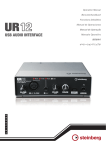
4 [LINE OUTPUT] jacks
For connecting monitor speakers. Use RCA connectors
(unbalanced) to connect to these jacks.
5 [+48V] switch
Turns the phantom power (+48V) on/off. When you turn
this switch on, phantom power will be supplied to the
[MIC] jack.
Phantom Power Precautions
NOTICE
Always turn the phantom power switch to [OFF]
when it is not required.
When using phantom power, observe the following
to prevent noise and possible damage to UR12 or
connected equipment.
• Set the [OUTPUT] knob to minimum before turning
the phantom power switch to [ON] or [OFF].
• Do not connect or disconnect any devices while
the phantom power switch is turned to [ON].
• When connecting devices not requiring phantom
power to the [MIC] jack, make sure to turn the
phantom power switch to [OFF].
UR12 Operation Manual
5