1
Chapter 11. LED
11.1. Outline
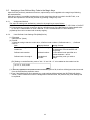
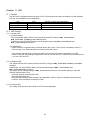
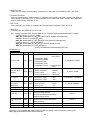
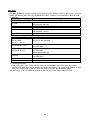
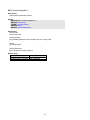
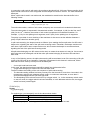
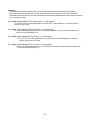
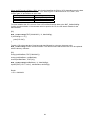
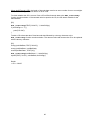
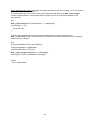
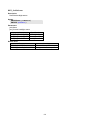
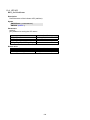
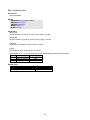
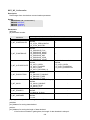
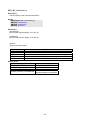
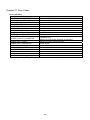
The BHT-200 is equipped with three types of LED. From these three types, the display LED and wireless
LED can be controlled from the application.
LED
Indicator LED
Wireless LED
Charger LED
Color
Red and blue
Yellow
Red and green
ON/OFF control from applications
Possible
Possible
Impossible
11.2. LED Control
11.2.1. Display LED
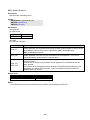
(1) Control method
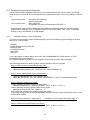
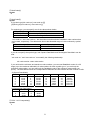
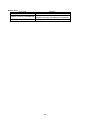
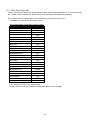
The red and blue display LEDs can be turned ON and OFF using the BHT_SetNLedStatus,
BHT_SetNLedOn, and BHT_SetNLedOff functions.
Furthermore, the LED ON/OFF status can be acquired using the BHT_GetNLedStatus and
BHT_GetNLedStatusEx functions
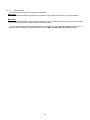
(2) Limited items
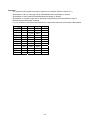
▪ LEDs cannot be controlled when a barcode device file is open. LEDs can be controlled, however, if
LEDs are set not to illuminate when a barcode device file is open.
▪ If the function mentioned at (1) above is used to turn ON an LED from the application, the LED
remains ON even after exiting the application used to turn ON the LED. Use the function mentioned at
(1) to turn OFF the LED.
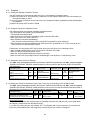
11.2.2. Wireless LED
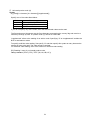
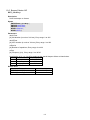
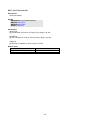
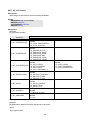
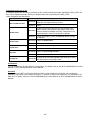
The yellow wireless LED can be turned ON and OFF using the BHT_SetNLedOn and BHT_SetNLedOff
functions.
Furthermore, the LED ON/OFF status can be acquired using the BHT_GetNLedStatus and
BHT_GetNLedStatusEx functions.
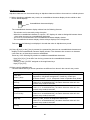
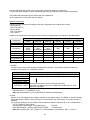
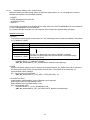
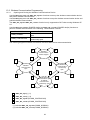
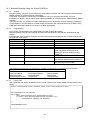
The usage can be changed using the BHT_SetNLedControl function. The default setting is “Use with
wireless communication only.”
▪ Use with wireless communication only.
▪ Use with application only.
▪ Use with both wireless communication and application. Priority is given to wireless communication,
however, when a wireless connection is open.
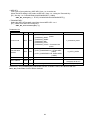
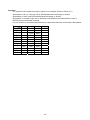
11.2.3. Charge LED
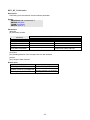
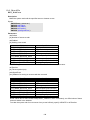
The charge LED cannot be turned ON or OFF from the application.
30