1
146 Using QCMatPack to Create Windows Applications
http://quinn-curtis.com/LESTestApplet1.htm
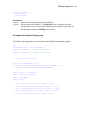
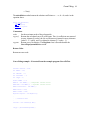
Note the following:
•
The CODE attribute specifies the full namespace of the main applet class,
com.quinn-curtis.qcmatpack.examples.LESTest.Applet1.class
•
The ARCHIVE attribute specifies two jars, one that contains the code of the
applet (LESTest.jar), and the other the QCMatPack libraries (qcmatpackjava.jar
and qcmatviewjava.jar).
•
The CODEBASE attribute tells the browser in which directory to find the applet.
If the applet is in the same directory as the calling HTML page the CODEBASE
attribute is not necessary.
•
The HEIGHT and WIDTH attribute specify the pixel dimensions of the window
the applet will display in
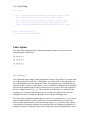
This is the simple version of enabling an applet in a web page. The more complicated
way, and the way recommended by Sun is to use the HTML <OBJECT> tag. Apparently
the <APPLET> tag has been deprecated by the <OBJECT> tag in the HTML standard
and Sun is encouraging web designers to use it. You can read all about it from the source
at:
http://docsun.cites.uiuc.edu/sun_docs/C/solaris_9/SUNWaadm/JVPLUGINUG/p5.html
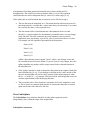
They have a program that will convert <APPLET> code to <OBJECT> code, and forces
the browser to download a Java plug-in if one is not already present on the computer. It
also uses the EMBED tag instead of OBJECT if the Netscape browser is used. The
Netscape trick involves the use of the <COMMENT> tag. Read about that in the Sun
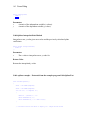
article hyperlinked above. The converted version of the HTML applet code looks like.
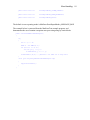
<OBJECT
classid="clsid:8AD9C840-044E-11D1-B3E9-00805F499D93"
WIDTH = 800 HEIGHT = 600
codebase="http://java.sun.com/jpi/jinstall-14-win32.cab#Version=1,4,0,mn">
<PARAM NAME = "code" VALUE =
"com.quinncurtis.matpackjava.examples.LESTest.Applet1.class" >
<PARAM NAME="codebase" VALUE="http://quinn-curtis.com/classes/" >
<PARAM NAME = "archive" VALUE =
"LESTest.jar,qcmatpackjava.jar,qcmatviewjava.jar" >
<PARAM NAME="type" VALUE="application/x-java-applet;version=1.4">
<PARAM NAME="scriptable" VALUE="false">
<COMMENT>
<EMBED
type="application/x-java-applet;version=1.4"