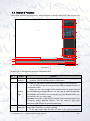
1
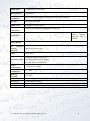
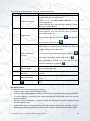
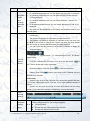
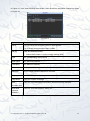
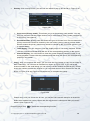
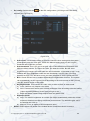
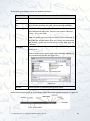
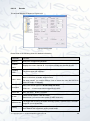
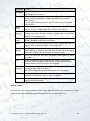
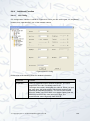
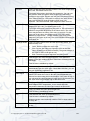
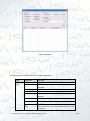
Parameter
Function
Anti-dither
System only memorises one event during the anti-dither period. The
value ranges from 0 to 15s.
Relay Out
Enable alarm activation function. You need to select alarm output port
so that system can activate corresponding alarm device when an
alarm occurs.
For 6-ch alarm output port device, the 6th channel is the controllable
+12V output.
Alarm
Latch
System can delay the alarm output for specified time after alarm
ended. The value ranges from 10 seconds to 300 seconds.
Record
Channel
System auto activates current channel to record once an alarm occurs
(working with alarm activation function). Please note current device
shall be in auto record mode
Record
Latch
System can delay the record for specified time after an has alarm
ended. The value ranges from 10s to 300s.
Email
Please draw a circle to enable email function. System can send out
email to alert you when an alarm occurs and ends.
Screen
display
After this has been enabled, alarm info will be prompted out on to the
local output end. That is to say, the alarm prompt will be displayed
beside the channel name on the local surveillance image.
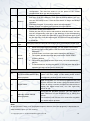
Buzzer
Once you check the box here, the buzzer beeps when an alarm
occurred.
Tour
Display the selected video in local monitor window. When alarm
occurs, system can begin one-window tour for the activated record
channel. Please set the tour time in the local end.
PTZ
activation
Here you can set PTZ movement when alarm is triggered. Such as go
to preset X when there is an alarm.
The PTZ configuration events include preset, tour, and pattern.
Capture
You need to input capture channel number so that the system can
backup the snapshot file when an alarm is triggered.
Copy
It is a shortcut menu button. You can copy current channel setup to
one or more (all) channels.
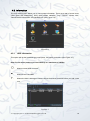
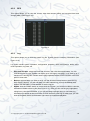
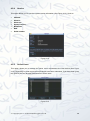
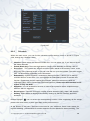
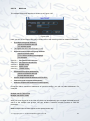
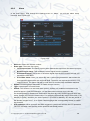
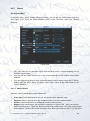
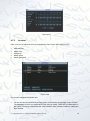
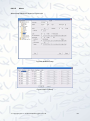
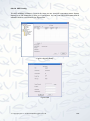
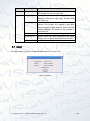
6.4.2.6 Detect
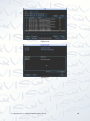
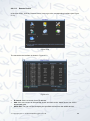
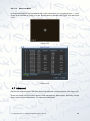
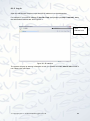
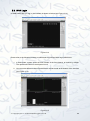
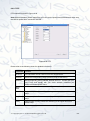
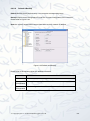
By analyzing video image, system will boot video detection alarm when it senses the motion
signal which meets the senility standard that is previously set. See Figure 6-41.
© Copyright Qvis ®. All documentation rights reserved.
113