1
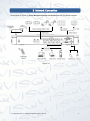
1 Features and Specifications 1.1 Overview The NVR delivers high performance within a networked security surveillance system. This series of products also support local preview, multiple-window display, recorded file local storage, remote control & mouse shortcut menu operation, and remote management & control function. In addition to this it can also provide integral centre storage, front-end storage and client-end storage. The monitor zone in the front-end can be setup anywhere. Working with other front-end devices within the Qvis product range, this product series can establish a strong surveillance network via the CMS. In order for the system to work you only need one network cable running from each security camera, to the monitor workstation, within the whole network. There is no need for multiple audio/video cables from the security cameras to the monitor workstation. The whole project features a simple connection, which reduces network installation costs and a low amount of maintenance work. This series of NVRs can be widely used in many areas such as public security, water conservancy, transportation and education. 1.2 Features Via corresponding setup (such as alarm setup and schedule setup), you can backup related audio/video data on to the network video recorder. Supports Web and local video recording. Responds to external alarms (within 200miliseconds) whilst continuing to monitor and record video camera footage. This is based on user’s pre-defined relay setup, the system can process the alarm input systematically and will prompt user by using screen and voice alerts (supports pre-recorded audio). Supports central alarm server setup, so that alarm information can remotely notify user automatically. Alarm input can be derived from various connected peripheral devices. Alarm trigger Alerts sent to your EMAIL. Sending audio/video data, through the network, can both be compressed by the IPC or the NVS and then sent to the monitoring station. The data will then be decompressed and displayed. If the bandwidth is big enough, latency will be less than 500miliseconds. Storage Alarm Network Monitor Window Split Supports a maximum of 10 connections Transmit audio/video data by HTTP, TCP, UDP, MULTICAST, RTP/RTCP, etc. Transmit some alarm data or alarm info by SMTP. Supports access in WAN. Adopt the video compression and digital process to display multiple windows on one monitor. Supports 1/4/8/16-window display. © Copyright Qvis ®. All documentation rights reserved. 1