1
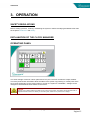
OPERATION
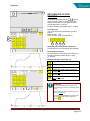
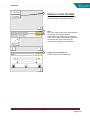
ALARMS SCREEN
21
20
22
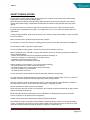
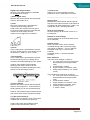
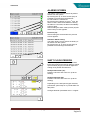
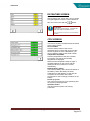
The Alarms current screen shows all present
alarms from the system.
By touching the up- or down arrows (20) it is
possible to scroll through the alarm list.
An active alarm is colored red.
st
By touching the R button (21) the 1 time, the
alarm is reset. When the breakdown causing
the alarm is not solved, the alarm immediately
pops-up again.
After touching the alarm history button (22) the
alarm history screen appears.
23
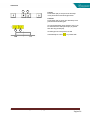
Previous (23):
After touching this arrow button the previous
screen appears.
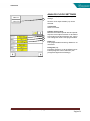
Submenu Alarm history:
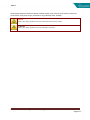
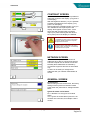
The Alarm history screen shows the history of
all alarms from the system.
By touching the up- or down arrows (25) it is
possible to scroll through the alarm list.
25
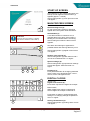
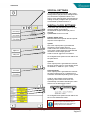
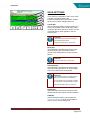
SHIFT CLOCK PERIODS
26
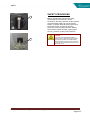
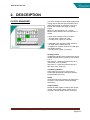
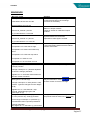
Push button (26) to enter shift clock periods.
Enter shift X period and shift X values in yellow
input windows (26) (27) to shift all digital and
analog clock periods simultaneous.
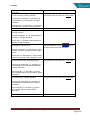
Shift periods earlier (27):
between 0.00 hour and 9.00 hour. (0.00=no
shifting)
27
28
Shift periods later (28):
between 0.00 hour and 9.00 hour. (0.00=no
shifting)
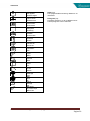
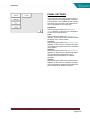
Depending on the shift period types selected,
period-start, period-stop or no period shifts will
take place.
Changes allowed if password level 1 or higher.
User manual clock manager 02012013 (Eng)
Pagina 21